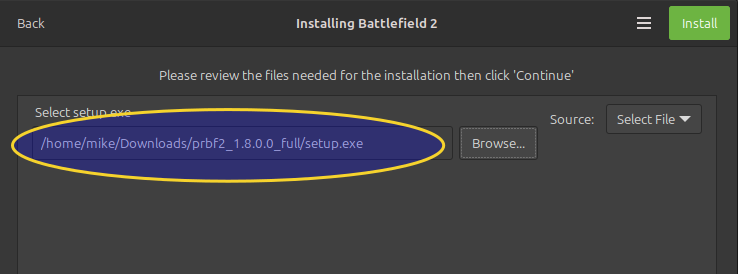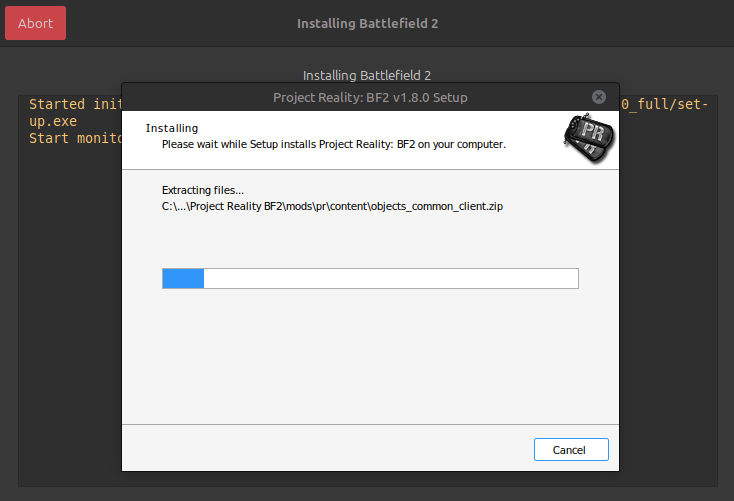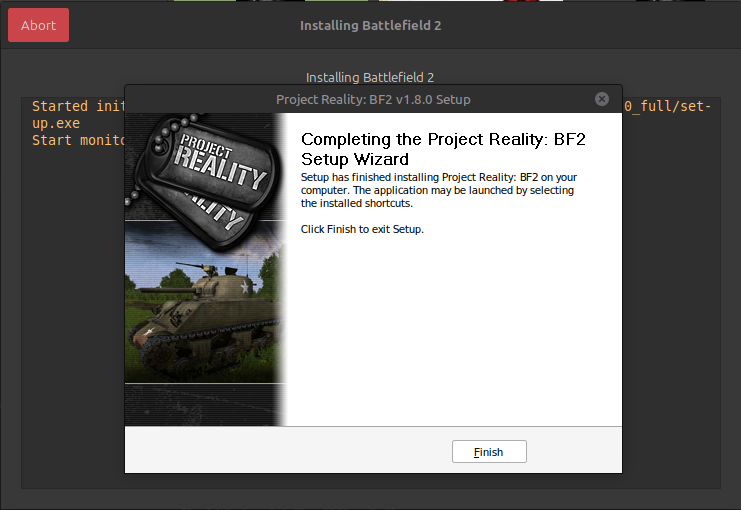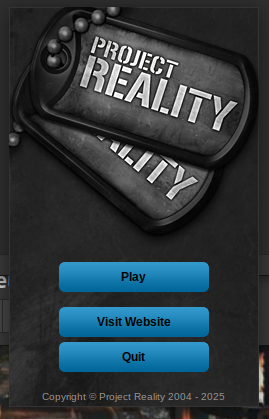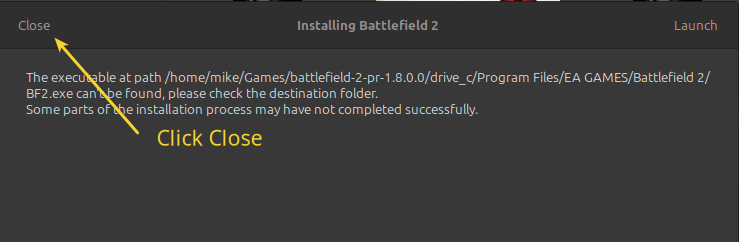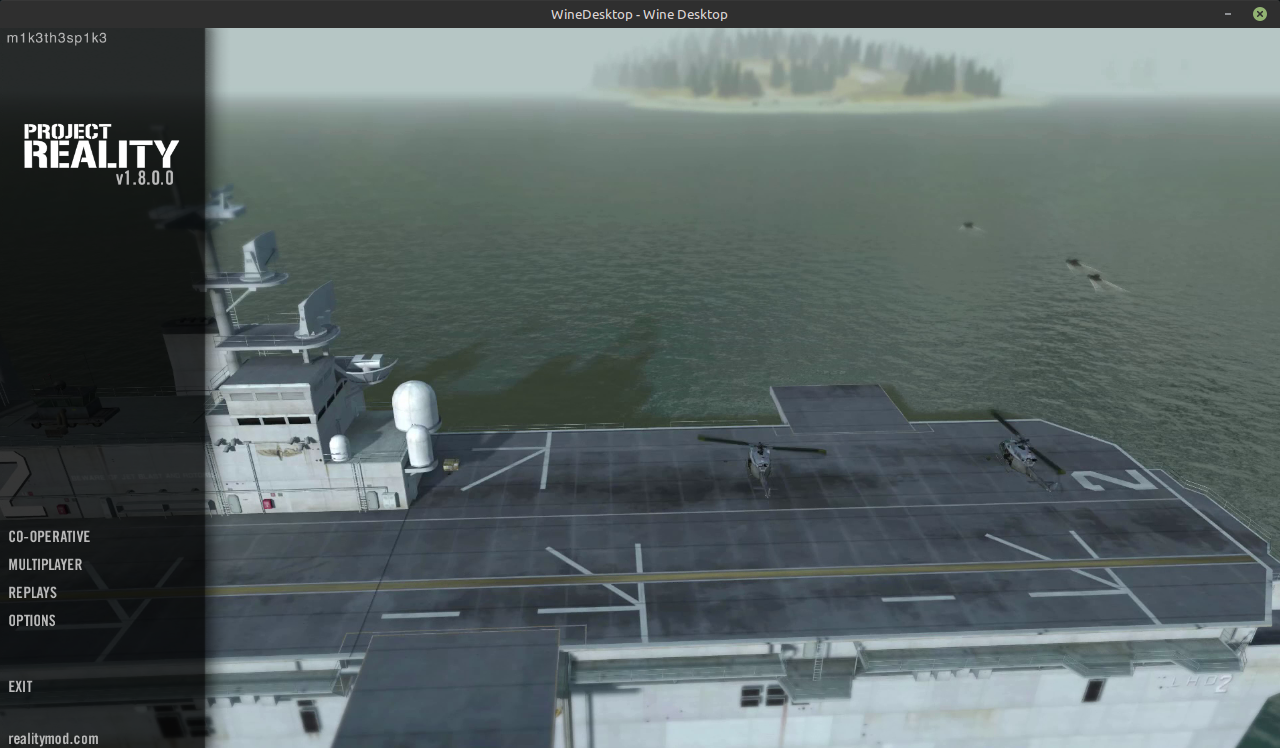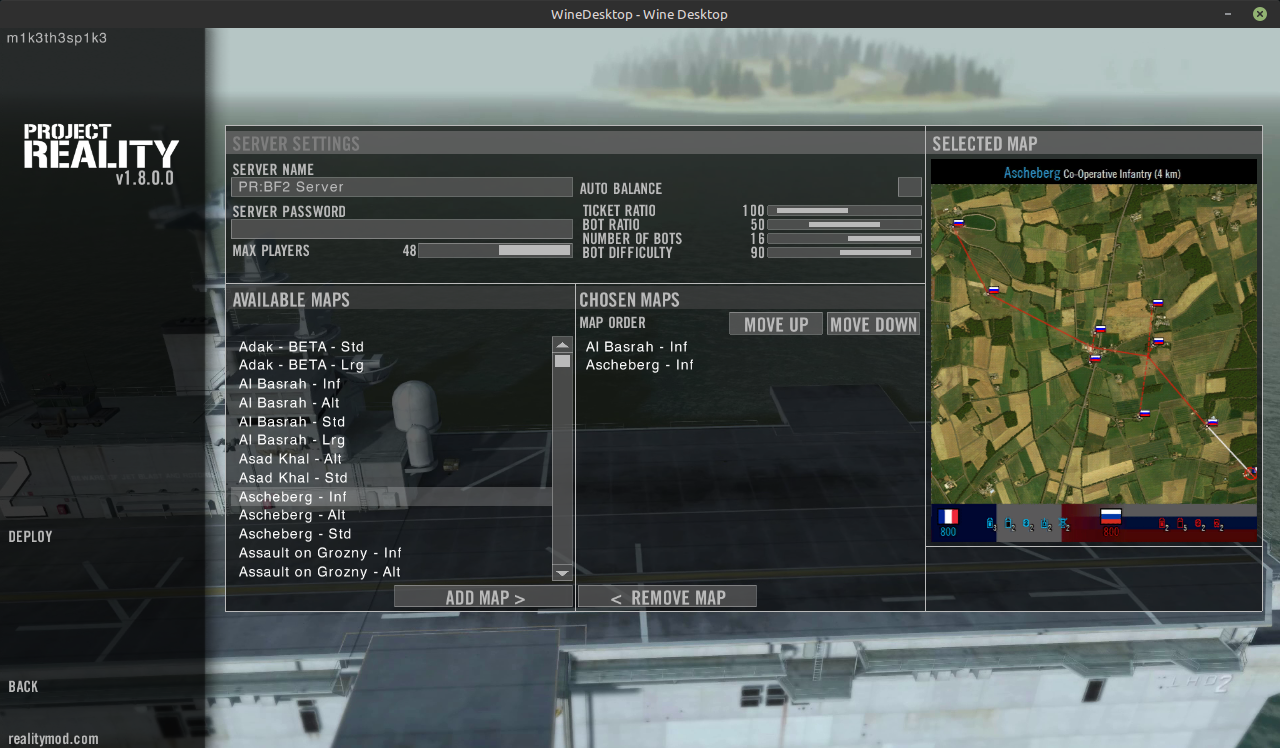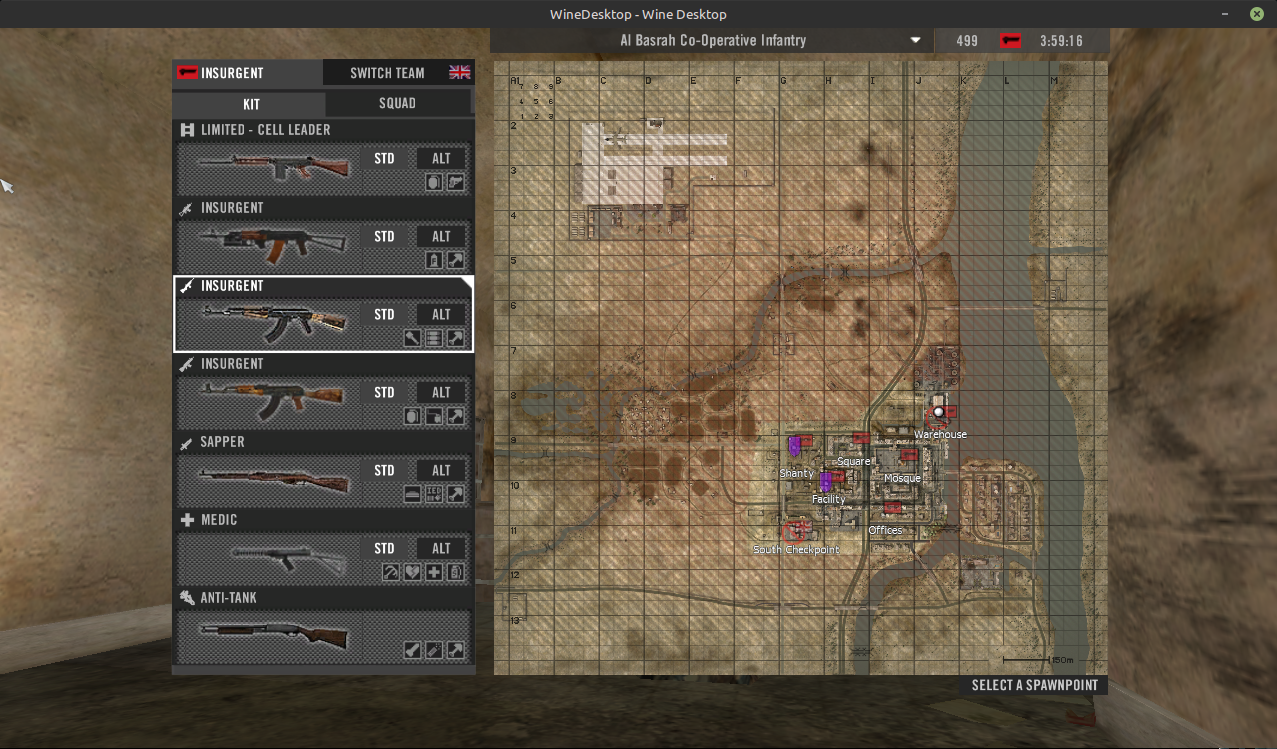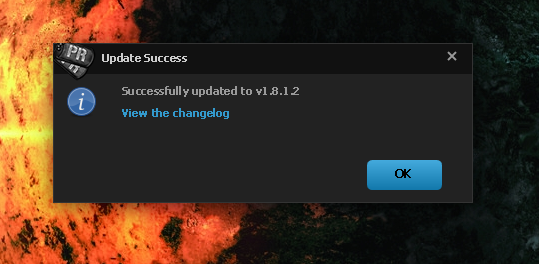
Step 1. Latest prbf2_1.8.0.0_ full directory downloaded via torrent and saved into /home/mike/Games/Downloads/prbf2_1.8.0.0_ full directory.
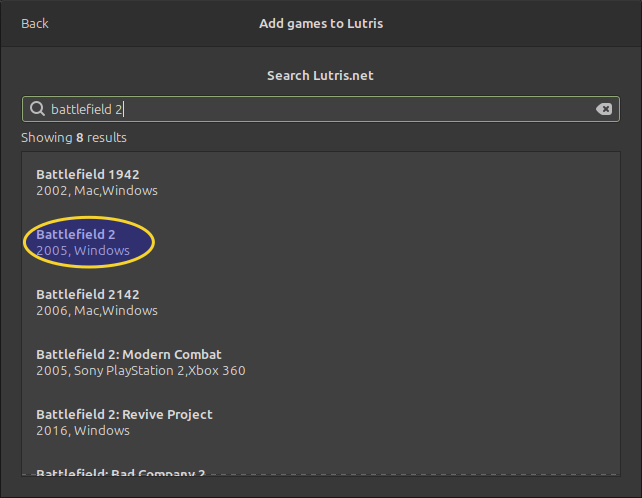
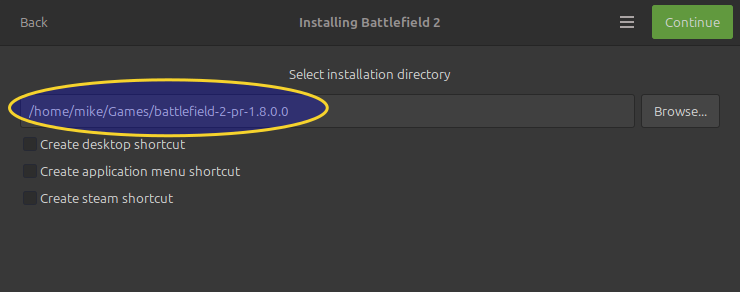
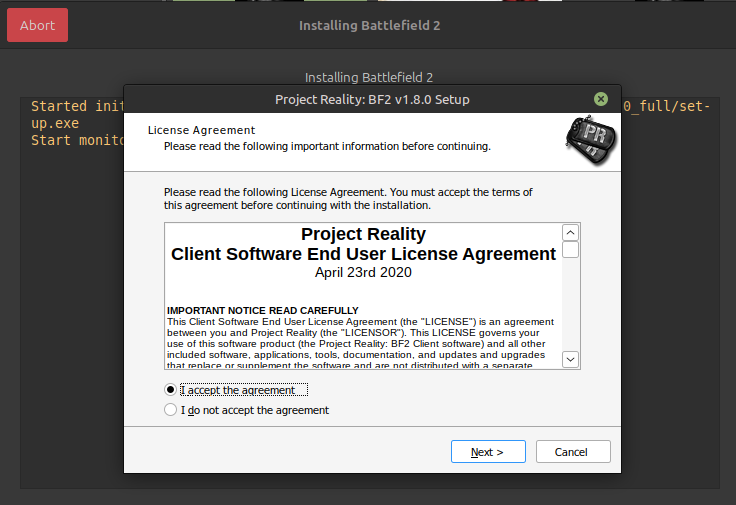
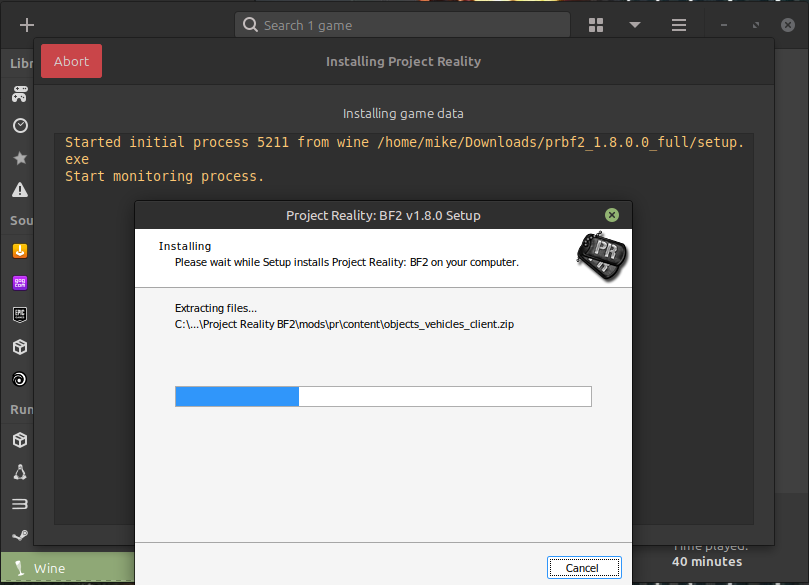
Step 2. Installed setup.exe in Lutris 0.5.14 using "Install a Windows game from an executable" using Project Reality as Game name with installer preset as Windows 10 64 bit.
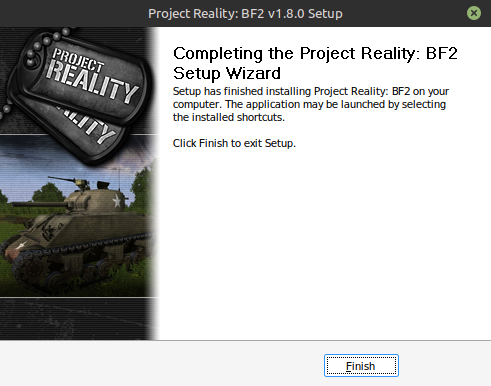
Step 3. Lutris creates the new game called Project Reality just fine.

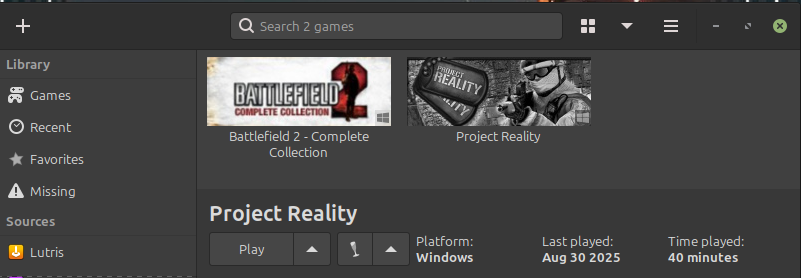
Step 4. I double click Project Reality, it starts a black window and then stops after a while.
Here is the Wine log:
Code: Select all
Started initial process 10340 from gamemoderun /usr/bin/wine /home/mike/Games/project-reality/drive_c/Program Files (x86)/Project Reality/Project Reality BF2/PRBF2_w32ded.exe
Start monitoring process.
ERROR: ld.so: object 'libgamemodeauto.so.0' from LD_PRELOAD cannot be preloaded (wrong ELF class: ELFCLASS64): ignored.
ERROR: ld.so: object 'libgamemodeauto.so.0' from LD_PRELOAD cannot be preloaded (wrong ELF class: ELFCLASS64): ignored.
gamemodeauto:
PlayerManager created
ObjectManager created
GameLogic created
Serversettings created
No maps in maplist. Please add atleast one map, or use +loadLevel command.Initial process has exited (return code: 0)
gamemodeauto:
Monitored process exited.
All processes have quit
Exit with return code 0
The executable used is /home/mike/Games/project-reality/drive_c/Program Files (x86)/Project Reality/Project Reality BF2/PRBF2_w32ded.exe
I keep getting the same error as above.
I cannot find the prlauncher.log file to upload here at C:\Program Files (x86)\Project Reality\Project Reality BF2\mods\pr\bin\prlauncher.log because I don't think the PRLauncher.exe file is ever being called anywhere.
Can anyone please assist me to get this working?
NEW PROGRESS UPDATE!!
I questioned myself why PRBF2_w32ded.exe is used as the executable after I compared it to my BF2 - Complete Collection installation and I tried just PRBF2.exe found in C:\Program Files (x86)\Project Reality\Project Reality BF2\mods\pr\bin\ and the Project Reality intro video then starts to play and I get a message saying:
Code: Select all
GAME MESSAGE     Cannot interact with PR Launcher

You must use the Project Reality BF2 Launcher in order to play this modification.
This is located in the PR:BF2 game directory.
Example: C:\Program Files\Project Reality\Project Reality BF2\mods\pr\bin\PRLauncher.exe

ANOTHER SMALL UPDATE >> 1 SMALL STEP CLOSER
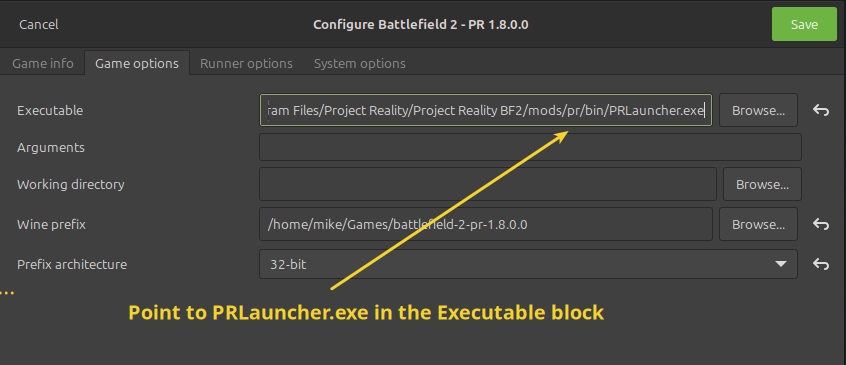
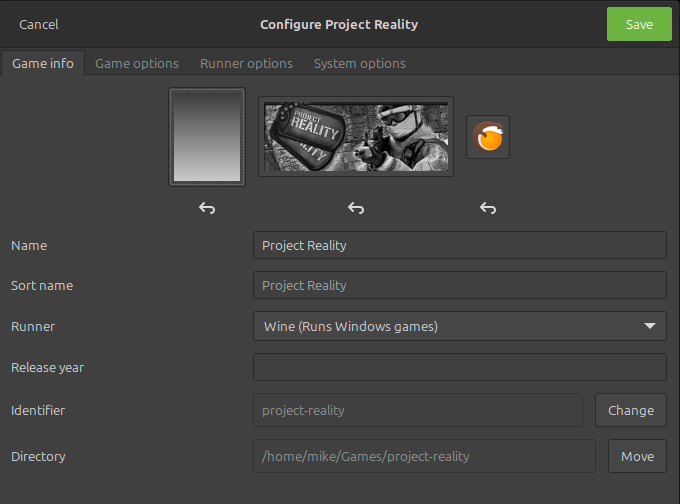
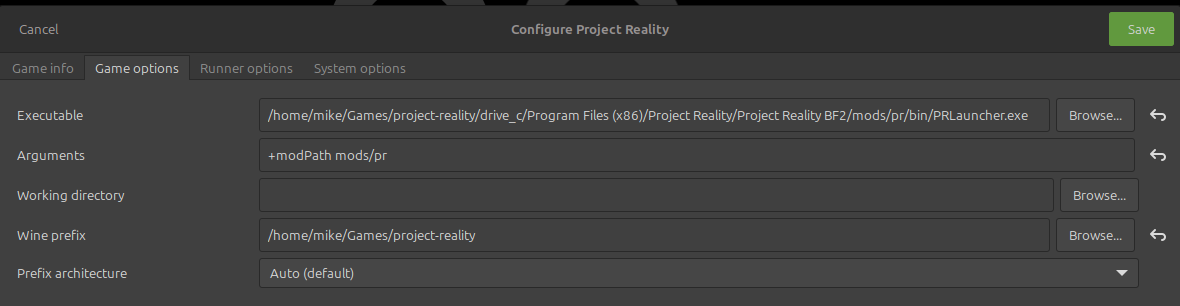
Changed the executable to be /home/mike/Games/project-reality/drive_c/Program Files (x86)/Project Reality/Project Reality BF2/PRBF2_w32ded.exe
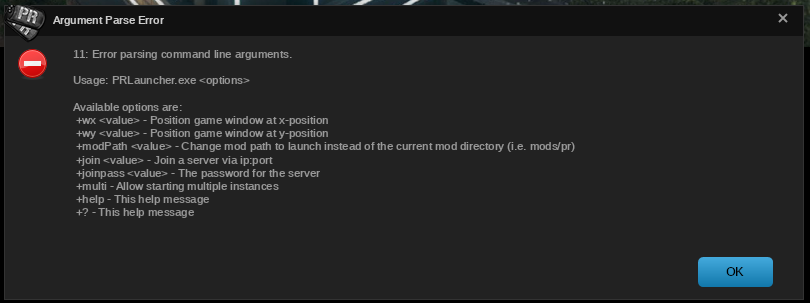
So I guess there is more to try....
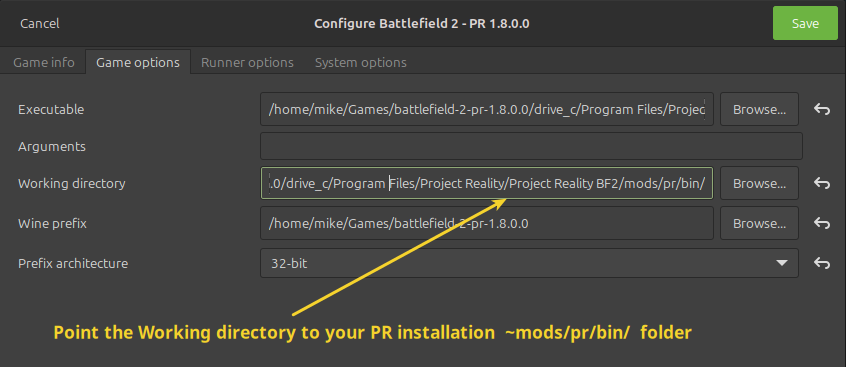
Added the Argument: +modPath mods/pr like so:
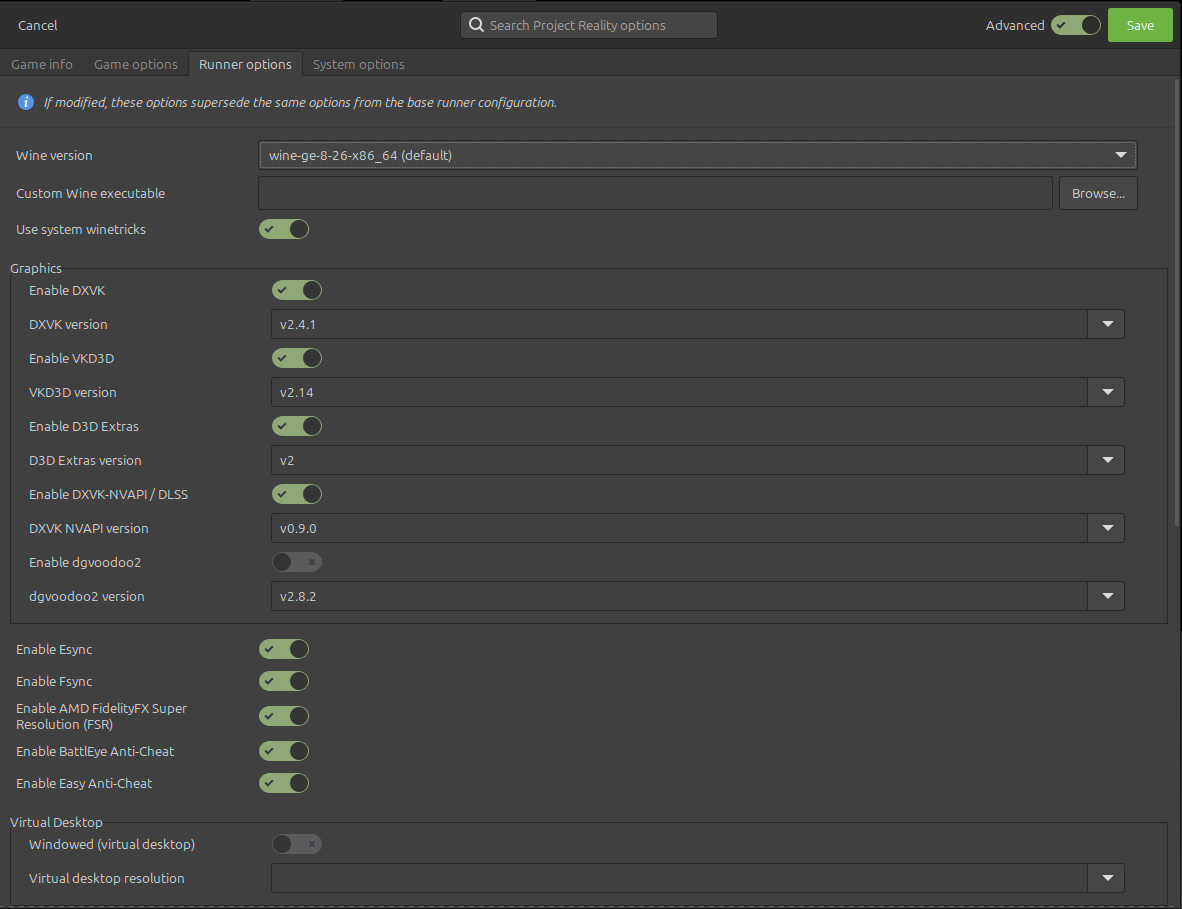
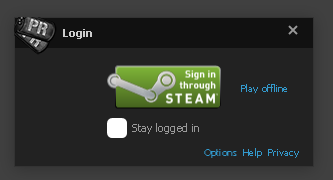
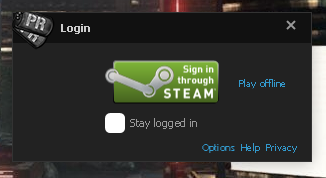
and we get some STEAM ....

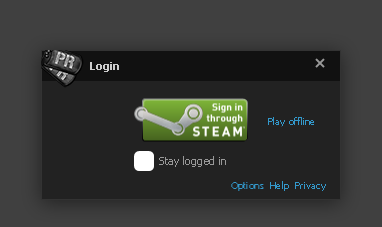
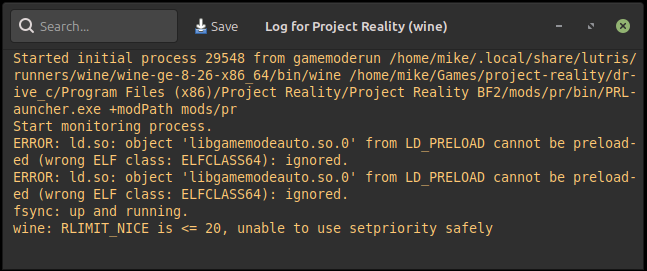
So I just had to click the green Sign in through STEAM button ....
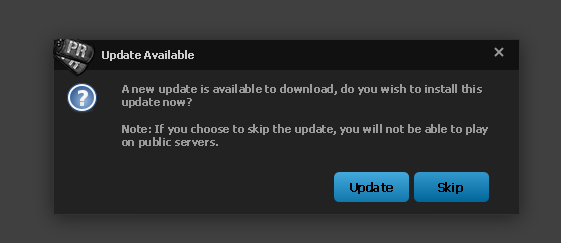
I'll be back with an update once PR is updated!!
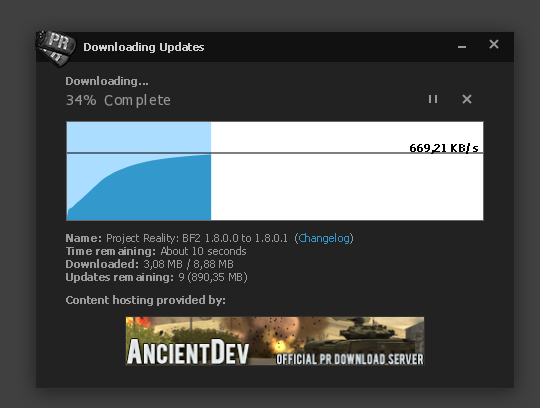
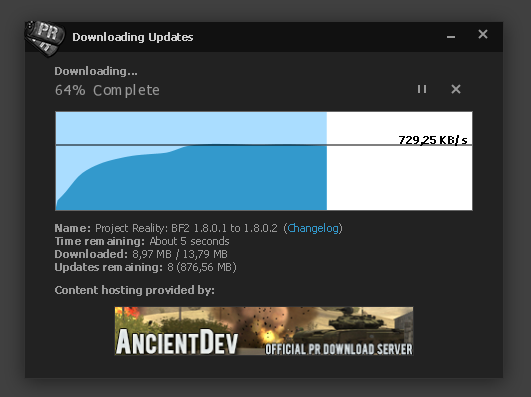
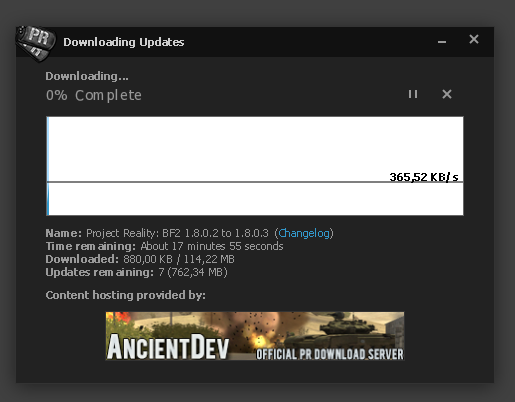
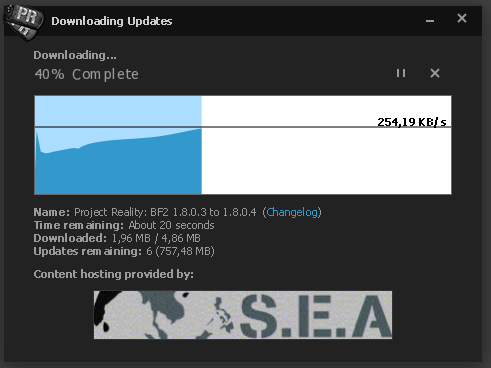
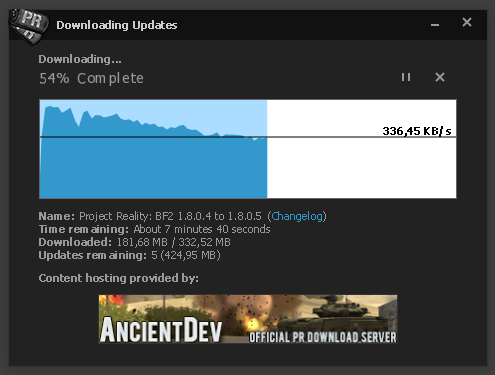
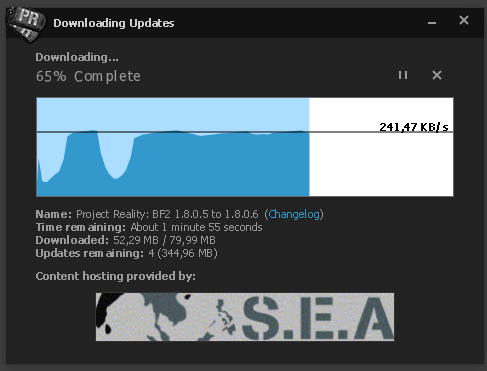
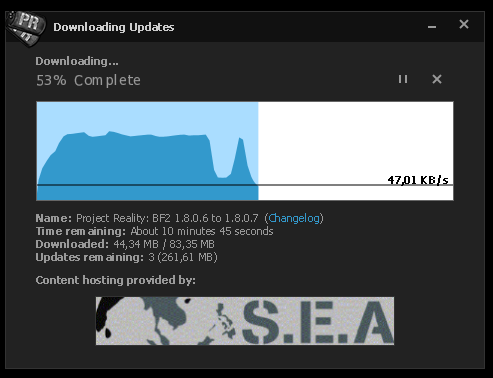
Still updating ....
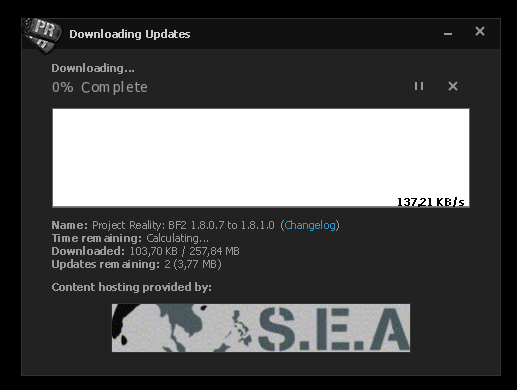
This one is taking a long time ......
PC froze....

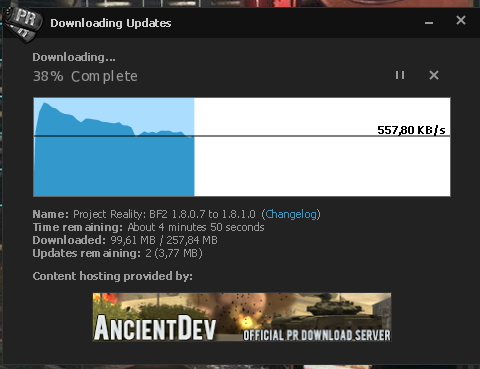
Restarted PR in some Wine....Now downloading far faster!! (Must be the Hosting Content Provider
 )
)
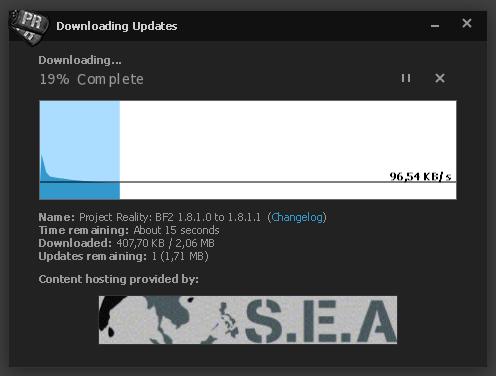
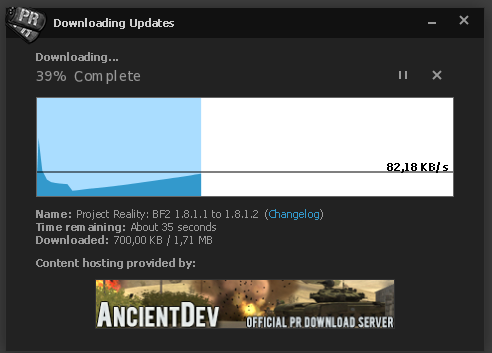
And then, a few beers later....

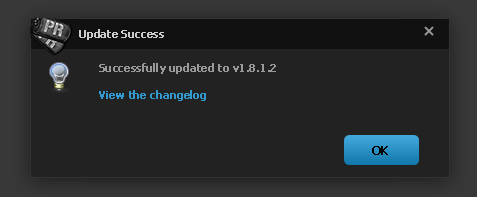
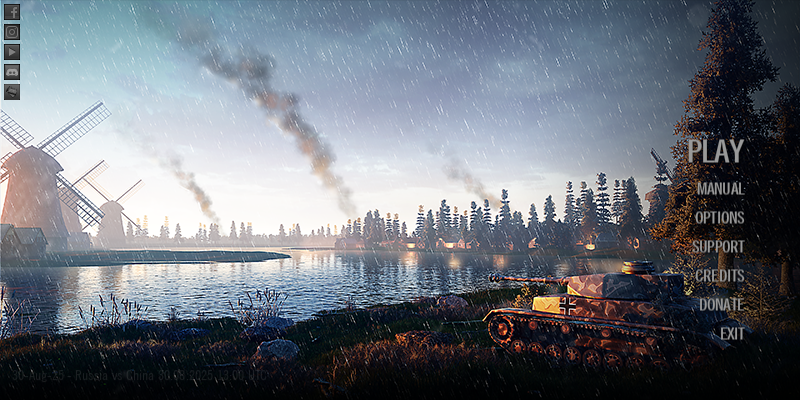
Then I choose to Play Offline:
Then the disaster....
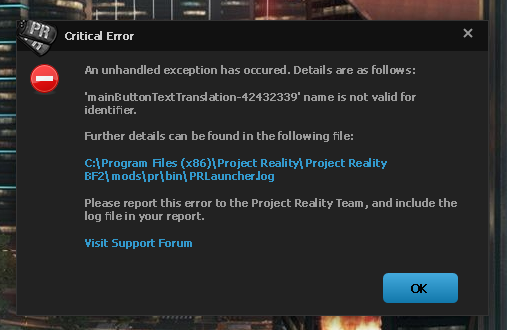
Can't upload the log file because it says this board doesn't accept attachments anymore..... so here is the log:
Code: Select all
Project Reality Log File
PRLauncher.exe started at: 2025-08-30T17:53:27

Critical Error: An unhandled exception has occured. Details are as follows:

'mainButtonTextTranslation-42432339' name is not valid for identifier.

Further details can be found in the following file:

[url]C:\Program Files (x86)\Project Reality\Project Reality BF2\mods\pr\bin\PRLauncher.log[/url]

Please report this error to the Project Reality Team, and include the log file in your report.

[url="https://www.realitymod.com/forum/forumdisplay.php?f=27"]Visit Support Forum[/url]

 > System.ArgumentException: 'mainButtonTextTranslation-42432339' name is not valid for identifier.
  at System.Xaml.NameScope.RegisterName (System.String name, System.Object scopedElement) [0x00066] in <3ac7c370558c4af79419136df475e55c>:0
  at System.Windows.FrameworkElement.RegisterName (System.String name, System.Object scopedElement) [0x00011] in <d31f3a57049e4054ad4371f364def5bc>:0
  at Reality.UI.MainButton.p () [0x000ad] in <671e04e76ff74895b06a8f769828f700>:0
  at Reality.UI.MainButton.OnApplyTemplate () [0x00071] in <671e04e76ff74895b06a8f769828f700>:0
  at System.Windows.FrameworkElement.ApplyTemplate () [0x00050] in <d31f3a57049e4054ad4371f364def5bc>:0
  at System.Windows.FrameworkElement.MeasureCore (System.Windows.Size availableSize) [0x00037] in <d31f3a57049e4054ad4371f364def5bc>:0
  at System.Windows.UIElement.Measure (System.Windows.Size availableSize) [0x001d1] in <c8543cf9ae2e4c3ea7ec30d842c3dd79>:0
  at System.Windows.Controls.Grid.MeasureOverride (System.Windows.Size constraint) [0x00058] in <d31f3a57049e4054ad4371f364def5bc>:0
  at System.Windows.FrameworkElement.MeasureCore (System.Windows.Size availableSize) [0x002ab] in <d31f3a57049e4054ad4371f364def5bc>:0
  at System.Windows.UIElement.Measure (System.Windows.Size availableSize) [0x001d1] in <c8543cf9ae2e4c3ea7ec30d842c3dd79>:0
  at System.Windows.Controls.Grid.MeasureOverride (System.Windows.Size constraint) [0x00058] in <d31f3a57049e4054ad4371f364def5bc>:0
  at System.Windows.FrameworkElement.MeasureCore (System.Windows.Size availableSize) [0x002ab] in <d31f3a57049e4054ad4371f364def5bc>:0
  at System.Windows.UIElement.Measure (System.Windows.Size availableSize) [0x001d1] in <c8543cf9ae2e4c3ea7ec30d842c3dd79>:0
  at MS.Internal.Helper.MeasureElementWithSingleChild (System.Windows.UIElement element, System.Windows.Size constraint) [0x00023] in <d31f3a57049e4054ad4371f364def5bc>:0
  at System.Windows.Controls.ContentPresenter.MeasureOverride (System.Windows.Size constraint) [0x00001] in <d31f3a57049e4054ad4371f364def5bc>:0
  at System.Windows.FrameworkElement.MeasureCore (System.Windows.Size availableSize) [0x002ab] in <d31f3a57049e4054ad4371f364def5bc>:0
  at System.Windows.UIElement.Measure (System.Windows.Size availableSize) [0x001d1] in <c8543cf9ae2e4c3ea7ec30d842c3dd79>:0
  at System.Windows.Controls.Decorator.MeasureOverride (System.Windows.Size constraint) [0x00011] in <d31f3a57049e4054ad4371f364def5bc>:0
  at System.Windows.Documents.AdornerDecorator.MeasureOverride (System.Windows.Size constraint) [0x00001] in <d31f3a57049e4054ad4371f364def5bc>:0
  at System.Windows.FrameworkElement.MeasureCore (System.Windows.Size availableSize) [0x002ab] in <d31f3a57049e4054ad4371f364def5bc>:0
  at System.Windows.UIElement.Measure (System.Windows.Size availableSize) [0x001d1] in <c8543cf9ae2e4c3ea7ec30d842c3dd79>:0
  at System.Windows.Controls.Border.MeasureOverride (System.Windows.Size constraint) [0x00115] in <d31f3a57049e4054ad4371f364def5bc>:0
  at System.Windows.FrameworkElement.MeasureCore (System.Windows.Size availableSize) [0x002ab] in <d31f3a57049e4054ad4371f364def5bc>:0
  at System.Windows.UIElement.Measure (System.Windows.Size availableSize) [0x001d1] in <c8543cf9ae2e4c3ea7ec30d842c3dd79>:0
  at System.Windows.Window.MeasureOverrideHelper (System.Windows.Size constraint) [0x000f4] in <d31f3a57049e4054ad4371f364def5bc>:0
  at System.Windows.Window.MeasureOverride (System.Windows.Size availableSize) [0x0006e] in <d31f3a57049e4054ad4371f364def5bc>:0
  at System.Windows.FrameworkElement.MeasureCore (System.Windows.Size availableSize) [0x0004b] in <d31f3a57049e4054ad4371f364def5bc>:0
  at System.Windows.UIElement.Measure (System.Windows.Size availableSize) [0x001d1] in <c8543cf9ae2e4c3ea7ec30d842c3dd79>:0
  at System.Windows.Interop.HwndSource.SetLayoutSize () [0x000cb] in <c8543cf9ae2e4c3ea7ec30d842c3dd79>:0
  at System.Windows.Interop.HwndSource.set_RootVisualInternal (System.Windows.Media.Visual value) [0x00156] in <c8543cf9ae2e4c3ea7ec30d842c3dd79>:0
  at System.Windows.Interop.HwndSource.set_RootVisual (System.Windows.Media.Visual value) [0x00009] in <c8543cf9ae2e4c3ea7ec30d842c3dd79>:0
  at System.Windows.Window+SourceWindowHelper.set_RootVisual (System.Windows.Media.Visual value) [0x00001] in <d31f3a57049e4054ad4371f364def5bc>:0
  at System.Windows.Window.SetRootVisual () [0x00016] in <d31f3a57049e4054ad4371f364def5bc>:0
  at System.Windows.Window.SetRootVisualAndUpdateSTC () [0x00001] in <d31f3a57049e4054ad4371f364def5bc>:0
  at System.Windows.Window.SetupInitialState (System.Double requestedTop, System.Double requestedLeft, System.Double requestedWidth, System.Double requestedHeight) [0x003cc] in <d31f3a57049e4054ad4371f364def5bc>:0
  at System.Windows.Window.CreateSourceWindow (System.Boolean duringShow) [0x00186] in <d31f3a57049e4054ad4371f364def5bc>:0
  at System.Windows.Window.CreateSourceWindowDuringShow () [0x00001] in <d31f3a57049e4054ad4371f364def5bc>:0
  at System.Windows.Window.SafeCreateWindowDuringShow () [0x0000c] in <d31f3a57049e4054ad4371f364def5bc>:0
  at System.Windows.Window.ShowHelper (System.Object booleanBox) [0x00057] in <d31f3a57049e4054ad4371f364def5bc>:0
  at System.Windows.Window.Show () [0x00025] in <d31f3a57049e4054ad4371f364def5bc>:0
  at -.C+x.p (System.Object p, System.EventArgs f) [0x0005b] in <71cdf0fedb93485299204fa55e918dc7>:0
  at PRLauncher.WPF.ViewModel.LoginWindowViewModel.TriggerFinish (System.Object p) [0x0001a] in <71cdf0fedb93485299204fa55e918dc7>:0
  at PRLauncher.WPF.ViewModel.Pages.LoginPageViewModel.OnOffline (System.Object p) [0x0000f] in <71cdf0fedb93485299204fa55e918dc7>:0
  at Reality.Utils.WPF.RelayCommand.Execute (System.Object ) [0x00000] in <f63b3869b4eb4073ddc47bff408c3ac3>:0
  at MS.Internal.Commands.CommandHelpers.CriticalExecuteCommandSource (System.Windows.Input.ICommandSource commandSource, System.Boolean userInitiated) [0x00073] in <d31f3a57049e4054ad4371f364def5bc>:0
  at MS.Internal.Commands.CommandHelpers.ExecuteCommandSource (System.Windows.Input.ICommandSource commandSource) [0x00001] in <d31f3a57049e4054ad4371f364def5bc>:0
  at System.Windows.Documents.Hyperlink.OnClick () [0x0003d] in <d31f3a57049e4054ad4371f364def5bc>:0
  at System.Windows.Documents.Hyperlink.DispatchNavigation (System.Object sender) [0x00011] in <d31f3a57049e4054ad4371f364def5bc>:0
  at System.Windows.Documents.Hyperlink.DoUserInitiatedNavigation (System.Object sender) [0x00001] in <d31f3a57049e4054ad4371f364def5bc>:0
  at System.Windows.Documents.Hyperlink.OnMouseLeftButtonUp (System.Object sender, System.Windows.Input.MouseButtonEventArgs e) [0x0005e] in <d31f3a57049e4054ad4371f364def5bc>:0
  at System.Windows.Documents.Hyperlink.OnMouseLeftButtonUp (System.Windows.Input.MouseButtonEventArgs e) [0x00009] in <d31f3a57049e4054ad4371f364def5bc>:0
  at System.Windows.UIElement.OnMouseLeftButtonUpThunk (System.Object sender, System.Windows.Input.MouseButtonEventArgs e) [0x00041] in <c8543cf9ae2e4c3ea7ec30d842c3dd79>:0
  at System.Windows.Input.MouseButtonEventArgs.InvokeEventHandler (System.Delegate genericHandler, System.Object genericTarget) [0x00008] in <c8543cf9ae2e4c3ea7ec30d842c3dd79>:0
  at System.Windows.RoutedEventArgs.InvokeHandler (System.Delegate handler, System.Object target) [0x0000a] in <c8543cf9ae2e4c3ea7ec30d842c3dd79>:0
  at System.Windows.RoutedEventHandlerInfo.InvokeHandler (System.Object target, System.Windows.RoutedEventArgs routedEventArgs) [0x00041] in <c8543cf9ae2e4c3ea7ec30d842c3dd79>:0
  at System.Windows.RouteItem.InvokeHandler (System.Windows.RoutedEventArgs routedEventArgs) [0x00001] in <c8543cf9ae2e4c3ea7ec30d842c3dd79>:0
  at System.Windows.EventRoute.InvokeHandlersImpl (System.Object source, System.Windows.RoutedEventArgs args, System.Boolean reRaised) [0x00137] in <c8543cf9ae2e4c3ea7ec30d842c3dd79>:0
  at System.Windows.EventRoute.ReInvokeHandlers (System.Object source, System.Windows.RoutedEventArgs args) [0x00001] in <c8543cf9ae2e4c3ea7ec30d842c3dd79>:0
  at System.Windows.UIElement.ReRaiseEventAs (System.Windows.DependencyObject sender, System.Windows.RoutedEventArgs args, System.Windows.RoutedEvent newEvent) [0x0006e] in <c8543cf9ae2e4c3ea7ec30d842c3dd79>:0
  at System.Windows.UIElement.CrackMouseButtonEventAndReRaiseEvent (System.Windows.DependencyObject sender, System.Windows.Input.MouseButtonEventArgs e) [0x00011] in <c8543cf9ae2e4c3ea7ec30d842c3dd79>:0
  at System.Windows.UIElement.OnMouseUpThunk (System.Object sender, System.Windows.Input.MouseButtonEventArgs e) [0x00059] in <c8543cf9ae2e4c3ea7ec30d842c3dd79>:0
  at System.Windows.Input.MouseButtonEventArgs.InvokeEventHandler (System.Delegate genericHandler, System.Object genericTarget) [0x00008] in <c8543cf9ae2e4c3ea7ec30d842c3dd79>:0
  at System.Windows.RoutedEventArgs.InvokeHandler (System.Delegate handler, System.Object target) [0x0000a] in <c8543cf9ae2e4c3ea7ec30d842c3dd79>:0
  at System.Windows.RoutedEventHandlerInfo.InvokeHandler (System.Object target, System.Windows.RoutedEventArgs routedEventArgs) [0x00041] in <c8543cf9ae2e4c3ea7ec30d842c3dd79>:0
  at System.Windows.RouteItem.InvokeHandler (System.Windows.RoutedEventArgs routedEventArgs) [0x00001] in <c8543cf9ae2e4c3ea7ec30d842c3dd79>:0
  at System.Windows.EventRoute.InvokeHandlersImpl (System.Object source, System.Windows.RoutedEventArgs args, System.Boolean reRaised) [0x00137] in <c8543cf9ae2e4c3ea7ec30d842c3dd79>:0
  at System.Windows.EventRoute.InvokeHandlers (System.Object source, System.Windows.RoutedEventArgs args) [0x00001] in <c8543cf9ae2e4c3ea7ec30d842c3dd79>:0
  at System.Windows.UIElement.RaiseEventImpl (System.Windows.DependencyObject sender, System.Windows.RoutedEventArgs args) [0x00060] in <c8543cf9ae2e4c3ea7ec30d842c3dd79>:0
  at System.Windows.ContentElement.RaiseTrustedEvent (System.Windows.RoutedEventArgs args) [0x0001d] in <c8543cf9ae2e4c3ea7ec30d842c3dd79>:0
  at System.Windows.ContentElement.RaiseEvent (System.Windows.RoutedEventArgs args, System.Boolean trusted) [0x0001b] in <c8543cf9ae2e4c3ea7ec30d842c3dd79>:0
  at System.Windows.Input.InputManager.ProcessStagingArea () [0x00290] in <c8543cf9ae2e4c3ea7ec30d842c3dd79>:0
  at System.Windows.Input.InputManager.ProcessInput (System.Windows.Input.InputEventArgs input) [0x0002c] in <c8543cf9ae2e4c3ea7ec30d842c3dd79>:0
  at System.Windows.Input.InputProviderSite.ReportInput (System.Windows.Input.InputReport inputReport) [0x0004b] in <c8543cf9ae2e4c3ea7ec30d842c3dd79>:0
  at System.Windows.Interop.HwndMouseInputProvider.ReportInput (System.IntPtr hwnd, System.Windows.Input.InputMode mode, System.Int32 timestamp, System.Windows.Input.RawMouseActions actions, System.Int32 x, System.Int32 y, System.Int32 wheel) [0x002d5] in <c8543cf9ae2e4c3ea7ec30d842c3dd79>:0
  at System.Windows.Interop.HwndMouseInputProvider.FilterMessage (System.IntPtr hwnd, MS.Internal.Interop.WindowMessage msg, System.IntPtr wParam, System.IntPtr lParam, System.Boolean& handled) [0x002c3] in <c8543cf9ae2e4c3ea7ec30d842c3dd79>:0
  at System.Windows.Interop.HwndSource.InputFilterMessage (System.IntPtr hwnd, System.Int32 msg, System.IntPtr wParam, System.IntPtr lParam, System.Boolean& handled) [0x00069] in <c8543cf9ae2e4c3ea7ec30d842c3dd79>:0
  at MS.Win32.HwndWrapper.WndProc (System.IntPtr hwnd, System.Int32 msg, System.IntPtr wParam, System.IntPtr lParam, System.Boolean& handled) [0x0003a] in <75de555cd62f40719584e76ba8a177cc>:0
  at MS.Win32.HwndSubclass.DispatcherCallbackOperation (System.Object o) [0x00042] in <75de555cd62f40719584e76ba8a177cc>:0
  at System.Windows.Threading.ExceptionWrapper.InternalRealCall (System.Delegate callback, System.Object args, System.Int32 numArgs) [0x000c6] in <75de555cd62f40719584e76ba8a177cc>:0
  at System.Windows.Threading.ExceptionWrapper.TryCatchWhen (System.Object source, System.Delegate callback, System.Object args, System.Int32 numArgs, System.Delegate catchHandler) [0x00004] in <75de555cd62f40719584e76ba8a177cc>:0
Critical Error: An unhandled exception has occured. Details are as follows:

Bad EXE format for %1.


Further details can be found in the following file:

[url]C:\Program Files (x86)\Project Reality\Project Reality BF2\mods\pr\bin\PRLauncher.log[/url]

Please report this error to the Project Reality Team, and include the log file in your report.

[url="https://www.realitymod.com/forum/forumdisplay.php?f=27"]Visit Support Forum[/url]

 > System.ComponentModel.Win32Exception (0x80004005): Bad EXE format for %1.

  at System.Diagnostics.Process.StartWithShellExecuteEx (System.Diagnostics.ProcessStartInfo startInfo) [0x00102] in <8952465fb96e46a5814cafa7e731ff3a>:0
  at System.Diagnostics.Process.Start () [0x00032] in <8952465fb96e46a5814cafa7e731ff3a>:0
  at (wrapper remoting-invoke-with-check) System.Diagnostics.Process.Start()
  at System.Diagnostics.Process.Start (System.Diagnostics.ProcessStartInfo startInfo) [0x0001b] in <8952465fb96e46a5814cafa7e731ff3a>:0
  at System.Diagnostics.Process.Start (System.String fileName) [0x00006] in <8952465fb96e46a5814cafa7e731ff3a>:0
  at Reality.UI.MessageBox.RealityMessageBoxWindow.p (System.Object p, System.Windows.Navigation.RequestNavigateEventArgs f) [0x0002a] in <671e04e76ff74895b06a8f769828f700>:0
  at System.Windows.Navigation.RequestNavigateEventArgs.InvokeEventHandler (System.Delegate genericHandler, System.Object genericTarget) [0x00026] in <d31f3a57049e4054ad4371f364def5bc>:0
  at System.Windows.RoutedEventArgs.InvokeHandler (System.Delegate handler, System.Object target) [0x0000a] in <c8543cf9ae2e4c3ea7ec30d842c3dd79>:0
  at System.Windows.RoutedEventHandlerInfo.InvokeHandler (System.Object target, System.Windows.RoutedEventArgs routedEventArgs) [0x00041] in <c8543cf9ae2e4c3ea7ec30d842c3dd79>:0
  at System.Windows.RouteItem.InvokeHandler (System.Windows.RoutedEventArgs routedEventArgs) [0x00001] in <c8543cf9ae2e4c3ea7ec30d842c3dd79>:0
  at System.Windows.EventRoute.InvokeHandlersImpl (System.Object source, System.Windows.RoutedEventArgs args, System.Boolean reRaised) [0x00137] in <c8543cf9ae2e4c3ea7ec30d842c3dd79>:0
  at System.Windows.EventRoute.InvokeHandlers (System.Object source, System.Windows.RoutedEventArgs args) [0x00001] in <c8543cf9ae2e4c3ea7ec30d842c3dd79>:0
  at System.Windows.UIElement.RaiseEventImpl (System.Windows.DependencyObject sender, System.Windows.RoutedEventArgs args) [0x00060] in <c8543cf9ae2e4c3ea7ec30d842c3dd79>:0
  at System.Windows.ContentElement.RaiseEvent (System.Windows.RoutedEventArgs e) [0x0001c] in <c8543cf9ae2e4c3ea7ec30d842c3dd79>:0
  at System.Windows.Documents.Hyperlink.NavigateToUri (System.Windows.IInputElement sourceElement, System.Uri targetUri, System.String targetWindow) [0x00069] in <d31f3a57049e4054ad4371f364def5bc>:0
  at System.Windows.Documents.Hyperlink.RaiseNavigate (System.Windows.IInputElement element, System.Uri targetUri, System.String targetWindow) [0x0000d] in <d31f3a57049e4054ad4371f364def5bc>:0
  at System.Windows.Documents.Hyperlink.DoNavigation (System.Object sender) [0x00032] in <d31f3a57049e4054ad4371f364def5bc>:0
  at System.Windows.Documents.Hyperlink.OnClick () [0x00024] in <d31f3a57049e4054ad4371f364def5bc>:0
  at System.Windows.Documents.Hyperlink.DispatchNavigation (System.Object sender) [0x00011] in <d31f3a57049e4054ad4371f364def5bc>:0
  at System.Windows.Documents.Hyperlink.DoUserInitiatedNavigation (System.Object sender) [0x00001] in <d31f3a57049e4054ad4371f364def5bc>:0
  at System.Windows.Documents.Hyperlink.OnMouseLeftButtonUp (System.Object sender, System.Windows.Input.MouseButtonEventArgs e) [0x0005e] in <d31f3a57049e4054ad4371f364def5bc>:0
  at System.Windows.Documents.Hyperlink.OnMouseLeftButtonUp (System.Windows.Input.MouseButtonEventArgs e) [0x00009] in <d31f3a57049e4054ad4371f364def5bc>:0
  at System.Windows.UIElement.OnMouseLeftButtonUpThunk (System.Object sender, System.Windows.Input.MouseButtonEventArgs e) [0x00041] in <c8543cf9ae2e4c3ea7ec30d842c3dd79>:0
  at System.Windows.Input.MouseButtonEventArgs.InvokeEventHandler (System.Delegate genericHandler, System.Object genericTarget) [0x00008] in <c8543cf9ae2e4c3ea7ec30d842c3dd79>:0
  at System.Windows.RoutedEventArgs.InvokeHandler (System.Delegate handler, System.Object target) [0x0000a] in <c8543cf9ae2e4c3ea7ec30d842c3dd79>:0
  at System.Windows.RoutedEventHandlerInfo.InvokeHandler (System.Object target, System.Windows.RoutedEventArgs routedEventArgs) [0x00041] in <c8543cf9ae2e4c3ea7ec30d842c3dd79>:0
  at System.Windows.RouteItem.InvokeHandler (System.Windows.RoutedEventArgs routedEventArgs) [0x00001] in <c8543cf9ae2e4c3ea7ec30d842c3dd79>:0
  at System.Windows.EventRoute.InvokeHandlersImpl (System.Object source, System.Windows.RoutedEventArgs args, System.Boolean reRaised) [0x00137] in <c8543cf9ae2e4c3ea7ec30d842c3dd79>:0
  at System.Windows.EventRoute.ReInvokeHandlers (System.Object source, System.Windows.RoutedEventArgs args) [0x00001] in <c8543cf9ae2e4c3ea7ec30d842c3dd79>:0
  at System.Windows.UIElement.ReRaiseEventAs (System.Windows.DependencyObject sender, System.Windows.RoutedEventArgs args, System.Windows.RoutedEvent newEvent) [0x0006e] in <c8543cf9ae2e4c3ea7ec30d842c3dd79>:0
  at System.Windows.UIElement.CrackMouseButtonEventAndReRaiseEvent (System.Windows.DependencyObject sender, System.Windows.Input.MouseButtonEventArgs e) [0x00011] in <c8543cf9ae2e4c3ea7ec30d842c3dd79>:0
  at System.Windows.UIElement.OnMouseUpThunk (System.Object sender, System.Windows.Input.MouseButtonEventArgs e) [0x00059] in <c8543cf9ae2e4c3ea7ec30d842c3dd79>:0
  at System.Windows.Input.MouseButtonEventArgs.InvokeEventHandler (System.Delegate genericHandler, System.Object genericTarget) [0x00008] in <c8543cf9ae2e4c3ea7ec30d842c3dd79>:0
  at System.Windows.RoutedEventArgs.InvokeHandler (System.Delegate handler, System.Object target) [0x0000a] in <c8543cf9ae2e4c3ea7ec30d842c3dd79>:0
  at System.Windows.RoutedEventHandlerInfo.InvokeHandler (System.Object target, System.Windows.RoutedEventArgs routedEventArgs) [0x00041] in <c8543cf9ae2e4c3ea7ec30d842c3dd79>:0
  at System.Windows.RouteItem.InvokeHandler (System.Windows.RoutedEventArgs routedEventArgs) [0x00001] in <c8543cf9ae2e4c3ea7ec30d842c3dd79>:0
  at System.Windows.EventRoute.InvokeHandlersImpl (System.Object source, System.Windows.RoutedEventArgs args, System.Boolean reRaised) [0x00137] in <c8543cf9ae2e4c3ea7ec30d842c3dd79>:0
  at System.Windows.EventRoute.InvokeHandlers (System.Object source, System.Windows.RoutedEventArgs args) [0x00001] in <c8543cf9ae2e4c3ea7ec30d842c3dd79>:0
  at System.Windows.UIElement.RaiseEventImpl (System.Windows.DependencyObject sender, System.Windows.RoutedEventArgs args) [0x00060] in <c8543cf9ae2e4c3ea7ec30d842c3dd79>:0
  at System.Windows.ContentElement.RaiseTrustedEvent (System.Windows.RoutedEventArgs args) [0x0001d] in <c8543cf9ae2e4c3ea7ec30d842c3dd79>:0
  at System.Windows.ContentElement.RaiseEvent (System.Windows.RoutedEventArgs args, System.Boolean trusted) [0x0001b] in <c8543cf9ae2e4c3ea7ec30d842c3dd79>:0
  at System.Windows.Input.InputManager.ProcessStagingArea () [0x00290] in <c8543cf9ae2e4c3ea7ec30d842c3dd79>:0
  at System.Windows.Input.InputManager.ProcessInput (System.Windows.Input.InputEventArgs input) [0x0002c] in <c8543cf9ae2e4c3ea7ec30d842c3dd79>:0
  at System.Windows.Input.InputProviderSite.ReportInput (System.Windows.Input.InputReport inputReport) [0x0004b] in <c8543cf9ae2e4c3ea7ec30d842c3dd79>:0
  at System.Windows.Interop.HwndMouseInputProvider.ReportInput (System.IntPtr hwnd, System.Windows.Input.InputMode mode, System.Int32 timestamp, System.Windows.Input.RawMouseActions actions, System.Int32 x, System.Int32 y, System.Int32 wheel) [0x002d5] in <c8543cf9ae2e4c3ea7ec30d842c3dd79>:0
  at System.Windows.Interop.HwndMouseInputProvider.FilterMessage (System.IntPtr hwnd, MS.Internal.Interop.WindowMessage msg, System.IntPtr wParam, System.IntPtr lParam, System.Boolean& handled) [0x002c3] in <c8543cf9ae2e4c3ea7ec30d842c3dd79>:0
  at System.Windows.Interop.HwndSource.InputFilterMessage (System.IntPtr hwnd, System.Int32 msg, System.IntPtr wParam, System.IntPtr lParam, System.Boolean& handled) [0x00069] in <c8543cf9ae2e4c3ea7ec30d842c3dd79>:0
  at MS.Win32.HwndWrapper.WndProc (System.IntPtr hwnd, System.Int32 msg, System.IntPtr wParam, System.IntPtr lParam, System.Boolean& handled) [0x0003a] in <75de555cd62f40719584e76ba8a177cc>:0
  at MS.Win32.HwndSubclass.DispatcherCallbackOperation (System.Object o) [0x00042] in <75de555cd62f40719584e76ba8a177cc>:0
  at System.Windows.Threading.ExceptionWrapper.InternalRealCall (System.Delegate callback, System.Object args, System.Int32 numArgs) [0x000c6] in <75de555cd62f40719584e76ba8a177cc>:0
  at System.Windows.Threading.ExceptionWrapper.TryCatchWhen (System.Object source, System.Delegate callback, System.Object args, System.Int32 numArgs, System.Delegate catchHandler) [0x00004] in <75de555cd62f40719584e76ba8a177cc>:0
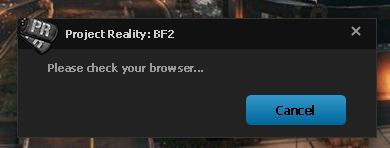
Nothing happens and no browser window is opened, so I have to click cancel, then this happens:
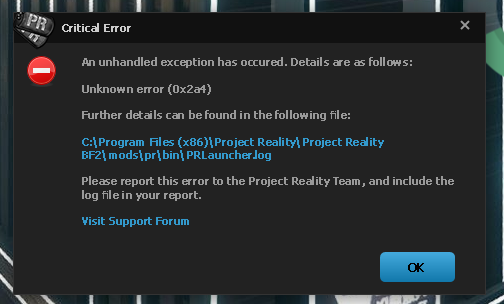
Code: Select all
Project Reality Log File
PRLauncher.exe started at: 2025-08-30T18:10:49

Critical Error: An unhandled exception has occured. Details are as follows:

Unknown error (0x2a4)

Further details can be found in the following file:

[url]C:\Program Files (x86)\Project Reality\Project Reality BF2\mods\pr\bin\PRLauncher.log[/url]

Please report this error to the Project Reality Team, and include the log file in your report.

[url="https://www.realitymod.com/forum/forumdisplay.php?f=27"]Visit Support Forum[/url]

 > System.IO.IOException: Unknown error (0x2a4)
  at System.Threading.Tasks.TaskToApm.End (System.IAsyncResult asyncResult) [0x0002a] in <de4d51d88e3b4eea89a8d6a3a9854818>:0
  at System.IO.Pipes.NamedPipeServerStream.EndWaitForConnection (System.IAsyncResult asyncResult) [0x00000] in <c862f8f51a4640ddb2de7db2d52563d8>:0
  at System.Threading.Tasks.TaskFactory`1[TResult].FromAsyncCoreLogic (System.IAsyncResult iar, System.Func`2[T,TResult] endFunction, System.Action`1[T] endAction, System.Threading.Tasks.Task`1[TResult] promise, System.Boolean requiresSynchronization) [0x00019] in <de4d51d88e3b4eea89a8d6a3a9854818>:0
--- End of stack trace from previous location where exception was thrown ---

  at   . (System.Threading.CancellationToken ) [0x00139] in <7c2481ca87e84d6401b8b4a8b7481188>:0
  at (wrapper managed-to-native) System.Reflection.RuntimeMethodInfo.InternalInvoke(System.Reflection.RuntimeMethodInfo,object,object[],System.Exception&)
  at System.Reflection.RuntimeMethodInfo.Invoke (System.Object obj, System.Reflection.BindingFlags invokeAttr, System.Reflection.Binder binder, System.Object[] parameters, System.Globalization.CultureInfo culture) [0x0006a] in <de4d51d88e3b4eea89a8d6a3a9854818>:0
--- End of stack trace from previous location where exception was thrown ---

  at  . (System.Exception ) [0x0000b] in <7c2481ca87e84d6401b8b4a8b7481188>:0
  at  . (System.Object ) [0x00012] in <7c2481ca87e84d6401b8b4a8b7481188>:0
  at  . (System.Reflection.MethodBase , System.Boolean ) [0x00228] in <7c2481ca87e84d6401b8b4a8b7481188>:0
  at  .  (  ,  ) [0x0001a] in <7c2481ca87e84d6401b8b4a8b7481188>:0
  at  . () [0x00050] in <7c2481ca87e84d6401b8b4a8b7481188>:0
  at  . (System.Boolean ) [0x00062] in <7c2481ca87e84d6401b8b4a8b7481188>:0
--- End of stack trace from previous location where exception was thrown ---

  at Reality.BF2.ExternalLogin.ExternalLogin.SignInAsync (System.Threading.CancellationToken ) [0x0007e] in <7c2481ca87e84d6401b8b4a8b7481188>:0
  at PRLauncher.WPF.ViewModel.Pages.LoginPageViewModel.OnLogin (System.Object p) [0x002a8] in <71cdf0fedb93485299204fa55e918dc7>:0
  at System.Runtime.CompilerServices.AsyncMethodBuilderCore+<>c.<ThrowAsync>b__7_0 (System.Object state) [0x00000] in <de4d51d88e3b4eea89a8d6a3a9854818>:0
  at System.Windows.Threading.ExceptionWrapper.InternalRealCall (System.Delegate callback, System.Object args, System.Int32 numArgs) [0x000e7] in <75de555cd62f40719584e76ba8a177cc>:0
  at System.Windows.Threading.ExceptionWrapper.TryCatchWhen (System.Object source, System.Delegate callback, System.Object args, System.Int32 numArgs, System.Delegate catchHandler) [0x00004] in <75de555cd62f40719584e76ba8a177cc>:0