Page 60 of 102
Re: Show your models thread...(IMAGE HEAVY)
Posted: 2010-06-13 21:35
by AquaticPenguin

Updated the Soldier model I was on a few pages back. Currently trying to bake down to low poly, and being driven to the brink of insanity in the process. For some reason the boots and the left hand produce completely wrong results, so wrong that I can't decipher what's breaking.
Re: Show your models thread...(IMAGE HEAVY)
Posted: 2010-06-13 22:40
by ReadMenace
Super impressive is an understatement.
-REad
Re: Show your models thread...(IMAGE HEAVY)
Posted: 2010-06-14 11:39
by Tim270
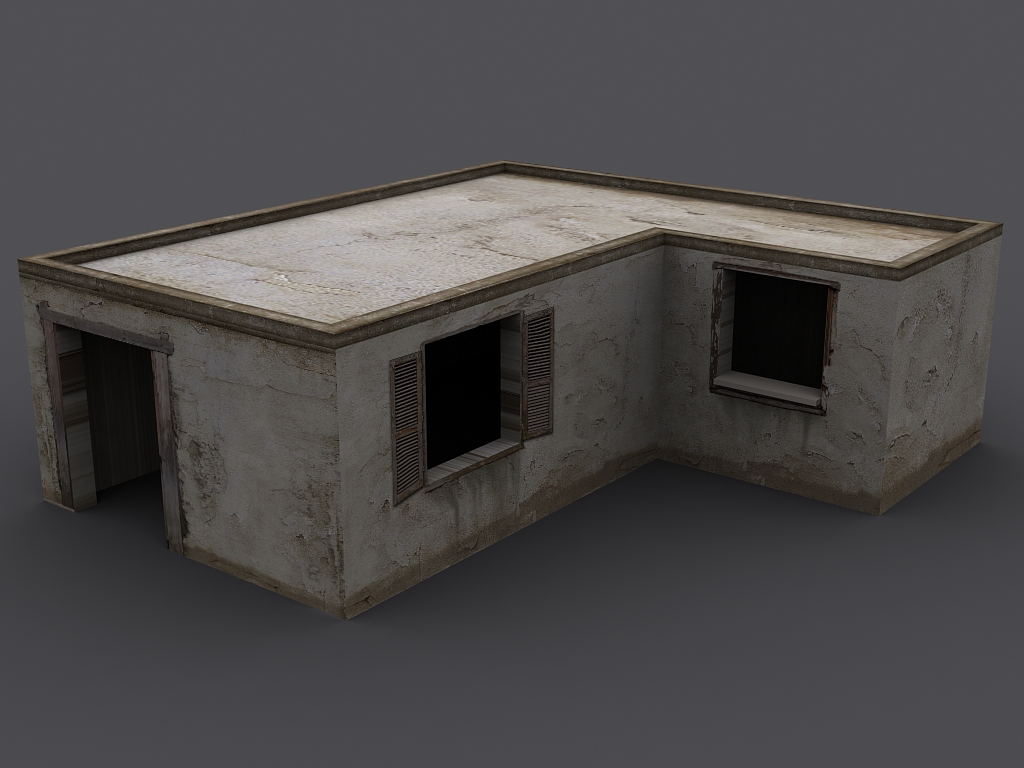
Having another go at/with texture pallets, finding it hard not to get really obvious seems :\
Re: Show your models thread...(IMAGE HEAVY)
Posted: 2010-06-14 11:52
by Z-trooper
Yeah it isn't always as simple as it may look

But looks like you got the hang of it pretty good.
Keep at it and start making some stuff that we can use around here
j/k keep it up
Re: Show your models thread...(IMAGE HEAVY)
Posted: 2010-06-14 12:10
by Rhino
Take a look at the statics that use thous pallets already and see how they are done, they might have a corner pillar or something

Thou's pallets thou are not really like most other pallets since matt.b liked to do things quite differently from normal BF2 static texturing.
Re: Show your models thread...(IMAGE HEAVY)
Posted: 2010-06-14 12:31
by Tim270
Can you use multiple pallets for a single mesh? or is it just easier to do separate objects?
Re: Show your models thread...(IMAGE HEAVY)
Posted: 2010-06-14 12:35
by Rhino
nope you can use as many materials as you like on an object
For my container crate I ended up having soo many materials I had to use a multi-sub object material

EDIT: this aint excatly a tutorial but you might find reading this useful
https://www.realitymod.com/forum/f316-2 ... crane.html
Re: Show your models thread...(IMAGE HEAVY)
Posted: 2010-06-14 13:47
by AquaticPenguin
Re: Show your models thread...(IMAGE HEAVY)
Posted: 2010-06-14 14:13
by Z-trooper
looks blurry compared to the HP :s
Good job non the less!
Now you will experience the joy of cleaning up the maps in PS. I see a few places like the collar that is in need of a loving touch
Keep at it!
Re: Show your models thread...(IMAGE HEAVY)
Posted: 2010-06-14 14:34
by DankE_SPB
i would advise to invest a bit more polies into low-poly helmet
Re: Show your models thread...(IMAGE HEAVY)
Posted: 2010-06-14 15:00
by AquaticPenguin
[R-DEV]Z-trooper wrote:looks blurry compared to the HP :s
Good job non the less!
Now you will experience the joy of cleaning up the maps in PS. I see a few places like the collar that is in need of a loving touch
Keep at it!
The texture size is 4096x4096 but nonetheless it doesn't quite have the sharpness of the high poly - I think it's the lack of depth which an AO map + specular map will (hopefully) solve. Also I had to remove the highest level of sculpting detail in order to get the baking working in the first place. :/. There's a hell of a lot of artifacts all over the place, there'll be a lot of retouching to get everything looking nice, nothing the clone brush can't solve though ^_^
Hehe Danke - Now you mention it, it is very blocky

. I may go back and add a couple of loops, depending on whether I can be bothered to wait for the normal map + AO to bake again :/
Having trouble with the AO baking at the moment, it's annoyingly slow, and keeps crashing when it's finished
Re: Show your models thread...(IMAGE HEAVY)
Posted: 2010-06-14 15:22
by Z-trooper
Yeah that is a common problem. I didn't have enough ram (I have 4GB!) to bake down one of my models. Had to borrow my roomies computer, as I was using XP and it wouldn't allow my program to use the needed amount of memory to bake down the AO.
Also I can recommend using the smudge brush. If you use it to rub in circular patterns (with ~40% strength) it is great for smoothing out problem areas (unless it is near sharp details which it will blur)
Re: Show your models thread...(IMAGE HEAVY)
Posted: 2010-06-14 21:37
by AquaticPenguin
Yeah I've only got 4gb of ram, and it'll sometimes run out. I think the crashes are more to do with it being buggy alpha software than RAM limitations, since it's happening on small parts too. I've also discovered my computer doesn't really like a lot of 4096x4096 texture sheets layered on top of each other, GIMP slows to a crawl, although that might just be bad handling by the GIMP instead of my computer.
Finally managed a lot of the baking, I did AO for each individual part and then have a seperate layer for AO with all the parts together. Still missing some details, like the shoelaces - I can't decide whether to model them and bake them down or paint the normal map manually.

(I should probably stop spamming this thread with pictures of one model
)
Re: Show your models thread...(IMAGE HEAVY)
Posted: 2010-06-21 14:10
by Solistx001
I have completed an FV430 model for a Mod I was making for a different game. This model is aproximetly 11,000 Polys. I have heard you guys weere searching for an FV430, if anyone wants to impliment this model into PR go for it! PM and I send you the model.
Here are some pics.
http://img341.imageshack.us/g/fv430render4.jpg/
Re: Show your models thread...(IMAGE HEAVY)
Posted: 2010-06-23 00:21
by Z-trooper
Been a while since I've posted something in here. University has been keeping me busy.
New dino. A raptor'ish thing this time.

Re: Show your models thread...(IMAGE HEAVY)
Posted: 2010-06-23 00:35
by Chuc
That's a nice little organic piece

What kinds of refs did you use?
Re: Show your models thread...(IMAGE HEAVY)
Posted: 2010-06-23 00:51
by Z-trooper
My mind. And a moodboard of a lots of random dino pics that I liked.
I'm still messing about with how I want it to look. Right now I am trying to figure out exactly what I want to do with the profile of it...

edit: even a more bird inspired

Re: Show your models thread...(IMAGE HEAVY)
Posted: 2010-06-23 01:00
by Rudd
the jaw seems very t-rex to me, a jaw designed for crushing rather than tearing, B makes it look young awesome model though
and the body seems quite heavy, a lower profile and longer tail would make it more raptory imo
Re: Show your models thread...(IMAGE HEAVY)
Posted: 2010-06-23 01:02
by Z-trooper
Good eye
The top one is very inspired by Jurassic Park's Rex. The second one... I don't know, 3rd one is more of a scavenger/creepy-stalker thingy and that last one is pretty bird inspired I guess.
Re: Show your models thread...(IMAGE HEAVY)
Posted: 2010-06-23 09:35
by Rhino
DON'T EAT ME!!!
looking good Z as always

