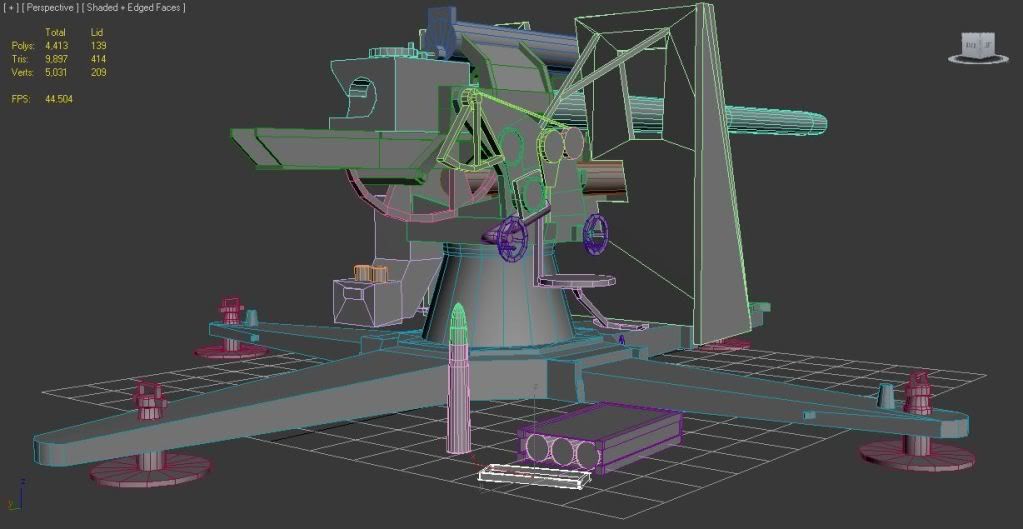
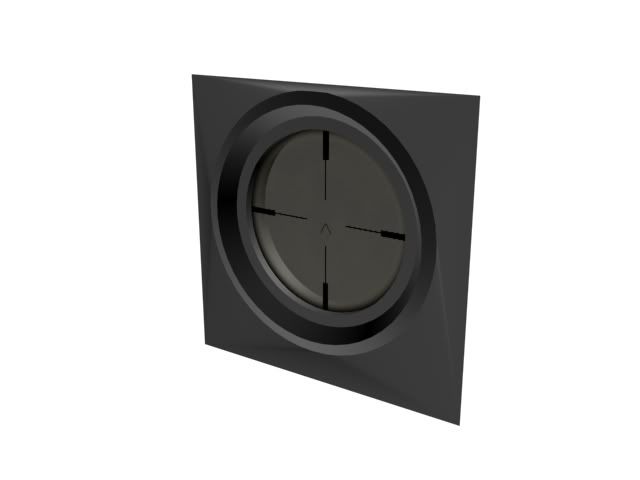
Scope should be modelled rather than having a texture, texture costs memory, tris are cheap.
Re: [WIP] Flak 18 (8.8 cm)
Posted: 2012-10-05 18:46
by Ratface
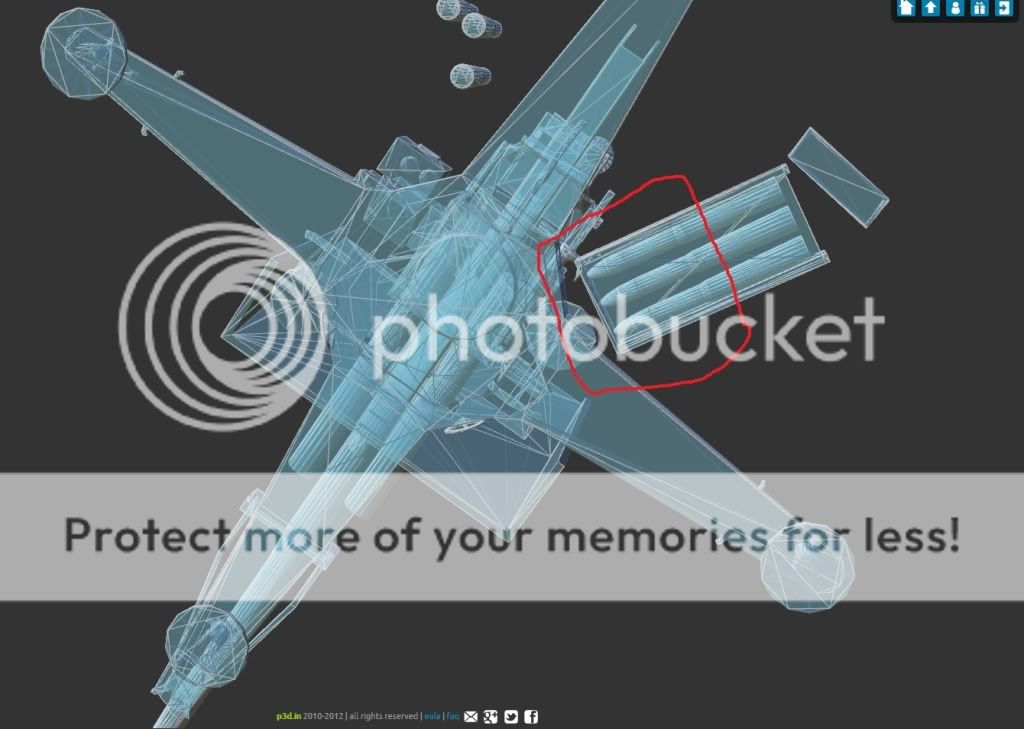
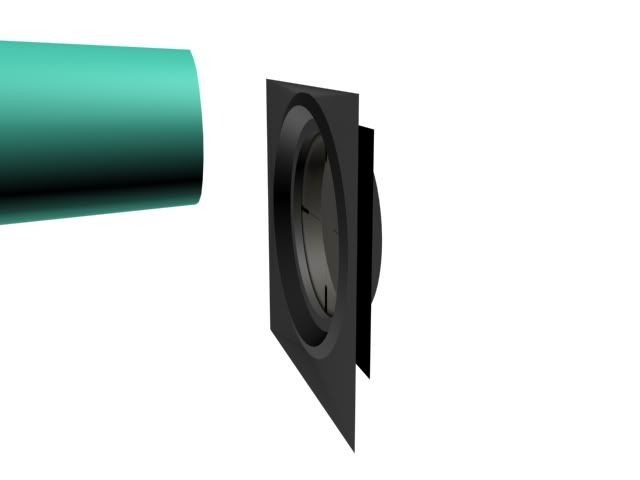
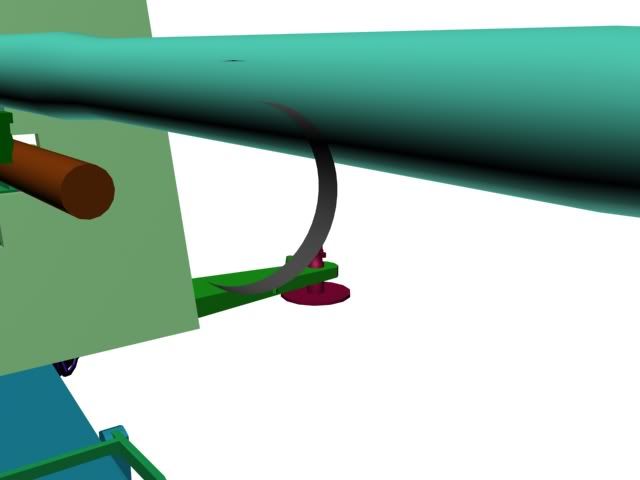
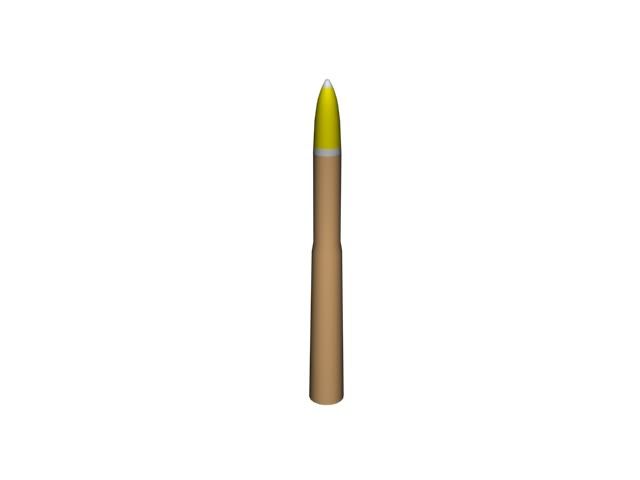
Ok, now that I look closer at it, is the spg sight model a rectangle with a circle cut through the middle and the non-seen faces deleted with a plane containing on the sights? Just want to clarify so i can make it work! Also, made some ammo and an ammo box so when i start unwrapping and texturing I have something easy to practice on.
One thing, you can probably save a few hundred tris by removing these. You won't be able to see them, anyway.
Re: [WIP] Flak 18 (8.8 cm)
Posted: 2012-10-06 23:50
by Ratface
True, for that all I did was put em in, but yea I shouldnt need anything past the top of the shell canister, and definitely not the actual projectiles.
Also, if anyone with the correct version of max to port to bf2 (max 9 i belive?) would be so kind as to take my files and try em, I just want to see if there are many errors when ported to the older version. As I have said I am using 2012 but I have been basic box modeling, no special things really.
PM me or message me here, I'd like to get an idea on this before I begin UV mapping
Re: [WIP] Flak 18 (8.8 cm)
Posted: 2012-10-07 07:12
by Doc.Pock
Ye atach it and ill try
Re: [WIP] Flak 18 (8.8 cm)
Posted: 2012-10-07 07:30
by Ratface
PM sent, I"ll check mine tomorrow morning, time for bed now
Re: [WIP] Flak 18 (8.8 cm)
Posted: 2012-10-10 15:14
by Doc.Pock
here it is in max9 .max as far as my quick eye went i could only see abit of smoothing fucked up
Re: [WIP] Flak 18 (8.8 cm)
Posted: 2012-10-10 17:07
by Ratface
Sounds good!! I'll check it out when I can get some free time after school and work tonight, if smoothing is the only error, that should be easy enough to fix. If anyone else wants to check this please do, on something like this you can never have too many eyes looking
If this looks good to go I'll start unwrapping it after maybe a few more tweaks
Re: [WIP] Flak 18 (8.8 cm)
Posted: 2012-10-10 17:43
by AfterDune
Great job man!
Don't know what school you're in, but could you use the model for an assignment or whatever?
Re: [WIP] Flak 18 (8.8 cm)
Posted: 2012-10-10 18:00
by Ratface
I am at Eastern Washington University, and ATM I am not in a 3D course until winter quarter, when we do more animation and we get a little intro to game modeling...
Which is now completley fine with me, because I am getting first hand experience
EDIT: From what I can see, it is only really shading that is a little funky, which (I think...) will be solved by just redoing shading groups in max 9. I just opened it on one of ym school computers (using 2013), and after redoing my smoothing groups (just autosmooth) everything looked fine as far as I could tell. Geometry (as far as I can tell) looks good at first glance, but I will also take a better look when I have more time. Off to class now
EDIT EDIT: Also, thanks very much Pock!! I'll PM you if I need to check anything else in max 9, I really appreciate it!
Re: [WIP] Flak 18 (8.8 cm)
Posted: 2012-10-10 18:48
by AfterDune
Have you made a wreck Geom too?
Re: [WIP] Flak 18 (8.8 cm)
Posted: 2012-10-10 20:11
by Ratface
Not yet, I am worrying about:
making this one (complete for the most part as I have said),
making sure the 1p mesh looks fine and is approved (WIP),
I want to learn how to unwrap it (needing to start), and
I need to learn enough Photoshop to texture it, which shouldn't be terribly hard since my GF is a Photoshop pro (also needing to start ).
After I finish this up so I know for the future, I will go back, "destroy it" with some comp b or something ( ), and then finish that up. So not yet, but it is to come
Also to add on there would be figuring out the LODS, should this be done before or after I have unwrapped and everything?
Re: [WIP] Flak 18 (8.8 cm)
Posted: 2012-10-10 20:42
by Spush
Ratface wrote:
I want to learn how to unwrap it (needing to start), and
I need to learn enough Photoshop to texture it, which shouldn't be terribly hard since my GF is a Photoshop pro (also needing to start ).
Racer445 has a great tutorial on texturing should read through/watch.
Running to class atm, but here are a few quick picks of the sight. It is a box with all but the necessary faces deleted. Ignore the plane, that is just what I had there before, and is just there to show the sight atm. Also ignore any smoothing errors/ z-fighting, I will fix that easy
Re: [WIP] Flak 18 (8.8 cm)
Posted: 2012-10-16 19:21
by Ratface
Hai guys.
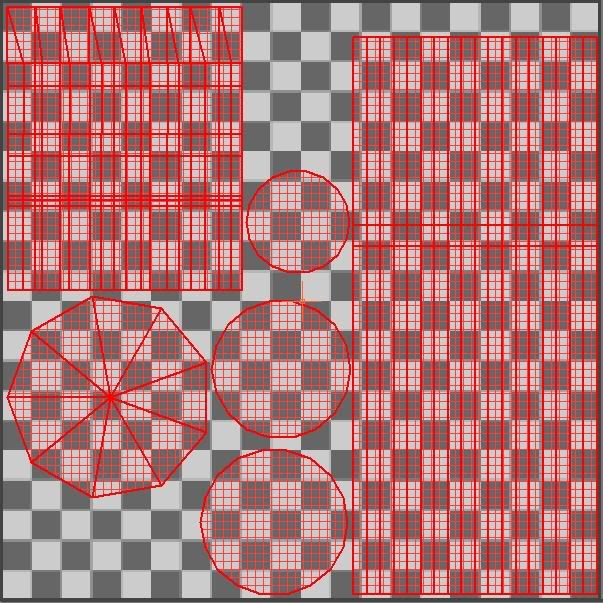
I have 3 hours to work on some unwrapping. I did look at the first video to get me started, and I was just wondering: I am not using a high poly model so I don't know if that will be an issue, or if I will need to make a normal map at all (besides having to now eyeball out bolts when texturing).
Also, after I finish an unwrap (such as the arty shell, which I have unwrapped for practice), and the page is ready, what should I do for the UVW render? In the video he does a normal map, I wasnt sure if that would apply to my model or not. Thanks!
EDIT: here is a quick snip from 3ds max, arty shell is in 2 parts: the shell casing, and then the projectile itself. I know I should take up as much room as possible, and I plan to, this is just my quick first attempt
Re: [WIP] Flak 18 (8.8 cm)
Posted: 2012-10-16 20:14
by lucky.BOY
Didnt do this myself before, but i imagine that when you have your UVs done, you just take a screengrab like above (so you know what part is where) and start painting textures. You can load them in 3ds max to see if they fit etc. Also you probably dont want to have a separate texture sheet just for the shell and casing, or do you?
Btw sights looking really great!
Re: [WIP] Flak 18 (8.8 cm)
Posted: 2012-10-16 20:31
by Ratface
Ok, dont judge, this is just a crappy test version, and I figured it out mostly how to render the UVW map as a jpg (or targa, I've heard either work well), open it in photoshop, "texture" it (even if it is shitty ), and then reapply it just by using it as a material and putting it on.
This may have taken me an hour and a half of watching videos and playing and learning again the basics of photoshop, but for me this is a milestone! lol
Re: [WIP] Flak 18 (8.8 cm)
Posted: 2012-10-16 22:49
by Pvt.LHeureux
Nice work! I'm glad that you're getting around UV wrapping
Re: [WIP] Flak 18 (8.8 cm)
Posted: 2012-10-17 02:06
by Ratface
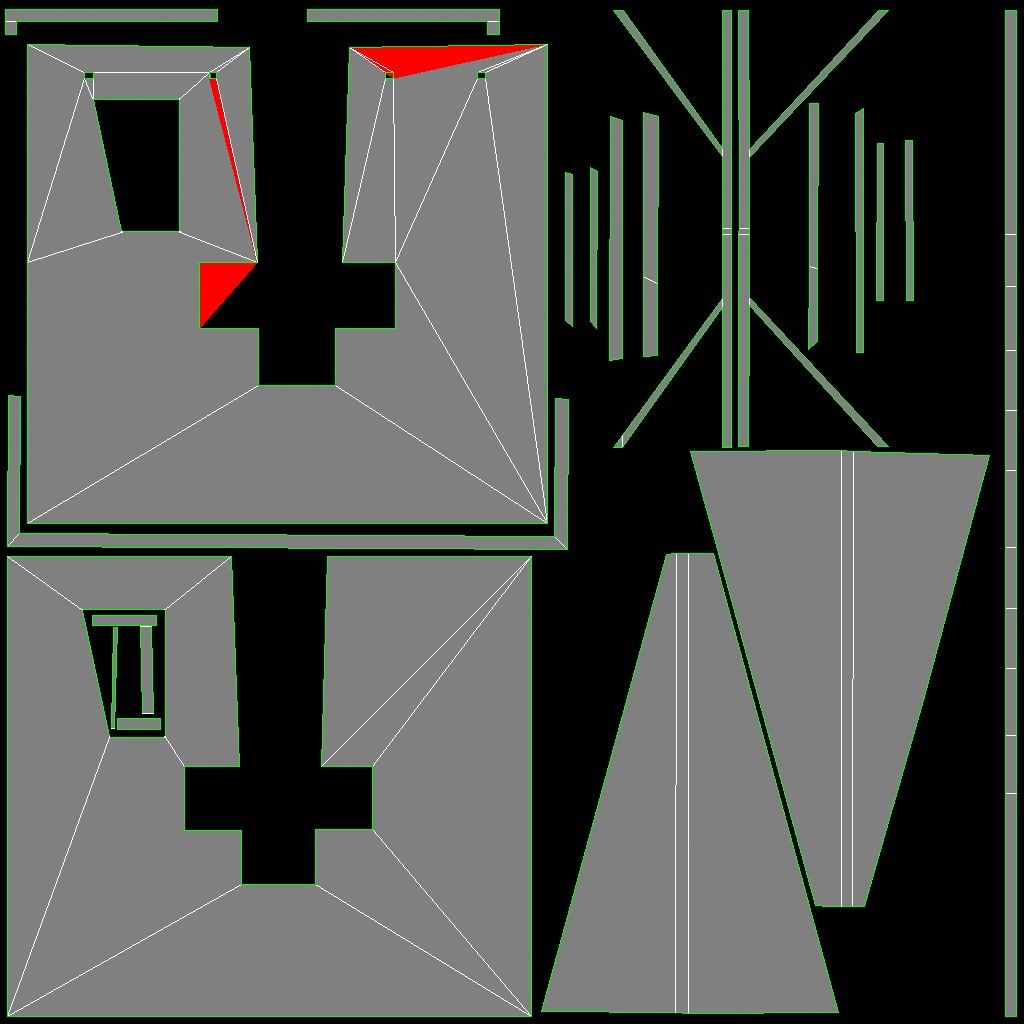
Ok, I just worked out a rough (possibly final, unless I tweak it lots to give all faces plenty of room in the UV) copy of the shield UV map. However, notice the red on the rear portion of the shield has red then the template is rendered.
It says that is overlap and I remember seeing this in the videos you guys have posted. Is this going to affect the texture when applied? Thanks!
Edit: Also, what size should I be rendering the template? This is just a 1024 by 1024, but I think I read somewhere we want to use 2048 by 2048? Thanks again.
Edit: Also, I have posted the new p3d address on the first post. For whatever reason, I started getting this error when trying to update the old model:
Re: [WIP] Flak 18 (8.8 cm)
Posted: 2012-10-17 02:40
by Tim270
It is most likely best to do the asset at 1024^2. We pretty much only do 2048^(or less) for tanks in bf2.
Watch out on your uvs; those red triangles are overlapping uvs, in this case it is down to bad triangulation, you might not see it in the view port but you will need to fix it so you dont see it in the uvs like that. If you go into edge mode in editable poly, then go to edit triangles you can change which way they go.
Also it should all be on one texture.
Also it looks like on the shield, you have a lot of bits that are similar; you can overlap these parts that are the same to go have more space. Just think that any pixels without a uv shell in them are wasted space, this does not mean bleeding is acceptable, it just means that you have to really put your mind to filling up all the empty space you can.
Keep at it, it is nice to see how much progress you have made with this.