Page 7 of 12

Re: [Weapon] Bren L4A4 LMG (PR:F) [WIP]

Posted: 2013-01-14 06:02
by Rhino
Right sorry for the delay, taking a look at this now.

For starters, the mag release catch'es UVs are waay to small and also not to scale either. Compared to everything around it, got hardly any detail but since this is right in front of player the entire time, if anything this should have larger UVs than most other stuff.
Image
Image
Note you also have a viable seam on the inside righ of the catch, where you should be hiding it where the player won't really see it, like on the very top of the ring which is facing away from the player and he's unlikely to view up towards that angle very often.

How I would have done the UVs for this:
Image

Actually I'm going to ask you you can send me your version of the UVs with them all normalized and not packed up before I give you any more feedback since while your packing the whole isn't too bad, although could use some improvement for sure, it will be much easier to integrate my fixes into your non-normalized UV and to show you how I would go about packing this :)

Cheers!

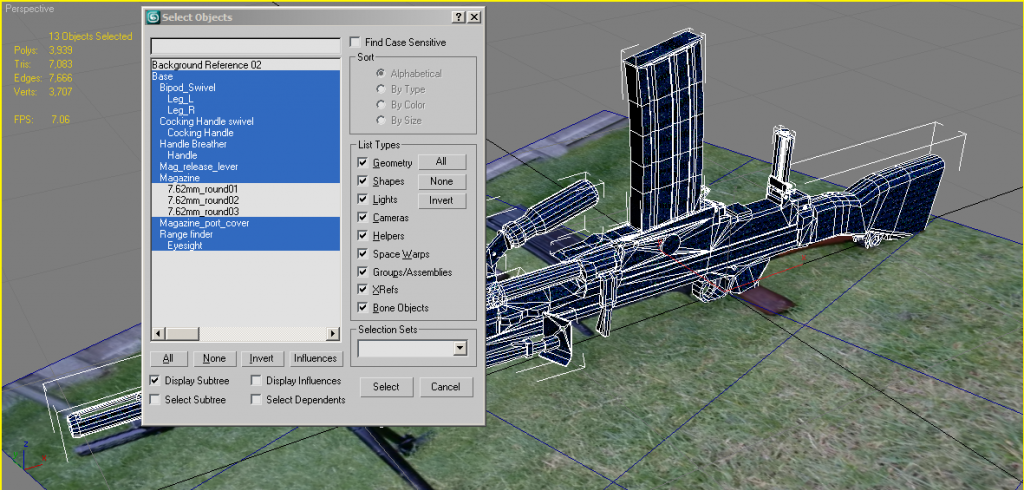
Also one other thing I've just noticed, when using the multi-object-UV script, you must set the UVs before you save & close down your scene, otherwise it will not be able to separate all the parts again later when you re-open the scene and while your UVs will be intact, you will be left with one solid object of all the parts, like you have here :p

Re: [Weapon] Bren L4A4 LMG (PR:F) [WIP]

Posted: 2013-01-14 11:14
by {ZW}C-LOKE
[R-DEV]Rhino wrote: when using the multi-object-UV script, you must set the UVs before you save & close down your scene, otherwise it will not be able to separate all the parts again later when you re-open the scene and while your UVs will be intact, you will be left with one solid object of all the parts, like you have here :p
At first I didn't understand what you meant, but then I remember reading about that in the instructions and changelog for the script... OOPS! It was in bold and repeated multiple times even if I remember correctly.

At any rate, I've gone ahead and used the script as prescribed, and I see that yes, it does take the model, unwrap it all as one object, and if you click the "set UVW" button after it will coallate it all back into its separate objects. OOPS!

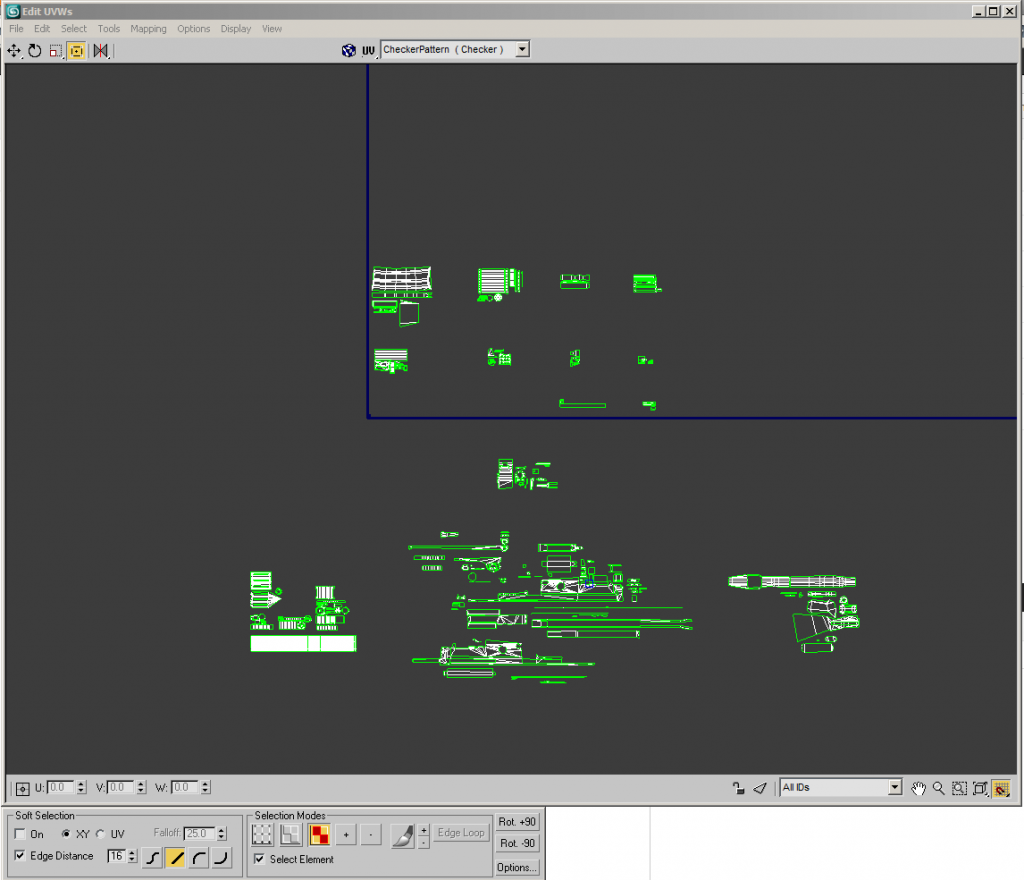
Anyways, here is what I'm sending you in PM:

Image

Image


Everything below the horizon is the gun base. Everything is matching scale; non-normalized.

Re: [Weapon] Bren L4A4 LMG (PR:F) [WIP]

Posted: 2013-01-14 17:27
by Rhino
Cheers, right first of all I've applied that fix I did to the mag release catch to the new scene, and note how the seams are focused away from the players view:
Image
Image


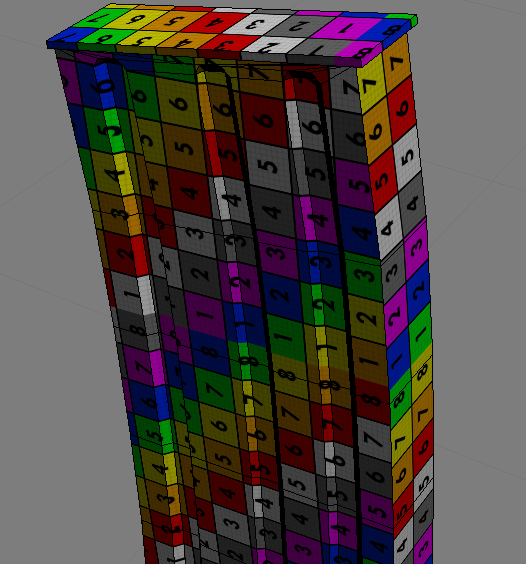
Next I've applied a UV helper to your model, lots about on the net but this is the one I use:
Image

Can easily set it up for working with non-normalized UVs too by just changing the tiling settings down to something really low, like in this case a tile of 0.1 for both U and V:
Image

This helps us see any anomalies on the UV, since they are all perfect squares which is what you need to be aiming for and you can also compare the square size to other parts of the UV to see if anything is off. As you can see now I've applied it, there are some things with quite screwed up UVs, such as the mag, bipod legs etc:
Image

If we look at the mags UV, while the UV itself looks fine, if we detach a face and check where its vertexes are meant to be welded, you can see that this selected UV is meant to go in the top right corner, where its in the bottom left, then the one above it isn't even meant to go in the box you've allocated for it, meant to go on the UV above the other one:
Image
Image

I'm not sure how you did its UVs but ye, its not working :p
Way I would UV this mag is to select both sides, then expanding the map parameters on the right hand side, uncheck normalize then click on Planar and then align the UV helper to the right axis, but in this case it was already there, hit fit (although not needed for Planar, more for Cylinder etc ones) then you've got a pretty much perfect UV although the indents will be slightly off but in this case, not worth tweaking in this case since they are not very off and to tweak them will more likely mess things up than improve the UV :)
Image
Image
Image

Doing both sides at the same time also means that both UVs are overlapped so no need to stack them later on manually too :)
Just showing the two UVs here when moving one off the other:
Image

Some how you've also managed to make the same mistake to the back of your mag wall too:
Image

To fix this I would simply select these faces, then go to Mapping>Flatten Mapping, uncheck normalize and none of the other settings need to be tweaked in this case so just click ok and your done :)
Image
Image

Then we get a pretty good stitched UV for these faces, although I wouldn't have stacked the back and front sides of the mag wall, they are quite different. But one thing we can see from the UV is that afterwards if we look at the squares, you can see that they are off.
Image

My guess for this is that its the scaling of your model, which if we look at the scaling settings for the mag we can see, its really off...
Image

This is why back and front UV squares are off after the above since the model scale isn't correct. This also brings other problems as your models should all be the same scale (ideally 100%) in order for all the normalized UVs to be the same. Luckily it doesn't seem to affected on your UVs other than the ones which have different X, Y and/or Z scales but what you need to do before doing any UVing or exporting in the future is to select each and every individual object one at a time, click on the hierarchy tab in the top right and click on reset scale and then it will reset it to 100%:
Image
Image

Normally this would be enough but in this case, it wasn't. Dunno what was stopping it from fully resetting but the only way to solve the problem that I could find in this case was to attach the mag to another object that hasn't had its scale messed up, in this case, the body of the weapon. TBH best root is just to attach everything up to the body because of this issue. But after doing this and doing another non-normalized flatten mapping of the back and front as you can see, all fine now:
Image

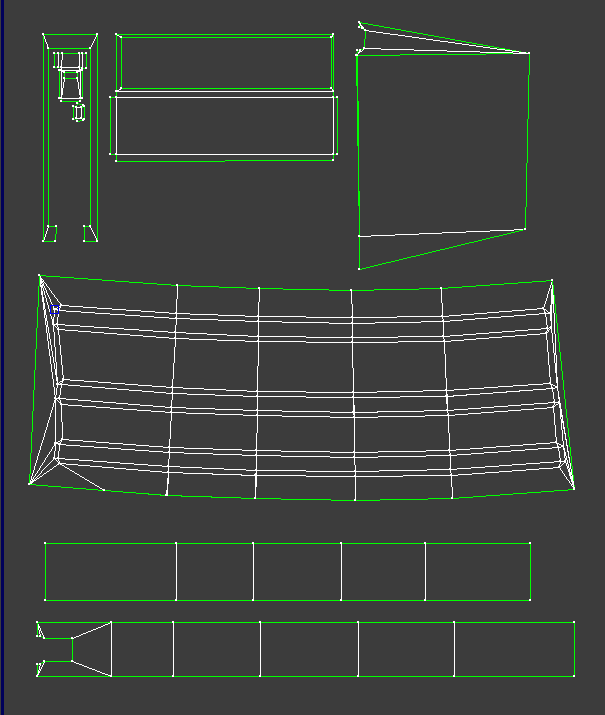
Anyways my UVs of your mag using the above methods, note packing is just prep work, isn't technically final but will probably stick this way for the most part to keep common parts together in the UV:
Image

Moving onto your butt, you've got a pretty big steam here between the side and the top it would be good to fix up to make the texturing side of things much easier and ensure there are no texture seams, + saves a bit of UV space :)
First welding up your two overlapped sides which seem to be UVed fine :)
Image
Then slowly posting the top right vert in postion with the side we want then moving the others up into position as we go, although not making any drastic changes:
Image

Also for the 2nd 1/2 moving the top down :)
Image

Then welding the verts up you can see we now don't have much of a seam, other than in the middle but that won't be very hard for a texture artist to match up since the opposite seam is just under it :)
Image

Other side of the butt isn't so important since that's away from the player view in 1p :)

Same story with the pistol grip:
Image
Image

Now this kinda stacking like this tbh, isn't such a good idea. Your not really saving much space if you think about it on your UV map since these tiny objects can fit in any of the spare nooks and crannies you can't fill up with the bugger UVs anyways but the biggest problem with doing this is AO maps, you basically can't have any on these and ones that are generated you will have to manually delete off which on some parts, will look really bad when they don't have AO shadows on them and other stuff around them dose.
Image

And ye, while I'm at it, how you use the cylinder uv, basically same as planar, but just need to rotate the steam bit so its facing away from the players view as much as possible:
Image
Image

and ye, these top bits should be stitched on like this:
Image

and side and front bits like so:
Image

And all the top bits I was on about before you had stacked up like so:
Image


Anyways that's all I'm going to fix up for today, will send you the latest file and let you try and fix up the rest as there is still quite a bit that needs fixing up but hopefully you should now have a better idea of finding the issues and fixing them :)

Don't worry about packing at all for the moment we will cross that bridge once the UV is sorted out :)

Keep up the good work, not far off now! :D

Re: [Weapon] Bren L4A4 LMG (PR:F) [WIP]

Posted: 2013-01-14 19:53
by lucky.BOY
Thanks Rhino for a very informative post, just a question, when doing UVs for normal map baking, you cant stich together clusters that dont share smoothing groups, right? Or should we do one UV template for normal map and second for other textures?

Re: [Weapon] Bren L4A4 LMG (PR:F) [WIP]

Posted: 2013-01-14 20:04
by Tim270
You're making me hard. Making sense of hard edges, uvs, normal maps and vertex counts - Polycount Forum

Pretty much covers the whole thing.

But yeah, for the most part, us working with bf2, you will get seams unless you split uvs along there smoothing groups for baking normals.

Re: [Weapon] Bren L4A4 LMG (PR:F) [WIP]

Posted: 2013-01-15 02:48
by {ZW}C-LOKE
Rhino, lucky, Tim, good stuff here guys! I wish I could say that I'll get on this right away, but to be honest I'm going to be tied up tomorrow (Tues) and day after. I should be able to get right back on this and have something for sure by the end of the week but probably before then.

Re: [Weapon] Bren L4A4 LMG (PR:F) [WIP]

Posted: 2013-01-15 06:50
by Rhino
No worries, when ever you've got time :)

Re: [Weapon] Bren L4A4 LMG (PR:F) [WIP]

Posted: 2013-01-26 02:09
by {ZW}C-LOKE
Expect this. Getting back on this by the end of my night. Expect an update very soon.

Re: [Weapon] Bren L4A4 LMG (PR:F) [WIP]

Posted: 2013-01-27 00:20
by {ZW}C-LOKE
Well a couple of things here... First off, the .max that you sent me in PM did not have the changes made in your last post applied to the UVWs... Not much of a problem, in fact, I'd rather to work through the solutions you provided so I can get all proness on the concepts :)

Another thing, I'm going to have to go back through each object and sub-object, because now I see that there were instances where the faces weren't matched up to the correct edges, and this is a recurring theme throughout the model. Not a big deal, as I'd much rather do it right than have the model turn out like defication. For what it's worth, I would never have figured this problem out had it not been for your handy UVW helper :) thanks for that btw.

So, some progress has been made to start with. I'm really disappointed in myself that I've set this down for so long, but real life reality has had me by the nuts for the last couple of weeks. Finally able to get back around to this, so that's a plus.

I couldn't figure out... how to reset scale and have it be proper, on the front and back side of the magazine. Scaling was off, and I think this has something to do with the fact that the faces were attached wrong, or maybe it was because the front and back are kinda curved? Either way, even after a reset of scaling, the scaling of these faces were very close but had to be fine tuned manually with freeform scale mode in the UVW edit. I do understand what you mean by resetting the scaling in Hierarchy, and I've done that. I've also figured out how to fix gnarled mappings by re-applying a flatten mapping minus normalize.

I also understand what you mean here about reducing the visibility of seams. Will be working on that, and straightening out the mess I've made.

Here's some UVW porn for the time being. Mag is done, and this time it's done right. More to come in the next few days.

Image
Image

Re: [Weapon] Bren L4A4 LMG (PR:F) [WIP]

Posted: 2013-01-27 00:45
by Rhino
{ZW}C-LOKE wrote:Well a couple of things here... First off, the .max that you sent me in PM did not have the changes made in your last post applied to the UVWs... Not much of a problem, in fact, I'd rather to work through the solutions you provided so I can get all proness on the concepts :)
Rgr, is better you learn yourself :)
{ZW}C-LOKE wrote:I couldn't figure out... how to reset scale and have it be proper, on the front and back side of the magazine. Scaling was off, and I think this has something to do with the fact that the faces were attached wrong, or maybe it was because the front and back are kinda curved? Either way, even after a reset of scaling, the scaling of these faces were very close but had to be fine tuned manually with freeform scale mode in the UVW edit. I do understand what you mean by resetting the scaling in Hierarchy, and I've done that. I've also figured out how to fix gnarled mappings by re-applying a flatten mapping minus normalize.
Ye its an odd one why your scaling was so screwed up, I've seen the problem a few times on other peoples models but no idea what causes it since its never happened on one of mine...

But anyways, one way that should fix the problem that I totally forgot about when giving the feedback last time is you reset the objects XForm. To do this, select it, go into the modifier tab then from the modifier list drop down menu and select "XForm", then collapse that modifier and then hopefully, its scale etc should be totally reset :)
If not, I'll talk you though the other way I did it but its not really a very good way :p

And BTW it isn't down to the back being slightly curved or anything like that, its down to the objects properties as once I did manage to reset it fully it worked fine as it normally dose :)
{ZW}C-LOKE wrote:Here's some UVW porn for the time being. Mag is done, and this time it's done right. More to come in the next few days.
Ye that's pretty good for the most part, although biggest problem I have with your UVs is the underside face UVs of the top part of your mag, being stitched onto the top side bit next to it, which it shouldn't be stitched due to being quite possibly different lighting, but mainly because it wastes spaces and removes options for packing. What I did was make the UV slightly bigger than put it around the outside of the top face, but tbh the next best option is to have it totally septate and have it UVed to a different part of the UV, filled up by random stuff but not much of a better option.

Also the packing of that little bit on the inside of the bottom mag faces, that little bit near the top should really be rotated 90degs so it fills up more of the width if your going to pack it in there, but that's just nit picking :)

Here is my UV btw to compare with yours but overall, yours looks good :)
Image

Re: [Weapon] Bren L4A4 LMG (PR:F) [WIP]

Posted: 2013-01-27 13:37
by {ZW}C-LOKE
Of course! It's all coming back to me now... I somehow seem to remember something about resetting Xform from way back in the day, *cough* camel.

Incidentally, I found this video on this right here:
Monday Movie #29: Reset XForms - YouTube

To sum it up, essentially the way 3ds max works is when you use the scale tool on the object level, it's not really scaling the faces, vertices, edges, etc., it's telling max to apply the operation on the object at the pivot level (never collapsing it like it does move, rotate, etc.). So when you rotate or move the pivot, it's changing the portion of the object that the operation is being applied to. Reset Xform collapses the operation down onto the object level, hence the reset of the transform (xform). My mind is blown after watching the video. Brings back memories, and I think the guy explains it better then it's ever been explained to me.

Anyways, making some progress here. I've done the left leg of the bipod (which means, with a quick delete of the right and a mirror copy on the Y axis, I have also done the right as well) :)

And I will absolutely be doing an xform reset on each item, as well as a flatten mapping to straighten things back out on several spots.

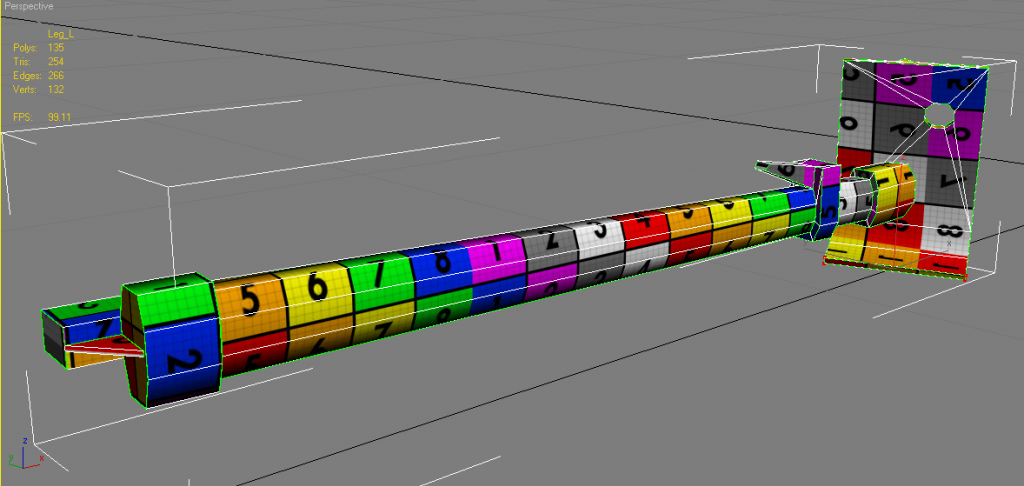
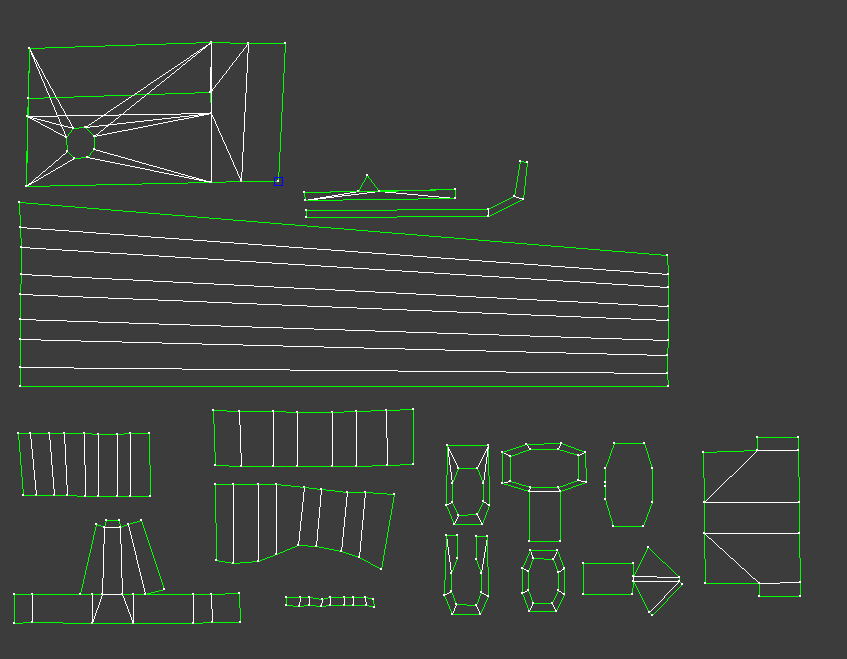
Here's the UVW of the left (and right, by coincidence) leg:

Image
Image

And, I'll make the weld changes you mentioned to the magazine, which btw just did the xform reset on.

Re: [Weapon] Bren L4A4 LMG (PR:F) [WIP]

Posted: 2013-01-27 22:59
by Rhino
Looks good, two points however. First is I really wouldn't stack the top and bottom faces of the bipod feet on each other, both are very different even if only talking shadowing from the AO, the top has the shadow of the leg on it, and the bottom has the shadow of that groove bit that sticks out, and you also need to texture a lot more ware on the bottom, so all in all, not two faces you should be stacking.

Next point is in the bottom left of your UV, I don't think I would have stitched that bit the same way, although not 100% sure what part of the model it is but you've got two faces, that shouldn't be "stitched", not stitched but right next to search other, and if your going to keep that central face stitched there, the other verts should be moved up and away, although tbh, think it would be better to have it stitched to another, longer face where you will get far more reward from the stitching most likely, or not stitched at all, but hard to tell without not seeing the model and UV together myself in max to which of these options would be best, but current way isn't good.

Re: [Weapon] Bren L4A4 LMG (PR:F) [WIP]

Posted: 2013-01-28 14:38
by sweedensniiperr
how much work would it take to turn this into a an L3?

Re: [Weapon] Bren L4A4 LMG (PR:F) [WIP]

Posted: 2013-01-28 20:02
by Rhino
sweedensniiperr wrote:how much work would it take to turn this into a an L3?
From Page 5:
lucky.BOY wrote:How much of a trouble would it be to model a WWII version as well as this one? Having the asset could pay off in the long run, i suppose.
{ZW}C-LOKE wrote:Not too hard I would think... The differences are very small; no flash suppressor, different foresight (drum instead of leaf), non-foldable cocking handle, bananna box magazine instead of the 12 degree box magazine. Different carrying handle. Really, after I get a bipod going, that would probably be a good time to duplicate the .max file and set it aside for later, just in case. There really isn't much difference in the bipod. A little, but not much. That would be a good starting point for doing the conversion back to L4A1/2/3. because it's before skinning, geom's, LOD's, etc. Good idea!
[R-DEV]Rhino wrote:As for a WW2 version, I wouldn't worry about that now tbh as PR:N have a long way to go before they can even really consider adding a British faction and then if it dose get decided to be made, at that point the tweaks can be pretty easily made providing the .max scene hasn't been lost, which with our policy of storing them all on our assets repo that doesn't happen anymore :p

Re: [Weapon] Bren L4A4 LMG (PR:F) [WIP]

Posted: 2013-02-05 18:32
by {ZW}C-LOKE
Image
Image

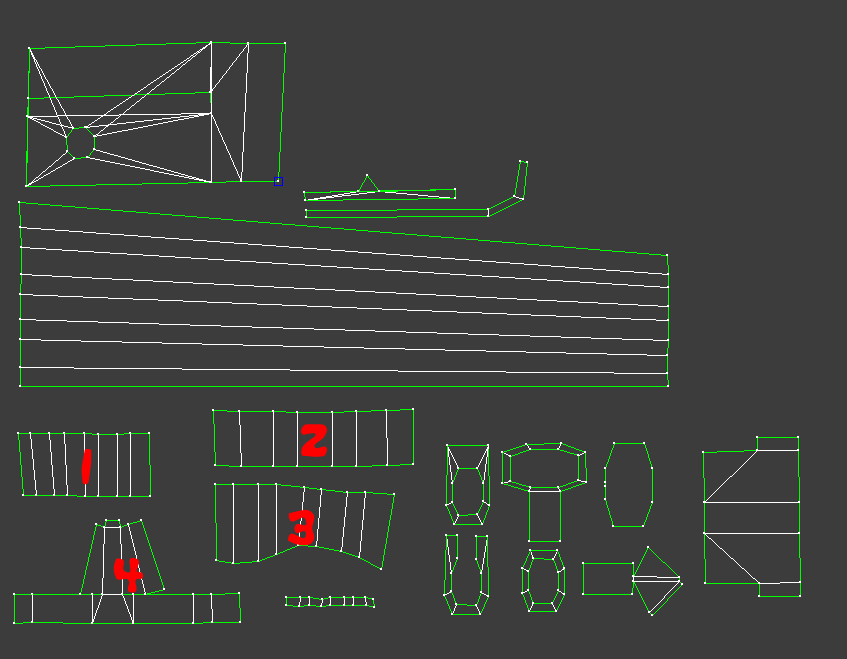
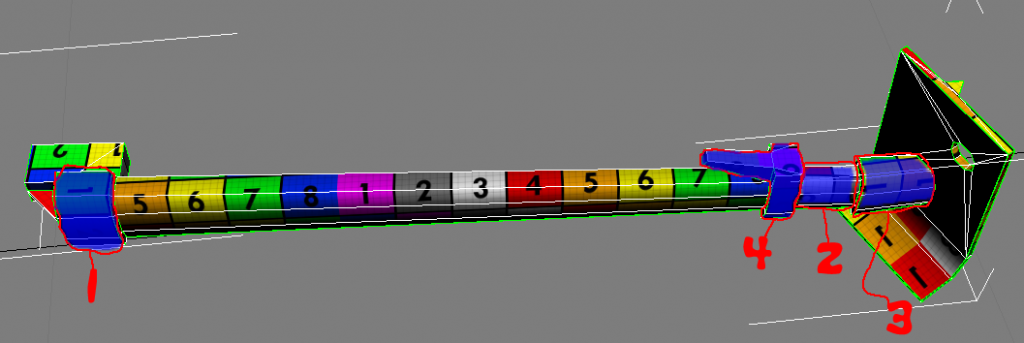
Are you talking about #4?

That's just the fold clamp for the telescoping leg. I'm not sure I understand why it's not a good idea to have this all attached. Didn't you say something about the script for multiobject unwrap would handle unwelding faces that had different shading groups?

Re: [Weapon] Bren L4A4 LMG (PR:F) [WIP]

Posted: 2013-02-05 19:00
by Rhino
SGs don't really matter when your not doing any baking. They matter mostly when your doing normal baking.

And yes, I'm on about 4, but not to do with SGs its to do with pixel bleeding with how two different edges are right next to each other: https://www.realitymod.com/forum/f189-m ... eding.html
Image

While you probably won't have any major errors from doing this in this case since they are most likely to be the same colour and more or less, same lighting but it isn't good practice to do it unless they are faces that should be stitched up. together.

You've only stitching a tiny edge there for having loads of edge space that isn't meant to be next to each other, next to each other. As such you shouldn't be doing what you have done and totally detach it from that bit to avoid any bleeding.

Re: [Weapon] Bren L4A4 LMG (PR:F) [WIP]

Posted: 2013-02-09 18:08
by {ZW}C-LOKE
Rhin0, please check PM's.

Re: [Weapon] Bren L4A4 LMG (PR:F) [WIP]

Posted: 2013-03-03 12:59
by titsmcgee852
Did this end up being finished?

Re: [Weapon] Bren L4A4 LMG (PR:F) [WIP]

Posted: 2013-03-03 13:17
by Rhino
not yet, Loke isn't able to finish the UVs due to r/l but hopefully in time someone will be able to finish it up :)

BTW, any takers? :D

Re: [Weapon] Bren L4A4 LMG (PR:F) [WIP]

Posted: 2013-03-03 17:31
by {ZW}C-LOKE
Plus, I might at some time in the near future be able to get back on this... But currently atm, now's not a good time for me. But by all means, the model's 1p geom is afaik good to go, the UVWs are non-normalized flattened out, separated by object, and just about ready for packing. There's just a couple of sections of it that need a minute amount of rework, and then the UVWs are ready for packing then comes texturing. We're not talking a tremendous amount of rework, it's actually very very close to being ready for packing then texturing.

And as far as someone else picking this up, I am by no means protective of this model, posessionary, or nor would I take any offense to someone wanting to go ahead and pick it up and finish the model. I'd be much more concerned with the timeliness of it being finished than anything. If someone wants to take this on, then by all means, DO IT!

I just want to see the weapon in-game and played with. Help is appreciated and sought, and if someone feels like they'd like to do this, DO IT!

The weapon is much closer to in-game than it sounds, IIRC what all it takes to get something in-game for BF2.