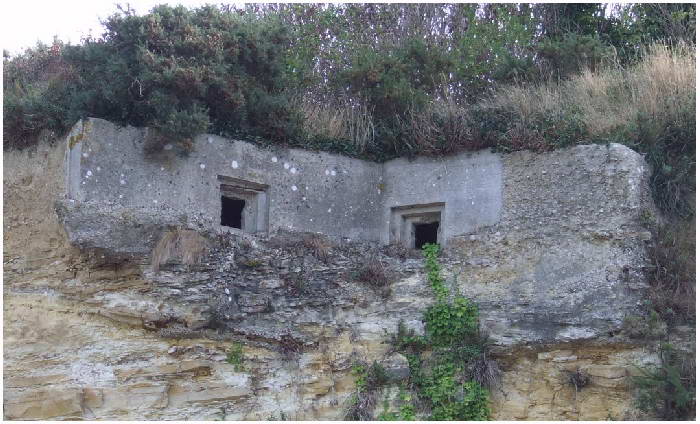
I understand your point Rhino but with walls of the bunker being 0.4 m strong there is now way for the mapper to get the same result with his terrain (not to mention dirt being on top of the bunker, too), so for a static like this he is left with modeled terrain around it none-the-less. Especially here where the modeled terrain is higher then the floor inside from all sides, not just the two, as the gunner inside is standing while shooting, with the firing slit being some 30 cm off the ground.
They way im traing to counter it is by cooperating directly with the mapper, UVing the terrain bits onto his map's terrain textures, which will hopefully help it blend in. For future maps mappers can get the same result by using suffix, i hope.
Although i agree with your point about exporting the static without the dirt around it, probably will do it if i get around to it.
Re: Show your models thread...(IMAGE HEAVY)
Posted: 2013-02-12 19:15
by Doc.Pock
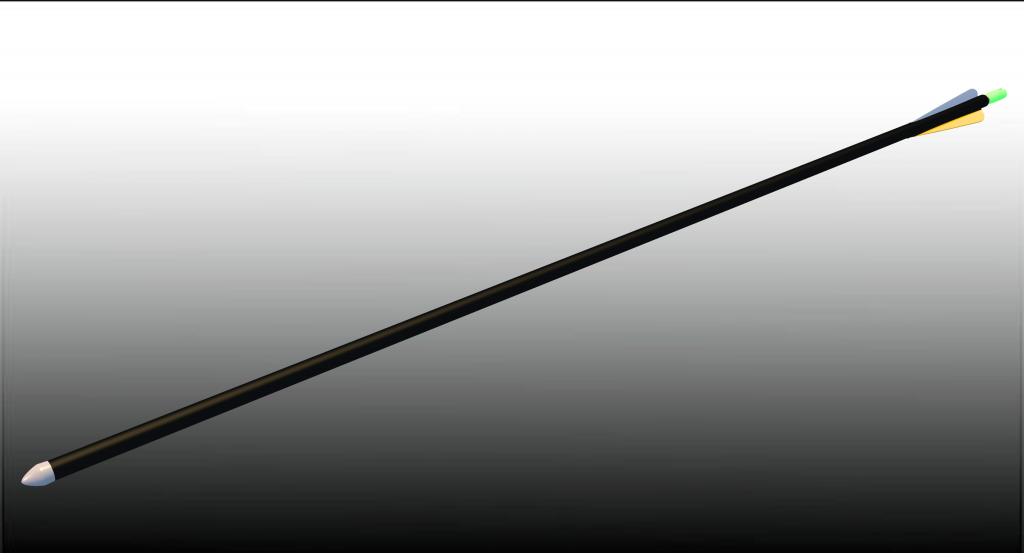
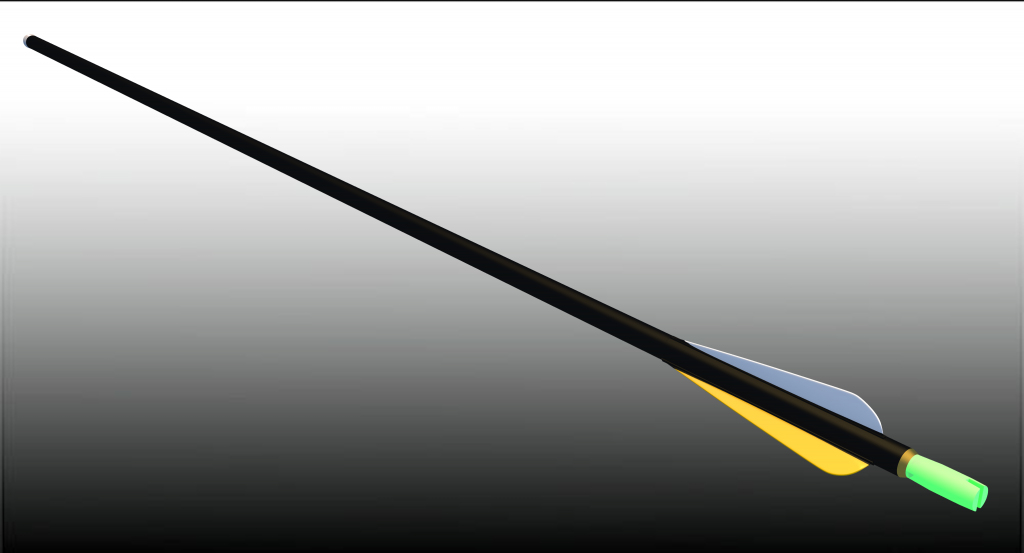
Redid the arrow a little bit for better edgeflow.
Pantera shall now check it in Smoke.
edit: i see i didnt have enough refractions on the render. the back green is semi-transparent
Re: Show your models thread...(IMAGE HEAVY)
Posted: 2013-02-12 19:54
by zombie-yellow
Hey guys ! I'm actually working on C-130 model for the CFS Alert map that CTRifle is making. It will be a static, so no big deal with the interior and moving parts etc...
Still, I have some problems. First, there's absolutely no C-130 blueprints that are consistent through all the different views, which sucks, and I have some problems with the special wings of the C-130...
Here's my model :
And here's the real thing :
I don't know how to make the wing smoothly go into the fuselage... And when I tried it, it became a mess of vertices
Somebody have an idea how to make those wings correctly ?
Re: Show your models thread...(IMAGE HEAVY)
Posted: 2013-02-12 20:12
by lucky.BOY
You might let Turbosmooth do it for you and them model the lowpoly so it fits?
Ye... I totally forgot to preview with with subsurf and set smooth I'm gonna try this naw
Re: Show your models thread...(IMAGE HEAVY)
Posted: 2013-02-12 20:29
by Rabbit
lucky.BOY wrote:Yeah, turns out that terrain covers are too small for CTRifle's goddamn 4 km terrain, so i need to make them larger. For 6 statics. Each one 7 visible models. FML.
For some meaningful pictures, i would wait for CTR to post some in his map thread, so you can judge in the context of the map.
I did some bunkers statics in the meanwhile (The second is only a model though, even if UV skinned now)
Thinking about covering the first one with dirt, too.
If the first one is based of WN71, it doesn't have a chunk sticking out over the firing ports. As for dirt, you could probably make 2 custom terrain covers for them. I would build them around a trench though.
So I would build 2 terrain covers to fit around the trench and bunker. But I would just take an existing texture and color the terrain covers completely in that texture.
Re: Show your models thread...(IMAGE HEAVY)
Posted: 2013-02-14 08:53
by lucky.BOY
Well, the ref i built it from made me think it has this chunk over them firing ports, but it can be edited out surely
As for the dug in version, i would go for a completely dug in feel, as pretty much all bunkers in Normandy had been, and i would export it as a new static, as majority of those outside walls wouldnt be visible. And I was thinking to put a vertical rock face around the front area of the bunker, so it would look like this maybe? Not sure how doable it is with the bf2 terrain, though.
Depends if it would fit in of course and i would use your textures for rock and dirt, but might give it a try, eh?
Adding you on xfire btw.
Re: Show your models thread...(IMAGE HEAVY)
Posted: 2013-02-19 23:13
by karambaitos
does anyone know some organic modeling tutorials or at least something with flowing geometry, doesnt matter if its high or low poly
zombie-yellow wrote:Ye... I totally forgot to preview with with subsurf and set smooth I'm gonna try this naw
id weld them to the fuselage and then subdevide it for a smoother outcome (but thats just me)
'[USF wrote:Doc.Pock;1866863']Karam let me google that for you... Oh my a whole page of tuts! Never would've guessed.
Sent from my magic contraption using Magic
oh look at that, all those links all that useless
Re: Show your models thread...(IMAGE HEAVY)
Posted: 2013-02-20 15:27
by Doc.Pock
well in taht case i think i have some pictures on my drive. will check.
Re: Show your models thread...(IMAGE HEAVY)
Posted: 2013-02-21 00:45
by Psyko
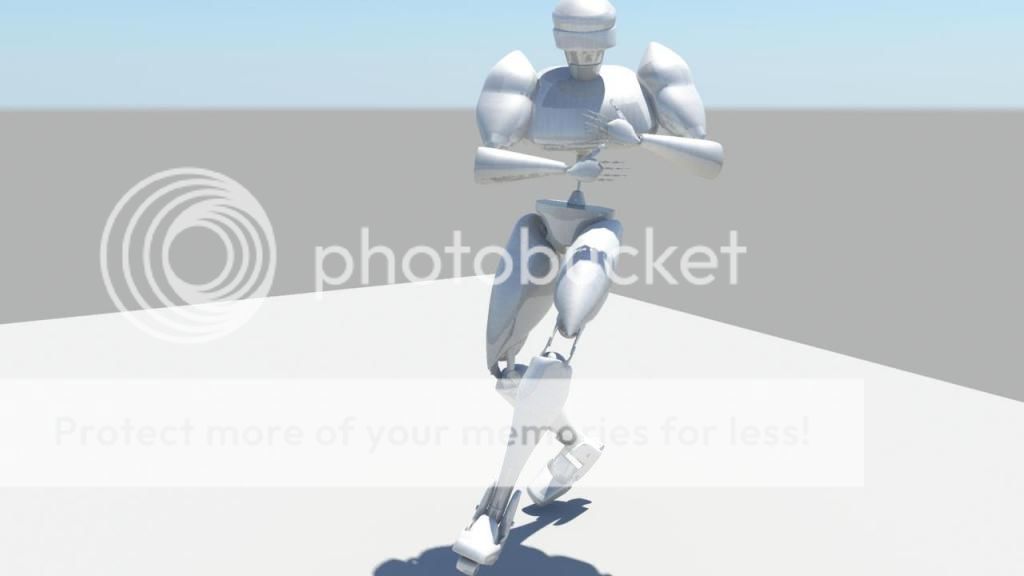
Havnt posted anything here in a while. Been focusing on rigging. Im in 3rd year animation, a 4th year asked me to rig her model which is a robot. So heres two images and a video.
Riging also includes blend-shapes which is placing facial expressions as adjustable fields for the animator to slide up and down for different intensities.
and heres what happened when I plugged Mocap (motion capture) data into the rig.
Re: Show your models thread...(IMAGE HEAVY)
Posted: 2013-02-21 01:12
by Pvt.LHeureux
Damn this is pretty good Psyko!
When you get free-time.... Project Normandy would like to cuddle you
Re: Show your models thread...(IMAGE HEAVY)
Posted: 2013-02-27 04:14
by Ratface
Finished an architextual scene for school
Re: Show your models thread...(IMAGE HEAVY)
Posted: 2013-02-27 09:23
by Doc.Pock
7/10 would hire just one question why is that reddish bench thingy protruding into the glass door area? also more rays next time. its quite grainy
Re: Show your models thread...(IMAGE HEAVY)
Posted: 2013-02-27 11:34
by Psyko
That looks great Ratface!
Re: Show your models thread...(IMAGE HEAVY)
Posted: 2013-02-27 23:15
by Ratface
'[USF wrote:Doc.Pock;1869421']7/10 would hire just one question why is that reddish bench thingy protruding into the glass door area? also more rays next time. its quite grainy
Wow you know what...I didn't even notice that until now XD
Max kept crashing on me when I was using camera matching and I thought I had moved it further away, but it must have happened before I saved it and didn't notice it
Yea, I need to give myself more time next time for lighting and rendering, I had to render it in a lower quality to get it done in time for class
Thanks
Posted: 2013-02-27 23:36
by Doc.Pock
No probs mate. One advice. Use a biased renderer for any quick show to teacher jobs. For a showcase, always go unbiased. And learn to material wisely
Sent from my magic contraption using Magic
Re: Show your models thread...(IMAGE HEAVY)
Posted: 2013-03-20 23:29
by Tim270
about getting close to half the HP done. Is for school.


 I'm gonna try this naw