
I'm gonna use some icons from Max and some from Chuc.
But there's a problem with the icons from both of you guys. BF2 is a real pain with that. Your icons are showing up inverted, upside down.
I'm not really sure what is the correct way to export them to get it right, so I ask you guys to test a few different combinations and see what happens.
To test it, do the following:
0. Close PR.
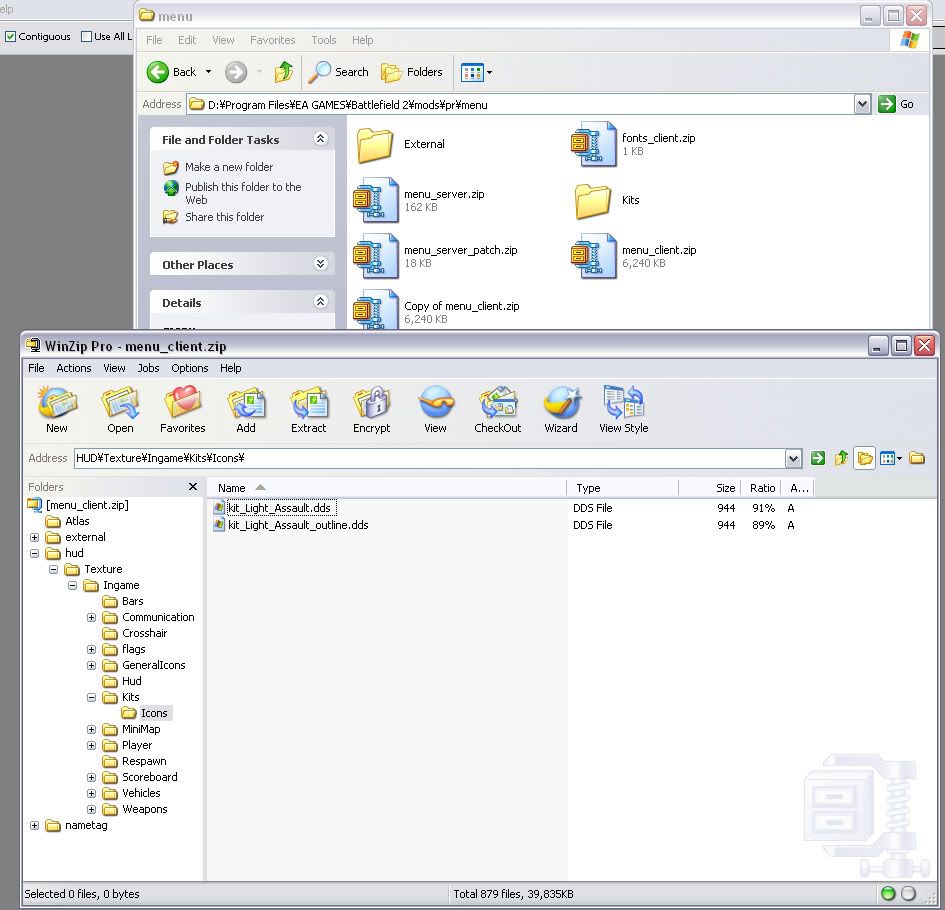
1. Make a backup of your menu_client.zip in mods/pr/menu.
2. Create a folder somewhere (like your desktop) called "Kits" and inside that another folder called "Icons".
3. Save one of your custom icons with different export settings combinations (16-bit, 24-bit, 32-bit, compression, etc) and put it in that "Kits\Icons" folder you created.
4. Rename that icon to kit_Light_Assault (and the outline version) so you can see it in the spawn list.
5. Rename the file extension from .tga to .dds (important).
6. Open PR's menu_client.zip (make sure you backed it up) and go to "HUD\Texture\Ingame".
7. Add the "Kits" folder in there, so now you will have "HUD\Texture\Ingame\Kits\Icons\kit_Light_Assault.dds".
8. Start PR and test it out.
If you found the right combination, please post it here so we can get all icons in the correct format.
Thanks
[Request] Help PR making some icons (photoshop skills necessary)
-
Maxfragg
- Posts: 2122
- Joined: 2007-01-02 22:10
-
Chuc
- Retired PR Developer
- Posts: 7016
- Joined: 2007-02-11 03:14

-
Chuc
- Retired PR Developer
- Posts: 7016
- Joined: 2007-02-11 03:14
Urgh I simply can't get a single test to work, I always end up with the game using the default vBF2 icons. However I've only tried with the 32bit and 24bit uncompressed, I'll try one more time compressed.
Edit: Nup, still no luck
Edit: Nup, still no luck
Last edited by Chuc on 2007-11-02 11:55, edited 1 time in total.
-
=HR=Drayu
- Posts: 411
- Joined: 2006-05-28 17:54
I really like that marksman kit over the rest.Chuc wrote:Outlaw: Like.. Cactuar?
Anyway, I did another marksman icon, to relate the kit to the sniper kit (which downplays the "sticking to the squad" aspect).
Sicaro: I'd rather not change the AA and LAT icons, if you just look at the stabilisation fins there's the difference =P Also with the crewman icon, I think the devs are pretty set on it being a steering wheel
Zip file updated again

-
dbzao
- Retired PR Developer
- Posts: 9381
- Joined: 2006-06-08 19:13
Check the steps I posted. You probably didn't rename the tga files to dds.Chuc wrote:Urgh I simply can't get a single test to work, I always end up with the game using the default vBF2 icons. However I've only tried with the 32bit and 24bit uncompressed, I'll try one more time compressed.
Edit: Nup, still no luck
-
Doc_Frank
- Posts: 246
- Joined: 2007-03-12 21:13
-
Chuc
- Retired PR Developer
- Posts: 7016
- Joined: 2007-02-11 03:14
-
GeZe
- Retired PR Developer
- Posts: 3450
- Joined: 2006-02-09 22:09

-
Chuc
- Retired PR Developer
- Posts: 7016
- Joined: 2007-02-11 03:14
-
Chuc
- Retired PR Developer
- Posts: 7016
- Joined: 2007-02-11 03:14
-
dbzao
- Retired PR Developer
- Posts: 9381
- Joined: 2006-06-08 19:13
Yeah I test them out, and it really looks it needs to be 32bit uncomp.
They still show up upside down, so I can only think it has to do with them not being in the atlas files. Doing the atlas is a bit complicated, so we will eventually do it with the new icons.
One thing you could try is to save the icons directly in DDS format. You will need the NVidia Photoshop DDS plug-ins.
http://developer.nvidia.com/object/phot ... ugins.html
I think they need to be dxt5 with no mipmaps. Can you get me a few of those so I can test? Thanks.
They still show up upside down, so I can only think it has to do with them not being in the atlas files. Doing the atlas is a bit complicated, so we will eventually do it with the new icons.
One thing you could try is to save the icons directly in DDS format. You will need the NVidia Photoshop DDS plug-ins.
http://developer.nvidia.com/object/phot ... ugins.html
I think they need to be dxt5 with no mipmaps. Can you get me a few of those so I can test? Thanks.
-
Chuc
- Retired PR Developer
- Posts: 7016
- Joined: 2007-02-11 03:14
Got a problem, if I save using the DXT5_NM compression I end up with a 0kb file, probably corrupted. But if I use the normal DXT5 compression I have to change the size of the icon to 16x16.
Here's them, I saved them in two ways, one with a canvas resize (no alterations except for space), and a total resize that contains some antialiasing.
Here's them, I saved them in two ways, one with a canvas resize (no alterations except for space), and a total resize that contains some antialiasing.
You do not have the required permissions to view the files attached to this post.
-
dbzao
- Retired PR Developer
- Posts: 9381
- Joined: 2006-06-08 19:13
Yep, looks like it's working. But we will probably add it to the atlas too, and I don't know if it can be dds or not.
Anyways, for the sake of testing, let's use DDS for now, but keep the TGAs if we need them later.
The final list of icons to be used:
assault - max
at - default
engineer - default
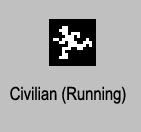
civ - chuc (first one)
marksman - max
medic - default
officer - chuc (wealth - pointing down)
pilot - max
rifleman - default
riflemanaa - chuc
riflemanab - max
riflemanat - max
sniper - default
specops - default
support - default
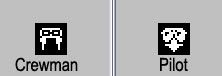
crewman - chuc
Get the TGAs here:
http://gloryhoundz.com/prmm/users/dbzao ... ection.zip
Chuc, I need you to make the conversion from TGA to DDS for these, please. But before you do that, there are some adjustments needed:
1. Officer - it's too big. Needs 2 or 3 more pixels of margin. Check the default rifleman ones to get a good size.
2. Pilot - same thing with the left and right edge, but it will probably not look that good. Try and see how it goes, but another thing to update in it, is the no outline version top cross should be more visible.
3. AA - too big as well. Needs more margin.
4. Rifleman Ammo - the little ammo thing in the right is too small and too close to the edge. Specially the no outline version.
5. Light AT - maybe the no outline version could be a little bigger vertically. Increase the tube height in 1 pixel or something.
Chuch, if you can tweak all of these for me, export in TGA 32 uncomp and also in DDS, I would appreciate it.
Thanks for your help guys!
Anyways, for the sake of testing, let's use DDS for now, but keep the TGAs if we need them later.
The final list of icons to be used:
assault - max
at - default
engineer - default
civ - chuc (first one)
marksman - max
medic - default
officer - chuc (wealth - pointing down)
pilot - max
rifleman - default
riflemanaa - chuc
riflemanab - max
riflemanat - max
sniper - default
specops - default
support - default
crewman - chuc
Get the TGAs here:
http://gloryhoundz.com/prmm/users/dbzao ... ection.zip
Chuc, I need you to make the conversion from TGA to DDS for these, please. But before you do that, there are some adjustments needed:
1. Officer - it's too big. Needs 2 or 3 more pixels of margin. Check the default rifleman ones to get a good size.
2. Pilot - same thing with the left and right edge, but it will probably not look that good. Try and see how it goes, but another thing to update in it, is the no outline version top cross should be more visible.
3. AA - too big as well. Needs more margin.
4. Rifleman Ammo - the little ammo thing in the right is too small and too close to the edge. Specially the no outline version.
5. Light AT - maybe the no outline version could be a little bigger vertically. Increase the tube height in 1 pixel or something.
Chuch, if you can tweak all of these for me, export in TGA 32 uncomp and also in DDS, I would appreciate it.
Thanks for your help guys!
-
Chuc
- Retired PR Developer
- Posts: 7016
- Joined: 2007-02-11 03:14
-
Chuc
- Retired PR Developer
- Posts: 7016
- Joined: 2007-02-11 03:14