Page 27 of 102
Re: Show your models thread...(IMAGE HEAVY)
Posted: 2008-07-25 19:38
by e-Gor
k30dxedle: The shinyness is taken from the specular map - which is stored in the alpha channel of the colourmap (the ..._c.dds texture). In converting from dds to bmp you lost this, as bmp doesn't support alpha channels. I'd recommend using .tga instead, or .png if your convertor doesn't support tga. Even better, get the dds plugin for photoshop (sorry, don't have a link to hand).
Re: Show your models thread...(IMAGE HEAVY)
Posted: 2008-07-25 19:51
by k30dxedle
Ah, ok...I guess I should just start over then, I guess?
(oh: I did that in Paint...I wish I had Photoshop, but I don't.)
Edit: I'd convert it to PNG, but DDS Converter 2.1 (what I'm using) is messing it up. Don't know how.
Edit (again): I think I have it fixed. Going to test in a few minutes to check.
third edit: AAAAGGH. Nope, not fixed. Converted from .dds > .tga, opened in GIMP 2.4.5, copy-and-pasted the modified bit of the old .bmp (is this the problem?), then converted back to .dds.
Final edit; issue solved.
Picture.
Re: Show your models thread...(IMAGE HEAVY)
Posted: 2008-07-26 10:30
by _Henke_
FastWinston: That famas looks really good!
--------
My rifles... already showed some of them
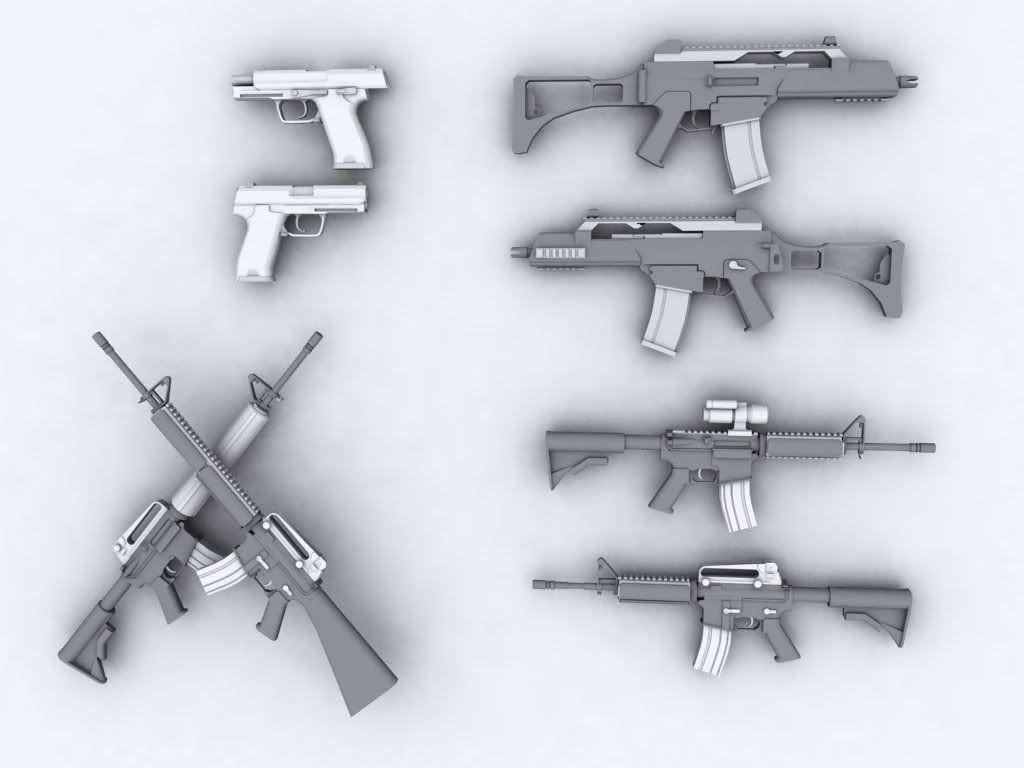
And my fugly A10 i did when playing around with meshsmooth.
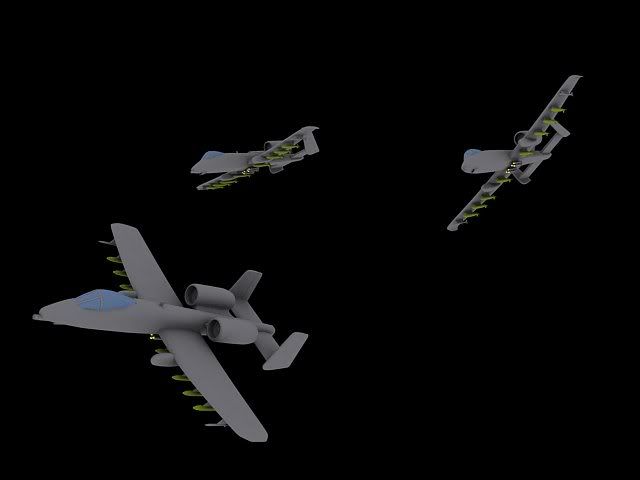
and its ingame O_o

Re: Show your models thread...(IMAGE HEAVY)
Posted: 2008-07-26 10:50
by Maxfragg
nice, why don't you moddel something for one of the communtiy mods ?
Re: Show your models thread...(IMAGE HEAVY)
Posted: 2008-07-26 11:01
by bosco_
He did, he made the P8 for Germany

Re: Show your models thread...(IMAGE HEAVY)
Posted: 2008-07-26 11:17
by Maxfragg
oh, i must have missed that
Re: Show your models thread...(IMAGE HEAVY)
Posted: 2008-07-26 18:12
by e-Gor
k30dxedle wrote:Ah, ok...I guess I should just start over then, I guess?
(oh: I did that in Paint...I wish I had Photoshop, but I don't.)
Edit: I'd convert it to PNG, but DDS Converter 2.1 (what I'm using) is messing it up. Don't know how.
Edit (again): I think I have it fixed. Going to test in a few minutes to check.
third edit: AAAAGGH. Nope, not fixed. Converted from .dds > .tga, opened in GIMP 2.4.5, copy-and-pasted the modified bit of the old .bmp (is this the problem?), then converted back to .dds.
You can get a dds plugin for GIMP
here.
Your best bet might be to open your first version (the bmp one) and the original texture (as .dds) in gimp, and copy the alpha channel across. To do this, apply layer masks to both images, choosing "transfer layer's alpha channel", then copy and paste. Apply the layer mask, and save.
One quick word of advice though: keep your working copy saved as .xcf or .psd or something: .dds has very lossy compression, so if you keep opening/saving it the image quality will drop drastically. Only save to .dds when you want to try it in game, and only edit from the .xcf/.psd version.
Re: Show your models thread...(IMAGE HEAVY)
Posted: 2008-07-26 18:17
by ice_killer
_Henke_ wrote:FastWinston: That famas looks really good!
--------
My rifles... already showed some of them
And my fugly A10 i did when playing around with meshsmooth.
and its ingame O_o
can you post wire frames ?
Re: Show your models thread...(IMAGE HEAVY)
Posted: 2008-07-26 19:35
by _Henke_
nice, why don't you moddel something for one of the communtiy mods ?
Im too busy playing PR

can you post wire frames ?
Which model do you want to see?
Re: Show your models thread...(IMAGE HEAVY)
Posted: 2008-07-27 13:40
by ice_killer
A-10
Re: Show your models thread...(IMAGE HEAVY)
Posted: 2008-07-27 14:06
by AnRK
We using the EA one still? Or is it from USI or something?
Re: Show your models thread...(IMAGE HEAVY)
Posted: 2008-07-27 15:07
by bosco_
US:I
Re: Show your models thread...(IMAGE HEAVY)
Posted: 2008-07-27 18:54
by _Henke_
Here's with meshsmooth
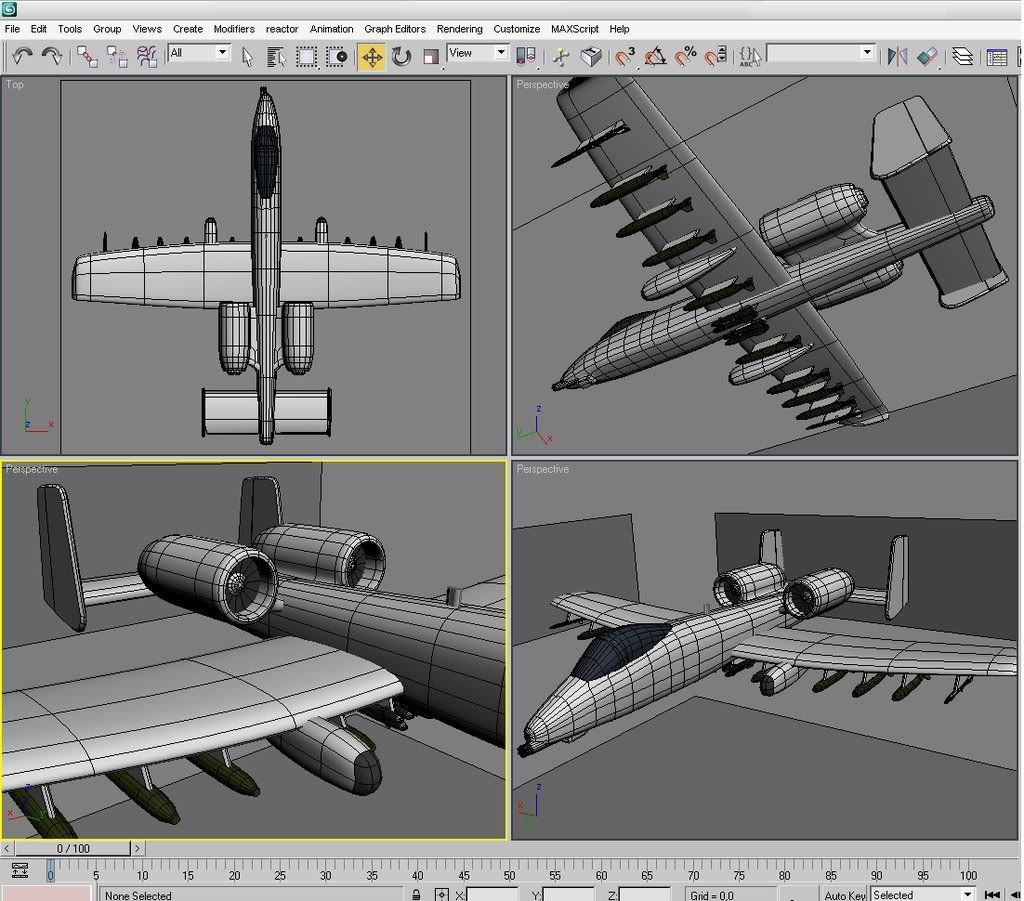
and here's without
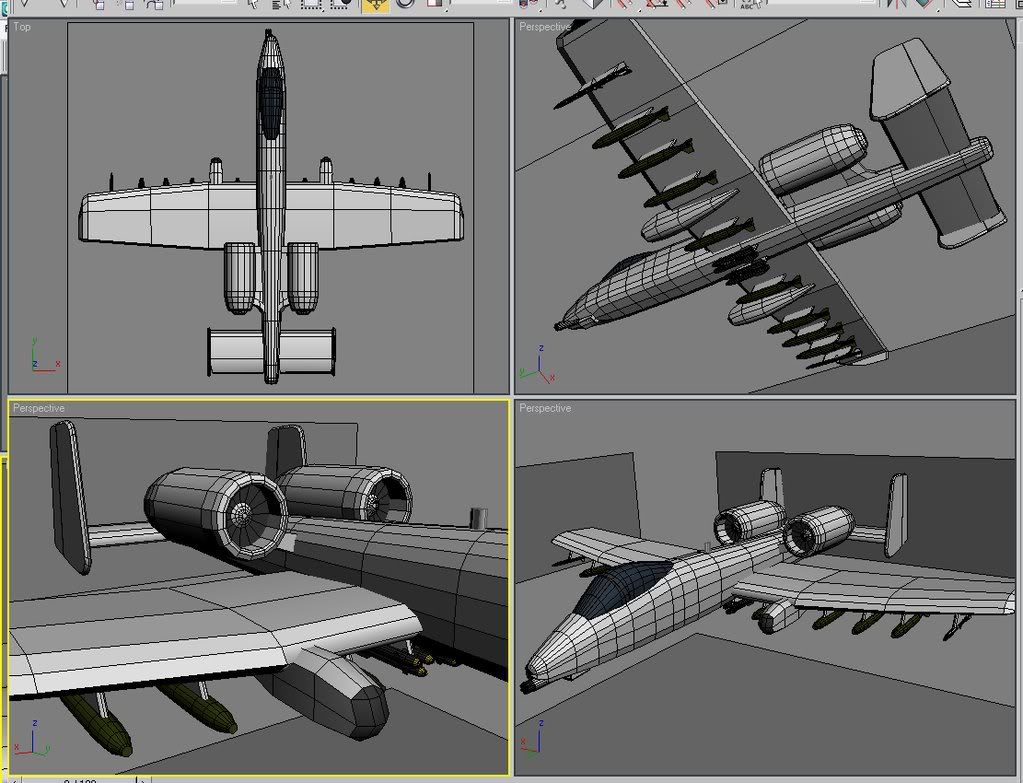
Enjoy!
Re: Show your models thread...(IMAGE HEAVY)
Posted: 2008-07-27 20:27
by FastWinston
_Henke_ wrote:FastWinston: That famas looks really good!
--------
Thanks a bunch

Just need to learn unwrapping and skinning and im set

Re: Show your models thread...(IMAGE HEAVY)
Posted: 2008-07-27 21:04
by Tomato-Rifle
[R-CON]Z-trooper wrote:Very nice result
seems you have learned a lot. Looking forward to see some of the stuff you do after this. I pretty started out modeling by working for the community factions, I suggest you do the same as it is a great learning experince
If you can model this you should be able to make some decent models for the community factions, or at least with some help from the rest of us
now go get recruited!
Thanks
But i dont think i will be able to make models for the community factions, i was just following a tutorial
Re: Show your models thread...(IMAGE HEAVY)
Posted: 2008-08-14 10:52
by Chanvlan
nice A-10 im still modeling my first Beretta 9000 !!!
Re: Show your models thread...(IMAGE HEAVY)
Posted: 2008-08-16 02:57
by Z-trooper
A new little project I'm working on for a realistic shooter in Crysis (when I get more time, sigh..)
This is the start of a high poly C8A2 that will be normal mapped onto a lower poly version in accordance with the workflow of next generation game art.

Re: Show your models thread...(IMAGE HEAVY)
Posted: 2008-08-16 03:05
by ReadMenace
Looks nice Z! Check your email!
-REad
Re: Show your models thread...(IMAGE HEAVY)
Posted: 2008-08-19 09:08
by $pyker
that is really good why not let the french forces mod have that model?
Re: Show your models thread...(IMAGE HEAVY)
Posted: 2008-08-19 09:12
by FastWinston
Thanks! Shure they can have it
I diddn't know there where a french forces mod, but if there is i'm all for it and will contribute if i can