Looking good, but what I would suggest for the Harrier HUD is to add the + crosshair around the crosshair, and remove the box corners border (which btw, top right and bottom right are the wrong way round) and also move the LGM Armed text down to the bottom since you won't have a cockpit there any more to worry about so you have something like this


The rest is all good and you should keep the Artificial Horizon, although maybe you could use the pitch markers (ie, -5, -10 etc) on it since they are not on the refs?
http://i.imgur.com/feq5U5P.jpg
Also is there any way to make this HUD thermals only instead of optional that you know of? Dunno if the camera on the front of the Harrier is thermal only or not but only seen pics of it in thermal mode.
As for the AS HUD, ye the black box bit doesn't work, just looks odd. What I Mean was a dash or : between them. Also don't think the bottom right is a good place since its not standard, bottom left would be better as I said, maybe move that icon bit from right to left to open up the left?
One there thing is I think maybe this HUD shouldn't be a "camera HUD" ie, it only displays radar contacts, and no display of the terrain etc like at 1:05 in this vid (other than it shows the laser targets before you lock them):
PR 0 85 Top Attack Missiles - YouTube

I think this would be better overall IMO and more realistic
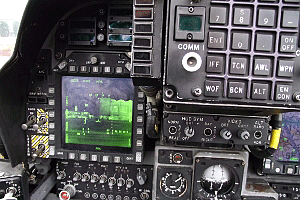
Stemplus wrote:Iirc that kind of AGM view is displayed on the screens in the cockpit, so the camera should be under the nose, and it should have the crosshair similar to the one in the A10, with a small artificial horizon in the corner, and maybe some text (i.e. Missile Armed) and a compass. PS, why would there be new HUD for the harrier if its not going to be in modern PR? It would make more sense to add it to the A10 or the F16.
1. That's the idea as per posts before it.
2. Who said it wouldn't?
lucky.BOY wrote:Just a thought here, shouldnt those bits of text on top and bottom of the screen be aligned to respective buttons of surounding the display? I dont know if that text is a label to what that button does, or if it just displays a status of a function.
Ye that's not a bad idea





 .
.


