Page 1 of 1
PR Mumble won't work for the life of me!
Posted: 2013-01-22 07:48
by Deeliteful_Jestr
I can't connect to the PR Mumble server for longer than 2 minutes without getting the message.
"Server connection failed: The remote host closed the connection."
I have visited tons of forums and nothing has worked.
Please if anyone can help me that be great.
List of things i have tried:
-I have PR Mumble version 1.0.0
-I have ran as admin every time by right clicking shortcut and clicking "Run as administrator"
-I have uninstalled and reinstalled 3 times
-I have created a certificate
-I have disabled my firewall
-I have unchecked the "Use of Quality Service" box in PR Mumble settings
-I have changed my nickname
-I have reset my modem
S.O.S PLZ HELP
I'm getting kicked from servers.
I can't properly play Project reality without it working.
Re: PR Mumble won't work for the life of me!
Posted: 2013-01-22 08:54
by LITOralis.nMd
Hello Jestr,
welcome to the PR forums,
thanks for detailed post, let's see what we can do,
first, if you are still connecting with the certifcate, you can only connect once, it is possible you are connecting twice. i.e. your problem can also be caused by having
multiple instances of mumble connecting to the same server.
simple solution:
1. GO to your PRMumble shortcut, and remove the -m at the end.
-m is a command line that allows multiple instances of mumble to run simultaneously.
2. Give us info on your modem and router, manufacturers and model numbers. Some require adjusting QoS settings in the router settings.
3. To simplify things, I want you to export your current mumble cert and then create a new mumble certificate. Start PRMumble, ->Configure -> Certificate Wizard
4. Are you on a WiFi or wired internet connection?
5. "-I have uninstalled and reinstalled 3 times" Did you uninstall the %AppData% Mumble directory?
You can go to Start, search for %Appdata% , then go to PRmumble folder and delete it. Then uninstall and reinstall PRMumble 1.0 , that is the only way to properly unisntall and reinstall PRmumble 1.0.0.4 Beta
Re: PR Mumble won't work for the life of me!
Posted: 2013-01-22 18:47
by Deeliteful_Jestr
THANK YOU!
I can't say what exactly fixed it as tried methods 1 and 5 at the same time.
I can't thank you enough!
I know can play project reality without interruption!
Thank you!
Ps For all intents and purposes...
4. I run wired connection.
Thank you!
Re: PR Mumble won't work for the life of me!
Posted: 2013-02-04 05:59
by DudeofDeath
About a week ago Mumble stopped starting up for me and nothing had changed on my end. I've since done clean re-installs about 10 times with anti-virus protection off, cleaned registry with CC cleaner, deleted the PR Mumble folder via %appdata%, etc.. and nothing has worked.
I have Win 7 and when I click the mumble shortcut I see the run icon spinning for a second and then nothing, mumble never comes up. Not sure what else to do and I can't play PR without it. Maybe it's not installing to the right place? Cert maybe expired?
Target - "C:\Program Files (x86)\PR Mumble\pr_mumble.exe" mumble://mumble.realitymod.com:64739/?version=1.2.0 -m
Start In - "C:\Program Files (x86)\PR Mumble\"
Re: PR Mumble won't work for the life of me!
Posted: 2013-02-04 06:04
by Psyrus
DudeofDeath wrote:I have Win 7 and when I click the mumble shortcut I see the run icon spinning for a second and then nothing, mumble never comes up. Not sure what else to do and I can't play PR without it. Maybe it's not installing to the right place? Cert maybe expired?
Does the process start up at all?
Re: PR Mumble won't work for the life of me!
Posted: 2013-02-04 06:05
by DudeofDeath
No, it doesn't. I've used mumble a few years now and don't know what's up this time.
always run it in admin mode, tried downloading other 1.0 mumble installers just to make sure mine isn't corrupt, have also restored mumble to an earlier state, but nothing has worked yet.
Re: PR Mumble won't work for the life of me!
Posted: 2013-02-04 23:34
by LITOralis.nMd
Dude,
Try installing the main fork standard Mumble 1.2.3 or 1.2.4Beta, see if you can get program to start, see if you can connect to the default public mumble server.
Mumble
Re: PR Mumble won't work for the life of me!
Posted: 2013-02-05 09:13
by DudeofDeath
Thanks for all the help and quick responses.
Yea, I had downloaded the vanilla mumble but was trying to get PR Mumble to work if at all possible. Not sure what happened with it, it had worked fine up until the other week.
The 1.2.3 Mumble did install and work, but when i went to the PR server it said that my version of mumble was not compatible with what runs on the PR server, telling me basically to get PR Mumble.. lol
So I got mumble, but still can't get into the main PR Mumble server.

Re: PR Mumble won't work for the life of me!
Posted: 2013-02-05 09:22
by Psyrus
I believe that was just meant to be a test to see if it would run, you can't play on PRmumble servers with vanilla mumble unfortunately.
This is a very peculiar problem, to be sure!
Re: PR Mumble won't work for the life of me!
Posted: 2013-02-05 20:59
by LITOralis.nMd
Yes, that was just a test.
We now know that:
1. your firewall and antivirus have not blocked mumble or mumble ports.
2. mumble can work on your pc.
3. the Windows Installer doesn't have a virus.
If you still have standard mumble installed, change the desktop shortcut to include the -m siwtch, similar to your prmumble shortcut.
Connect to standard mumble, then try to start PR mumble.
I'd suggest looking in your firewall and antivirus logs, see if any file related to PR.exe TR.exe BF2.exe PRmumble.exe or any file from the PRmumble or PR directories have been flagged\quarantined etc.
I'd suggest installing CCleaner and simply ANALYZING your resgitry entries, DO NOT DELETE ANYTHING YET, and see if anything related to PRmumble is in there.
This is a hard problem to solve remotely,
Re: PR Mumble won't work for the life of me!
Posted: 2013-02-08 06:58
by DudeofDeath
'[R-COM wrote:LITOralis.nMd;1861807']Yes, that was just a test.
We now know that:
1. your firewall and antivirus have not blocked mumble or mumble ports.
2. mumble can work on your pc.
3. the Windows Installer doesn't have a virus.
If you still have standard mumble installed, change the desktop shortcut to include the -m siwtch, similar to your prmumble shortcut.
Connect to standard mumble, then try to start PR mumble.
I'd suggest looking in your firewall and antivirus logs, see if any file related to PR.exe TR.exe BF2.exe PRmumble.exe or any file from the PRmumble or PR directories have been flagged\quarantined etc.
I'd suggest installing CCleaner and simply ANALYZING your resgitry entries, DO NOT DELETE ANYTHING YET, and see if anything related to PRmumble is in there.
This is a hard problem to solve remotely,
Tried PR Mumble again and it installed but still won't start up. I had installed CC Cleaner after the first several re-installs of PR Mumble and cleaned it out before looking at everything. Haven't seen anything yet in Norton AV that could be causing it.
This is what the console notepad says when i try and start:
<W>2013-02-07 22:52:29.179 DirectSound: Disabled as WASAPI is available
<W>2013-02-07 22:52:29.182 CELT bitstream 8000000b from C:/Program Files (x86)/PR Mumble/celt0.0.7.0.dll
<W>2013-02-07 22:52:29.188 CELT bitstream 80000010 from C:/Program Files (x86)/PR Mumble/celt0.0.11.0.dll
<W>2013-02-07 22:52:29.189 Locale is en_US
<W>2013-02-07 22:52:29.358 Database SQLite: "3.6.19"
<W>2013-02-07 22:52:29.416 Overlay: Listening on "\\.\pipe\MumbleOverlayPipe"
I could have sworn this version of mumble is self installing right? I don't need to install it to the PR directory do I?
Re: PR Mumble won't work for the life of me!
Posted: 2013-02-08 17:00
by LITOralis.nMd
It is self installing,
This is above my level of knowledge on the matter,
The next line after
<W>2013-02-07 22:52:29.416 Overlay: Listening on "\\.\pipe\MumbleOverlayPipe"
should be the listing of your HIDs; mouse, keyboard, etc.
Have you changed mouse, keyboard, updated the drivers, changed which USB port you have them plugged in to, etc?
example of mine:
<W>2013-02-01 17:31:50.932 DirectSound: Disabled as WASAPI is available
<W>2013-02-01 17:31:50.940 CELT bitstream 8000000b from C:/Program Files (x86)/PR Mumble/celt0.0.7.0.dll
<W>2013-02-01 17:31:50.956 CELT bitstream 80000010 from C:/Program Files (x86)/PR Mumble/celt0.0.11.0.dll
<W>2013-02-01 17:31:50.958 Locale is en_US
<W>2013-02-01 17:31:51.042 Database SQLite: "3.6.19"
<W>2013-02-01 17:31:51.083 Overlay: Listening on "\\.\pipe\MumbleOverlayPipe"
<W>2013-02-01 17:31:51.279 Adding device {6f1d2b60-d5a0-11cf-bfc7-444553540000} Mouse Mouse:8
<W>2013-02-01 17:31:51.280 Adding device {6f1d2b61-d5a0-11cf-bfc7-444553540000} Keyboard Keyboard:127
<W>2013-02-01 17:31:51.336 Adding device {2e37f940-11b1-11e2-8001-444553540000} Microsoft? Digital Media Pro Keyboard Microsoft? Digital Media Pro Keyboard:1280
<W>2013-02-01 17:31:51.367 Adding device {2e3931c0-11b1-11e2-8002-444553540000} Microsoft? Digital Media Pro Keyboard Microsoft? Digital Media Pro Keyboard:256
<W>2013-02-01 17:31:51.387 AudioInput: 40000 bits/s, 48000 hz, 480 sample CELT
<W>2013-02-01 17:31:51.390 OpenSSL Support: 1 (OpenSSL 1.0.0d 8 Feb 2011)
<W>2013-02-01 17:31:51.390 SSL: Adding recommended CA AAA Certificate Services
<W>2013-02-01 17:31:51.391 SSL: Adding recommended CA UTN-USERFirst-Client Authentication and Email
<W>2013-02-01 17:31:51.392 WASAPIInput: Latencies 100000 30000 => 100000
<W>2013-02-01 17:31:51.393 WASAPIOutput: Latencies 100000 30000 => 100000
<W>2013-02-01 17:31:51.400 WASAPIInput: Stream Latency 53333 (960)
<W>2013-02-01 17:31:51.400 AudioInput: Initialized mixer for 2 channel 48000 hz mic and 0 channel 48000 hz echo
<W>2013-02-01 17:31:51.400 WASAPIOutput: Stream Latency 106666 (1920)
<W>2013-02-01 17:31:51.400 WASAPIOutput: Periods 10000us 3000us (latency 10666us)
<W>2013-02-01 17:31:51.400 WASAPIOutput: Buffer is 40000us (3)
<W>2013-02-01 17:31:51.400 AudioOutput: Initialized 2 channel 48000 hz mixer
<W>2013-02-01 17:31:51.445 ServerHandler: QOS2 loaded
Re: PR Mumble won't work for the life of me!
Posted: 2013-02-08 23:10
by DudeofDeath
Yes, very probable I've changed which things plugged into which USB's.
What seems to have been the start of the issue with Mumble was when I removed one of two AMD 6850 graphics cards which were running in Crossfire mode. I was getting some Micro-stutter while using both cards and after trying them in multiple configs making sure my system recognized them both separately, I finally removed one of the cards and found the graphics looked better and I still got 60 to 112 FPS in Planetside 2. So I just have the one card now, but PR Mumble doesn't work anymore.
I was NOT using an HDMI cable running from either graphics card, I use onboard sound which is provided by the VIA chipset in the Gigabyte mainboard I believe.
Specs:
GIGABYTE GA-970A-D3 AM3+ CROSSFIRE
AMD PHENOM II X6 1100T 3.3GHZ
16 GB DDR3/ 1600 MHZ MEMORY
AMD RADEON HD6850 1GB DDR5 PCIE
WINDOWS 7 HOME PREMIUM SP1 64-BIT
After removing one of the cards I re-installed newly released AMD drivers. Something seems to be blocking it during startup but it doesn't seem to be Norton AV or User Account Control. I really appreciate all the help, it sucks not to be able to play my favorite game anymore..

Re: PR Mumble won't work for the life of me!
Posted: 2013-02-10 06:22
by DudeofDeath
Sincere thanks for all the help I was offered in here but I have solved the issue. It was only by going into regedit and deleting the Mumble and PR Mumble folders found there that I could get a totally clean install again. I thought CC cleaner may already have cleaned that stuff out before, but it didn't. Awesome!!
'[R-COM wrote:LITOralis.nMd;1735283']
How to completely uninstall PRMumble 1.0 Beta 4
Here is how to completely uninstall PRMumble 1.0 Beta 4
PR TECH SUPPORT CAN NOT BE HELD RESPONSIBLE FOR THE FOLLOWING SUGGESTION. Altering the Windows Registry can cause Windows to cease functioning properly, causes various errors, or brick the Windows installation.
Taking a Chainsaw to ALL PRmumble entries in Windows Registry.
FIrst a note, as per the Mumble FAQ, Mumble has no kernel components, source FAQ/English - Mumble.
Uninstall the older PRMUmble 0.5 beta, uninstall PRMumble 1.0, (and uninstall any other Mumble versions installed.)
Uninstall PRMumble in Control Panel preferably.
Start command prompt and type "%appdata%" in it (without quotes) and press Enter. It should open YourUsername>AppData>Roaming directory. Then you can delete the complete Mumble(PR Edition) folder.
Then backup your registry inside RegEdit or your registry editor of choice. Directions to do this inside RegEdit: Back up the registry
Download and install CCleaner from Piriform: CCleaner - Download
Directions for the following steps from Piriform: CCleaner - Registry cleaning
ALWAYS backup your registry inside CCLeaner when prompted!!!.
then use CCleaner and get rid of registry errors related to Mumble,
Open Regedit again.
then search through your registry in RegEdit (In Menu, Edit->Find, or Ctrl-F ) Use search term: Mumble .
and delete everything (except the uninstaller entries) related to PRMumble and Mumble.
Then reinstall PRMumble.
That's what I call taking a chainsaw to a chopstick.
Re: PR Mumble won't work for the life of me!
Posted: 2013-02-10 17:28
by DudeofDeath
Well, it was working beautifully again last night until i turned it off for the night.
Once it shuts down it goes back into the same mode as before.. and doesn't seem to recognize the overlay.
<W>2013-02-09 22:37:54.901 AudioInput: 32000 bits/s, 48000 hz, 480 sample CELT
<W>2013-02-09 22:37:54.905 WASAPIInput: Latencies 101587 30000 => 100000
<W>2013-02-09 22:37:54.905 WASAPIOutput: Latencies 101587 30000 => 100000
<W>2013-02-09 22:37:54.907 WASAPIInput: Stream Latency 58050 (896)
<W>2013-02-09 22:37:54.908 AudioInput: Initialized mixer for 2 channel 44100 hz mic and 0 channel 48000 hz echo
<W>2013-02-09 22:37:54.909 WASAPIOutput: Stream Latency 116100 (1323)
<W>2013-02-09 22:37:54.909 WASAPIOutput: Periods 10158us 3000us (latency 11610us)
<W>2013-02-09 22:37:54.909 WASAPIOutput: Buffer is 30000us (2)
<W>2013-02-09 22:37:54.909 AudioOutput: Initialized 2 channel 44100 hz mixer
<W>2013-02-09 23:02:52.161 AudioInput: 32000 bits/s, 48000 hz, 480 sample CELT
<W>2013-02-09 23:02:52.165 WASAPIInput: Latencies 101587 30000 => 100000
<W>2013-02-09 23:02:52.165 WASAPIOutput: Latencies 101587 30000 => 100000
<W>2013-02-09 23:02:52.168 WASAPIInput: Stream Latency 58050 (896)
<W>2013-02-09 23:02:52.169 AudioInput: Initialized mixer for 2 channel 44100 hz mic and 0 channel 48000 hz echo
<W>2013-02-09 23:02:52.171 WASAPIOutput: Stream Latency 116100 (1323)
<W>2013-02-09 23:02:52.171 WASAPIOutput: Periods 10158us 3000us (latency 11610us)
<W>2013-02-09 23:02:52.171 WASAPIOutput: Buffer is 30000us (2)
<W>2013-02-09 23:02:52.171 AudioOutput: Initialized 2 channel 44100 hz mixer
<W>2013-02-09 23:03:00.715 Overlay: Dead client detected <When I turned it off
<W>2013-02-10 09:09:17.988 DirectSound: Disabled as WASAPI is available
<W>2013-02-10 09:09:17.988 CELT bitstream 8000000b from C:/Program Files (x86)/PR Mumble/celt0.0.7.0.dll
<W>2013-02-10 09:09:17.988 CELT bitstream 80000010 from C:/Program Files (x86)/PR Mumble/celt0.0.11.0.dll
<W>2013-02-10 09:09:17.988 Locale is en_US
<W>2013-02-10 09:09:18.222 Database SQLite: "3.6.19"
<W>2013-02-10 09:09:18.285 Overlay: Listening on "\\.\pipe\MumbleOverlayPipe"
<W>2013-02-10 09:09:40.544 DirectSound: Disabled as WASAPI is available
<W>2013-02-10 09:09:40.544 CELT bitstream 8000000b from C:/Program Files (x86)/PR Mumble/celt0.0.7.0.dll
<W>2013-02-10 09:09:40.544 CELT bitstream 80000010 from C:/Program Files (x86)/PR Mumble/celt0.0.11.0.dll
<W>2013-02-10 09:09:40.544 Locale is en_US
<W>2013-02-10 09:09:40.747 Database SQLite: "3.6.19"
<W>2013-02-10 09:09:40.810 Overlay: Listening on "\\.\pipe\MumbleOverlayPipe"
<W>2013-02-10 09:10:19.900 DirectSound: Disabled as WASAPI is available
<W>2013-02-10 09:10:19.915 CELT bitstream 8000000b from C:/Program Files (x86)/PR Mumble/celt0.0.7.0.dll
<W>2013-02-10 09:10:19.915 CELT bitstream 80000010 from C:/Program Files (x86)/PR Mumble/celt0.0.11.0.dll
<W>2013-02-10 09:10:19.915 Locale is en_US
<W>2013-02-10 09:10:20.118 Database SQLite: "3.6.19"
<W>2013-02-10 09:10:20.196 Overlay: Listening on "\\.\pipe\MumbleOverlayPipe"
Re: PR Mumble won't work for the life of me!
Posted: 2013-02-10 17:46
by LITOralis.nMd
which overlay are you using?
Redo the chainsaw uninstall method, reinstall,
Try to download another overlay, OR just disable the overlay,
start prmumble,
close it
reboot, see if it happens again.
I am stumped, there is no way there should be this problem Mumble has no kernel components!!!
Re: PR Mumble won't work for the life of me!
Posted: 2013-02-10 17:47
by DudeofDeath
really weird, I just rebooted my computer and now it works again...
so here is the log when it works..
<W>2013-02-10 09:43:59.410 DirectSound: Disabled as WASAPI is available
<W>2013-02-10 09:43:59.410 CELT bitstream 8000000b from C:/Program Files (x86)/PR Mumble/celt0.0.7.0.dll
<W>2013-02-10 09:43:59.425 CELT bitstream 80000010 from C:/Program Files (x86)/PR Mumble/celt0.0.11.0.dll
<W>2013-02-10 09:43:59.425 Locale is en_US
<W>2013-02-10 09:43:59.613 Database SQLite: "3.6.19"
<W>2013-02-10 09:43:59.675 Overlay: Listening on "\\.\pipe\MumbleOverlayPipe"
<W>2013-02-10 09:46:21.672 DirectSound: Disabled as WASAPI is available
<W>2013-02-10 09:46:21.672 CELT bitstream 8000000b from C:/Program Files (x86)/PR Mumble/celt0.0.7.0.dll
<W>2013-02-10 09:46:21.687 CELT bitstream 80000010 from C:/Program Files (x86)/PR Mumble/celt0.0.11.0.dll
<W>2013-02-10 09:46:21.687 Locale is en_US
<W>2013-02-10 09:46:22.374 Database SQLite: "3.6.19"
<W>2013-02-10 09:46:22.420 Overlay: Listening on "\\.\pipe\MumbleOverlayPipe"
<W>2013-02-10 09:46:28.614 AudioInput: 40000 bits/s, 48000 hz, 480 sample CELT
<W>2013-02-10 09:46:29.009 WASAPIOutput: Latencies 101587 30000 => 100000
<W>2013-02-10 09:46:29.009 WASAPIInput: Latencies 101587 30000 => 100000
<W>2013-02-10 09:46:29.034 Adding device {6f1d2b60-d5a0-11cf-bfc7-444553540000} Mouse Mouse:8
<W>2013-02-10 09:46:29.035 Adding device {6f1d2b61-d5a0-11cf-bfc7-444553540000} Keyboard Keyboard:127
<W>2013-02-10 09:46:29.067 Adding device {14ffe720-e0c1-11e0-8003-444553540000} Saitek Eclipse II Keyboard Saitek Eclipse II Keyboard:3
<W>2013-02-10 09:46:29.086 Adding device {150453f0-e0c1-11e0-8004-444553540000} Saitek Eclipse II Keyboard Saitek Eclipse II Keyboard:19
<W>2013-02-10 09:46:29.098 WASAPIInput: Stream Latency 58050 (896)
<W>2013-02-10 09:46:29.098 WASAPIOutput: Stream Latency 116100 (1323)
<W>2013-02-10 09:46:29.098 WASAPIOutput: Periods 10158us 3000us (latency 11610us)
<W>2013-02-10 09:46:29.098 WASAPIOutput: Buffer is 30000us (2)
<W>2013-02-10 09:46:29.098 AudioOutput: Initialized 2 channel 44100 hz mixer
<W>2013-02-10 09:46:29.147 AudioInput: Initialized mixer for 2 channel 44100 hz mic and 0 channel 48000 hz echo
<W>2013-02-10 09:46:33.522 OpenSSL Support: 1 (OpenSSL 1.0.0d 8 Feb 2011)
<W>2013-02-10 09:46:33.622 SSL: Adding recommended CA AAA Certificate Services
<W>2013-02-10 09:46:33.623 SSL: Adding recommended CA UTN-USERFirst-Client Authentication and Email
<W>2013-02-10 09:46:34.164 ServerHandler: QOS2 loaded
Re: PR Mumble won't work for the life of me!
Posted: 2014-06-12 14:33
by Freezer
Hey,
Same Proplem here. Mumble wont connect to the Game-Sever, but yesterday everything was ok. Today i am only in the Lobby, and get not switched.
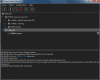
I restarted my PC + restarted Mumble + started PR as Admin. Should i re-install PR completely, or is there another Way to fix this?

PS: Windows 7
Re: PR Mumble won't work for the life of me!
Posted: 2014-06-13 07:36
by Freezer
Nevermind, i re-installed PR and now it works again!