Page 1 of 1
Error when go to "Options" on the launcher
Posted: 2015-02-11 15:13
by ChaBum
Code: Select all
Project Reality Log File
PRLauncher.exe started at: 2015-02-11T16:10:08

Critical Error: An unhandled exception has occured. Details are as follows:

Die Eingabezeichenfolge hat das falsche Format.

Further details can be found in the following file:

[url]C:\Program Files (x86)\Steam\SteamApps\common\Battlefield 2\mods\pr\bin\PRLauncher.log[/url]

Please report this error to the Project Reality Team, and include the log file in your report.

[url=https://www.realitymod.com/forum/f27-pr-bf2-support]Visit Support Forum[/url]

 > System.FormatException: Die Eingabezeichenfolge hat das falsche Format.
   bei System.Number.StringToNumber(String str, NumberStyles options, NumberBuffer& number, NumberFormatInfo info, Boolean parseDecimal)
   bei System.Number.ParseInt32(String s, NumberStyles style, NumberFormatInfo info)
   bei System.Linq.EnumerableSorter`2.ComputeKeys(TElement[] elements, Int32 count)
   bei System.Linq.EnumerableSorter`1.Sort(TElement[] elements, Int32 count)
   bei System.Linq.OrderedEnumerable`1.<GetEnumerator>d__0.MoveNext()
   bei System.Linq.Buffer`1..ctor(IEnumerable`1 source)
   bei System.Linq.Enumerable.ToArray[TSource](IEnumerable`1 source)
   bei Reality.BF2.Settings.PRMumble.ReadShortcuts(Boolean retry)
   bei PRLauncher.WPF.ViewModel.OptionsWindowViewModel.LoadPRMumbleKeybinds()
   bei PRLauncher.WPF.ViewModel.OptionsWindowViewModel..()
   bei System.Threading.ExecutionContext.RunInternal(ExecutionContext executionContext, ContextCallback callback, Object state, Boolean preserveSyncCtx)
   bei System.Threading.ExecutionContext.Run(ExecutionContext executionContext, ContextCallback callback, Object state, Boolean preserveSyncCtx)
   bei System.Threading.ExecutionContext.Run(ExecutionContext executionContext, ContextCallback callback, Object state)
   bei System.Threading.ThreadHelper.ThreadStart()
Re: Error when go to "Options" on the launcher
Posted: 2015-02-12 00:01
by LITOralis.nMd
Here is my best guess:
Your PRMumble keybinds are corrupted.
try this:
open PRMumble:
C:\Program Files (x86)\Steam\SteamApp\common\Battlefield 2 Complete Collection\mods\pr\bin\PRMumble\PRmumble.exe
in prmumble:->Configure ->settings->Tick the 'advanced' Tickbox on bottom left->Shortcuts->See if they are broken at all. You can now either try to manually fix them, or click the "Restore to Defaults" blue button on the bottom. Click APPLY.
Then restart PRlauncher to test.
Re: Error when go to "Options" on the launcher
Posted: 2015-02-12 18:40
by ChaBum
well i tried it and still the same prob.
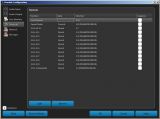
here a screenshot of the prmumble config=
(ZEHNERTASTATUR would be numbpad)
Re: Error when go to "Options" on the launcher
Posted: 2015-02-16 20:49
by ChaBum
well it still wont work ... seems my mumble dont even log me in correctly when i get ingame.
badly i cant show you a screenshot >_<
may i shall deinstall PR and reinstall it after that again?
Re: Error when go to "Options" on the launcher
Posted: 2015-02-17 02:37
by LITOralis.nMd
may i shall deinstall PR and reinstall it after that again?
Yes.
Log into Windows with an Administrator Account.
Run the Setup.exe on the PR .ISO as an Administrator.
Re: Error when go to "Options" on the launcher
Posted: 2015-02-17 22:50
by ChaBum
hmmm nope still nothing ... >_< ...
damnd
under vista on my old computer it was working xD but that was more than 2 or 3 years ago xD
Re: Error when go to "Options" on the launcher
Posted: 2015-02-17 23:02
by LITOralis.nMd
Are you getting the same error message as before, or some new error message?
Is PR installed at this point?
Re: Error when go to "Options" on the launcher
Posted: 2015-02-17 23:06
by LITOralis.nMd
try this:
open PRMumble:
C:\Program Files (x86)\Steam\SteamApp\common\Battlefield 2 Complete Collection\mods\pr\bin\PRMumble\PRmumble.exe
in prmumble:->Configure ->settings->Tick the 'advanced' Tickbox on bottom left->Shortcuts->See if they are broken at all.
I just noticed one of your shortcuts IS broken. You need to give it a keybinding.
The default keybinding is the division sign ( / ) on your numberpad/Zehnertastatur.
The bottom shortcut:
you have this:
SL to Commander .... Parent ...... K

Zehnertastatur)
it should be this:
SL to Commander .... Parent ...... K:/(Zehnertastatur)
Double click on that shortcut, press the / Zehnertastatur key.
Click the Apply button.
That might fix it.
Re: Error when go to "Options" on the launcher
Posted: 2015-02-17 23:17
by ChaBum
ah ok, im going to do it, may it work than finaly ^^
Re: Error when go to "Options" on the launcher
Posted: 2015-02-19 22:01
by ChaBum
alright, following, i did what you wrote, and there appears still just the (Zehnertastatur) so i tested it on the normal mumble, same there, but it works, so mumble recognized that when i push / (NumbPad) it worked.
for the options= its still crashing and i still cant use mumble ingame ...

could it be a problem cause i only can install the mod via the prbf2_1.1.0.0_full.iso.torrent ?
i mean i just can install it and update the game after that cause when i try the prbf2_1.2.0.0_full.iso.torrent my computer tells me the file is broken. damn im complete confused ....
Re: Error when go to "Options" on the launcher
Posted: 2015-02-19 23:36
by ChaBum
P.S. Here is a screenshot how my mumble looks like ingame

Re: Error when go to "Options" on the launcher
Posted: 2015-03-20 16:17
by ChaBum
well ingame mumble is still not working and options still crash when i try to open them.... i did what i was told but no help. I tried a few reinstalls BUT i cant open the newest version to download cause it tells me its broken, so i keep use the old one.. may that could be a factor?