BF2Editor setup
Posted: 2016-04-16 13:34
Howdy.
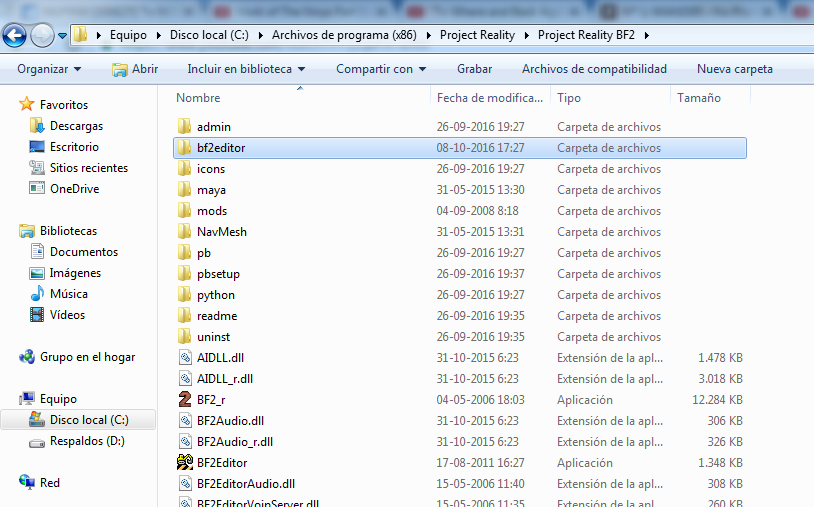
I was trying to set up BF2Editor by following the tutorial, and some bits of it made me think that I am doing something wrong...
https://www.realitymod.com/forum/f189-m ... dding.html
I was trying to set up BF2Editor by following the tutorial, and some bits of it made me think that I am doing something wrong...
https://www.realitymod.com/forum/f189-m ... dding.html
I can't find this "readme" folder. What I've done wrong?First its best if you install these files that will help you crate maps for PR by making the editor more compatible with PR's settings etc. Download this .rar and install it into your main PR folder so the folders match. (overwrite any files it asks you to).
Inside it are a few editor files and little extras to help you
Download: http://www.gloryhoundz.com/prmm/users/rhino/PR_EDIT.rar
NOTE: in addition to this to get the most upto date object spawner templates, you should copy the "bf2editor" folder out of "\project reality\mods\pr\readme\" and paste it into your Project Reality folder, overwriting the folder with the new one. Do this after you have exacted the above "PR_EDIT.rar" otherwise you will have the old object spawner templates.