Windows 7 Project Reality 1301 / TLS Error Fix Solution
Posted: 2026-02-15 11:52
Hello everyone, I’m Wangrenze9788, the tech support specialist for the Chinese community.
Around mid-2025, I received reports from some Windows 7 users experiencing Error 1301. After six months of research and troubleshooting, I identified the root cause of Error 1301: TLS support was lacking -- TLS 1.2 had not been enabled. I’m now providing a solution:
Solution premise:
Windows system version: Win7 SP1 or later
TLS 1.2 can be enabled (Win7 SP2 can basically enable it).
Already installedKB3140245 Patch
Solution:
Open regedit:
Find
HKEY_LOCAL_MACHINE\SOFTWARE\Microsoft\.NETFramework\v4.0.30319
Create a DWORD value named SchUseStrongCrypto in this folder.
Set to 1
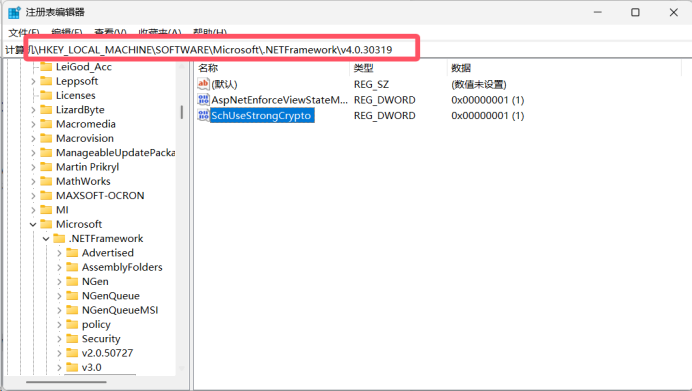
Find HKEY_LOCAL_MACHINE\SOFTWARE\Wow6432Node\Microsoft\.NETFramework\v4.0.30319
Create a DWORD value named SchUseStrongCrypto in this folder.
Set to 1
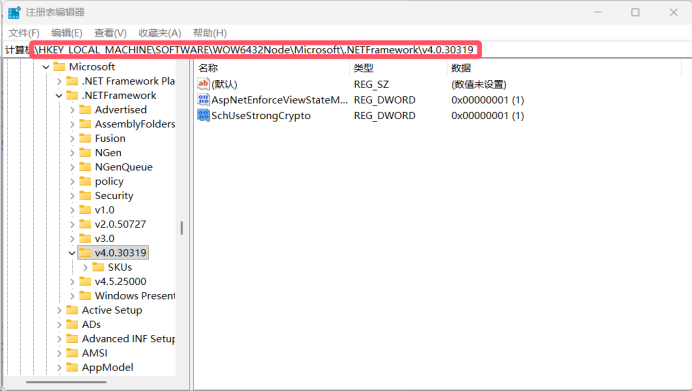
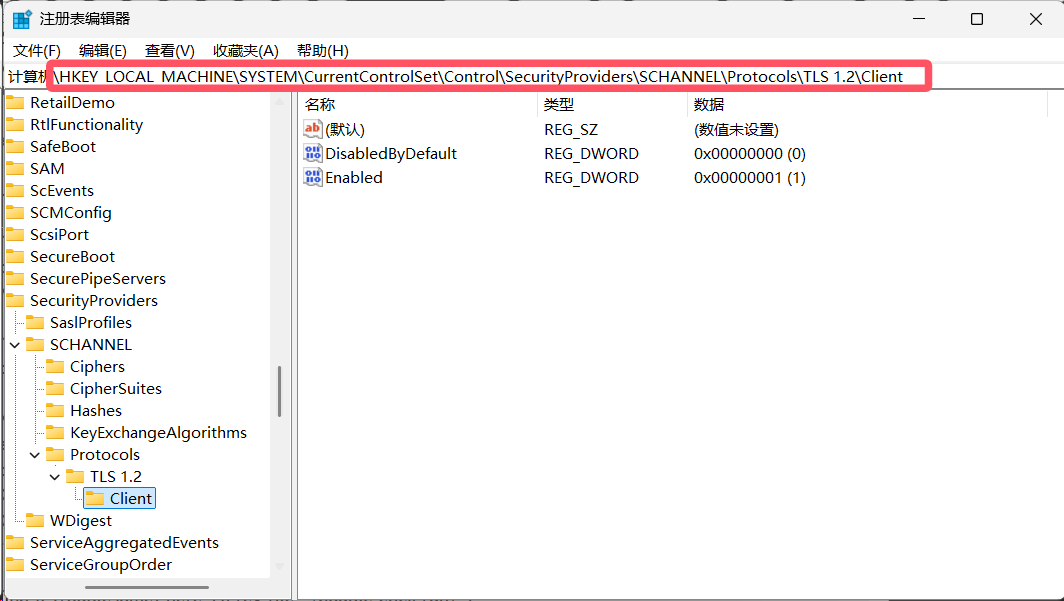
Find HKEY_LOCAL_MACHINE\SYSTEM\CurrentControlSet\Control\SecurityProviders\SCHANNEL\Protocols\TLS 1.2\Client
Set two values. They are:
DWORD valueDisabledByDefault set to 0
DWORD value Enabled set to 1
If you find it troublesome, here’s a reg file (double click run):
https://drive.google.com/file/d/1yGsUe8 ... sp=sharing
Restart. Usually, that does the trick..
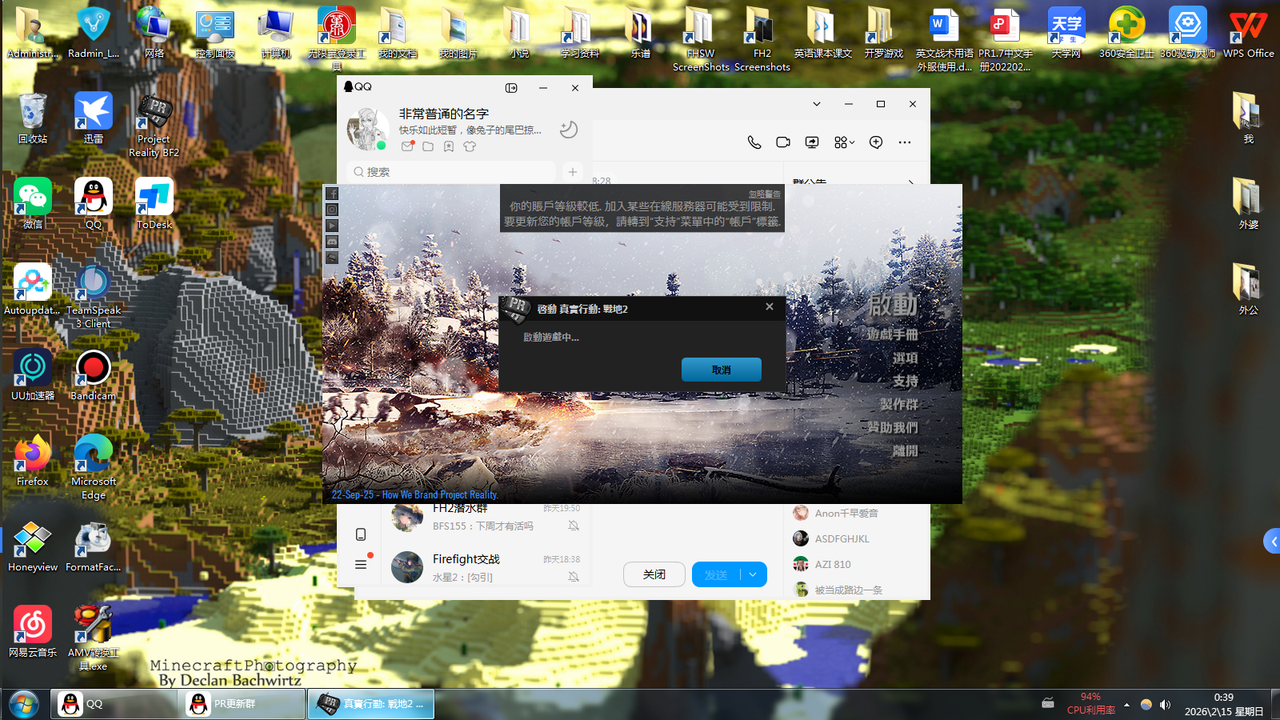
This my Chinese community a member Successful cases.
Around mid-2025, I received reports from some Windows 7 users experiencing Error 1301. After six months of research and troubleshooting, I identified the root cause of Error 1301: TLS support was lacking -- TLS 1.2 had not been enabled. I’m now providing a solution:
Solution premise:
Windows system version: Win7 SP1 or later
TLS 1.2 can be enabled (Win7 SP2 can basically enable it).
Already installedKB3140245 Patch
Solution:
Open regedit:
Find
HKEY_LOCAL_MACHINE\SOFTWARE\Microsoft\.NETFramework\v4.0.30319
Create a DWORD value named SchUseStrongCrypto in this folder.
Set to 1
Find HKEY_LOCAL_MACHINE\SOFTWARE\Wow6432Node\Microsoft\.NETFramework\v4.0.30319
Create a DWORD value named SchUseStrongCrypto in this folder.
Set to 1
Find HKEY_LOCAL_MACHINE\SYSTEM\CurrentControlSet\Control\SecurityProviders\SCHANNEL\Protocols\TLS 1.2\Client
Set two values. They are:
DWORD valueDisabledByDefault set to 0
DWORD value Enabled set to 1
If you find it troublesome, here’s a reg file (double click run):
https://drive.google.com/file/d/1yGsUe8 ... sp=sharing
Restart. Usually, that does the trick..
This my Chinese community a member Successful cases.