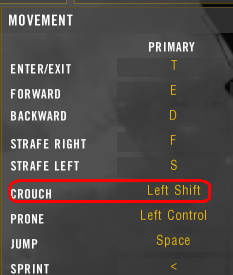
1) How to assign Left Shift to a different action than sprint:
Go to your My Documents folder, then to Battlefield 2, Profiles, xxxx and create a backup of a file called Controls.con.
Now when you have the backup, open the original file with notepad and search (CTRL+F) for the following line:
Code: Select all
ControlMap.addKeyToTriggerMapping c_PISprint IDFKeyboard IDKey_LeftShift 0 0
and delete all the lines.
Now start up the game and bind the left shift to any desired action.
Note: xxxx is a number of your profile, eg. 0001
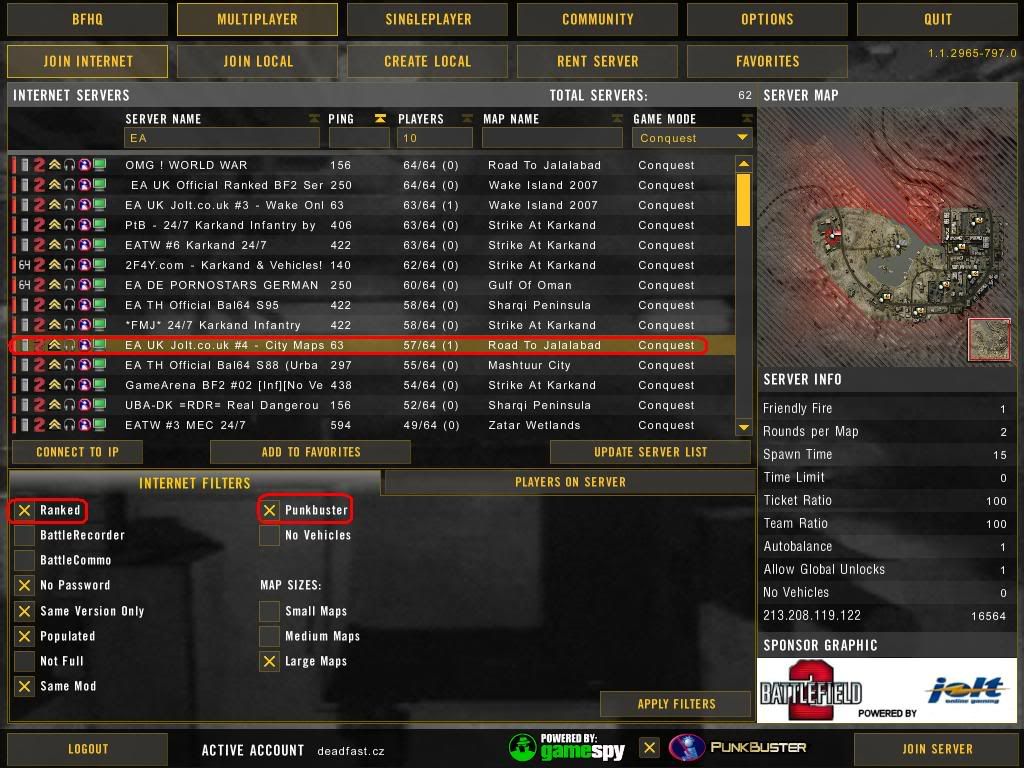
Note 2: This tweak has been tested with vBF2 ranked server with activated PunkBuster. No kick/ban (see my previous post for details).
2) I find having my squad VOIP set to "C" is retarded, since I cannot strafe right, or easily enter vehicles without interupting my speech. Further, "C" is a small key, and I talk a lot. I map my squad VOIP to caps lock.
3) I don't know who I got this from, I think it was an R-PUB, but it's a great tip. Set your primary fire (3) to your middle mouse button (actually pressing the mouse wheel). I switch my modes of fire constantly while playing, depending on ranges of expected engagement. And this option lets me do that so easily.
4) I'm not entirely sure if this works in BF2, and my gaming computer is messed up ATM, so maybe the following works and maybe it doesn't. But I recently read about an interesting keyboad control method. Instead of using the WASD keys, use the ESDF. To quote Wikipedia:
The ESDF variation is sometimes preferred because it provides access to movement independent keys for the little finger (W, A, Z) which generally allows for more advanced manual binding. Incidentally, it allows the left hand to remain in homerow with the advantage of the F key homerow marker (available on most standard keyboards) to easily return to position with the index finger. ESDF is the default configuration for several games such as Tribes 2.
5) I have field dressing set to the thumb button on my mouse so its really fast.
6) I have my binocs set to middle mouse button cause its easy to whip them out really fast.
7) My Mouse Config:
Button 1 (LMB): Pri-Fire (default)
Button 2 (RMB): Secondary-Fire (default)
Button 3 (MMB): Weapon #4 (frag nades on most kits)
Button 4: Weapon #5 (smoke nades for most kits)
Button 5: Weapon #3 (Primary weapon, for most kits your rifle, best to change fire modes with this button and swap back to your main rifle out throwing a nade. very easy to reach button also).
 8 )
8 ) Mouse wheel up/down weapon select
Open controls.con from "My Documents\Battlefield 2\Profiles\0001"
Locate the line for weapon you want to change for example I use dressing and binoculars witch are:
ControlMap.addKeyToTriggerMapping c_PIWeaponSelect7 IDFKeyboard IDKey_7 10000 0
ControlMap.addKeyToTriggerMapping c_PIWeaponSelect8 IDFKeyboard IDKey_8 10000 0
Change
addKeyTotriggerMapping to
addAxisToTriggerMapping and add -1 in front or after c_PIWeaponSelect# (In front is up and after down if i remember right, correct me if I'm wrong and I'll fix this)
Change
IDFKeyboard IDKey_# to
IDFMouse IDAxis_2 (wheel axis) and change
10000 to 0 Now you should have something like this:
ControlMap.addAxisToTriggerMapping c_PIWeaponSelect7 -1 IDFMouse IDAxis_2 0
ControlMap.addAxisToTriggerMapping -1 c_PIWeaponSelect8 IDFMouse IDAxis_2 0
Now at the bottom of the page there is these two lines:
ControlMap.addAxisToTriggerMapping c_PINextItem -1 IDFMouse IDAxis_2 0
ControlMap.addAxisToTriggerMapping -1 c_PIPrevItem IDFMouse IDAxis_2 0
Change them to
ControlMap.addKeyToTriggerMapping c_PINextItem IDFKeyboard IDKey_I 10000 0
ControlMap.addKeyToTriggerMapping c_PIPrevItem IDFKeyboard IDKey_O 10000 0
or change the IDKey_I and IDKey_O to witch ever buttons you don't have in use.
This is necessary and disables the mouse wheel weapon menu. You won't be able to use it anymore so you need to have easy to use key assigned to all weapons.