Page 1 of 11

[HUD] Topographical minimaps

Posted: 2007-11-23 04:01
by Clypp
All maps to be considered WIP. Specific criticism may be accepted and result in changes on any map

Operation Ghost Train
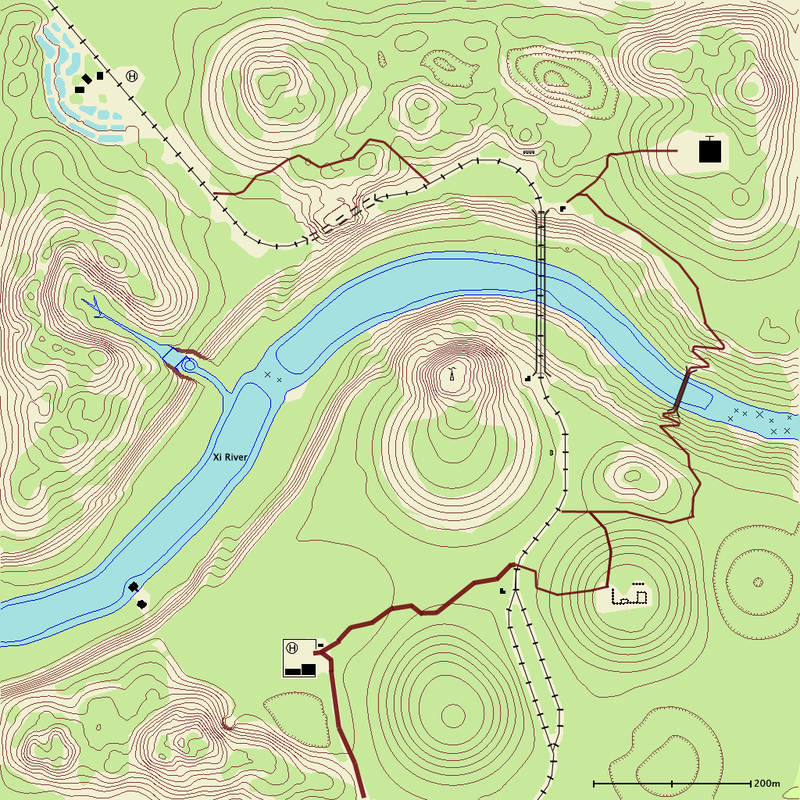
Image

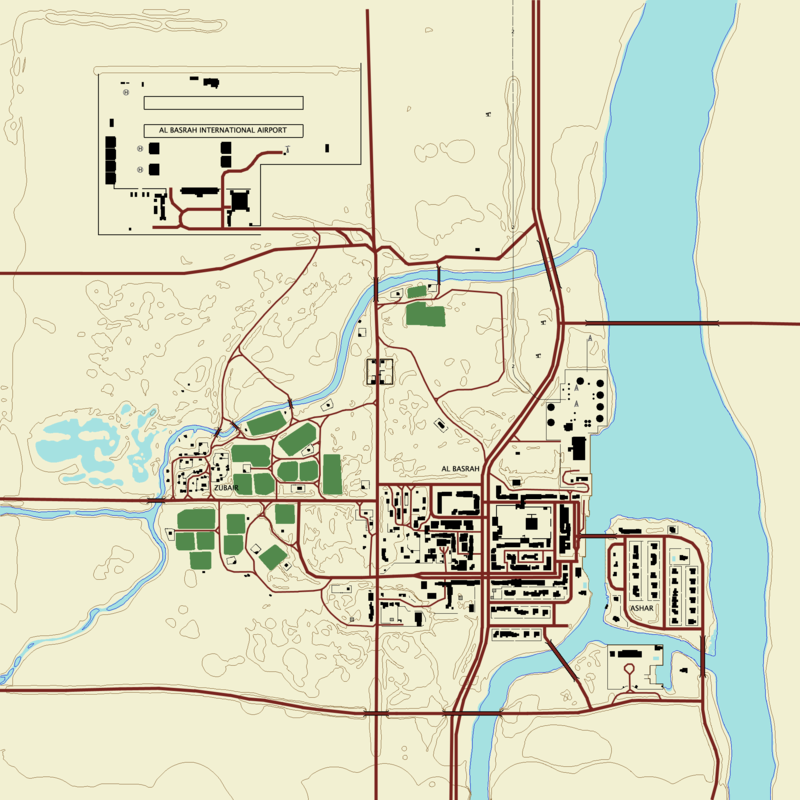
Al Basrah
Image
To do: Add depression markings

Mestia (by BloodBane611)
Under construction

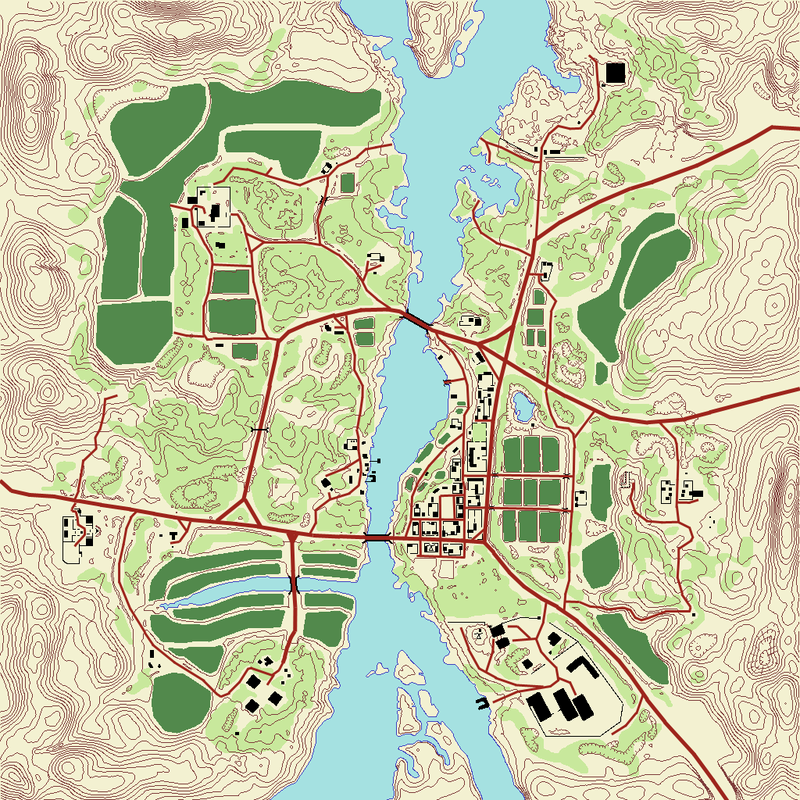
Jabal
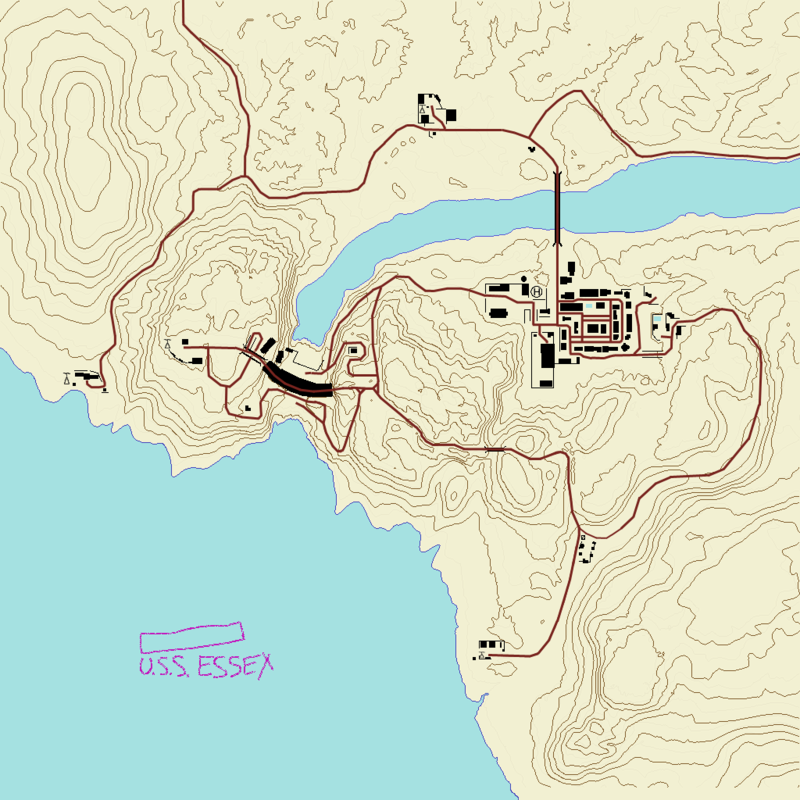
Image

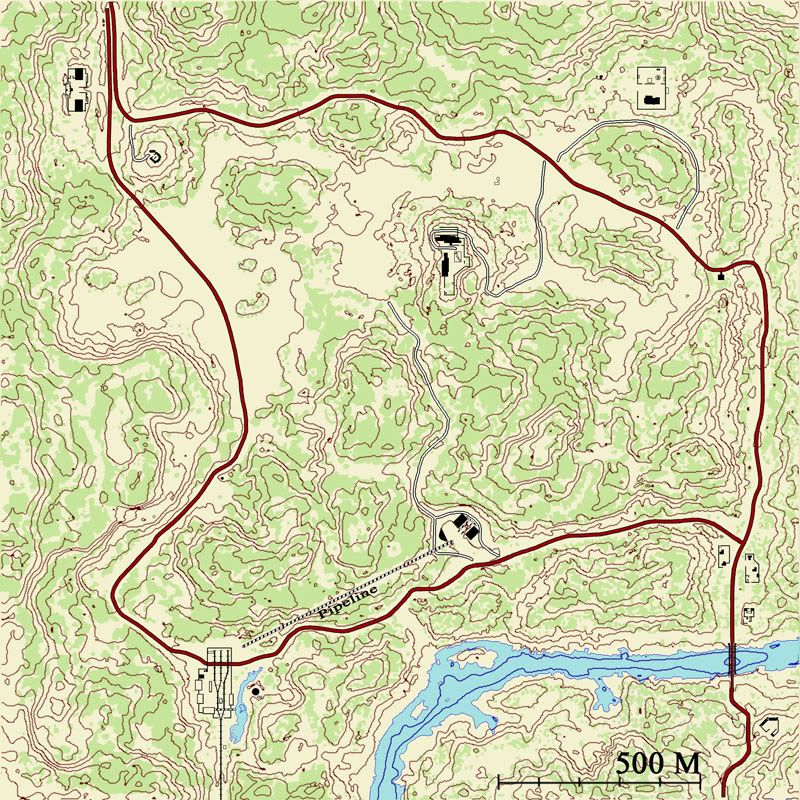
Qwai
Image

Fool's Road (by Bloodbane611)
Image

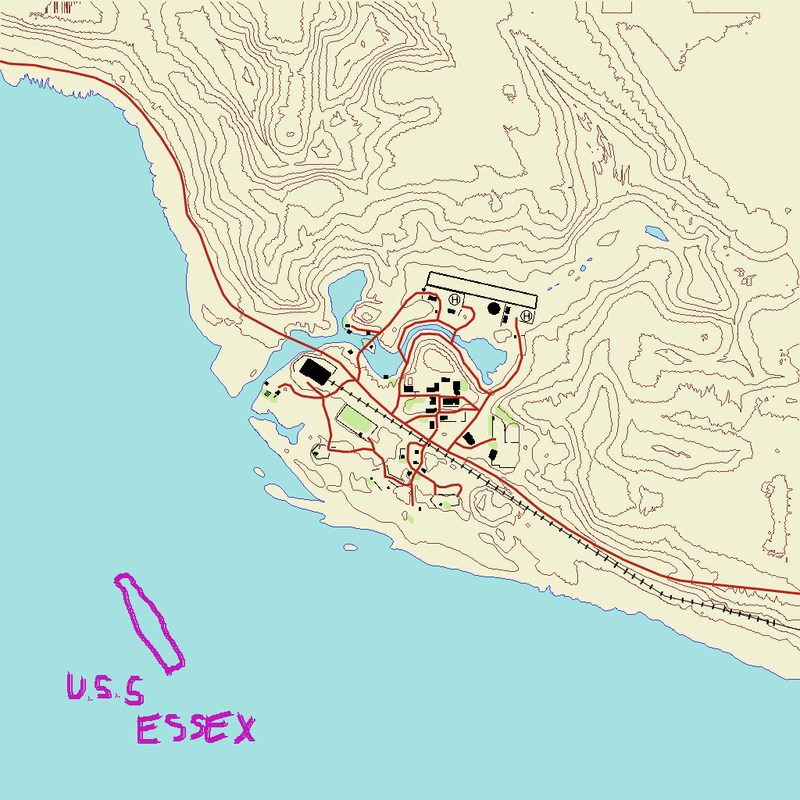
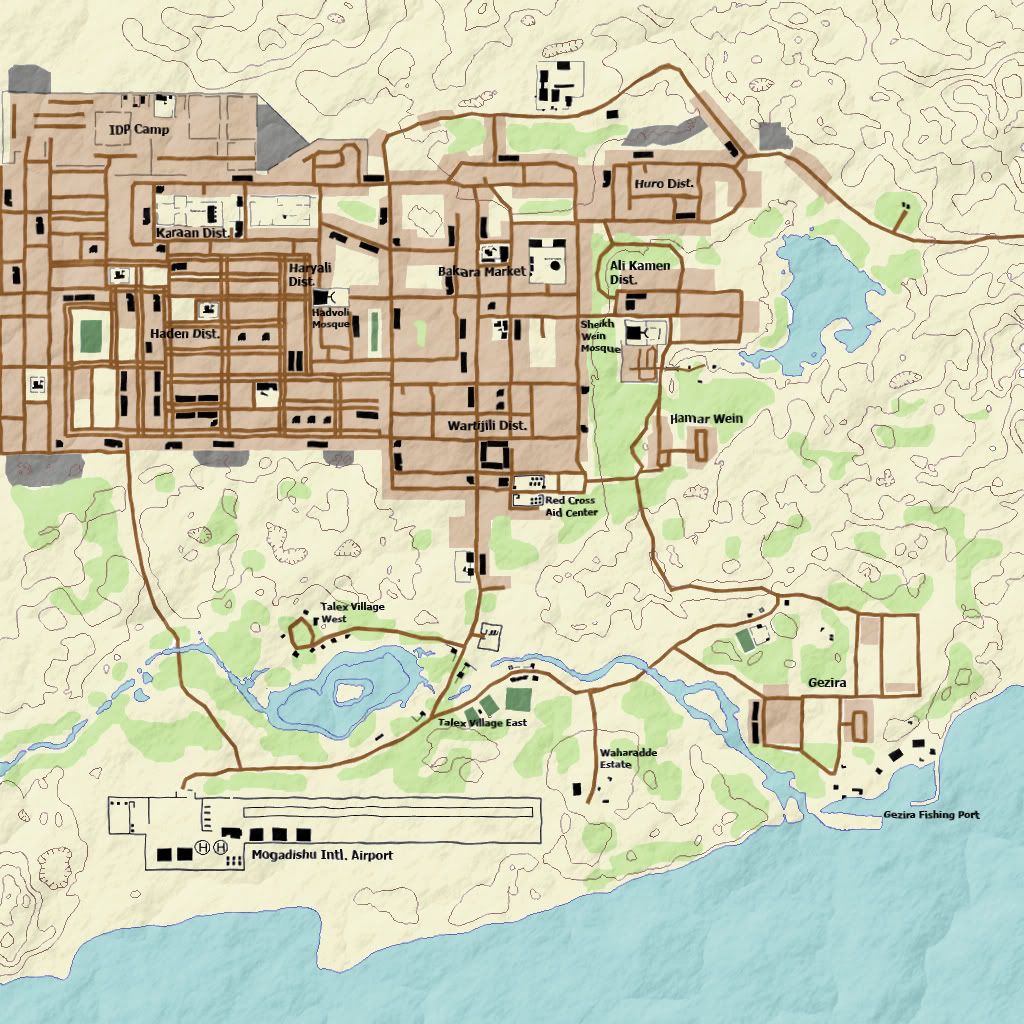
Gulf of Oman
Image

Kyongan'Ni
Image

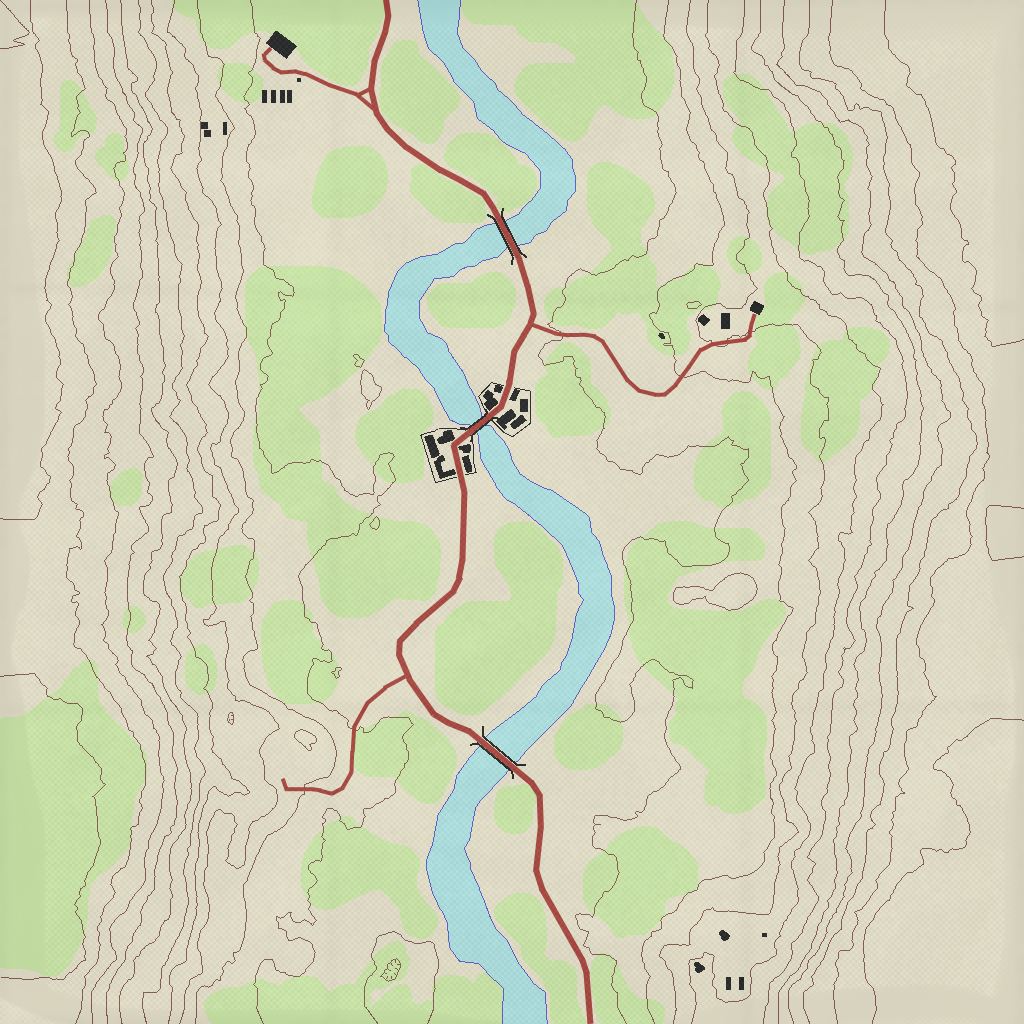
Ramiel
Image

Downloads(19/03/0 8)
WARNING: SINCE APRIL 2008 SERVERS HAVE IMPLEMENTED PB CHECKS ON THE FILES INVOLVED. KEEP BACKUP FILES IF YOU PLAY ONLINE.
Operation Ghost Train
Al Basrah
Qwai
Jabal
Here
and
Fool's Road
Here

Please try these out and post feedback, good or bad in this topic. Also, if you want, create a topographic map for other PR maps. Instructions are a few posts down.


---Original Post---
I want to make a topographical minimap set to see how they look in game.

Such as this one, but with topographical colors instead of the standard minimap.

[Image removed to improve topic performance]

http://users.on.net/~cryde/Piccies/ogttopographical.png

Can someone tell me how to find the spaced heightmapped lines? I found the shaded ones but I need separations. IO will overlay them over the minimap and draw another layer with topographical colors and symbols. I really can't figure out that heightmap thing after looking at dozens of threads on bfeditor.org and messing with the editor for a while. (Can't even move the camera in and out in the editor.

Posted: 2007-11-23 04:07
by Clypp
Never mind. Ancient replied to a PM sent earlier. If anyone else is interested, and so his awesome PM wont go to waste:
AncientMan wrote:Heh, it took some searching

First up, open the HeightmapPrimary.raw file in Photoshop. The settings you want to open it with is 513 pixels high and wide, Channel count 1, 16 bit depth, IBM pc byte order, 0 byte header. You want to then flip it vertically, then save it as a .png to say your desktop.

Now download L3DT, which is a terrain editing program.

http://www.bundysoft.com/L3DT/downlo...DT_SE-2.5b.exe

Open that program, go File -> Import -> Heightfield.

Then go Operations -> Heightfield -> Resize Heightfield. Change it to your minimap size. (Minimap is in client.zip/Hud/Minimap/ingameMap.dds). OGT's minimap size is 1024x1024. So in L3Dt, you will want to resize the heightfield to 1024x1024.

Now go File -> Export -> Export Active Map. File format is PNG, filename can be whatever, save it to wherever, say your desktop again. Then quit out of L3DT.

Now you want to download and install another program, called Wilbur.

http://www.ridgenet.net/~jslayton/setup.exe

Open that program, then go File -> Open, and choose your file you just exported out of L3DT.

Now go Texture -> Other Maps -> Contour Map...

Settings I chose were: 10, Constant, White, Black, Unticked. However, I only found that the Contour interval and the background colour were the only things that changed, even with the other settings being different... Don't know what's with that, but what you get is what you need anyway.

Now comes the tricky part. I couldn't find a way to save that picture (The save part in the program saved it back as the shaded map with no changes), so in the end I had to take a screenshot of the thing (Print Screen on your keyboard, then paste it into a photoshop picture). That wasn't tricky, the tricky bit was my screen resolution (1280x1024) was too small to fit the entire 1024x1024 picture. So I had to take 2 screenshots, then merge them together in photoshop making sure the lines were matched up perfectly. If you have a bigger screen resolution (1600x1200 or higher, it should be much easier for you). Now make a new 1024x1024 image in photoshop, with transparent background. Paste in your contour map, and move it so it fits perfectly in, with no white spaces around the sides.

You can now quit out of Wilbur when you have successfully put your contour line map in Photoshop. Now open up your inGameMap.dds file, and put your 1024x1024 map in as a new layer over the top. Use the Layer blending options to remove the white background as much as you can (everything should come off except for the green contour lines). You should now see that the contour lines match up perfectly with the minimap. If not, well your editing of the contours when you first put it into Photoshop probably didn't go so well, and you left some borders on, or you didn't resize it properly, or something. Anyway, it should match up perfectly.

Now you can change the colour of the contour lines using colour replace or something like that if you wish, and yeah, your done with the contour lines. When your doing the topographic map stuff, make sure to use seperate layers for everything, it makes it easier to edit later on.

I think that was everything that I did, and it should work fine. Probably missed some tiny important bit though, but if you have some troubles, mess around, see if clicking random buttons does anything , and if not, just send me another PM and I should be able to help you. Have fun mate (Christ that was a long PM)

Posted: 2007-11-23 04:08
by Rhino
I should relaly redo some of OGT's terrain....

anyways back on topic, to do this basically need to know quite abit about photoshop, I think you would need to make and apply some kind of filter to the heightmap to get this, but dont know sorry.

Posted: 2007-11-23 22:59
by GeZe
I remember someone (posted on the PR forums) made a program that automatically takes the height map and creates a topographical map, then takes overgrowth files and adds green for that and takes road files etc. etc. all that was needed to be done was to add the statics by hand. You may want to search for that.

edit:
I searched a lot and couldn't find it. I'll keep trying.

Posted: 2007-11-24 02:23
by Clypp
Thats what I was going to try, but an automatic program would be 1000x superior. Could it have been on another mods forum?

Posted: 2007-12-04 01:39
by General Dragosh
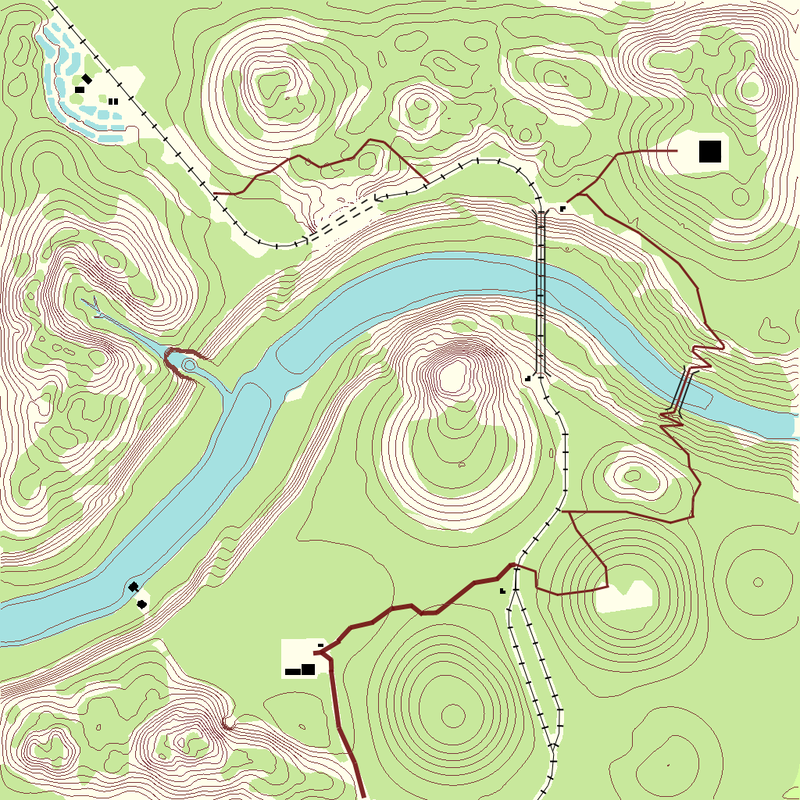
i like the greyscale edition

Image

Posted: 2007-12-04 04:50
by Clypp
Yeah, uh, I have not started on this project yet. I recently formatted my computer so I have to get everything setup yet. Most of my free time has gone to video editting for a non-gaming project.

I'll try topographical maps within the month, I hope.

Posted: 2007-12-12 04:10
by Clypp
Update:

[Image removed to improve topic performance]

http://img.photobucket.com/albums/v307/kevptim/ogt.png

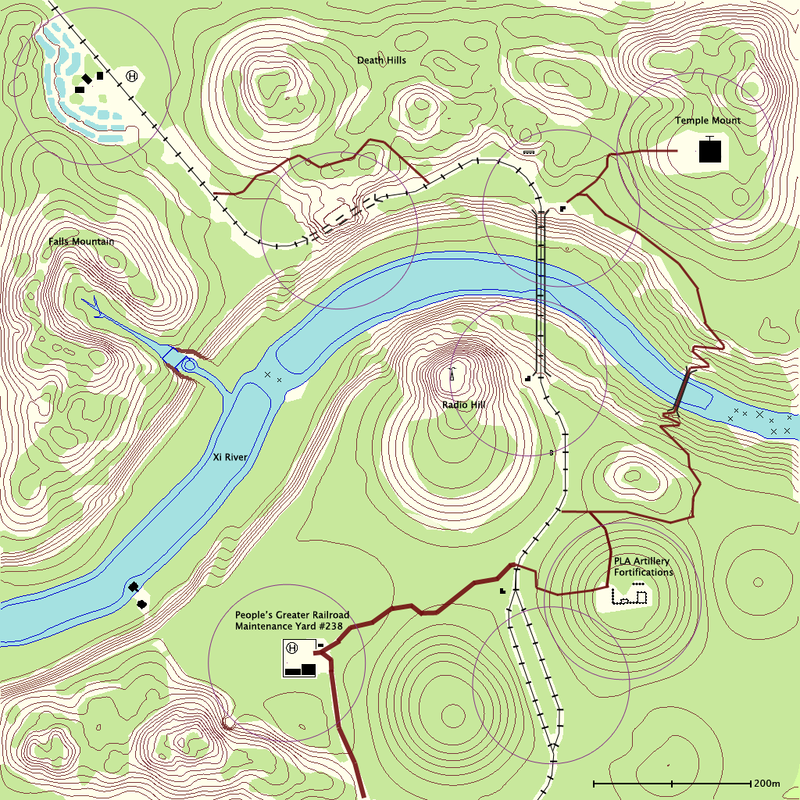
There are a few errors left, mostly with the contour lines over the tunnel. Photoshop uses transparencies in a strange and mysterious way I have not yet deciphered so I had to add sloppy masks instead. (If anyone knows how to replace a color with transparent please post here)

Tested ingame and it works fantastic. Knowing where the roads are, where the hills are and where the slopes down the cliff are are very nice.

Posted: 2007-12-12 04:36
by Rambo Hunter
Very nice, i'd like to see this for all the other maps, too =D

Posted: 2007-12-16 17:31
by General Dragosh
Cool i like it very much !

Posted: 2007-12-16 20:25
by Desertfox
that is sweet :D

Posted: 2007-12-16 20:39
by ratlover232
Maybe put hill numbers, could be really useful. I would use these if they had them for maps, would make it feel so much more authentic

Posted: 2007-12-17 02:08
by Clypp
Here is my latest version. Unless there are complaints, good ideas or errors this is what I want to go with.

Image

You can test it on servers. I have not had any punkbuster issues. However, I might be special or PB detects this change randomly. No promises. To test make a copy of "ingameMap.dds" in "mods\pr\levels\operation_ghost_train\client.zip\Hud\Minimap" and then replace with the one attached.

EDIT: Forums have low limit on files, get it here:
http://rapidshare.com/files/77339567/Op ... n.zip.html

Once again, no promises and backup everything you change but I had no problems.

Posted: 2007-12-17 03:11
by Clypp
Al Basrah! (Early stage)

Duckhunt really went overboard with his underwater heightmaps. I think this map was supposed to have a sub or something. :)

[Image removed to improve topic performance]

http://img.photobucket.com/albums/v307/ ... ahcopy.png

Posted: 2007-12-17 06:13
by Polka
OGT There looks awesome, and i guess so will Al Basrah :D

Posted: 2007-12-17 15:55
by Sadist_Cain
Sexy as hell right there Clypp :D I'm still trying to learn photoshop So's I might be able to give you a hand with getting the lot done.

Need to figure out how to make each 5th (or is it 10th? cant be assed to look) contour line bold, and to number it also.

Im 25metres up south side of temple :P cooooooool

Posted: 2007-12-17 16:15
by hx.bjoffe
This was a very good idea. Keep up, Clypp!

Posted: 2007-12-17 16:48
by Jagular
Yep its very good idea
especialty with 100m circles :) , just maybe chenge their color
EDIT: Forums have low limit on files, get it here:
http://fileho.com/download/e9cf9d551...Train.zip.html
Could you place it somewhere else please?
friendlyfiles.net seems to be some pice of ****, not sharing service
Tnx in advance

Posted: 2007-12-17 17:45
by Clypp
Cain, while bolding is cool, I don't know any easy way to do just one line.
Jagular wrote:Yep its very good idea
especialty with 100m circles :) , just maybe chenge their color
I used purple because it is a standard color for late map additions. Another color would be fine though, suggest away. I tested those circles in game and they were pretty bang on. It really makes it easy to know where you can put assets and where to search for enemy rally points.


Could you place it somewhere else please?
friendlyfiles.net seems to be some pice of ****, not sharing service
Tnx in advance
I just googled a file host. Didn't even test it. Do you know a better place?

Posted: 2007-12-17 18:26
by Jagular
hmm
rapidshare.com
filefront.com
sendspace.com
Depositefiles.com