Page 1 of 2
Tom's 3dsMAX Tutorial Thread (Image Heavy)
Posted: 2009-03-13 20:32
by Z-trooper
Created on request.
Hope you find it useful.
 Geometry:
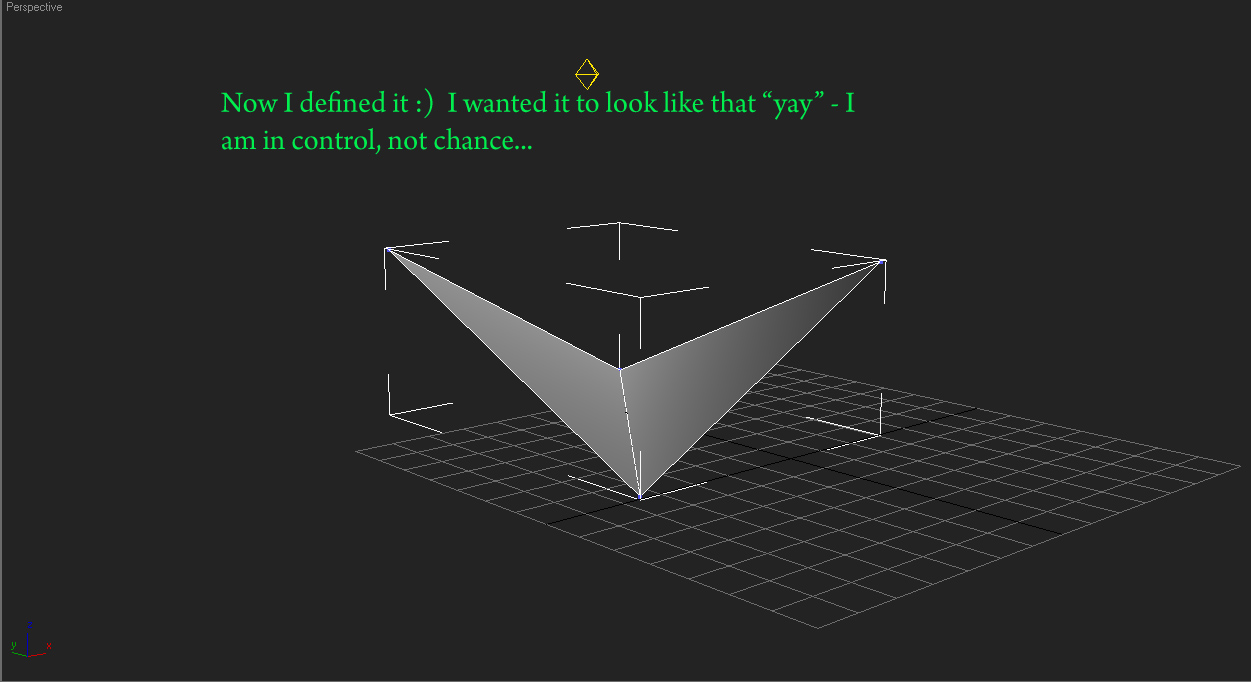
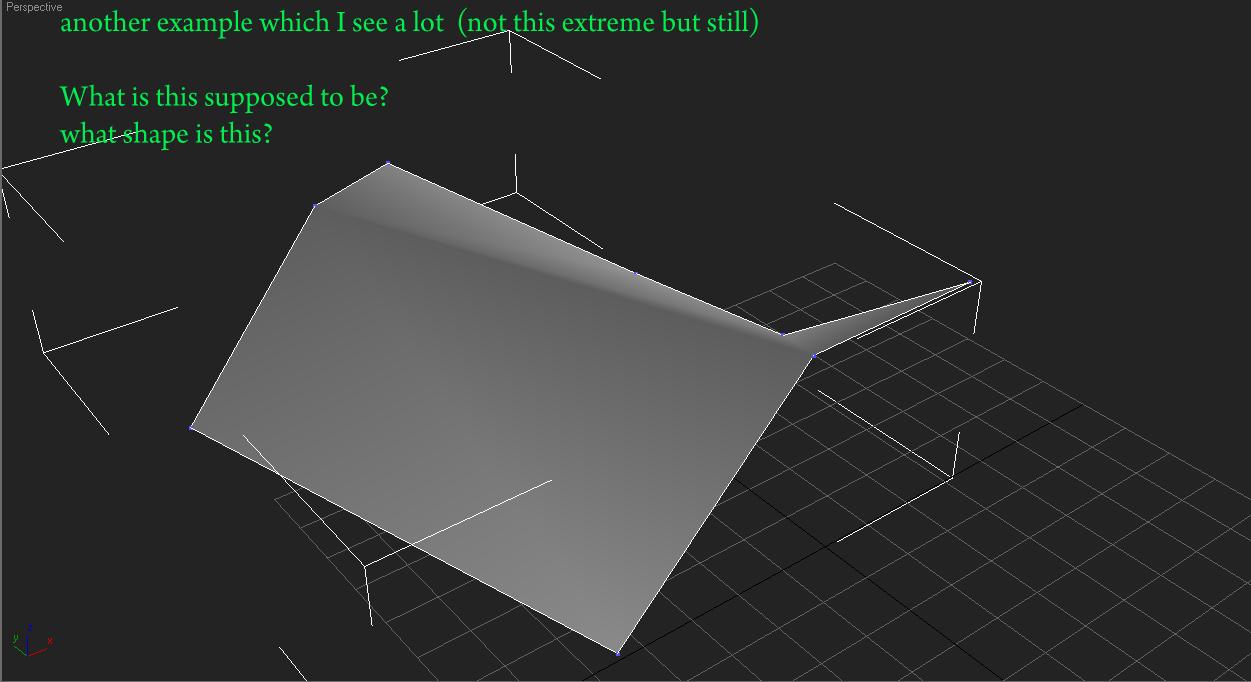
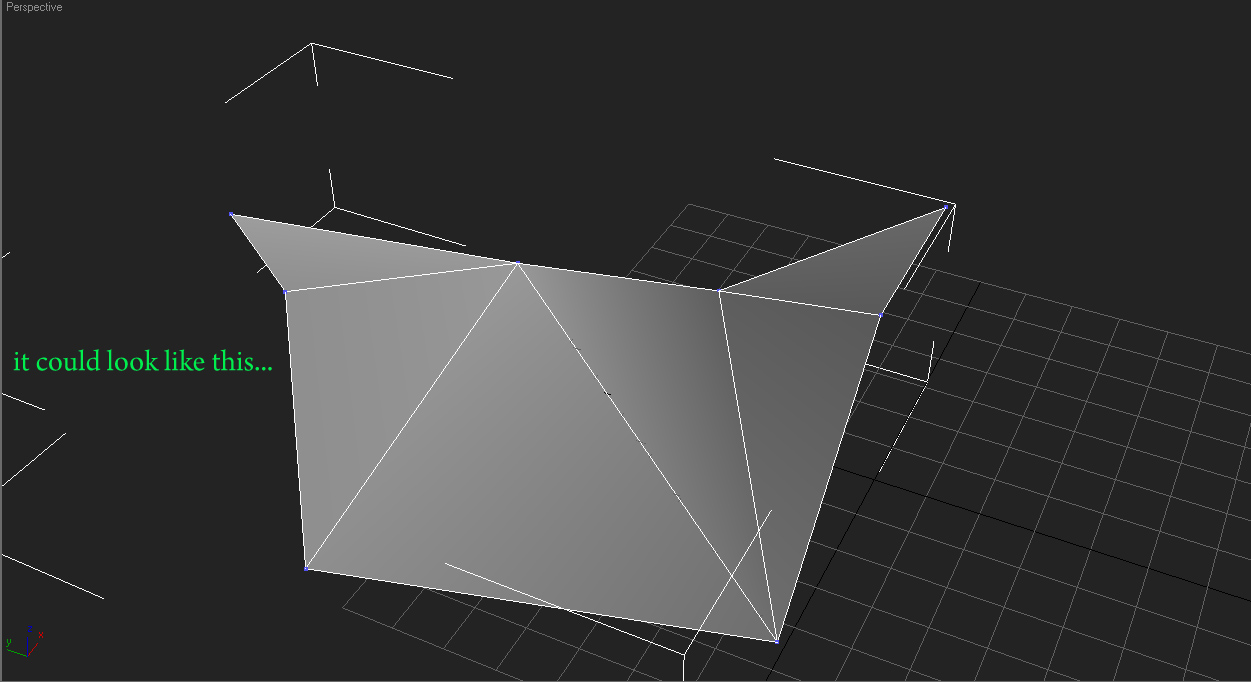
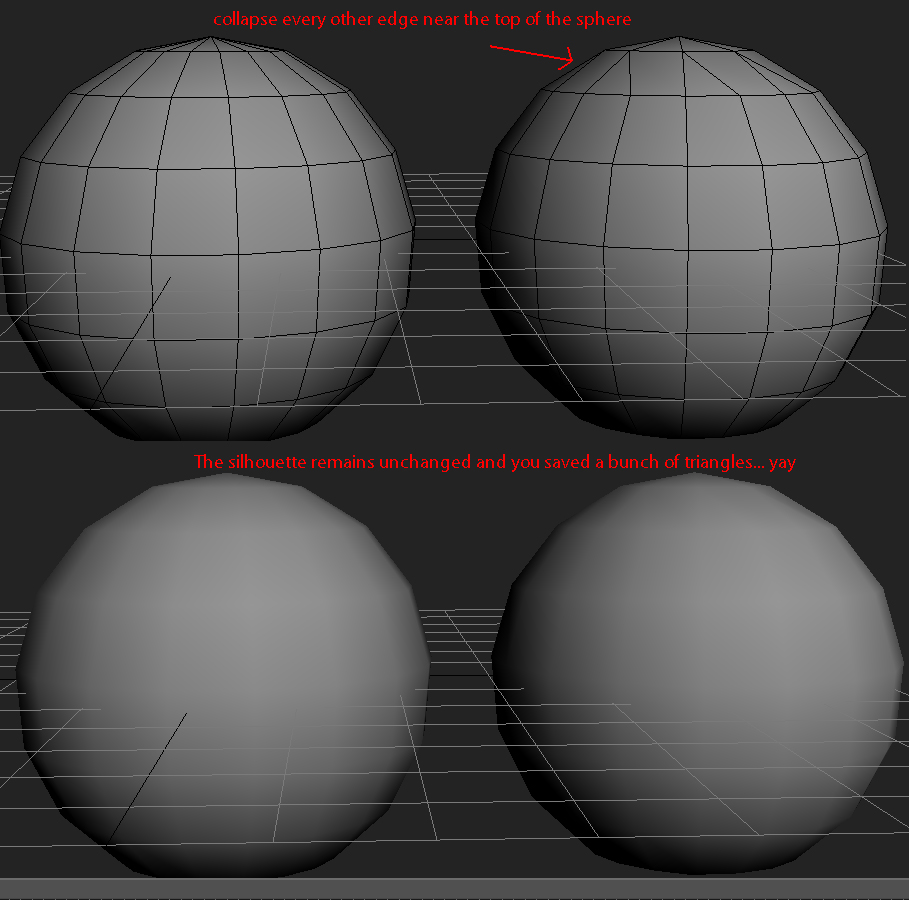
Optimization
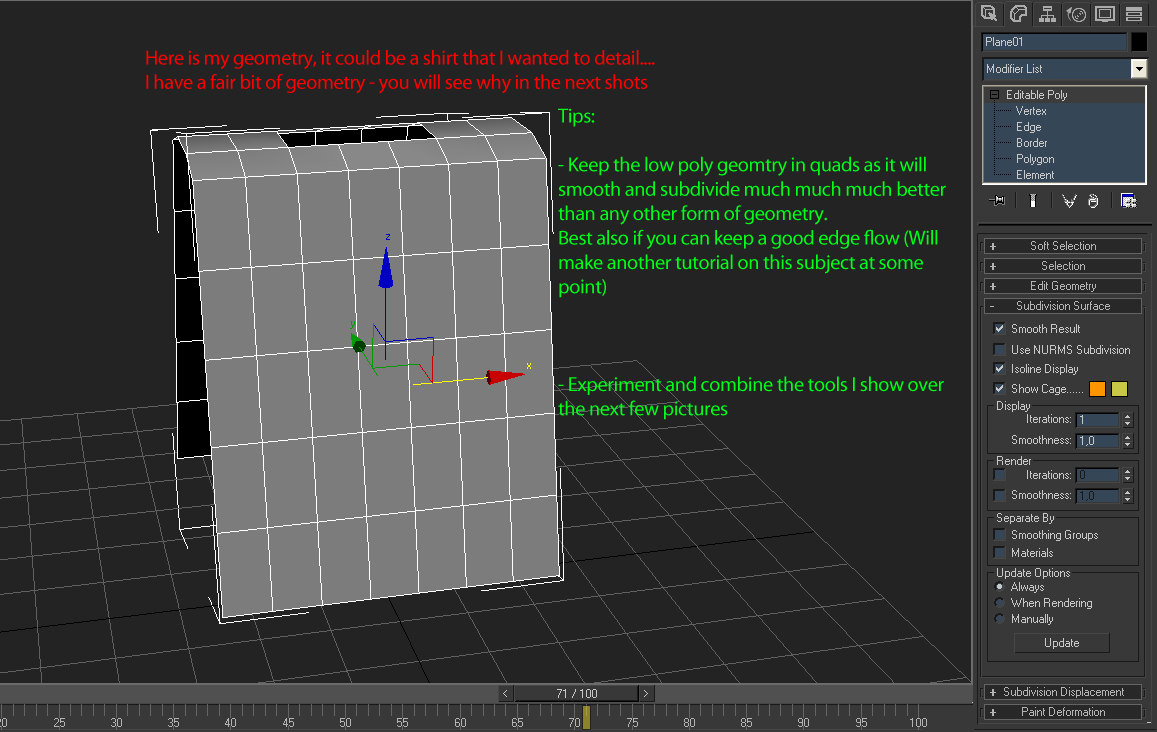
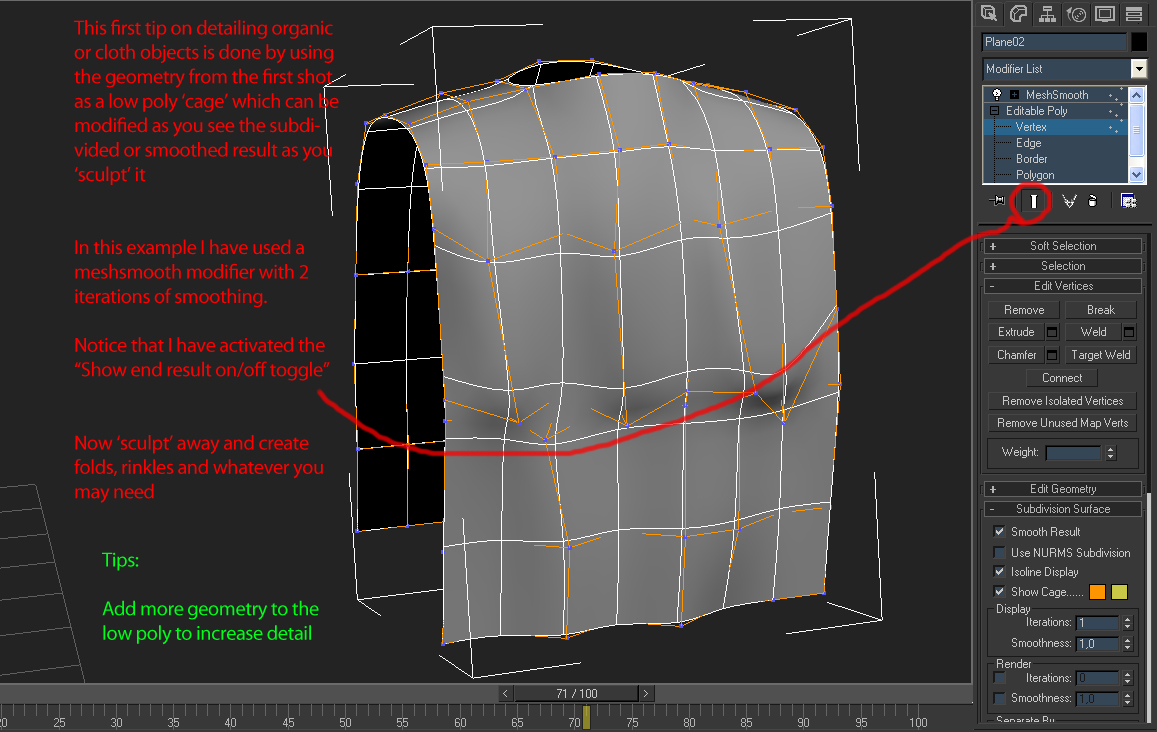
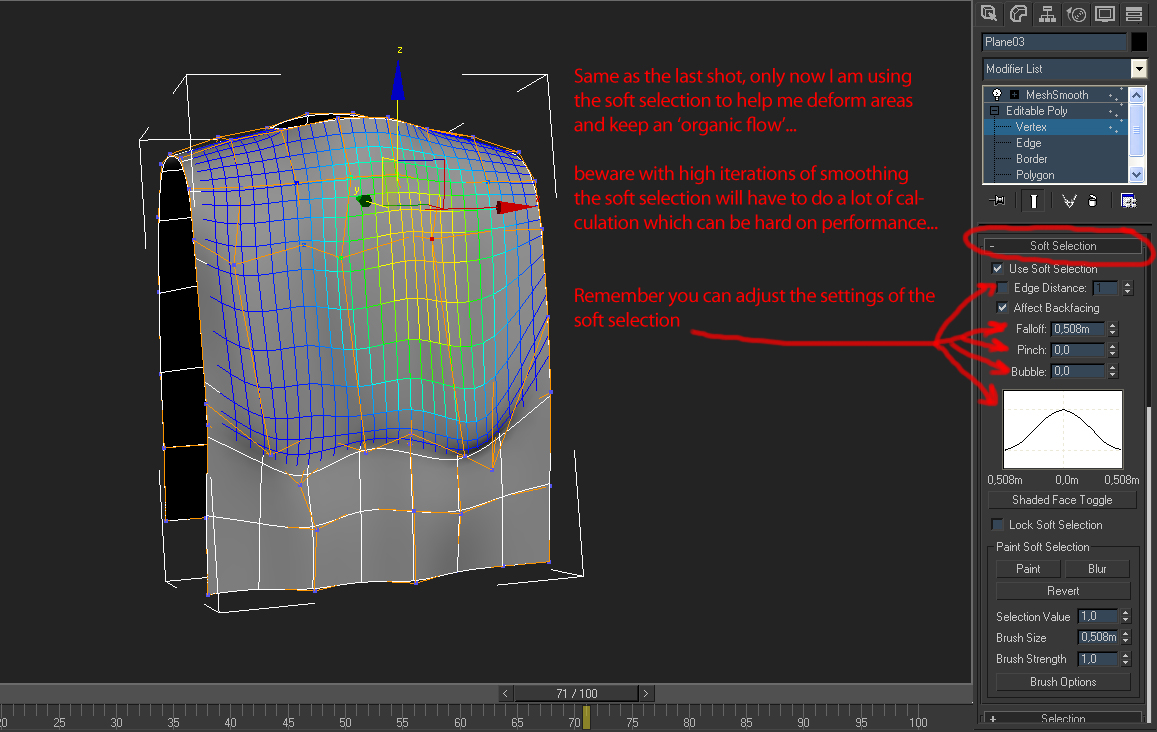
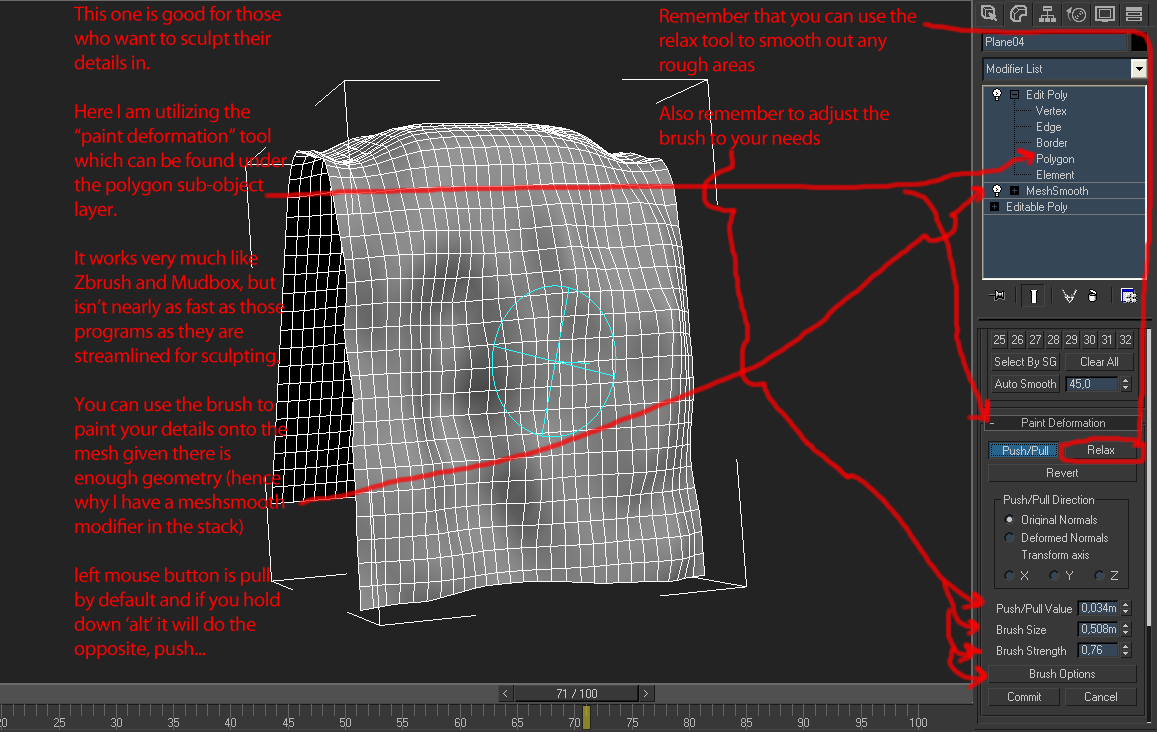
Cloth / Organic modeling and sculpting within max
Geometry:
Optimization
Cloth / Organic modeling and sculpting within max
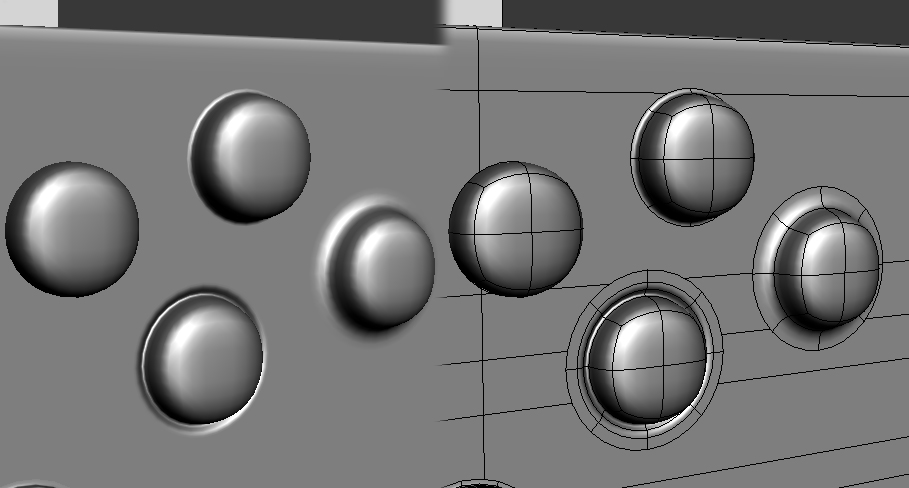
Floating Geometry wrote:
When using floating geometry, I like using this extra "lip" to make it appear to be connected to the underlying model.
As you can see in my example several different effects can easily be created.
Will add stuff from time to time...
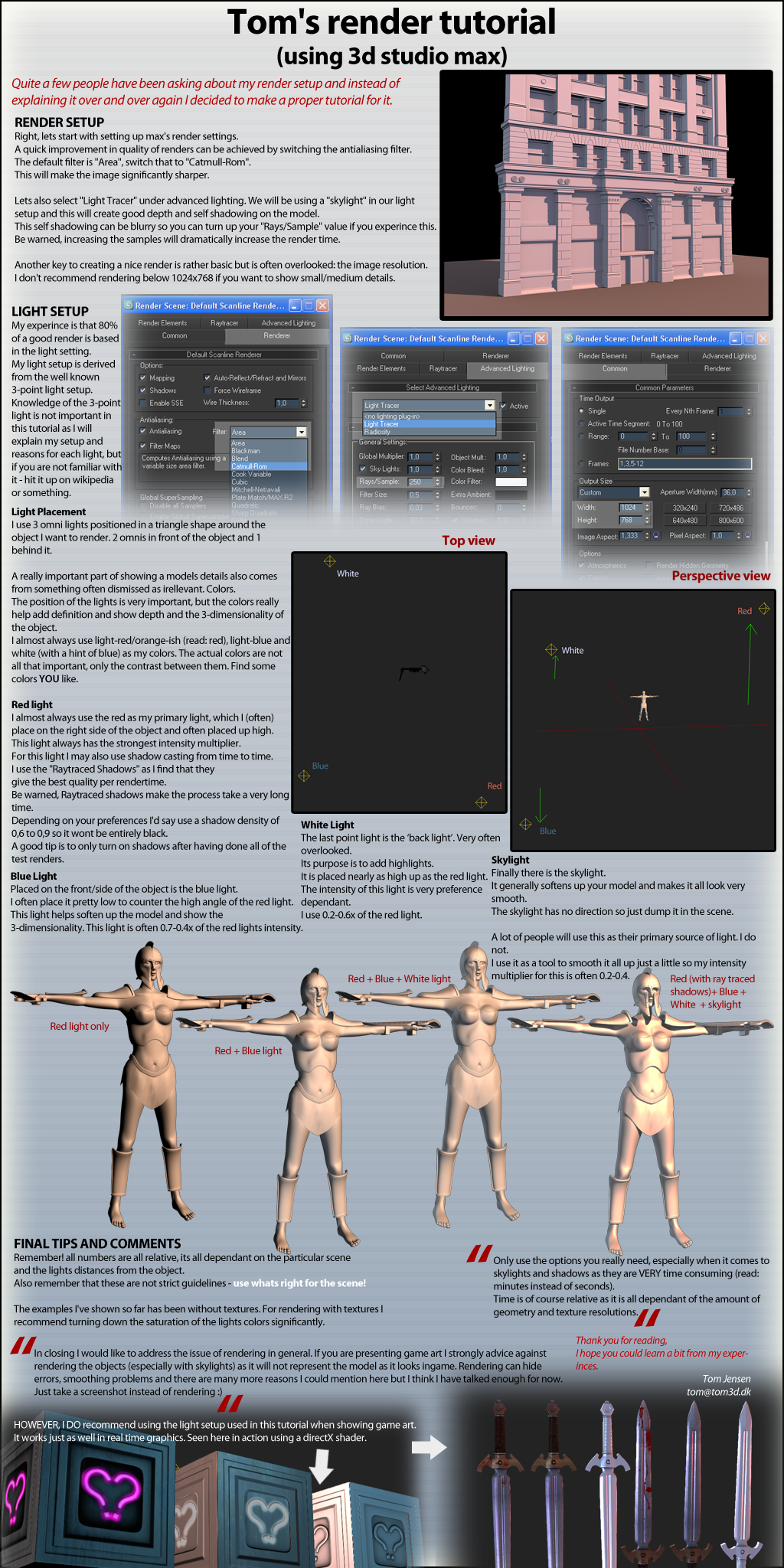
Re: Tom's render tutorial (using 3ds max)
Posted: 2009-03-13 20:40
by Swe_Olsson
erm, i see absolutely nothing ?
Re: Tom's render tutorial (using 3ds max)
Posted: 2009-03-13 20:41
by Scot
Re: Tom's render tutorial (using 3ds max)
Posted: 2009-03-13 20:42
by Z-trooper
Yes indeed there is a picture, image based tutorials are just more handy

you can save them to your hdd rather than a forum link

Re: Tom's render tutorial (using 3ds max)
Posted: 2009-03-13 21:09
by Hans Martin Slayer
i see female hoplites..

good work, i'm sure this will be helpful for modellers.
Re: Tom's render tutorial (using 3ds max)
Posted: 2009-03-13 23:12
by DeltaFart
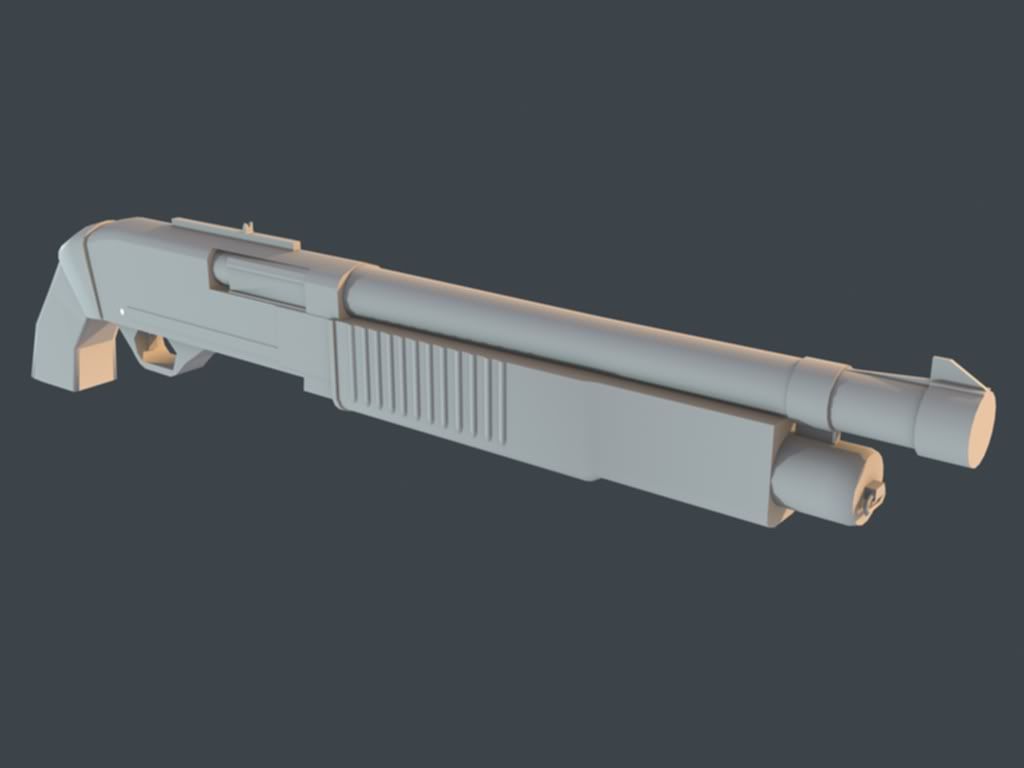
Ok heres a comparision
default:
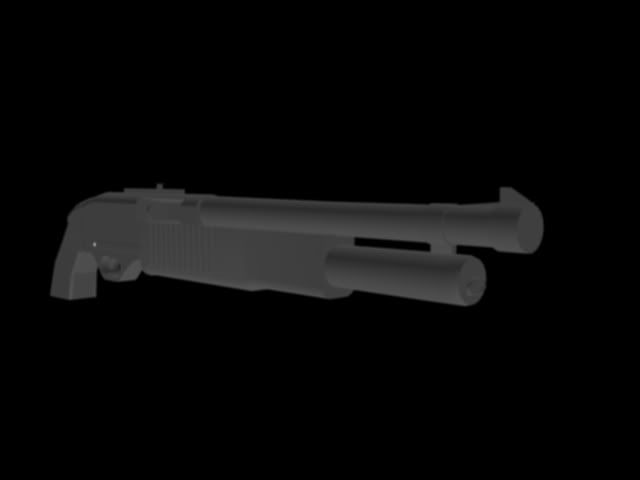
With Matrox's render method, skylight only
Z-Trooper's Method
Re: Tom's render tutorial (using 3ds max)
Posted: 2009-03-14 00:03
by Tim270
Thanks for this
Re: Tom's render tutorial (using 3ds max)
Posted: 2009-03-14 01:51
by Tomato-Rifle

Thanks!
Tom's Mini Tutorials
Posted: 2009-06-24 18:59
by Z-trooper
Geometry:
Optimization
Will add stuff from time to time...
Re: Tom's mini tuts
Posted: 2009-06-24 19:06
by Tonnie
ahh yes guilty as charged
Re: Tom's mini tuts
Posted: 2009-06-24 19:17
by IronTaxi
haha...yeah...that was a hard lesson to learn..
Re: Tom's mini tuts
Posted: 2009-06-24 19:49
by Rhino
I always use to make everything I did in tris, only recently have I moved onto polys but ye, when making non flat surfaces I always go back to doing tris where possible
Re: Tom's mini tuts
Posted: 2009-06-24 22:06
by Tim270
Thank you for the tips
I was wondering If I could get some feedback in modeling with tris, Also (to my understanding) most game engines convert your mesh into triangles, but does this matter on flat surfaces where it needs no definition? Could I also get some feedback on this
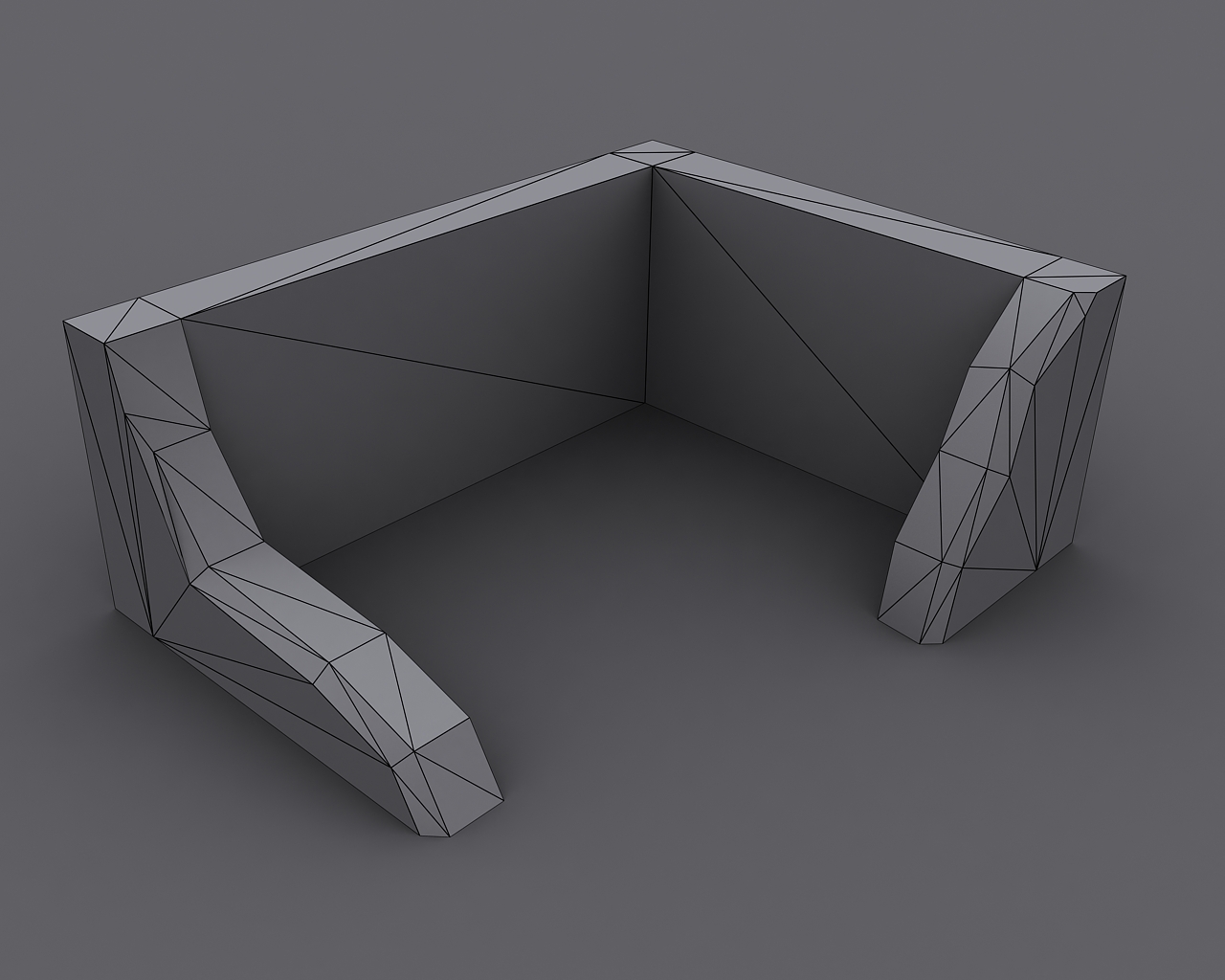
test scene if someone has a min or two, where am I using tris that I dont need to bother doing, where is the connecting wrong etc.
Re: Tom's mini tuts
Posted: 2009-06-24 23:28
by Z-trooper
here you are:
http://img512.imageshack.us/img512/161/feedback.jpg
you can remove those verticies I have marked as they aren't much needed, as well as the edges connected to them. Other than that it looks pretty solid for a destroyed/ruined wall/corner
Re: Tom's mini tuts
Posted: 2009-06-25 08:54
by Tim270
Cheers, Time to attempt getting some meshes into the editor.
Re: Tom's mini tuts
Posted: 2009-07-29 21:58
by Z-trooper
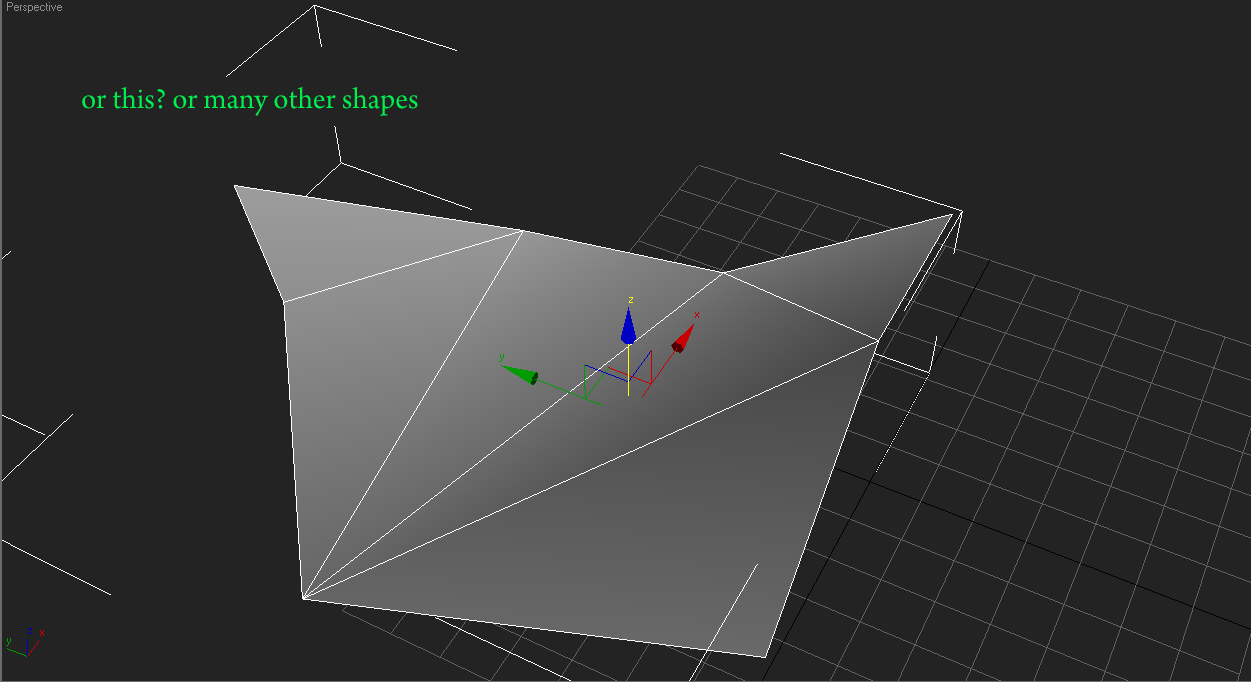
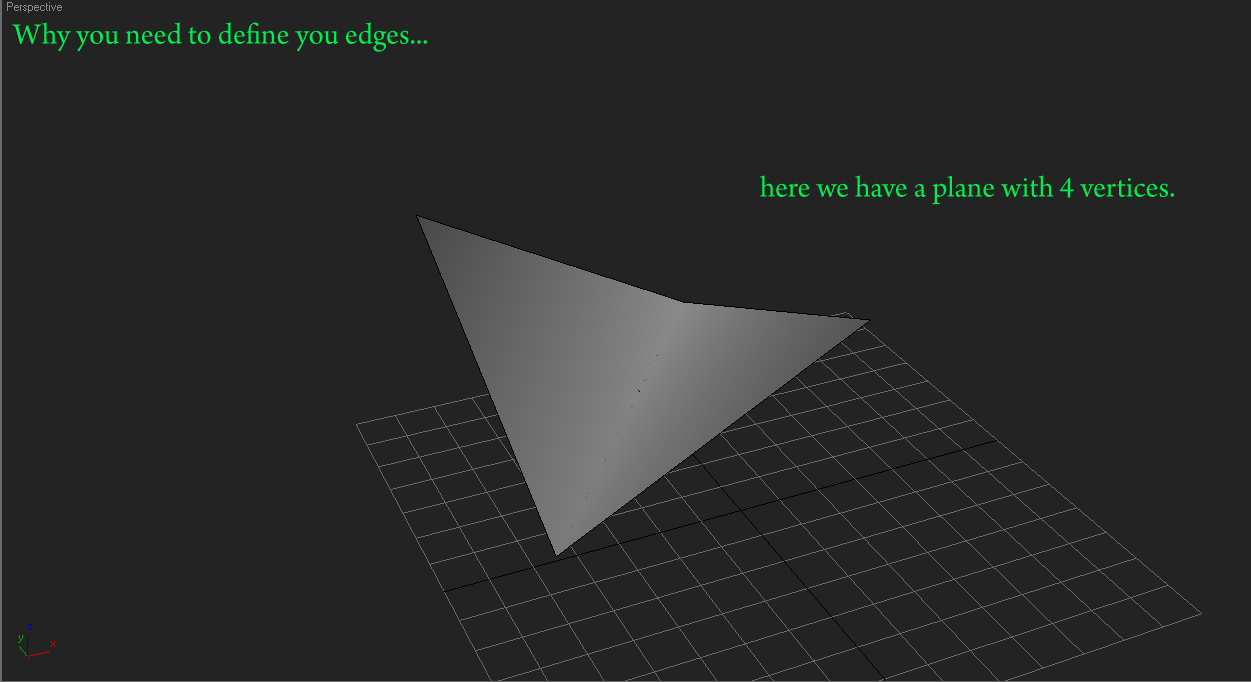
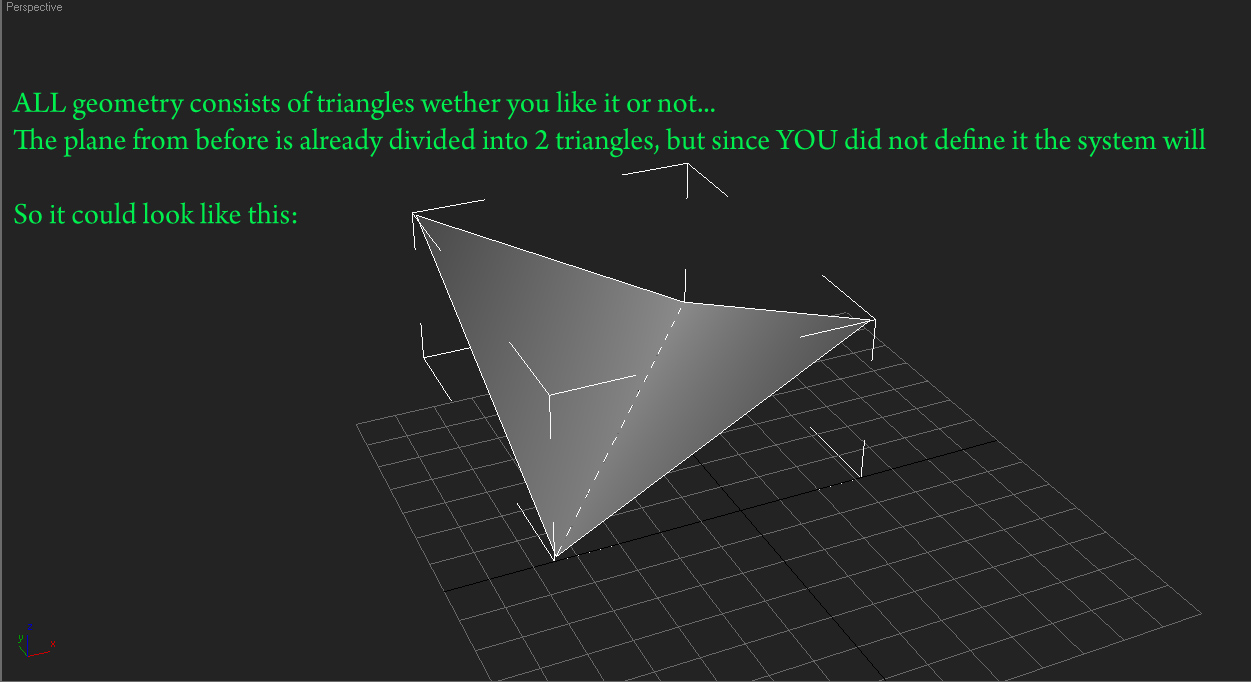
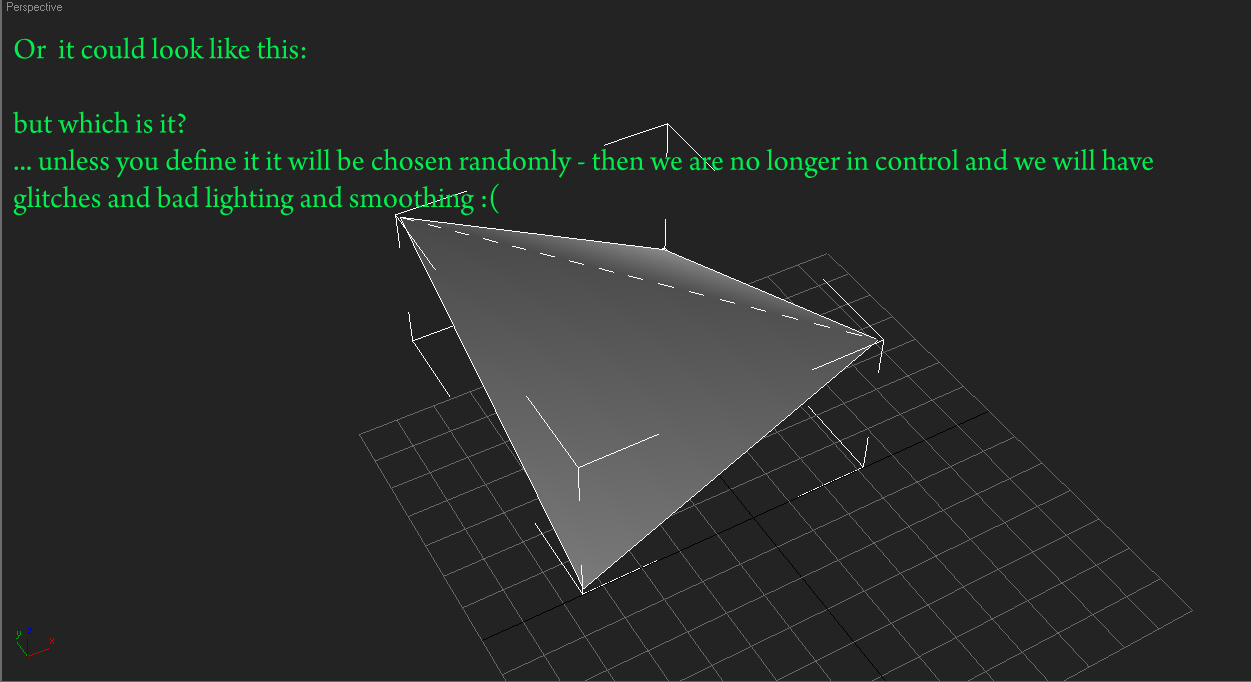
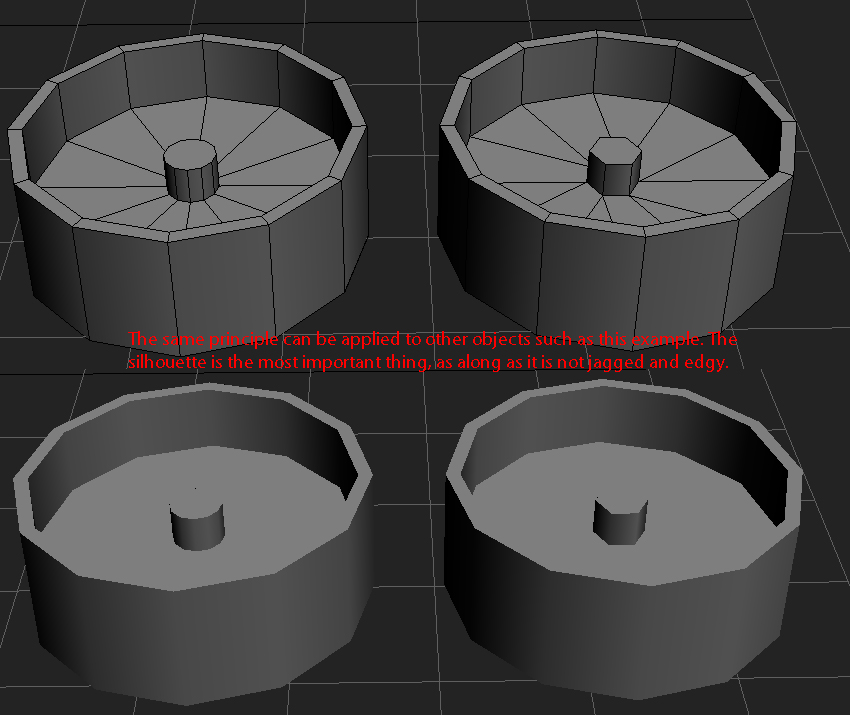
Small update on the topic of optimization. Nothing big and fancy, just figured that I would put it up when I needed to explain it in pictures anyway
Re: Tom's tutorial thread
Posted: 2009-09-12 19:17
by Z-trooper
Yet another mini tut, this time on the subject of organic and cloth modeling / sculpting WITHIN max (no zbrush or mudbox needed)
Expect another tut soon.
re: Tom's 3dsmax tutorial thread (Image Heavy)
Posted: 2009-11-10 20:24
by Z-trooper
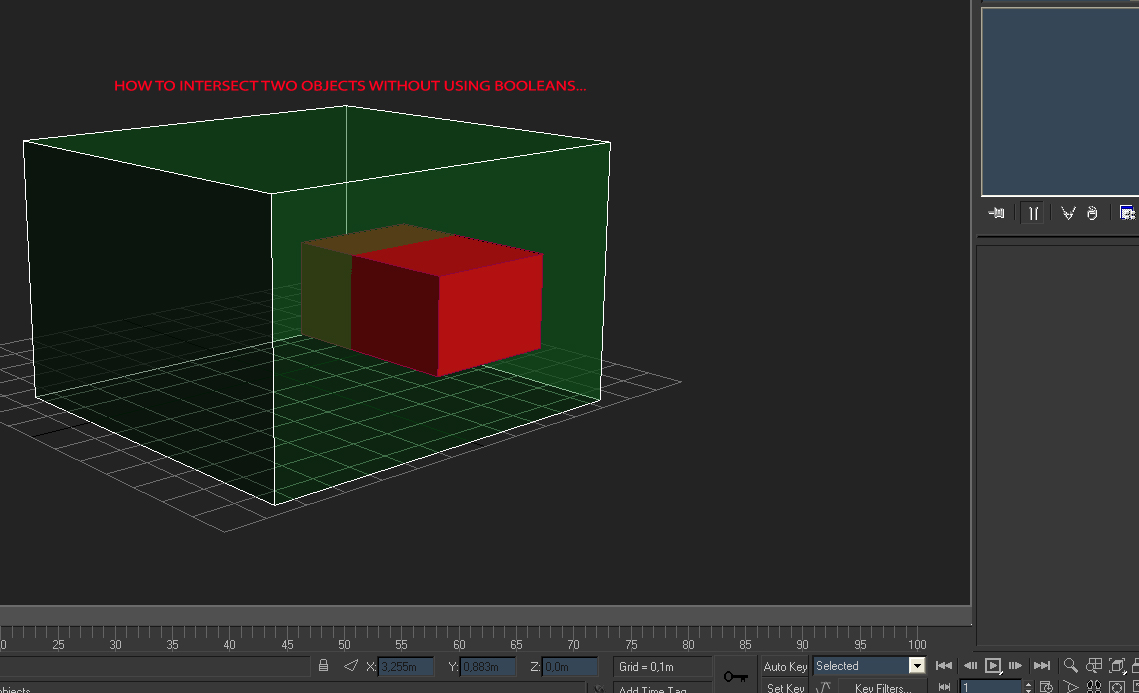
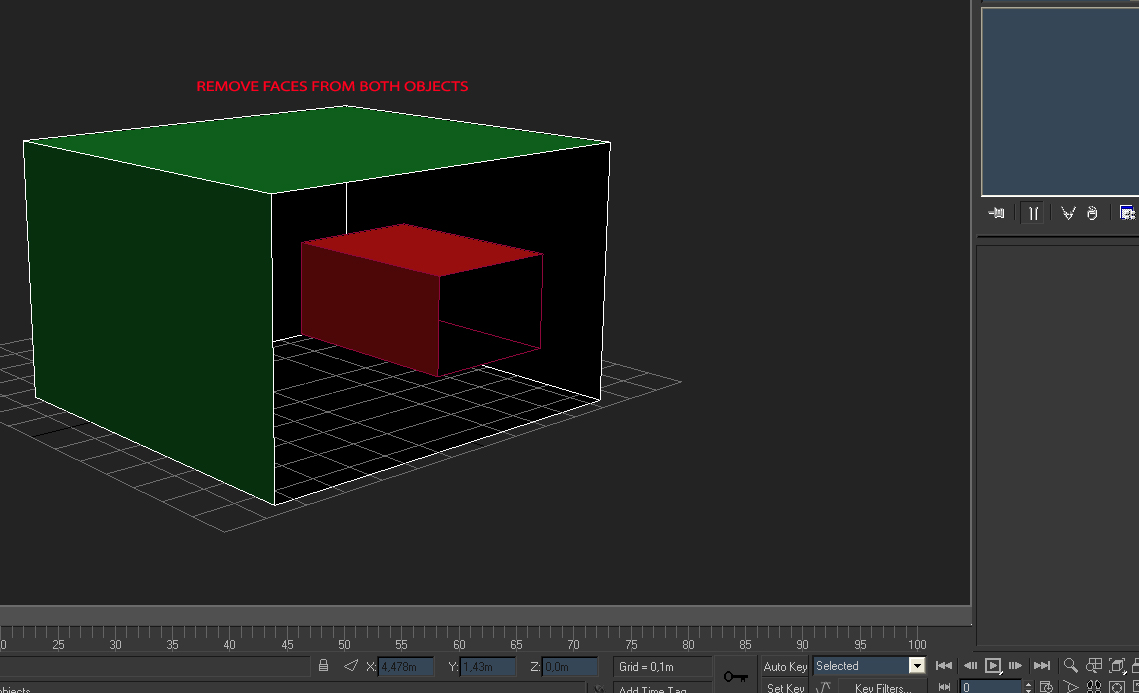
New micro tut/technique.
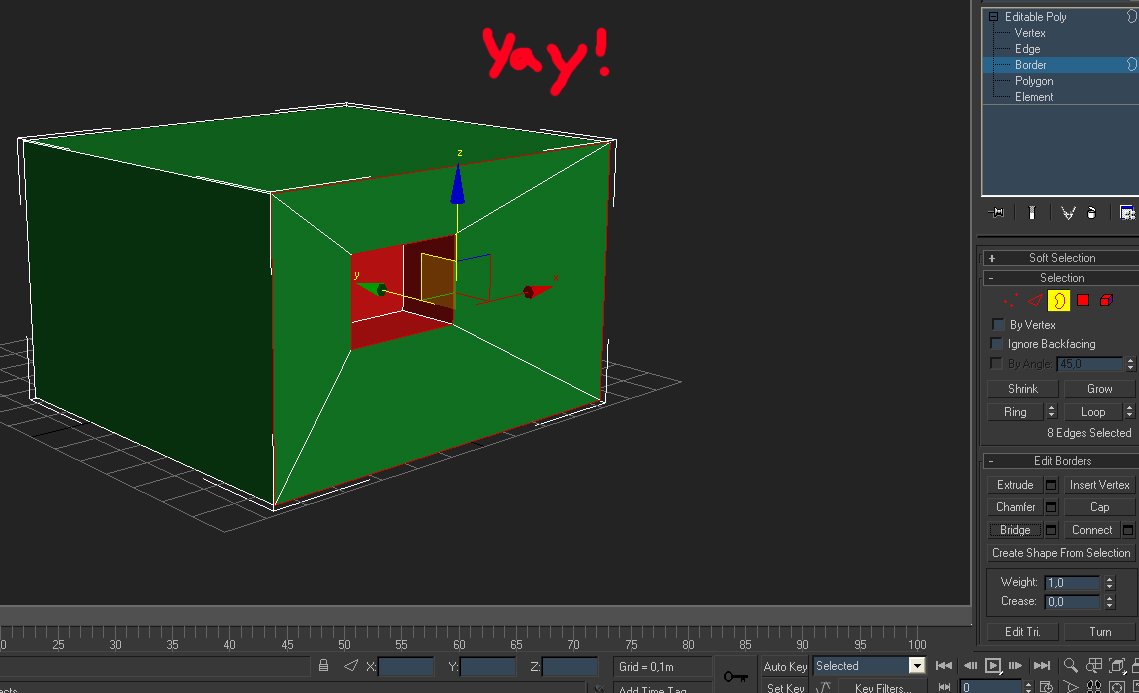
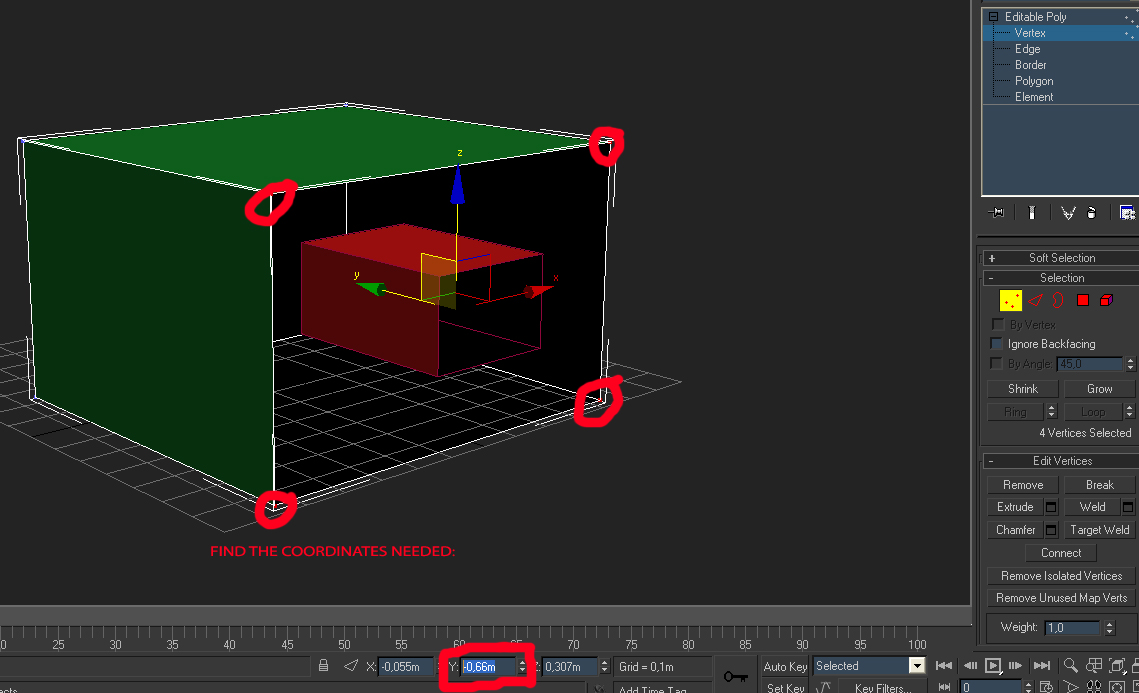
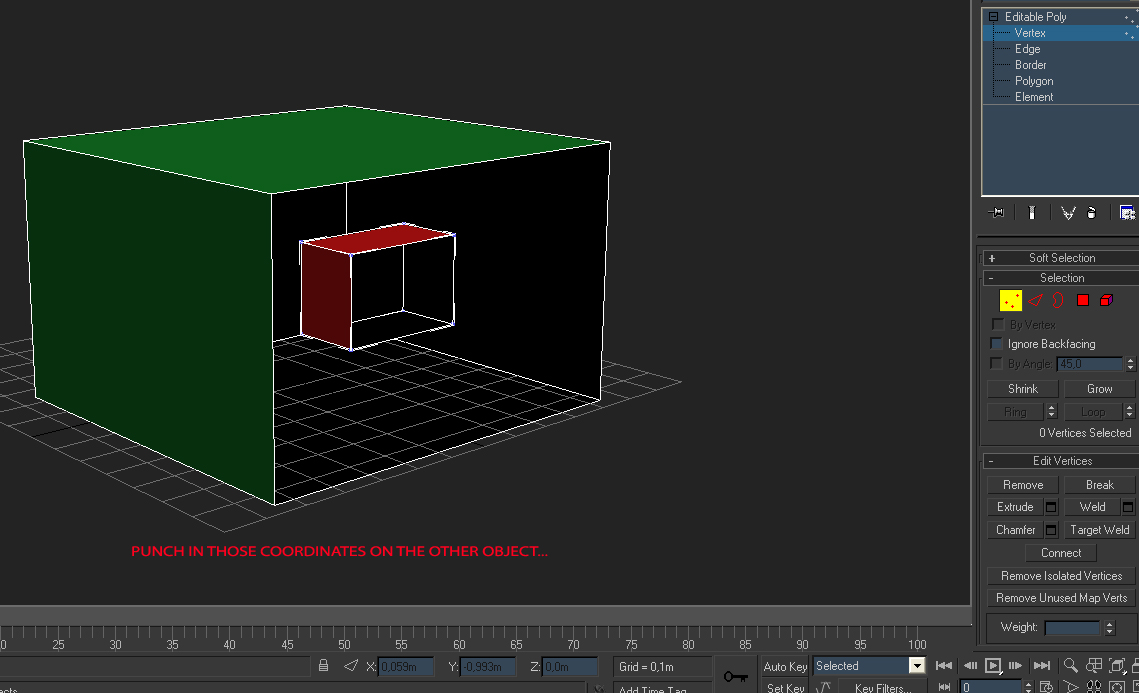
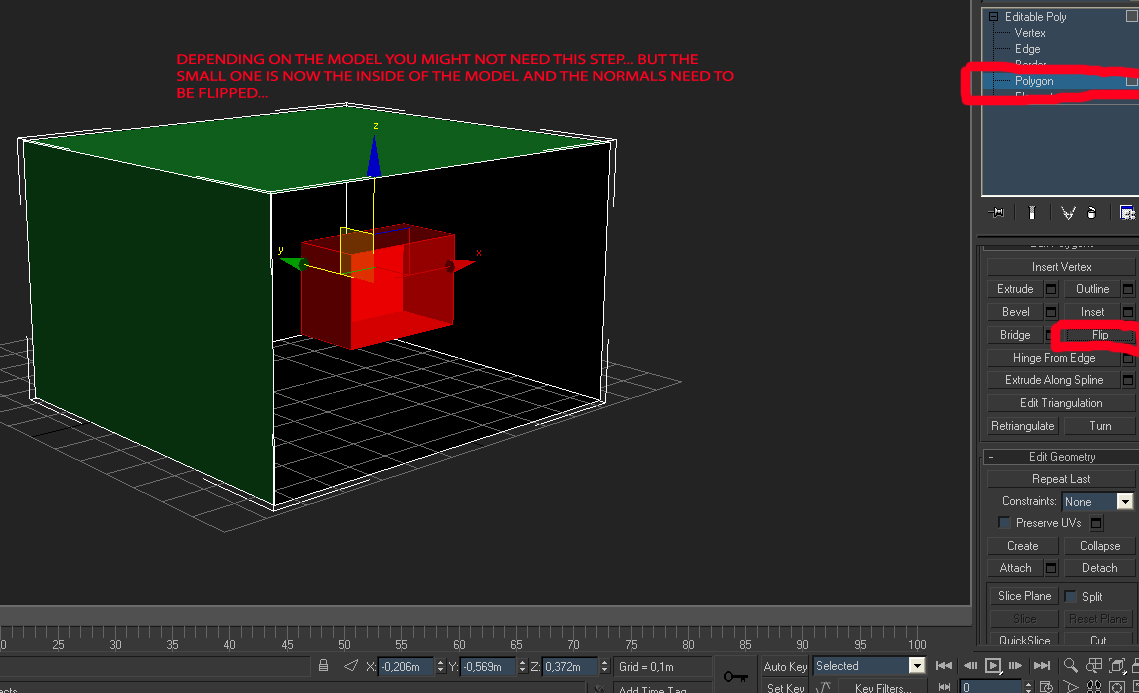
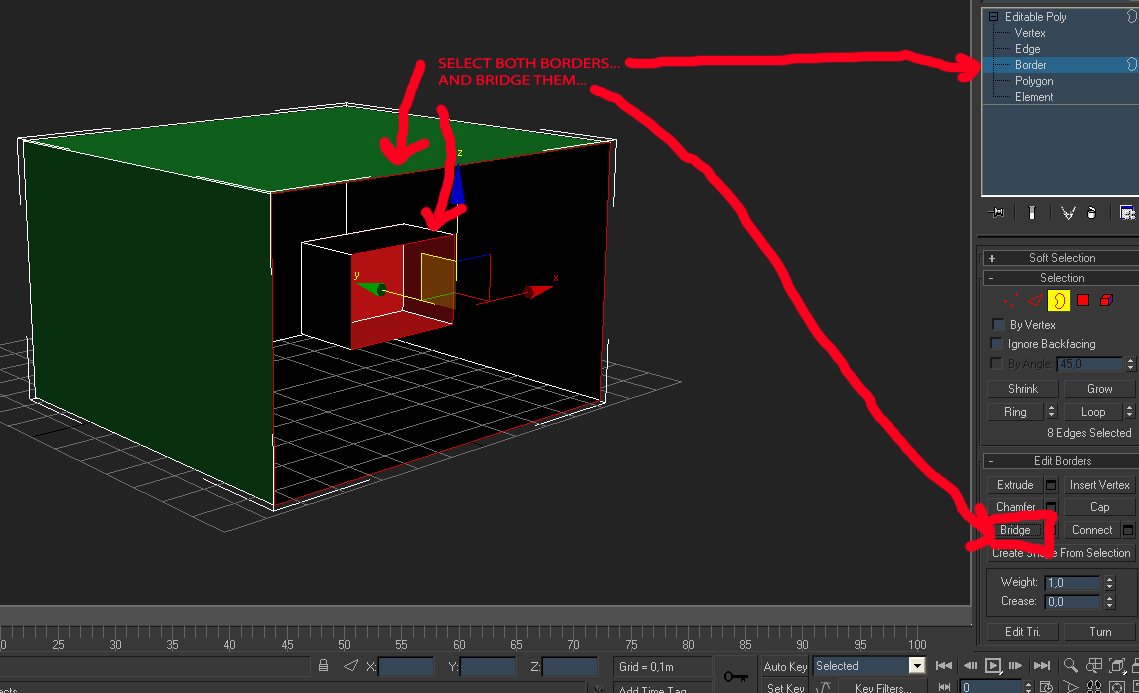
People often use the boolean tool, but to my great joy some of you have discovered the issues with using this and here is one way of doing it yourself. This only works on orthogonal intersections though. There are other techniques for other scenarios but I can't be bothered to teach them all right now.
I have some proper tutorials in the works I will see about finishing them up in the near future.
re: Tom's 3dsmax tutorial thread (Image Heavy)
Posted: 2009-11-10 22:07
by Wilkinson
Lawl. Z-Troop your tuts are beast like
re: Tom's 3dsmax tutorial thread (Image Heavy)
Posted: 2011-03-31 09:02
by Z-trooper
Another micro tip.
Floating Geometry wrote:
When using floating geometry, I like using this extra "lip" to make it appear to be connected to the underlying model.
As you can see in my example several different effects can easily be created.