[?] How Do I....
Posted: 2009-09-23 04:38
Hi there,
I started this thread to find out the answer to the following questions:
A) I have copied and pasted the entire pr_gb soldiers folder and renamed it pr_nz. I have reskinned the models when they were still called pr_gb and now i have put the original textures back into pr_gb and my textures are in pr_nz. Yet for some reason when i go into the editor it still loads the original pr_gb textures any one know what is going wrong? I need to do the same for the kits files aswell so if you know how to do it please tell me also.
B) Using AASv3, is it ok to have several main base options for each side in a map but only have one spawn? this is only for light vehicles/infantry maps though. I thought it might be a good idea for the smaller layer of a map i am making.
C) Pretty much the same as A except for vehicles. I have reskinned the Landrover and Huey then copied and pasted the files and renamed them with _nz in he name. I put the old textures back into the original files. When i loaded the editor they loaded the original textures any help?
-------------------------------------------------------------------------------------------------------
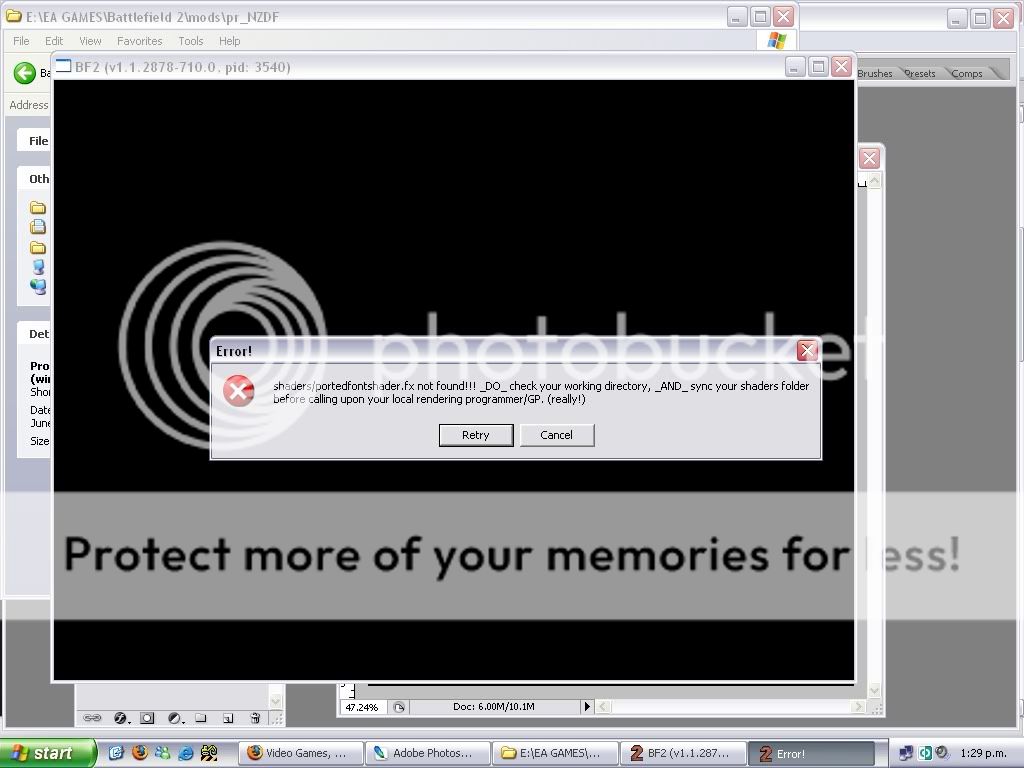
D) How do i fix this??
All help is appreciated
Cheers,
HangMan
I started this thread to find out the answer to the following questions:
A) I have copied and pasted the entire pr_gb soldiers folder and renamed it pr_nz. I have reskinned the models when they were still called pr_gb and now i have put the original textures back into pr_gb and my textures are in pr_nz. Yet for some reason when i go into the editor it still loads the original pr_gb textures
any one know what is going wrong? I need to do the same for the kits files aswell so if you know how to do it please tell me also.B) Using AASv3, is it ok to have several main base options for each side in a map but only have one spawn? this is only for light vehicles/infantry maps though. I thought it might be a good idea for the smaller layer of a map i am making.
C) Pretty much the same as A except for vehicles. I have reskinned the Landrover and Huey then copied and pasted the files and renamed them with _nz in he name. I put the old textures back into the original files. When i loaded the editor they loaded the original textures
any help?-------------------------------------------------------------------------------------------------------
D) How do i fix this??
All help is appreciated
Cheers,
HangMan
