[HELP] Roads have no color/are all white
Posted: 2010-07-09 00:44
Having this problem in the BF2 Editor and I have no idea how to fix it. I've tested it on other maps and it isn't happening, and I've searched and searched but can't find the answer or even someone else with the same problem.
Basically, every road I try to make, no matter which texture is used, ends up having no color in it like so: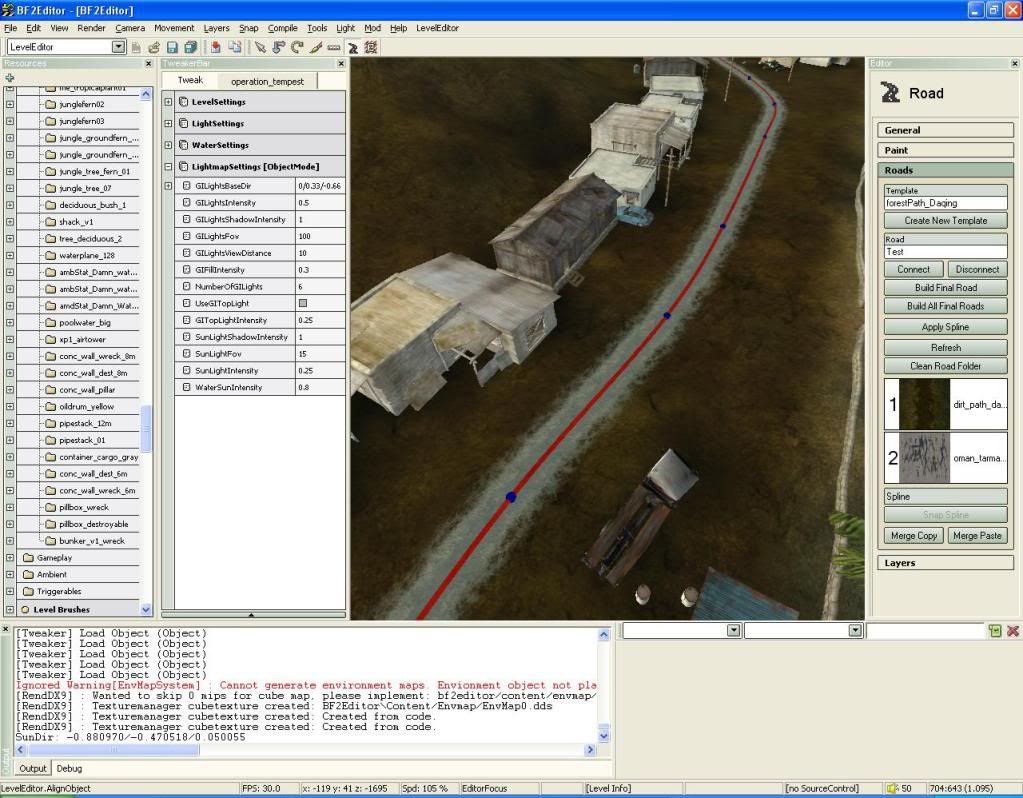
I've tested it on other maps in the editor, and when placing roads they all have color. So I'm really no sure what I am doing wrong. Thus it only occurs on my map Operation Tempest.
Edit: This is not happening in game, but it also means I don't know how the roads will look before I put them together. Very confusing....
Basically, every road I try to make, no matter which texture is used, ends up having no color in it like so:
I've tested it on other maps in the editor, and when placing roads they all have color. So I'm really no sure what I am doing wrong. Thus it only occurs on my map Operation Tempest.
Edit: This is not happening in game, but it also means I don't know how the roads will look before I put them together. Very confusing....