Page 1 of 1
Help please
Posted: 2010-10-08 00:40
by Johncro
I don't know what happened but on my main PC, I was browsing the internet with one DL, Dling at 300Kbs( not that it matters) but my PC shut off suddenly with out warning.
It refuses to turn on, and everytime I click the power button, it gives an orange light and doesn't turn on.
My PC is a Dell Dimension 3100
With a Retail Plus 465W PSU
RetailPlus 465W ATX 120mm Dual Fan Power Supply ? Retail Plus
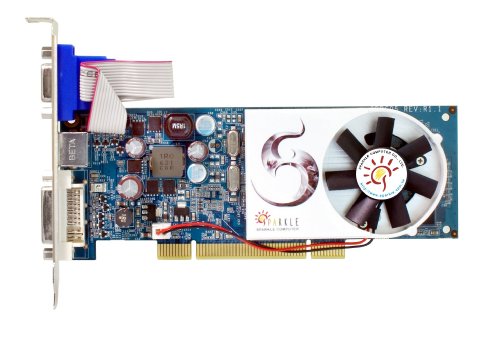
And a Sparkle GeForce 9500GT (PCI variant)
http://ecx.images-amazon.com/images/I/41tQ0Q7l+mL.jpg
The Mobo is the one that came with the computer.... Not sure the type sorry.
Sorry for lack of info.
But I dunno whats wrong, Do you guys have any Idea whats up?
Re: Help please
Posted: 2010-10-08 16:07
by SnipingCoward
This is actually a complicated situation.
I do not recommend trying anything further unless you know your ways with computer hardware.
A few things I can think of this might be:
1. Your computer actually starts but your monitor is not recieving a signal. Check if the cable is properly connected, monitor is on and switched to the correct input (e.g. DVI or Analog). Try other montiors. Make sure GFX card is properly connected.
2. Your PC is performing a safety shutdown. This is actually quite dangerous - if you keep trying to switch it on without fixing the error you risk further damage to your system. (e.g. overheating due to broken fan (not turning - look inside the case))
3. Corrupted Bios - consult your manual on how to reset the bios (sometimes refered to as "CMOS reset" - involves switching a jumper on the motherboard).
4. general hardware failure - this computer is, i assume ~3years old, it is possible its days are over. Determaining which hardware is broken by means of forum posts is time consuming and difficult. I suggest you seek professional help.
Orange light usually indicates HDD access. While green light indicates on-state.
Re: Help please
Posted: 2010-10-08 17:59
by Johncro
[R-COM]SnipingCoward wrote:This is actually a complicated situation.
I do not recommend trying anything further unless you know your ways with computer hardware.
A few things I can think of this might be:
1. Your computer actually starts but your monitor is not recieving a signal. Check if the cable is properly connected, monitor is on and switched to the correct input (e.g. DVI or Analog). Try other montiors. Make sure GFX card is properly connected.
2. Your PC is performing a safety shutdown. This is actually quite dangerous - if you keep trying to switch it on without fixing the error you risk further damage to your system. (e.g. overheating due to broken fan (not turning - look inside the case))
3. Corrupted Bios - consult your manual on how to reset the bios (sometimes refered to as "CMOS reset" - involves switching a jumper on the motherboard).
4. general hardware failure - this computer is, i assume ~3years old, it is possible its days are over. Determaining which hardware is broken by means of forum posts is time consuming and difficult. I suggest you seek professional help.
Orange light usually indicates HDD access. While green light indicates on-state.
No error message at all.... Moniter is fine, unpluged it from tower, its giving a signal.\
BIOs I don't think so
I think it could either be Mobo or PSU?
Re: Help please
Posted: 2010-10-09 14:28
by Johncro
Issue is resolved....need a new computer...my mobo got fried..... D:
Re: Help please
Posted: 2010-10-09 18:39
by SnipingCoward
Although it sucks I am glad you have figured it out.
Feel free to open up a thread in the Hardware section (
Hardware & Custom Builds - Project Reality Forums) if you would like some help with finding a replacement. But please... chose a more descriptive title than "Help please".