Page 1 of 2
Mumble Push-to-Talk Keys
Posted: 2010-12-14 03:01
by Ser Jergen
I have always wondered what other people's control configurations are.
I use a Qwerty Keyboard for infantry and land vehicles and a Throttle and Joystick for flying.
I also use Mumble but I am having some troubles figuring out where to map my push to talks for Mumble and not have the same key for Mumble and a function in game.
If anybody has any suggestions on what keys I should map for Mumble Push-to-Talk. Any kind of suggestions would be welcomed
****Addendum Question****
What kind of Mouse does anybody suggest/use?
Re: Mumble Push-to-Talk Keys
Posted: 2010-12-14 03:09
by Johncro
I've used my Alt keys.
All they do in game is turn off markers. Not that bad if you ask me, or you can use your right shift or w/e
Re: Mumble Push-to-Talk Keys
Posted: 2010-12-14 03:15
by Yrkidding
yea, I've always used my alt keys as well for mumble, most convienient as far as Im concerned, just dont check the scoreboard when talking
Re: Mumble Push-to-Talk Keys
Posted: 2010-12-14 03:16
by Hockachu
I use middle click for Mumble, and V for force center. I use the back/forward buttons on the mouse for the normal VOIP.
Re: Mumble Push-to-Talk Keys
Posted: 2010-12-14 03:17
by Chaosfox_[434th]
i use g and t for push to talk and radio buttons, and i set my kit swap and sec radio buttons to h and y. i use g and t as they are easeier to reach while using the wasd keys to move around.
Re: Mumble Push-to-Talk Keys
Posted: 2010-12-14 03:18
by whatshisname55
You know, I actually set my map key to left alt because it allows me to use my mouse at the same time

Is there a better place for the map?
Re: Mumble Push-to-Talk Keys
Posted: 2010-12-14 03:23
by Celestial1
whatshisname55 wrote:You know, I actually set my map key to left alt because it allows me to use my mouse at the same time
Is there a better place for the map?
Windows key.
Re: Mumble Push-to-Talk Keys
Posted: 2010-12-14 03:25
by Johncro
Celestial1 wrote:Windows key.
doesn't tha tset off your Start menu?
It does for me at least.
Re: Mumble Push-to-Talk Keys
Posted: 2010-12-14 03:28
by Celestial1
Johncro wrote:doesn't tha tset off your Start menu?
It does for me at least.
Not if you bind a key to it. BF2 will override that.
Re: Mumble Push-to-Talk Keys
Posted: 2010-12-14 03:32
by Johncro
Celestial1 wrote:Not if you bind a key to it. BF2 will override that.
Oh sweet shit, thanks!
Re: Mumble Push-to-Talk Keys
Posted: 2010-12-14 03:39
by whatshisname55
Celestial1 wrote:Not if you bind a key to it. BF2 will override that.
Wow, BF2 is sophisticated enough for that?

Re: Mumble Push-to-Talk Keys
Posted: 2010-12-14 03:40
by AKineBuddy
I have mine on V since it's next to B which is my squad chat, so I usually have left thumb near both of them anyway.
Re: Mumble Push-to-Talk Keys
Posted: 2010-12-14 04:17
by PRC_Heavy_Z
Mouse 5/6
Re: Mumble Push-to-Talk Keys
Posted: 2010-12-14 05:39
by TheAmazingYant
I've got a Logitech G500 mouse with 10 buttons. I currently have all four of my talk function s (VOIP, VOIP to Commander, Local, and Squad Leader), as well as Map on there. And I still have three buttons (one real button, and scroll-wheel left and right) that I don't have scripted because my giant kielbasa fingers tend to stumble over things.
Re: Mumble Push-to-Talk Keys
Posted: 2010-12-14 05:45
by MFR CountryTom
I started playing FPS w/ the
original Rainbow 6 long ago. (1998 (still have the cds too!)) You couldn't rebind the keys, and instead of wasd, it used up/down/left/right. Long story short, ever since then I was terrible with wasd and had to use up/down/left/right. My key bindings were insane and I had to set the keyboard cockeyed on my desk..... until I bought a
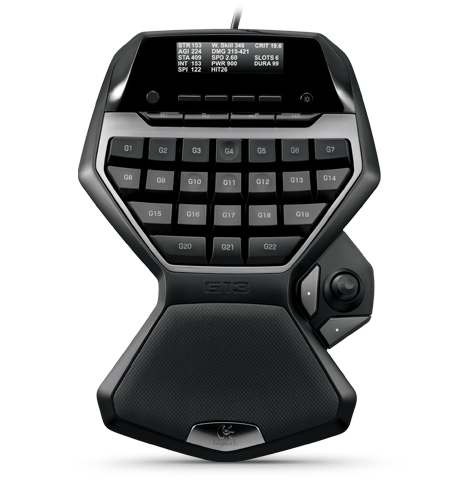
G13. Long story short, now I have plenty of options for the mumble key.

Re: Mumble Push-to-Talk Keys
Posted: 2010-12-14 06:49
by Ser Jergen
As an addendum to this thread What kind of Mouses do you guys suggest to use?
Re: Mumble Push-to-Talk Keys
Posted: 2010-12-14 06:50
by Elem3nt0
Ser Jergen wrote:As an addendum to this thread What kind of Mouses do you guys suggest to use?
I prefer my Cyborg. 6 easy to use buttons and an adjustable motor powered grip.
Re: Mumble Push-to-Talk Keys
Posted: 2010-12-14 07:10
by Zi8
Alt = Local
C = Force
B & V for Voip
Works best for me.
Re: Mumble Push-to-Talk Keys
Posted: 2010-12-14 07:25
by Sgt.BountyOrig
"C"
and Logitech G500 Mouse
Re: Mumble Push-to-Talk Keys
Posted: 2010-12-14 07:33
by Punkbuster
I use my Alt key...
Also you can use your Middle mouse button...