Java Apps are Blurry
Posted: 2010-12-29 21:27
I Have never had this problem before, so it's beyond me. Java applications all look blurry, texts, images, anything that uses java (Java code works fine though, so I think it's a graphics thing).
This happens
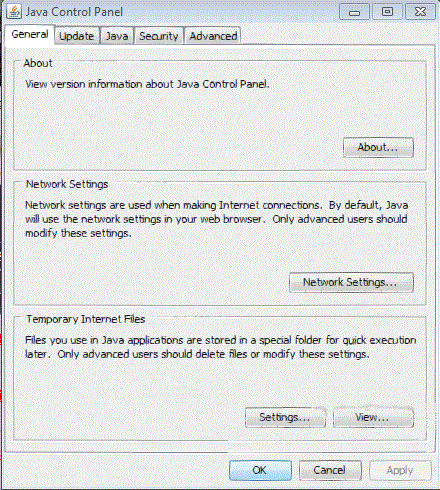
and most of the time like this.
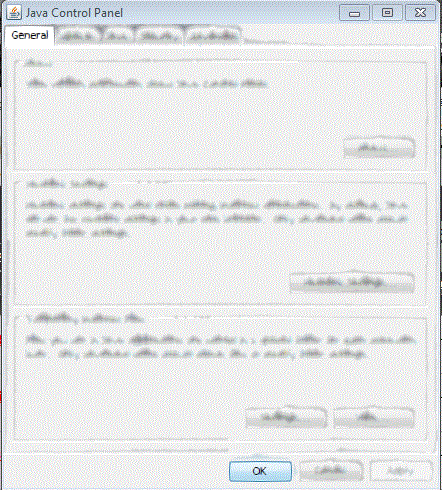
That's Java itself, I've done nothing to them.
Anyone have an idea what the problem could be?
Windows 7 Prof 64-bit
ASUS Crosshair IV Formula AM3 AMD 890FX
AMD Phenom II x6 Thuban 3.0Ghz
G.SKILL 6gb DDR3 1333 RAM
Gigabyte AMD Radeon ATI HD 6870 1GB
CORSAIR CMPSU-750TX 750W
COOLER MASTER HAF X RC-942-KKN1
This happens
and most of the time like this.
That's Java itself, I've done nothing to them.
Anyone have an idea what the problem could be?
Windows 7 Prof 64-bit
ASUS Crosshair IV Formula AM3 AMD 890FX
AMD Phenom II x6 Thuban 3.0Ghz
G.SKILL 6gb DDR3 1333 RAM
Gigabyte AMD Radeon ATI HD 6870 1GB
CORSAIR CMPSU-750TX 750W
COOLER MASTER HAF X RC-942-KKN1