[Help!] Terrain height artifact [SOLVED (sort of)]
Posted: 2011-05-26 02:42
Update: I've managed the problem for now. I created an entirely new map, imported all of the static objects, game assets, and the primary heightmap. The artifact still exists, but for some reason it is now small enough that I can sink it under the ocean and it would not be visible in game. I've yet to add any surrounding terrain back in yet, but if that causes problems, I will let you all know. Thanks for your help.
~~~~~~~~~~~~~~~~~~~~~~~~~
Hi all, I'm currently working on putting together my first map, and I've gotten to about the point where I want to start checking things out in PR itself, but I've run into a couple problems.
1. Terrain height artifact.
My map has a strange and irritating terrain height artifact in one of the corners of the primary terrain. I've tried fixing it in the editor but it seems to be immune to any attempts at lowering it. (It can be raised, but not lowered, leveled, smoothed, platformed, etc.)
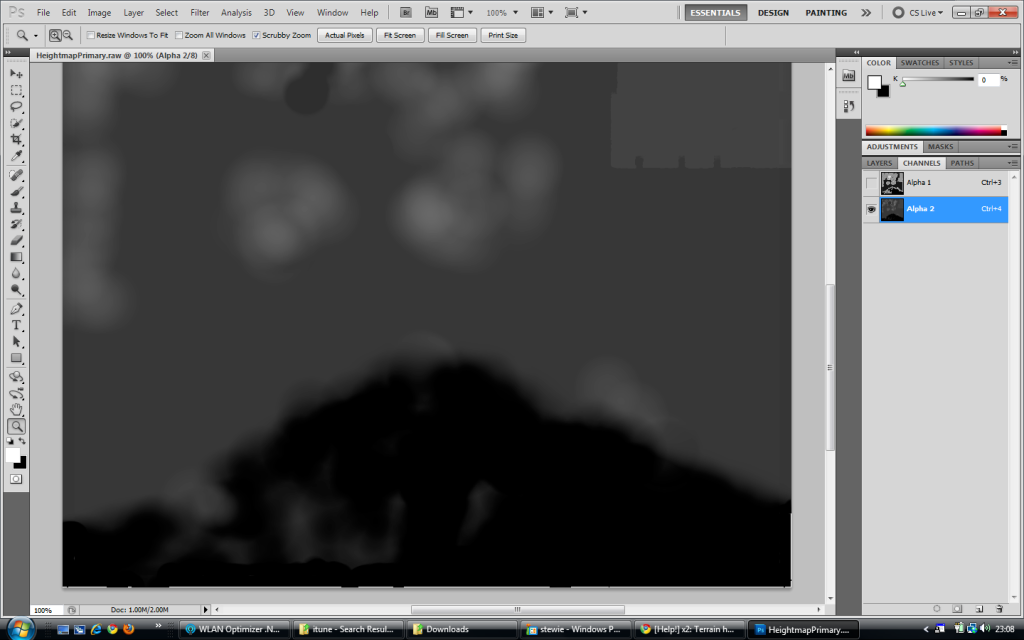
I've also tried editing the RAW file in Photoshop, but it still comes up, even when the height value for that particular corner should be 0.
I thought about just working around it by building the terrain up all around it, but it is way higher than the rolling dunes and desert flats that make up the rest of the map, plus it is way out in the middle of the ocean, and would ruin the design of the coast, practically and aesthetically speaking.
Pictures:
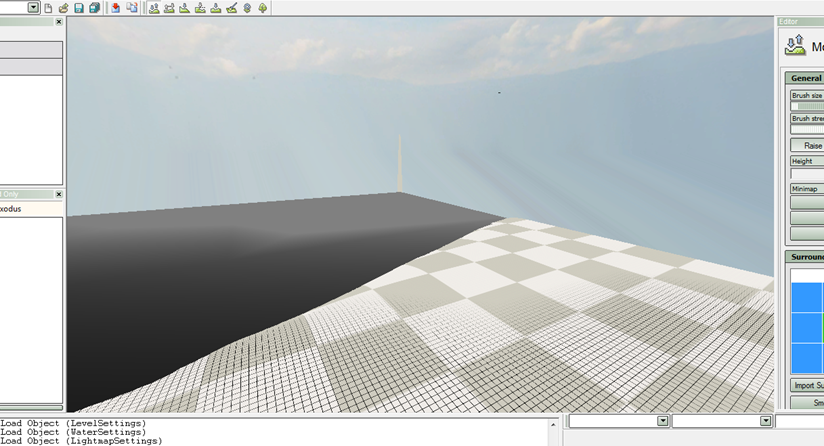
artifact visible in the center of the screen as viewed in BF Editor
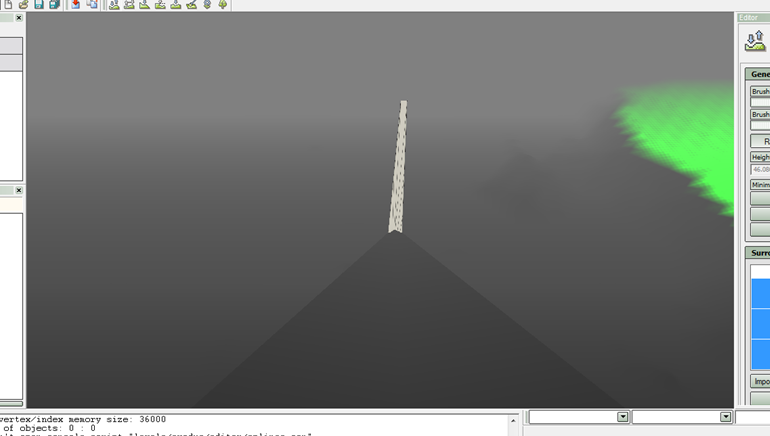
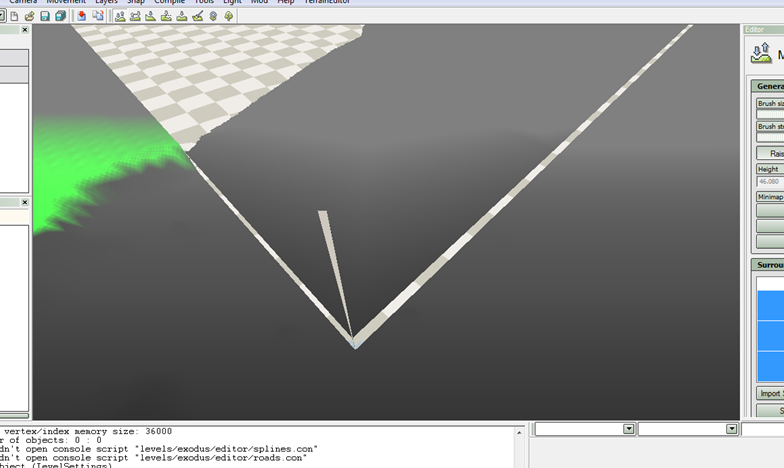
Artifact viewed from opposite angle
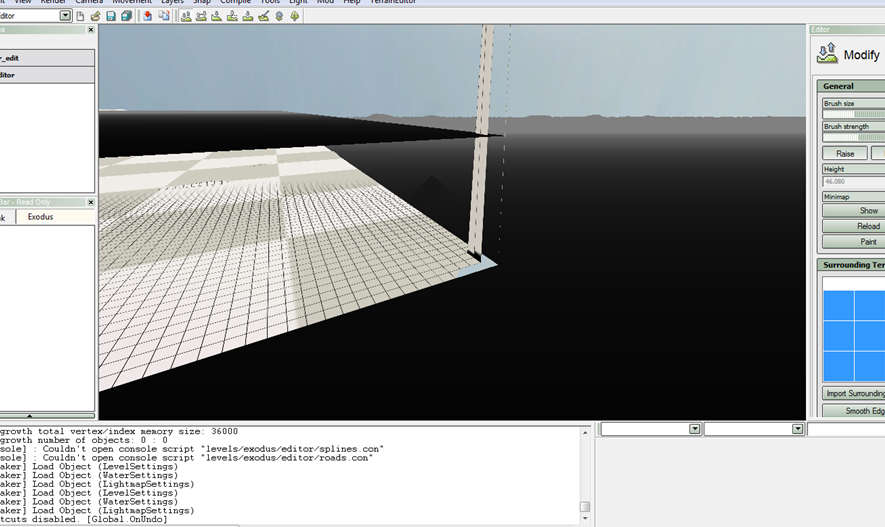
Visible under water line
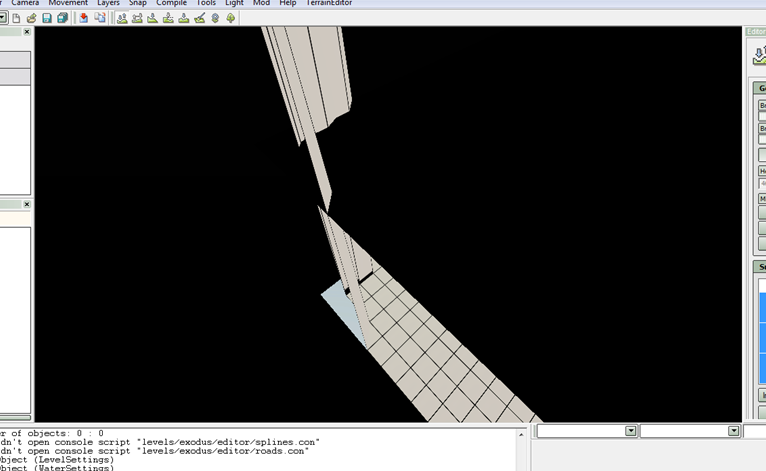
Close up under water line
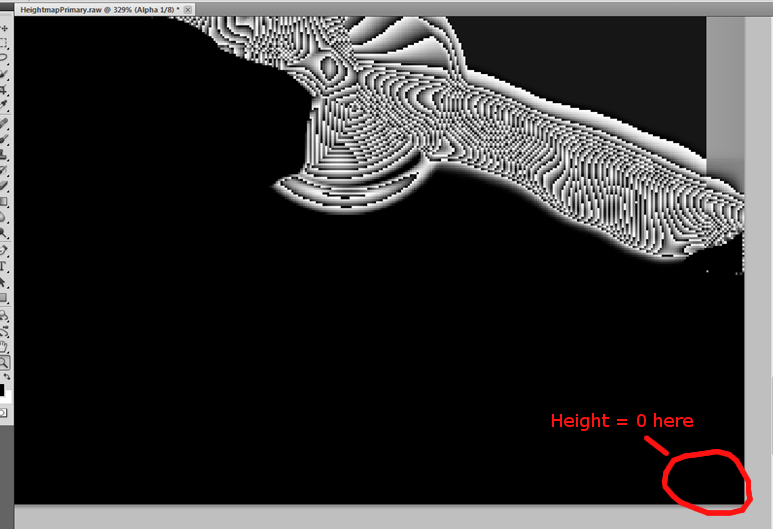
Height map in photoshop
2. Certain assets not available.
Ok, so previously when working with BF2 editor, all of the assets were loaded when I started editing a new level. As of the last few times I've been working with the editor, only a few, mostly useless assets are available from the getgo. For instance, the only asset in the PR folder (pr_edit/objects/staticobjects/pr) was a strange placeholder "thumbtack" (/pr/mapping_tools/reminder1/)
I've been able to somewhat circumvent this by manually loading each asset I think I might need, but only assets that exist on the map itself are ever retained. For instance, if I load Asset A and Asset B, but only use Asset A in the map, the next time I load PR I will only have Asset A loaded.
The problem lies here with the "level settings" in putting together the factions to test the map. Not all of them are loaded. I thought maybe only the BF2 ones were showing up, but some PR only factions such as USArmy, GB, Chinsurgent and Meinsurgent are showing up. I can not find Israel, Russia the Taliban, Hamas, or Germany. Likewise, the languages only show: English, MEC, Chinese, GBEnglish, Rebels, MEC, English (I have no idea why English and MEC are listed twice). My map is IDF vs MEC, so while I have no problems on the MEC side of things, I can't assign the proper faction and language for my IDF forces. I was able to find and set the IDF flag for a US faction, but it would be pretty off to have my IDF addressed as US and speaking English instead of Hebrew.
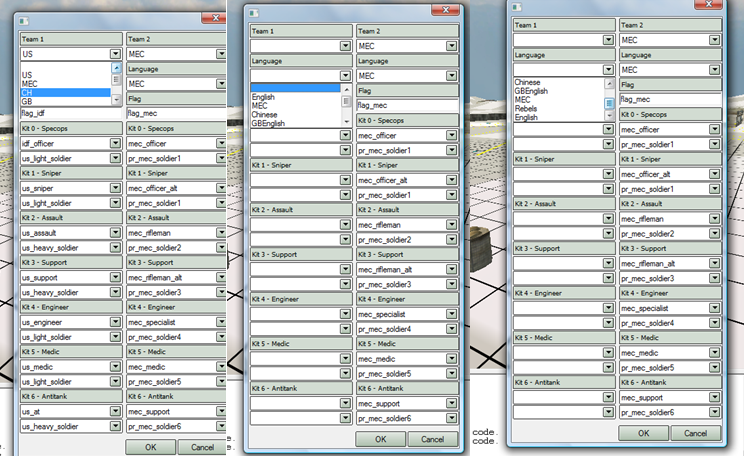
Any help on this matter would be appreciated and I'll try to answer any questions you guys have for me that might help me in the process.
~~~~~~~~~~~~~~~~~~~~~~~~~
Hi all, I'm currently working on putting together my first map, and I've gotten to about the point where I want to start checking things out in PR itself, but I've run into a couple problems.
1. Terrain height artifact.
My map has a strange and irritating terrain height artifact in one of the corners of the primary terrain. I've tried fixing it in the editor but it seems to be immune to any attempts at lowering it. (It can be raised, but not lowered, leveled, smoothed, platformed, etc.)
I've also tried editing the RAW file in Photoshop, but it still comes up, even when the height value for that particular corner should be 0.
I thought about just working around it by building the terrain up all around it, but it is way higher than the rolling dunes and desert flats that make up the rest of the map, plus it is way out in the middle of the ocean, and would ruin the design of the coast, practically and aesthetically speaking.
Pictures:
artifact visible in the center of the screen as viewed in BF Editor
Artifact viewed from opposite angle
Visible under water line
Close up under water line
Height map in photoshop
2. Certain assets not available.
Ok, so previously when working with BF2 editor, all of the assets were loaded when I started editing a new level. As of the last few times I've been working with the editor, only a few, mostly useless assets are available from the getgo. For instance, the only asset in the PR folder (pr_edit/objects/staticobjects/pr) was a strange placeholder "thumbtack" (/pr/mapping_tools/reminder1/)
I've been able to somewhat circumvent this by manually loading each asset I think I might need, but only assets that exist on the map itself are ever retained. For instance, if I load Asset A and Asset B, but only use Asset A in the map, the next time I load PR I will only have Asset A loaded.
The problem lies here with the "level settings" in putting together the factions to test the map. Not all of them are loaded. I thought maybe only the BF2 ones were showing up, but some PR only factions such as USArmy, GB, Chinsurgent and Meinsurgent are showing up. I can not find Israel, Russia the Taliban, Hamas, or Germany. Likewise, the languages only show: English, MEC, Chinese, GBEnglish, Rebels, MEC, English (I have no idea why English and MEC are listed twice). My map is IDF vs MEC, so while I have no problems on the MEC side of things, I can't assign the proper faction and language for my IDF forces. I was able to find and set the IDF flag for a US faction, but it would be pretty off to have my IDF addressed as US and speaking English instead of Hebrew.
Any help on this matter would be appreciated and I'll try to answer any questions you guys have for me that might help me in the process.