
I just started having problems running PR today. I have played for a few days since .9 came out, so this happening now seems odd.
When I get to the server select screen, if I try to connect to a network server it immediately CTD, no error. I tried running a local server - it loads the map, then CTD immediately afterwards. No error.
My video settings are all set low. If I try to go to audio settings - CTD, no error. Seems to be an audio issue.
I've uninstalled PR .9 (and the older PR versions which were still on my machine) and reinstalled. No change.
My rig:
AMD Athlon X2 64 4200 2.1GHz
2GB DDR2 RAM 800mhz
GeForce FX5700 LE 256mb
WinXP SP3
SB Audigy (not used in game)
Logitech USB Headset (primary audio device)
Any ideas?
PR crash: audio
-
SnipingCoward
- Posts: 2326
- Joined: 2007-12-31 22:40
Re: PR crash: audio
i suggest deleting the "Battlefield 2" folder in my documents, your custom files will get removed so you will have to reset them later on but this might fix your problem if the config file got corrupted
odd problems that come from nowhere maybe punkbuster related, manually reinstalling pb can help and usually doesn't hurt https://www.realitymod.com/forum/f27-pr ... -here.html
odd problems that come from nowhere maybe punkbuster related, manually reinstalling pb can help and usually doesn't hurt https://www.realitymod.com/forum/f27-pr ... -here.html
Got a PROBLEM? Check this: PR:BF2 Installation Guide
Got a common QUESTION? check here first: PR:BF2 FAQ, MUMBLE FAQ
"Hello, IT! ... Yes, have you tried turning it on and off again?"
Got a common QUESTION? check here first: PR:BF2 FAQ, MUMBLE FAQ
"Hello, IT! ... Yes, have you tried turning it on and off again?"
-
Belhade
- Posts: 16
- Joined: 2007-06-11 23:29
Re: PR crash: audio
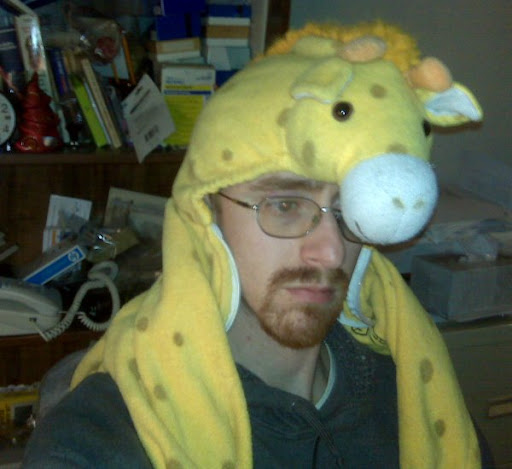
I fixed the problem. it involved the slaying of a Great Beast from the plains of central Africa and communing with the Spirits of the Beyond.
Actually, it was sound related. I did try deleting my BF2 profiles/folder, didn't help.
I removed my USB headset, then turned off my sound hardware - the Audigy, and something called drmCAudio (I think it was some sort of video/audio converter driver) then re-adding the headset and the Audigy. I'm pretty sure now that drmCAudio was the culprit, because now it works.
Lesson learned: don't go through hoops trying to watch questionable porn.
Actually, it was sound related. I did try deleting my BF2 profiles/folder, didn't help.
I removed my USB headset, then turned off my sound hardware - the Audigy, and something called drmCAudio (I think it was some sort of video/audio converter driver) then re-adding the headset and the Audigy. I'm pretty sure now that drmCAudio was the culprit, because now it works.
Lesson learned: don't go through hoops trying to watch questionable porn.