Picture Editing

Share your in-game experiences playing PR:BF2.
Post Reply
AfterDune
Retired PR Developer
Posts: 17094
Joined: 2007-02-08 07:19

Re: Picture Editing

Post by AfterDune »

We need a weather system in PR...
Image

And a day/night cycle...
Image


:D
Image
Vapourstreak
Posts: 65
Joined: 2010-02-08 23:16

Re: Picture Editing

Post by Vapourstreak »

Lotsa pictures warning.

Been playing around with GIMP in my free time, because I only have wired internet here in China, and Facebook, Twitter, and YouTube is blocked. :(

If anyone knows how to hook up a ZTE dial up PPPoe modem PAP security to a Tenda router, please let me know.
Image
Second attempt at a universal camouflage pattern in a woodland environment.

Image
First attempt at a universal camouflage pattern in a desert environment.

Image
First attempt at a desert camouflage pattern.

Image
First attempt at a woodland camouflage pattern.

Image
Second attempt at a woodland camouflage pattern.

Image
Third attempt at a woodland camouflage pattern.
Let me know what you think. :)
whatshisname55
Posts: 955
Joined: 2010-07-16 03:05

Re: Picture Editing

Post by whatshisname55 »

If someone could make a really cool one of these in 1920x1080 it would be greatly appreciated... ;D
Vapourstreak
Posts: 65
Joined: 2010-02-08 23:16

Re: Picture Editing

Post by Vapourstreak »

whatshisname55 wrote:If someone could make a really cool one of these in 1920x1080 it would be greatly appreciated... ;D
Just resized and sharpened it. Let me know if it's okay, since I don't have a 1920x1080 screen.

Credit goes to Frosty, obviously. :smile:


http://rapidshare.com/files/415592645/soldier.png
Last edited by Vapourstreak on 2010-08-28 07:16, edited 1 time in total.
Reason: Apparently Photobucket doesn't upload to full size.
Elektro
Posts: 1824
Joined: 2009-01-05 14:53

Re: Picture Editing

Post by Elektro »

Acko wrote:I uploaded this like 9 days ago on Xfire.
Now it has 2300 views+, Totally no idea how this happend lol.

Acko's Screenshots - Xfire

Image
This is quoted from the PR screenshot thread, can someone please make an awesomesauce edit as I find it a genius screenshot :grin: thx Acko for posting it
NyteMyre
Posts: 2394
Joined: 2008-08-31 10:10

Re: Picture Editing

Post by NyteMyre »

What kind of techniques or methods do you guys use to edit?
I'd really like to see a tutorial of some of these edited pics


-edit-

Here's one with a tutorial about lightrays, although this result doesnt really come close as the example

Image
Last edited by NyteMyre on 2010-09-13 13:24, edited 1 time in total.
MasterGypsy
Posts: 53
Joined: 2010-05-23 05:55

Re: Picture Editing

Post by MasterGypsy »

Yeah maybe some photoshop pro here could give us some pointers...
Lemon
Posts: 136
Joined: 2009-05-23 20:43

Re: Picture Editing

Post by Lemon »

One of the entrences to the mosque in karbala. Always seem to smash into other speeding cars right there.
Image


Original pic:
http://i52.tinypic.com/fau9le.jpg
Foxxy
Posts: 349
Joined: 2010-04-27 00:47

Re: Picture Editing

Post by Foxxy »

Image

Foxxy Inf.
Foxxy Mum
Image

[TMP] FoxxyFrost
|TG-Irr| FoxxyFrost
|UO|FoxxyFrost
Elektro
Posts: 1824
Joined: 2009-01-05 14:53

Re: Picture Editing

Post by Elektro »

This thread needs reviving, where are Rampo and Moo?

In the mean time please give critique:

Image
Carbonade
Posts: 54
Joined: 2010-07-26 16:54

Re: Picture Editing

Post by Carbonade »

[R-DEV]AfterDune wrote:
We need a weather system in PR...
And a day/night cycle...
I remember I saw a video about day/night cycle for pr on youtube.
Here: YouTube - PR: dynamic sky
Last edited by Carbonade on 2010-10-06 07:39, edited 1 time in total.
hobbnob
Posts: 997
Joined: 2009-05-12 18:23

Re: Picture Editing

Post by hobbnob »

Elektro wrote: Image
Very nice, but IMHO the soldier should be in colour as well, great effect though.

Couple from me, never done this before because I only just got the coop version of prbot :D

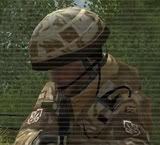
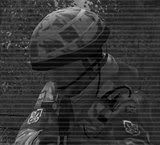
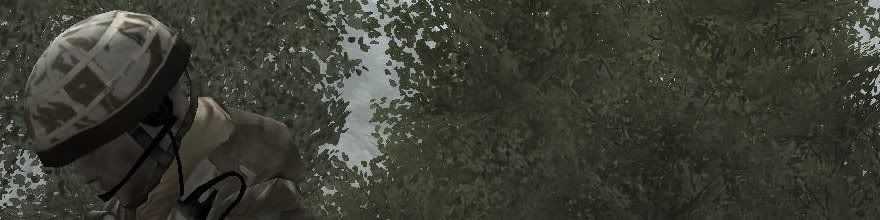
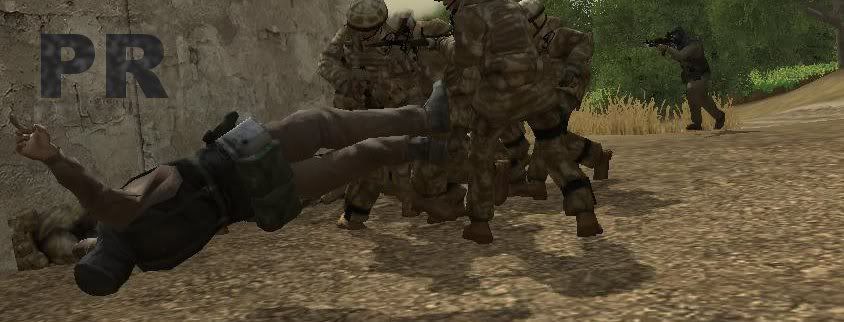
ImageImage

Image

Image

Image

Critique welcome, like I said this is my first time so I would greatly appreciate knowing how I could do better.
Image
MasterGypsy
Posts: 53
Joined: 2010-05-23 05:55

Re: Picture Editing

Post by MasterGypsy »

I have a question about some picture editing. How do you get part of the image to come off a rectangle base. Like how some people have in their signatures?
dtacs
Posts: 5512
Joined: 2008-12-07 23:30

Re: Picture Editing

Post by dtacs »

MasterGypsy wrote:I have a question about some picture editing. How do you get part of the image to come off a rectangle base. Like how some people have in their signatures?
Do you mean having a big screenshot and then getting out the part you want? Use the crop tool in Photoshop, you basically draw a big rectangle/square over the picture and press crop, and it will delete everything outside the square.

dtacs
Posts: 5512
Joined: 2008-12-07 23:30

Re: Picture Editing

Post by dtacs »

hobbnob wrote:Very nice, but IMHO the soldier should be in colour as well, great effect though.

Couple from me, never done this before because I only just got the coop version of prbot :D

ImageImage

Image

Image

Image

Critique welcome, like I said this is my first time so I would greatly appreciate knowing how I could do better.
I don't mind the top one, you could take the screenshot to show a little more scenery of Lashkar rather than just leaves, and if you're going for scanlines try this guide here:


And for the one with all the Brits stabbing the Taliban guy (and your current sig for that matter) try some different, more appropriate fronts from dafont.
DevilDog812
Posts: 491
Joined: 2010-01-26 22:22

Re: Picture Editing

Post by DevilDog812 »

dtacs wrote:Do you mean having a big screenshot and then getting out the part you want? Use the crop tool in Photoshop, you basically draw a big rectangle/square over the picture and press crop, and it will delete everything outside the square.
i believe he means popout sigs
like this?
Image

photoshop is preferred since it it easier to do with multiple layers.
1. get photo
2. select rectangular portion for base and copy as new layer
3. go back to original picture and select object you want "popping out" and copy/paste as new layer
4. make sure the popout portion is overtop of the bottom portion
5. stroke (make a border) around rectangular portion
6. add shadows as needed (drop shadow)
7. SAVE AS A .PNG WITH ALPHA CHANNELS!!!
8. ?????
9. Profit
Image
ANTI-WIKILEAKS, PROUD SUPPORTER OF THE MILITARY
Tim270
PR:BF2 Developer
Posts: 5166
Joined: 2009-02-28 20:05

Re: Picture Editing

Post by Tim270 »

Image
Image
dtacs
Posts: 5512
Joined: 2008-12-07 23:30

Re: Picture Editing

Post by dtacs »

Nice and simple, I like it.

You should try one in PR with Huey's or Chinooks or something.
Post Reply

Return to “PR:BF2 Tales from the Front”