
I have always wondered what other people's control configurations are.
I use a Qwerty Keyboard for infantry and land vehicles and a Throttle and Joystick for flying.
I also use Mumble but I am having some troubles figuring out where to map my push to talks for Mumble and not have the same key for Mumble and a function in game.
If anybody has any suggestions on what keys I should map for Mumble Push-to-Talk. Any kind of suggestions would be welcomed
****Addendum Question****
What kind of Mouse does anybody suggest/use?
Mumble Push-to-Talk Keys
-
Ser Jergen
- Posts: 68
- Joined: 2009-02-21 05:10
Mumble Push-to-Talk Keys
Last edited by Ser Jergen on 2010-12-14 06:51, edited 1 time in total.
Reason: Addendum Question
Reason: Addendum Question
-
Johncro
- Posts: 1146
- Joined: 2009-06-11 20:50
Re: Mumble Push-to-Talk Keys
I've used my Alt keys.
All they do in game is turn off markers. Not that bad if you ask me, or you can use your right shift or w/e
All they do in game is turn off markers. Not that bad if you ask me, or you can use your right shift or w/e
-
Yrkidding
- Posts: 729
- Joined: 2008-08-21 23:16
Re: Mumble Push-to-Talk Keys
yea, I've always used my alt keys as well for mumble, most convienient as far as Im concerned, just dont check the scoreboard when talking


-
Hockachu
- Posts: 11
- Joined: 2007-08-26 17:14
Re: Mumble Push-to-Talk Keys
I use middle click for Mumble, and V for force center. I use the back/forward buttons on the mouse for the normal VOIP.
-
Chaosfox_[434th]
- Posts: 116
- Joined: 2010-04-29 21:16
Re: Mumble Push-to-Talk Keys
i use g and t for push to talk and radio buttons, and i set my kit swap and sec radio buttons to h and y. i use g and t as they are easeier to reach while using the wasd keys to move around.
You can never escape your fears, you can only conquer your fears. quote by me
ingame name ChaosFox_[434th] Steam username chaosfox21
Commanding Officer of the 434th Combined Operations Brigade
ingame name ChaosFox_[434th] Steam username chaosfox21
Commanding Officer of the 434th Combined Operations Brigade
-
whatshisname55
- Posts: 955
- Joined: 2010-07-16 03:05
Re: Mumble Push-to-Talk Keys
You know, I actually set my map key to left alt because it allows me to use my mouse at the same time 
Is there a better place for the map?
Is there a better place for the map?
-
Celestial1
- Posts: 1124
- Joined: 2007-08-07 19:14
Re: Mumble Push-to-Talk Keys
Windows key.whatshisname55 wrote:You know, I actually set my map key to left alt because it allows me to use my mouse at the same time
Is there a better place for the map?
-
Johncro
- Posts: 1146
- Joined: 2009-06-11 20:50
Re: Mumble Push-to-Talk Keys
doesn't tha tset off your Start menu?Celestial1 wrote:Windows key.
It does for me at least.
-
Celestial1
- Posts: 1124
- Joined: 2007-08-07 19:14
Re: Mumble Push-to-Talk Keys
Not if you bind a key to it. BF2 will override that.Johncro wrote:doesn't tha tset off your Start menu?
It does for me at least.
-
Johncro
- Posts: 1146
- Joined: 2009-06-11 20:50
Re: Mumble Push-to-Talk Keys
Oh sweet shit, thanks!Celestial1 wrote:Not if you bind a key to it. BF2 will override that.
-
whatshisname55
- Posts: 955
- Joined: 2010-07-16 03:05
Re: Mumble Push-to-Talk Keys
Wow, BF2 is sophisticated enough for that?Celestial1 wrote:Not if you bind a key to it. BF2 will override that.

-
AKineBuddy
- Posts: 7
- Joined: 2007-01-21 18:04
Re: Mumble Push-to-Talk Keys
I have mine on V since it's next to B which is my squad chat, so I usually have left thumb near both of them anyway.
-
PRC_Heavy_Z
- Retired PR Developer
- Posts: 1088
- Joined: 2007-02-25 22:56
Re: Mumble Push-to-Talk Keys
Mouse 5/6
-
TheAmazingYant
- Posts: 269
- Joined: 2007-07-07 06:53
Re: Mumble Push-to-Talk Keys
I've got a Logitech G500 mouse with 10 buttons. I currently have all four of my talk function s (VOIP, VOIP to Commander, Local, and Squad Leader), as well as Map on there. And I still have three buttons (one real button, and scroll-wheel left and right) that I don't have scripted because my giant kielbasa fingers tend to stumble over things.

-
MFR CountryTom
- Posts: 7
- Joined: 2009-05-22 04:39
Re: Mumble Push-to-Talk Keys
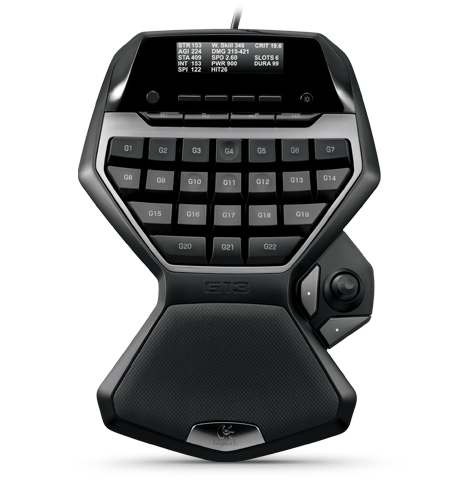
I started playing FPS w/ the original Rainbow 6 long ago. (1998 (still have the cds too!)) You couldn't rebind the keys, and instead of wasd, it used up/down/left/right. Long story short, ever since then I was terrible with wasd and had to use up/down/left/right. My key bindings were insane and I had to set the keyboard cockeyed on my desk..... until I bought a G13. Long story short, now I have plenty of options for the mumble key. 
-
Ser Jergen
- Posts: 68
- Joined: 2009-02-21 05:10
Re: Mumble Push-to-Talk Keys
As an addendum to this thread What kind of Mouses do you guys suggest to use?
-
Elem3nt0
- Posts: 32
- Joined: 2008-04-07 11:43
Re: Mumble Push-to-Talk Keys
I prefer my Cyborg. 6 easy to use buttons and an adjustable motor powered grip.Ser Jergen wrote:As an addendum to this thread What kind of Mouses do you guys suggest to use?
-
Zi8
- Posts: 401
- Joined: 2007-12-19 20:43

-
Sgt.BountyOrig
- Posts: 656
- Joined: 2009-02-22 18:12
-
Punkbuster
- Posts: 879
- Joined: 2008-10-24 23:12
Re: Mumble Push-to-Talk Keys
I use my Alt key...
Also you can use your Middle mouse button...
Also you can use your Middle mouse button...
In-game name: =[BF]= Rudy_PR