
[Static] For sale sign
-
Shovel
- Posts: 860
- Joined: 2010-08-26 14:23
Re: [STATIC] For sale sign
Ask Psyrus, I think he seems to know his way around the textures.
Shovel009
-
Psyrus
- Retired PR Developer
- Posts: 3841
- Joined: 2006-06-19 17:10
Re: [STATIC] For sale sign
The most stock basic one is inDoc.Pock wrote:where to look for anything resembling white wood?
[mods\pr_edit\objects\staticobjects\pr\textures],
Listed as house_wood_dest_4.dds, however those boards are kinda worn [image] and if you look at your three references, there's definitely no wear. Pleym made/got a texture for the house_dest buildings that he retextured for Vadso, and that can be found in the vadso/objects_client.zip [mods\pr_edit\levels\vadso_city\objects_client\staticobjects\pr\textures], listed as house_wood_dest_4_woodland.dds [image].


However for the purposes of your sign, especially with the references in mind, I don't think you need a wood texture at all... They're usually painted white and I think a similar effect could be achieved with a white color map, maybe even a null detail map and a dirt layer to emphasize a few bits and make it look 'imperfect and thus realistic'.
Last edited by Psyrus on 2012-03-01 03:43, edited 2 times in total.
-
Doc.Pock
- Posts: 2899
- Joined: 2010-08-23 14:53
Re: [STATIC] For sale sign
yeah i thought about it to.
now i only need toi find place for for sale
now i only need toi find place for for sale
-
Doc.Pock
- Posts: 2899
- Joined: 2010-08-23 14:53
Re: [STATIC] For sale sign
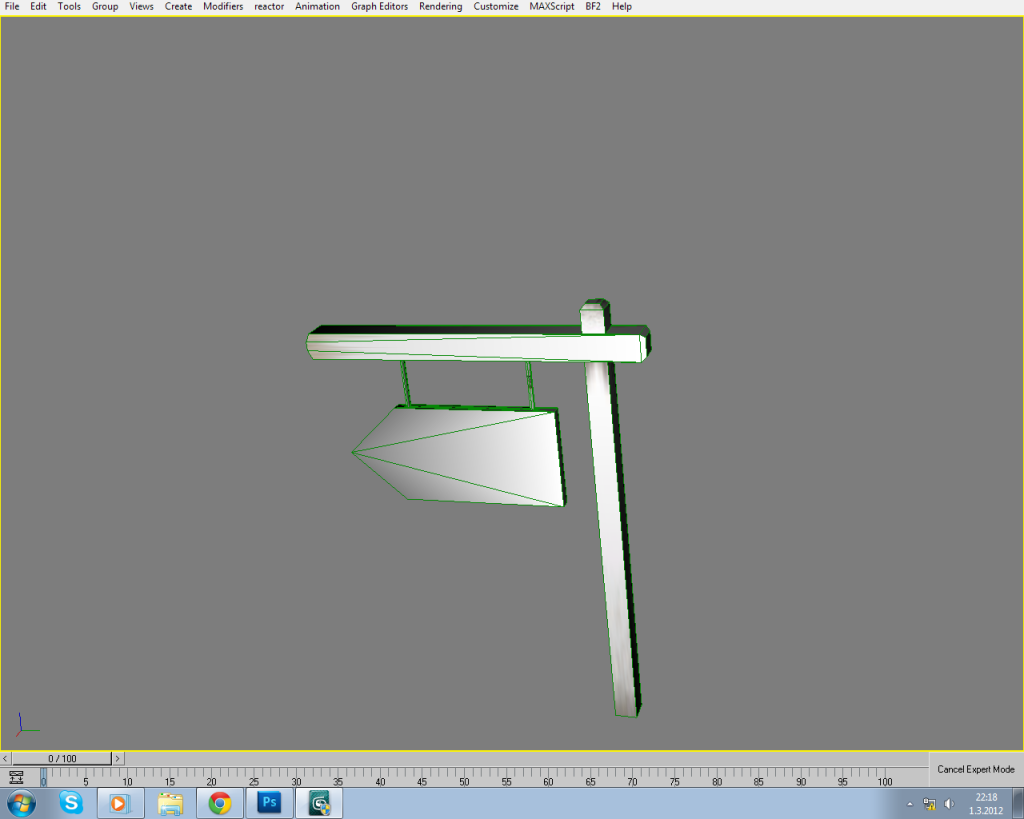
starting to understand the pelletes now. great tut rhino

-
sharpie
- Posts: 1434
- Joined: 2009-11-08 03:41
Re: [STATIC] For sale sign
More than just textures...*winkyfaceShovel wrote:Ask Psyrus, I think he seems to know his way around the textures.
Looking very good Mr. Pock, keep it up ;D
"Tom I think you have influenced the combat effectiveness of this team! Everyone has gone full potato."~Foxxyfrost
[DM]P*Funk: its like a funk guitar seminar up in that *****
K_Rivers-"...everything is broken in your country,"
RinWarZip: Your butthurt is like cold september morning by the seashore for me. Refreshing. Pepper mint.
-
Doc.Pock
- Posts: 2899
- Joined: 2010-08-23 14:53
Re: [STATIC] For sale sign
ran into problem i have...
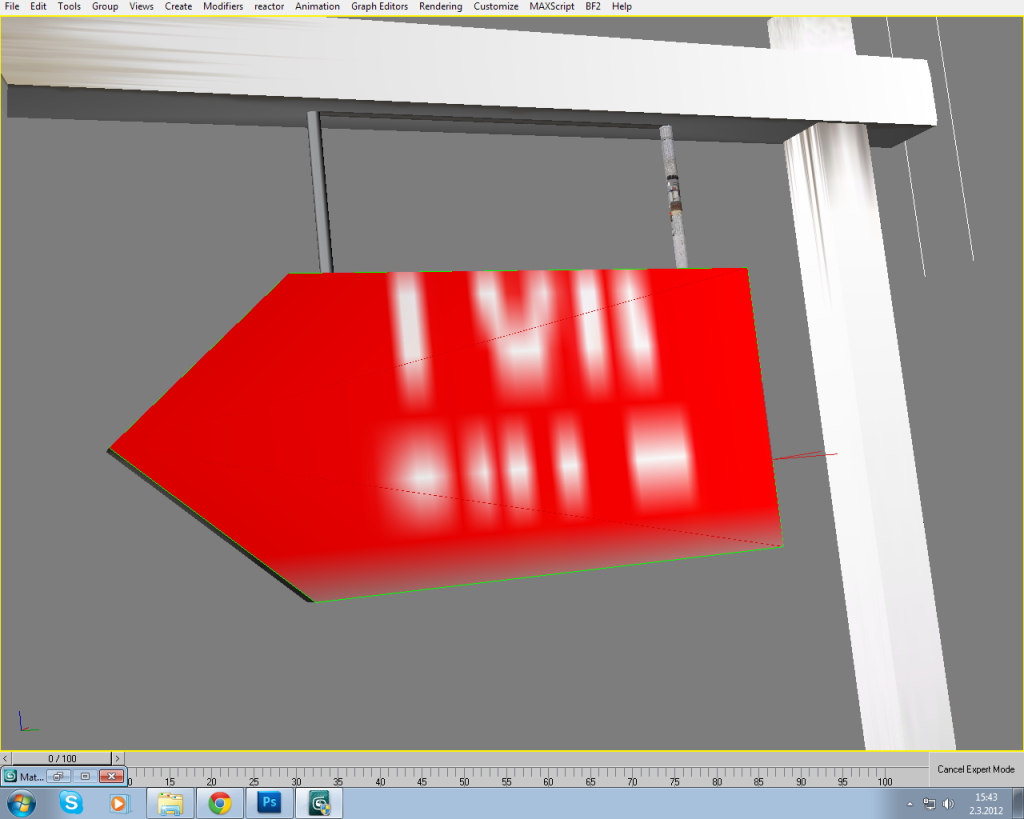
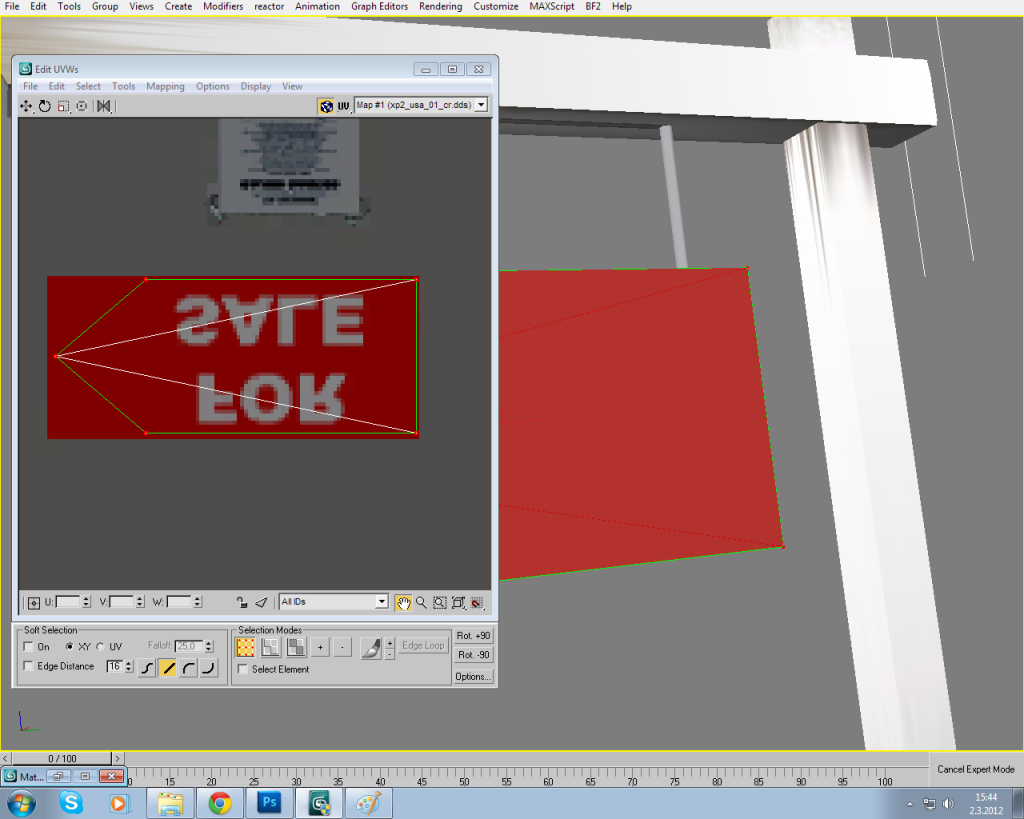
i placed the sign into
mods\pr_edit\objects\staticobjects\america\textures\xp2_usa_01_cr.dds
i placed the sign into
mods\pr_edit\objects\staticobjects\america\textures\xp2_usa_01_cr.dds
-
Psyrus
- Retired PR Developer
- Posts: 3841
- Joined: 2006-06-19 17:10
Re: [STATIC] For sale sign
Try rendering your viewport - sometimes max messes up the view of the textures in the live view, but when you render it you'll see the proper outputDoc.Pock wrote:ran into problem i have...
http://i1108.photobucket.com/albums/h41 ... roblem.png

-
Doc.Pock
- Posts: 2899
- Joined: 2010-08-23 14:53
Re: [STATIC] For sale sign
thnx psyrus...
silly max

-----------------------------------------------------------------------------------------------
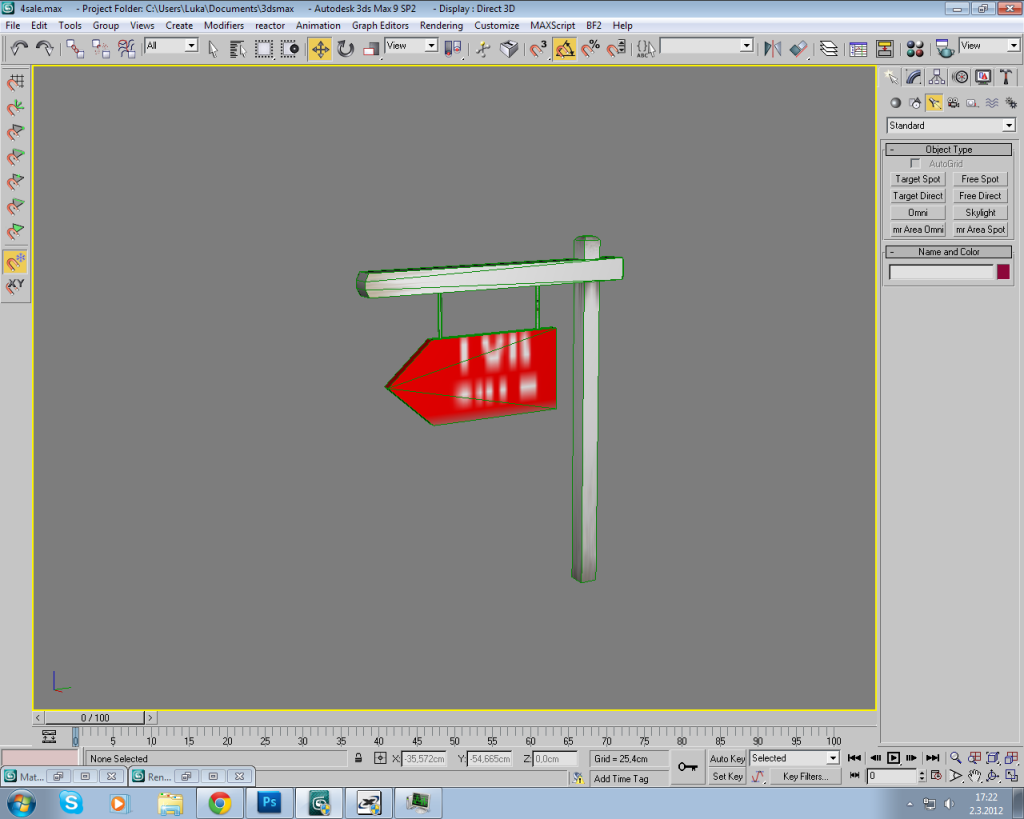
just gotte do the hangs now.

silly max
-----------------------------------------------------------------------------------------------
just gotte do the hangs now.
Last edited by Doc.Pock on 2012-03-02 16:27, edited 1 time in total.
-
Doc.Pock
- Posts: 2899
- Joined: 2010-08-23 14:53
Re: [STATIC] For sale sign
PROBLEM found i have
i exported so i could see it in game and
i exported so i could see it in game and
Code: Select all
[Tweaker] Load Object (ObjectTemplate)
Ignored Warning[Geom] : Invalid texture slot!-
kerrermanisNL
- Posts: 65
- Joined: 2011-01-04 07:52
Re: [STATIC] For sale sign
Looks cool, I so wanna start texturing myself  *shakes fist in air*
*shakes fist in air*What's this?
Cohiba Esplandido, sir. Are you confiscating my cigar sir?
This cigar doesn't belong to you, it belongs to the army.

Cohiba Esplandido, sir. Are you confiscating my cigar sir?
This cigar doesn't belong to you, it belongs to the army.
-
LITOralis.nMd
- Retired PR Developer
- Posts: 5658
- Joined: 2010-04-10 16:15
Re: [STATIC] For sale sign
So who is going to make the first map in Las Vegas or south Florida?
Looks good Doc, grats on the project.
Looks good Doc, grats on the project.
-
Doc.Pock
- Posts: 2899
- Joined: 2010-08-23 14:53
Re: [STATIC] For sale sign
Still gotta figure why it exported badly. I wanna see it in editor
-
Psyrus
- Retired PR Developer
- Posts: 3841
- Joined: 2006-06-19 17:10
Re: [STATIC] For sale sign
Ok well first things first, I discovered pretty quickly that loading up the editor for viewing exports is a HUGE waste of time. Grab bf2meshview and enjoy near-instantaneous export-viewing goodness. You'll need the editor later but at this point meshview will suffice.Doc.Pock wrote:Still gotta figure why it exported badly. I wanna see it in editor
Next, the editor already identified a bad texture as the issue (supposedly), so if you'd like help, can you screenshot your texture slot setups like so:

Of course yours will probably only be 1 or 2 , so it'll be easier
-
Rhino
- Retired PR Developer
- Posts: 47909
- Joined: 2005-12-13 20:00
Re: [STATIC] For sale sign
First of all your viewing problem is down to your 3DsMax Viewport settings. Got to Customize > Preferences, Viewport tab and then in the bottom left is a "Config Driver" button, click that then match these settings. Then it should look as it should in the viewport.Doc.Pock wrote:ran into problem i have...
i placed the sign into
mods\pr_edit\objects\staticobjects\america\textures\xp2_usa_01_cr.dds

Also why on earth is the sheet upside down in your UV window?
Next putting your texture on the xp2_usa_01_cr.dds texture is a very bad idea... First of all its a crack texture and not a colour or detail texture as you should be using for this (would recommend detail in this case. The reason why there is so much space between each of the signs on this crack texture is due to how its UVed to the objects so it has a gap around and you can place multiple signs on the same stretch etc, although this palette isn't done that well tbh but adding a new texture in will most likely mean that at least part of the texture will then be on a building its not meant to be on it.
I would recommend \objects\staticobjects\common\textures\common_destructible_c.dds for this myself, although its actually a detail texture even if it says its a colour texture as it has a normal and spec map etc

as Psyrus said, its most likley down to a texture slot you screwed up setting up or something. Just redefine each texture you've done and also check what materials are in use on your model, might have a material that isn't wanted.Doc.Pock wrote:PROBLEM found i have
i exported so i could see it in game andCode: Select all
[Tweaker] Load Object (ObjectTemplate)
Ignored Warning[Geom] : Invalid texture slot!
The problem may be down to you using a crack texture in the colour or detail slots however.
Disagree big time there. BFMeshView doesn't show the object in its true colours etc. While its good for a quick glance, it isn't good for seeing the object in detail, especially for texture checking.Psyrus wrote:Ok well first things first, I discovered pretty quickly that loading up the editor for viewing exports is a HUGE waste of time. Grab bf2meshview and enjoy near-instantaneous export-viewing goodness. You'll need the editor later but at this point meshview will suffice.
The BF2 editor, while yes can take some time to load up, the trick is to export the object early on so its .con file is there then all you need to do is keep the object open, re-exporting it and reloading geom each time you change it, saving you from constantly having to reload the editor. The editor also allows you to view it on foot and much more


-
Psyrus
- Retired PR Developer
- Posts: 3841
- Joined: 2006-06-19 17:10
Re: [STATIC] For sale sign
I dunno, I just loaded up my current WIP in the editor and meshview and did a side-by-side. The editor makes things significantly more vibrant, as well as whites being much whiter, but for the first stages of texturing (at least how I've been doing it, which you've already pointed out is kinda wrong and inefficient or something) like getting the various layers rendering over each other, trying to figure out what can go with what to make something look a little more unique, personally it's not a huge deal. As I said in my previous post the BF2 editor comes in handy down the track, especially for fine tuning things like how you said the colors are slightly different etc, but you've been doing this much longer than I so to Dock: Please ignore what I said and listen to Rhino[R-DEV]Rhino wrote:Disagree big time there. BFMeshView doesn't show the object in its true colours etc. While its good for a quick glance, it isn't good for seeing the object in detail, especially for texture checking.

Also a head's up, while I was doing my side-by-side comparison, I found out that the meshview isn't rendering the detail bump maps. Dunno if it's how I have it set up but it's something to keep in mind.
-
Doc.Pock
- Posts: 2899
- Joined: 2010-08-23 14:53
Re: [STATIC] For sale sign
okay im redoing the materiels now and placing the "for sale" into common_destructible_c.dds like so:

-
Rhino
- Retired PR Developer
- Posts: 47909
- Joined: 2005-12-13 20:00
-
Doc.Pock
- Posts: 2899
- Joined: 2010-08-23 14:53
Re: [STATIC] For sale sign
theyre all upside down...
also is it just me or is the style f.ed up?
also is it just me or is the style f.ed up?
-
Rhino
- Retired PR Developer
- Posts: 47909
- Joined: 2005-12-13 20:00
-
Doc.Pock
- Posts: 2899
- Joined: 2010-08-23 14:53
Re: [STATIC] For sale sign
well not sure. followed your tut step by step. and when i UV its turned right. i guess its my photoshop...