
Hi all,
My current PC is about 4-5 years old, with an updated GFX card which is now 2.5 years old. It runs most things on medium to high with some FPS drops, but now I have some money behind me I'm thinking about upgrading the whole thing so I can run the likes of Skyrim, Battlefield 3, Diablo 3, and Guild Wars 2 (when it's out) on the highest graphics, seamlessly (without going nuts on top of the range stuff that'll drop in price in 3 months).
It plays BF3 on medium with barely any issue, Skyrim on medium-high with some FPS issue (annoying as an archer!), Diablo 3 on high with some FPS issues, and in the recent GW2 beta weekend it performed atrociously even on 'best performance' pre-set. Granted the beta probably wasn't optimised for everyone's system, but given all my friends were playing on highest graphics with next to no FPS issues, and one friend was experiencing similar performance to me on a laptop, it made me think now's probably a good time to upgrade.
I've dabbled in ARMA 2, and though I have my own reservations with the appearance/coding of that game, I have to play at everything low to get somewhere near playable.
It's been a while since I was heavily 'into' gaming/computers and so I'm out of touch with hardware completely. I've been Googling and trying to learn what I can about today's RAM, GPUs and CPUs but it's all double-dutch to me. I was wondering if anyone can help me out? I've been using this thread for guidance.
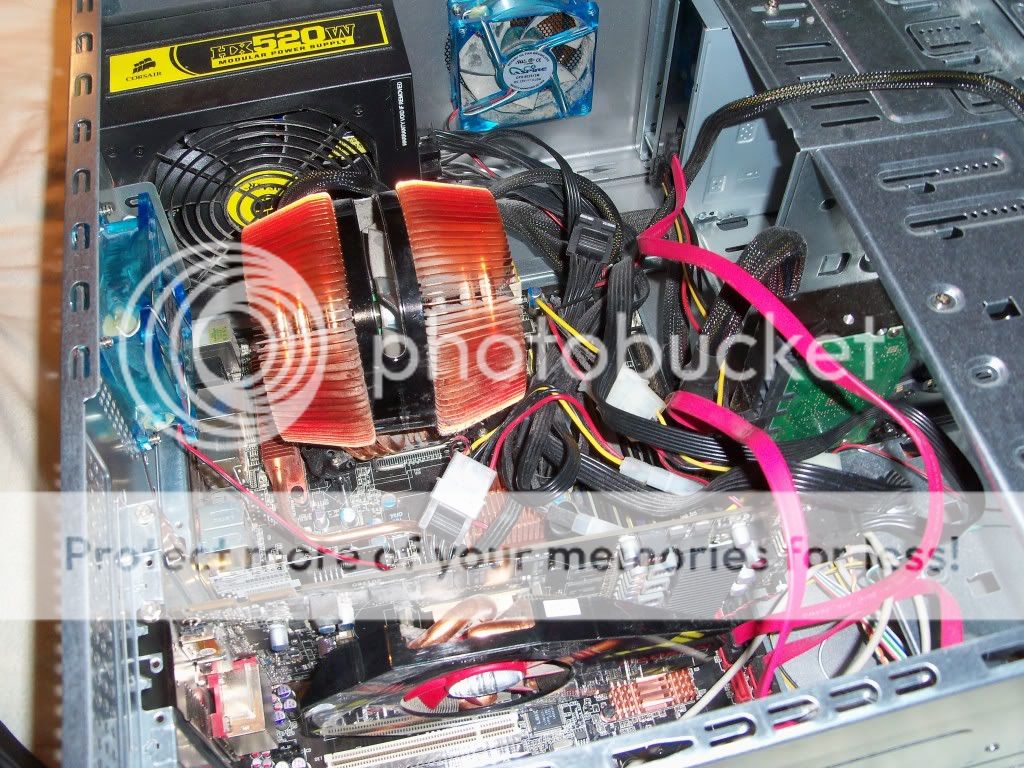
I'll list my current PC specs (that I'm aware of) below, and have attached a DXDiag (64-bit) from last night in two-parts for your information due to upload size limit per file.
My Current PC Spec:
CPU: Intel Core 2 Quad CPU Q6600 @ 2.40 GHz (4 CPUs), ~2.4GHz
CPU Cooling: ASUS Silent Knight II fan (Ref 1, Ref 2 (box))
MOBO: ASUS P5K-E WiFi (supports DDR2 1066MHz) (Ref 1)
RAM/Memory: 4x 2GB Corsair DDR2 800MHz (Ref 1, Ref 2, Ref 3, Ref 4)
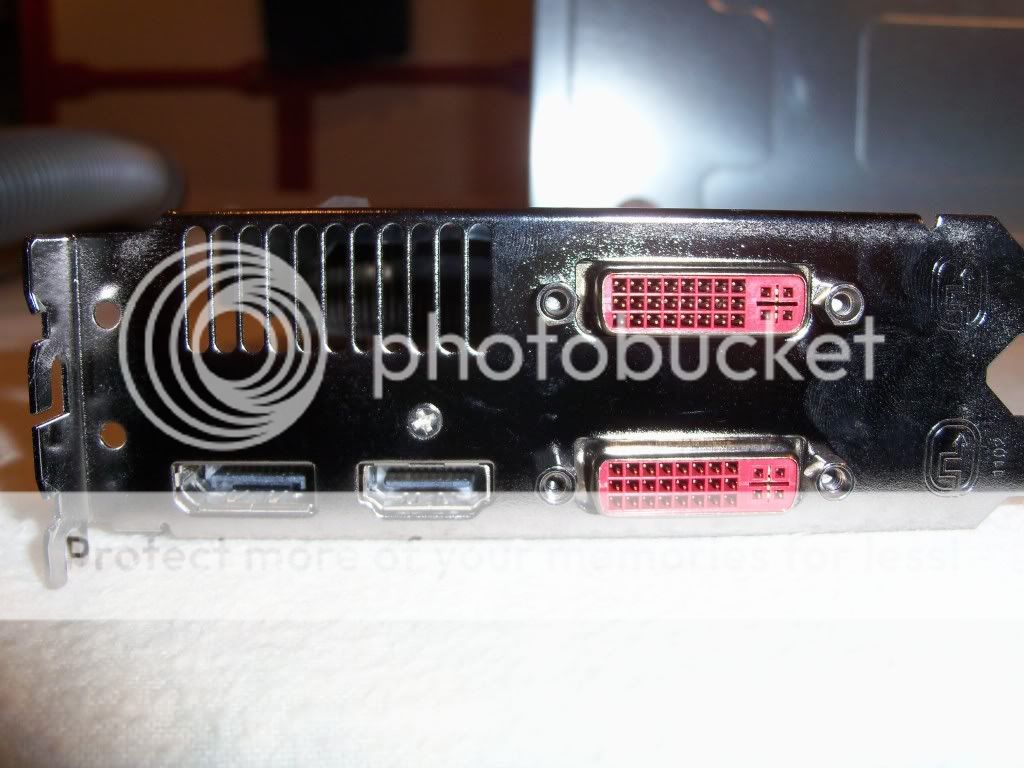
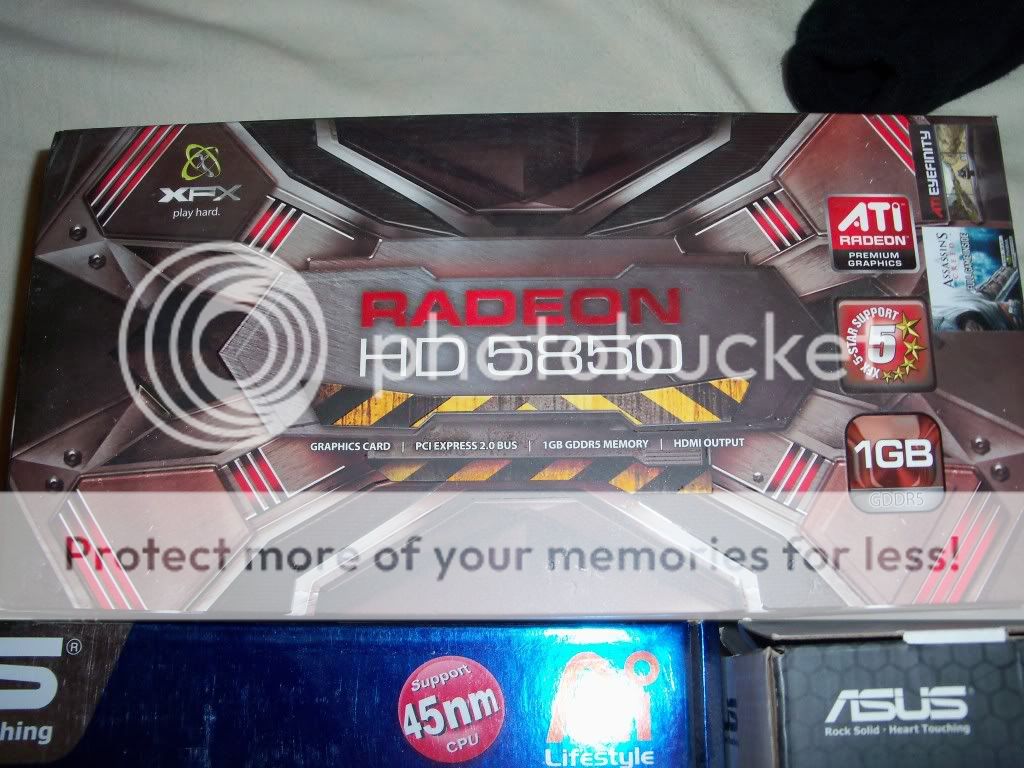
GPU: ATI Radeon HD 5850 1GB GDDR5 Memory, PCI-E 2.0 BUS, (XFX Brand) (Ref 1, Ref 2, Ref 3, Ref 4, Ref 5 (box))
PSU: Corsair HX 520W Modular Power Supply (Ref 1, Ref 2)
HDD: 500GB disk (Can't remember brand or type but device manager says 'ATA Device'. Pretty sure it's Maxtor)
Additional Pictures of my PC here.
Overall I'm pretty happy with the system, but it is holding me back a little bit these days. My friend's think a new graphics card is all it really needs; but if I've got the cash, I figure I may as well get a new system and keep it all in-sync rather than shell out for a card that's maximum compatible with this system, and would be out-of-date if I upgraded anything else.
As I said, I've read that thread and have looked into i5 and i7 INTEL processors, Sandybridge, Ivybridge, i3750, 8GB+ RAM, DDR3, 1333 or 1600 or more MHz, GPUs with 1 or 2GB, SSD drives, and processors with port LGA1155... But ultimately, I'm not massively technical, and so without the background knowledge it really doesn't make sense to me, reading review articles talking about hyperthreading and virtual cores; I don't understand it, or how that translates for gaming.
I have all the peripherals, but will probably be looking at a whole new case and everything inside it (unless the PSU is still okay etc.), including disk drive, and HDD (500GB just isn't enough these days it seems!).
My preferred retailer is scan.co.uk, and my budget is flexible around ?500-?1000... Without going crazy.
If anyone can offer me any help, or point me some way in the right direction, I'd be grateful.
Thanks!
Building a new gaming PC
-
Heskey
- Posts: 1509
- Joined: 2007-02-18 03:30
Building a new gaming PC

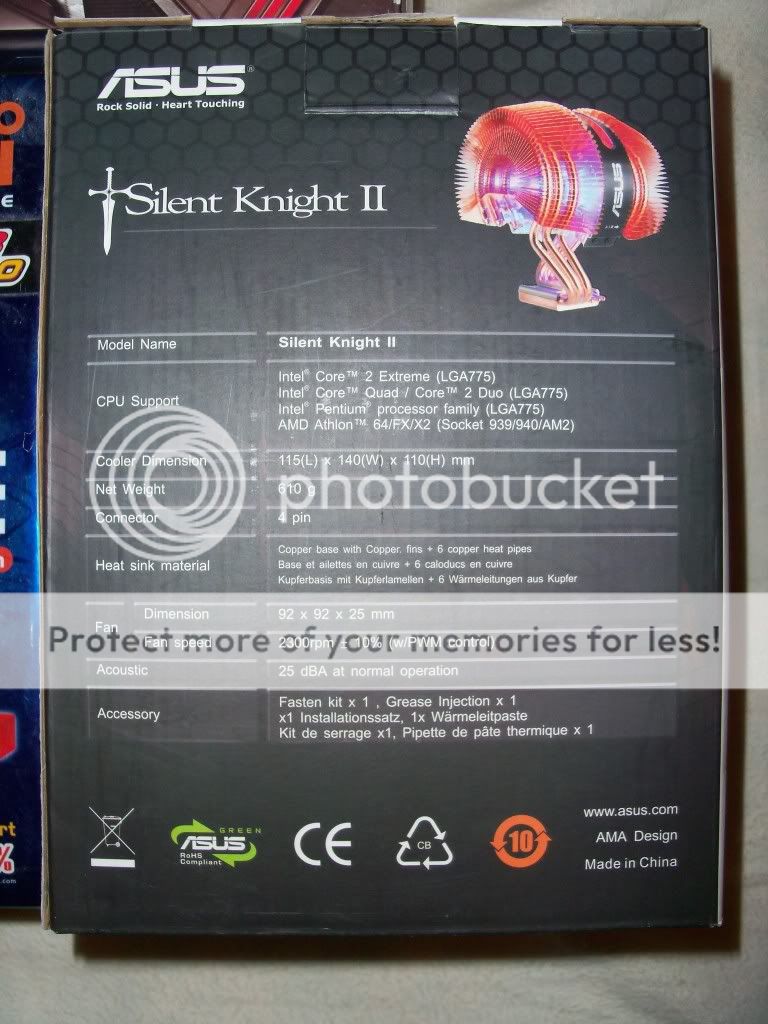


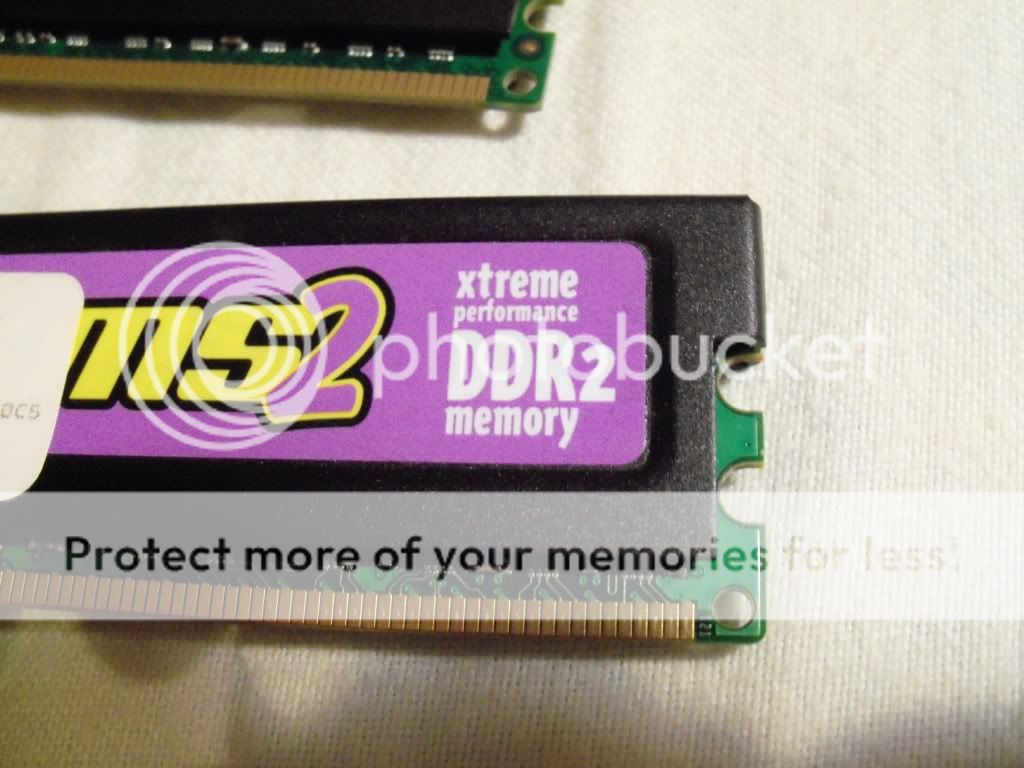

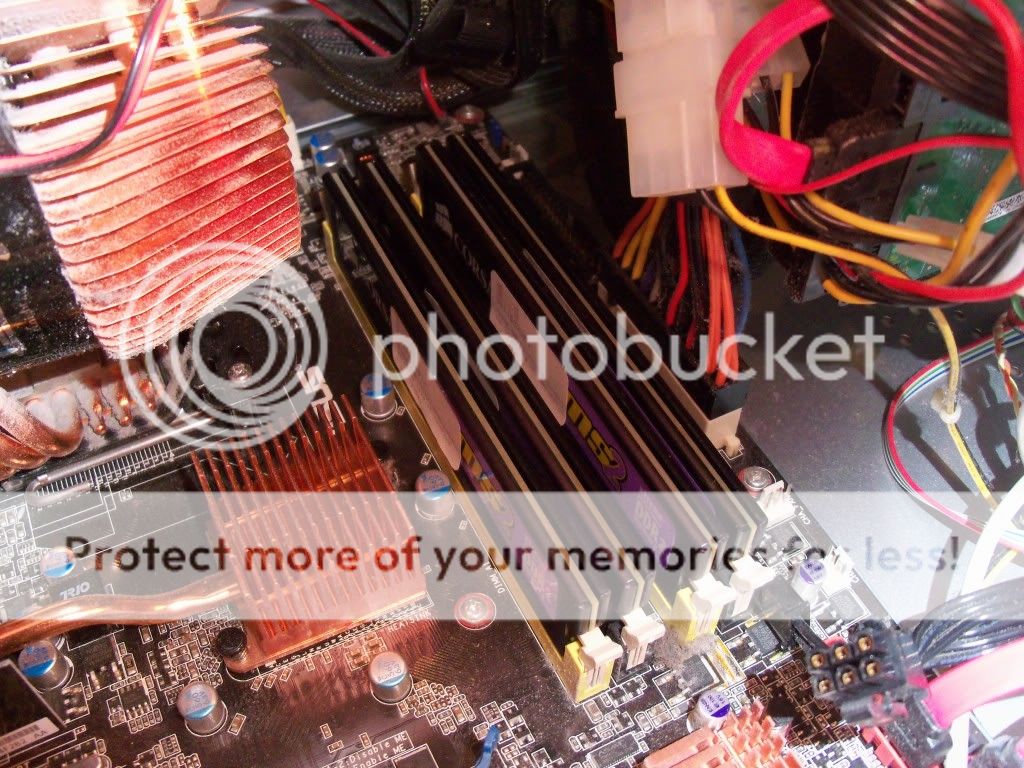

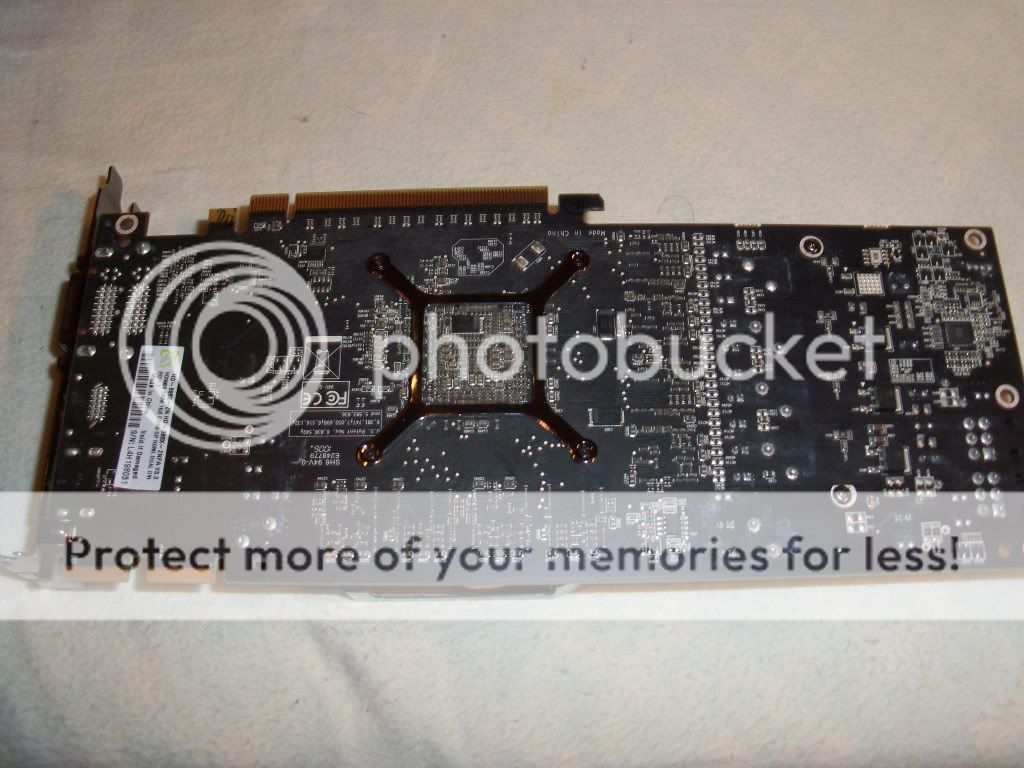


You do not have the required permissions to view the files attached to this post.
Last edited by Heskey on 2012-06-11 13:48, edited 3 times in total.
-
Psyrus
- Retired PR Developer
- Posts: 3841
- Joined: 2006-06-19 17:10
Re: Building a new gaming PC
As an interim measure, have you tried cranking up the volts and overclocking that Q6600? If it's a G0 stepping it should overclock quite well, to around 3.2-3.5 GHZ with some extra volts. I had my G0 sit at 3.2ghz for years at stock volts (or I may have given it a tiny bump, can't remember..)
As you say, the hardware isn't bad, it's still decently respectable... but if you want to play modern games on high settings, you will indeed need an upgrade. I'm a little sick right now so can't be bothered to do a bunch of research, but a great starting point is the recommendations found at this link.
As you say, the hardware isn't bad, it's still decently respectable... but if you want to play modern games on high settings, you will indeed need an upgrade. I'm a little sick right now so can't be bothered to do a bunch of research, but a great starting point is the recommendations found at this link.
-
Atkinson
- Posts: 357
- Joined: 2011-02-10 21:02
Re: Building a new gaming PC
CPU:
Intel CPU Core i5 3570K Quad Core IvyBridge Processor Retail - BX80637I53570K - Scan.co.uk
Mobo:
ASRock Z77 Extreme 4 Intel Z77 Socket 1155 Motherboard - Scan.co.uk
RAM:
Any DDR3 1333Mhz with 1.5V should be sufficient.
GPU:
6870/560ti or better
SSD:
128Gb for Win7 and games. Rest of the stuff to regular HDD.
PSU:
Use the current one u have.
And u are good to go.
Intel CPU Core i5 3570K Quad Core IvyBridge Processor Retail - BX80637I53570K - Scan.co.uk
Mobo:
ASRock Z77 Extreme 4 Intel Z77 Socket 1155 Motherboard - Scan.co.uk
RAM:
Any DDR3 1333Mhz with 1.5V should be sufficient.
GPU:
6870/560ti or better
SSD:
128Gb for Win7 and games. Rest of the stuff to regular HDD.
PSU:
Use the current one u have.
And u are good to go.
-
Heskey
- Posts: 1509
- Joined: 2007-02-18 03:30
Re: Building a new gaming PC
Thanks for your comments guys, seems to be similar to what I'm seeing elsewhere, so some consistency is a good thing.
Could you please explain what SSD is to me please? I've never heard of it before, or this concept of mixing storage across two platforms?
Could you please explain what SSD is to me please? I've never heard of it before, or this concept of mixing storage across two platforms?
-
whatshisname55
- Posts: 955
- Joined: 2010-07-16 03:05
Re: Building a new gaming PC
SSD is Solid State Drive. It's similar to RAM except built to store data permanently like a HDD. It's way faster than any HDD but obviously more expensive. In the US they're usually around $1 per 1GB.
You can store different files on separate partitions. Your C: drive is a partition. If you use multiple storage devices each one will be a different partition and you can choose which one you want to install each program on.
As Atkinson said, you would want to use your SSD as the primary partition and install the OS and games (plus any other programs you use a lot) because they spend the most time reading and writing data to the drive. Any other files or rarely used programs can be stored on the HDD partition since you won't need the extra speed for them.
You can store different files on separate partitions. Your C: drive is a partition. If you use multiple storage devices each one will be a different partition and you can choose which one you want to install each program on.
As Atkinson said, you would want to use your SSD as the primary partition and install the OS and games (plus any other programs you use a lot) because they spend the most time reading and writing data to the drive. Any other files or rarely used programs can be stored on the HDD partition since you won't need the extra speed for them.
-
Heskey
- Posts: 1509
- Joined: 2007-02-18 03:30
Re: Building a new gaming PC
But assuming when you say 'partition' you mean use it whole, rather than divvying them up into smaller partitions?
I.E. Partition 1 = SSD, Partition 2 = HDD?
I.E. Partition 1 = SSD, Partition 2 = HDD?
-
MaSSive
- Posts: 4502
- Joined: 2011-02-19 15:02
Re: Building a new gaming PC
Its not really important and is up to you to format it and use as many partitions you like or need.Heskey wrote:But assuming when you say 'partition' you mean use it whole, rather than divvying them up into smaller partitions?
I.E. Partition 1 = SSD, Partition 2 = HDD?
For example you can purchase 128 GB SSD and split it in two partitions, which will be under Windows C and D, if you of course install operating system on primary partition of SSD. You can then use your HDD and partition it in same way, and if system is not on it, those partitions will be assigned drive letters, E, F and so on.
No need to worry about that really. I recommend you to use SSD as a single partition or use complete drive as one single primary partition, on which you will install your system and applications and games. Then use your HDD as data storage and split it to an many partitions you want, but its not necessary.

CATA4TW!
"People never lie so much as before an election, during a war, or after a hunt."
"God has a special providence for fools, drunks, and the United States of America."
― Otto von Bismarck
― Otto von Bismarck
-
Heskey
- Posts: 1509
- Joined: 2007-02-18 03:30
Re: Building a new gaming PC
Thanks for the explanation. I seem to remember a few years ago, lots of people were shouting about the benefits of making a separate partition for installing your OS on only, like a safe-zone that wouldn't get slowed down by any other storage/applications on the same partition. Is this still the case? I'm guessing not as you're suggesting games/applications/OS on SDD, and general storage on HDD.
My only thought is I have a 500GB HDD currently, and I'm down to 50GB - apart from music and some TV shows, most of that IS games, which surely all won't fit on an SSD at how pricey they are?
My only thought is I have a 500GB HDD currently, and I'm down to 50GB - apart from music and some TV shows, most of that IS games, which surely all won't fit on an SSD at how pricey they are?
-
MaSSive
- Posts: 4502
- Joined: 2011-02-19 15:02
Re: Building a new gaming PC
Then just install resource hungry games and the ones you play most on SSD. For example Arma2 runs much more better if ran from SSD. BF2  R also has some benefits.
Rest of the games simply reinstall on HDD.
R also has some benefits.Rest of the games simply reinstall on HDD.
CATA4TW!
"People never lie so much as before an election, during a war, or after a hunt."
"God has a special providence for fools, drunks, and the United States of America."
― Otto von Bismarck
― Otto von Bismarck
-
whatshisname55
- Posts: 955
- Joined: 2010-07-16 03:05
Re: Building a new gaming PC
And no, separate partitions do not improve speed. Since they are still on the same drive they are using the same platters and arm and I/O.
-
Heskey
- Posts: 1509
- Joined: 2007-02-18 03:30
Re: Building a new gaming PC
Hey guys,
Sorry for the long wait in reply. I put this aside for a bit whilst waiting a little closer for Guild Wars 2 to be releasing, to see if products dropped in price.
Now I'm ready to start compiling a shopping list, have it picked to pieces, and then buy what's recommended.
I've gone with Atkinson's recommendations for CPU and MOBO after some googling of reviews, and then been trying to find suitable RAM. I know you recommended keeping my current PSU but it's 4 years old now; I wouldn't want to risk it blowing up in 2 years time and destroying a brand new PC. The PSU I've picked was a bit of a hurried purchase before I get ready for my nightshift now, so it could stand to lose a bit of $$$... A friend linked a nice looking one, but it doesn't have a release date yet.
Anywho, so far my shopping basket stands at ?419, containing CPU, MOBO, RAM and PSU:
CPU:
Intel CPU Core i5 3570K Quad Core IvyBridge Processor Retail - BX80637I53570K - Scan.co.uk
MOBO:
ASRock Z77 Extreme 4 Intel Z77 Socket 1155 Motherboard - Scan.co.uk
RAM:
Corsair Memory XMS3 8GB DDR3 1600 MHz CAS 9 Dual Channel Desktop - CMX8GX3M2A1600C9 - Scan.co.uk
I decided 1600mhz as although performance may be negligable, so is the price; and if I upgrade to 16gb when it finally matters, I'll only need 2 more sticks instead of 4 new ones. Good or dumb logic?
PSU:
650W Corsair Enthusiast Series TX650M Power Supply (PSU) - CP-9020002-UK - Scan.co.uk
I trust Corsair in almost all products they design... In PSUs and RAM at least.
---
I'm off to work now, but some guidence on where to go from here would be nice, and comments about the above picks. For a GPU the 6870s are looking fair cheap at ?120 a pop, but they seem mid-level these days? I know price rams up heavily the newer you go, but are 6870s getting on a bit now, or are they still superb bang for buck?
The ultimate aim for this is to max GW2 comfortably, and probably play ArmA 2 pretty decently too, as well as upcoming games.
Any and all help from this point greatly appreciated. Thanks!
Sorry for the long wait in reply. I put this aside for a bit whilst waiting a little closer for Guild Wars 2 to be releasing, to see if products dropped in price.
Now I'm ready to start compiling a shopping list, have it picked to pieces, and then buy what's recommended.
I've gone with Atkinson's recommendations for CPU and MOBO after some googling of reviews, and then been trying to find suitable RAM. I know you recommended keeping my current PSU but it's 4 years old now; I wouldn't want to risk it blowing up in 2 years time and destroying a brand new PC. The PSU I've picked was a bit of a hurried purchase before I get ready for my nightshift now, so it could stand to lose a bit of $$$... A friend linked a nice looking one, but it doesn't have a release date yet.
Anywho, so far my shopping basket stands at ?419, containing CPU, MOBO, RAM and PSU:
CPU:
Intel CPU Core i5 3570K Quad Core IvyBridge Processor Retail - BX80637I53570K - Scan.co.uk
MOBO:
ASRock Z77 Extreme 4 Intel Z77 Socket 1155 Motherboard - Scan.co.uk
RAM:
Corsair Memory XMS3 8GB DDR3 1600 MHz CAS 9 Dual Channel Desktop - CMX8GX3M2A1600C9 - Scan.co.uk
I decided 1600mhz as although performance may be negligable, so is the price; and if I upgrade to 16gb when it finally matters, I'll only need 2 more sticks instead of 4 new ones. Good or dumb logic?
PSU:
650W Corsair Enthusiast Series TX650M Power Supply (PSU) - CP-9020002-UK - Scan.co.uk
I trust Corsair in almost all products they design... In PSUs and RAM at least.
---
I'm off to work now, but some guidence on where to go from here would be nice, and comments about the above picks. For a GPU the 6870s are looking fair cheap at ?120 a pop, but they seem mid-level these days? I know price rams up heavily the newer you go, but are 6870s getting on a bit now, or are they still superb bang for buck?
The ultimate aim for this is to max GW2 comfortably, and probably play ArmA 2 pretty decently too, as well as upcoming games.
Any and all help from this point greatly appreciated. Thanks!
-
Cossack
- Posts: 1689
- Joined: 2009-06-17 09:25
Re: Building a new gaming PC
Well, its better to go for newer version of GPU like AMD 7000 series or Nvidia 600 series... If you can, go for 7950 or 7870. Or Nvidia 560 Ti or 670 

-
Heskey
- Posts: 1509
- Joined: 2007-02-18 03:30
Re: Building a new gaming PC
Hi guys,
I've spent the last 3 hours reading articles to understand system specs of things and I think I've got my shopping list. 12 items comprised of the case and everything to go inside (I think), I'm looking at ?938.57. This is quite expensive, and although I can afford it, I'm hoping that by listing my item choices for scrutiny, people's better experience will be able to guide me away from some price tags to more best-bang-for-buck products if appropriate. That said, I've done quite a bit of digging myself.
If the following products ARE all compatible and good choices, I will of course shop around for their best price before purchasing.
Any help at this stage would be invaluable as I believe I'm close to purchasing now. I intend to build it myself, though apart from minor upgrades I've never built a PC from scratch before. With that said, if you notice my build list is lacking extra cables or something, or something is incompatible with something else, please shout out!
CPU: Intel CPU Core i5 3570K Quad Core IvyBridge Processor Retail - BX80637I53570K - Scan.co.uk
CPU COOLING: Arctic Cooling Freezer i30 CPU Cooler for Intel Socket LGA 2011Freezer i30 also for socket 1155/1156 - UCACO-FI30001-GB - Scan.co.uk
MOBO: ASRock Z77 Extreme 4 Intel Z77 Socket 1155 Motherboard - Scan.co.uk
RAM: Corsair Memory XMS3 8GB DDR3 1600 MHz CAS 9 Dual Channel Desktop - CMX8GX3M2A1600C9 - Scan.co.uk
SSD: 240GB SSD Corsair Force Series GT SATA III - 6Gb/s Solid State Drive - CSSD-F240GBGT-BK - Scan.co.uk
Media HDD: Seagate 1TB SATA 3 Performance Hard Drive OEM ST1000DM003 - ST1000DM003 - Scan.co.uk
GPU: XFX HD 6950 DD Cooled AMD Radeon Graphics Card - 2GB - HD-695X-CDDC - Scan.co.uk
PSU: 650W Corsair Enthusiast Series TX650M Power Supply (PSU) - CP-9020002-UK - Scan.co.uk
DVD+RW: M-Disc support DVD Rewriter 24x Super Multi Internal LG GH24NS90.AUAR50B - gH24NS90.AUAR50B - Scan.co.uk
CASE: Coolermaster Storm Enforcer SGC-1000-KWN1 Black Mid Tower Gaming Case w/o PSU with Side Window - SGC-1000-KWN1 - Scan.co.uk
ADDITIONAL (Top) CASE COOLING: Coolermaster SickleFLow Red LED Quiet Case Fan 120mm - R4-L2R-20AR-R1 - Scan.co.uk x2
I've spent the last 3 hours reading articles to understand system specs of things and I think I've got my shopping list. 12 items comprised of the case and everything to go inside (I think), I'm looking at ?938.57. This is quite expensive, and although I can afford it, I'm hoping that by listing my item choices for scrutiny, people's better experience will be able to guide me away from some price tags to more best-bang-for-buck products if appropriate. That said, I've done quite a bit of digging myself.
If the following products ARE all compatible and good choices, I will of course shop around for their best price before purchasing.
Any help at this stage would be invaluable as I believe I'm close to purchasing now. I intend to build it myself, though apart from minor upgrades I've never built a PC from scratch before. With that said, if you notice my build list is lacking extra cables or something, or something is incompatible with something else, please shout out!
CPU: Intel CPU Core i5 3570K Quad Core IvyBridge Processor Retail - BX80637I53570K - Scan.co.uk
CPU COOLING: Arctic Cooling Freezer i30 CPU Cooler for Intel Socket LGA 2011Freezer i30 also for socket 1155/1156 - UCACO-FI30001-GB - Scan.co.uk
MOBO: ASRock Z77 Extreme 4 Intel Z77 Socket 1155 Motherboard - Scan.co.uk
RAM: Corsair Memory XMS3 8GB DDR3 1600 MHz CAS 9 Dual Channel Desktop - CMX8GX3M2A1600C9 - Scan.co.uk
SSD: 240GB SSD Corsair Force Series GT SATA III - 6Gb/s Solid State Drive - CSSD-F240GBGT-BK - Scan.co.uk
Media HDD: Seagate 1TB SATA 3 Performance Hard Drive OEM ST1000DM003 - ST1000DM003 - Scan.co.uk
GPU: XFX HD 6950 DD Cooled AMD Radeon Graphics Card - 2GB - HD-695X-CDDC - Scan.co.uk
PSU: 650W Corsair Enthusiast Series TX650M Power Supply (PSU) - CP-9020002-UK - Scan.co.uk
DVD+RW: M-Disc support DVD Rewriter 24x Super Multi Internal LG GH24NS90.AUAR50B - gH24NS90.AUAR50B - Scan.co.uk
CASE: Coolermaster Storm Enforcer SGC-1000-KWN1 Black Mid Tower Gaming Case w/o PSU with Side Window - SGC-1000-KWN1 - Scan.co.uk
ADDITIONAL (Top) CASE COOLING: Coolermaster SickleFLow Red LED Quiet Case Fan 120mm - R4-L2R-20AR-R1 - Scan.co.uk x2
-
Beee8190
- Posts: 473
- Joined: 2011-08-26 13:40
Re: Building a new gaming PC
Nice build so far, however I'd still suggest some changes.
RAM - even though 1.65V is fine for intel, similar sticks can be found with MUCH lower power consumption.
Like these - HERE, HERE, and HERE
HDD - Admittedly, I am hatin on Seagate trashdrives. Partly because they have HALF the warranty
of what WD got on offer.
Seagate 12 months
WD 3 to 5 years for 4 pounds more, That's right, 2 more years for ?4.
XFX 6950 - While the price is quite good, the 7850 performs better, runs cooler and OC better.
PCI-E3 is quite irrelevant as of now but ongoing generation of GFX cards will require
the bendwith of PCI-e3.
(I didn't OC my XFX 7850 as of yet but under load it never goes above 48 C, so I imagine
there's some headroom left )
PSU - the TX is fine PSU, no worries there but wouldn't you like fully modular one?
RAM - even though 1.65V is fine for intel, similar sticks can be found with MUCH lower power consumption.
Like these - HERE, HERE, and HERE
HDD - Admittedly, I am hatin on Seagate trashdrives. Partly because they have HALF the warranty
of what WD got on offer.
Seagate 12 months
WD 3 to 5 years for 4 pounds more, That's right, 2 more years for ?4.
XFX 6950 - While the price is quite good, the 7850 performs better, runs cooler and OC better.
PCI-E3 is quite irrelevant as of now but ongoing generation of GFX cards will require
the bendwith of PCI-e3.
(I didn't OC my XFX 7850 as of yet but under load it never goes above 48 C, so I imagine
there's some headroom left )
PSU - the TX is fine PSU, no worries there but wouldn't you like fully modular one?
-
Heskey
- Posts: 1509
- Joined: 2007-02-18 03:30
Re: Building a new gaming PC
Hey mate,
Thanks for the quick reply.
I've just spent an hour or more on TS with a friend of mine who regularly builds PCs, and he's found some alternative hardware on dabs.co.uk that is cheaper than Scan (and in many places used the same hardware, but just cheaper from Dabs), and now the cross-website total is ?855.86, a saving of about ?80.
The main differences are he's chosen an AMD processor over the Intel which he says is more powerful, and about ?60 cheaper. He's gone for better RAM as you've suggested. A WD HDD instead of Seagate. A 120GB SSD instead of a 240GB SSD as he thought this was overkill (I'm not too sure though?)
We looked in the manual for that PSU and found there's 2 versions, but the one I've linked IS Modular.
Lastly, with the savings made we're able to up the GFX to a 7870, Sapphire overclocked edition from dabs.
Here's the new list for scrutiny:
CPU: AMD FX-6100 AM3+
3.3GHz 14MB 95W (FD6100WMGUSBX) - dabs.com
CPU COOLING: Arctic Cooling Freezer 7 Pro Rev.2 CPU Cooler (DCACO-FP701-CSA01) - dabs.com
MOBO: Asus Sabertooth 990FX AM3+ AMD 990FX SB950 DDR3 ATX TUF Series (SABERTOOTH 990FX) - dabs.com
RAM: Corsair Vengeance 8GB (2x4GB) DDR3 1600MHz CL9 XMP (CMZ8GX3M2A1600C9) - dabs.com
GPU: Sapphire Technology ATI Radeon 7870 1050MHz 2GB PCI-Express 3.0 HDMI OC (11199-03-20G) - dabs.com
SSD: OCZ Technology 120GB Agility 3 SSD Series SATA 6Gb/s 2.5" Solid State Drive (AGT3-25SAT3-120G) - dabs.com
MEDIA HDD: Western Digital 1TB Caviar Green SATA 6Gb/s 64MB 3.5" Hard Drive (WD10EZRX) - dabs.com
DVD+RW DRIVE: Sony 24x DVD-RW/RAM SATA Black LightScribe Drive (AD-7261S-0B) - dabs.com
PSU: Corsair 650W Enthusiast Series TX650 Modular Power Supply (CP-9020002-UK) - dabs.com
CASE: Coolermaster Storm Enforcer SGC-1000-KWN1 Black Mid Tower Gaming Case w/o PSU with Side Window - SGC-1000-KWN1 - Scan.co.uk
CASE COOLING: Coolermaster SickleFLow Red LED Quiet Case Fan 120mm - R4-L2R-20AR-R1 - Scan.co.uk
Thanks for the quick reply.
I've just spent an hour or more on TS with a friend of mine who regularly builds PCs, and he's found some alternative hardware on dabs.co.uk that is cheaper than Scan (and in many places used the same hardware, but just cheaper from Dabs), and now the cross-website total is ?855.86, a saving of about ?80.
The main differences are he's chosen an AMD processor over the Intel which he says is more powerful, and about ?60 cheaper. He's gone for better RAM as you've suggested. A WD HDD instead of Seagate. A 120GB SSD instead of a 240GB SSD as he thought this was overkill (I'm not too sure though?)
We looked in the manual for that PSU and found there's 2 versions, but the one I've linked IS Modular.
Lastly, with the savings made we're able to up the GFX to a 7870, Sapphire overclocked edition from dabs.
Here's the new list for scrutiny:
CPU: AMD FX-6100 AM3+
3.3GHz 14MB 95W (FD6100WMGUSBX) - dabs.com
CPU COOLING: Arctic Cooling Freezer 7 Pro Rev.2 CPU Cooler (DCACO-FP701-CSA01) - dabs.com
MOBO: Asus Sabertooth 990FX AM3+ AMD 990FX SB950 DDR3 ATX TUF Series (SABERTOOTH 990FX) - dabs.com
RAM: Corsair Vengeance 8GB (2x4GB) DDR3 1600MHz CL9 XMP (CMZ8GX3M2A1600C9) - dabs.com
GPU: Sapphire Technology ATI Radeon 7870 1050MHz 2GB PCI-Express 3.0 HDMI OC (11199-03-20G) - dabs.com
SSD: OCZ Technology 120GB Agility 3 SSD Series SATA 6Gb/s 2.5" Solid State Drive (AGT3-25SAT3-120G) - dabs.com
MEDIA HDD: Western Digital 1TB Caviar Green SATA 6Gb/s 64MB 3.5" Hard Drive (WD10EZRX) - dabs.com
DVD+RW DRIVE: Sony 24x DVD-RW/RAM SATA Black LightScribe Drive (AD-7261S-0B) - dabs.com
PSU: Corsair 650W Enthusiast Series TX650 Modular Power Supply (CP-9020002-UK) - dabs.com
CASE: Coolermaster Storm Enforcer SGC-1000-KWN1 Black Mid Tower Gaming Case w/o PSU with Side Window - SGC-1000-KWN1 - Scan.co.uk
CASE COOLING: Coolermaster SickleFLow Red LED Quiet Case Fan 120mm - R4-L2R-20AR-R1 - Scan.co.uk
-
LITOralis.nMd
- Retired PR Developer
- Posts: 5658
- Joined: 2010-04-10 16:15
Re: Building a new gaming PC
I hate getting into Intel vs AMD fanboy arguments, but at this point, the AMD FX-6100 AM3+ isn't even as good as the prior generation AMD Phenom II X6 1100T, and the FX-6100 is far inferior to the Intel i5-3570k you are also looking at.
If you have no real intention to overclock your CPU now OR at any point in the future, if you want to chip away at the total cost consider the i5-3550 as the cheaper alternative.
If you are looking to Overclock, buying the Top of the Line Asus Sabertooth 990FX and a mid-level FX-6100 is not an optimal compromise because you'll end up buying a FX-8XXX CPU at some point in the future to do the overclocking.
As for the 128GB vs 240GB SSD, if you are as much of a sucker for Steam half price sales and greenmangaming half price sales as I am, you'll quickly fill up the SSD, , but it's not the end of the world, most games do NTO need the SSD speed, and you can use free utlities to split the installation locations of your games. However, it would be good to create seperate partitions on your HDD from the start,
partition 1 for small Page File,
partition 2 for OS,
partition 3 for games,
partition 4 for movies, music, big files, backups etc.
If you have no real intention to overclock your CPU now OR at any point in the future, if you want to chip away at the total cost consider the i5-3550 as the cheaper alternative.
If you are looking to Overclock, buying the Top of the Line Asus Sabertooth 990FX and a mid-level FX-6100 is not an optimal compromise because you'll end up buying a FX-8XXX CPU at some point in the future to do the overclocking.
As for the 128GB vs 240GB SSD, if you are as much of a sucker for Steam half price sales and greenmangaming half price sales as I am, you'll quickly fill up the SSD,
, but it's not the end of the world, most games do NTO need the SSD speed, and you can use free utlities to split the installation locations of your games. However, it would be good to create seperate partitions on your HDD from the start, partition 1 for small Page File,
partition 2 for OS,
partition 3 for games,
partition 4 for movies, music, big files, backups etc.
-
mangeface
- Posts: 2105
- Joined: 2009-12-13 09:56
Re: Building a new gaming PC
He's right on the CPU Heskey. The FX-6100 isn't even close to being on the same level as the i5-3570K. I can vouch on that one. I used to run an FX-8150 until I swapped it out for an i5-2500K. In overall performance, the Intel blows the AMD apart. It clocked higher (and I hardly did a thing to overclock it, whereas the AMD was a nightmare, and couldn't even hold a clock at 4.2GHz without lagging out my EA Games titles, PR:BF2, BF2 and BF3, while the Intel holds a steady 4.3GHz and I could take it higher, but it wouldn't be at any gains since all my games currently run at 60fps or higher), runs applications much faster and boosted my framerates in games like ArmA2 and DCS Blackshark by 10-15 and 20-25 fps on the highest settings, respectively. The only game the Intel didn't make a difference in is PR:BF2. The ONLY thing the AMD did better was open multiple applications faster, but that's due part to it having twice as many cores to handle more programs opening. Even then, the Intel doesn't fall too far behind on that perspective.[R-COM]LITOralis.nMd wrote:I hate getting into Intel vs AMD fanboy arguments, but at this point, the AMD FX-6100 AM3+ isn't even as good as the prior generation AMD Phenom II X6 1100T, and the FX-6100 is far inferior to the Intel i5-3570k you are also looking at.
-
Heskey
- Posts: 1509
- Joined: 2007-02-18 03:30
Re: Building a new gaming PC
Hi guys,
Thanks again for a replies. My friend has ran some benchmarks and got back to me with some results. The ones I'm most interested in though is the FX8150 you've mentioned vs. the original i5 3570k that was being recommended. Here's those results:
FX-6100 vs. i5-3450: Result (Intel Wins)
i5-3450 vs. FX-8150: Result (Intel Wins)
i5-3550 vs. FX-8150: Result (AMD Wins)
And finally:
i5-3570 vs. FX8150: Result (Intel tramples over it)
From these results then it looks like I'd go back to the original i5-3570 (Link)
The earlier suggested ASRock MOBO for this though (Link), my friend Tom tells me is a bad choice. He says ASRock is a subcontractor of ASUS (a good company) in some location in the far East where their products have to be a % made by hand, and so could be faulty/tempremental?
Could you put my mind at ease or suggest an alternative board; and also appropriate CPU cooling for the i5-3570k if that's what you're recommending I go? Once we've compiled these corrections I'll re-price and list what we've got for peer review again, and likely make a purchase over the weekend.
Thanks for all your help so far guys.
---
Infact, my friend's home from work now and these are his recommendations:
CPU: http://www.dabs.com/products/intel-core ... -7YXJ.html
CPU COOLING: http://www.dabs.com/products/arctic-coo ... -73WG.html
MOBO: http://www.dabs.com/products/asus-saber ... -81WW.html
ALTERNATIVE CHEAPER MOBO: http://www.dabs.com/products/asus-p8z77 ... z77&src=16
RAM: http://www.dabs.com/products/corsair-ve ... -79V4.html
GPU: http://www.dabs.com/products/sapphire-t ... -80T6.html
SSD: http://www.dabs.com/products/ocz-techno ... -7HR2.html
MEDIA HDD: http://www.dabs.com/products/western-di ... -7Y09.html
DVD+RW DRIVE: http://www.dabs.com/products/sony-24x-d ... -73Q9.html
PSU: http://www.dabs.com/products/corsair-65 ... -7LGK.html
CASE: Coolermaster Storm Enforcer SGC-1000-KWN1 Black Mid Tower Gaming Case w/o PSU with Side Window - SGC-1000-KWN1 - Scan.co.uk
CASE COOLING: Coolermaster SickleFLow Red LED Quiet Case Fan 120mm - R4-L2R-20AR-R1 - Scan.co.uk x2
With the big heatsinked MOBO, the total cost of all components across both DABS and SCAN is: ?978.60
This comes more expensive than the first pick of items, but after changing retailer we've been able to afford that much better graphics card.
With the cheaper motherboard, the total cost of all components across both DABS and SCAN is: ?897.09
Thanks again for a replies. My friend has ran some benchmarks and got back to me with some results. The ones I'm most interested in though is the FX8150 you've mentioned vs. the original i5 3570k that was being recommended. Here's those results:
FX-6100 vs. i5-3450: Result (Intel Wins)
i5-3450 vs. FX-8150: Result (Intel Wins)
i5-3550 vs. FX-8150: Result (AMD Wins)
And finally:
i5-3570 vs. FX8150: Result (Intel tramples over it)
From these results then it looks like I'd go back to the original i5-3570 (Link)
The earlier suggested ASRock MOBO for this though (Link), my friend Tom tells me is a bad choice. He says ASRock is a subcontractor of ASUS (a good company) in some location in the far East where their products have to be a % made by hand, and so could be faulty/tempremental?
Could you put my mind at ease or suggest an alternative board; and also appropriate CPU cooling for the i5-3570k if that's what you're recommending I go? Once we've compiled these corrections I'll re-price and list what we've got for peer review again, and likely make a purchase over the weekend.
Thanks for all your help so far guys.
---
Infact, my friend's home from work now and these are his recommendations:
CPU: http://www.dabs.com/products/intel-core ... -7YXJ.html
CPU COOLING: http://www.dabs.com/products/arctic-coo ... -73WG.html
MOBO: http://www.dabs.com/products/asus-saber ... -81WW.html
ALTERNATIVE CHEAPER MOBO: http://www.dabs.com/products/asus-p8z77 ... z77&src=16
RAM: http://www.dabs.com/products/corsair-ve ... -79V4.html
GPU: http://www.dabs.com/products/sapphire-t ... -80T6.html
SSD: http://www.dabs.com/products/ocz-techno ... -7HR2.html
MEDIA HDD: http://www.dabs.com/products/western-di ... -7Y09.html
DVD+RW DRIVE: http://www.dabs.com/products/sony-24x-d ... -73Q9.html
PSU: http://www.dabs.com/products/corsair-65 ... -7LGK.html
CASE: Coolermaster Storm Enforcer SGC-1000-KWN1 Black Mid Tower Gaming Case w/o PSU with Side Window - SGC-1000-KWN1 - Scan.co.uk
CASE COOLING: Coolermaster SickleFLow Red LED Quiet Case Fan 120mm - R4-L2R-20AR-R1 - Scan.co.uk x2
With the big heatsinked MOBO, the total cost of all components across both DABS and SCAN is: ?978.60
This comes more expensive than the first pick of items, but after changing retailer we've been able to afford that much better graphics card.
With the cheaper motherboard, the total cost of all components across both DABS and SCAN is: ?897.09
Last edited by Heskey on 2012-07-18 16:27, edited 2 times in total.
-
Beee8190
- Posts: 473
- Joined: 2011-08-26 13:40
Re: Building a new gaming PC
The ASrock is no longer under ASUS as they, quite recently though, became separated.
The ASrock extreme 4 are winning award after award and even though I went for Asus Z77P8-LE, the ASrock Z77 extreme 4 was a board I really was considering. I just went with asus as I simply wanted to try them in MB field.
SSD - size is up to you mate but when friend of mine ordered the exactly same as you listed, it went DOA on him within the first week. Don't get me wrong though, it could have happened with any SSD, be it intel, samsung corsair, crucial...etc etc.. BUT the OCZ are or were prone to failure a lot more than any other manufacturer. Yes intel have had some issues too but they at least went about it straight forward.
Anyways, if OCZ it is, the 4 series seems to be resolved and solid choice.
PSU - the TX series are semi modular, meaning you'll still have a ''cable three''. Corsair HX or AX series come as fully modular so you get to use the only cables you need.
Not a deal braker though I just find fully modular truly convenient.
Let me just put down what I personally went for and why:
Asus Z77P8-LE: should have gone for the V version, (the Z77P8-V) as the V has better audio codecs, dual ethernet, additional headsink and more 4 pin fan connectors as some other stuff I've already forgot.
Still, I'm more than happy with it and didn't even OC yet and when I do, the board will do mild OC just fine.
Furthermore I might upgrade again once haswell is out.
My recommendation: If you chose the asus, go for the LE or V series. Anything less is too cut out and anything more than V is IMO unnecessary, unless you're eyeing the WI-Fi.
3570K - Im gamer and Arma is indeed CPU greedy. While the FX-8XXX is great choice for just about anyone who does some occasional pic/video editing, light gaming the CPU is alright...
Cooler - I just reused my xigmatek sd1286 Gaia. I've seen these from as little as some 20 Eur and they perform and even look great.
HX 750 - fully modular, nuts quiete, efficient and with warranty 5 years (no longer as I had to free some dust hehe)
Now savings...amazon.co.uk is just brilliant. Not only they do have best prices, their free delivery (within UK ) is fast, reliable and returns are no nightmare.
Best price for one of the most expensive item to compare:
Sapphire 7870 - ?224.24 compare to Dabs 7870 ?251.98
The ASrock extreme 4 are winning award after award and even though I went for Asus Z77P8-LE, the ASrock Z77 extreme 4 was a board I really was considering. I just went with asus as I simply wanted to try them in MB field.
SSD - size is up to you mate but when friend of mine ordered the exactly same as you listed, it went DOA on him within the first week. Don't get me wrong though, it could have happened with any SSD, be it intel, samsung corsair, crucial...etc etc.. BUT the OCZ are or were prone to failure a lot more than any other manufacturer. Yes intel have had some issues too but they at least went about it straight forward.
Anyways, if OCZ it is, the 4 series seems to be resolved and solid choice.
PSU - the TX series are semi modular, meaning you'll still have a ''cable three''. Corsair HX or AX series come as fully modular so you get to use the only cables you need.
Not a deal braker though
I just find fully modular truly convenient.Let me just put down what I personally went for and why:
Asus Z77P8-LE: should have gone for the V version, (the Z77P8-V) as the V has better audio codecs, dual ethernet, additional headsink and more 4 pin fan connectors as some other stuff I've already forgot.
Still, I'm more than happy with it and didn't even OC yet and when I do, the board will do mild OC just fine.
Furthermore I might upgrade again once haswell is out.
My recommendation: If you chose the asus, go for the LE or V series. Anything less is too cut out and anything more than V is IMO unnecessary, unless you're eyeing the WI-Fi.
3570K - Im gamer and Arma is indeed CPU greedy. While the FX-8XXX is great choice for just about anyone who does some occasional pic/video editing, light gaming the CPU is alright...
Cooler - I just reused my xigmatek sd1286 Gaia. I've seen these from as little as some 20 Eur and they perform and even look great.
HX 750 - fully modular, nuts quiete, efficient and with warranty 5 years (no longer as I had to free some dust hehe)
Now savings...amazon.co.uk is just brilliant. Not only they do have best prices, their free delivery (within UK
) is fast, reliable and returns are no nightmare.Best price for one of the most expensive item to compare:
Sapphire 7870 - ?224.24 compare to Dabs 7870 ?251.98
-
Heskey
- Posts: 1509
- Joined: 2007-02-18 03:30
Re: Building a new gaming PC
Thanks for the heads up on Amazon. I've done some price comparisons and worked out who's cheapest where. SCAN was gonna charge ?10 for the case so it's cheaper from Amazon in the end, and they have the additional fans in stock.
Certain items were still cheaper on Dabs though; I think the only items of noticable price difference were the graphics card and the processor. I can't make my mind up on the MOBO as I don't fully understand the differences tbh, but in the list and price below I've used the expensive heatsinked one.
I'm not 100% certain the products from Amazon are the exact same spec as the ones from Dabs; if anything alarming is noticed, please let me know. Nearly put the i5-3570 in the basket earlier instead of the 3570K.
CPU: Intel 3rd Generation Core i5-3570K CPU (4 x 3.40GHz, Ivy Bridge, Socket 1155, 6Mb L3 Cache, Intel Turbo Boost Technology 2.0): Amazon.co.uk: Computers & Accessories
CPU COOLING: Arctic Cooling Freezer 7 Pro Rev.2 CPU Cooler (DCACO-FP701-CSA01) - dabs.com
MOBO: Asus Sabertooth Z77 S1155 Intel Z77 DDR3 ATX (SABERTOOTH Z77) - dabs.com (As before; couldn't find the MOBOs you listed on DABS)
ALTERNATIVE CHEAPER MOBO: Asus P8Z77-V LX S1155 Intel Z77 DDR3 ATX (P8Z77-V LX) - dabs.com
RAM: Corsair Vengeance 8GB (2x4GB) DDR3 1600MHz CL9 XMP (CMZ8GX3M2A1600C9) - dabs.com
GPU: Sapphire 11199-03-20G HD7870 2GB GDDR5 OC Graphics Card: Amazon.co.uk: Computers & Accessories
SSD: OCZ AGT3-25SAT3-120G Agility 3 120GB SATA III 2.5 inch SSD: Amazon.co.uk: Computers & Accessories
MEDIA HDD: http://www.amazon.co.uk/gp/product/B006 ... ROKL5A1OLE
DVD+RW DRIVE: http://www.amazon.co.uk/gp/product/B003 ... ROKL5A1OLE
PSU: Corsair 750W Corsair Modular PSU (CMPSU-750HXUK) - dabs.com (Upgraded to HX 750W)
CASE: http://www.amazon.co.uk/gp/product/B004 ... ROKL5A1OLE
CASE COOLING: Cooler Master 12cm SickleFlow System Fan - Red: Amazon.co.uk: Computers & Accessories (x2)
The total price for these currently is ?960.23 - Even with an upgraded PSU (admittedly only about a tenner more expensive) it's still about 20 pounds cheaper than the previous estimate.
Understanding the difference between those 2 mobos would be nice though. As I say, I can afford it and would rather pay a bit more for something great than still pay a lot for something not-so-great, but I don't wanna throw cash just because I can at the moment. The cheaper motherboard would bring the price down by 80 pounds.
Off to work again, will be back in the morning!
Certain items were still cheaper on Dabs though; I think the only items of noticable price difference were the graphics card and the processor. I can't make my mind up on the MOBO as I don't fully understand the differences tbh, but in the list and price below I've used the expensive heatsinked one.
I'm not 100% certain the products from Amazon are the exact same spec as the ones from Dabs; if anything alarming is noticed, please let me know. Nearly put the i5-3570 in the basket earlier instead of the 3570K.
CPU: Intel 3rd Generation Core i5-3570K CPU (4 x 3.40GHz, Ivy Bridge, Socket 1155, 6Mb L3 Cache, Intel Turbo Boost Technology 2.0): Amazon.co.uk: Computers & Accessories
CPU COOLING: Arctic Cooling Freezer 7 Pro Rev.2 CPU Cooler (DCACO-FP701-CSA01) - dabs.com
MOBO: Asus Sabertooth Z77 S1155 Intel Z77 DDR3 ATX (SABERTOOTH Z77) - dabs.com (As before; couldn't find the MOBOs you listed on DABS)
ALTERNATIVE CHEAPER MOBO: Asus P8Z77-V LX S1155 Intel Z77 DDR3 ATX (P8Z77-V LX) - dabs.com
RAM: Corsair Vengeance 8GB (2x4GB) DDR3 1600MHz CL9 XMP (CMZ8GX3M2A1600C9) - dabs.com
GPU: Sapphire 11199-03-20G HD7870 2GB GDDR5 OC Graphics Card: Amazon.co.uk: Computers & Accessories
SSD: OCZ AGT3-25SAT3-120G Agility 3 120GB SATA III 2.5 inch SSD: Amazon.co.uk: Computers & Accessories
MEDIA HDD: http://www.amazon.co.uk/gp/product/B006 ... ROKL5A1OLE
DVD+RW DRIVE: http://www.amazon.co.uk/gp/product/B003 ... ROKL5A1OLE
PSU: Corsair 750W Corsair Modular PSU (CMPSU-750HXUK) - dabs.com (Upgraded to HX 750W)
CASE: http://www.amazon.co.uk/gp/product/B004 ... ROKL5A1OLE
CASE COOLING: Cooler Master 12cm SickleFlow System Fan - Red: Amazon.co.uk: Computers & Accessories (x2)
The total price for these currently is ?960.23 - Even with an upgraded PSU (admittedly only about a tenner more expensive) it's still about 20 pounds cheaper than the previous estimate.
Understanding the difference between those 2 mobos would be nice though. As I say, I can afford it and would rather pay a bit more for something great than still pay a lot for something not-so-great, but I don't wanna throw cash just because I can at the moment. The cheaper motherboard would bring the price down by 80 pounds.
Off to work again, will be back in the morning!
Last edited by Heskey on 2012-07-18 19:43, edited 2 times in total.