
Lol, like I said, my i5-2500K (previous edition of the current on you have selected) tramples the FX-8150. I love AMD CPUs and always have, but right now I hate to say that it's a no brainer to get Intel CPUs if you can afford them.
Building a new gaming PC
-
mangeface
- Posts: 2105
- Joined: 2009-12-13 09:56
Re: Building a new gaming PC
-
Heskey
- Posts: 1509
- Joined: 2007-02-18 03:30
Re: Building a new gaming PC
Anyone offer any advice on the MOBO? Think that's all I'm waiting on now before I order.
-
Cossack
- Posts: 1689
- Joined: 2009-06-17 09:25
Re: Building a new gaming PC
Well if you go OC then MSI have nice mobos - MSI Z77A-GD65 LGA 1155 Intel Z77 HDMI SATA 6Gb/s USB 3.0 ATX Intel Motherboard with UEFI BIOS or you can go with ASUS - ASUS P8Z77-V PRO LGA 1155 Intel Z77 HDMI SATA 6Gb/s USB 3.0 ATX Intel Motherboard These two like me the most because of the feature set and so on. And both have nice reviews.

-
Beee8190
- Posts: 473
- Joined: 2011-08-26 13:40
Re: Building a new gaming PC
Let me put it this way:Heskey wrote:Anyone offer any advice on the MOBO? Think that's all I'm waiting on now before I order.
If you planning on to OC your 3570K to 4Ghz+ get the Sabertooth or LE board and if you don't plan on OC your CPU that much, the Asus-LX will do fine.
The Sabertooth has : 8 +4 +2 CPU Power phase design, Quad GPU ready (SLI and CF) ,2 more USB3 ports, 2 more SATA6 controllers and 2 more e-sata and dual ethernet.
The conclusion is; you don't need that many ports as well as you don't need quad GPU setup.
So we're down to overclocking and as mentioned above for lower to mild OC the AsusZ77P8-LX will do just fine with its 4 + 1 + 1 CPU phase design.
I'd also swap the PSU again for 650W - HX 650W or AX 650W
(the reason is the 750W one will be running barely stressed out since most PSU's are most comfortable with output of some 30-50% load. I'm saying these will do fine job at any output load but 650W is the sweet spot. I mentioned I'm using HX 750W as I couldn't justify selling the unit when its not even 2 years old, so I kept it )
If you still unsure or have anymore questions fire away mate
Last edited by Beee8190 on 2012-07-19 10:35, edited 2 times in total.
-
Cossack
- Posts: 1689
- Joined: 2009-06-17 09:25
Re: Building a new gaming PC
Sorry Beee but Asus-LX is plastic ****, that it's not even funny. Buying ASUS mobo never ever go below V version. So buying if still think of ASUS either p8z77-V or p8z77-V PRO. Or still looking for cheaper options - go with MSI or Gigabyte.
About PSU - if you can, go with Corsair AX version. I think it was 80+ Gold certificated.
About PSU - if you can, go with Corsair AX version. I think it was 80+ Gold certificated.
-
Beee8190
- Posts: 473
- Joined: 2011-08-26 13:40
Re: Building a new gaming PC
Well I agree and if you go back one or two posts back, you'd see I even said/recommended to go from LE higher but if he decided to go Asus, I would hardly justify recommending on spending that kindof money on Sabertooth. That's just too pricy for what it offers.Cossack112 wrote: Buying ASUS mobo never ever go below V version. So buying if still think of ASUS either p8z77-V or p8z77-V PRO. Or still looking for cheaper options - go with MSI or Gigabyte.
I understand your point and I don't like being cheapo either as far as HW but if hes going to game PR arma / arma 3 and OC little, the board will be absolutely sufficient. My suggestion however still stand, Z77-LE and higher or look elsewhere.
Correct, its gold certified.Cossack112 wrote:About PSU - if you can, go with Corsair AX version. I think it was 80+ Gold certificated.
-
Heskey
- Posts: 1509
- Joined: 2007-02-18 03:30
Re: Building a new gaming PC
Cossack, I don't know if it makes a difference but this board is a Asus V-LX. My only reservation with it is that it doesn't appear to have enough audio jacks for my speakers (mine require a green, black, and pinkish jack).
The more expensive sabertooth does, but I'd have to dig out a USB adaptor for my keyboard too; but it sounds like the features of that board are overkill for my needs?
I've never overclocked before, but I think with this system I will be asking how to - not much point spending this much money if I don't intend to get the most I can do out of it, right? What can you overclock? I used to think it was just the GPU, but it's the GPU, CPU, and RAM, right? The mobo too?
Which brings me onto power.
I don't know much about how much power each component pulls, or about 'sweet spots' in efficiency and workload... Surely this is unnecessarily complicating something, and it either powers your PC or it doesn't? In that respect, I'd have thought it was more advantageous to spend a little more on the PSU (after spending a little less on the MOBO, i.e. not the sabertooth) to guarentee it can power your system efficiently?
On PSUs, I understand TX is non-modular; but what about the difference between HX and AX? I've googled and found a thread that suggests the HX is less expensive, and is modular except for 'the 24pin and cpu', whereas the AX is fully modular and more expensive... But you're not going to be uncabling the CPU (don't know what the 24pin is), so what's the point?
On that basis, here's some PSU choices:
Corsair AX750w: Corsair 750 Watt Pro Series Gold AX750 (CMPSU-750AXUK) - dabs.com (?124.99)
Corsair HX750w: Corsair 750W Corsair Modular PSU (CMPSU-750HXUK) - dabs.com (?99.99)
---
Corsair AX650w: Corsair Memory 650W Professional Series Gold AX650 High Performance PSU (CP-9020006-UK) - dabs.com (?104.9
Corsair HX650w: http://www.amazon.co.uk/Corsair-CMPSU-6 ... 685&sr=8-2 (?83.57)
Also, whilst we're at it, I understand there's some minor differences between the 'caviar's of WD HDDs, in that red is for office work, green for energy consumption, and black for multimedia and gaming...
We were originally looking at this 1TB Caviar Green, but for ?20 I can get a 1TB Caviar Black, with the savings on a MOBO not getting the sabertooth etc. It says in the midst of the wall of text and stars: "Western Digital Western Digital Caviar Black 1TB 35 Internal Hard drive SATA 6Gbs SATA 3 64MB Cache WD1002FAEX Components Internal Hard Drives" - so that's what I want, right?
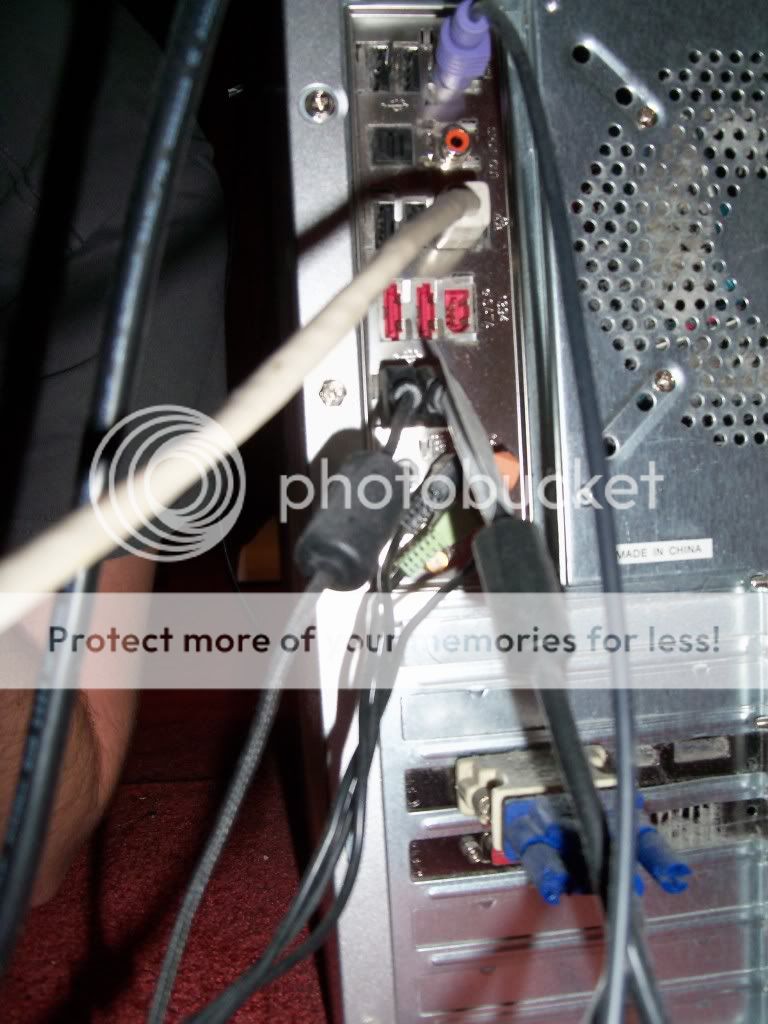
The more expensive sabertooth does, but I'd have to dig out a USB adaptor for my keyboard too; but it sounds like the features of that board are overkill for my needs?
I've never overclocked before, but I think with this system I will be asking how to - not much point spending this much money if I don't intend to get the most I can do out of it, right? What can you overclock? I used to think it was just the GPU, but it's the GPU, CPU, and RAM, right? The mobo too?
Which brings me onto power.
I don't know much about how much power each component pulls, or about 'sweet spots' in efficiency and workload... Surely this is unnecessarily complicating something, and it either powers your PC or it doesn't? In that respect, I'd have thought it was more advantageous to spend a little more on the PSU (after spending a little less on the MOBO, i.e. not the sabertooth) to guarentee it can power your system efficiently?
On PSUs, I understand TX is non-modular; but what about the difference between HX and AX? I've googled and found a thread that suggests the HX is less expensive, and is modular except for 'the 24pin and cpu', whereas the AX is fully modular and more expensive... But you're not going to be uncabling the CPU (don't know what the 24pin is), so what's the point?
On that basis, here's some PSU choices:
Corsair AX750w: Corsair 750 Watt Pro Series Gold AX750 (CMPSU-750AXUK) - dabs.com (?124.99)
Corsair HX750w: Corsair 750W Corsair Modular PSU (CMPSU-750HXUK) - dabs.com (?99.99)
---
Corsair AX650w: Corsair Memory 650W Professional Series Gold AX650 High Performance PSU (CP-9020006-UK) - dabs.com (?104.9
Corsair HX650w: http://www.amazon.co.uk/Corsair-CMPSU-6 ... 685&sr=8-2 (?83.57)
Also, whilst we're at it, I understand there's some minor differences between the 'caviar's of WD HDDs, in that red is for office work, green for energy consumption, and black for multimedia and gaming...
We were originally looking at this 1TB Caviar Green, but for ?20 I can get a 1TB Caviar Black, with the savings on a MOBO not getting the sabertooth etc. It says in the midst of the wall of text and stars: "Western Digital Western Digital Caviar Black 1TB 35 Internal Hard drive SATA 6Gbs SATA 3 64MB Cache WD1002FAEX Components Internal Hard Drives" - so that's what I want, right?
-
Cossack
- Posts: 1689
- Joined: 2009-06-17 09:25
Re: Building a new gaming PC
No Beee, it is alright going cheap, but ASUS is not the company who sell good low end. Better go with Gigabyte or MSI. Just if you buy ASUS mobo - V version, V PRO, Deluxe or Premium. Then if want to be fancy - Saber or ROG.
ASUS LE, LX and so on is joke compared to what offer other manufacturers for same price point.
From **** to top for Heskey ASUS board line up - V LX, V LK, V LE, V LE PLUS, (here starts good boards worth looking ->) V, V-PRO, DELUXE, PREMIUM.
Trust me, if you go with L something ASUS board you will regret it.
PSU - HX and AX is quality and efficiency what they offer. AX is 80+ Gold while HX is 80+ Silver I think. 80+ is certificate that approves the power actually used not like 30% of it goes to heat. Here to see what means 80+ -> 80 PLUS
HDD - Best HDD out there on market - WD Caviar Black. It satisfy all your needs.
ASUS LE, LX and so on is joke compared to what offer other manufacturers for same price point.
From **** to top for Heskey ASUS board line up - V LX, V LK, V LE, V LE PLUS, (here starts good boards worth looking ->) V, V-PRO, DELUXE, PREMIUM.
Trust me, if you go with L something ASUS board you will regret it.
PSU - HX and AX is quality and efficiency what they offer. AX is 80+ Gold while HX is 80+ Silver I think. 80+ is certificate that approves the power actually used not like 30% of it goes to heat. Here to see what means 80+ -> 80 PLUS
HDD - Best HDD out there on market - WD Caviar Black. It satisfy all your needs.
Last edited by Cossack on 2012-07-19 16:40, edited 2 times in total.
-
Heskey
- Posts: 1509
- Joined: 2007-02-18 03:30
Re: Building a new gaming PC
Ugh. I'm just a little bit clueless on the motherboards tbh... Think I'm gonna need someone to wave it in front of my face and say THIS ONE and why = /
Also, PSU, 650 vs. 750?
Also, PSU, 650 vs. 750?
-
Cossack
- Posts: 1689
- Joined: 2009-06-17 09:25
Re: Building a new gaming PC
No, its ok man. I have just done so much research and time watching reviews, recommendations, talking with actual people what they say about what they got that I'm glad to help you to chose something that will not melt down in few weeks.Heskey wrote:Ugh. I'm just a little bit clueless on the motherboards tbh... Think I'm gonna need someone to wave it in front of my face and say THIS ONE and why = /
Also, PSU, 650 vs. 750?

Anyway if you are trusted ASUS user then P8Z77 V will do just fine for you and while you OC, won't melt down.
About PSU, if you go with Corsair AX650 the you are fine. (If no SLi or CrossaFire is not being done in future.)
-
Beee8190
- Posts: 473
- Joined: 2011-08-26 13:40
Re: Building a new gaming PC
Yes you can OC your RAM, CPU and GPU, however IB-3570K / 3770K pack enough computing power in them for now, that you might as well not need to OC anything.Heskey wrote: I've never overclocked before, but I think with this system I will be asking how to - not much point spending this much money if I don't intend to get the most I can do out of it, right? What can you overclock? I used to think it was just the GPU, but it's the GPU, CPU, and RAM, right? The mobo too?
( Well you wouldn't need 100fps instead of 85fps, which is already silky smooth correct?)
Heskey wrote: I don't know much about how much power each component pulls, or about 'sweet spots' in efficiency and workload... Surely this is unnecessarily complicating something, and it either powers your PC or it doesn't? In that respect, I'd have thought it was more advantageous to spend a little more on the PSU (after spending a little less on the MOBO, i.e. not the sabertooth) to guarentee it can power your system efficiently?
I just checked the thread and it dates to 2010, when ppl were going for 1200W PSu's and 750W was the insurance for future, more power hungry GFX, CPU and so on.Heskey wrote: On PSUs, I understand TX is non-modular; but what about the difference between HX and AX? I've googled and found a thread that suggests the HX is less expensive, and is modular except for 'the 24pin and cpu', whereas the AX is fully modular and more expensive... But you're not going to be uncabling the CPU (don't know what the 24pin is), so what's the point?
Since than though, CPU's use about half the power they used to and SSD's pull out 5w max instead of some 12W HDD. There's simply nothing in our systems that require so much power anymore.
As for efficiency, it goes beyond me and what im willing to write here but basically more efficient = cleaner and STABLE ( for hardcore overclocks) voltage, while producing the least heat possible. Meaning the energy it pulls from the wall is almost the same energy it needs to power your HW.
Yup, green line is for backups, media..you name it, with usually slower spin of its plates, like 5400rpm or 7500rpm.Heskey wrote:Also, whilst we're at it, I understand there's some minor differences between the 'caviar's of WD HDDs, in that red is for office work, green for energy consumption, and black for multimedia and gaming...
Whatever... caviar blacks are considered the most reliable with warranty of 5 years, instead of 2.
The caviar blue should have 3 years warranty, otherwise their bendwith and random write / read speed differences are negliable, between blue and green.Caviar black the fastest but its ''overkill'' for media HDD storage.
Last edited by Beee8190 on 2012-07-19 16:59, edited 2 times in total.
-
Beee8190
- Posts: 473
- Joined: 2011-08-26 13:40
Re: Building a new gaming PC
Mate what the hell? This is least to say misleading....Cossack112 wrote:No, its ok man. I have just done so much research and time watching reviews, recommendations, talking with actual people what they say about what they got that I'm glad to help you to chose something that will not melt down in few weeks.
Anyway if you are trusted ASUS user then P8Z77 V will do just fine for you and while you OC, won't melt down.
Pictures or it didn't happened.
Heskey - just get the Z77P8-LE, if you want asus and don't want to spend on it too much nor you wan't the ''cheapest' one
-
Heskey
- Posts: 1509
- Joined: 2007-02-18 03:30
Re: Building a new gaming PC
Okay guys,
Once again thanks for all your help so far, each post I learn more and you're helping me sand off the edges to make a great PC. I understand and appreciate that - let's keep it civil though! =]
Based on your inputs, I'm now on for a AX650w PSU, and have gone for the Black Caviar driver - the SSD won't hold all my games; it's likely STEAM games will run off the HDD, so I still need it to be gaming efficient.
As for the SSD, I've changed to a Corsair Force GT and looked at some benchmark reviews of the Corsair Force vs. Force GT; and for the sake of 15 extra pounds, it beats it in all tests.
All that remains now is the MOBO, and it looks like all 3 of these are suitable? At least, they have a socket for my keyboard and speakers! There's not a massive price difference between them, and I could afford the most expensive (that is, I don't need to buy budget to save my pennies).
These are the 3 MOBOs you two are on about, in the order you gave me earlier: P8ZZ7-V LE, P8Z77-V LE PLUS, and P8Z77-V.
Once I have the MOBO in place, the list of items currently looks like this:
CPU: Intel 3rd Generation Core i5-3570K CPU (4 x 3.40GHz, Ivy Bridge, Socket 1155, 6Mb L3 Cache, Intel Turbo Boost Technology 2.0): Amazon.co.uk: Computers & Accessories
CPU COOLING: Arctic Cooling Freezer 7 Pro Rev.2 CPU Cooler (DCACO-FP701-CSA01) - dabs.com
MOBO: To Be Decided
RAM: Corsair Vengeance 8GB (2x4GB) DDR3 1600MHz CL9 XMP (CMZ8GX3M2A1600C9) - dabs.com
GPU: Sapphire 11199-03-20G HD7870 2GB GDDR5 OC Graphics Card: Amazon.co.uk: Computers & Accessories
SSD: Corsair CSSD-F120GBGT-BK Force Series 120GB Solid State Drive: Amazon.co.uk: Computers & Accessories
HDD: Western Digital WD1002FAEX Caviar Black 1 TB 7200 RPM Internal Hard Disk Drive: Amazon.co.uk: Computers & Accessories
PSU: Corsair Memory 650W Professional Series Gold AX650 High Performance PSU (CP-9020006-UK) - dabs.com
CASE: Coolermaster Storm Enforcer Mid Tower ATX Case: Amazon.co.uk: Computers & Accessories
CASE COOLING: http://www.amazon.co.uk/gp/product/B003 ... IPQK3DA3UE (x2)
These products, minus the MOBO cost ?837.92. Even with the P8Z77-V it will come to ?965.91; and less of course (marginally) if I choose a 'lesser' MOBO. Have I missed something out? It seems like I've added a load of more expensive hardware but it's still cheap; or is that because I don't have the sabertooth this time? =P (That would make it ?1007.91!)
We're talking ?20 difference between the V-LE and the V, by the way
Once again thanks for all your help so far, each post I learn more and you're helping me sand off the edges to make a great PC. I understand and appreciate that - let's keep it civil though! =]
Based on your inputs, I'm now on for a AX650w PSU, and have gone for the Black Caviar driver - the SSD won't hold all my games; it's likely STEAM games will run off the HDD, so I still need it to be gaming efficient.
As for the SSD, I've changed to a Corsair Force GT and looked at some benchmark reviews of the Corsair Force vs. Force GT; and for the sake of 15 extra pounds, it beats it in all tests.
All that remains now is the MOBO, and it looks like all 3 of these are suitable? At least, they have a socket for my keyboard and speakers! There's not a massive price difference between them, and I could afford the most expensive (that is, I don't need to buy budget to save my pennies).
These are the 3 MOBOs you two are on about, in the order you gave me earlier: P8ZZ7-V LE, P8Z77-V LE PLUS, and P8Z77-V.
Once I have the MOBO in place, the list of items currently looks like this:
CPU: Intel 3rd Generation Core i5-3570K CPU (4 x 3.40GHz, Ivy Bridge, Socket 1155, 6Mb L3 Cache, Intel Turbo Boost Technology 2.0): Amazon.co.uk: Computers & Accessories
CPU COOLING: Arctic Cooling Freezer 7 Pro Rev.2 CPU Cooler (DCACO-FP701-CSA01) - dabs.com
MOBO: To Be Decided
RAM: Corsair Vengeance 8GB (2x4GB) DDR3 1600MHz CL9 XMP (CMZ8GX3M2A1600C9) - dabs.com
GPU: Sapphire 11199-03-20G HD7870 2GB GDDR5 OC Graphics Card: Amazon.co.uk: Computers & Accessories
SSD: Corsair CSSD-F120GBGT-BK Force Series 120GB Solid State Drive: Amazon.co.uk: Computers & Accessories
HDD: Western Digital WD1002FAEX Caviar Black 1 TB 7200 RPM Internal Hard Disk Drive: Amazon.co.uk: Computers & Accessories
PSU: Corsair Memory 650W Professional Series Gold AX650 High Performance PSU (CP-9020006-UK) - dabs.com
CASE: Coolermaster Storm Enforcer Mid Tower ATX Case: Amazon.co.uk: Computers & Accessories
CASE COOLING: http://www.amazon.co.uk/gp/product/B003 ... IPQK3DA3UE (x2)
These products, minus the MOBO cost ?837.92. Even with the P8Z77-V it will come to ?965.91; and less of course (marginally) if I choose a 'lesser' MOBO. Have I missed something out? It seems like I've added a load of more expensive hardware but it's still cheap; or is that because I don't have the sabertooth this time? =P (That would make it ?1007.91!)
We're talking ?20 difference between the V-LE and the V, by the way
Last edited by Heskey on 2012-07-19 17:45, edited 1 time in total.
-
Cossack
- Posts: 1689
- Joined: 2009-06-17 09:25
Re: Building a new gaming PC
@Beee - serious business. I have friend working on PC service and one guy wanted use warranty because off OC on mobo where the power phases are located just melted because guy pushed the limits on low end board. 
@Heskey - you are all set it seems. Chose mobo and you are good to go. I still stand about V version.
@Heskey - you are all set it seems. Chose mobo and you are good to go. I still stand about V version.
-
Beee8190
- Posts: 473
- Joined: 2011-08-26 13:40
Re: Building a new gaming PC
Cossack112 wrote:@Beee - serious business. I have friend working on PC service and one guy wanted use warranty because off OC on mobo where the power phases are located just melted because guy pushed the limits on low end board.
Well I've seen burned out ferrari but one can't say every model just burns out would ya
PPL just do crazy boolshits...
As I said, I have the Z77P8-LE and I have no idea what more should I / could I more expect from it, even though I didn't overclock yet. However the LE, over the LX, is more overclock ready due to better CPU power phase.
If that doesn't make much sense either the LE or P8Z77-V are good boards. The difference is almost nonexistent in between these. Your call mate.
Also if you can get the Cav black for some 15 pounds more than Cav blue, go for it, otherwise the blue line is solid choice as well.
Not to confuse you now even more but how about these things to cool your CPU? - Corsair H 60
And as of the red led fan for case, check the reviews! LOUD as hell

Perhaps any of these ? - 1, 2, 3
Last edited by Beee8190 on 2012-07-19 19:46, edited 2 times in total.
-
Heskey
- Posts: 1509
- Joined: 2007-02-18 03:30
Re: Building a new gaming PC
Thanks for all your help guys.
I've made my final order of the products above, with the P8Z77-V board for the sake of ?20 extra, getting a wifi card and problem-indicator LEDs on the MOBO.
The total of the order is ?977.33; about 2 months of savings, but for something that should last me for a few years.
Thanks again guys!
I've made my final order of the products above, with the P8Z77-V board for the sake of ?20 extra, getting a wifi card and problem-indicator LEDs on the MOBO.
The total of the order is ?977.33; about 2 months of savings, but for something that should last me for a few years.
Thanks again guys!
-
Beee8190
- Posts: 473
- Joined: 2011-08-26 13:40
Re: Building a new gaming PC
Most welcome enjoy! (once it arrives and we want pics hahah)
enjoy! (once it arrives and we want pics hahah)-
Heskey
- Posts: 1509
- Joined: 2007-02-18 03:30
Re: Building a new gaming PC
And you shall have them! Fingers crossed I don't balls up the self-assembly.
-
mangeface
- Posts: 2105
- Joined: 2009-12-13 09:56
Re: Building a new gaming PC
Good call with the P8Z77-V board. The LE models are plastic **** if you intend on building a serious gaming machine.
-
Cossack
- Posts: 1689
- Joined: 2009-06-17 09:25
Re: Building a new gaming PC
Any time man. Always glad to help. (Anyway: pics or it didn't happen :mrgreen
(Anyway: pics or it didn't happen :mrgreen