
I was looking in HUD editing task, and I can do basic fixing, but I can't find a way to open ingame.mep, where are other files to edit/create.
Edit: Can you give me correct names of all weapons and some other references of HUD color, position, so I can start working on it?
And also tell me which GUI index should I use for it.
[Menu] New/Improved HUDs (PR:F) [WIP]
-
Moszeusz6Pl
- Retired PR Developer
- Posts: 939
- Joined: 2010-06-24 13:41
[Menu] New/Improved HUDs (PR:F) [WIP]
Last edited by Rhino on 2013-01-03 13:43, edited 3 times in total.

-
Rhino
- Retired PR Developer
- Posts: 47909
- Joined: 2005-12-13 20:00
Re: [2D Art] New/Improved HUDs (PR:F) [WIP]
Right moved your post into to a new topic 
Basically what I'm hoping for here is generally new HUDs for these jets but any fixes would be good ones
First of all the HUDs for each type of Jet in PR:F and their weapons:
Common HUD Stuff
Radar Concept
Mirage IIIEA / IAI Dagger HUD
A-4 Skyhawk HUD
A-1H Skyraider HUD
Harrier HUDs
Cheers!
Basically what I'm hoping for here is generally new HUDs for these jets but any fixes would be good ones
First of all the HUDs for each type of Jet in PR:F and their weapons:
Common HUD Stuff
Spoiler for Common HUD Stuff:

Radar Concept
Spoiler for Radar Concept:

Mirage IIIEA / IAI Dagger HUD
Spoiler for Mirage IIIEA / IAI Dagger HUD:
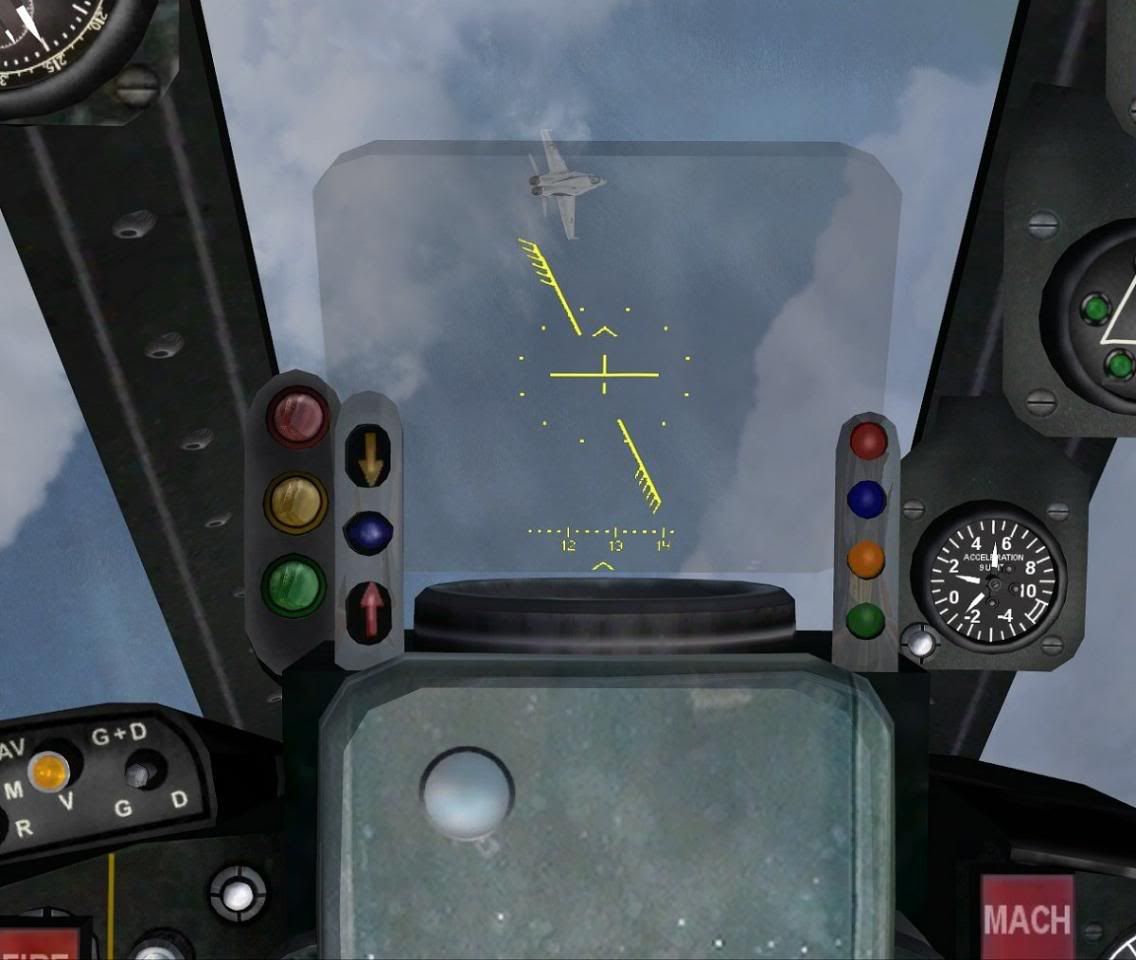


A-4 Skyhawk HUD
Spoiler for A-4 Skyhawk HUD:


A-1H Skyraider HUD
Spoiler for A-1H Skyraider HUD:
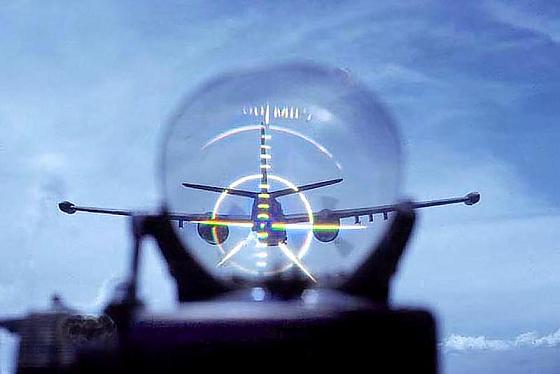
Harrier HUDs
Spoiler for Harrier HUDs:
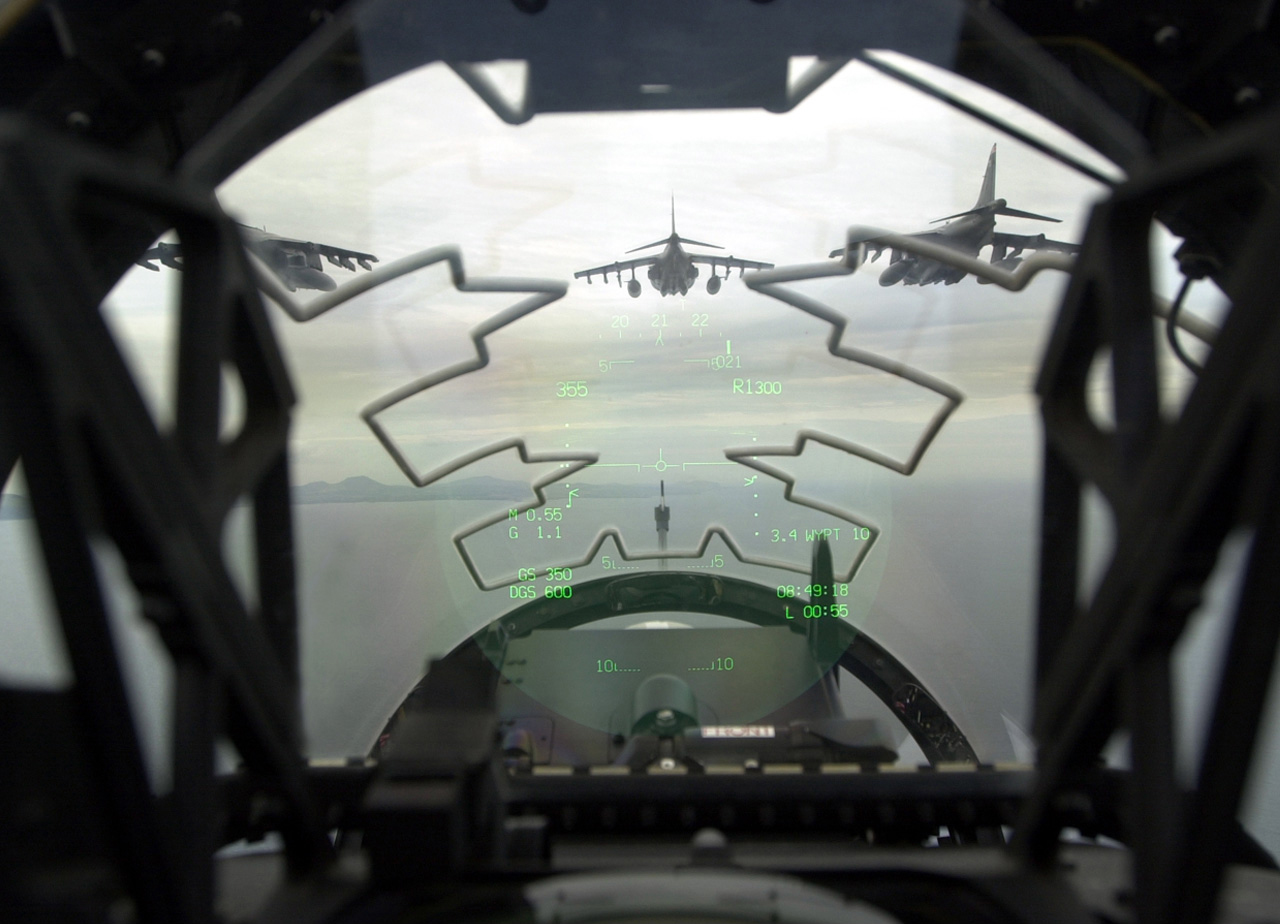


Spoiler for Questions:
Cheers!
Last edited by Rhino on 2013-01-08 06:45, edited 7 times in total.

-
Moszeusz6Pl
- Retired PR Developer
- Posts: 939
- Joined: 2010-06-24 13:41
Re: [Menu] New/Improved HUDs (PR:F) [WIP]
I have been working mainly on no radar HUD, and finally found a way to edit those files. Here are screenshoot of my today work.


When I moved compass down, it collided with weapon stats, so I moved it up, but then they was colliding with horizon, so I put it to left.
Another problem with compass is that it will collide with bomb HUD too, so I will need to put it more down, or rework bomb HUD.
Also, I didn't found a way to put number of flare with missiles, because I can only put number of primary and secondary weapon. I was looking in BF2 strings, but didn't found any, that would allow to do so.
I also made bigger frame for Alt Meter, so it overlaps this bugged 1 in altitude.
Also it would look weird if we put longer weapon names, so for Exotec I propose EXOTEC AS, a big bigger than normal, but won't take that much part of screen.
Made another horrizont, compass arrow, and revert compass upside down.
When I moved compass down, it collided with weapon stats, so I moved it up, but then they was colliding with horizon, so I put it to left.
Another problem with compass is that it will collide with bomb HUD too, so I will need to put it more down, or rework bomb HUD.
Also, I didn't found a way to put number of flare with missiles, because I can only put number of primary and secondary weapon. I was looking in BF2 strings, but didn't found any, that would allow to do so.
I also made bigger frame for Alt Meter, so it overlaps this bugged 1 in altitude.
Also it would look weird if we put longer weapon names, so for Exotec I propose EXOTEC AS, a big bigger than normal, but won't take that much part of screen.
Made another horrizont, compass arrow, and revert compass upside down.
-
Rhino
- Retired PR Developer
- Posts: 47909
- Joined: 2005-12-13 20:00
Re: [Menu] New/Improved HUDs (PR:F) [WIP]
Very nice work so far!
I take it your planning on doing the new cross hair next ye?
Also moving the weapon stats up and to the left looks good to, keep them there
Only thing I would suggest is to also put the big side borders on the air speed box so its balanced
Its Exocet (French for "flying fish") btw, not Exotec
Awesome work, keep it up!
I take it your planning on doing the new cross hair next ye?
I think on second thoughts it might just be best to remove the compass all together since the normal one players actually use is just under it anyways and just looks odd overlapping the screen, but nice tryMoszeusz6Pl wrote:When I moved compass down, it collided with weapon stats, so I moved it up, but then they was colliding with horizon, so I put it to left.
Another problem with compass is that it will collide with bomb HUD too, so I will need to put it more down, or rework bomb HUD.
Also moving the weapon stats up and to the left looks good to, keep them there
Ye no problem on that.Moszeusz6Pl wrote:Also, I didn't found a way to put number of flare with missiles, because I can only put number of primary and secondary weapon. I was looking in BF2 strings, but didn't found any, that would allow to do so.
Nice idea and works wellMoszeusz6Pl wrote:I also made bigger frame for Alt Meter, so it overlaps this bugged 1 in altitude.
Only thing I would suggest is to also put the big side borders on the air speed box so its balanced
Ye I was thinking maybe having it as part of the main HUD saying it on there somewhere, rather than on the weapon selection. Players who don't know about the Anti-Ship missile will not understand what AS means so wouldn't bother with that.Moszeusz6Pl wrote:Also it would look weird if we put longer weapon names, so for Exotec I propose EXOTEC AS, a big bigger than normal, but won't take that much part of screen.
Its Exocet (French for "flying fish") btw, not Exotec
Awesome work, keep it up!
-
Glimmerman
- Retired PR Developer
- Posts: 3237
- Joined: 2007-08-14 11:12
Re: [Menu] New/Improved HUDs (PR:F) [WIP]
I might have an idea for a antiship missile HUD, its not specific for the Exocet but its for the AGM-88 Harpoon.
This is whats used in FreeFalcon: (skip to 38 seconds)
This is whats used in FreeFalcon: (skip to 38 seconds)
Last edited by Glimmerman on 2013-01-04 12:05, edited 1 time in total.
 Project Reality: Dutch Armed Forces on facebook
-
Moszeusz6Pl
- Retired PR Developer
- Posts: 939
- Joined: 2010-06-24 13:41
Re: [Menu] New/Improved HUDs (PR:F) [WIP]
I liked this HUD. I have some idea with it.
We can make, that you need to press RMB to enter aim mode, wait for missile to lock, and then fire it with LMB. Something similar to that TV guided missile in vanilla worked. It will force player to flying straight while locking, which will prevent doing it without somebody covering you, because you could be easily shoot down. I think it would make this weapon require more teamwork.
What do you think about this Rhino?
We can make, that you need to press RMB to enter aim mode, wait for missile to lock, and then fire it with LMB. Something similar to that TV guided missile in vanilla worked. It will force player to flying straight while locking, which will prevent doing it without somebody covering you, because you could be easily shoot down. I think it would make this weapon require more teamwork.
What do you think about this Rhino?
-
Rhino
- Retired PR Developer
- Posts: 47909
- Joined: 2005-12-13 20:00
Re: [Menu] New/Improved HUDs (PR:F) [WIP]
Ye combined Arms did something very similar with there "BVR AA" which you can see a bit of @1:45 in this vid here: https://www.youtube.com/watch?v=DaQwiLk3Nt8&t=01m40s
Think it could work
Think it could work
-
Glimmerman
- Retired PR Developer
- Posts: 3237
- Joined: 2007-08-14 11:12
Re: [Menu] New/Improved HUDs (PR:F) [WIP]
The BVR AA code could be awesome to implement for radar guided AA missiles on all jets IMO, you need to put effort into locking on instead of just waiting for a tone to lock.'[R-DEV wrote:Rhino;1850368']Ye combined Arms did something very similar with there "BVR AA" which you can see a bit of @1:45 in this vid here: https://www.youtube.com/watch?v=DaQwiLk3Nt8&t=01m40s
Think it could work
-
Rhino
- Retired PR Developer
- Posts: 47909
- Joined: 2005-12-13 20:00
Re: [Menu] New/Improved HUDs (PR:F) [WIP]
That bit is basically the same tbh... The only difference is with it you can do it beyond the VD, as iirc, the camera is just set out waaay in front of the jet then the missile just has a normal gravity setting so it doesn't fly up in the air after its fired without a lock, going on its present course until it comes in range of the target.[R-COM]Glimmerman wrote:The BVR AA code could be awesome to implement for radar guided AA missiles on all jets IMO, you need to put effort into locking on instead of just waiting for a tone to lock.
-
Moszeusz6Pl
- Retired PR Developer
- Posts: 939
- Joined: 2010-06-24 13:41
Re: [Menu] New/Improved HUDs (PR:F) [WIP]
Small update, I nearly finished working on mirage3ea HUD, only think that left is radar.
Here are screenshoots:


Here are screenshoots:
-
Rhino
- Retired PR Developer
- Posts: 47909
- Joined: 2005-12-13 20:00
Re: [Menu] New/Improved HUDs (PR:F) [WIP]
Looking good so far
On the corsshair, two points, first being no "^" above it and the 2nd is, although hard to tell from your SS rez and .jpg quality, but doesn't look like there is a gap here either?

Any chance you might be able to take some screens in high rez and .png format, then resaved to a HQ .jpg format (ie, quality ~10)? Would really help
Cheers!
On the corsshair, two points, first being no "^" above it and the 2nd is, although hard to tell from your SS rez and .jpg quality, but doesn't look like there is a gap here either?
Any chance you might be able to take some screens in high rez and .png format, then resaved to a HQ .jpg format (ie, quality ~10)? Would really help
Cheers!
-
Moszeusz6Pl
- Retired PR Developer
- Posts: 939
- Joined: 2010-06-24 13:41
Re: [Menu] New/Improved HUDs (PR:F) [WIP]
I have reworked the crosshair, add bomb HUD and manage to make radar, although is bugged at the moment(you can't see that you are locking target, and can't hear it too)
Screenshoots
Screenshoots
-
Rhino
- Retired PR Developer
- Posts: 47909
- Joined: 2005-12-13 20:00
Re: [Menu] New/Improved HUDs (PR:F) [WIP]
Very nice
One tiny little adjustment that you could do is to bring in the alt box sides a little more since the 1 just creeps a little out the side, although doesn't look like you can fully hide it but will help a little

The 2nd is nice work on making the low boxes show up to the full VD, but how could you see them on those harriers when no one was in them? Also looks like the R.550 (short range AA missile HUD) isn't showing a distance for them: http://s14.postimage.org/h3t0jaild/bf2_ ... 195922.png
Actually another point I've just noticed, the Text looks Russian? It should be in Spanish for this jet, or French since its French made jet (But I expect the Argies made it have Spanish on it) but can always go for English if your not sure about any of that.
Other than that, awesome work!
BTW, the image size posting rules don't apply to modding topics, although linking them like that is fine too
One tiny little adjustment that you could do is to bring in the alt box sides a little more since the 1 just creeps a little out the side, although doesn't look like you can fully hide it but will help a little
The 2nd is nice work on making the low boxes show up to the full VD, but how could you see them on those harriers when no one was in them? Also looks like the R.550 (short range AA missile HUD) isn't showing a distance for them: http://s14.postimage.org/h3t0jaild/bf2_ ... 195922.png
Actually another point I've just noticed, the Text looks Russian? It should be in Spanish for this jet, or French since its French made jet (But I expect the Argies made it have Spanish on it) but can always go for English if your not sure about any of that.
Other than that, awesome work!
BTW, the image size posting rules don't apply to modding topics, although linking them like that is fine too
-
Moszeusz6Pl
- Retired PR Developer
- Posts: 939
- Joined: 2010-06-24 13:41
Re: [Menu] New/Improved HUDs (PR:F) [WIP]
I fixed this box.
In case of lockboxes I created new Heat Object and added it to Harriers(and Arg jets too), but I needed to destroy them first in order to work. Funny thing is that I spend 2 hours trying to find out why I can't lock Arg jets, before I realized they are friendly
The radar is still bugged, it sometimes shows range, sometimes not, sometimes show even that there is no target on screen.
There is Russian text in this HUD, because I was basing it on that was used before, and it was Russian HUD. If you could find how how this should look like in French, I will replace it.
I posted images in package, becuase I was too lazy to insert them manually
In case of lockboxes I created new Heat Object and added it to Harriers(and Arg jets too), but I needed to destroy them first in order to work. Funny thing is that I spend 2 hours trying to find out why I can't lock Arg jets, before I realized they are friendly
The radar is still bugged, it sometimes shows range, sometimes not, sometimes show even that there is no target on screen.
There is Russian text in this HUD, because I was basing it on that was used before, and it was Russian HUD. If you could find how how this should look like in French, I will replace it.
I posted images in package, becuase I was too lazy to insert them manually
-
Rhino
- Retired PR Developer
- Posts: 47909
- Joined: 2005-12-13 20:00
Re: [Menu] New/Improved HUDs (PR:F) [WIP]
Lock boxes sound good, btw I did make a lock box that you could place down in a map if you want that? Also think you could edit the ones on the Harriers so that they show up even before they are destroyed
Think Spanish is probably the best text to go with for now, unless someone can confirm the HUDs where in French
According to google translate, although would be good if someone from Argentina can confirm this and its hasn't changed in their dialect or w/e:
Altitude = Altitud
Air Speed = Velocidad del aire
Speed = Acelerar
And ye no probs on the Images
Think Spanish is probably the best text to go with for now, unless someone can confirm the HUDs where in French
According to google translate, although would be good if someone from Argentina can confirm this and its hasn't changed in their dialect or w/e:
Altitude = Altitud
Air Speed = Velocidad del aire
Speed = Acelerar
And ye no probs on the Images
-
Moszeusz6Pl
- Retired PR Developer
- Posts: 939
- Joined: 2010-06-24 13:41
Re: [Menu] New/Improved HUDs (PR:F) [WIP]
If you could send me this lockbox I would be grateful, no more need to fly to carrier to check if locking is working.
-
Rhino
- Retired PR Developer
- Posts: 47909
- Joined: 2005-12-13 20:00
Re: [Menu] New/Improved HUDs (PR:F) [WIP]
Turns out the mapper placeable target is in PR already, all I did was put it on test airfield for dkleader when he was fixing up the CISW for PR:F:
But if you want to put it on the Falklands then to the bottom of the map's statiobjects.con just add:
and with any luck that should add a heat target you can lock onto that should be 1km north of the airbase around 150m off the ground if my calculations are correct
If you want to test on test_airfield then you will need to add the PR:F jets to it in its GPO.con'[R-DEV wrote:Rhino']I've modified Test Airfield with some extra heat objects near the carrier for you to test on
You can download the main map here if you don't already have it: https://www.realitymod.com/forum/f354-c ... eased.html
Download this file and then put it in your \Battlefield 2\mods\pr\levels\test_airfield\ folder, backing up your old server.zip and then rename this new file to server.zip
Download: http://realitymodfiles.com/rhino/levels ... server.zip
The first new one is right behind the carrier, only ~100ms away so pretty hard to miss:
The second one is quite far away down here near the coast:
While you can't currently see these lock boxes with the carrier defenses, they are there and jets can see them with there AA weapons.
...........


But if you want to put it on the Falklands then to the bottom of the map's statiobjects.con just add:
Code: Select all
rem *** heat_target_object ***
Object.create heat_target_object
Object.absolutePosition -11100/200/-8000
Object.layer 1-
Moszeusz6Pl
- Retired PR Developer
- Posts: 939
- Joined: 2010-06-24 13:41
Re: [Menu] New/Improved HUDs (PR:F) [WIP]
I manage to make radar and locking working at the same time. Also fixed bug with range showing, while there was nothing in sight. Also other small bugfixes and optimization.
Here are screenshoots:
R.550


R.530


The locking and radar HUDs are now overlapping each other then you are close to target in radar jest, but I will look into it later.
Here are screenshoots:
R.550
R.530
The locking and radar HUDs are now overlapping each other then you are close to target in radar jest, but I will look into it later.
-
Rhino
- Retired PR Developer
- Posts: 47909
- Joined: 2005-12-13 20:00
Re: [Menu] New/Improved HUDs (PR:F) [WIP]
Nice work. Don't think you need two HUDs in one for the radar distance and the one your missiles lock onto? Missile lock range is limited by the weapon, not the HUD?
Also another thing is you "locked" text, which as per normal HUDs in PR, replaces the distance meter. What would be good if you kept the distance meter where it was, then under it have the "Locked" text, which in Spanish would be: in fact I have no idea, google translate gives me something that translates back into English as "blocked" etc so really need to have someone who speaks Spanish translate that one for us
Other than that, looking really good!
Also another thing is you "locked" text, which as per normal HUDs in PR, replaces the distance meter. What would be good if you kept the distance meter where it was, then under it have the "Locked" text, which in Spanish would be: in fact I have no idea, google translate gives me something that translates back into English as "blocked" etc so really need to have someone who speaks Spanish translate that one for us
Other than that, looking really good!
-
Moszeusz6Pl
- Retired PR Developer
- Posts: 939
- Joined: 2010-06-24 13:41
Re: [Menu] New/Improved HUDs (PR:F) [WIP]
You mean that I should make 2 separates HUDs, for two separates weapons, one for radar and second for locking and firing?
Missle lock range is limited nor the HUD or weapon, but by projectile. eg ObjectTemplate.seek.maxDistLock 2200 in am39_exocet.tweak
If I would have to add text under Range, I would have to change 32x32 texture to 128x128, don't think it's cost-effective for such small thing. I can add "locked" text on bottom of the screen, much cheaper in resources.
Missle lock range is limited nor the HUD or weapon, but by projectile. eg ObjectTemplate.seek.maxDistLock 2200 in am39_exocet.tweak
If I would have to add text under Range, I would have to change 32x32 texture to 128x128, don't think it's cost-effective for such small thing. I can add "locked" text on bottom of the screen, much cheaper in resources.