Show your models thread...(IMAGE HEAVY)

Making or wanting help making your own asset? Check in here
Post Reply
Psyko
Posts: 4466
Joined: 2008-01-03 13:34

Re: Show your models thread...(IMAGE HEAVY)

Post by Psyko »

Thanks Doc, nice Model btw.


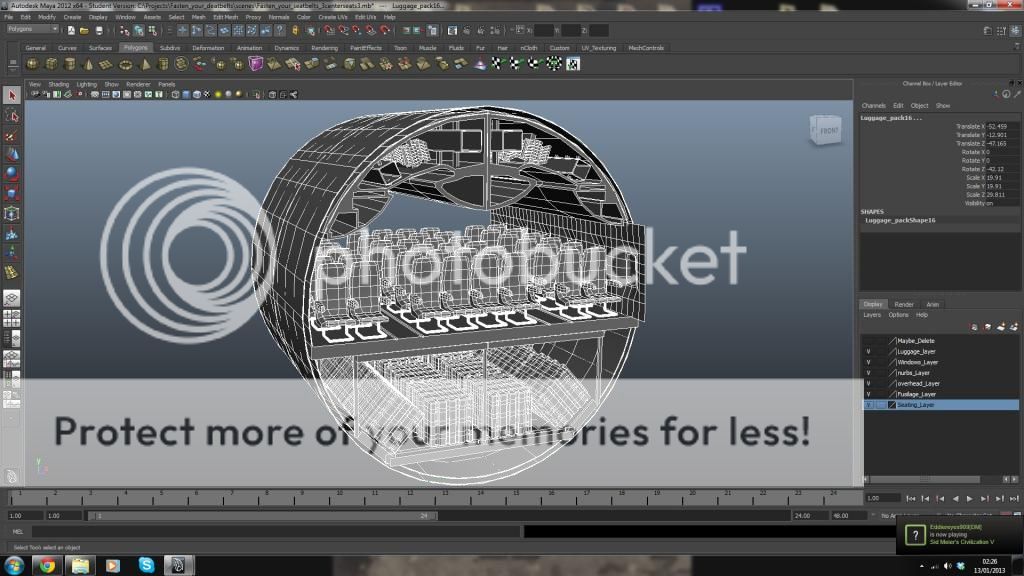
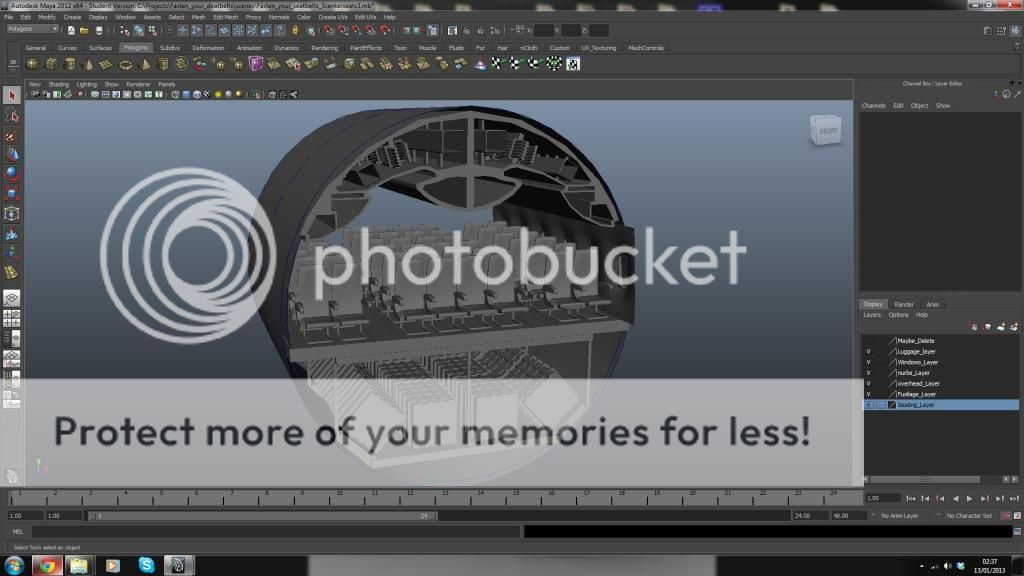
So im working on a cross department project in college. the film students, costume designers, model designers, and animators (well a small handfull from each department) are collaborating on a short action sequence. I am tasked with making this interior. Im making the model in maya and handing it off to another guy who will texture it in max as per his instructions. (easy college points for me, it goes towards my grade...and so do the maya tutorials im doing! easiest year yet apart from the shitty academics. God I hate essays! :D )

Image

Image
Last edited by Psyko on 2013-01-13 03:03, edited 2 times in total.
Doc.Pock
Posts: 2899
Joined: 2010-08-23 14:53

Re: Show your models thread...(IMAGE HEAVY)

Post by Doc.Pock »

Spoiler for \"uber big pic\":
Image
Psyko
Posts: 4466
Joined: 2008-01-03 13:34

Re: Show your models thread...(IMAGE HEAVY)

Post by Psyko »

I remember this from the drawing thread, looking good.....

the image size is way too big. why dont you make it smaller in PS and reload?
Kovanaama
Posts: 250
Joined: 2011-09-07 15:04

Re: Show your models thread...(IMAGE HEAVY)

Post by Kovanaama »

s1342.beta.photobucket.com/user/Kovanaama/media/pasiluonnos_zps0bf0daf2.jpg
My very first model with 3dsMax. :) But what vehicle?

Why my picture dont work..? :(
Last edited by Kovanaama on 2013-01-19 15:03, edited 8 times in total.

FDF Looking for Modellers, Mappers, Textureartists and Exporters! #fdfpr @ QuakeNet orPM Hulabi
Psyko
Posts: 4466
Joined: 2008-01-03 13:34

Re: Show your models thread...(IMAGE HEAVY)

Post by Psyko »

Kovanaama wrote:pasiluonnos_zps0bf0daf2.jpg photo by Kovanaama | Photobucket

My very first model with 3dsMax. :) But what vehicle?

Why my picture dont work..? :(
you gotta put it in an image bracket...when your making a post theres a little icon called "insert image" put your URL in that.


also 3dsmax is a leading cause of baldness
Kovanaama
Posts: 250
Joined: 2011-09-07 15:04

Re: Show your models thread...(IMAGE HEAVY)

Post by Kovanaama »

Psyko wrote:you gotta put it in an image bracket...when your making a post theres a little icon called "insert image" put your URL in that.


also 3dsmax is a leading cause of baldness
I did but it disappears.. :-x

FDF Looking for Modellers, Mappers, Textureartists and Exporters! #fdfpr @ QuakeNet orPM Hulabi
Doc.Pock
Posts: 2899
Joined: 2010-08-23 14:53

Re: Show your models thread...(IMAGE HEAVY)

Post by Doc.Pock »

you had .jpg.html in the image needs only .jpg
Hulabi
Posts: 2277
Joined: 2009-08-08 22:15

Re: Show your models thread...(IMAGE HEAVY)

Post by Hulabi »

Kovanaama wrote:pasiluonnos_zps0bf0daf2.jpg photo by Kovanaama | Photobucket

My very first model with 3dsMax. :) But what vehicle?

Why my picture dont work..? :(
Image

Fixed the image, it's a XA-185/188/203 Pasi. (By the way the FDF comfac already has it modeled, incase you were wondering).
That's a pretty hard task to take on for a first model. Maybe you should try something like a simple bullet / barrel / crate? Atleast that's what i did when i started modeling :P
Doc.Pock
Posts: 2899
Joined: 2010-08-23 14:53

Re: Show your models thread...(IMAGE HEAVY)

Post by Doc.Pock »

indeed...

anyway spotlights back on me :D
Spoiler for the sub almost done:
Image
Image
ShockUnitBlack
Posts: 2100
Joined: 2010-01-27 20:59

Re: Show your models thread...(IMAGE HEAVY)

Post by ShockUnitBlack »

I don't think you made it big enough.
Last edited by ShockUnitBlack on 2013-01-19 00:13, edited 1 time in total.
"I Want To Spend The Rest Of My Life With You Tonight."
rodrigoma
Posts: 1537
Joined: 2012-03-22 21:21

Re: Show your models thread...(IMAGE HEAVY)

Post by rodrigoma »

computer nearly died ;-)
Doc.Pock
Posts: 2899
Joined: 2010-08-23 14:53

Re: Show your models thread...(IMAGE HEAVY)

Post by Doc.Pock »

Sorry guys for pic size. Cba to put them throug photoshop yet ;-)

and its a manta ray inspired submarine im making in the school
Psyko
Posts: 4466
Joined: 2008-01-03 13:34

Re: Show your models thread...(IMAGE HEAVY)

Post by Psyko »

'[USF wrote:Doc.Pock;1855711']Sorry guys for pic size. Cba to put them throug photoshop yet ;-)

and its a manta ray inspired submarine im making in the school
the question is why are you making such enormous test renders?
Doc.Pock
Posts: 2899
Joined: 2010-08-23 14:53

Re: Show your models thread...(IMAGE HEAVY)

Post by Doc.Pock »

Cuz it looks better when i scale down in photoshop then just render in 1080
Kovanaama
Posts: 250
Joined: 2011-09-07 15:04

Re: Show your models thread...(IMAGE HEAVY)

Post by Kovanaama »

'[USF wrote:Doc.Pock;1855564']you had .jpg.html in the image needs only .jpg
aah! ok thanks. :)

FDF Looking for Modellers, Mappers, Textureartists and Exporters! #fdfpr @ QuakeNet orPM Hulabi
Kovanaama
Posts: 250
Joined: 2011-09-07 15:04

Re: Show your models thread...(IMAGE HEAVY)

Post by Kovanaama »

'[R-COM wrote:Hulabi;1855580']Image

Fixed the image, it's a XA-185/188/203 Pasi. (By the way the FDF comfac already has it modeled, incase you were wondering).
That's a pretty hard task to take on for a first model. Maybe you should try something like a simple bullet / barrel / crate? Atleast that's what i did when i started modeling :P
Thanks for image help!
Thank god someone modelled it because it looks 1000x better than my model.
I wanted to help the faction as fast as i can so i looked some youtube tutorials and started the modelling. I rewind a little bit and start with simpler things.

I remember that someone said "one does not simply walk into modelling". I must say, he`s right. ;-)

FDF Looking for Modellers, Mappers, Textureartists and Exporters! #fdfpr @ QuakeNet orPM Hulabi
Doc.Pock
Posts: 2899
Joined: 2010-08-23 14:53

Re: Show your models thread...(IMAGE HEAVY)

Post by Doc.Pock »

What id suggest is you start with a very simple static which you do from start to end. I suggest a simple non enterable shed or a nice prop like a nice chair or somethin. This way you develop basics in all skils and enyoj seeing your work ingake later :-D
Psyko
Posts: 4466
Joined: 2008-01-03 13:34

Re: Show your models thread...(IMAGE HEAVY)

Post by Psyko »

heres my suggestion

watch all these 3dsmax lessons until your good at it.

3D Buzz Video Tutorials
Doc.Pock
Posts: 2899
Joined: 2010-08-23 14:53

Re: Show your models thread...(IMAGE HEAVY)

Post by Doc.Pock »

3DS Max - YouTube

theese guys are awesome when you get some basic knowledge and want to show off your work :P
Post Reply

Return to “PR:BF2 Community Modding”