PR v1.0 launch problem

Help and support regarding PR:BF2 installation and in-game issues
Post Reply
OwN_Plopp1xx
Posts: 9
Joined: 2013-08-03 10:09

PR v1.0 launch problem

Post by OwN_Plopp1xx »

Hee all,

after downloading the latest PR, installing and launching.
1. I start the game, takes a while (10-15 sec) before i see the intro.
- Screen flickers few different colours of black before
2. Get black screen with the PR mouse pointer turning
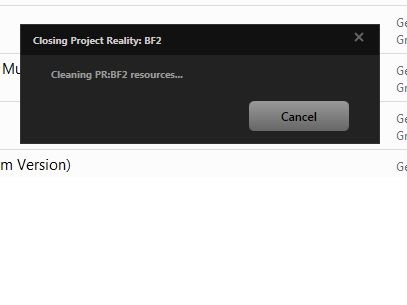
3. Game crashes with following message, see picture.

Image
OwN_Plopp1xx
Posts: 9
Joined: 2013-08-03 10:09

Re: PR v1.0 launch problem

Post by OwN_Plopp1xx »

Please help, i want to play the new version soooo badley :$

Tried to search google, rest of the forum but cant find anything (except threads from the BETA but all that doesnt help)
dbzao
Retired PR Developer
Posts: 9381
Joined: 2006-06-08 19:13

Re: PR v1.0 launch problem

Post by dbzao »

If you have 2 monitors, try disabling one and see what happens.

"There's always one more bug." - Lubarsky's Law of Cybernetic Entomology
OwN_Plopp1xx
Posts: 9
Joined: 2013-08-03 10:09

Re: PR v1.0 launch problem

Post by OwN_Plopp1xx »

sadly, i dont have 2 screens haha.
dbzao
Retired PR Developer
Posts: 9381
Joined: 2006-06-08 19:13

Re: PR v1.0 launch problem

Post by dbzao »

Are you able to launch vanilla BF2 without problems?

"There's always one more bug." - Lubarsky's Law of Cybernetic Entomology
dbzao
Retired PR Developer
Posts: 9381
Joined: 2006-06-08 19:13

Re: PR v1.0 launch problem

Post by dbzao »

On this thread: https://www.realitymod.com/forum/f27-pr ... ost1926871

The person fixed his issue by disabling his anti virus software.

"There's always one more bug." - Lubarsky's Law of Cybernetic Entomology
OwN_Plopp1xx
Posts: 9
Joined: 2013-08-03 10:09

Re: PR v1.0 launch problem

Post by OwN_Plopp1xx »

i got steam btw.
OwN_Plopp1xx
Posts: 9
Joined: 2013-08-03 10:09

Re: PR v1.0 launch problem

Post by OwN_Plopp1xx »

dbzao wrote:Are you able to launch vanilla BF2 without problems?
yea btw. i could play the old version of PR just fine. downloaded 1.0 today and i get that problem
LITOralis.nMd
Retired PR Developer
Posts: 5658
Joined: 2010-04-10 16:15

Re: PR v1.0 launch problem

Post by LITOralis.nMd »

I think this will fix your problem. Many props to KPECTOK to working out a solution.
OwN_Plopp1xx
Posts: 9
Joined: 2013-08-03 10:09

Re: PR v1.0 launch problem

Post by OwN_Plopp1xx »

my AVG was blocking it, the game started normally but in the background AVG prompted a "allow or deny'' screen.

Saw it for the first time now though.
allowed and it worked!
LITOralis.nMd
Retired PR Developer
Posts: 5658
Joined: 2010-04-10 16:15

Re: PR v1.0 launch problem

Post by LITOralis.nMd »

Please tell me exactly which version of AVG you are using.
I think others are having this problem too.
OwN_Plopp1xx
Posts: 9
Joined: 2013-08-03 10:09

Re: PR v1.0 launch problem

Post by OwN_Plopp1xx »

i got AVG version:
2013.0.2904

thats it ;)

Got all extra's like Identity safety, email safety, web safety.
Full package AVG!
=BFS=strong-beer
Posts: 3
Joined: 2010-01-03 16:50

Re: PR v1.0 launch problem

Post by =BFS=strong-beer »

I added BF2.exe , PRBF2.exe and PRLAUNCHER.exe to the App list on my anti-virus firewall , set them to allow
and i can get to the ingame menu. I'm using AVG , hope this helps for some
Image
crazy_white666
Posts: 1
Joined: 2013-01-04 22:36

Re: PR v1.0 launch problem

Post by crazy_white666 »

I'm having the exact same problem.

I was able to play vanilla bf2 and project reality before 1.0 and now I'm stuck on the black screen with spinning pr cursor after the intro. I uninstalled pr and started bf2 vanilla and now I can't login either. Just sits their trying to login forever. I uninstalled and reinstalled avg with no success. I'm sure it's avg being a *****.

edit: it wasn't my anti-virus afterall. I had to delete my account and retrieve it and it worked. Hope this helps people
Last edited by crazy_white666 on 2013-08-05 04:01, edited 1 time in total.
OwN_Plopp1xx
Posts: 9
Joined: 2013-08-03 10:09

Re: PR v1.0 launch problem

Post by OwN_Plopp1xx »

=BFS=strong-beer wrote:I added BF2.exe , PRBF2.exe and PRLAUNCHER.exe to the App list on my anti-virus firewall , set them to allow
and i can get to the ingame menu. I'm using AVG , hope this helps for some
I think this is the simpel solution, after i got prompted to allow the game after turning my AVG anti virus OFF it was in my firewall list as well, so i started the game WITH avg anti-virus ON and i just got to menu etc etc etc.

Problem with this bug or whatever u want to call it.

Anti-Virus is blocking the game,
- AVG

people with the same problem but a different Anti-Virus should help the DEVS with this.

I suggest to make this a sticky or something like that so people can update u with this!
crazy_white666 wrote: edit: it wasn't my anti-virus afterall. I had to delete my account and retrieve it and it worked. Hope this helps people
This is a common problem that has bin adressed before, still good to say of u.

ChessKnight
Posts: 4
Joined: 2009-02-16 16:58

Re: PR v1.0 launch problem

Post by ChessKnight »

My game only works in non full screen mode, with all resolutions. Any suggestions?

Code: Select all

System Information
------------------
  Operating System: Microsoft Windows 7 Professional  (6.1.7601)
      Architecture: 64-bit
          Language: English (United States)
       Motherboard: Dell Inc. 0880F2
         Processor: Intel(R) Core(TM) i7-3612QM CPU @ 2.10GHz (Physical: 4, Logical: 8)
            Memory: 16.00 GB
      DIMM Modules: DIMM0: 8.00 GB @ 1600 MHz
                    DIMM1: 8.00 GB @ 1600 MHz
         Page File: 15.90 GB
    .NET Framework: 4.0

Display Information
-------------------
 Display Device(s): Generic PnP Monitor on Intel(R) HD Graphics 4000
                    Generic PnP Monitor on Intel(R) HD Graphics 4000
   Display Mode(s): 1920 x 1200 (32 bit) @ 59 Hz
                    1920 x 1080 (32 bit) @ 60 Hz
    Driver Version: 8.15.10.2653
    Display Memory: 2.06 GB
     Multisampling: 2, 4, 8
               DPI: 96 (100%)

Audio Information
-----------------
  Primary Playback: Creative Labs Inc. Software
 Primary Recording: Microphone (7- Logitech USB Hea
               EAX: True
           EAX 1.0: False
           EAX 2.0: True
           EAX 3.0: False
           EAX 4.0: False
           EAX 5.0: False
             X-RAM: False

Disk Information
----------------
      Install Path: C:\Program Files (x86)\EA GAMES\Battlefield 2
                    Free: 11.24 GB, Total: 119.24 GB, NTFS
          Mod Path: C:\Program Files (x86)\EA GAMES\Battlefield 2\mods\pr
                    Free: 11.24 GB, Total: 119.24 GB, NTFS
     Profiles Path: C:\Users\wabouamin\Documents\ProjectReality\Profiles
                    Free: 11.24 GB, Total: 119.24 GB, NTFS
    Update DL Path: C:\Users\wabouamin\AppData\Local\Project Reality\Project Reality BF2\Downloads
                    Free: 11.24 GB, Total: 119.24 GB, NTFS
   Update Log Path: C:\Users\wabouamin\AppData\Local\Project Reality\Project Reality BF2\UpdateLogs
                    Free: 11.24 GB, Total: 119.24 GB, NTFS

Game Information
----------------
      CD Key Valid: True
    Installed Mods: bf2, pr, xpack
       Current Mod: pr
       BF2 Version: BF2 1.5
        PR Version: 1.0.31.0
          Language: english
   Debug Available: False
     Large Address: True
Supported Hardware: None

Profile Information
-------------------
      Profile 0001: [OD-S]ChessKnight
              Type: Online
 Last Used Profile: True
        View Intro: True
        Fullscreen: True
      Display Mode: 1920x1200@60Hz
Display Mode Valid: True
   Graphics Scheme: High
     Multisampling: 8x
             VSync: False
   Terrain Quality: High
   Effects Quality: High
  Geometry Quality: High
   Texture Quality: High
  Lighting Quality: High
   Dynamic Shadows: High
    Dynamic Lights: High
 Texture Filtering: High
    Audio Provider: Software
    Provider Valid: True
     Audio Quality: High
               EAX: True
LITOralis.nMd
Retired PR Developer
Posts: 5658
Joined: 2010-04-10 16:15

Re: PR v1.0 launch problem

Post by LITOralis.nMd »

ChessKnight, check the other thread you posted on, I posted solution.
Post Reply

Return to “PR:BF2 Support”