System requirements help please

General discussion of the Project Reality: BF2 modification.
Post Reply
daemON
Posts: 5
Joined: 2013-09-20 17:58

System requirements help please

Post by daemON »

Hello y?all,
I am not new to Bf2, and I discovered PR. It seems to be the best mod out there ;-) .
But then I read the Tutorial and saw that the Minimum RAM size is 3-4 GB

Now, maybe this sounds strange, but I?d like to try the mod, only the singleplayer maps with less bots as possible, as I get a new PC at Christmas :)

Would it be possible to run PR with lowest settings SP with just a few bots on a small map with just 1 GB RAM? I do not like to try it because the .ISO is quite large ;)

I appreciate all help, thanks in advantage and sorry for my bad english

#daemON
Moszeusz6Pl
Retired PR Developer
Posts: 939
Joined: 2010-06-24 13:41

Re: System requirements help please

Post by Moszeusz6Pl »

I was playing for a long time with only 1GB RAM, although I was mostly getting only around 15FPS, although I got over 20 on smaller maps.

Image
PaveHawk
Posts: 240
Joined: 2005-10-28 08:09

Re: System requirements help please

Post by PaveHawk »

There's a few tricks that you can use to help with the low ram. I myself am topped out at 2 gigs of ram due to a cheap motherboard. One of the things I did is move the page file for windows to a completely different hard drive. I also increased the page file size. I found this to help tremendously. I went from loading into a map/game and the round already having started, to getting in to the map/game with 2:00-1:30 before the start. I also noticed a 10-15 FPS increase. I went from 15-25 FPS to 25-40 FPS on the average.
Image
Gracler
Posts: 947
Joined: 2009-03-22 05:16

Re: System requirements help please

Post by Gracler »

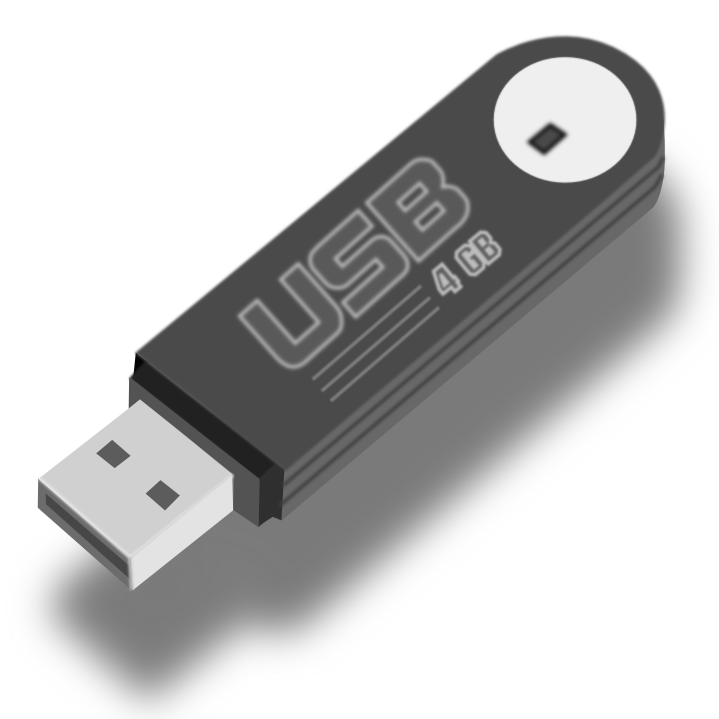
If you have a spare USB Pen Drive you could turn it into extra memory quite easily.

Image

This is a random guide I goggled but I think it is legit. How to Use Pen Drive As RAM: 10 Steps (with Pictures) - wikiHow

Make sure you move files from the pen drive somewhere else as this would probably format the pen drive and erase everything on it.
Last edited by Gracler on 2013-09-21 02:24, edited 3 times in total.
daemON
Posts: 5
Joined: 2013-09-20 17:58

Re: System requirements help please

Post by daemON »

Thank you all, you guys helped me a lot :)
SilverHawk11
Posts: 12
Joined: 2013-12-25 14:22

Re: System requirements help please

Post by SilverHawk11 »

Hello everyone.
Can I run PR on lowest possible settings with this PC.

Intel Celeron 2.66 GHz
1 GB RAM
ATi Radeon 9250 128 MB

I have ATi Radeon x1650 PRO which is 512 MB, but I need to fix cooler on it, and will buy 1 GB ram soon.
I dont know when I am gonna buy RAM and fix GPU, so I want to try to play this right now.
I played BF2 with x1650 PRO and it was running smooth.
BigBird13
Posts: 2
Joined: 2014-05-28 02:34

Re: System requirements help please

Post by BigBird13 »

PaveHawk wrote:There's a few tricks that you can use to help with the low ram. I myself am topped out at 2 gigs of ram due to a cheap motherboard. One of the things I did is move the page file for windows to a completely different hard drive. I also increased the page file size. I found this to help tremendously. I went from loading into a map/game and the round already having started, to getting in to the map/game with 2:00-1:30 before the start. I also noticed a 10-15 FPS increase. I went from 15-25 FPS to 25-40 FPS on the average.
What is the windows page file?
matty1053
Posts: 2007
Joined: 2013-07-03 00:17

Re: System requirements help please

Post by matty1053 »

@Gracler

Wow, thanks man!!! I might try this. I have a 16gb Flash Drive.... will that work?


It also depends on the map you are playing. If you are playing for example, Op Marlin; you can recieve a ton of lag. Depending where you are looking/at.

Most times I play any city map, i get about 20-38 fps. But I know many players depend on the map that will lag them.
DETROIT TIGERS
Image
Ivancic1941
Posts: 64
Joined: 2014-08-26 09:54

Re: System requirements help please

Post by Ivancic1941 »

I have question.If i install that USB like RAM would i be able to turn it off (but without just taking it of,well is there some procedure like turning it on)? :| :sad:


P.S. why are there so little people responding on this forum?
MaSSive
Posts: 4502
Joined: 2011-02-19 15:02

Re: System requirements help please

Post by MaSSive »

If you mean that Graclers post, its not RAM its moving paging file to pen drive, and no disconnecting is not recommended until you reverse the procedure, and make entire paging file on internal drive. If you DC it while in operation, system will likely hang, or will cause damage to programs/system.

Only way to get more RAM is to buy more RAM. So if you got 2 slots, buy 2x2GB or 2x4GB sticks if the board supports it, if not change the board.

One more way to increase system speed is to use pen drive as so called ready boost . This feature is available in all modern operating systems.

ReadyBoost - Microsoft Windows

If using it in this way, rules remain the same. Don't DC it, until you turn ready boost off.

Also...

http://windows.microsoft.com/en-us/wind ... =windows-7

If youre using WinXP think of upgrading ASAP - its no longer supported and does not offer these features.

Also note that for 4+ GB of RAM ( not ready boost or alike ) you need a 64bit OS.
Image
CATA4TW!

"People never lie so much as before an election, during a war, or after a hunt."
"God has a special providence for fools, drunks, and the United States of America."
― Otto von Bismarck

Post Reply

Return to “PR:BF2 General Discussion”