
I'm attempting to play PR on Battlefield 2 Complete Edition which is origin. When i start my PR i just get a black screen, which flickers to gray and black back and forth. And when I ctrl+alt delete it says not responding. The same thing happens when I try to boot Battlefiedl 2 Complete edition.
So far I've tried to lower the screen res to access the "compability tab" in properties, which does show in a lower screen res but not my current 1680x1050@60hz.
I've also allowed battlefield 2, PR and gamespy on my firewall.
I have also changed the profile0001 file, and all others to my native resolution, and a few different few ones. I haven't tried every single resolution. Could this be a solution?
I think that's all I've got.
System specs:
Intel i5-2500K CPU @3.30Hz
Geforce GTX 970
8192MB Ram
I hope to see you ingame.
Edit: Specs
Black flickering screen on start.
-
Aleksington
- Posts: 3
- Joined: 2015-01-27 21:50
Black flickering screen on start.
Last edited by Aleksington on 2015-02-02 21:28, edited 1 time in total.
-
LITOralis.nMd
- Retired PR Developer
- Posts: 5658
- Joined: 2010-04-10 16:15
Re: Black flickering screen on start.
Welcome to the forums.
Several possible causes for this flickering.
1. you have an overlay program running. TS3 overlay, steam overlay, overwolf overlay, Afterburner overlay, etc. Shut them off completely.
2. Your monitor refresh is say 59Hz or 70Hz , and the settings in the video.con file is set to 60hz . Most often happens when using old CRTs or consumer LCD TVs as a PC monitor.
3. You have multiple monitors connected, with different resolution or refresh rate, and BF2 is reading the specs from one, and sending video signal to the other. Just disconnect all but one monitor quickly to test.
4. You have any of these:
To keep it simple, let's get regular BF2 singleplayer offline mode to work.
one of the easiest ways to test your problem is to rename the Documents/Battlefield 2/Profiles directory , to Profiles.old or similar.
When you restart BF2.exe , the software will recreate the /Profiles directory
Set BF2 to run in windowed mode, as it will provide a pop up error message window when it crashes. Copy the entire error message and post it here.
Several possible causes for this flickering.
1. you have an overlay program running. TS3 overlay, steam overlay, overwolf overlay, Afterburner overlay, etc. Shut them off completely.
2. Your monitor refresh is say 59Hz or 70Hz , and the settings in the video.con file is set to 60hz . Most often happens when using old CRTs or consumer LCD TVs as a PC monitor.
3. You have multiple monitors connected, with different resolution or refresh rate, and BF2 is reading the specs from one, and sending video signal to the other. Just disconnect all but one monitor quickly to test.
4. You have any of these:
- older Logitech keyboard with LCD display
- USB headphones/mic
- A high end audio card that is incompatible with BF2 EAX system
- wireless headset
To keep it simple, let's get regular BF2 singleplayer offline mode to work.
one of the easiest ways to test your problem is to rename the Documents/Battlefield 2/Profiles directory , to Profiles.old or similar.
When you restart BF2.exe , the software will recreate the /Profiles directory
Set BF2 to run in windowed mode, as it will provide a pop up error message window when it crashes. Copy the entire error message and post it here.
right click your shortcut and go to properties
It should say
"C:\Program Files\EA GAMES\Battlefield 2\BF2.exe" +menu 1 +fullscreen 1
change it to
"C:\Program Files\EA GAMES\Battlefield 2\BF2.exe" +menu 1 +fullscreen 0
it will run in windowed mode.
if you want to set it at a custom resolution:
"C:\Program Files\EA GAMES\Battlefield 2\BF2.exe" +menu 1 +fullscreen1 + szx 800 + sxy 600
(or whatever res you want)
-
Aleksington
- Posts: 3
- Joined: 2015-01-27 21:50
Re: Black flickering screen on start.
Under which tab am I supposed to find the line to change?
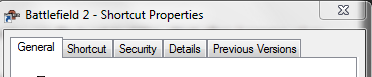
Also attempted to .old the file. Didn't work.
Thank you.
Also attempted to .old the file. Didn't work.
Thank you.
-
LITOralis.nMd
- Retired PR Developer
- Posts: 5658
- Joined: 2010-04-10 16:15
Re: Black flickering screen on start.
under Shortcut Tab, in the Target input field.Aleksington wrote:Under which tab am I supposed to find the line to change?
.
-
Aleksington
- Posts: 3
- Joined: 2015-01-27 21:50
Re: Black flickering screen on start.
My Battlefield 2 managed to boot after the change. I did the same to my Project reality and it works fine.
Thank you for your assistance I really appreciate it.
Thank you for your assistance I really appreciate it.