
Hello!
Having a horribly hard time locating the profile/account management tab in the options menu of the Project Reality launcher. I elected to automatically sign in when launched, but I'd like to add a prefix to my username and perhaps a second account/offline account in the future. I've tried the Selected Profile drop down, but it only offers the option to select the profile I'm already using. I've read about a "small button" in the corner of the launcher/drop down menu after searching on Google but it's not there either. Anyone willing to help me take on this.... daunting task? I'd really appreciate it! Thanks.
Profile Management - PR Launcher
-
DesmoLocke
- Posts: 1770
- Joined: 2008-11-28 19:47
Re: Profile Management - PR Launcher
I think we've got this cleared up moderators, if you want to lock it.
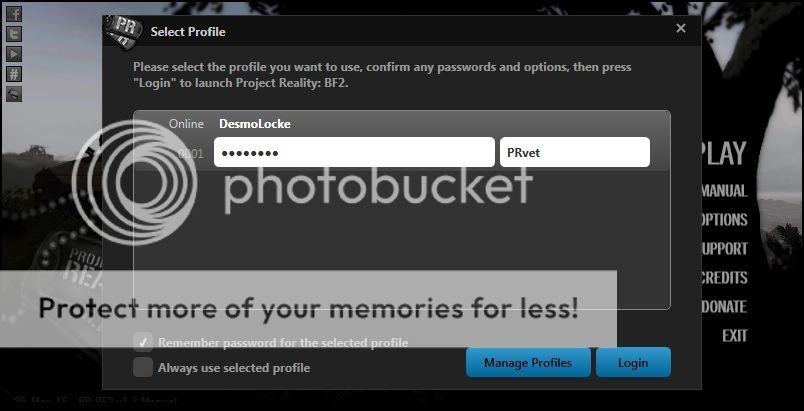
DesmoLocke wrote:A Step-by-Step How-To Guide for Changing Your Tags
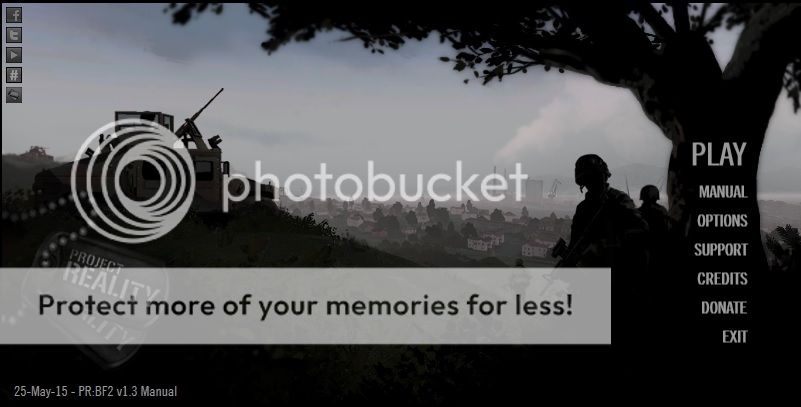
Step 1. Launch Project Reality
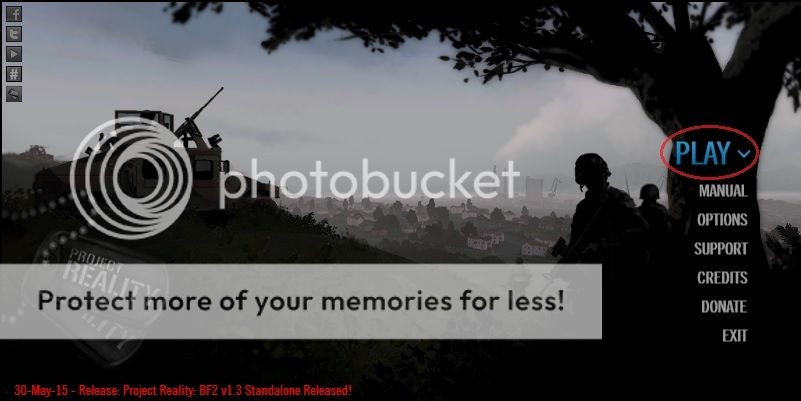
Step 2. Hover cursor over "PLAY". A down arrow will appear.
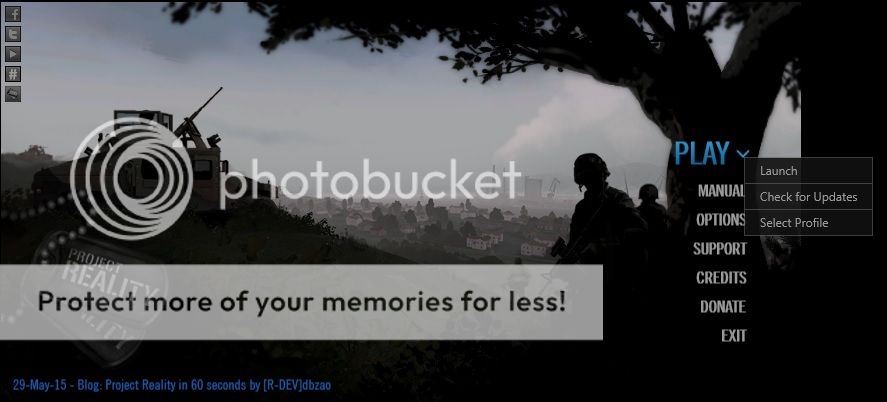
Step 3. Click on on down arrow. Click on "Select Profile".
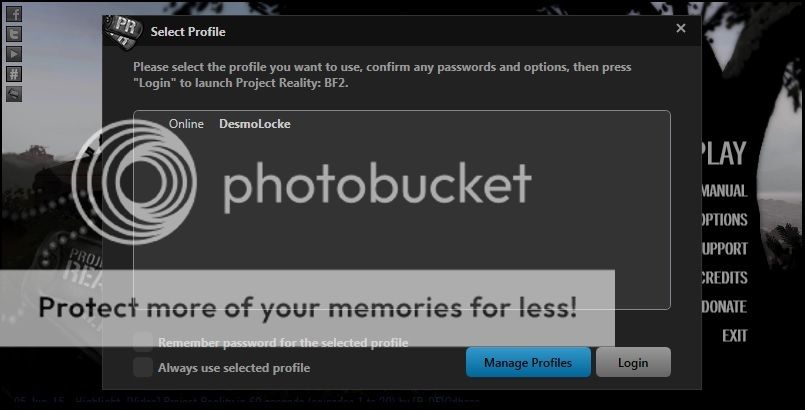
Step 4. The Select Profile screen will pop up. Click on your profile.
Step 5. You can now change your password and your in-game tag! You can also select the boxes to always remember your password and to always use selected profile.
Step 6. Click Login and enjoy your PR experience.


-
Bicycle Day
- Posts: 6
- Joined: 2015-06-11 01:15
Re: Profile Management - PR Launcher
DesmoLocke hooked me up with a tutorial, this can be locked. Thanks.
e: ..strange, I posted this a while ago and it just showed up. Regardless, thanks man.
e: ..strange, I posted this a while ago and it just showed up. Regardless, thanks man.
Last edited by Bicycle Day on 2015-06-11 11:49, edited 1 time in total.
Reason: time traveling forum post
Reason: time traveling forum post
