Hamachi is a VPN used to host a LAN game with people outside of your Local Network. So basically gives you the ability to play PRSP over the lan with your mates anywhere in the world.
First of download it from here :- Hamachi
Once downloaded install as you normally would any program [make sure you click run with non evaluation licence] then run the shortcut thatn gets created on the Desktop.
Once installed and opened you will have a grey window that looks like this :-
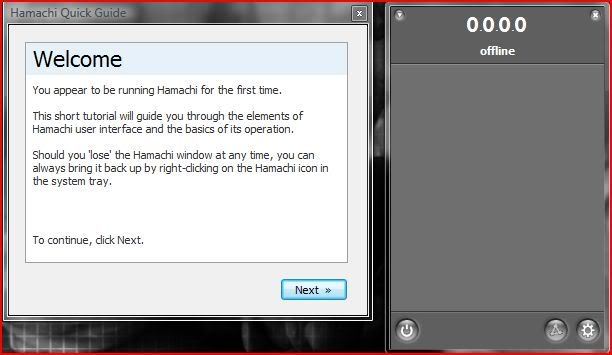
then follow the onscreen instructions
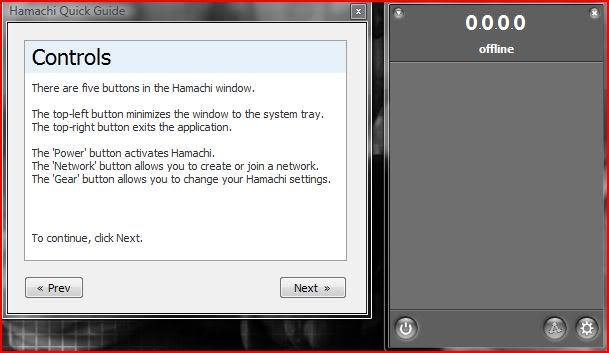
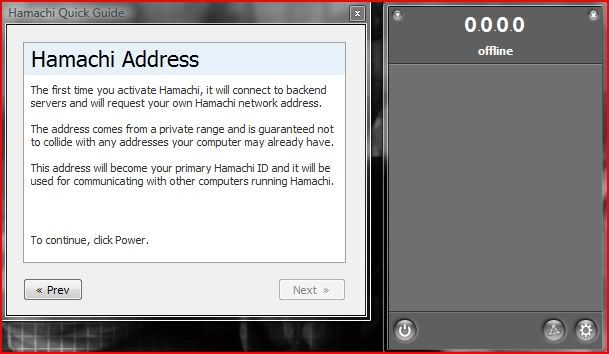

After youve set a new Account name and logged in with a Hamachi IP showing you are ready to roll with setting up a new network/joining and existing one...
Click the middle button on the bottom of the Grey panel and youll get a drop down menu, if your joining an existing network then follow the instructions if you would like to set one up then click on the link....
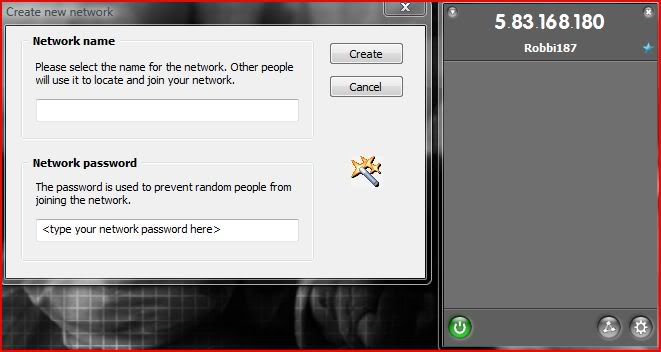
Then once youve set the name and password of your choice you should then see the network on your panel
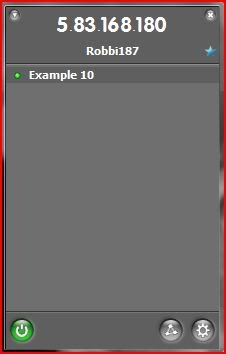
Then you are ready to get your mates signed in and to start playing PRSP online
Whoever has the best PC/Internet connection should host as this is going to be the host server as it were, so upload and CPU need to be good to deal with it. [Dont worry, doesnt have to be a super computer]
First off open PRSP, then navigate to this page [btw, excuse the offset on the writing, im in 'tester' mode]:-

Then select Deployement
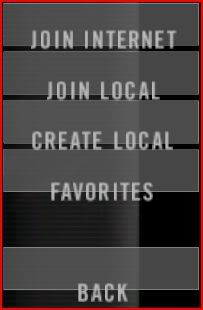
Then Create Local
Now here is the fun part

Youll have this infront of you, all i do is:-
-Set the max number of Human players to how ever many will be on
-Change the rounds to 1
-Change the ticket ratio to 200
-Keep the timelimit at 0 if you want a limit add it
-BOT ratio is dependant on how many you want on your team, if you want you and your mates VS bots put it on 100 if not leave it 50
-Number of bots = max it out
-BOT difficulty is optimised at 90, 100 is just headshot heaven lol
Then add your maps and away you go...
Now if you want to then join the newly created LAN network you first need to copy Hamachi ip of the host which can be found next to his name here :-
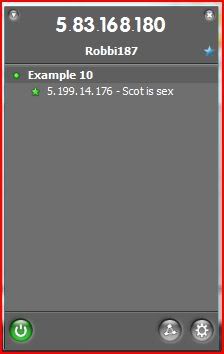
Then open up PRSP and navigate like above to this screen :-
Then click join Local
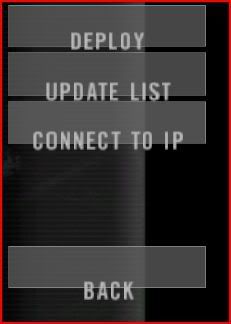
Then click Connect to IP
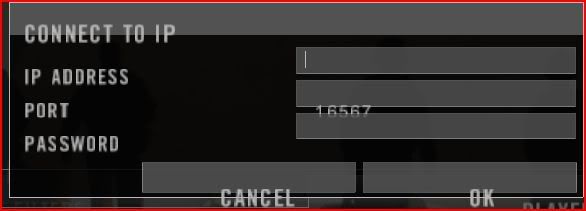
Then enter the Hamachi IP here and keep the port as the standard 16567.
The game should then load the map selected....
Happy Fragging
**Admin note**
You have all the usual ingame commands using the console if you press the tilder key [`] located next to your number 1 and under escape then enter this code to run next map
admin.runNextLevel - Runs next level
and this to restart it
admin.restartMap - Restarts Map
Any problems do not hesitate to ask in the relivant sections etc...
and remember, the search function is your friend
Good Luck
Robbi
First of download it from here :- Hamachi
Once downloaded install as you normally would any program [make sure you click run with non evaluation licence] then run the shortcut thatn gets created on the Desktop.
Once installed and opened you will have a grey window that looks like this :-
then follow the onscreen instructions
After youve set a new Account name and logged in with a Hamachi IP showing you are ready to roll with setting up a new network/joining and existing one...
Click the middle button on the bottom of the Grey panel and youll get a drop down menu, if your joining an existing network then follow the instructions if you would like to set one up then click on the link....
Then once youve set the name and password of your choice you should then see the network on your panel
Then you are ready to get your mates signed in and to start playing PRSP online
Whoever has the best PC/Internet connection should host as this is going to be the host server as it were, so upload and CPU need to be good to deal with it. [Dont worry, doesnt have to be a super computer]
First off open PRSP, then navigate to this page [btw, excuse the offset on the writing, im in 'tester' mode]:-
Then select Deployement
Then Create Local
Now here is the fun part
Youll have this infront of you, all i do is:-
-Set the max number of Human players to how ever many will be on
-Change the rounds to 1
-Change the ticket ratio to 200
-Keep the timelimit at 0 if you want a limit add it
-BOT ratio is dependant on how many you want on your team, if you want you and your mates VS bots put it on 100 if not leave it 50
-Number of bots = max it out
-BOT difficulty is optimised at 90, 100 is just headshot heaven lol
Then add your maps and away you go...
Now if you want to then join the newly created LAN network you first need to copy Hamachi ip of the host which can be found next to his name here :-
Then open up PRSP and navigate like above to this screen :-
Then click join Local
Then click Connect to IP
Then enter the Hamachi IP here and keep the port as the standard 16567.
The game should then load the map selected....
Happy Fragging
**Admin note**
You have all the usual ingame commands using the console if you press the tilder key [`] located next to your number 1 and under escape then enter this code to run next map
admin.runNextLevel - Runs next level
and this to restart it
admin.restartMap - Restarts Map
Any problems do not hesitate to ask in the relivant sections etc...
and remember, the search function is your friend
Good Luck
Robbi