L1A3 bayonet

Making or wanting help making your own asset? Check in here
CaptMiller
Posts: 405
Joined: 2016-04-14 16:15

Re: L1A3 bayonet

Post by CaptMiller »

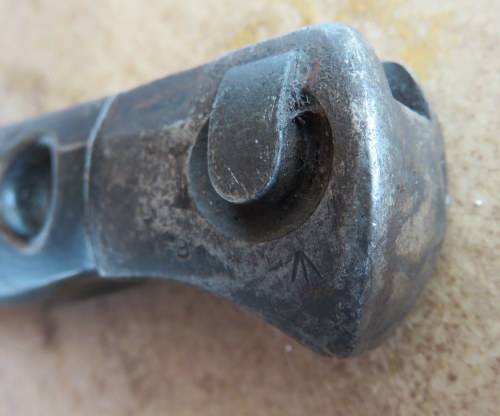
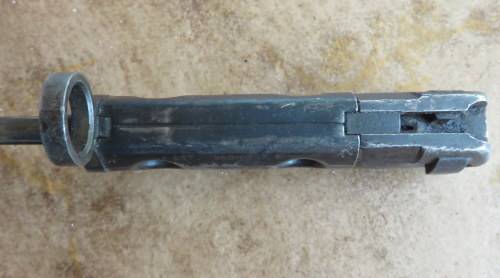
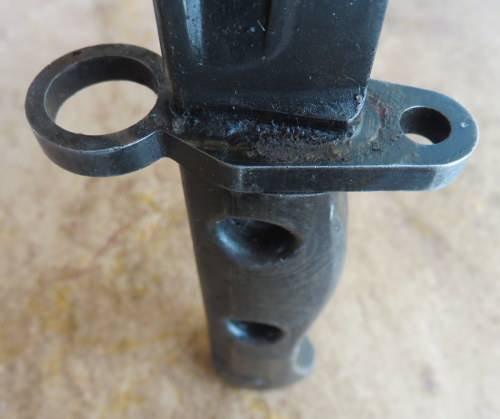
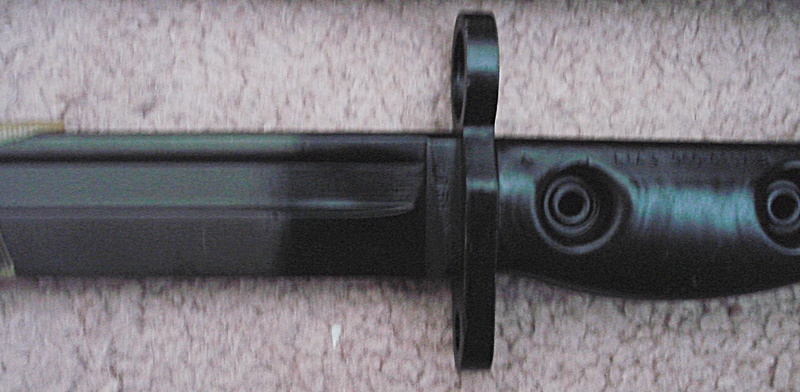
as to me to close this area, but that there was a hole ?????????????????
Image
Image
Image
Image
Rhino
Retired PR Developer
Posts: 47909
Joined: 2005-12-13 20:00

Re: L1A3 bayonet

Post by Rhino »

Ye, you might want to go though this tutorial, along with others then (pics for it are currently uploading after old server went down): https://www.realitymod.com/forum/f189-m ... ost1432884
Image
CaptMiller
Posts: 405
Joined: 2016-04-14 16:15

Re: L1A3 bayonet

Post by CaptMiller »

Well? What else needs to be changed ?

https://skfb.ly/QrJo - model

Image
Image
Image
Last edited by CaptMiller on 2016-07-05 13:38, edited 1 time in total.
CaptMiller
Posts: 405
Joined: 2016-04-14 16:15

Re: L1A3 bayonet

Post by CaptMiller »

I will miss 2-4 weeks, but when I get back, I'll start with a vengeance
CaptMiller
Posts: 405
Joined: 2016-04-14 16:15

Re: L1A3 bayonet

Post by CaptMiller »

I'm back home, need feedback on the model , is it ready for UVing ?(screenshots with material upper)
Image
Image
Image
Image
Last edited by CaptMiller on 2016-07-09 11:58, edited 1 time in total.
CaptMiller
Posts: 405
Joined: 2016-04-14 16:15

Re: L1A3 bayonet

Post by CaptMiller »

TexTools I try to install TexTools(for UVing) on 3ds Max 9(it is compatible with max9), as it said in instructions , but it is not work, installation does not start, please someone help
CaptMiller
Posts: 405
Joined: 2016-04-14 16:15

Re: L1A3 bayonet

Post by CaptMiller »

Some progress with the model

Image
Image
Image
Image
Image


Image
Image
Image
Image
Image


Image


Image
Image
Image
Image
Image
User avatar
Mr.VdHeide
PR:BF2 Developer
Posts: 923
Joined: 2014-09-16 10:16

Re: L1A3 bayonet

Post by Mr.VdHeide »

The handle needs a lot of optimization. Mainly on the sides you could save quite a bunch of triangles.

Also, you made a nice chamfer here:


Image

Image


But you can just make them straight without the rounding. I dont believe anyone will ever see that detail so it is basically a waste of triangles.


D.J.
Image
CaptMiller
Posts: 405
Joined: 2016-04-14 16:15

Re: L1A3 bayonet

Post by CaptMiller »

thanx for feedback, will fix it
Roughbeak
Posts: 92
Joined: 2013-07-22 03:28

Re: L1A3 bayonet

Post by Roughbeak »

CaptMiller wrote:TexTools I try to install TexTools(for UVing) on 3ds Max 9(it is compatible with max9), as it said in instructions , but it is not work, installation does not start, please someone help
Yeah, turn off administrator mode in Max9, and then see if you can try dragging and dropping TexTools in.


Best regards,
Roughbeak
CaptMiller
Posts: 405
Joined: 2016-04-14 16:15

Re: L1A3 bayonet

Post by CaptMiller »

Roughbeak;2137946 wrote:Yeah, turn off administrator mode in Max9, and then see if you can try dragging and dropping TexTools in.


it works, I have installed textools, but I cannot drag it on top panel in max, why ?? Yes I can open it on button, but I want to see it on panel
Image
Last edited by CaptMiller on 2016-07-15 22:37, edited 2 times in total.
Roughbeak
Posts: 92
Joined: 2013-07-22 03:28

Re: L1A3 bayonet

Post by Roughbeak »

Hey, this explains it quite well:

https://www.youtube.com/watch?v=GxizJFWYa20

You need to be in the "Toolbars" tab instead of "Keyboard" and select Textools in "Category" drop down thing.
CaptMiller
Posts: 405
Joined: 2016-04-14 16:15

Re: L1A3 bayonet

Post by CaptMiller »

Roughbeak wrote:Hey, this explains it quite well:

https://www.youtube.com/watch?v=GxizJFWYa20

You need to be in the "Toolbars" tab instead of "Keyboard" and select Textools in "Category" drop down thing.
Yeeeees, it works , thanx :lol:
Roughbeak
Posts: 92
Joined: 2013-07-22 03:28

Re: L1A3 bayonet

Post by Roughbeak »

Hey, great to hear it worked!
Post Reply

Return to “PR:BF2 Community Modding”