
Hi all,
Over the years, literally years, I've made a few threads sounding people out on how they fly in a vain effort to 'gitgud' with flying jets with my Logitech 3D Pro. For various reasons I think I'm going to stick to mouse/keyboard.
Thing is, I suck at it. I can't find a sensitivity level that works for me. I can fly, I can land, I can do tricks - I just can't tail people and fight, or shake people off my tail. So if there were transport planes in PR, I'd be all gravy baby - but combat? Nah.
Would anyone be willing to train me a bit in Mouse/Keyboard jet flying, and can someone tell me what the default sensitivities/yaw/pitch are for Aircraft so I can reset them and work my way up from there to something that feels comfortable? I don't want to 'Reset Defaults' because that will reset EVERYTHING and I can't take a screenshot of my current keybinds for other things - just shows a blank screen when I open the screenshot in paint.
Cheers.
PS. I've just been told the default values are 1.70 Sens | 1 Pitch | 1 Yaw?
Aircraft - Keyboard/Mouse
-
Heskey
- Posts: 1509
- Joined: 2007-02-18 03:30
Aircraft - Keyboard/Mouse
Last edited by Heskey on 2017-01-07 11:45, edited 1 time in total.
-
QuickLoad
- Posts: 609
- Joined: 2014-06-20 20:07
Re: Aircraft - Keyboard/Mouse
step a: https://assets.logitech.com/assets/5534 ... allery.png
use that for your mouse. they cost $20 around my local places.
step b: don't use track pad bullshit you don't have enough room to wiggle, with this mouse you can traverse with tanks for a longer period of time, yaw, pitch, etc.
I keep my sensitivity 0.1 higher, but I do not do jets.
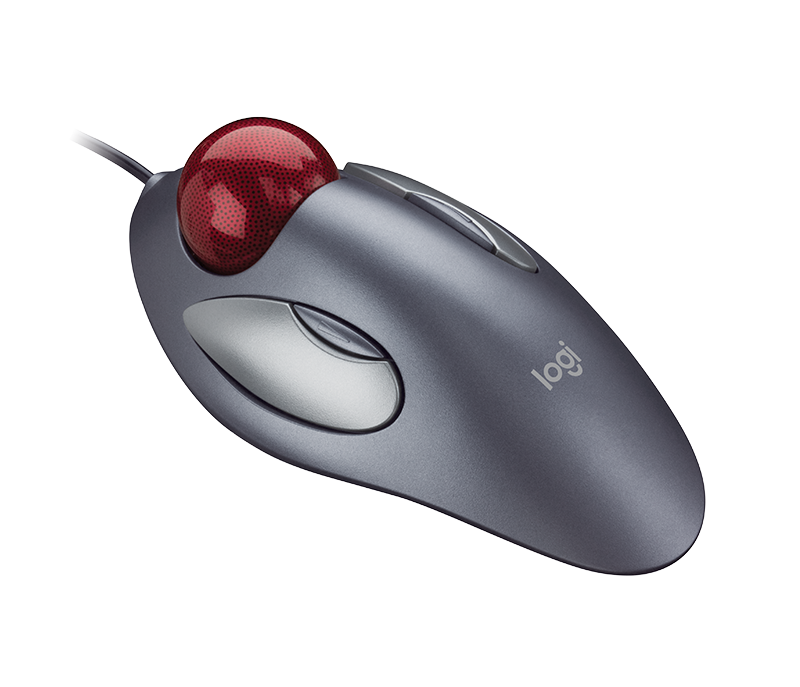
use that for your mouse. they cost $20 around my local places.
step b: don't use track pad bullshit you don't have enough room to wiggle, with this mouse you can traverse with tanks for a longer period of time, yaw, pitch, etc.
I keep my sensitivity 0.1 higher, but I do not do jets.
-
LiamBai
- Posts: 898
- Joined: 2013-03-19 19:09
Re: Aircraft - Keyboard/Mouse
Sensitivity and all that really doesn't make that much of a difference. I've won dogfights on a laptop trackpad(on FCV, full disclosure).
Flying against some semi decent pilots on a training server helps a lot at first, but after that you just need to whore all the CAS you can and believe that you are the best CAS pilot in the world for a while. Most dogfights are won or lost in seconds by spamming short range AA anyway.
Flying against some semi decent pilots on a training server helps a lot at first, but after that you just need to whore all the CAS you can and believe that you are the best CAS pilot in the world for a while. Most dogfights are won or lost in seconds by spamming short range AA anyway.
[url='http://tournament.realitymod.com'] [/url]
Liam: $ mkdir .ssh && chmod 700 .ssh
Vista: $: command not found
[/url]Liam: $ mkdir .ssh && chmod 700 .ssh
Vista: $: command not found
-
DogACTUAL
- Posts: 879
- Joined: 2016-05-21 01:13
Re: Aircraft - Keyboard/Mouse
I have a joystick but i don't use it either because i already got used to keyboard and mouse.
I use the joystick for other games.
Imo, you should not use the mouse for pitching and rolling, use the arrowkeys for that. That way you have the maximum turning speed without interruptions and you don't have to frantically slam your mouse all over your pad. Only use the mouse for precision aiming when bombing or shooting the gun.
In PR all the jets also have their best turn rate at their maximum speed, so if you are in a dogfight you should use afterburner as much as possible when trying to outturn another jet.
Set your alt fire (missiles and bombs) to spacebar as a second option to the right mouse click.
Reassign your weapon switch key from F to G, then set your primary fire (gun) to F as a second option to the mouse click.
That way you can use the weapons at the same moment while turning the jet with the arrowkeys so you can do 'snapshots' in tight moments without having to stop turning, but you will still be able to use them with your mouse too for better precision when needed.
At first it will be difficult, but you will get used to it quickly and then it will be way better then using the mouse for pitching and rolling.
Another important thing, that you might already know though:
To be able to effectively chase and fight enemy jets and to have more awareness of your surroundings in flight, you should familiarize yourself with the different view keys.
Don't use cntrl to check your surroundings while fighting, since you will not be able to pitch or roll your jet while pressing it. Instead use the following ones:
When in the jet, the standart keys for the different views are 7, 8 and 9. When you press them, your view will change to a different angle for each one. Once you pressed one of them, you can press your alt fire key, right click and/or in my case spacebar, to get the view angle to shift more upwards. This is very handy when tracking other jets.
The most important of those keys is 8, since you will look directly above your HUD display and when you press right click/spacebar after using it your view will shift even more upwards, looking straight up through the glass of the jet canopy.
It is the most important one, because with it you can easily keep track of the jet your are fighting with when it disappears out of your upper FOV on the HUD display view. I think this view also has a bigger field of view than the standart HUD view, so it is easier to spot other jets with it.
If your fingers are not long enough to reach the 8 key comfortably while flying, u can set a 2nd keybind to that function. E would be a good key for that, just put the 'enter vehicle' keybind on a different key like B for example.
7 and 9 are not that important and can be reached by just cycling through weapons with G if you have trouble reaching them directly.
To effectively spot jets and maximize your chance of seeing them first, keep flying in circles and loops alternating between horizontal and vertical alignment by rolling in different direction while turning, to basically be able to visually cover the maximum amount of airspace in as little time as possible.
While you are doing that try to 'spam' your different view keys as fast as possible to ensure as much situational awareness as you can. Put an emphasis on 8/E (up view) and C (rear view) as they are the most important, but also throw in a little 7 and 9 now and then. Of course also use spacebar to shift the angles for the different views more upwards so you get all the angles available.
I use the joystick for other games.
Imo, you should not use the mouse for pitching and rolling, use the arrowkeys for that. That way you have the maximum turning speed without interruptions and you don't have to frantically slam your mouse all over your pad. Only use the mouse for precision aiming when bombing or shooting the gun.
In PR all the jets also have their best turn rate at their maximum speed, so if you are in a dogfight you should use afterburner as much as possible when trying to outturn another jet.
Set your alt fire (missiles and bombs) to spacebar as a second option to the right mouse click.
Reassign your weapon switch key from F to G, then set your primary fire (gun) to F as a second option to the mouse click.
That way you can use the weapons at the same moment while turning the jet with the arrowkeys so you can do 'snapshots' in tight moments without having to stop turning, but you will still be able to use them with your mouse too for better precision when needed.
At first it will be difficult, but you will get used to it quickly and then it will be way better then using the mouse for pitching and rolling.
Another important thing, that you might already know though:
To be able to effectively chase and fight enemy jets and to have more awareness of your surroundings in flight, you should familiarize yourself with the different view keys.
Don't use cntrl to check your surroundings while fighting, since you will not be able to pitch or roll your jet while pressing it. Instead use the following ones:
When in the jet, the standart keys for the different views are 7, 8 and 9. When you press them, your view will change to a different angle for each one. Once you pressed one of them, you can press your alt fire key, right click and/or in my case spacebar, to get the view angle to shift more upwards. This is very handy when tracking other jets.
The most important of those keys is 8, since you will look directly above your HUD display and when you press right click/spacebar after using it your view will shift even more upwards, looking straight up through the glass of the jet canopy.
It is the most important one, because with it you can easily keep track of the jet your are fighting with when it disappears out of your upper FOV on the HUD display view. I think this view also has a bigger field of view than the standart HUD view, so it is easier to spot other jets with it.
If your fingers are not long enough to reach the 8 key comfortably while flying, u can set a 2nd keybind to that function. E would be a good key for that, just put the 'enter vehicle' keybind on a different key like B for example.
7 and 9 are not that important and can be reached by just cycling through weapons with G if you have trouble reaching them directly.
To effectively spot jets and maximize your chance of seeing them first, keep flying in circles and loops alternating between horizontal and vertical alignment by rolling in different direction while turning, to basically be able to visually cover the maximum amount of airspace in as little time as possible.
While you are doing that try to 'spam' your different view keys as fast as possible to ensure as much situational awareness as you can. Put an emphasis on 8/E (up view) and C (rear view) as they are the most important, but also throw in a little 7 and 9 now and then. Of course also use spacebar to shift the angles for the different views more upwards so you get all the angles available.
Last edited by DogACTUAL on 2019-06-23 14:26, edited 9 times in total.
-
BlackGus
- Posts: 152
- Joined: 2012-05-19 20:59
Re: Aircraft - Keyboard/Mouse
I play with Joystick and keyboard, i dont have problems.
This is my toy:
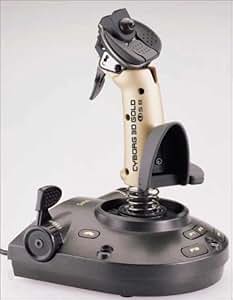
This is my toy:
-
CAS_ual_TY
- PR:BF2 Contributor
- Posts: 926
- Joined: 2016-01-04 12:30
Re: Aircraft - Keyboard/Mouse
Made a video about my settings some time ago. I can recommend them. Allows you to turn constantly while still having a hand on the mouse.


-
DogACTUAL
- Posts: 879
- Joined: 2016-05-21 01:13
Re: Aircraft - Keyboard/Mouse
That's great and all, but everytime you will use the spacebar to pitch up and try to use the mouse at the same moment, the mouse input will interfere and block the spacebar pitch and your jet will stop pitching up with full force.
Not good if you are in a tight turnfight, trying to get that exact cannon shot off at just the right moment and it is important that your aim stays in front of the jet you are fighting.
I had almost the same control setup but switched it out for my current one because of that.
Really good solution with the view keys though, for me it is kind of annoying to use mine because i have to reach very far on the keyboard.
Not good if you are in a tight turnfight, trying to get that exact cannon shot off at just the right moment and it is important that your aim stays in front of the jet you are fighting.
I had almost the same control setup but switched it out for my current one because of that.
Really good solution with the view keys though, for me it is kind of annoying to use mine because i have to reach very far on the keyboard.
Last edited by DogACTUAL on 2017-01-08 13:20, edited 2 times in total.
-
CAS_ual_TY
- PR:BF2 Contributor
- Posts: 926
- Joined: 2016-01-04 12:30
Re: Aircraft - Keyboard/Mouse
Depends on which you set as primary. If the space is primary you will keep turningDogACTUAL wrote:That's great and all, but everytime you will use the spacebar to pitch up and try to use the mouse at the same moment, the mouse input will interfere and block the spacebar pitch and your jet will stop pitching up with full force.
Not good if you are in a tight turnfight, trying to get that exact cannon shot off at just the right moment and it is important that your aim stays in front of the jet you are fighting.
I had almost the same control setup but switched it out for my current one because of that.
Really good solution with the view keys though, for me it is kind of annoying to use mine because i have to reach very far on the keyboard.
-
Tit4Tat
- Posts: 514
- Joined: 2009-12-11 12:41
Re: Aircraft - Keyboard/Mouse
Either way, it's a good trick to use spacebar as your pitch up, works well in chopers too.
==============================================
=MeRk=_Smurf_1st
=MeRk=_Smurf_1st
[url=selectukradio.com]selectuk.com[/url]
-
DogACTUAL
- Posts: 879
- Joined: 2016-05-21 01:13
Re: Aircraft - Keyboard/Mouse
To be frank, i really think assigning spacebar to pitch up and not assigning any other keys for roll and the like is a pleb tier setup.
Your end up being slightly confused by constantly having to control steering with 2 hands and on seperate input devices, even if you are used to it i argue you will still be at a disadvantage to someone using more streamlined controls, because they are more 'natural' and will allow for faster and more precise input. Meanwhile with arrow keys all the steering control is right there which allows for better overall control.
Pitch forward is also really useful to have and a good pilot will want to use it as well frequently, with arrow keys the control scheme just makes more sense, all the major controls in one place. Roll is also much more important than the space bar crowd give it credit for, in a usual PR dogfight you are not only trying to outturn the other jet but also outroll it in most cases, therefore having dedicated keys for rolling is important to guarentee you the fastest uninterrupted roll rate.
Your end up being slightly confused by constantly having to control steering with 2 hands and on seperate input devices, even if you are used to it i argue you will still be at a disadvantage to someone using more streamlined controls, because they are more 'natural' and will allow for faster and more precise input. Meanwhile with arrow keys all the steering control is right there which allows for better overall control.
Pitch forward is also really useful to have and a good pilot will want to use it as well frequently, with arrow keys the control scheme just makes more sense, all the major controls in one place. Roll is also much more important than the space bar crowd give it credit for, in a usual PR dogfight you are not only trying to outturn the other jet but also outroll it in most cases, therefore having dedicated keys for rolling is important to guarentee you the fastest uninterrupted roll rate.
Not only did the DEVs totally throw off the CAS/AA balance and make TOWs useless against tanks, no that was not enough. They also had to introduce their most controversial change yet, a 16 character limit on player names.
------------------
''Mats literally does not give a single fuck what you, me or everybody else thinks the game should be like. He doesn't care if you, me or everybody else plays the game even.'' - Frontliner
------------------
''Mats literally does not give a single fuck what you, me or everybody else thinks the game should be like. He doesn't care if you, me or everybody else plays the game even.'' - Frontliner
-
SemlerPDX
- Posts: 530
- Joined: 2011-01-16 21:49
- Contact:
Re: Aircraft - Keyboard/Mouse
DogACTUAL wrote:To be frank, i really think assigning spacebar to pitch up and not assigning any other keys for roll and the like is a pleb tier setup.
Your end up being slightly confused by constantly having to control steering with 2 hands and on seperate input devices, even if you are used to it i argue you will still be at a disadvantage to someone using more streamlined controls, because they are more 'natural' and will allow for faster and more precise input. Meanwhile with arrow keys all the steering control is right there which allows for better overall control.
Pitch forward is also really useful to have and a good pilot will want to use it as well frequently, with arrow keys the control scheme just makes more sense, all the major controls in one place. Roll is also much more important than the space bar crowd give it credit for, in a usual PR dogfight you are not only trying to outturn the other jet but also outroll it in most cases, therefore having dedicated keys for rolling is important to guarentee you the fastest uninterrupted roll rate.
U sure that dude that posted that back in January of 2017, two and a half years ago, didn't have a point about having a quick "pull-up" command on spacebar? Like you're replying to someone trying to suggest something useful to you but waaaaaaaaayy too late?
Can't imagine what he proposed being at all not useful... but assuming he meant to "not" assign any other controls is likely incorrect.
The method he suggests is one that was popular in Planetside for mouse/keyboard flying -- to have an additional "pull-up" command on another mouse button or keyboard (if you don't have a gaming mouse). The mouse still controls pitch up/down, and roll left/right, but you have a straight one push constant pull up *(and even pitch down, yaw left/right, if you have enough mouse buttons).
It's a good suggestion for mouse/keyboard flying!
Last edited by SemlerPDX on 2019-06-23 18:41, edited 6 times in total.
Reason: (new page, added quote)
Reason: (new page, added quote)
-
DogACTUAL
- Posts: 879
- Joined: 2016-05-21 01:13
Re: Aircraft - Keyboard/Mouse
I replied late because i linked a friend my older post in this thread as a setup guide for jet CAS. On that occasion i had a look at the replies that came after my post and just wanted to share my opinion that people would be better off overall to adopt my control scheme in favour of the other one, since some people that google 'project reality cas controls' are bound to find this thread and use it as a guide.
Most situations favour arrow key control.
Maybe someone can try to combine both control setups, but iirc it is not possible since you can only assign two input keys/axis per control function.
About planetside, i can't speak on that since i never played it. But how is that game even relevant here? I am talking about what works best with PR jets, obviously every game will be different in its portrayal of aircraft, flight models and controls. So of course i wouldn't imply that this control scheme is perfect for every game with aircraft out there? Why did u even bring up planetside, it is really irrelevant to this matter.
It's not that it is not useful, it is just that the benefits of the arrow key control layout far outweigh those of the spacebar for pull-up only. The only advantage of the spacebar layout that i can think of is that with arrow key layout there is a bigger delay when switching from mouse to arrow keys and vice versa than if you were to just press spacebar with your thumb while still having the other hand on your mouse, but this advantage does not come in handy very often.Can't imagine what he proposed being at all not useful... but assuming he meant to "not" assign any other controls is likely incorrect.
Most situations favour arrow key control.
Maybe someone can try to combine both control setups, but iirc it is not possible since you can only assign two input keys/axis per control function.
About planetside, i can't speak on that since i never played it. But how is that game even relevant here? I am talking about what works best with PR jets, obviously every game will be different in its portrayal of aircraft, flight models and controls. So of course i wouldn't imply that this control scheme is perfect for every game with aircraft out there? Why did u even bring up planetside, it is really irrelevant to this matter.
Last edited by DogACTUAL on 2019-06-23 23:30, edited 7 times in total.
Not only did the DEVs totally throw off the CAS/AA balance and make TOWs useless against tanks, no that was not enough. They also had to introduce their most controversial change yet, a 16 character limit on player names.
------------------
''Mats literally does not give a single fuck what you, me or everybody else thinks the game should be like. He doesn't care if you, me or everybody else plays the game even.'' - Frontliner
------------------
''Mats literally does not give a single fuck what you, me or everybody else thinks the game should be like. He doesn't care if you, me or everybody else plays the game even.'' - Frontliner
-
CAS_ual_TY
- PR:BF2 Contributor
- Posts: 926
- Joined: 2016-01-04 12:30
Re: Aircraft - Keyboard/Mouse
Thats kinda what Im doing.
Pitch and Roll with mouse
Pitch and Yaw with keyboard
In a dogfight, I use spacebae to keep pulling up.
When bombing, I only use the mouse for Pitch for more accurate bombing, sometimes I additionally fix Yaw with A & D.
Just gotta make sure that spacebae is the primary key, mouse the secondary. Otherwise you override your Pitch when Rolling with the mouse.
Pitch and Roll with mouse
Pitch and Yaw with keyboard
In a dogfight, I use spacebae to keep pulling up.
When bombing, I only use the mouse for Pitch for more accurate bombing, sometimes I additionally fix Yaw with A & D.
Just gotta make sure that spacebae is the primary key, mouse the secondary. Otherwise you override your Pitch when Rolling with the mouse.
-
SemlerPDX
- Posts: 530
- Joined: 2011-01-16 21:49
- Contact:
Re: Aircraft - Keyboard/Mouse
Where there is a will, there is a way. May be able to only assign two keys/axes in-game, but in Windows, those could be assigned to any number of actual physical buttons on controllers, like Mouse Buttons in addition to left/right/middle click, etc. depending on hardware, you could use native things like Logitech's software, or Razer's, or barring that, external utilities like vJoy.DogACTUAL wrote:Maybe someone can try to combine both control setups, but iirc it is not possible since you can only assign two input keys/axis per control function.
If one wanted to do that, they could, and a google search or two on the subject would point someone to those concepts (vJoy, etc.).
You started off great, asking a question, then you assumed I was so wrong with a declarative statement, since you didn't end asking "is it really relevant to this matter" with a question mark, and I'll just say it's not best to assume something if you don't know.DogACTUAL wrote: About planetside, i can't speak on that since i never played it. But how is that game even relevant here?
...
Why did u even bring up planetside, it is really irrelevant to this matter.
The entire aircraft, flight method, and even physics are completely different for the "hovercraft" in Planetside 2 -- they do fly like jets, but if you let go, they just stop in air, can point up or down, left or right (yaw), but again, travelling forward at speed, they fly like and dogfight like jets.
Now, being that flying with Keyboard/Mouse in aircraft is common between most games (same pitch/roll/yaw axes) you can ascertain that certain flight methods are the same. For example, to change flight heading from 090 to 180, you don't "turn" by using yaw, you roll and then pull up.
Pulling up with a mouse, even with very high DPI, can result in having to pick up the mouse and put it back down as you run out of desk to move the mouse on. Pulling up is therefore one of the most used of all the axes in flight games, if they fly similar to jets. And in Planetside 2, they do.
By adding a button to the "pull up" axis as stated before, you can therefore reduce the number of times you physically have to pick up your mouse as you run out of desk space in long turning dogfights. As proper flight maneuvers and especially dogfights often can result in a battle of turns, "roll and then pull up" as described before, this button can give a decided edge in PR, or any flight game where mouse and keyboard are the only controls you want to be using.
Personally, I use either an X52 or Thrustmaster USB Joystick if only for the analogue throttle option that makes hovering with helicopters easy, but I'm still an old school Keyboard/Mouse pro and that tip was a pro tip he suggested. Just sayin.
Last edited by SemlerPDX on 2019-06-24 19:45, edited 3 times in total.
-
DogACTUAL
- Posts: 879
- Joined: 2016-05-21 01:13
Re: Aircraft - Keyboard/Mouse
Ok thanks for clarifying, also didn't know about that 3rd party software to assign further controls.
While basic flight controls are the same across most games for aircraft, depending on the flight model it might not be wise to always pitch with full deflection/force, especially with more detailed/realistic flight models, for such a game a flight stick would be the better option instead of keyboard controls.
For PR you always want to pull with full force, so it makes sense to assign keys that do that automatically.
So my point was that other games are irrelevant here, since i was only advertising my controls as being the best for PR and not any other game.
Okay fair enough, that was arrogant of me.You started off great, asking a question, then you assumed I was so wrong with a declarative statement, since you didn't end asking "is it really relevant to this matter" with a question mark, and I'll just say it's not best to assume something if you don't know.
What i was getting at is that every game has different mechanics so just because something works in one game doesn't mean it will also work well in others.Now, being that flying with Keyboard/Mouse in aircraft is common between most games (same pitch/roll/yaw axes) you can ascertain that certain flight methods are the same. For example, to change flight heading from 090 to 180, you don't "turn" by using yaw, you roll and then pull up.
While basic flight controls are the same across most games for aircraft, depending on the flight model it might not be wise to always pitch with full deflection/force, especially with more detailed/realistic flight models, for such a game a flight stick would be the better option instead of keyboard controls.
For PR you always want to pull with full force, so it makes sense to assign keys that do that automatically.
So my point was that other games are irrelevant here, since i was only advertising my controls as being the best for PR and not any other game.
Not only did the DEVs totally throw off the CAS/AA balance and make TOWs useless against tanks, no that was not enough. They also had to introduce their most controversial change yet, a 16 character limit on player names.
------------------
''Mats literally does not give a single fuck what you, me or everybody else thinks the game should be like. He doesn't care if you, me or everybody else plays the game even.'' - Frontliner
------------------
''Mats literally does not give a single fuck what you, me or everybody else thinks the game should be like. He doesn't care if you, me or everybody else plays the game even.'' - Frontliner
-
SemlerPDX
- Posts: 530
- Joined: 2011-01-16 21:49
- Contact:
Re: Aircraft - Keyboard/Mouse
I fully understand, bro! You had not know that my reference to Planetside included another bird that wants a full force pull for most maneuvers as stated. And of course, you retain your fine control with the mouse, or alternate controls.DogACTUAL wrote:What i was getting at is that every game has different mechanics so just because something works in one game doesn't mean it will also work well in others.
While basic flight controls are the same across most games for aircraft, depending on the flight model it might not be wise to always pitch with full deflection/force, especially with more detailed/realistic flight models, for such a game a flight stick would be the better option instead of keyboard controls.
For PR you always want to pull with full force, so it makes sense to assign keys that do that automatically.
So my point was that other games are irrelevant here, since i was only advertising my controls as being the best for PR and not any other game.
I run a combat flight simulator server called Falcon BMS over at veterans-gaming, and I occasionally train people how to fly a real world equivalent F-16, and if one held a button like this for longer than a second, it would likely tear the armaments off the rails producing hung stores and SMS failures, unless the bird was slick - but even then, like you said, when the reality factor raises in flight games or sims, you get incomparable flight concepts and mechanics between them. Of course, in War Thunder, you can pull up with force and fly overspeed without concern in anything but the realistic or simulator flight matches, otherwise you will literally watch your aircraft tear apart. lol
I wouldn't have suggested such if I wasn't aware of such differences, would have included deeper explanation to start but didn't want to put up a wall of text - certainly didn't want to assume it was common knowledge, just an as example of where Keyboard/Mouse flight benefits when desktop space is limited.
Just wanted to point out that it's a valid pro tip. Pilots would be wise to try the method out for themselves and see what works best for them.
Last edited by SemlerPDX on 2019-06-24 22:08, edited 3 times in total.
-
DogACTUAL
- Posts: 879
- Joined: 2016-05-21 01:13
Re: Aircraft - Keyboard/Mouse
Oh nice. What do you think of the upcoming F-16 module for DCS World? How do you think it will compare?
Not only did the DEVs totally throw off the CAS/AA balance and make TOWs useless against tanks, no that was not enough. They also had to introduce their most controversial change yet, a 16 character limit on player names.
------------------
''Mats literally does not give a single fuck what you, me or everybody else thinks the game should be like. He doesn't care if you, me or everybody else plays the game even.'' - Frontliner
------------------
''Mats literally does not give a single fuck what you, me or everybody else thinks the game should be like. He doesn't care if you, me or everybody else plays the game even.'' - Frontliner
-
Rhino
- Retired PR Developer
- Posts: 47909
- Joined: 2005-12-13 20:00
Re: Aircraft - Keyboard/Mouse
What I don't understand is why any keen pilot wouldn't buy even a basic joystick to fly with...
I can understand that many people don't have the money or space for a full-blown HOTAS setup but one of the basic small and cheap sticks for around £20/$15 do the same basic job, just without all the extra buttons/knobs which you don't really need for a game like PR anyways.
Back in the days of BF1942 (and before even) I used a really basic MS Sidewinder (that in fact I still have it today, although I haven't used it in around 15 yrs now) and it did all the basics you need for a game like BF or PR. Any advanced flight sim and there would be a lot of the keyboard use involved on top of a basic stick. But the basic axis it gives you so much more control over a plane and my Sidewinder didn't even have a rudder, had two buttons for left and right rudder but again, that was totally fine for that kind of game although I would recommend a basic twist rudder for a few extra bucks that most cheap sticks have these days.
But that's just me, I've never gotten the whole flying with mouse thing but probably because I've grown up with flight sticks from the start but I simply find it far more enjoyable and accurate than any alternative when it comes to flying.
I can understand that many people don't have the money or space for a full-blown HOTAS setup but one of the basic small and cheap sticks for around £20/$15 do the same basic job, just without all the extra buttons/knobs which you don't really need for a game like PR anyways.
Back in the days of BF1942 (and before even) I used a really basic MS Sidewinder (that in fact I still have it today, although I haven't used it in around 15 yrs now) and it did all the basics you need for a game like BF or PR. Any advanced flight sim and there would be a lot of the keyboard use involved on top of a basic stick. But the basic axis it gives you so much more control over a plane and my Sidewinder didn't even have a rudder, had two buttons for left and right rudder but again, that was totally fine for that kind of game although I would recommend a basic twist rudder for a few extra bucks that most cheap sticks have these days.
But that's just me, I've never gotten the whole flying with mouse thing but probably because I've grown up with flight sticks from the start but I simply find it far more enjoyable and accurate than any alternative when it comes to flying.

-
SemlerPDX
- Posts: 530
- Joined: 2011-01-16 21:49
- Contact:
Re: Aircraft - Keyboard/Mouse
I'm sure the DCS Falcon module will do well like their other modules, the audience for that aircraft has been stoked and maintained by BMS and other previous iterations in the evolution of Falcon 4 mods.
But in the end, we're talking about a fair bit of time after "release" to finalize development, bug hunt, polish things, fix other things, integrate things that aren't finished.... After that, it will be a quite different answer than after this first release. They don't tend to keep things in-house too long, so I expect a sort-of beta build in disguise, and won't be overly critical at first. BMS has the benefit of home field advantage, with years upon years of tweaking, live testing and feedback, and so will remain the go-to for the pro's for some time regardless of any perceived competition from DCS modules, or even this dynamic campaign they've hinted at. That's the real kicker:
Right now, and at all times, 24/7 for almost ten years, we've run a simulation of a Korean War with thousands of units fighting over a full scale digital representation of Korea. It has been modified so that it lasts about two to three weeks before we restart it to Day 1. What we do affects what comes later - though engineering battalions exist and can slowly repair destroyed bridges or even airbases, it is quite a thing to manage that many units in any non-scripted manner over a map so ridiculously huge, it seems unlikely that anyone will be able to recreate anything to match it, let alone exceed it in scope and functionality.
Time will tell, but for people like me who fly in both games, and several other flight games/sims, too, I won't stop flying in BMS altogether unless what is offered meets or exceeds it more than just graphically.
EDIT FOR FUN- JSTARS 10 second Time Lapse Replay of 25 days of real time AI on AI (with Humans here and there) in Falcon BMS F-16 Combat Flight Simulator:
(each "dot" could be considered between a dozen to a few hundred individual vehicles, part of battalion sized groups)
...
+1 for the MS Sidewinder! Was one of my first sticks, too! Got it for Battlefield 1942 and Desert Combat Mod after a few years of Keyboard/Mouse. Now I'm all HOTAS with magnet mods and custom home-made controllers and stuff.... The rabbit hole sure goes deep!
But in the end, we're talking about a fair bit of time after "release" to finalize development, bug hunt, polish things, fix other things, integrate things that aren't finished.... After that, it will be a quite different answer than after this first release. They don't tend to keep things in-house too long, so I expect a sort-of beta build in disguise, and won't be overly critical at first. BMS has the benefit of home field advantage, with years upon years of tweaking, live testing and feedback, and so will remain the go-to for the pro's for some time regardless of any perceived competition from DCS modules, or even this dynamic campaign they've hinted at. That's the real kicker:
Right now, and at all times, 24/7 for almost ten years, we've run a simulation of a Korean War with thousands of units fighting over a full scale digital representation of Korea. It has been modified so that it lasts about two to three weeks before we restart it to Day 1. What we do affects what comes later - though engineering battalions exist and can slowly repair destroyed bridges or even airbases, it is quite a thing to manage that many units in any non-scripted manner over a map so ridiculously huge, it seems unlikely that anyone will be able to recreate anything to match it, let alone exceed it in scope and functionality.
Time will tell, but for people like me who fly in both games, and several other flight games/sims, too, I won't stop flying in BMS altogether unless what is offered meets or exceeds it more than just graphically.
EDIT FOR FUN- JSTARS 10 second Time Lapse Replay of 25 days of real time AI on AI (with Humans here and there) in Falcon BMS F-16 Combat Flight Simulator:
(each "dot" could be considered between a dozen to a few hundred individual vehicles, part of battalion sized groups)
...
+1 for the MS Sidewinder! Was one of my first sticks, too! Got it for Battlefield 1942 and Desert Combat Mod after a few years of Keyboard/Mouse. Now I'm all HOTAS with magnet mods and custom home-made controllers and stuff.... The rabbit hole sure goes deep!
Last edited by SemlerPDX on 2019-06-25 03:36, edited 6 times in total.
Reason: changed "the Korean War" to "a Korean War" just cuz
Reason: changed "the Korean War" to "a Korean War" just cuz
-
Rhino
- Retired PR Developer
- Posts: 47909
- Joined: 2005-12-13 20:00
Re: Aircraft - Keyboard/Mouse
That sounds pretty awesome! What I dislike most about DCS is how missions are, for the most part, so limited and on then on the open world ones, feel too scripted and then limited to.SemlerPDX wrote:Right now, and at all times, 24/7 for almost ten years, we've run a simulation of a Korean War with thousands of units fighting over a full scale digital representation of Korea. It has been modified so that it lasts about two to three weeks before we restart it to Day 1. What we do affects what comes later - though engineering battalions exist and can slowly repair destroyed bridges or even airbases, it is quite a thing to manage that many units in any non-scripted manner over a map so ridiculously huge, it seems unlikely that anyone will be able to recreate anything to match it, let alone exceed it in scope and functionality.
What do you mean by magnet mods? But ye the Flight Sim kit rabbit hole goes really, really deep... I've just finished customising my latest headset with a wireless TrackIR Clip that runs off the headset battery to keep it fully wireless, without any modifications to the headset itself so it wouldn't affect its 3yr warranty which was somewhat tricky. But ye some guys building entire SimPitsSemlerPDX wrote:Now I'm all HOTAS with magnet mods and custom home-made controllers and stuff.... The rabbit hole sure goes deep!

https://guppy.home.blog/?fbclid=IwAR1CO ... iX3X2U07uk
