
This control thread will be tightly moderated. Do not post spam. If you have a tip to post, put it in bold. I will put it into the following post, minus the bold. If you want to discuss tips already posted, do so in a seperate post from any tip submissions, and do not do so in bold.
The purpose of this thread is to suggest interesting key binding or control settings for use with PR. The BF2 engine is lame in that it will "hard code" certain bindings. If you have bindings that will not work with PR because of BF2 limitations, go ahead and post it anyway so that people can possibly use them in other games.
List Thread: Control Tips
-
Wasteland
- Posts: 4611
- Joined: 2006-11-07 04:44
List Thread: Control Tips
Originally Posted by: ArmedDrunk&Angry
we don't live in your fantastical world where you are the super hero sent to release us all from the bondage of ignorance
Originally Posted by: [R-MOD]dunehunter
don't mess with wasteland, a scary guy will drag you into an alleyway and rape you with a baseballbat
we don't live in your fantastical world where you are the super hero sent to release us all from the bondage of ignorance
Originally Posted by: [R-MOD]dunehunter
don't mess with wasteland, a scary guy will drag you into an alleyway and rape you with a baseballbat
-
Wasteland
- Posts: 4611
- Joined: 2006-11-07 04:44
1) How to assign Left Shift to a different action than sprint:
Go to your My Documents folder, then to Battlefield 2, Profiles, xxxx and create a backup of a file called Controls.con.
Now when you have the backup, open the original file with notepad and search (CTRL+F) for the following line:
and delete all the lines.
Now start up the game and bind the left shift to any desired action.
Note: xxxx is a number of your profile, eg. 0001
Note 2: This tweak has been tested with vBF2 ranked server with activated PunkBuster. No kick/ban (see my previous post for details).
2) I find having my squad VOIP set to "C" is retarded, since I cannot strafe right, or easily enter vehicles without interupting my speech. Further, "C" is a small key, and I talk a lot. I map my squad VOIP to caps lock.
3) I don't know who I got this from, I think it was an R-PUB, but it's a great tip. Set your primary fire (3) to your middle mouse button (actually pressing the mouse wheel). I switch my modes of fire constantly while playing, depending on ranges of expected engagement. And this option lets me do that so easily.
4) I'm not entirely sure if this works in BF2, and my gaming computer is messed up ATM, so maybe the following works and maybe it doesn't. But I recently read about an interesting keyboad control method. Instead of using the WASD keys, use the ESDF. To quote Wikipedia:
6) I have my binocs set to middle mouse button cause its easy to whip them out really fast.
7) My Mouse Config:
Button 1 (LMB): Pri-Fire (default)
Button 2 (RMB): Secondary-Fire (default)
Button 3 (MMB): Weapon #4 (frag nades on most kits)
Button 4: Weapon #5 (smoke nades for most kits)
Button 5: Weapon #3 (Primary weapon, for most kits your rifle, best to change fire modes with this button and swap back to your main rifle out throwing a nade. very easy to reach button also).

8 ) Mouse wheel up/down weapon select
Open controls.con from "My Documents\Battlefield 2\Profiles\0001"
Locate the line for weapon you want to change for example I use dressing and binoculars witch are:
ControlMap.addKeyToTriggerMapping c_PIWeaponSelect7 IDFKeyboard IDKey_7 10000 0
ControlMap.addKeyToTriggerMapping c_PIWeaponSelect8 IDFKeyboard IDKey_8 10000 0
Change addKeyTotriggerMapping to addAxisToTriggerMapping and add -1 in front or after c_PIWeaponSelect# (In front is up and after down if i remember right, correct me if I'm wrong and I'll fix this)
Change IDFKeyboard IDKey_# to IDFMouse IDAxis_2 (wheel axis) and change 10000 to 0 Now you should have something like this:
ControlMap.addAxisToTriggerMapping c_PIWeaponSelect7 -1 IDFMouse IDAxis_2 0
ControlMap.addAxisToTriggerMapping -1 c_PIWeaponSelect8 IDFMouse IDAxis_2 0
Now at the bottom of the page there is these two lines:
ControlMap.addAxisToTriggerMapping c_PINextItem -1 IDFMouse IDAxis_2 0
ControlMap.addAxisToTriggerMapping -1 c_PIPrevItem IDFMouse IDAxis_2 0
Change them to
ControlMap.addKeyToTriggerMapping c_PINextItem IDFKeyboard IDKey_I 10000 0
ControlMap.addKeyToTriggerMapping c_PIPrevItem IDFKeyboard IDKey_O 10000 0
or change the IDKey_I and IDKey_O to witch ever buttons you don't have in use. This is necessary and disables the mouse wheel weapon menu. You won't be able to use it anymore so you need to have easy to use key assigned to all weapons.
Go to your My Documents folder, then to Battlefield 2, Profiles, xxxx and create a backup of a file called Controls.con.
Now when you have the backup, open the original file with notepad and search (CTRL+F) for the following line:
Code: Select all
ControlMap.addKeyToTriggerMapping c_PISprint IDFKeyboard IDKey_LeftShift 0 0
Now start up the game and bind the left shift to any desired action.
Note: xxxx is a number of your profile, eg. 0001
Note 2: This tweak has been tested with vBF2 ranked server with activated PunkBuster. No kick/ban (see my previous post for details).
2) I find having my squad VOIP set to "C" is retarded, since I cannot strafe right, or easily enter vehicles without interupting my speech. Further, "C" is a small key, and I talk a lot. I map my squad VOIP to caps lock.
3) I don't know who I got this from, I think it was an R-PUB, but it's a great tip. Set your primary fire (3) to your middle mouse button (actually pressing the mouse wheel). I switch my modes of fire constantly while playing, depending on ranges of expected engagement. And this option lets me do that so easily.
4) I'm not entirely sure if this works in BF2, and my gaming computer is messed up ATM, so maybe the following works and maybe it doesn't. But I recently read about an interesting keyboad control method. Instead of using the WASD keys, use the ESDF. To quote Wikipedia:
5) I have field dressing set to the thumb button on my mouse so its really fast.The ESDF variation is sometimes preferred because it provides access to movement independent keys for the little finger (W, A, Z) which generally allows for more advanced manual binding. Incidentally, it allows the left hand to remain in homerow with the advantage of the F key homerow marker (available on most standard keyboards) to easily return to position with the index finger. ESDF is the default configuration for several games such as Tribes 2.
6) I have my binocs set to middle mouse button cause its easy to whip them out really fast.
7) My Mouse Config:
Button 1 (LMB): Pri-Fire (default)
Button 2 (RMB): Secondary-Fire (default)
Button 3 (MMB): Weapon #4 (frag nades on most kits)
Button 4: Weapon #5 (smoke nades for most kits)
Button 5: Weapon #3 (Primary weapon, for most kits your rifle, best to change fire modes with this button and swap back to your main rifle out throwing a nade. very easy to reach button also).
8 ) Mouse wheel up/down weapon select
Open controls.con from "My Documents\Battlefield 2\Profiles\0001"
Locate the line for weapon you want to change for example I use dressing and binoculars witch are:
ControlMap.addKeyToTriggerMapping c_PIWeaponSelect7 IDFKeyboard IDKey_7 10000 0
ControlMap.addKeyToTriggerMapping c_PIWeaponSelect8 IDFKeyboard IDKey_8 10000 0
Change addKeyTotriggerMapping to addAxisToTriggerMapping and add -1 in front or after c_PIWeaponSelect# (In front is up and after down if i remember right, correct me if I'm wrong and I'll fix this)
Change IDFKeyboard IDKey_# to IDFMouse IDAxis_2 (wheel axis) and change 10000 to 0 Now you should have something like this:
ControlMap.addAxisToTriggerMapping c_PIWeaponSelect7 -1 IDFMouse IDAxis_2 0
ControlMap.addAxisToTriggerMapping -1 c_PIWeaponSelect8 IDFMouse IDAxis_2 0
Now at the bottom of the page there is these two lines:
ControlMap.addAxisToTriggerMapping c_PINextItem -1 IDFMouse IDAxis_2 0
ControlMap.addAxisToTriggerMapping -1 c_PIPrevItem IDFMouse IDAxis_2 0
Change them to
ControlMap.addKeyToTriggerMapping c_PINextItem IDFKeyboard IDKey_I 10000 0
ControlMap.addKeyToTriggerMapping c_PIPrevItem IDFKeyboard IDKey_O 10000 0
or change the IDKey_I and IDKey_O to witch ever buttons you don't have in use. This is necessary and disables the mouse wheel weapon menu. You won't be able to use it anymore so you need to have easy to use key assigned to all weapons.
Last edited by Wasteland on 2007-10-23 18:04, edited 1 time in total.
Originally Posted by: ArmedDrunk&Angry
we don't live in your fantastical world where you are the super hero sent to release us all from the bondage of ignorance
Originally Posted by: [R-MOD]dunehunter
don't mess with wasteland, a scary guy will drag you into an alleyway and rape you with a baseballbat
we don't live in your fantastical world where you are the super hero sent to release us all from the bondage of ignorance
Originally Posted by: [R-MOD]dunehunter
don't mess with wasteland, a scary guy will drag you into an alleyway and rape you with a baseballbat
-
SethLive!
- Posts: 1582
- Joined: 2007-02-10 22:46
I have field dressing set to the thumb button on my mouse so its really fast.
I have my binocs set to middle mouse button cause its easy to whip them out really fast.
I have my binocs set to middle mouse button cause its easy to whip them out really fast.
Last edited by Wasteland on 2007-10-23 16:01, edited 1 time in total.

Someone please tell me that the above is irony.
Or I'll rip my own eyes out with a sardine. -[R-Mod] Masaq
-
Rhino
- Retired PR Developer
- Posts: 47909
- Joined: 2005-12-13 20:00
My Mouse Config:
Button 1 (LMB): Pri-Fire (default)
Button 2 (RMB): Secondary-Fire (default)
Button 3 (MMB): Weapon #4 (frag nades on most kits)
Button 4: Weapon #5 (smoke nades for most kits)
Button 5: Weapon #3 (Primary weapon, for most kits your rifle, best to change fire modes with this button and swap back to your main rifle out throwing a nade. very easy to reach button also).
Button 1 (LMB): Pri-Fire (default)
Button 2 (RMB): Secondary-Fire (default)
Button 3 (MMB): Weapon #4 (frag nades on most kits)
Button 4: Weapon #5 (smoke nades for most kits)
Button 5: Weapon #3 (Primary weapon, for most kits your rifle, best to change fire modes with this button and swap back to your main rifle out throwing a nade. very easy to reach button also).
Last edited by Wasteland on 2007-10-23 16:02, edited 1 time in total.

-
Deadfast
- Retired PR Developer
- Posts: 4611
- Joined: 2007-07-16 16:25
Nice thread idea.
This is not a suggestion but more of a question. After reading on the EDSF key configuration I decided to give this a try. However, I wanted to change my L Shift for crouch. However, when I try to assign it, it says "Duplicate key found in Helicopter controls". The problem is, that there is no L Shift in heli controls. I hope they didn't hardcode even keyboard configuration
This is not a suggestion but more of a question. After reading on the EDSF key configuration I decided to give this a try. However, I wanted to change my L Shift for crouch. However, when I try to assign it, it says "Duplicate key found in Helicopter controls". The problem is, that there is no L Shift in heli controls. I hope they didn't hardcode even keyboard configuration
-
Wasteland
- Posts: 4611
- Joined: 2006-11-07 04:44
Oi guys, read the first post! Haha. If you make a suggestion, have it in bold.
Deadfast, when a key binding is hard coded, yeah, it usually says "duplicate key found in helicopter controls". Sucks doesn't it? I can't for the life of me figure out why EA would do this to us.
Just so you know, this means you can't map something besides sprint to L-Shift. It doesn't mean you can't map crouch to something else.
Deadfast, when a key binding is hard coded, yeah, it usually says "duplicate key found in helicopter controls". Sucks doesn't it? I can't for the life of me figure out why EA would do this to us.
Just so you know, this means you can't map something besides sprint to L-Shift. It doesn't mean you can't map crouch to something else.
Originally Posted by: ArmedDrunk&Angry
we don't live in your fantastical world where you are the super hero sent to release us all from the bondage of ignorance
Originally Posted by: [R-MOD]dunehunter
don't mess with wasteland, a scary guy will drag you into an alleyway and rape you with a baseballbat
we don't live in your fantastical world where you are the super hero sent to release us all from the bondage of ignorance
Originally Posted by: [R-MOD]dunehunter
don't mess with wasteland, a scary guy will drag you into an alleyway and rape you with a baseballbat
-
Deadfast
- Retired PR Developer
- Posts: 4611
- Joined: 2007-07-16 16:25
Yeah, I got it. Apparently they wanted to map something for left shift (like boost for heli), and kinda "forgot" to removed it from default settings.
I'll try to mess up with control config for a bit...
EDIT: Here we go:
I'll try to mess up with control config for a bit...
EDIT: Here we go:
Idiots...ControlMap.create HelicopterPlayerInputControlMap
blah blah blah
ControlMap.addKeyToTriggerMapping c_PISprint IDFKeyboard IDKey_LeftShift 0 0
-
Wasteland
- Posts: 4611
- Joined: 2006-11-07 04:44
Wait. That worked? Is it PB safe?
Originally Posted by: ArmedDrunk&Angry
we don't live in your fantastical world where you are the super hero sent to release us all from the bondage of ignorance
Originally Posted by: [R-MOD]dunehunter
don't mess with wasteland, a scary guy will drag you into an alleyway and rape you with a baseballbat
we don't live in your fantastical world where you are the super hero sent to release us all from the bondage of ignorance
Originally Posted by: [R-MOD]dunehunter
don't mess with wasteland, a scary guy will drag you into an alleyway and rape you with a baseballbat
-
Deadfast
- Retired PR Developer
- Posts: 4611
- Joined: 2007-07-16 16:25
See for yourself:[R-MOD]Wasteland wrote:Wait. That worked? Is it PB safe?
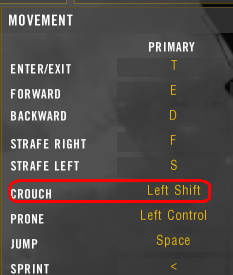
I can't give you answer about the PB safeness, but because it's only user-side setting that doesn't interfere with other players i can't see a reason if why it would be considered as a cheating. However, to be 100% sure I'm gonna give it a try on some unranked vBF2 server

EDIT:
I just been to unranked Punkbustered vBF2 1.41 server.
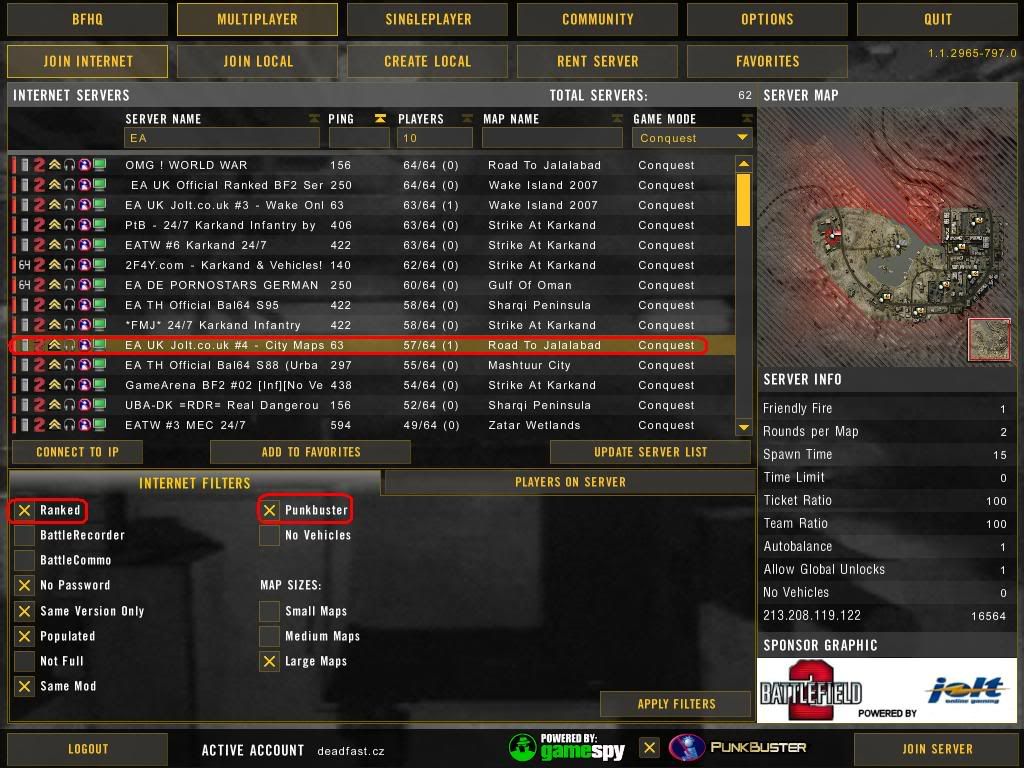
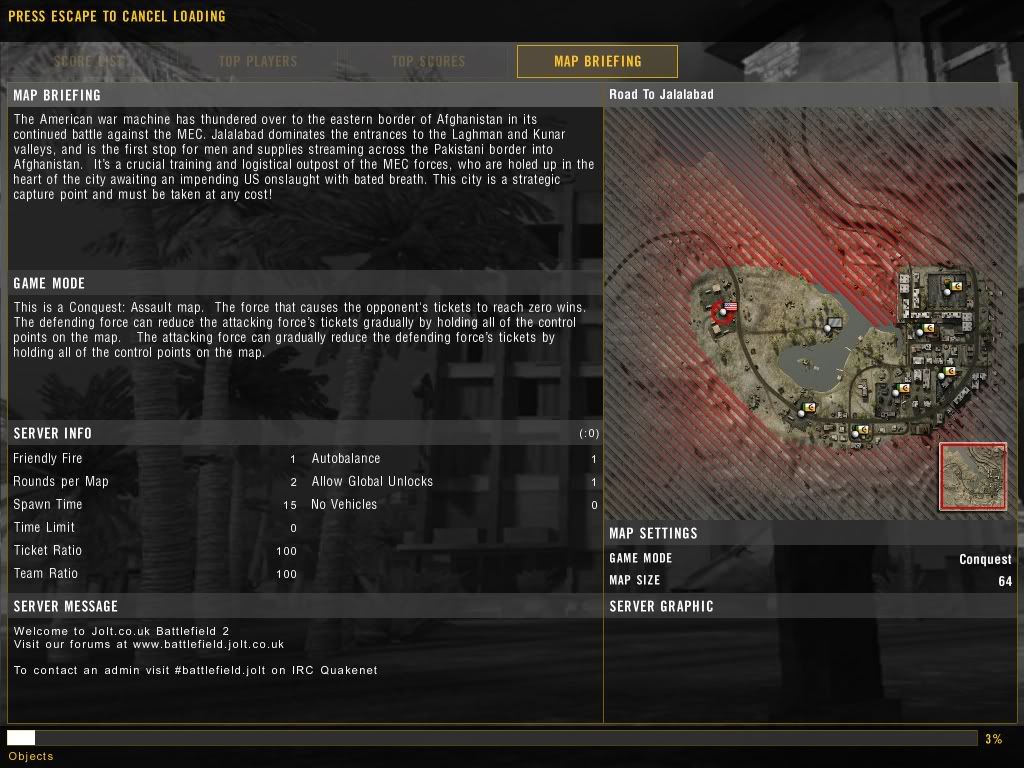
After no PB kick I got enough ballz to try even ranked one (56k warning):
Selecting server
Loading map
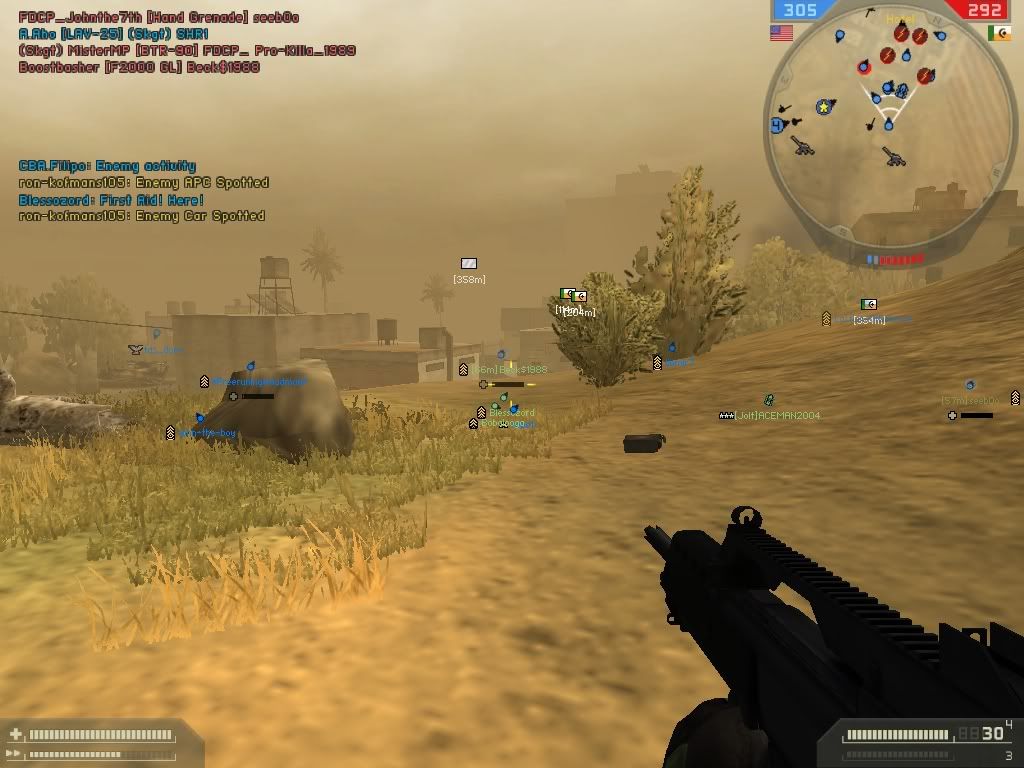
After the loading of the 1st map was finnished loading a new one (this is just ****!)
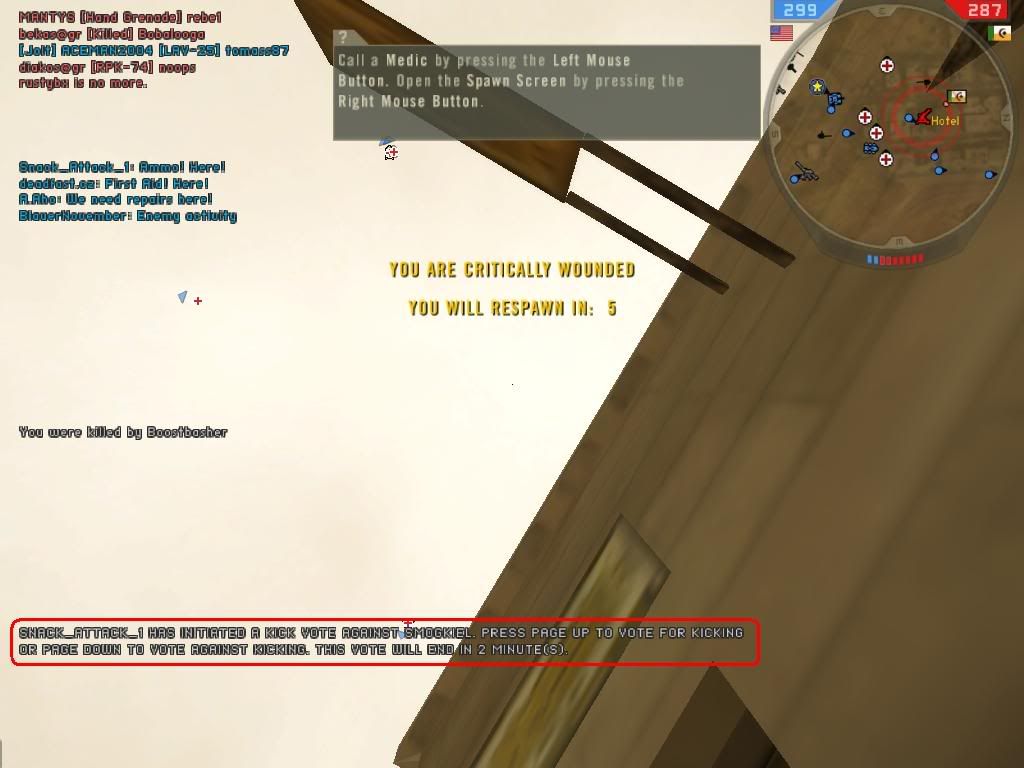
In game
An unarguable proof that it was really a vBF2 server...
I'm gonna add a new post with instructions how to bind something else to left shift in a few mins.
Last edited by Deadfast on 2007-10-23 17:02, edited 1 time in total.
Reason: Updated...
Reason: Updated...
-
Brummy
- Posts: 7479
- Joined: 2007-06-03 18:54
-
Rhino
- Retired PR Developer
- Posts: 47909
- Joined: 2005-12-13 20:00
PB wont mind at all about your controls, you can even use 3rd party tools to even build scripts of button pressing, they even allow it big tourney. When C4 tossing was a big thing I bet alot of players made a config so they only had to press 1 button to make there player jump forward, toss the c4 and then go backwards and blow with only 1 button so they could get it right every time instead of trying to push all the buttons at exactly the right time.[R-MOD]Wasteland wrote:Wait. That worked? Is it PB safe?
-
Deadfast
- Retired PR Developer
- Posts: 4611
- Joined: 2007-07-16 16:25
How to assign Left Shift to a different action than sprint:
Go to your My Documents folder, then to Battlefield 2, Profiles, xxxx and create a backup of a file called Controls.con.
Now when you have the backup, open the original file with notepad and search (CTRL+F) for the following line:
and delete all the lines.
Now start up the game and bind the left shift to any desired action.
Note: xxxx is a number of your profile, eg. 0001
Note 2: This tweak has been tested with vBF2 ranked server with activated PunkBuster. No kick/ban (see my previous post for details).[/b]
Go to your My Documents folder, then to Battlefield 2, Profiles, xxxx and create a backup of a file called Controls.con.
Now when you have the backup, open the original file with notepad and search (CTRL+F) for the following line:
Code: Select all
ControlMap.addKeyToTriggerMapping c_PISprint IDFKeyboard IDKey_LeftShift 0 0
Now start up the game and bind the left shift to any desired action.
Note: xxxx is a number of your profile, eg. 0001
Note 2: This tweak has been tested with vBF2 ranked server with activated PunkBuster. No kick/ban (see my previous post for details).[/b]
Last edited by Deadfast on 2007-10-23 18:01, edited 1 time in total.
-
tupla_s
- Posts: 145
- Joined: 2007-05-24 17:14
Mouse wheel up/down weapon select
Remember to take backup of the original file!!
Open controls.con from "My Documents\Battlefield 2\Profiles\0001"
Locate the line for weapon you want to change for example I use dressing and binoculars witch are:
ControlMap.addKeyToTriggerMapping c_PIWeaponSelect7 IDFKeyboard IDKey_7 10000 0
ControlMap.addKeyToTriggerMapping c_PIWeaponSelect8 IDFKeyboard IDKey_8 10000 0
Change addKeyTotriggerMapping to addAxisToTriggerMapping and add -1 in front or after c_PIWeaponSelect# (In front is up and after down if i remember right, correct me if I'm wrong and I'll fix this)
Change IDFKeyboard IDKey_# to IDFMouse IDAxis_2 (wheel axis) and change 10000 to 0 Now you should have something like this:
ControlMap.addAxisToTriggerMapping c_PIWeaponSelect7 -1 IDFMouse IDAxis_2 0
ControlMap.addAxisToTriggerMapping -1 c_PIWeaponSelect8 IDFMouse IDAxis_2 0
To disables the mouse wheel weapon menu (Required for this to work). You won't be able to use it anymore so you need to have easy to use keys assigned to all weapons.
Now at the bottom of the page there is these two lines:
ControlMap.addAxisToTriggerMapping c_PINextItem -1 IDFMouse IDAxis_2 0
ControlMap.addAxisToTriggerMapping -1 c_PIPrevItem IDFMouse IDAxis_2 0
Change them to
ControlMap.addKeyToTriggerMapping c_PINextItem IDFKeyboard IDKey_I 10000 0
ControlMap.addKeyToTriggerMapping c_PIPrevItem IDFKeyboard IDKey_O 10000 0
Change the IDKey_I and IDKey_O to witch ever buttons you don't have in use.
You should be able to use the weapon menu with I and O (Or what ever keys you chose), haven't tested it though.
Remember to take backup of the original file!!
Open controls.con from "My Documents\Battlefield 2\Profiles\0001"
Locate the line for weapon you want to change for example I use dressing and binoculars witch are:
ControlMap.addKeyToTriggerMapping c_PIWeaponSelect7 IDFKeyboard IDKey_7 10000 0
ControlMap.addKeyToTriggerMapping c_PIWeaponSelect8 IDFKeyboard IDKey_8 10000 0
Change addKeyTotriggerMapping to addAxisToTriggerMapping and add -1 in front or after c_PIWeaponSelect# (In front is up and after down if i remember right, correct me if I'm wrong and I'll fix this)
Change IDFKeyboard IDKey_# to IDFMouse IDAxis_2 (wheel axis) and change 10000 to 0 Now you should have something like this:
ControlMap.addAxisToTriggerMapping c_PIWeaponSelect7 -1 IDFMouse IDAxis_2 0
ControlMap.addAxisToTriggerMapping -1 c_PIWeaponSelect8 IDFMouse IDAxis_2 0
To disables the mouse wheel weapon menu (Required for this to work). You won't be able to use it anymore so you need to have easy to use keys assigned to all weapons.
Now at the bottom of the page there is these two lines:
ControlMap.addAxisToTriggerMapping c_PINextItem -1 IDFMouse IDAxis_2 0
ControlMap.addAxisToTriggerMapping -1 c_PIPrevItem IDFMouse IDAxis_2 0
Change them to
ControlMap.addKeyToTriggerMapping c_PINextItem IDFKeyboard IDKey_I 10000 0
ControlMap.addKeyToTriggerMapping c_PIPrevItem IDFKeyboard IDKey_O 10000 0
Change the IDKey_I and IDKey_O to witch ever buttons you don't have in use.
You should be able to use the weapon menu with I and O (Or what ever keys you chose), haven't tested it though.
Last edited by tupla_s on 2007-10-23 18:25, edited 1 time in total.
-
Jay
- Posts: 281
- Joined: 2006-07-03 19:39
I use mouse button 4 (on the side of the mouse) for VOIP. This makes it really easy to talk + shoot etc.
Understood. Sorry.
Understood. Sorry.
Last edited by Jay on 2007-10-23 18:15, edited 1 time in total.
Help Project Reality in Australia, join the bigD community!
http://www.bigdgaming.net/
http://www.bigdgaming.net/
-
Wasteland
- Posts: 4611
- Joined: 2006-11-07 04:44
This is not the thread to discuss G15 macros.
Originally Posted by: ArmedDrunk&Angry
we don't live in your fantastical world where you are the super hero sent to release us all from the bondage of ignorance
Originally Posted by: [R-MOD]dunehunter
don't mess with wasteland, a scary guy will drag you into an alleyway and rape you with a baseballbat
we don't live in your fantastical world where you are the super hero sent to release us all from the bondage of ignorance
Originally Posted by: [R-MOD]dunehunter
don't mess with wasteland, a scary guy will drag you into an alleyway and rape you with a baseballbat
-
JohnnyPissoff
- Posts: 1358
- Joined: 2006-07-26 14:06
My personal set-up for "rapido medica" (btw the left mouse key is called #0 not #1
- mouse #0 & #1 default
- Middle mouse(#2): main weapon
- mouse #3 defibrillator
- mouse #4 med-kit
*NOTE* You can manually re-key any and all combinations. You just have to backtrack and delete the assignment beforehand if the desired key is already in use such as; shift/sprint to capslock/sprint:
- You delete the capslocks function first. assign sprint to it.
- Then go to shift and delete that assignment.
- Next assign sprint to capslock.
Now you have freed up shift for whatever (I use shift for crouch, old Q3/CS habit)
*NOTE* This is a more advanced way to squeeze 2 more fast key actions eg: knife and grenade. You'll utilize the mouse wheel up down functions as key assignments instead of a selector function:
My Documents\Battlefield 2\Profiles\0001 is where your primary controls.con file is located, open it up in notepad.
Down towards the bottom you'll find the default mouse wheel assignments:
- ControlMap.addAxisToTrigg erMapping c_PINextItem -1 IDFMouse IDAxis_2 0
- ControlMap.addAxisToTrigg erMapping -1 c_PIPrevItem IDFMouse IDAxis_2 0
- The first one is mousewheel up, second one mousewheel down
- Cut Copy the first line and paste under the heading at the top of the file labeled:
- ControlMap.create InfantryPlayerInputContro lMap
- paste it under the line:
ControlMap.addKeyToTrigge rMapping c_PIWeaponSelect1 IDFKeyboard IDKey_1 10000 0
ControlMap.addAxisToTrigg erMapping c_PINextItem -1 IDFMouse IDAxis_2 0
- now change it to read like so:
ControlMap.addKeyToTrigge rMapping c_PIWeaponSelect1 IDFKeyboard IDKey_1 10000 0
ControlMap.addAxisToTrigg erMapping c_PIWeaponSelect1 -1 IDFMouse IDAxis_2 1
- You've now assigned the mousewheel up action to select the knife directly, changing the 0 to a 1 at the end tells the game that this is your secondary key/button assignment. You can do the same thing for the mousewheel down action only assign it to the grenade.
ControlMap.addKeyToTrigge rMapping c_PIWeaponSelect4 IDFKeyboard IDKey_4 10000 0
ControlMap.addAxisToTrigg erMapping -1 c_PIWeaponSelect4 IDFMouse IDAxis_2 1
- mouse #0 & #1 default
- Middle mouse(#2): main weapon
- mouse #3 defibrillator
- mouse #4 med-kit
*NOTE* You can manually re-key any and all combinations. You just have to backtrack and delete the assignment beforehand if the desired key is already in use such as; shift/sprint to capslock/sprint:
- You delete the capslocks function first. assign sprint to it.
- Then go to shift and delete that assignment.
- Next assign sprint to capslock.
Now you have freed up shift for whatever (I use shift for crouch, old Q3/CS habit)
*NOTE* This is a more advanced way to squeeze 2 more fast key actions eg: knife and grenade. You'll utilize the mouse wheel up down functions as key assignments instead of a selector function:
My Documents\Battlefield 2\Profiles\0001 is where your primary controls.con file is located, open it up in notepad.
Down towards the bottom you'll find the default mouse wheel assignments:
- ControlMap.addAxisToTrigg erMapping c_PINextItem -1 IDFMouse IDAxis_2 0
- ControlMap.addAxisToTrigg erMapping -1 c_PIPrevItem IDFMouse IDAxis_2 0
- The first one is mousewheel up, second one mousewheel down
- Cut Copy the first line and paste under the heading at the top of the file labeled:
- ControlMap.create InfantryPlayerInputContro lMap
- paste it under the line:
ControlMap.addKeyToTrigge rMapping c_PIWeaponSelect1 IDFKeyboard IDKey_1 10000 0
ControlMap.addAxisToTrigg erMapping c_PINextItem -1 IDFMouse IDAxis_2 0
- now change it to read like so:
ControlMap.addKeyToTrigge rMapping c_PIWeaponSelect1 IDFKeyboard IDKey_1 10000 0
ControlMap.addAxisToTrigg erMapping c_PIWeaponSelect1 -1 IDFMouse IDAxis_2 1
- You've now assigned the mousewheel up action to select the knife directly, changing the 0 to a 1 at the end tells the game that this is your secondary key/button assignment. You can do the same thing for the mousewheel down action only assign it to the grenade.
ControlMap.addKeyToTrigge rMapping c_PIWeaponSelect4 IDFKeyboard IDKey_4 10000 0
ControlMap.addAxisToTrigg erMapping -1 c_PIWeaponSelect4 IDFMouse IDAxis_2 1