How to use the Grenadier KIT [ PR v0.8 ]

lockpicker.=P
Posts: 83
Joined: 2008-03-29 13:48

How to use the Grenadier KIT [ PR v0.8 ]

Post by lockpicker.=P »

Hello guys!

I made a little tutorial here, explaining how to use the Granadier Kit correctly!

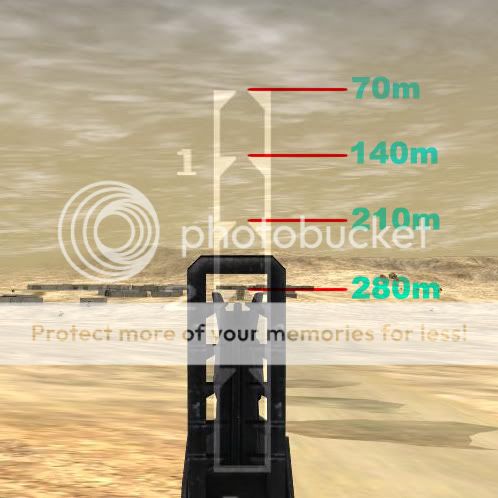
Well, let's take a look at the ironsights
Image

Yeah, its similar to the old tutorial :mrgreen: ..

Time for testing! :mrgreen:

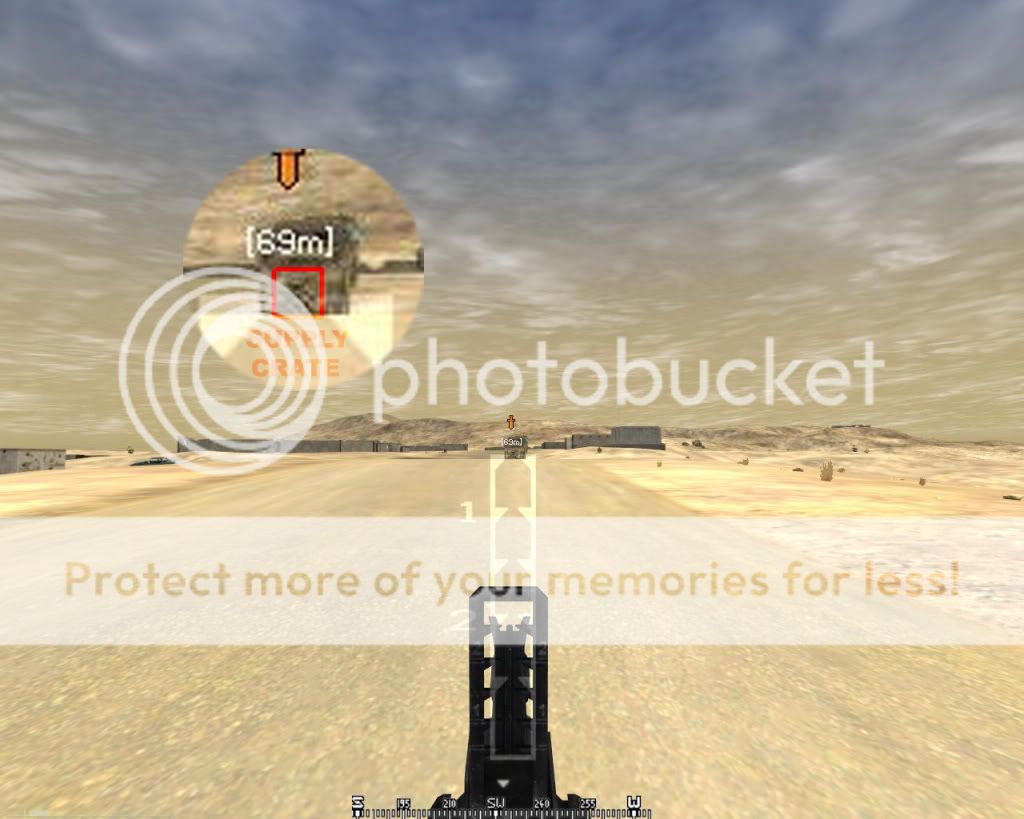
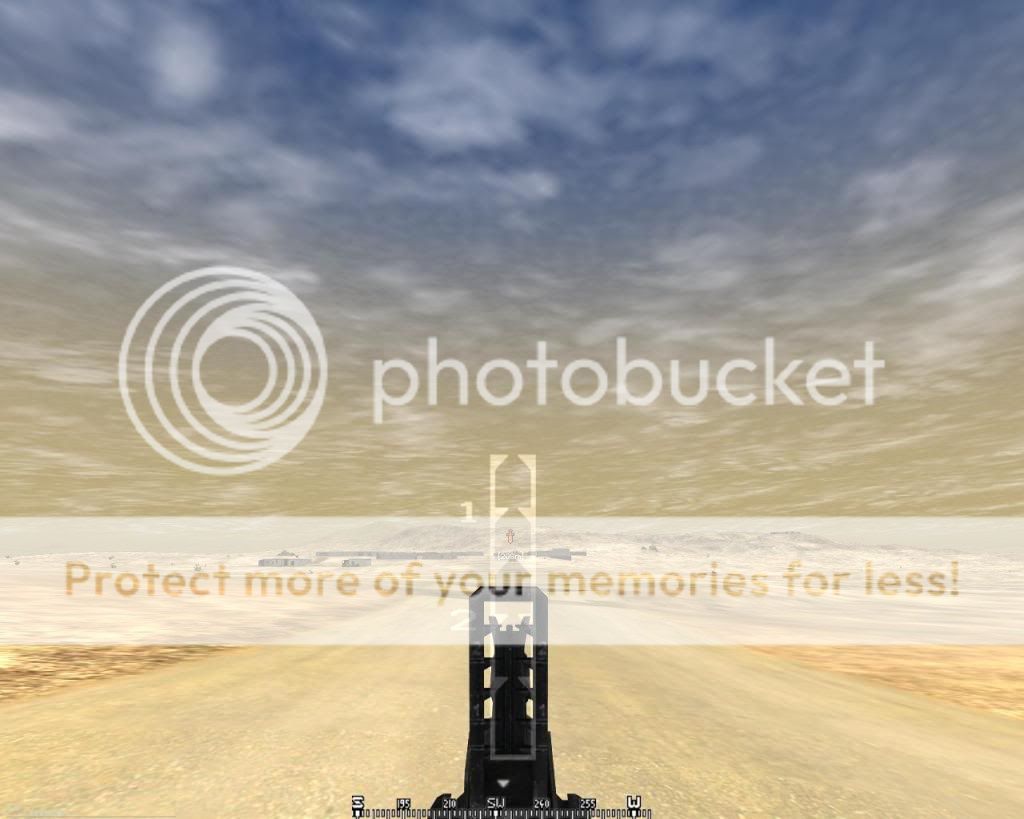
70 METERS:

Image

On the marked position, we have a supply crate

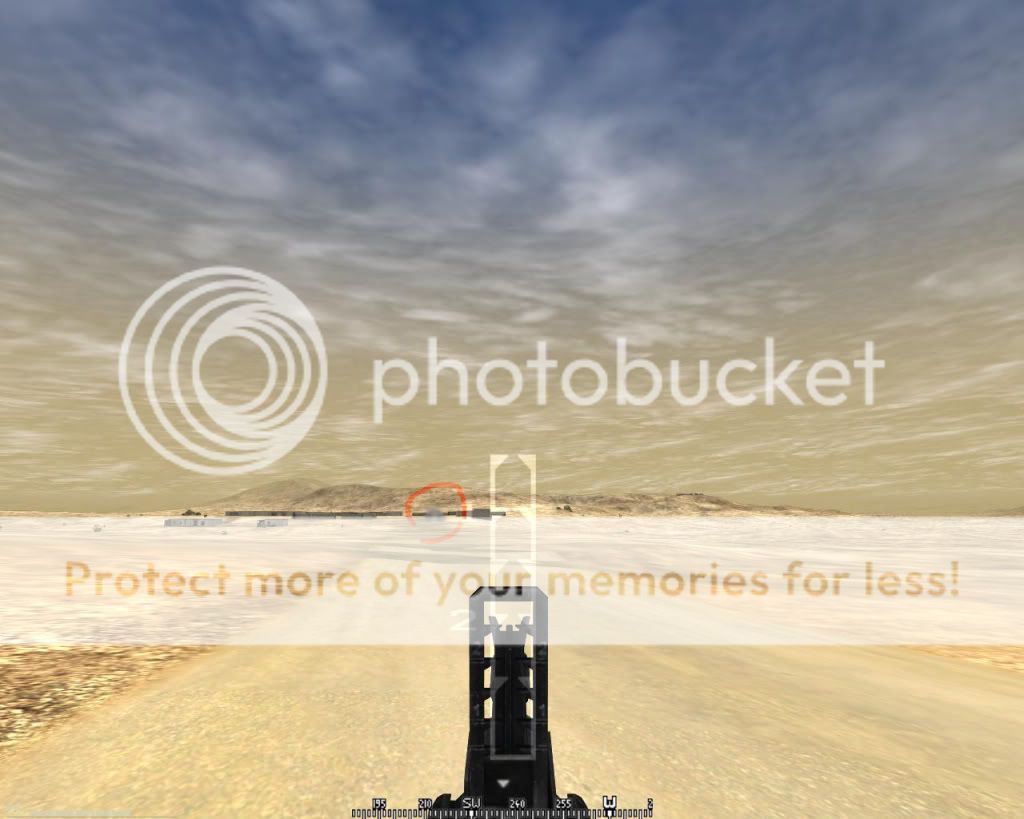
Granade out, let's check if the target got shot:
Image

Yeah! The crate just exploded :grin:

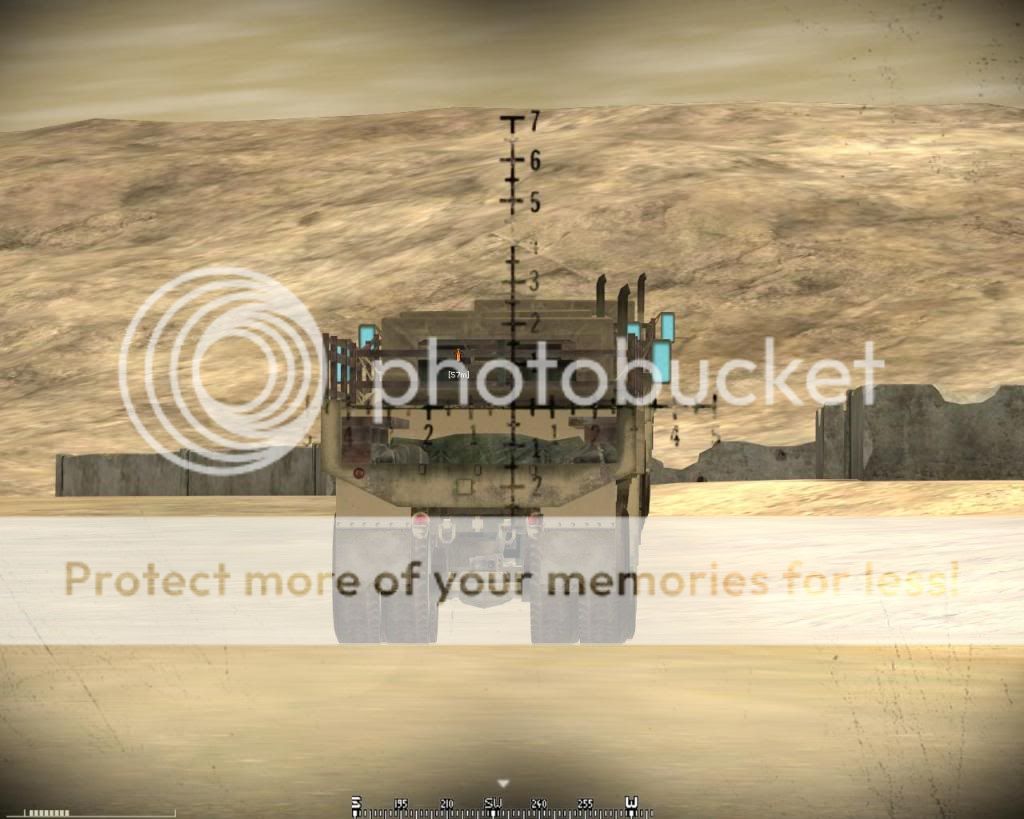
210 METERS:

aiming with the 3rd line..
Image

whoa! right on the target! :grin: :grin:

Image

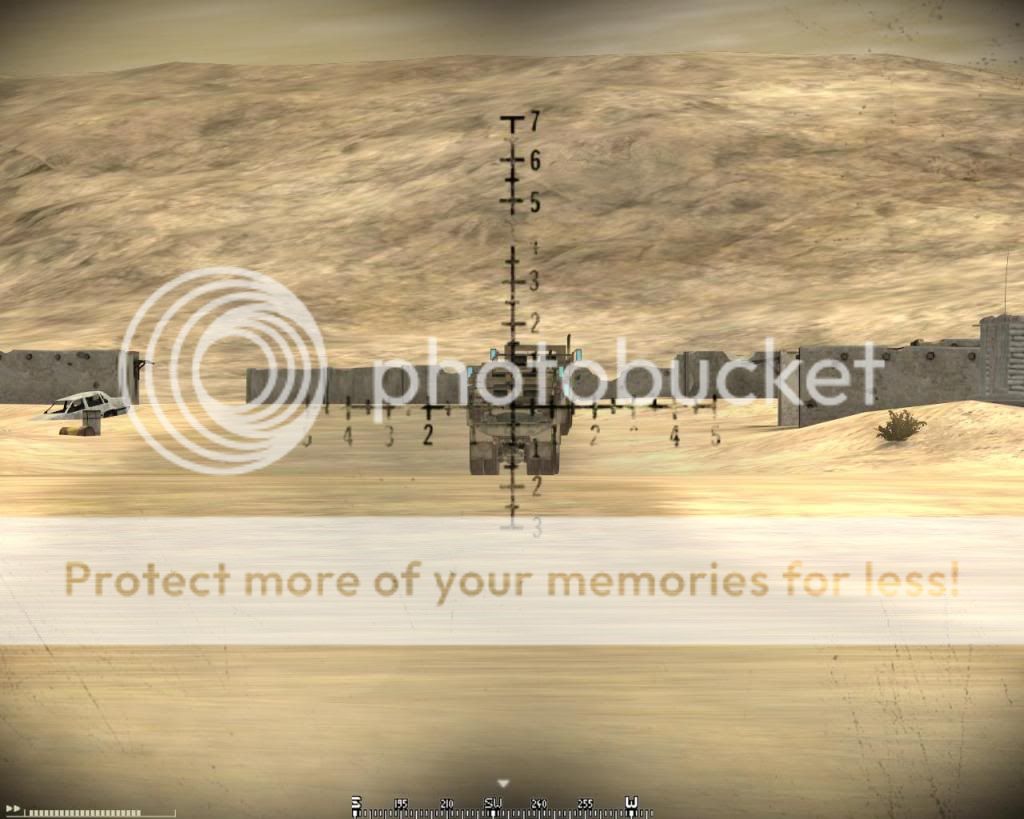
checking and..

Image

'we have a supply crate down over here! medic!' :roll:

and that's how this powerful kit works! :twisted:

use it pretty well :twisted: :twisted: :twisted:

(and sorry for any English mistakes.. i'm from Brazil and i'm only sixteen.. my English speaking isn't that good :P )

Cheers!
Last edited by lockpicker.=P on 2008-10-04 02:45, edited 2 times in total.
nedlands1
Posts: 1467
Joined: 2006-05-28 09:50

Re: How to use the Granadier KIT [ PR v0.8 ]

Post by nedlands1 »

Nice guide. Problem is that it changes between aspect ratios (see below).

Image
Image
Celestial1
Posts: 1124
Joined: 2007-08-07 19:14

Re: How to use the Granadier KIT [ PR v0.8 ]

Post by Celestial1 »

I run in 1440x900, what I'm wondering, due to nedlands post, was the 'crosshair' made in 16:9 ratio?

They're near spot-on to 50m increments for me, and I usually just judge distance enough to hit within a 5 foot radius on a first aimed shot.
nedlands1
Posts: 1467
Joined: 2006-05-28 09:50

Re: How to use the Granadier KIT [ PR v0.8 ]

Post by nedlands1 »

Celestial1 wrote:I run in 1440x900, what I'm wondering, due to nedlands post, was the 'crosshair' made in 16:9 ratio?

They're near spot-on to 50m increments for me, and I usually just judge distance enough to hit within a 5 foot radius on a first aimed shot.
It was made for the old ironsight zoom (in 5:4), which was taken away in this release.
Image
Rapier
Posts: 132
Joined: 2008-05-20 08:48

Re: How to use the Granadier KIT [ PR v0.8 ]

Post by Rapier »

Celestial1 wrote:I run in 1440x900, what I'm wondering, due to nedlands post, was the 'crosshair' made in 16:9 ratio?

They're near spot-on to 50m increments for me, and I usually just judge distance enough to hit within a 5 foot radius on a first aimed shot.
Same here, did that with .7, with the old vanilla crosshair. They really should switch it back. :\
Celestial1
Posts: 1124
Joined: 2007-08-07 19:14

Re: How to use the Granadier KIT [ PR v0.8 ]

Post by Celestial1 »

Rapier wrote:Same here, did that with .7, with the old vanilla crosshair. They really should switch it back. :\
The new 'hairs are just fine, like any other one. Sucks that the ratios are off for some, but now that a grenadier can hit targets out to roughly 300-400m without insane estimations of distance, they are one of the more entertaining and useful kits I enjoy playing.

The distances and markings are damn-near perfect for me right now, granted I'm running in 16:10.
victor_phx
Posts: 343
Joined: 2008-09-15 04:25

Re: How to use the Granadier KIT [ PR v0.8 ]

Post by victor_phx »

Yeah, it does change a lot with the ratio. I use 1680x1050 and it's like... a lot different.

But as I already said before, lock, a great tutorial, anyway :D
Celestial1
Posts: 1124
Joined: 2007-08-07 19:14

Re: How to use the Granadier KIT [ PR v0.8 ]

Post by Celestial1 »

If you love the grenadier kit, use a 16:10 ratio for your resolution.

If you love the 16:10 ratio for your resolution, you'll love the grenadier kit.


Unfortunate that the correlation doesn't stick with different ratios. Yesterday, I estimated the range to an enemy civilian car near docks (it was about 80m away, I figure), I aimed ahead of it as it began moving, fired, and the shell landed directly on the hood, decimating the vehicle. Felt great, after a day of melancholy.
Shadow51585
Posts: 91
Joined: 2008-04-08 09:01

Re: How to use the Grenadier KIT [ PR v0.8 ]

Post by Shadow51585 »

This kit is one of the most useful in the game if you ask me. Of course, this is referring to soft targets more then anything else. Vehicles do present a bit of a problem, but if you play it right, the grenade can hit the vehicle's machine gunner in the face.

A perfect example of the usefulness of this kit is a barracaded enemy. The grenade's splash damage radius is unparalelled in long range rifle combat. Forcing a grenade explosion on the side of a building from a distance of 150 meters or farther can take out many enemies.

Muttrah City is an excellant place for this kit, particularly in the docks. I have had many occasions where I have been engaged in squad v squad rifle battles. Much of the success was based on good timing, but in one grenade, I have taken out 4 infantrymen at once with a detination against a wall just past a wall the persons were hiding behind.

Keep a keen eye out and remember you have smoke that can be used very tactically as well. You will find a million uses for this kit.
-=x0(GHOST)0x=-
Posts: 51
Joined: 2007-06-11 13:27

Re: How to use the Grenadier KIT [ PR v0.8 ]

Post by -=x0(GHOST)0x=- »

Good guide. Even if the aspect ratio changes to range for each person, the concepts are stil the same. The new sights are bomber for distance fragging. You just need to get a feel for your personal ranges. I usually have to put 2 grenades down range before I can dial it in, but I'm getting better at it.
Image
Rico11b
Posts: 900
Joined: 2006-05-23 20:36

Re: How to use the Grenadier KIT [ PR v0.8 ]

Post by Rico11b »

I'm assuming you guys are referring to the "widescreenfixer" program when you are talking about the different aspect ratios, correct?

I like the new GL in .8. It seems to have decent repeatable accuracy. Only problem for me is the arming distance. I've fired at targets at 35 meters and the nade would not explode. Seems like 50 meters is the minimum distance for exploding, which is a bit too far out. Needs to be lowered to 33 meters like IRL.

Many times on Muttrah I've run into a RPG gunner and fire a nade only to have it bounce away into lala land. Then he fires his RPG at 35 meters sometimes less, and blows the hell out of me. Then he casually up and walks away without a scratch. Doesn't seem very balanced to me. Just seems kinda odd that you can toss a hand nade about 25 to 28 meters now with any danger to yourself, but you can't fire a nade within 50 meters cause it'll be a dud.

Either way though, PR.8 is kick ***!


R
victor_phx
Posts: 343
Joined: 2008-09-15 04:25

Re: How to use the Grenadier KIT [ PR v0.8 ]

Post by victor_phx »

It's not about the widescreen fixer, Rico11b. If you use a resolution of 1024x768 for instance (4:3), you'll get different results from a 1680x1050 resolution (16:10).
rakowozz
Rico11b
Posts: 900
Joined: 2006-05-23 20:36

Re: How to use the Grenadier KIT [ PR v0.8 ]

Post by Rico11b »

I agree with you on that. However 1680x1050 is not natively supported by the BF2 engine that I am aware of. When I look at the in game settings I don't see any 16:9 or 16:10 aspect ratio resolutions available to me.
The BF2 engine currently is only supporting 4:3 aspect ratios like 1024x768, and 5:4 aspect ratios like 1280x1024. The highest option I can see while viewing the in game settings is 1600x1200. Which is 4:3 ratio I think. BF2 does not natively support any aspect ratios other than 4:3 and 5:4. Is that correct?

I have a 24 inch widescreen with a native resolution of 1920x1200, but that option is not available to me in game. That's why I was asking about the widescreenfixer :)
victor_phx
Posts: 343
Joined: 2008-09-15 04:25

Re: How to use the Grenadier KIT [ PR v0.8 ]

Post by victor_phx »

No, it does not support these resolutions. But you don't actually need a widescreen fixer to be able to play in 1680x1050; I myself just use the shortcut command [...]pr.exe" +modPath mods/pr +menu 1 +widescreen 1 +szx 1680 +szy 1050

Yes, it's not the same, but I'd rather play like this.
rakowozz
jbgeezer
Posts: 908
Joined: 2008-06-10 15:30

Re: How to use the Grenadier KIT [ PR v0.8 ]

Post by jbgeezer »

This aspect ratio thing actually makes it a little more realistic! You have to do a aim in! Go on a private server and see where the nades hit to become fully optimzed
Live by the sword, die by the sword...

Ingame:G-LockCobra
http://www.youtube.com/user/sotemot
-=x0(GHOST)0x=-
Posts: 51
Joined: 2007-06-11 13:27

Re: How to use the Grenadier KIT [ PR v0.8 ]

Post by -=x0(GHOST)0x=- »

victor_phx wrote:No, it does not support these resolutions. But you don't actually need a widescreen fixer to be able to play in 1680x1050; I myself just use the shortcut command [...]pr.exe" +modPath mods/pr +menu 1 +widescreen 1 +szx 1680 +szy 1050

Yes, it's not the same, but I'd rather play like this.
The problem with this is that it cuts off the edges of your screen. Widescreen fixer just widens your field of view so that you see everything you should be seeing. There is a lot of debate as to whether or not widescreen fixer is an ethical tool, but that's not an issue relevant to this post. Anyway, since widescreen fixer doesn't change your aspect ratio, it shouldn't affect the grenadier sights.
Image
Celestial1
Posts: 1124
Joined: 2007-08-07 19:14

Re: How to use the Grenadier KIT [ PR v0.8 ]

Post by Celestial1 »

Yes, when using a forced resolution through shortcut parameters to a 16:9/16:10 ratio resolution, BF2 will size it. Improperly as it may be, using widescreenfixer solves this issue.

It's a delightful tool to have, as I would not very much enjoy PR without widescreen on this monitor. Hopefully, EA will do something right in 1.5 and allow widescreen support.
Skodz
Posts: 791
Joined: 2007-05-26 06:31

Re: How to use the Grenadier KIT [ PR v0.8 ]

Post by Skodz »

Can you please update pic, your bandwith is exceeded and we cannot see it... Use Imageshack.
stozzcheese
Posts: 306
Joined: 2008-09-16 11:34

Re: How to use the Grenadier KIT [ PR v0.8 ]

Post by stozzcheese »

thats a great guide man! and your english is perfect aswell mate =)
this helped me alot, i used to be good with the old sights and found these ones confusing at first. thanks

smee for [R-CON]
PFunk
Posts: 1072
Joined: 2008-03-31 00:09

Re: How to use the Grenadier KIT [ PR v0.8 ]

Post by PFunk »

My only problem with the sights is that the cisshair is too transparent. I have to squint to see where I'm pointing it a lot. Wish the image were more opaque and then it'd be fine to figure out your personal ranging.
[PR]NATO|P*Funk
Image
Image
Post Reply

Return to “Infantry Tactics”