Page 6 of 9

Re: [WIP] FMK-1 & FMK-3 Mines (PR:F)

Posted: 2013-08-22 02:09
by Tim270
Scale them up. YES you get different texel densities, i.e one part has more pixels than another, but it imo it is always worth it rather than sacrificing UV space for low res and low quality parts.

Put it this way, pretty much everything in the bottom right of the UV is impossible to texture like that.

Scale it up to use the space (that does not mean have horrifically out of context large vs big parts on the same part of the mesh. Also, it looks at glance like you can overlap SO much of these UV's.

Make the bottom of the mine very small you _never_ see it.

Re: [WIP] FMK-1 & FMK-3 Mines (PR:F)

Posted: 2013-08-22 02:46
by 3===SPECTER===3
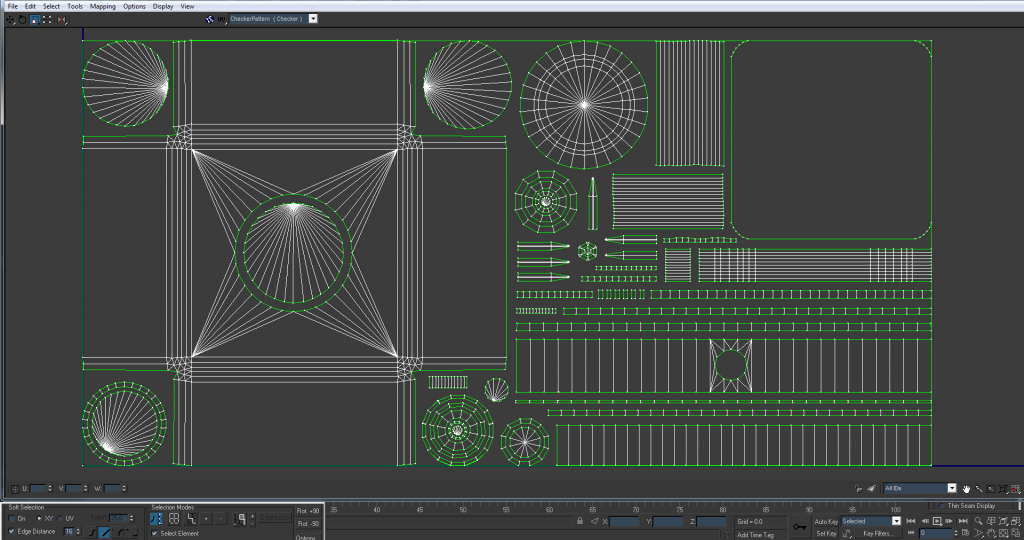
Little update before I step away from this for a bit. I scaled up everything I could accordingly and here's a snapshot of the current state of the UVs. (don't pay attention to the UVs outside the rectangle they'll be mirrored)

Image

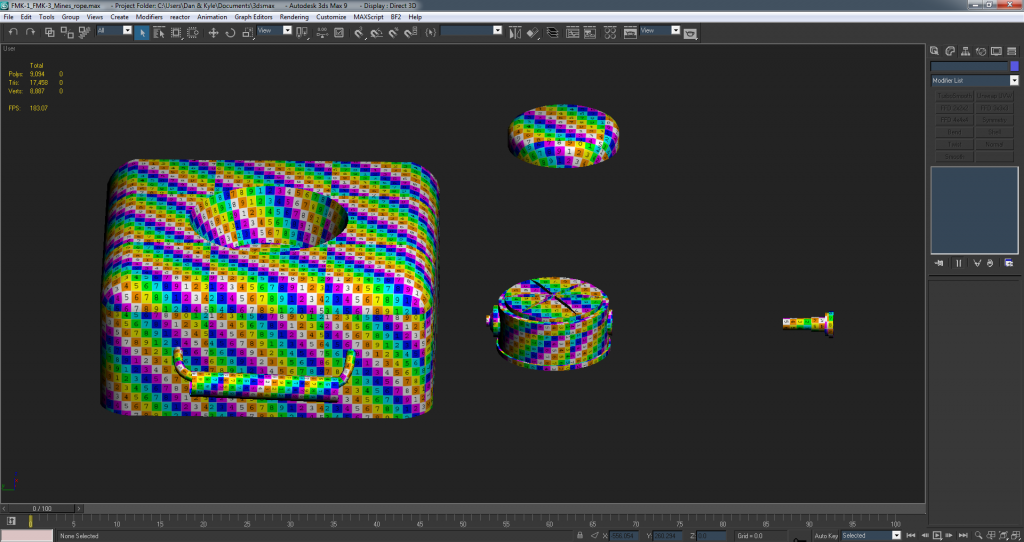
Also a quick view of how it scales on the model... pretty good imo
Image

btw @tim the only things that can really be mirrored are the things outside the rectangle that I'm going to mirror. All the other faces would cause shadowing problems on the AO.

Re: [WIP] FMK-1 & FMK-3 Mines (PR:F)

Posted: 2013-08-22 12:18
by Rhino
Looking good but first of all, why is there a seam here?
Image

Can't see one there on your UV map, is it just your checker map texture doesn't tile very well or something? If so I would get another one, there are lots of them out there.

Your UV is looking good but a few points. First of all you need more of a gap around the edge of your UV, the gap around the edge should be 1/2 or more of your normal pixel bleeding spacing between UVs since then when the texture effectively tiles with the mipmaps ingame you will still have the same distance since you will have one side's 1/2, added onto the other sides 1/2 which will make a full distance. But right now your UVs look right on the edge of your border?

As for your packing fixes itself, can you send me your .max scene its far easier and less time for me to show you a more effective map by just doing it hehe :)

As for the texture size, 2048x1024 is too big for this type of weapon even for the 1p texture, the vBF2 mine is 512x512 for both the 1p and 3p texture:
Image

For this I would say 1024x512 for the 1p texture tops but it could possibly even go down to 512x256 but if it has a separate 3p model and texture then best it stays at 1024x512 with no mips and the 3p texture be something like 256x256 or w/e but we will cross that bridge once the 1p model is done first :)

BTW, when you talk about "mirrored UVs" I take it you mean Overlapped UVs? Mirroring UVs means your just flipping the UV on the X or Y axis (or U or V in the case of a UV), not stacking multiple UVs on top of each other :p

Re: [WIP] FMK-1 & FMK-3 Mines (PR:F)

Posted: 2013-08-22 13:22
by lucky.BOY
A quick tip for UVing those stepped circular shapes, I see you got quite a bit of wasted space there.

This is similar to your fuse:
Image

Now, how to go about UVing those flat faces. Firstly, you can do them all at once, it will save you a few clicks and they will surely be on the same spot in UVW space.
Image
Image

Then I move the back face away, and simply scale down the middle cluster a bit and scale up the other clusters considerably, to get good gaps there. This will make the whole circle bigger, but it wont leave you any wasted space inside it.
Image
Image

EDIT: Since youve already scaled it down, I wouldnt re-Unwrap it, just pack it similarily to what I have here.

Oh and try to keep clusters from particular parts of the model close to each other, it makes texturing much easier, especially if you are not the one who textures it. I like to keep a save of the scene just before I started packing, with clusters grouped together by parts, and always return to that save when re-packing, this stops me from unnecesarily srambling the clusters over and over.

Re: [WIP] FMK-1 & FMK-3 Mines (PR:F)

Posted: 2013-08-22 13:39
by Rhino
Ye that's how I would also suggest unwrapping bits like that, although possibly without scaling down the inner one and just scaling up the middle and outer ones :)

Re: [WIP] FMK-1 & FMK-3 Mines (PR:F)

Posted: 2013-08-22 15:52
by 3===SPECTER===3
[quote=""'[R-DEV"]Rhino;1939973']Looking good but first of all, why is there a seam here?
[/quote]

Yea that's just the checker pattern. There's no seam.
[R-DEV]Rhino wrote:As for the texture size, 2048x1024 is too big for this type of weapon... for this I would say 1024x512 for the 1p texture
Yea I figured it'd be that size I just exported it that way as a test.
[R-DEV]Rhino wrote:BTW, when you talk about "mirrored UVs" I take it you mean Overlapped UVs?
Yea I mean overlapped :p

[quote="lucky.BOY""]A quick tip for UVing those stepped circular shapes, I see you got quite a bit of wasted space there....[/quote]

Yea that's how I originally UV mapped most of those faces, but Rhino said something about my edges being messed up and I figured that's what he meant :-)

@Rhino I can send you the .max file with all UVs mapped and not scaled if you'd like and I'll keep trying to get this right.

Re: [WIP] FMK-1 & FMK-3 Mines (PR:F)

Posted: 2013-08-22 18:07
by Rhino
Right taking a quick look at this now :)

First little thing, right side of this is too near the main box, needs to be further away:
Image

Bring it out right to the edge of the UV to maximise the distance between it, then if there is a little too much you can always scale it up a bit:
Image

Then that bit which was in the bottom left sits better in the top right now:
Image

Same applies to the other round bit in those other corners.

And then ye like lucky said, UV those bits like so, dunno where I said didn't do that, dunno why I would? Unless you where confusing me saying don't UV them like that without a gap between each one but nvm :p
Image

Also another thing you should do is turn backface cull on all your objects. To do this, select your object(s), right click, object properties then in the general tab check "Backface cull" and then your object will draw the same way as it will ingame, which otherwise you might not be able to see errors so clearly:
Image
From the inside of the FMK-1:
before: http://i.imgur.com/53N9je9.jpg
after: http://i.imgur.com/Jiky4Ms.jpg
Also to make new objects created with this on as default go customise, prefrences, viewports tab and check it there:
Image

On the top of your FMK-1 I don't see why you need these top edges here so think we can collapse them?
Image
Image
And its UV can be done like so, was really tiny before and no gap or welding between the inner and outer bits:
Image

These spoke top bits are a bit tricky but the way I think the best way to do them is like so, with them fully welded up:
Image
Not too sure how well the bake is going to work out on it like this but without it being welded, that top face is too small to receive any texture and you can try smoothing it all on the same channel and that might help with as docpock says, letting the normals clear up the smoothing but you will just have to see how it goes in baking then if its a problem you can separate them then.

And as I talked about before, for the top cover of the FMK-1 I would remove all these edges here:
Image
And replace them with a central vertex:
Which then improves the smoothing at the cost of a couple of extra tris :)
Image

And at that point I couldn't be asked to type up any more :p

Basically this is what I've done so far, still a bit of space to use up but I've gotta go now but its pretty much done :)
Image

Re: [WIP] FMK-1 & FMK-3 Mines (PR:F)

Posted: 2013-08-22 18:35
by 3===SPECTER===3
'[R-DEV wrote:Rhino;1940144']
Basically this is what I've done so far, still a bit of space to use up but I've gotta go now but its pretty much done :)
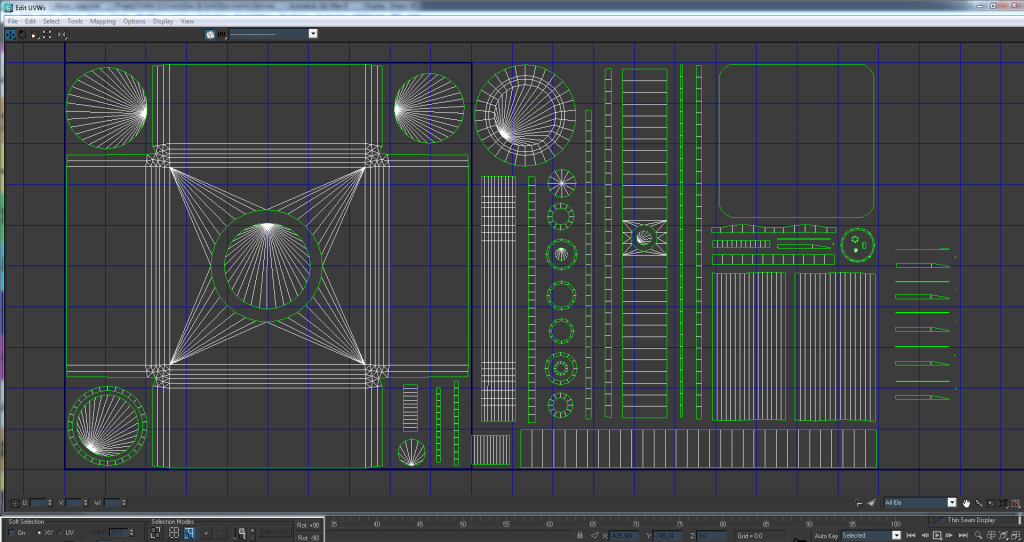
Image
I sincerely hate you for making that look so easy :p I guess that comes with experience tho

It also looks like you've scaled up the FMK-1 pieces & scaled down the FMK-3's bottom face.
Also those spoke top bits that you stitched up... do you think those would be better to be overlapped?

I'll look into this later and try and repack it to look more like that. (or did you want to save some time and send back this one? :p )

But honestly thanks for the help & feedback guys, ik I'm a bit of a noob when it comes to modeling/UV mapping :lol: but I'm learning a ton 8-)

Re: [WIP] FMK-1 & FMK-3 Mines (PR:F)

Posted: 2013-08-22 18:36
by Doc.Pock
rhino, why not weld this bit up in teh UV? saves you 6 verts and gives better texel consistency + less wasted UV space.

Image

Re: [WIP] FMK-1 & FMK-3 Mines (PR:F)

Posted: 2013-08-22 22:13
by Rhino
3===SPECTER===3 wrote:I sincerely hate you for making that look so easy :p I guess that comes with experience tho
hehe ye, I look back at some of my old UVs and think "god, why didn't I put that there and have that rotated round etc" but it really just comes with experience and I'm by no means the best UV packer out there either.
3===SPECTER===3 wrote:It also looks like you've scaled up the FMK-1 pieces & scaled down the FMK-3's bottom face.
Also those spoke top bits that you stitched up... do you think those would be better to be overlapped?
Ye I scaled up most of the FMK-1 UVs quite a bit since there was space free for it and when its on its own its going to need the extra texture space, and ye, bottom part scaled down a bit too. Also scaled up the inside base of the FMK-3 where the FMK-1 goes on top of since there was room again, as well as a few other scaling tweaks :)

as for the spoke bits, I would keep them separate as 1, you have room to do it and you need to use some more up some how ideally and 2, overlapping them means they would all share the same details on the texture so every scratch would be repeated for each one, which if you have them all their own UVs then they can be all unique :)
3===SPECTER===3 wrote:I'll look into this later and try and repack it to look more like that. (or did you want to save some time and send back this one? :p )
Ye sorry I messed up the link I PMed you too as I said since I was in a rush, should be all good in the new PM now and best you work off what I've done but just keep in mind what I've said and done for your next UV :)

And ye, still a few fixes for you to do too :)
3===SPECTER===3 wrote:But honestly thanks for the help & feedback guys, ik I'm a bit of a noob when it comes to modeling/UV mapping :lol: but I'm learning a ton 8-)
no probs :)
Doc.Pock wrote:rhino, why not weld this bit up in teh UV? saves you 6 verts and gives better texel consistency + less wasted UV space.

http://i.imgur.com/YOVUggg.jpg
Ye your probably right it would be better too with putting it all on the same smoothing group, but they where on separate and I didn't want to fiddle with the main model too much, was worried with what I was doing already :p

Re: [WIP] FMK-1 & FMK-3 Mines (PR:F)

Posted: 2013-08-25 21:53
by 3===SPECTER===3
Sorry forgot to post this a while back, I stepped away from this for a while after making a few tweaks to the UV. Basically just moving a few small parts so I could upscale some more bits, cause like you said they were pretty much done.

Image

If no one objects tho I'd say I can pack the UVs and move on to baking this out? Let me know what you guys think.

Re: [WIP] FMK-1 & FMK-3 Mines (PR:F)

Posted: 2013-08-26 00:23
by Rhino
Ye looks good, only bits you might have a slight pixel bleeding issue on are here which you might want to look at, but not too much you can do for the two circles on the left other than scale them down:
Image

Re: [WIP] FMK-1 & FMK-3 Mines (PR:F)

Posted: 2013-08-26 05:26
by 3===SPECTER===3
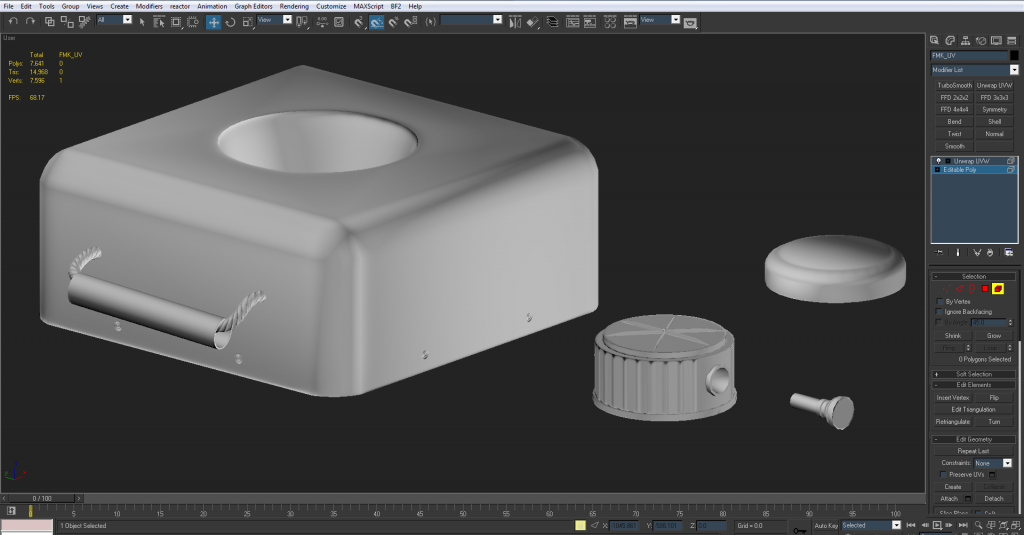
Just gonna update you guys on the test bakes I've been doing, I took your crits Rhino and made some final UVs (still have the old ones saved if it needs changes) and attempted baking out the high poly.

Image

This is all very WIP cause there's still alot of artifacts that can be fixed with the high poly and cage. Also some photoshop things I need to fix up. just thought I'd show what I was up to :-)

Re: [WIP] FMK-1 & FMK-3 Mines (PR:F)

Posted: 2013-08-26 05:32
by Rhino
Looking good but the smoothing is a bit odd on some parts but hopefully that will be better in a render/ingame :)

Re: [WIP] FMK-1 & FMK-3 Mines (PR:F)

Posted: 2013-08-26 10:24
by Doc.Pock
there seems to be an issue with the smoothing breaking on the pin head of the fmk1. check your smoothing groups and cage there :) otherwise looking good man

Re: [WIP] FMK-1 & FMK-3 Mines (PR:F)

Posted: 2013-09-12 01:27
by 3===SPECTER===3
Been on a long hiatus but I'm back :wink:

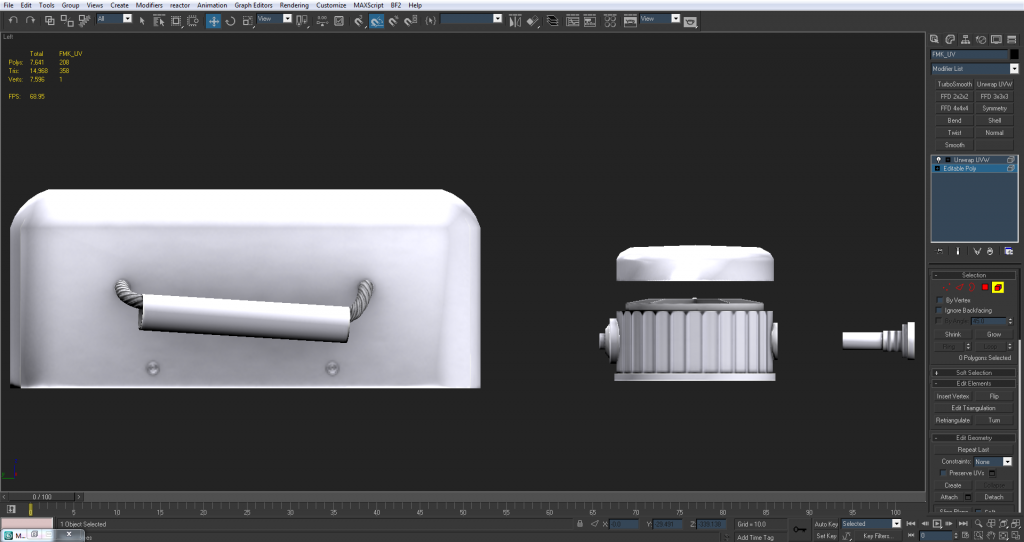
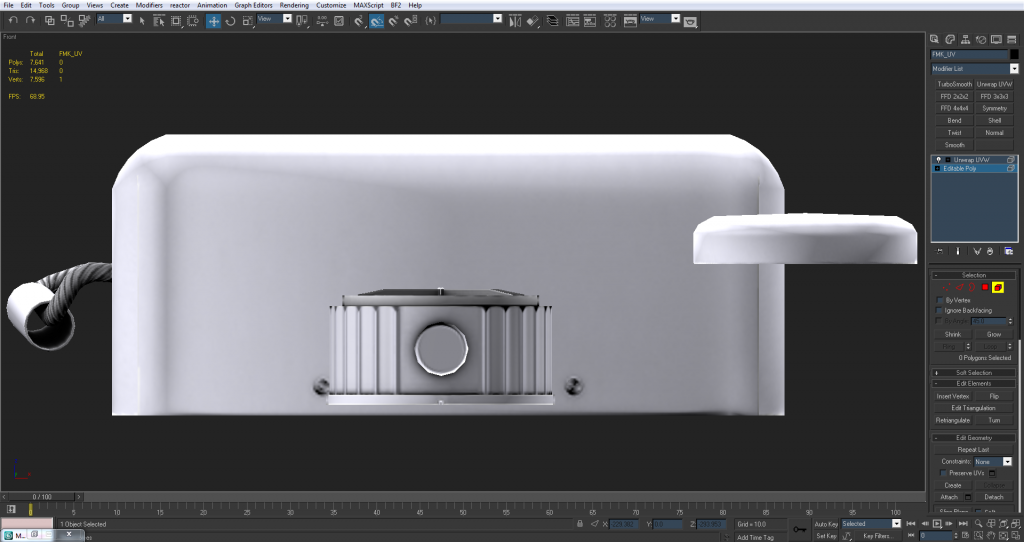
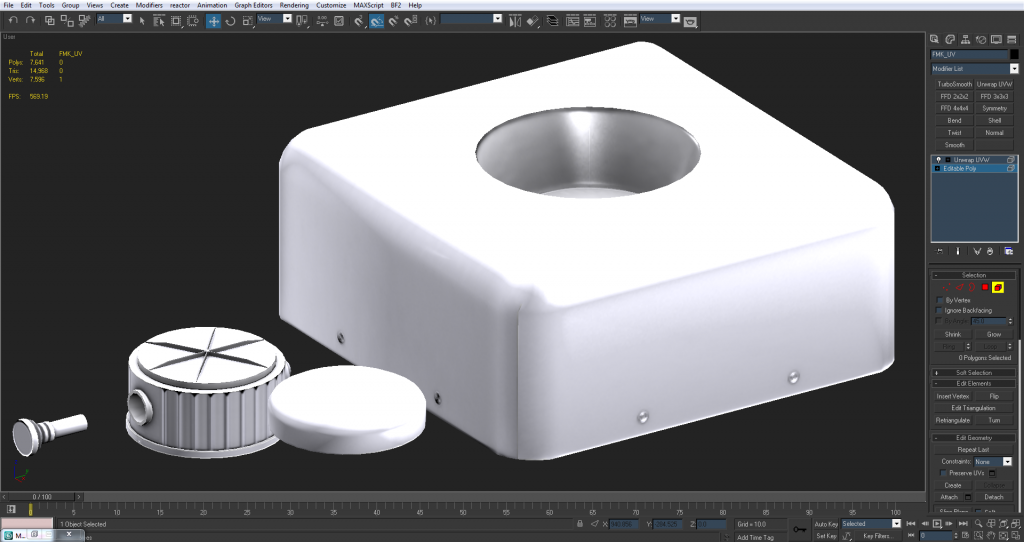
All images are WIP but I wanted to show you guys what I'm up to. Still messing around with baking out normals and an AO map to get this ready for texturing. (baking is a pain :p )

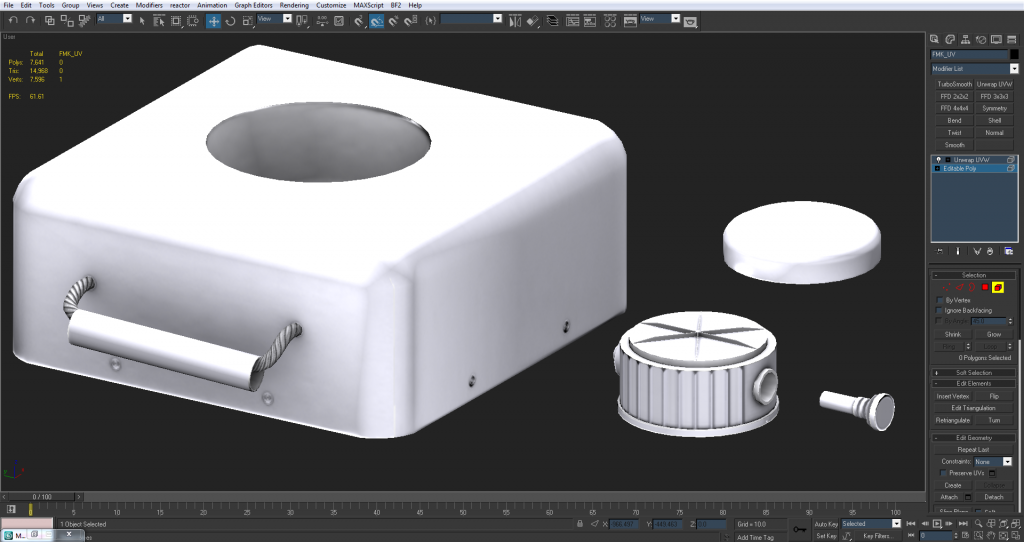
This is my latest with a normal map and an AO map both at 1024x512.

Image

Image

Image

Image

Some known issues are:
the detonator (clear in the 3rd pic) trying to fit a round bake into a 12 sided cylinder. (Much the same problem lucky had on his projectile for the AA system.) So I'm working on fixing that in PS.

The hole in the top of the FMK3 is a little dark on the top of the AO map, again fixing this in PS.

And also the shading errors at the seams on the normal map of the FMK3, but like Rhino said, hopefully that'll be fixed up in-game or a different rendering engine.
The shading changes as I move the lights in my scene around so it's hard to tell exactly how this normal will come out in-game.

I'm also probably going to put a base texture on this to get a better idea of how it all comes together 8)

But I'm back on this task so I just felt like updating you guys as to how it was going. I think it's coming along nicely and feedback is welcome :D

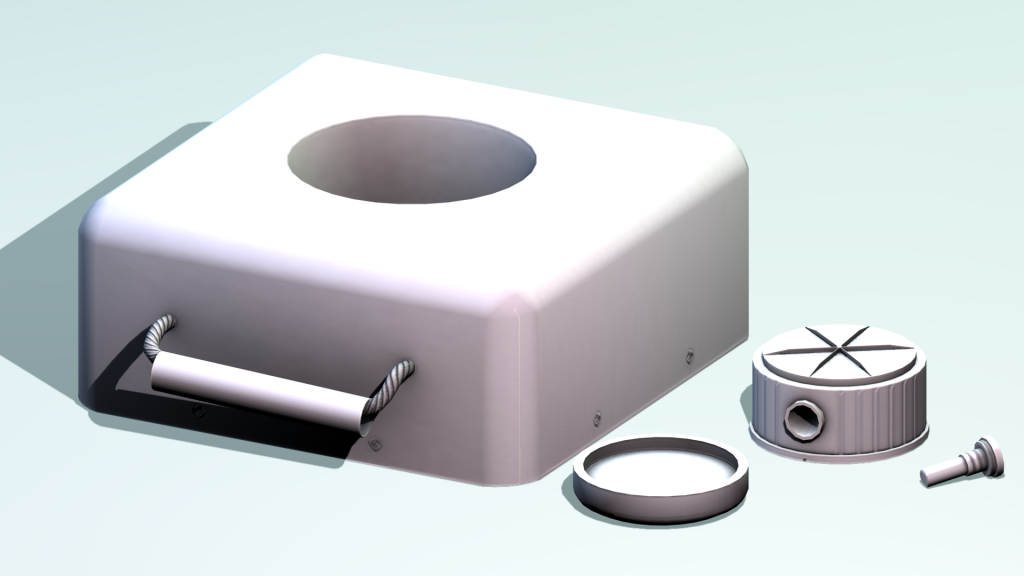
EDIT: Also here's what the normal and AO look like when rendered and not in a viewport (if that gives you a better feel for things)
Image

Posted: 2013-09-12 03:59
by Doc.Pock
If you want a new engine, try rendering in marmoset or such. And looks good man. Keep it up

Re: [WIP] FMK-1 & FMK-3 Mines (PR:F)

Posted: 2013-09-12 06:21
by Rhino
Yep looking good. Not sure about the errors, possibly might be an idea to do a quick simple export test to see what they are like in the editor.

Re: [WIP] FMK-1 & FMK-3 Mines (PR:F)

Posted: 2013-09-12 09:27
by lucky.BOY
On that problem with baking to a 12-sided cylinder, i found its mainly down to the highpoly having too small radius compared to the lowpoly. Try making it larger, you can lose some of the softness on edges but you will get rid of those weird black things.

Posted: 2013-09-12 10:33
by Doc.Pock
Also, bake out a convexity map, and overlay/mutliply its red chanel over your AO. It will give you a bit nicer cavity definition.