[WIP] FMK-1 & FMK-3 Mines (PR:F)

Making or wanting help making your own asset? Check in here
Post Reply
3===SPECTER===3
Posts: 831
Joined: 2007-05-05 01:13

[WIP] FMK-1 & FMK-3 Mines (PR:F)

Post by 3===SPECTER===3 »

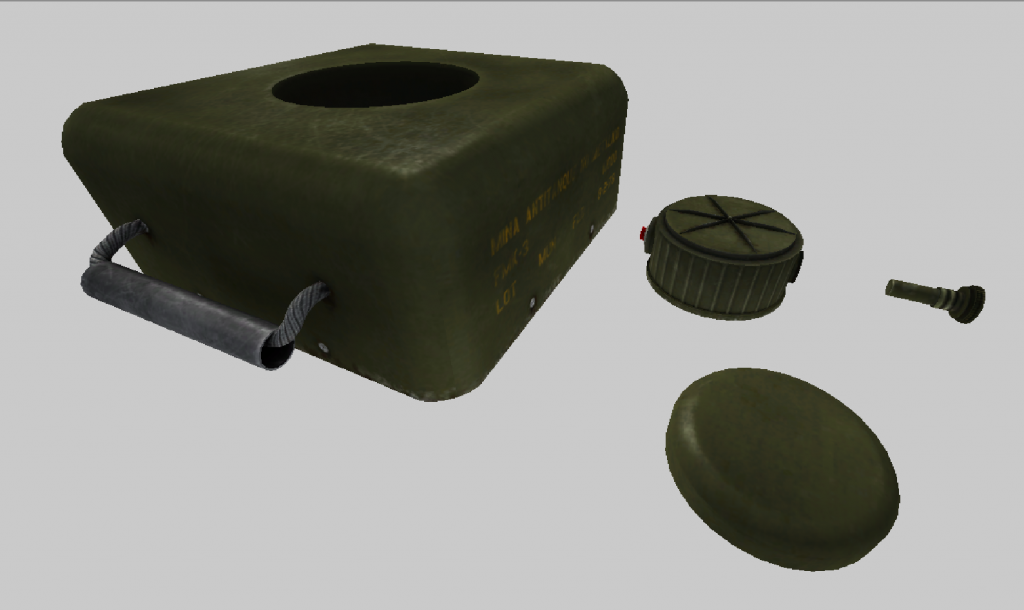
UPDATE: (9/20/2013) Texture in BF2 Editor
Image

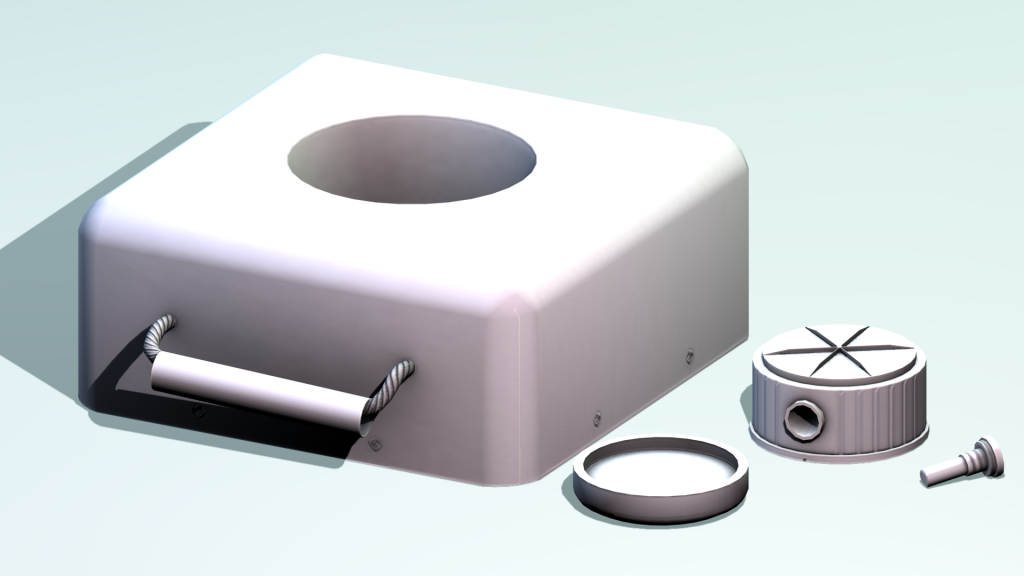
UPDATE: (9/11/2013) Normal Map & Ambient Occlusion Map Bake (Render) [WIP]
Image

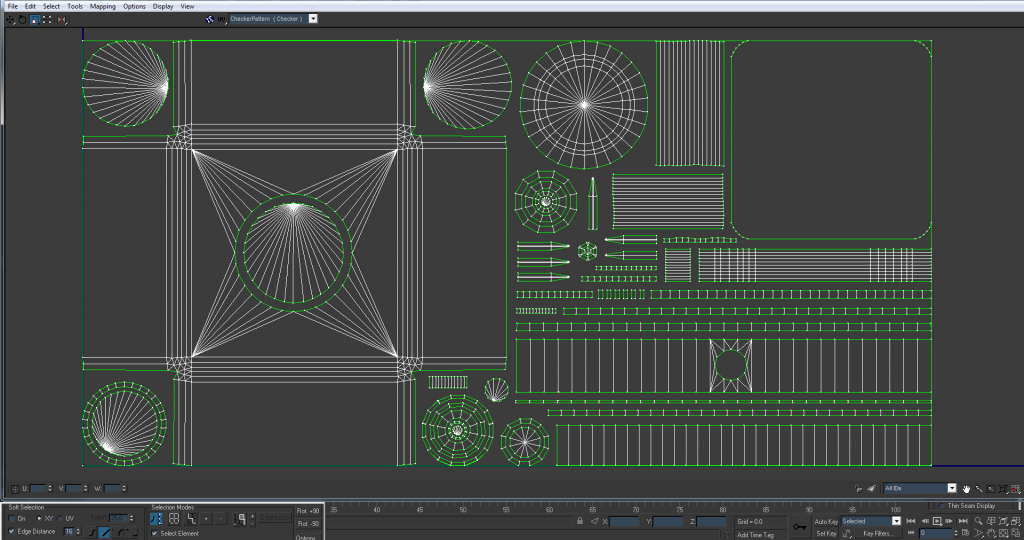
UPDATE: (8/25/2013) UV Map [WIP] (lots of help from rhino ;) )
Image

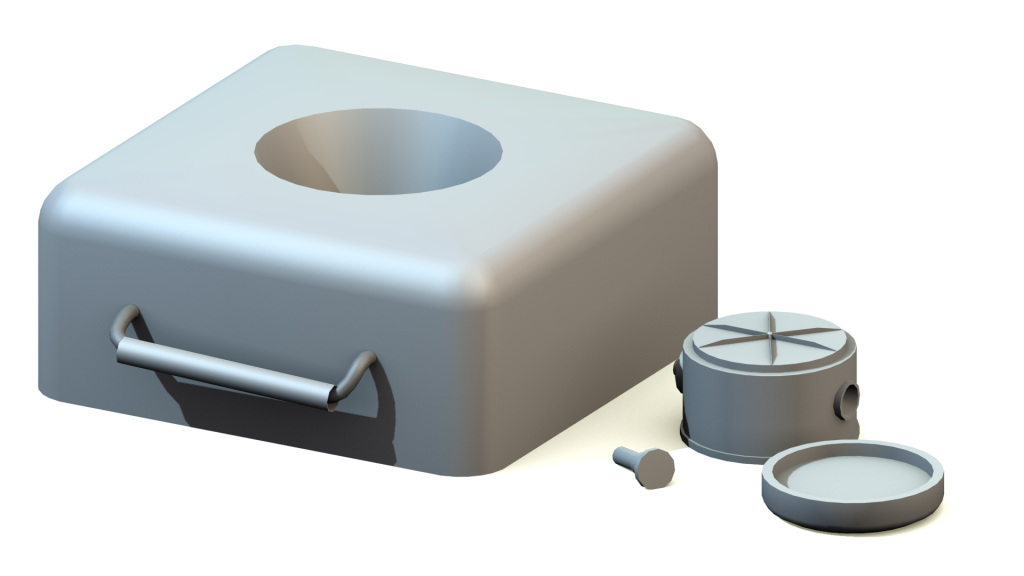
UPDATE: (7/29/2013) Low Poly Render [WIP]
Image

UPDATE: (7/25/2013) High Poly Render [WIP]
Image

START: (7/16/2013)
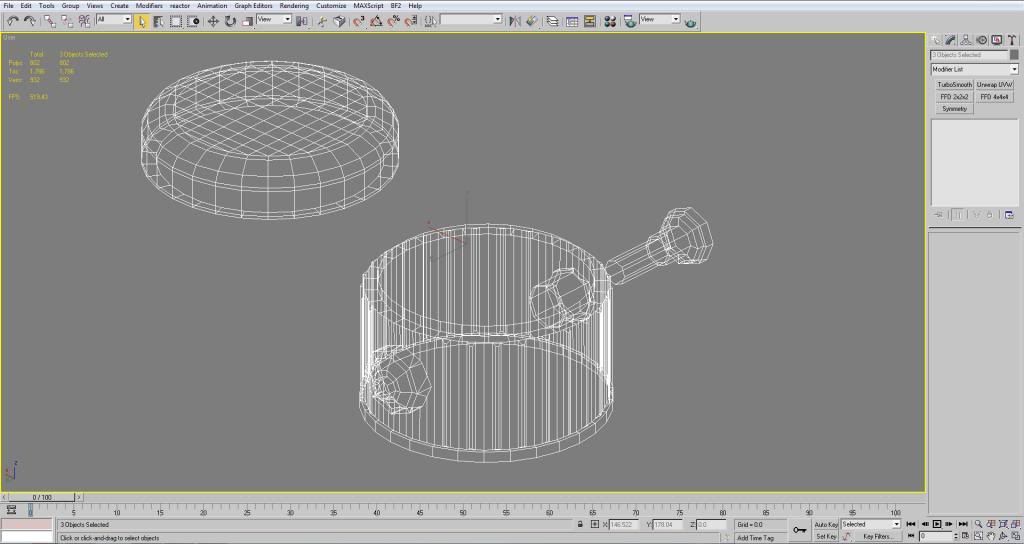
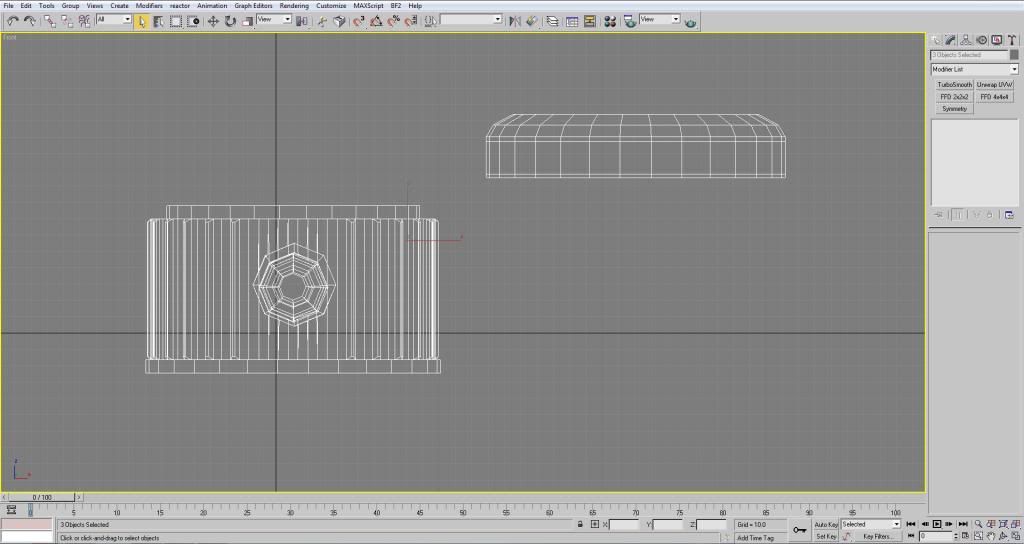
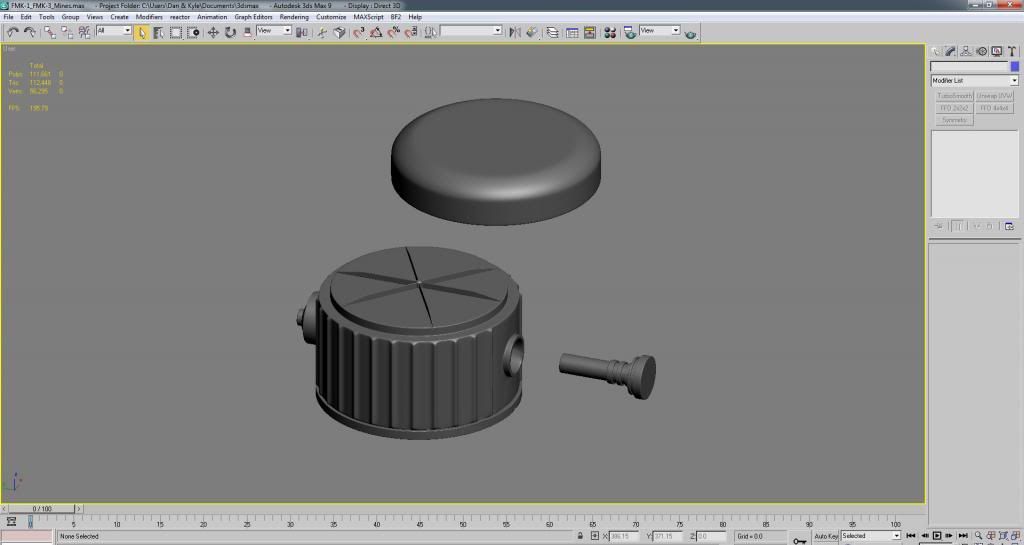
So I've decided to take on the task of creating the Argentinian FMK-1 and FMK-3 mines for the PR:Falklands mod. I started with the FMK-1 and after a few hours I think I've more or less got the shape down. Image
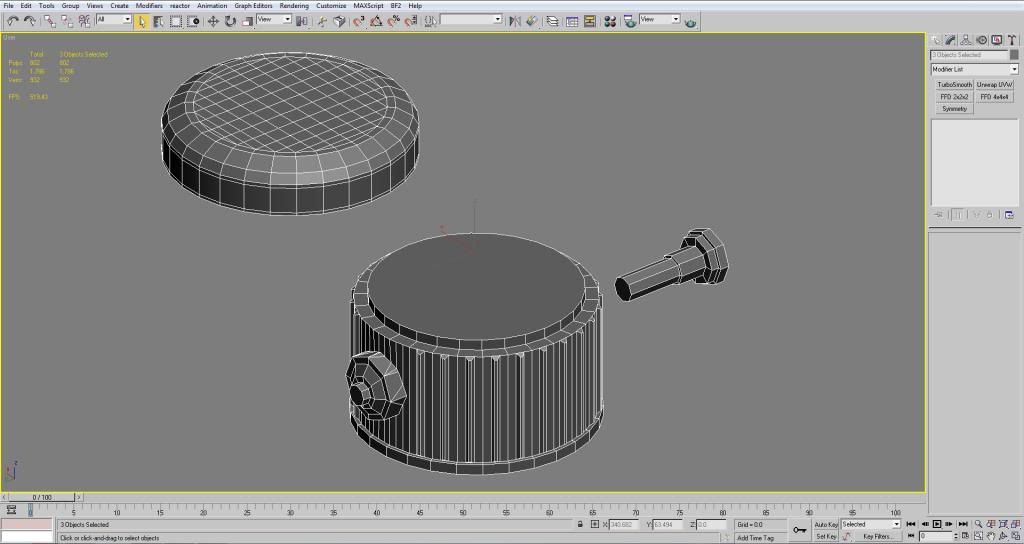
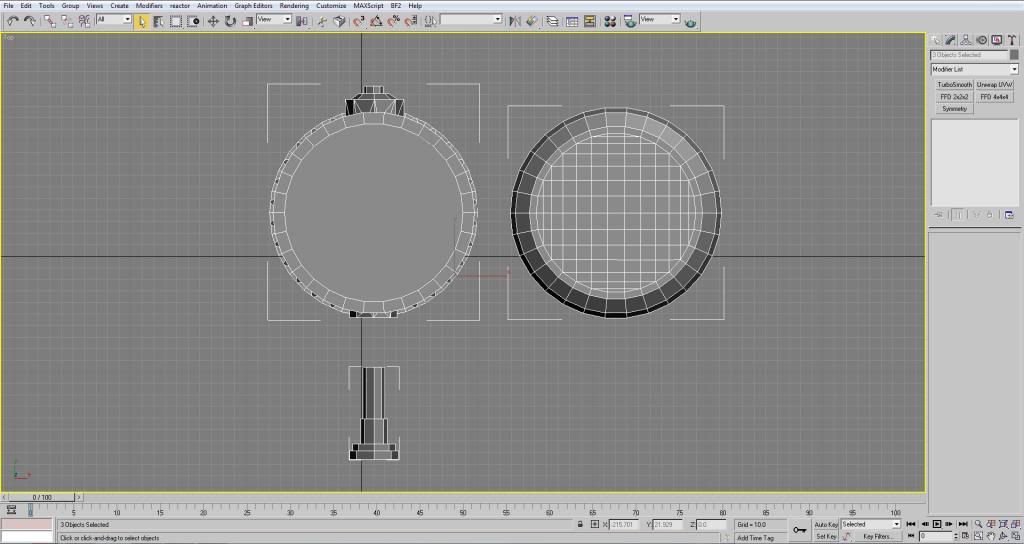
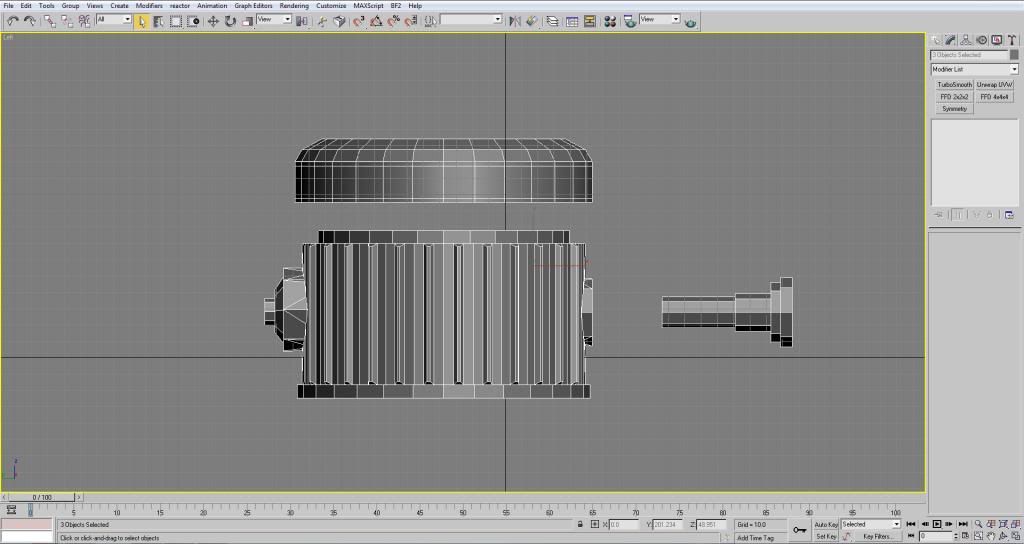
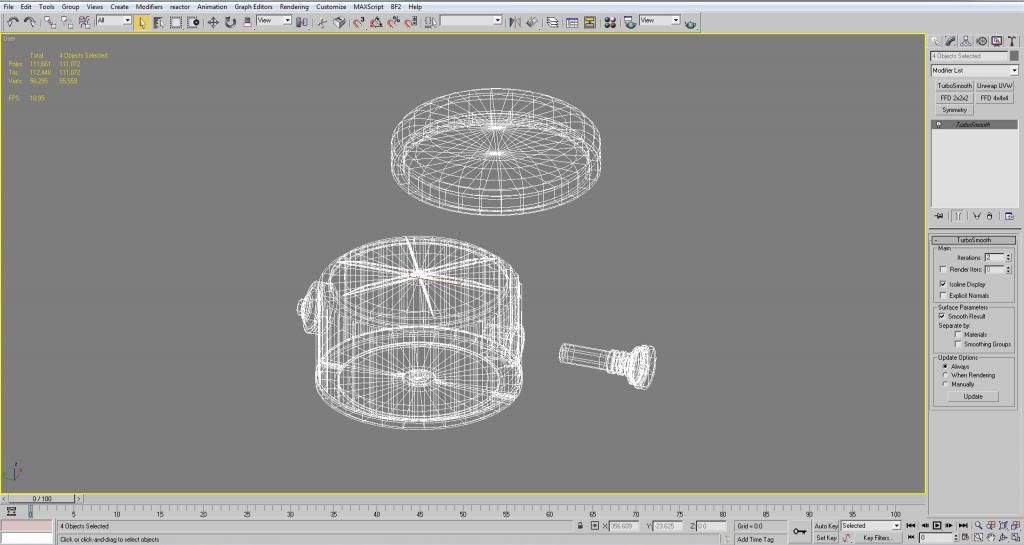
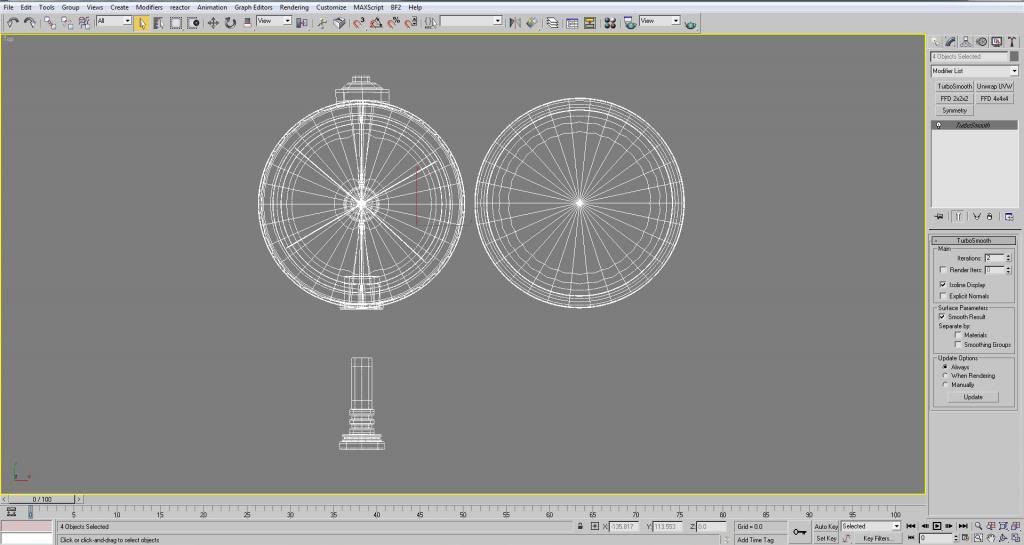
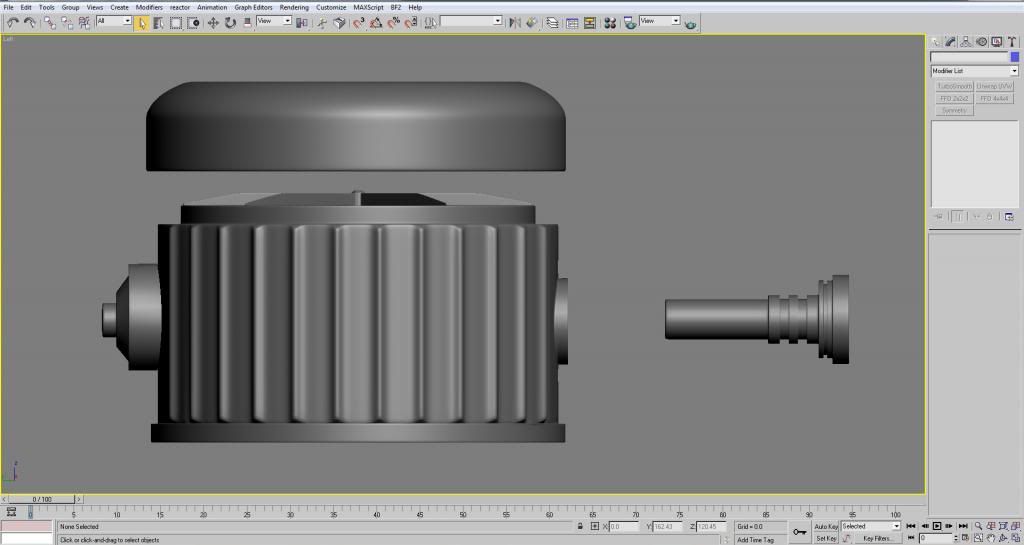
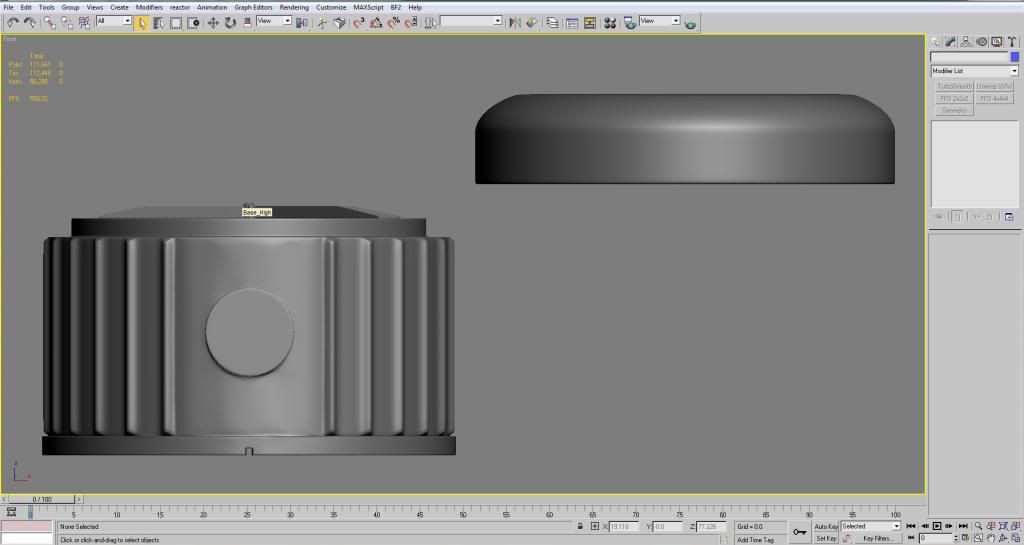
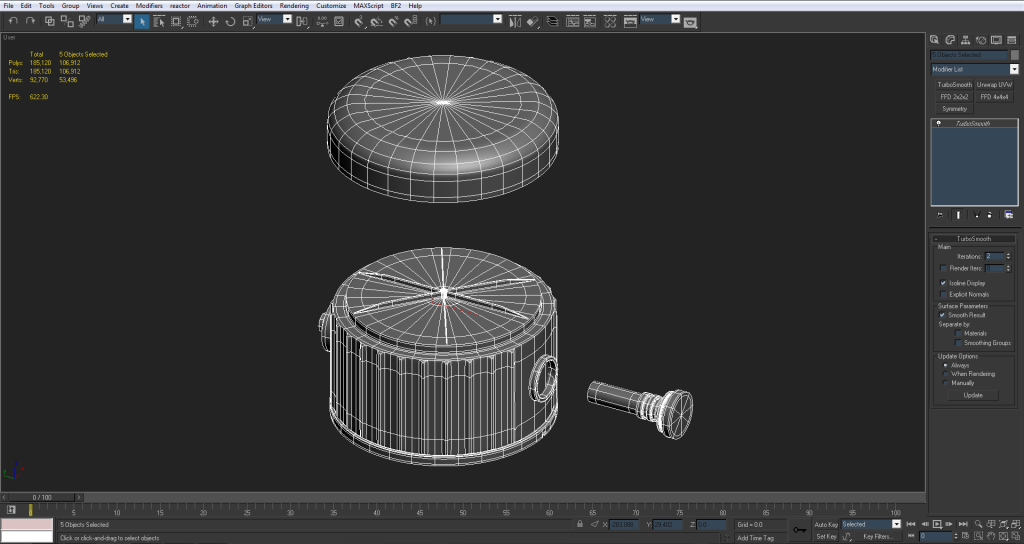
So looking at the references I decided to model it in 3 different parts. Image
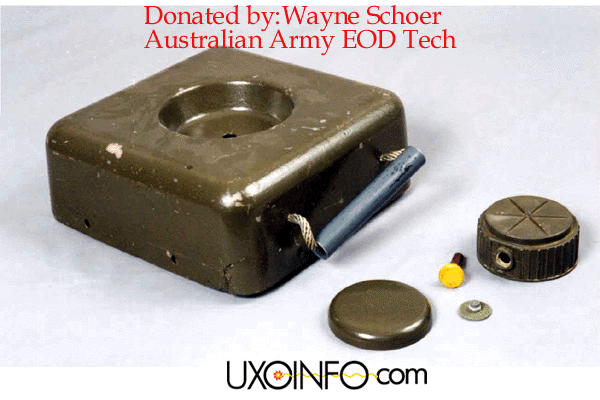
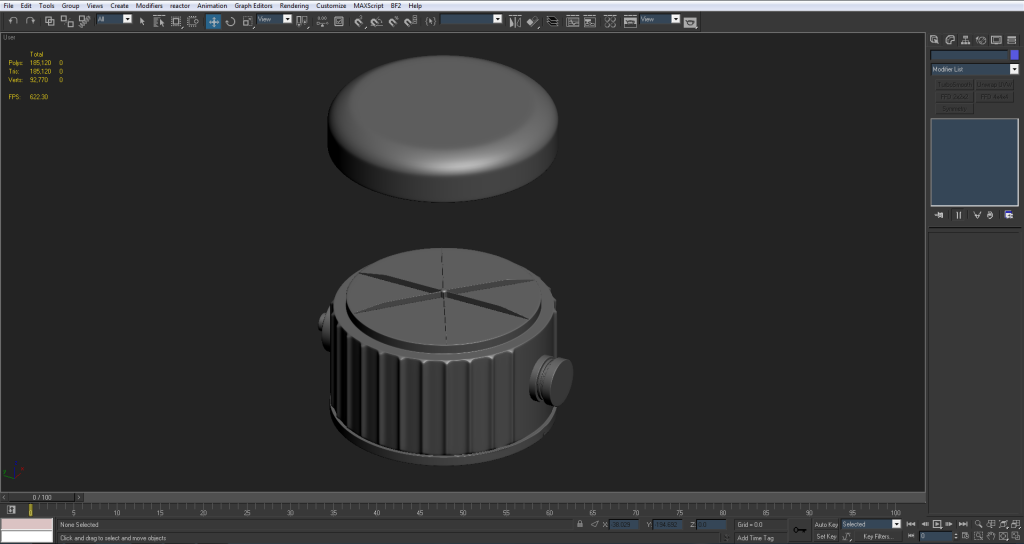
The top, which screws onto the base, the base, and the detonator.

I modeled it with the idea that maybe the deploy animation would need to show these parts coming apart. However, I can quickly change it and put them all into one mesh and save tris. As I think about it that might be a better idea since this still needs the FMK-3.

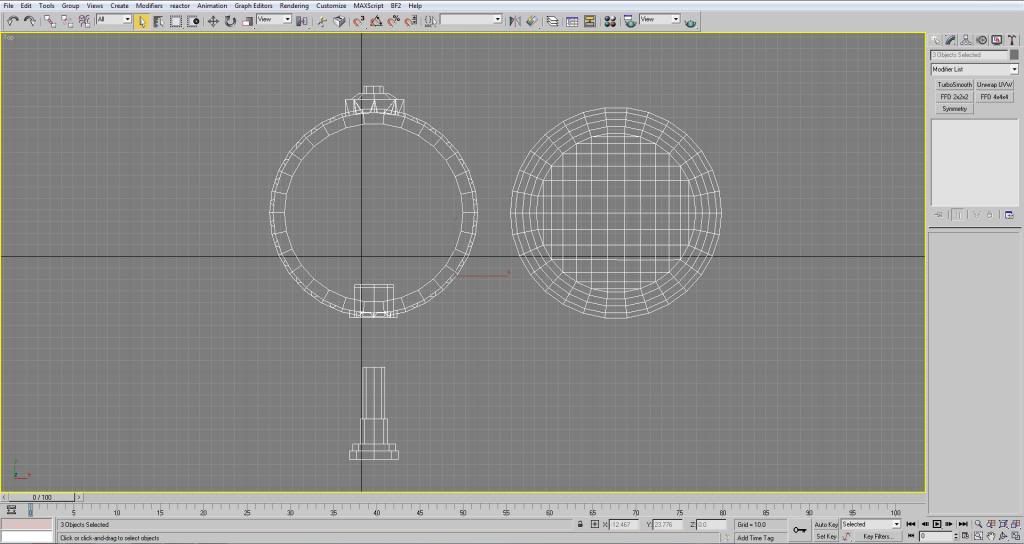
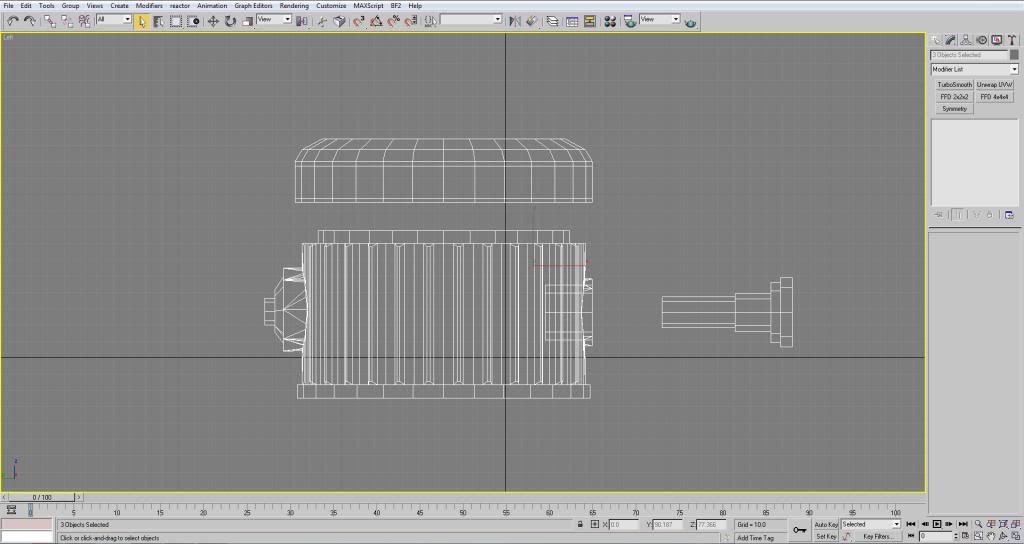
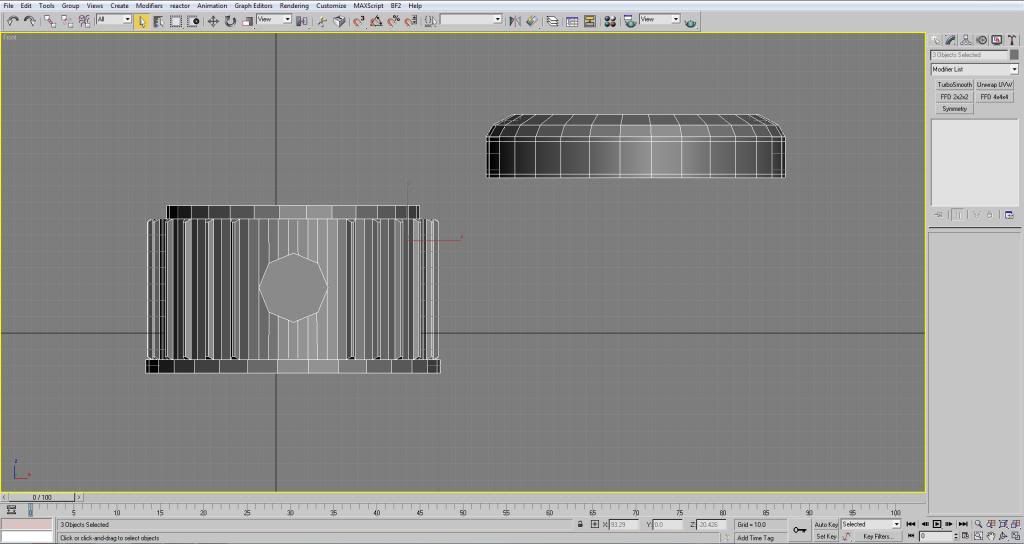
I didn't keep polys too much in mind as this is going to eventually be the high poly. Right now all three objects weigh in at 1,786 tris. Aside from the top (which has the supporting edges) I still have to go in and add supporting edges to everything else so I can turbo smooth it.

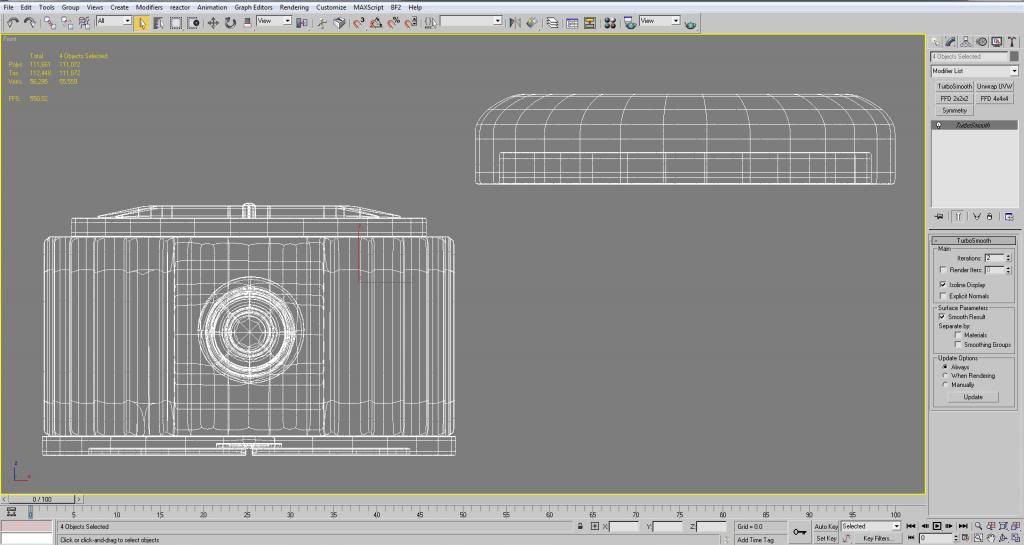
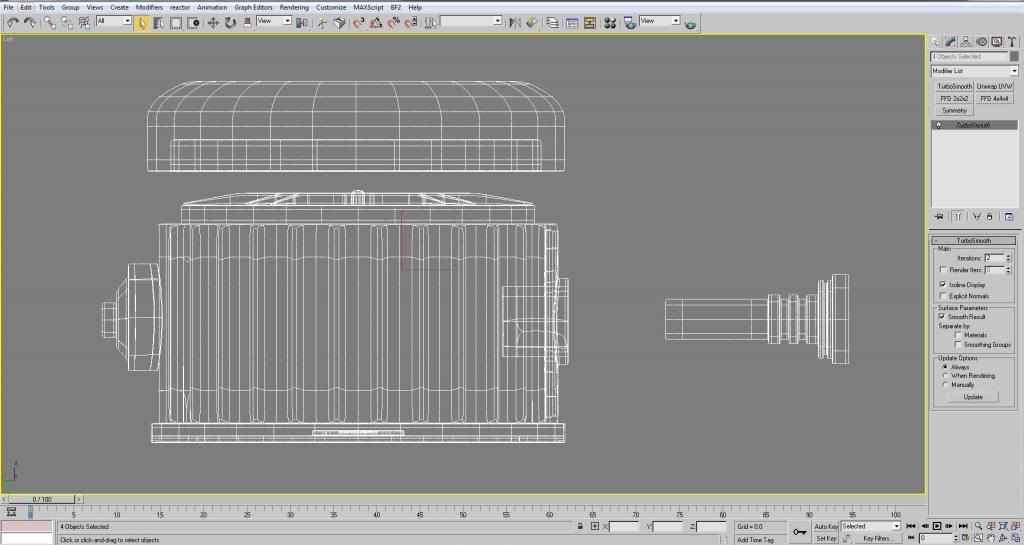
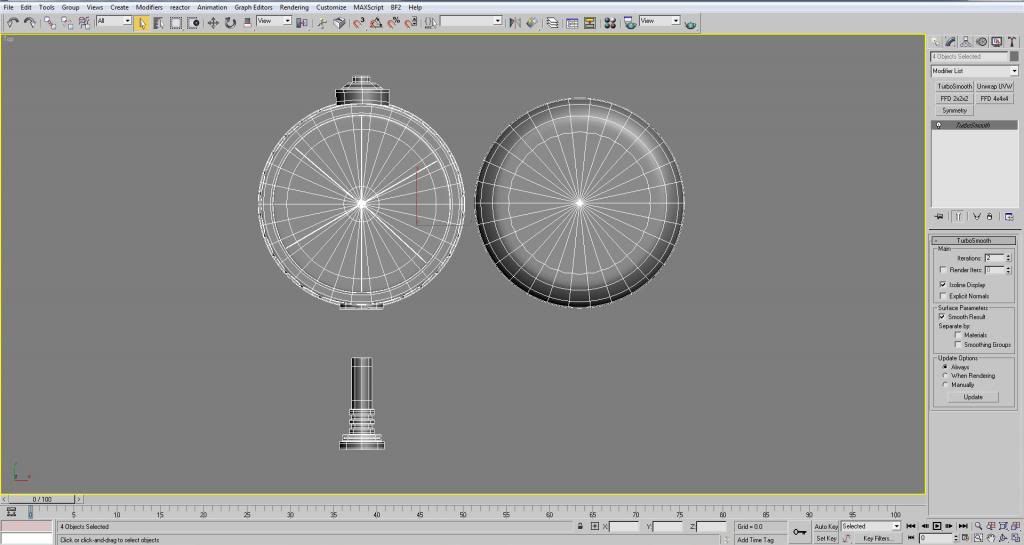
wireframeImageImageImageImage

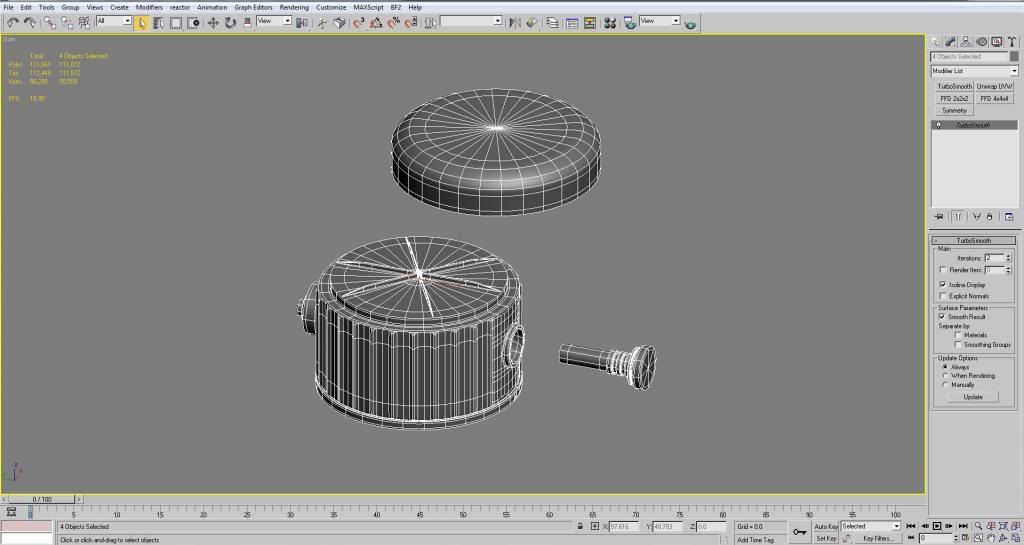
edged facesImageImageImage

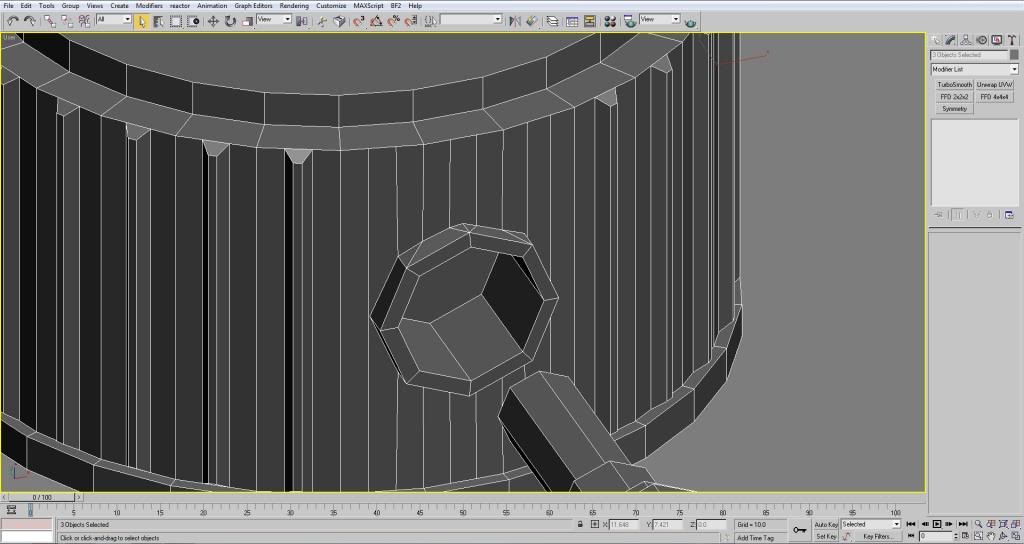
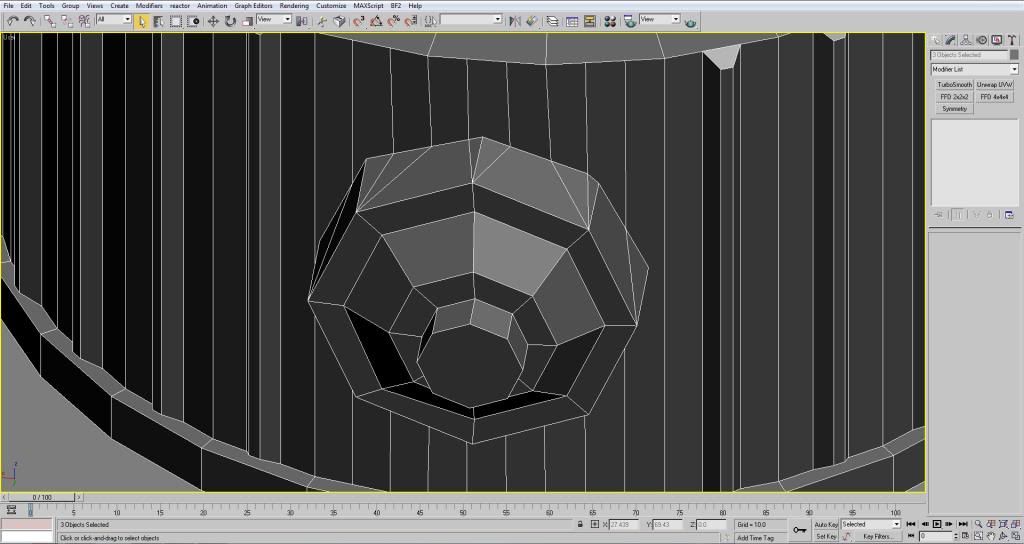
Also I had a question about if this is the right way to connect these shapes to the main body.ImageImage
I connected the vertices that end at the edges with other vertices so that I don't end up with a polygon that has 6 sides or something. I just didn't know if it was necessary for me to do this. (probably not since its a high poly)

But I decided to post my progress early so I could get some feedback and wouldn't have to make a lot of changes later. Hopefully you guys can give me some feedback on what I'm doing wrong/right I'd like to use what I've learned here in other models :-)
Last edited by 3===SPECTER===3 on 2013-11-13 16:32, edited 6 times in total.
Rhino
Retired PR Developer
Posts: 47909
Joined: 2005-12-13 20:00

Re: [WIP] Argentinian FMK-1 & FMK-3 Mines (PR:F)

Post by Rhino »

Good start so far but a few issues that need fixing.

First of all having the three parts should be fine, although that little pin bit might be a bit small to be seen in the animation as the hand might totally cover it up but best to keep it separate to keep the options open :)
For the FMK-3 you can still have all three parts, just with the 4th part being the mine base itself the FMK-1 goes into but having the same or similar FMK-1 prep as part of the FMK-3 deploy animation :)

Working on that this is a HP model, your top cap bit shouldn't have all those verts in a grid like that, its going to destroy the sub division flow. It should be like this:
Image
Image

This bit here: http://i1145.photobucket.com/albums/o51 ... d3479e.jpg
Shouldn't be welded up for a HP model, especially in the way you've done it (have you done it with pro boolean as that's a big no no, best way to screw up a model). Your best off having it separate and having it as floating geom: https://www.realitymod.com/forum/f189-m ... heavy.html
Floating Geometry wrote: When using floating geometry, I like using this extra "lip" to make it appear to be connected to the underlying model.

As you can see in my example several different effects can easily be created.

http://tom3d.dk/Tutorials/floatingGeoLip.jpg
Although looking at the refs you probably don't need a lip.

This bit here with a hole in is a little more tricky: http://i1145.photobucket.com/albums/o51 ... 3dca2d.jpg
since it has a hole in it that goes into the mine, you will probably want to bake this bit separately on the HP model then on the low poly have it welded up correctly with the hole in it.

Other than that it looks good so far but you will only really be able to tell once you start sub dividing it.

Keep up the good work :D
Last edited by Rhino on 2014-08-05 19:01, edited 1 time in total.
Image
lucky.BOY
Posts: 1438
Joined: 2010-03-03 13:25

Re: [WIP] FMK-1 & FMK-3 Mines (PR:F)

Post by lucky.BOY »

If you connect edges on a cyllinder like you have there, it might screw up the smoothness big time in the end. Best bet is to create a cyllinder with all the edges you might possibly need, and then work with that, without adding more sides if avoidable. If you need more, always use chamfer, not connect, it will leave the cyllinder round.

From my experience (not too much of it :D ), using floating geometry with a lip on a cyllinder like here might cause troubles, and if you dont use a lip it wont visually connect properly. Welding it together is very possible, just not quite like you have done it. The best way is to make sure that both cylinders have similar amout of edges, by which i mean that for every edge that comes from one mesh to the intersection there is a edge from the other mesh to meet it, that will keep the amount of non-quad polys to the minimum, which should be always your goal.

Btw, make sure to model these extrusions on top of the base, a few more details wont hurt :)
Rhino
Retired PR Developer
Posts: 47909
Joined: 2005-12-13 20:00

Re: [WIP] FMK-1 & FMK-3 Mines (PR:F)

Post by Rhino »

lucky.BOY wrote:From my experience (not too much of it :D ), using floating geometry with a lip on a cyllinder like here might cause troubles, and if you dont use a lip it wont visually connect properly.
Ye shouldn't use a lip, but not using a lip and having the bit coming out on the low poly model too will be fine. If it was all done by normal then yes, would really need the lip but since it isn't, its fine :)
Image
3===SPECTER===3
Posts: 831
Joined: 2007-05-05 01:13

Re: [WIP] Argentinian FMK-1 & FMK-3 Mines (PR:F)

Post by 3===SPECTER===3 »

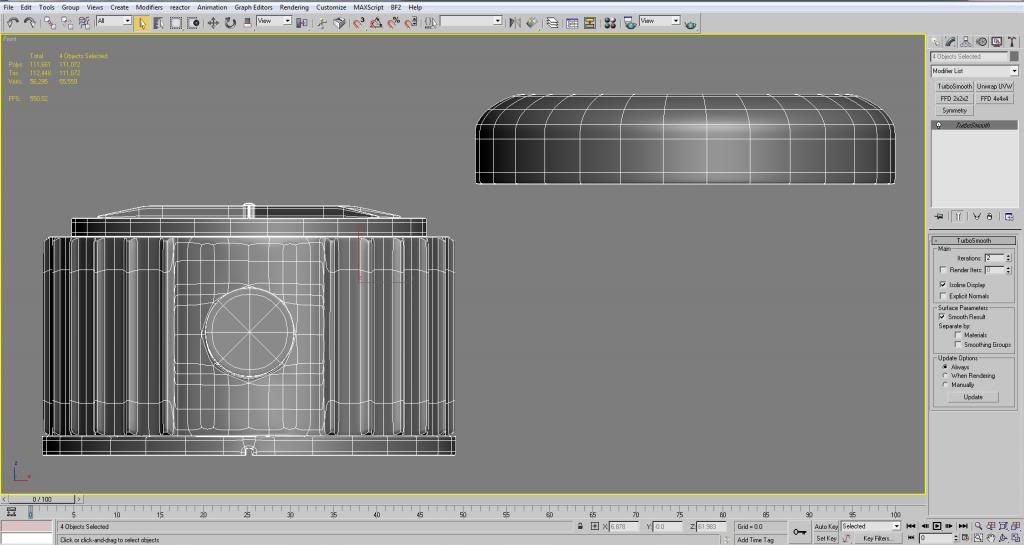
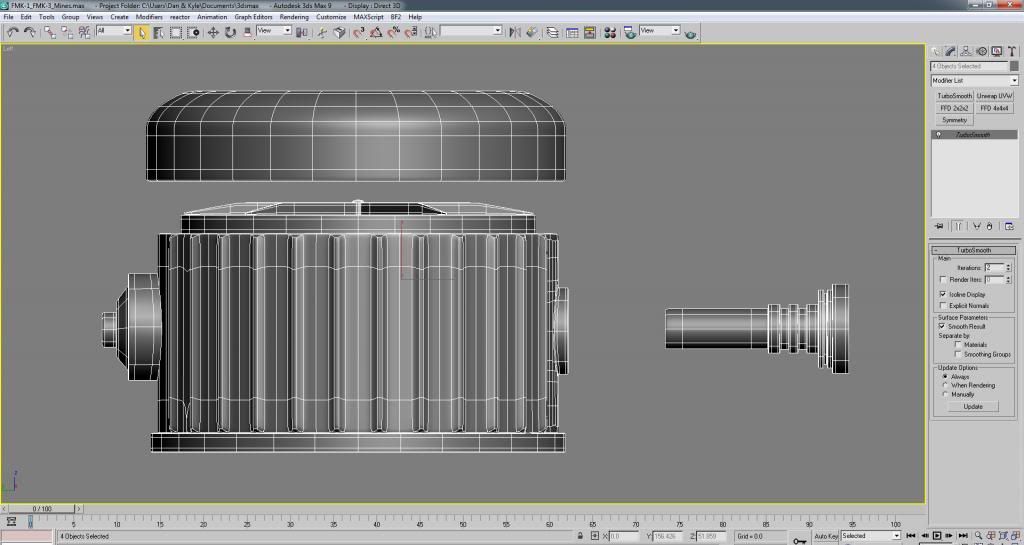
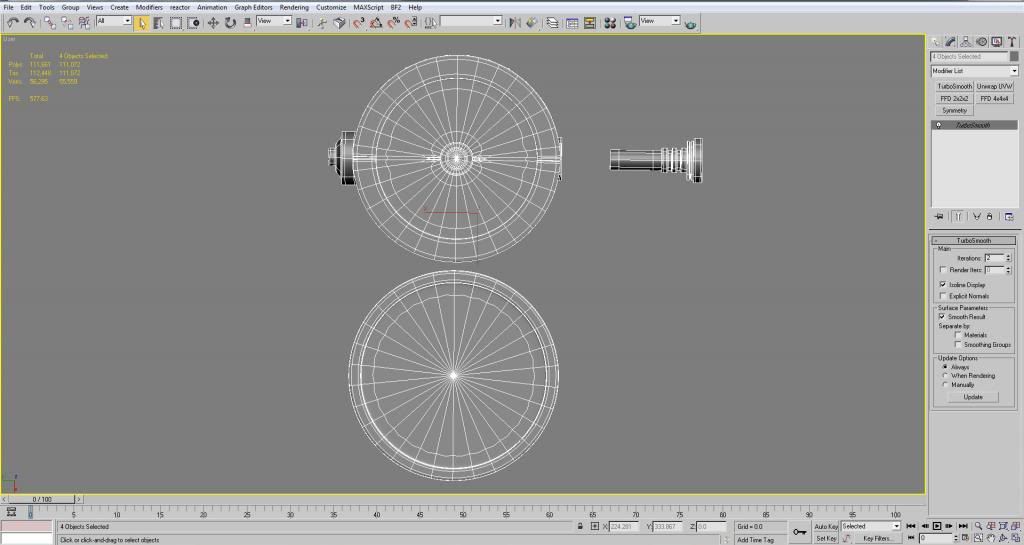
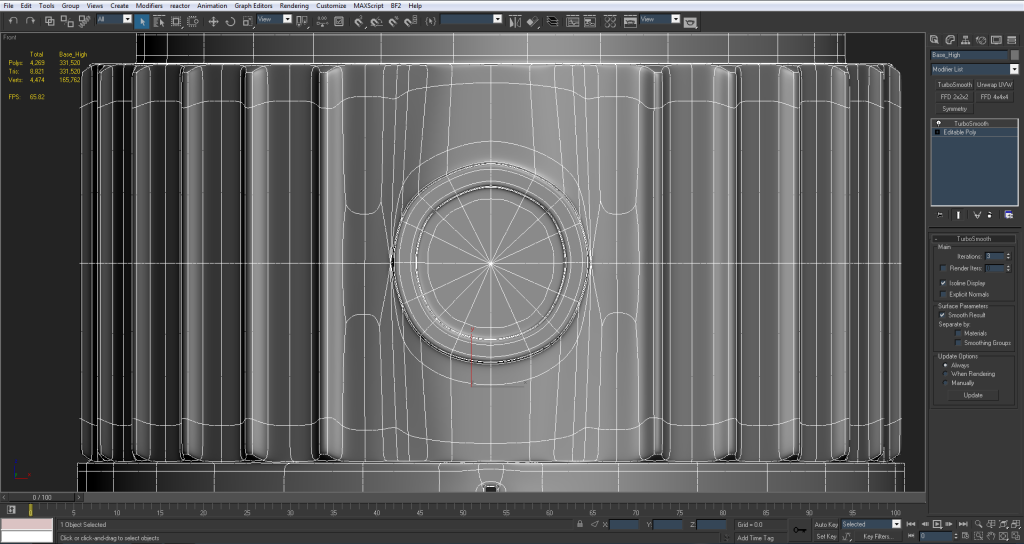
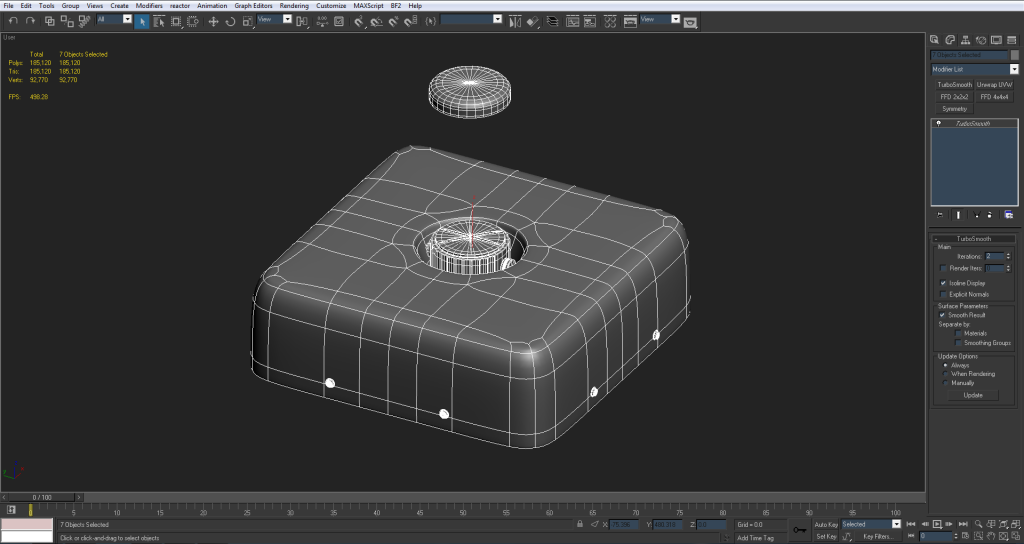
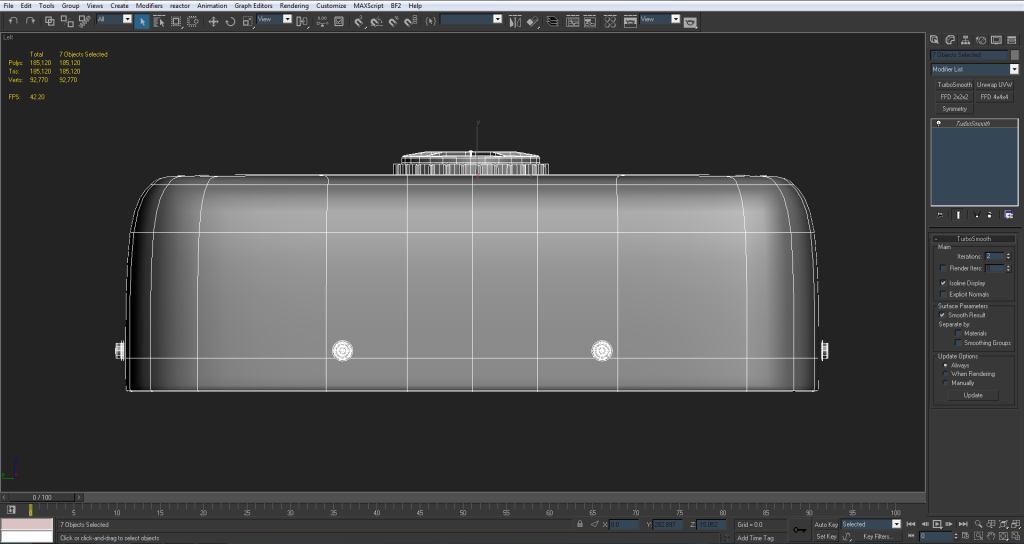
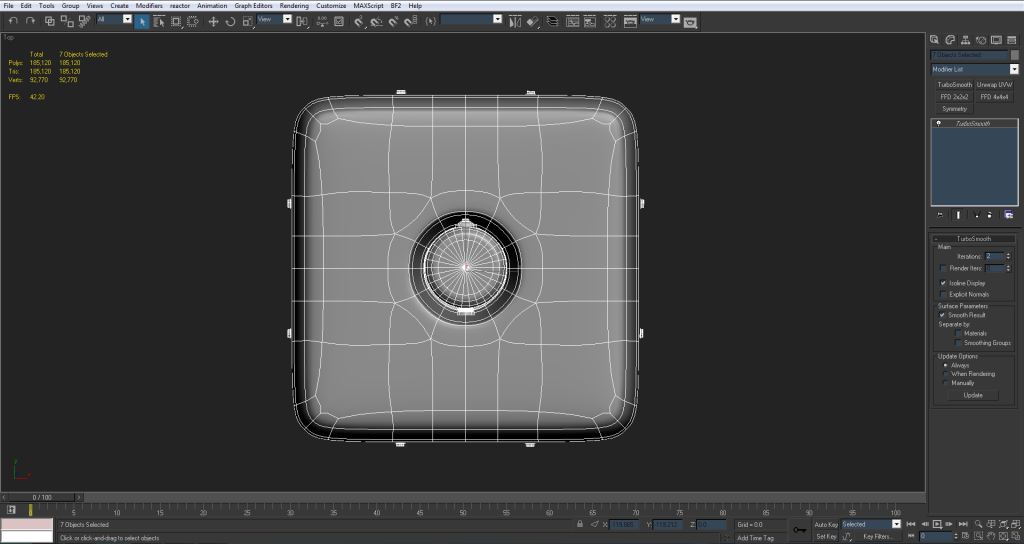
Alright so I took everything you guys said into account and got the HP turbo smoothed. The iterations are at 2 and the isoline display is checked so that's what you're seeing in the edged faces and wireframe views.

wireframe
Image
Image
Image
Image
edged faces
Image
ImageImage
Image

here's the underside that will be baked on
Image
Image

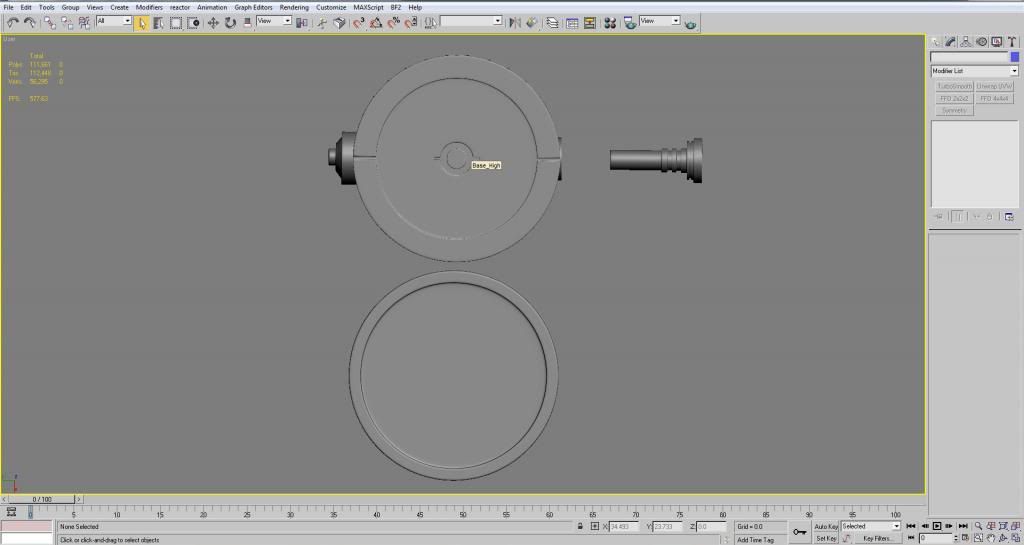
and here's a few shots of just the surface. Seeing as it's a high poly these seemed helpful
Image
Image
'[R-DEV wrote:Rhino;1918167']
This bit here with a hole in is a little more tricky: http://i1145.photobucket.com/albums/o51 ... 3dca2d.jpg
since it has a hole in it that goes into the mine, you will probably want to bake this bit separately on the HP model then on the low poly have it welded up correctly with the hole in it.
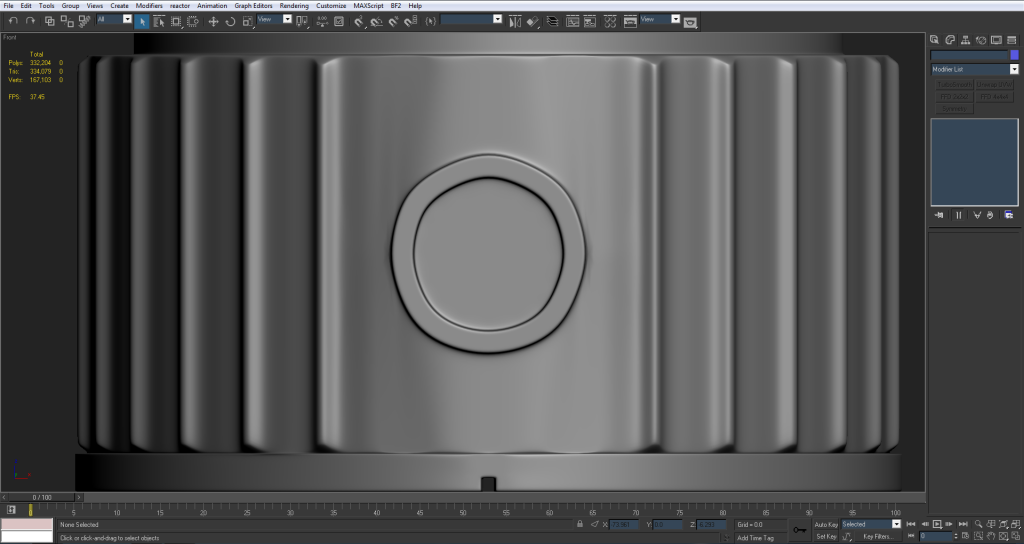
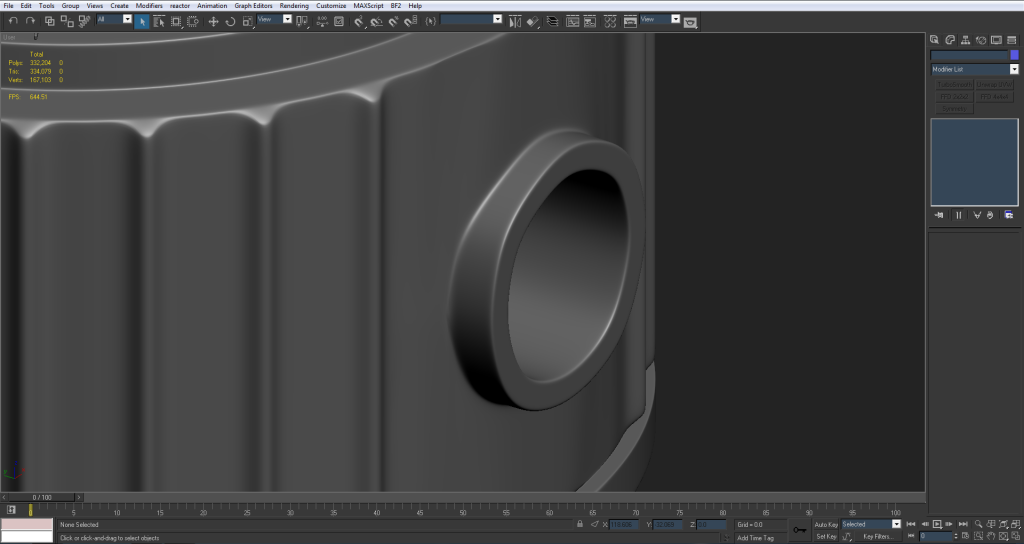
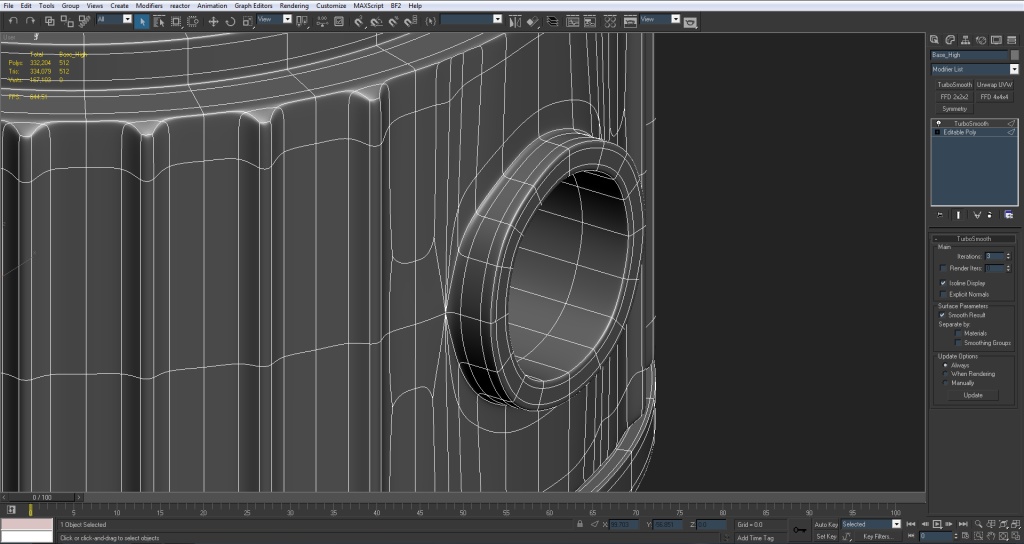
Everything seems smooth, the only thing that's giving me SOME artifacts is the part you're talking about. Image The area around the hole where the detonator goes in. It's still welded to the base and not floating like the other extrusion.

I didn't use the bolean tool (not sure what that is) but I'm sure the method I used wasn't right.
I'm sure there's another way to do this but I couldn't really find anything on it on the internet. The post you had about floating geometries works well for orthogonal objects but not for a cylinder like this.

Either way, the 'shadows' I'm getting off of it don't seem too bad but I'm sure they would go away if I were to use a better method or float the geometry. but like you said that's hard to do seeing as it has a part that goes INTO the model.
I'm gonna try some other things to see if I can weld that extrusion better but if not I guess I can bake it separately like Rhino said. (although I'm not so sure how to do that)

But other than needing some help with that part, I like the way the rest of the high poly has come out, but I'm sure you guys have feedback. Let me know if you have any other solutions on the detonator part and how you think the rest of the high poly looks/ if I did anything wrong.

Seriously tho thanks for the feedback guys :-) it's helping me out a ton.

Also let me know if you'd like me to replace the first post with updated pics. I don't wanna clog the thread too much.
Rhino
Retired PR Developer
Posts: 47909
Joined: 2005-12-13 20:00

Re: [WIP] Argentinian FMK-1 & FMK-3 Mines (PR:F)

Post by Rhino »

Looking good, btw only need one wireframe pic (probably in perspective) at the most, they don't show much most of the time. Normal and Edged modes are the key ones.
3===SPECTER===3 wrote:Everything seems smooth, the only thing that's giving me SOME artifacts is the part you're talking about. http://i1145.photobucket.com/albums/o51 ... 40e0a8.jpg The area around the hole where the detonator goes in. It's still welded to the base and not floating like the other extrusion.

I didn't use the bolean tool (not sure what that is) but I'm sure the method I used wasn't right.
I'm sure there's another way to do this but I couldn't really find anything on it on the internet. The post you had about floating geometries works well for orthogonal objects but not for a cylinder like this.

Either way, the 'shadows' I'm getting off of it don't seem too bad but I'm sure they would go away if I were to use a better method or float the geometry. but like you said that's hard to do seeing as it has a part that goes INTO the model.
I'm gonna try some other things to see if I can weld that extrusion better but if not I guess I can bake it separately like Rhino said. (although I'm not so sure how to do that)


Ye its because its still welded up. Basically you need to detach that element from the object, making it into a new object, so its a totally separate object then you also bake the low poly model in the same way, as a separate object on its own from the rest of the model.

A good example of this is how I did the lid for my Water Container IED, although it wasn't welded up on either the HP or LP models in this case as it would have hurt the smoothing, with no chance of zfighting either, nor wasting too much UV space by not welding it.
HP Lid Model (ignore that I don't have a rounded area to the top surface):
Image
LP Lid Model:
Image
Lid UVs on top of the low rez normal that went ingame:
Image

So basically you just bake it as a different object, which results in multiple bakes which you just need to merge together in photoshop, which isn't too hard if you render them in .png or some other format with an alpha channel that you can save the transparency for areas of the texture you haven't baked for. I find baking things separately also means that the cage is much easier to work with, as you can see here's all my bakes for the WC IED :p
Image

And then ye end result after bringing all those bakes into PS is this :D
Image


EDIT: BTW for the UVing part, you UV the LP model as one object with all elements attached, then once the UVs are done, first detach off any separate parts that need to move in the animations, then from there you clone everything and detach all the elements/bits you need to bake separately as clones, naming each one appropriately so and then set them up for baking with their respective HP Model counterparts, which means you've got plenty of backups and you can keep your cages intact, and there is only a problem if you need to tweak your UVs after that which you should make sure they are all good with us etc before doing that so hopefully you won't need to :)


Keep up the good work, looking really good so far! :D
Last edited by Rhino on 2013-07-17 05:22, edited 1 time in total.
Image
lucky.BOY
Posts: 1438
Joined: 2010-03-03 13:25

Re: [WIP] FMK-1 & FMK-3 Mines (PR:F)

Post by lucky.BOY »

http://i1145.photobucket.com/albums/o51 ... 40e0a8.jpg

This is a consequence of this:

http://i1145.photobucket.com/albums/o51 ... 3dca2d.jpg

If you connect your edges like that, the middle poly will be inside s a flat area, what i mean is that when you turbosmooth it, it will and end up totally flat. And that results in what we can see, where you have parts of the cylinder flat (not an option on a ideal cylinder, which is what you should have here) and parts between them smooth out the curve between those flat faces, and that results in this bumpiness.

Multiple fixes:
- fix it by hand in Ps as that part should be totally blue i believe. This means you wont learn how to do the highpoly properly :D
- get rid of those added edges. This may result in a wierd looking transition between the areas with and without extrusions, but you should try how that looks.
- get rid of those added edges and use chamfer instead to get similar edge density. May look better than above solution but it will require more work.
-redo it completely and start with a cylinder that has enough edges for your details, as I said in my previous post :)

A bit more feedback - loosen edges on the smaller things (the detonator and stuff), you dont get any highlights on them now, after bake you wont see that they have normal map applied.
2 iterations on Turbosmooth may or may not be enough, cant really judge from those low quality jpegs. Consider increasing it to 3.

As for those images, please post them in better quality next time, these jpeg arifacts make it hard to see anything. At the least up the jpg quality to maximum when you save them.

I personaly use Imgur.com, as it has shorter URLs and it allows me to save screenshots in .png and them upload them directly to Imgur, which downsizes them so as not to be too big for forums, but still nice quality.
Granted, this can kick you in the *** if you dont keep it in mind, but it saves a bit of work for me :)

@Rhino, why do you bake them as separate objects? If you explode the scene and then attach all of the lowpoly objects back together, you should be able to get all your normals in one bake? Am I missing some obvious downside of this?

Might be of help here:
Explode a Scene for Normal Map and Ambient Occlusion Baking - 3dmotive - YouTube
Rhino
Retired PR Developer
Posts: 47909
Joined: 2005-12-13 20:00

Re: [WIP] FMK-1 & FMK-3 Mines (PR:F)

Post by Rhino »

Baking it as a separate object that isn't welded up is the simplest solution...
lucky.BOY wrote:@Rhino, why do you bake them as separate objects? If you explode the scene and then attach all of the lowpoly objects back together, you should be able to get all your normals in one bake? Am I missing some obvious downside of this?

Might be of help here:
Explode a Scene for Normal Map and Ambient Occlusion Baking - 3dmotive - YouTube
I like to keep everything in place, where exploding can lead to problems in the long run, but for just baking its something to consider ye but you have less control over individual cages etc, although it would be overall faster to do render time wise.
Image
Doc.Pock
Posts: 2899
Joined: 2010-08-23 14:53

Post by Doc.Pock »

Suggestion: to avoid exporting to max13 and then back, just bake in xnormal? Also gives you superb ao and convexity
lucky.BOY
Posts: 1438
Joined: 2010-03-03 13:25

Re: [WIP] FMK-1 & FMK-3 Mines (PR:F)

Post by lucky.BOY »

[R-DEV]Rhino wrote:Baking it as a separate object that isn't welded up is the simplest solution...
That doesnt solve the artifacts in this area:
Image

i made some pictures to help me express myself.

Image
Image
First I made a cylinder and did some quick insets on its top and bottom, and smooths nicely indeed.

Image
Image
then I did the same thing OP has done, just connected the edges in the area he needed to put more detail in, without even taking the new edge loops all the way to the n-quad in the middle of top and bottom faces.
It results in pretty much the same thing OP has there, only my cylinder has much less sides so the issue is more clearly visible.

Image
Image
Then I got rid of those edges and chamfered the whole thing twice (i had to get rid of those insets and re-apply them after the chamfering), this gave me enough edges to put needed detail in if I wanted to. And the thing still looks like a cylinder when you smooth it.
[R-DEV]Rhino wrote:I like to keep everything in place, where exploding can lead to problems in the long run, but for just baking its something to consider ye but you have less control over individual cages etc, although it would be overall faster to do render time wise.
But for simpler scenes like this, I would explode it since you can do some quick edits without getting confused even if the parts are away from each other, adn you can quickly re-explode it if you ever wanted to.
Rhino
Retired PR Developer
Posts: 47909
Joined: 2005-12-13 20:00

Re: [WIP] FMK-1 & FMK-3 Mines (PR:F)

Post by Rhino »

lucky.BOY wrote:That doesnt solve the artifacts in this area:
http://i.imgur.com/YyCJ2T5.png
It dose if you don't have a hole there since you don't need one if it isn't welded up on the HP model since that part is now a separate element/object and only welded up on the LP model :p
Image
3===SPECTER===3
Posts: 831
Joined: 2007-05-05 01:13

Re: [WIP] FMK-1 & FMK-3 Mines (PR:F)

Post by 3===SPECTER===3 »

Well since I want to learn how to high poly model properly I'm looking into easy ways of keeping this welded and being able to easily extrude a cylinder from another cylinder without getting deformities.

This method of using the loop tool seems like it would be helpful:
Using the Loop Tools in 3ds Max to Extrude a Circle on Any Surface - 3dmotive - YouTube but unfortunately I don't have the file to replace to get the graphite modeling tools running :|

I'm also looking into where to find this tutorial:
Model a Detailed High Poly Fire Hydrant in 3ds Max as the links on the page don't seem to be working for me. But that fire hydrant seems like it would have some good viable options for extruding a cylinder from another cylinder.

But I'm only gonna look for a few days and until then I'll probably just keep it the way Rhino said and try that method of baking.

EDIT: I was just using a shitty browser, Google Chrome runs the fire hydrant videos fine :p

I'm probably gonna start on the FMK-3 soon and I'll update with pics later. Let me know if you guys find any other good extrusion tuts for me ;-) thanks again
3===SPECTER===3
Posts: 831
Joined: 2007-05-05 01:13

Re: [WIP] FMK-1 & FMK-3 Mines (PR:F)

Post by 3===SPECTER===3 »

Alright I played around and followed the fire hydrant tutorial to try and weld this thing to the base and this is what I came up with:
Image
Image
Image
Image
Still a little, bleh :/ I'm sure it could be done better but I'm not seeing an easy way to weld this onto the mesh without getting some artifacts in the turbo smooth. I might play around with it a little more but it's looking like the easiest way is baking it separately like rhino said. Well see.

Also I uploaded the images in PNG so hopefully that helps :D I'll post more progress when I get it, thanks for the feedback guys

EDIT: On second thought I think lucky said something about champhering the edges instead of using connect to make more edges as it will keep the shape (sorry I didn't fully understand your post earlier). I might try that process. Sorry for all the edits I'm done rambling :p
Rhino
Retired PR Developer
Posts: 47909
Joined: 2005-12-13 20:00

Re: [WIP] FMK-1 & FMK-3 Mines (PR:F)

Post by Rhino »

Not bad but I still think you will overall get a better result from fully detaching it from the HP model.

And ye, chamfering edges in some cases can be easier than adding control edges though connect but sometimes it can screw up the model more.
Image
Doc.Pock
Posts: 2899
Joined: 2010-08-23 14:53

Re: [WIP] FMK-1 & FMK-3 Mines (PR:F)

Post by Doc.Pock »

if you read abit through this thread, you will learn how to fix all your problems.

hint: start with a cylinder that has waaay more sides
3===SPECTER===3
Posts: 831
Joined: 2007-05-05 01:13

Re: [WIP] FMK-1 & FMK-3 Mines (PR:F)

Post by 3===SPECTER===3 »

[R-DEV]Rhino wrote:Not bad but I still think you will overall get a better result from fully detaching it from the HP model.

And ye, chamfering edges in some cases can be easier than adding control edges though connect but sometimes it can screw up the model more.
This is probably what I'll end up doing considering chamfering the edges will probably force me to redo the top & bottom of the model. (we'll see tho) I just wanted to know how to do it correctly and I've learned a lot from what I've already done wrong :lol: like Doc said, if I started with more edges and worked out how I was going to make those extrusions beforehand this wouldn't be a problem but I'm doing this all to learn things anyway.
@doc thanks. I've seen that thread and am still working through it. A lot of good stuff on those forums :smile:
Doc.Pock
Posts: 2899
Joined: 2010-08-23 14:53

Post by Doc.Pock »

Yep, polycount truly is your best friend ;-) and if you are stuck with something and need quick answers, or you just wanna spy on ppl doing amazing stuff, we have a hangout
3===SPECTER===3
Posts: 831
Joined: 2007-05-05 01:13

Re: [WIP] FMK-1 & FMK-3 Mines (PR:F)

Post by 3===SPECTER===3 »

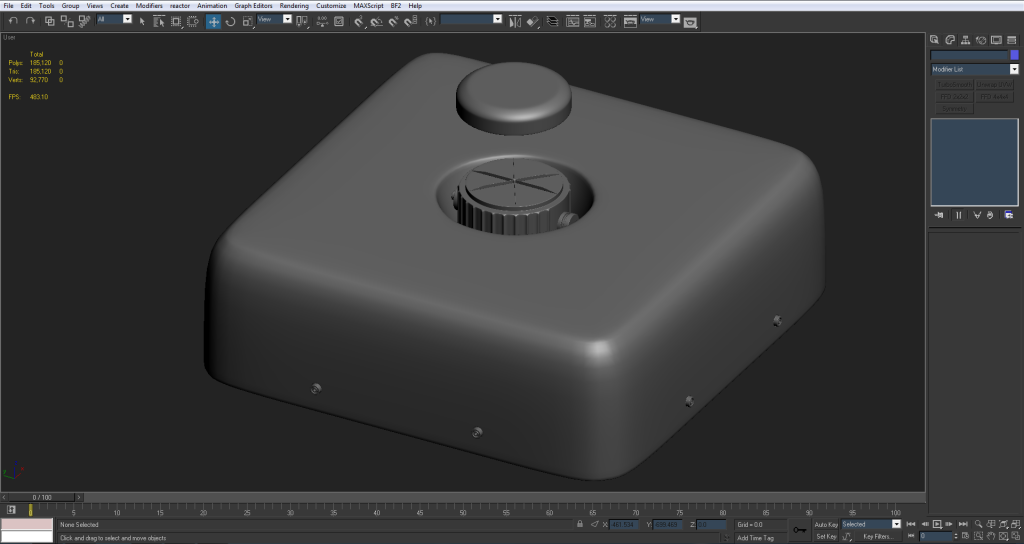
To avoid remaking the FMK-1 model from scratch I'm just going to keep the extrusions detached and attempt to bake it the way Rhino is describing. With both extrusions detached all the artifacts are gone and the cylinders are smooth :wink:

Image
Image

I've also gone ahead and modeled the FMK-3 around the FMK-1 as it's a much simpler model. Image
Image
Image
Image
The extrusions on the bottom are floating geometries for the bolts that will go onto the normal map.

I also didn't model the rope as I heard ropes, slings for guns etc.. are hard to animate. Hence why they're usually not put on models. I figured it would also add tris that might not be totally necessary. It's certainly possible for me to model the rope tho if you'd like me to.

Barring something I've done catastrophically wrong :lol: and maybe a few adjustments I'd say the high poly is pretty much done. Let me know what you guys think.
Rhino
Retired PR Developer
Posts: 47909
Joined: 2005-12-13 20:00

Re: [WIP] FMK-1 & FMK-3 Mines (PR:F)

Post by Rhino »

Looking good! :D
And ye, I think having them as separate elements/objects is the best solution in this case, at the end of the day providing it works well and looks good, there is nothing you need to worry about and I very much doubt you would be able to see much of a difference between the two methods in the normal maps, especially at the rez they are going to be in BF2, if anything I think you will get better results on the sides.

the FMK-3 is also looking good but I think you should add the rope with handle tube bit. From an animation POV, there isn't much you can do with it tbh other than possibly rotate it up and down from the base but tbh, I think its best left inanimate and in the animations, if possible just have the players hand holding it somehow so it looks like its not meant to move or any movement you would have is somewhat concealed though the hand :)
Although so the rope can be made to rotate at the base encase who ever animates it (most likley chuc) wants to possibly do that, I would have the rope clip into the model a bit so it can be setup to do that without it popping out of the model when it rotates :)

If we find the rope dose more harm than good in the long run then we can simply delete it in the export process and all that will have been lost is a little bit of UV space but I think we can make it work and will add some much needed detail :D

Keep up the good work!
Image
lucky.BOY
Posts: 1438
Joined: 2010-03-03 13:25

Re: [WIP] FMK-1 & FMK-3 Mines (PR:F)

Post by lucky.BOY »

Looking good :)

Although what fixed those errors for you was that you got rid of those supporting edges, even if it was becuse you stopped trying to weld those cylinders together. But yeah, as long as it looks good, dont fix it :D

Looking at the FMK-3, I think you ought to up the iterations on turbosmooth to 3, I can see individual polys in there.

EDIT: and after checking the ref picture, the shape of it doesnt look right, too. It really should be a box with round edges, while yours have these cuving sides and the much more flat top.
Last edited by lucky.BOY on 2013-07-19 16:01, edited 1 time in total.
Post Reply

Return to “PR:BF2 Community Modding”