Hey motherdear as you went off xfire going to post the rest of the feedback here so I dont have to wait for you to come back on and so it can help others on these forums

First of all like I said, model is looking very good, think Ztrooper has already covered most problems on the model but still a few small issues left, its in fact very hard to find any problems, I can normally find more problems on other dev models hehe

As I said before, these barrels here for the 50cal and Mk19 are not quite as round as I would like and I'm not a big fan of flat barrel ends, even if they do save on polys a little its much nicer to have 3D ones IMO

Also your Mk19 barrel was very box shape, this is fine for many other models that need to be but for barrels that are round, it dont look that good


So I upped the sides from 6 sides to 8 on both the barrels by simply crating a new cylinder and starting from scratch and also added in a cone for the holes which did increase it by 45tris but IMO, well worth it.

Also when checking
this ref I noticed the end of the Mk19 barrel dips in a little after it expands so I did the same here, no cost of extra polys but small details like this can really help it look more natrual


There are also 2 hidden faces here on the ammo feed that need to go:

Very small optimization you can do here by simply welding this very onto the one behind it since it's not needed, I do these kinda optimization all the time as I'm making each bit. I find its best to do them when your working as these things are easily missed if you leave the optimization to the end, more of a future ref than anything else as this is only going to remove 1 or 2 tris but if you do this on lots of little parts can add up to quite a lot


Appears that you have forgot your smoothing here at the top of the Mk19, again I always smooth my models as I make them rather than leave all the smoothing to the end since bits like this can easily get missed.

Also the bit dont seem right, what's with this funny indent here, really messed up your polys etc dont look right at all, can't see it on the refs? Going to correct it and if its meant to be there can be easily reverted just make sure you smooth the polys or something after it if its meant to be like that.

Also you forgot the smoothing from the base of the 50cal here:

The back faces from the Mk19 and 50cal need removing here:

When I model turrets etc I always set up there pivots around the point they will rotate as this is how it needs to be setup for the exporter to do them correctly and the exporter can some times get it wrong and have it offset from its real position some times so I believe its good practice to do this, and then you can test your weapons full rotation etc to make sure everything is all good

This part of the turret needs smoothing here.

Moving on from the barrels etc, these hinges are very likely to have zfighting problems ingame due to there upper face being really close to the flap. This shouldn't be too much of a problem up close so providing these hinge bits are removed on LOD1 or by the very latest LOD2 it should be fine.

These parts of the wheel needs smoothing, right now you can see all the tris etc.

On the front here you almost have the right effect that is on the real one, kinda hard to explain so I'll just show with pics.
What you have right now:

Ref:

To get this effect the best way is to give each bit its own smoothing group like so:

And here is what you end up with if you can't see it on the above image:

See what I mean? Looks much better now
Done a load of smoothing over the front end, would have been too much to give feedback on all of it but for one bit I had to redo the tris in order to give it the look it has on the ref above:

A general tip would be to not always look at your model in edged faces mode, makes it much easier to spot smoothing errors
I'm not 100% sure if this part here needs to be smoothed or not, will leave this un-smoothed and will let you smooth it if need be:

lots of hidden faces here that need to go.

This front wheel isn't connected onto the chassis. Going to clone one of the other bits and put it on for ya thou you might want to tweak it later.

you forgot to mirror this wheel here so it had its front face on the wrong side

Right think that's all I can see in max for the time being so I'm going to do a quick export to the BF2 editor to see if I can see any problems ingame. Just shoved the M1A2 woodland texture on it for now with a box UV map
Not sure if the scale is correct but here it is


All seems good ingame, can't see any obvious errors.
So ye, go though my feedback, fix anything I left for you (if its left I have stated it is) and then I think its all good for UVing

Keep it up, really good work so far!
EDIT: ohhh ye one more thing that I just remembered.
We need you to model the Reticle for this so when it comes to exporting its all there and done, ready to go so we dont need to make a high rez texture later on that will eat away at the ram
M.Warren posted these reticles a few pages back in the topic here, will need to check with our MAs that they are 100% correct but I'm sure they are so you can use these for references unless stated otherwise.
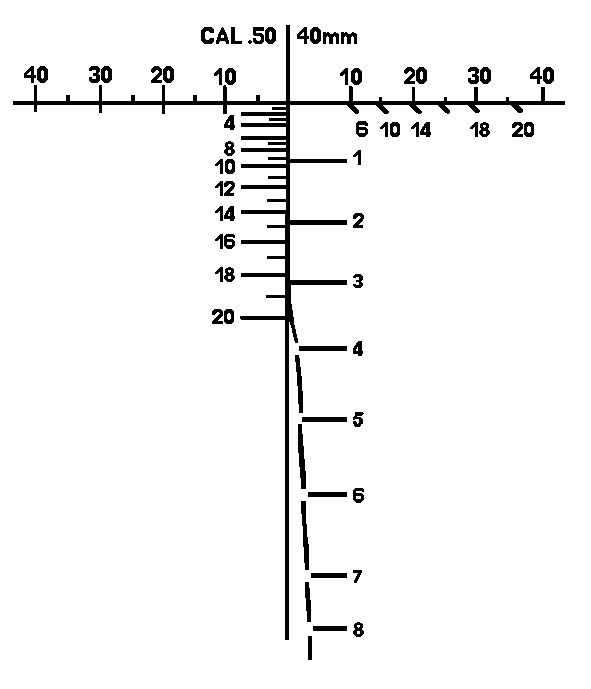
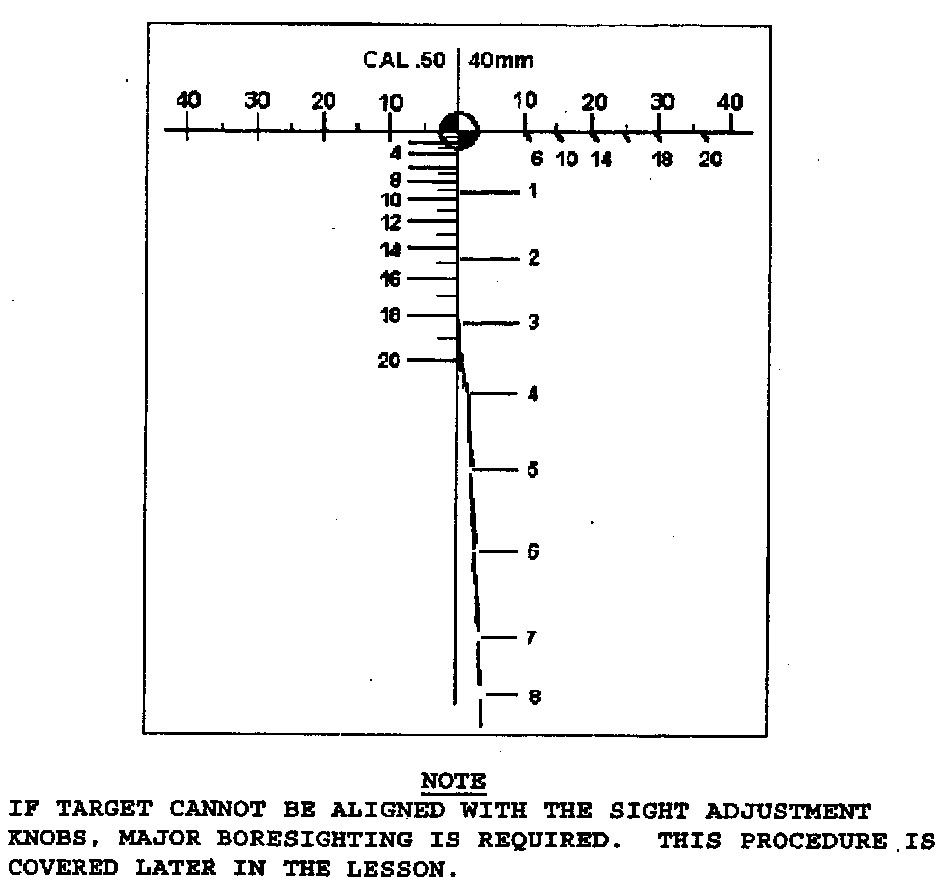
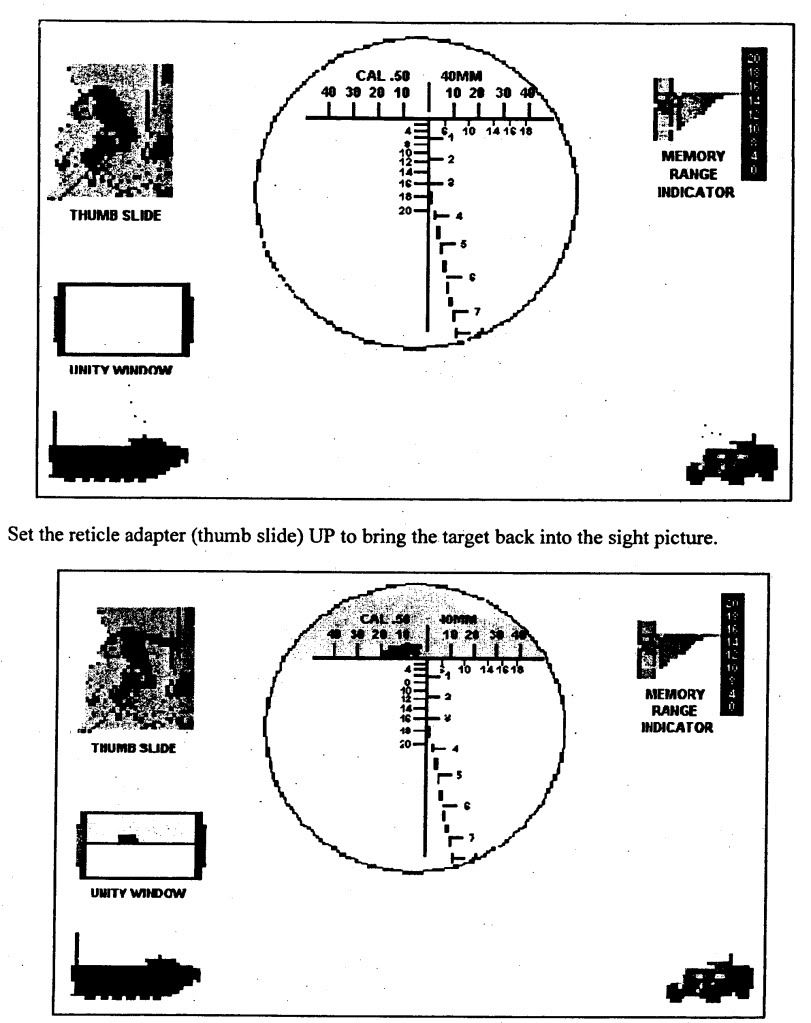
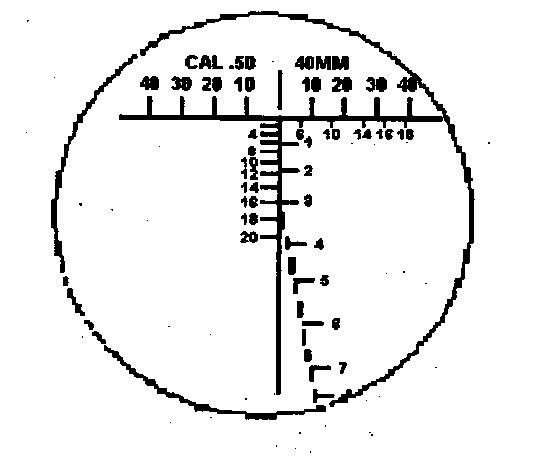
Here is what I posted in the dev forums a few weeks about on our new way of making reticles for vehicles etc:
'[R-DEV wrote:Rhino;1049882']Right done a quick example of a modelled reticle on what Nosferatu posted above:
http://img193.imageshack.us/img193/998/tpku.jpg
Now before I show you this I've only done a really quick and basic texture for this it would need a good texture artist to make a good texture as I'm not the best when it comes to texture creation
So the bit at the bottom looks **** and blurry since I just took it off the ref, blew it up and shoved it onto my texture
Anyways here is what I've got:

and here's its 256x128 texture (which is only 96kbs):

and the model itself which is only 212tris:

which is far better performance wise than this 512x512 texture that is quite similar that is 256kbs:

So ye providing you got a good skinner to do the texture for the modelled one I believe it would look just as good and be much easier on the memory and will have a big increase in performance (more than most people would think) if done all the way across the line of all our radices etc in PR (at least for new vehicles if not the old).
Just to show you a quick example of how a good texture can make the bottom bit look better I just took that bottom bit of the other 512x512 texture I posted above and slapped it on this texture.

So ye all in all, you can have the texture flexibility and the performance increase with combining the best of modelled and texture radices
If you have any questions or need any help making these just ask
Anyways keep it up mate!