

[Map] Road to Ramadi [scrapped]

-
V3N0N_br
- Posts: 592
- Joined: 2005-08-14 16:12
Vine fixed
another brief update, not too many time to work on the map.
Now, this isn't looking too good, the ambientation is still not the best - it's seeming too humid for me. The terrain textures will be regenerated, dont worry bout'hem.
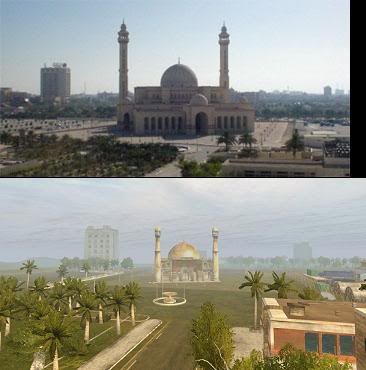
Now, I tried to make it look as the real mosque, although those pics still don't have the xpak statics (the big tower) i used replacing the original mosque towers. 1024x768 here
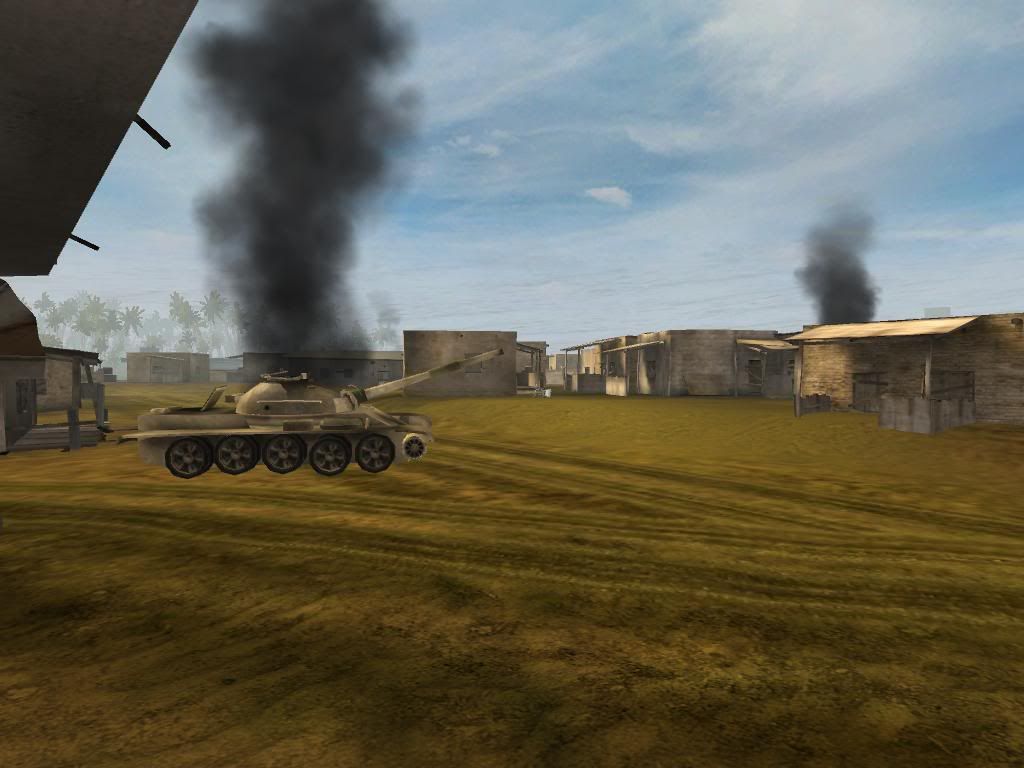
Just a wreck
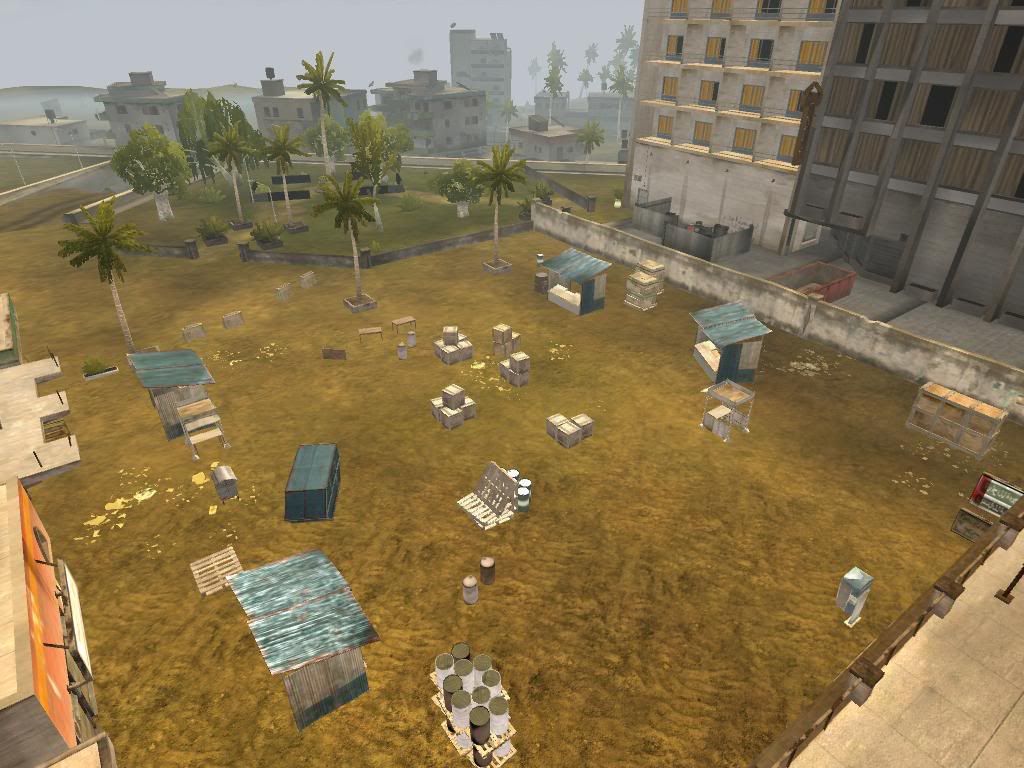
Market - gonna have asphalt instead of sand...
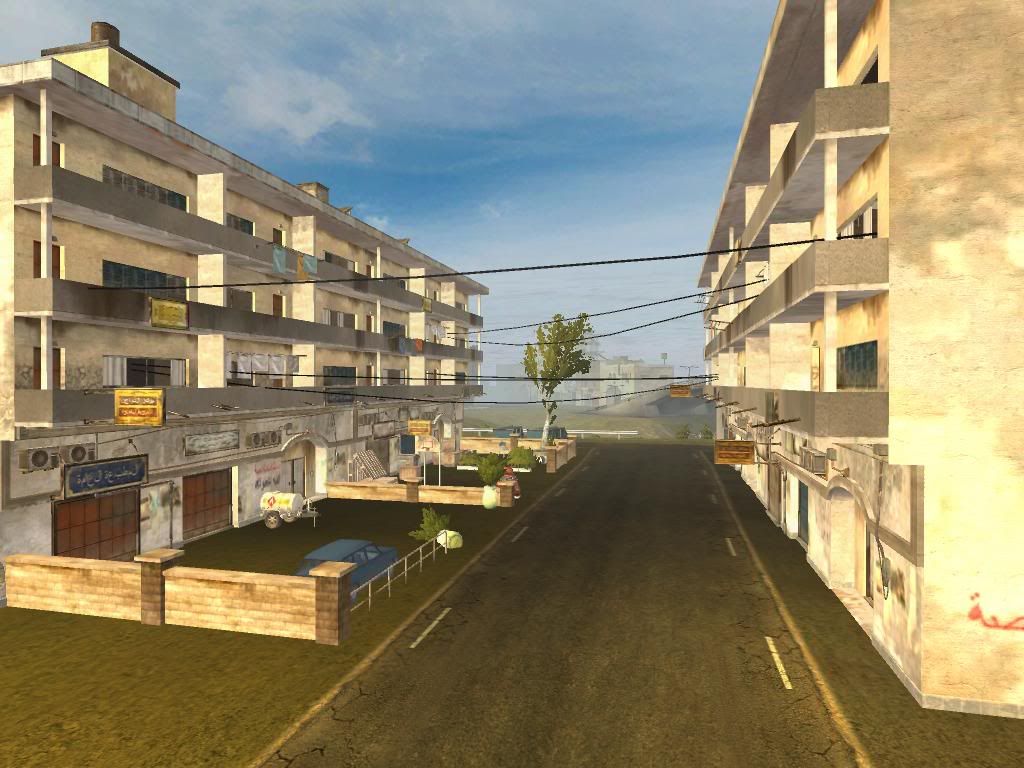
one of the streets...
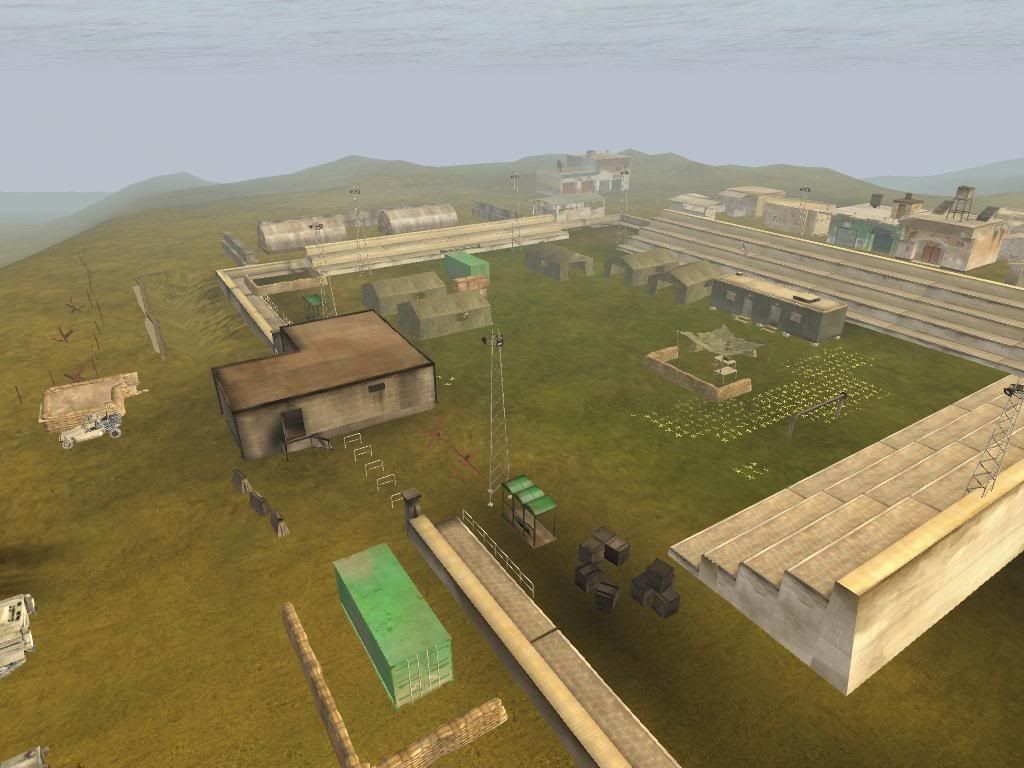
Well, maybe now it is sortta looking like a militarized stadium huh? Still gotta fix the undergrowth though.
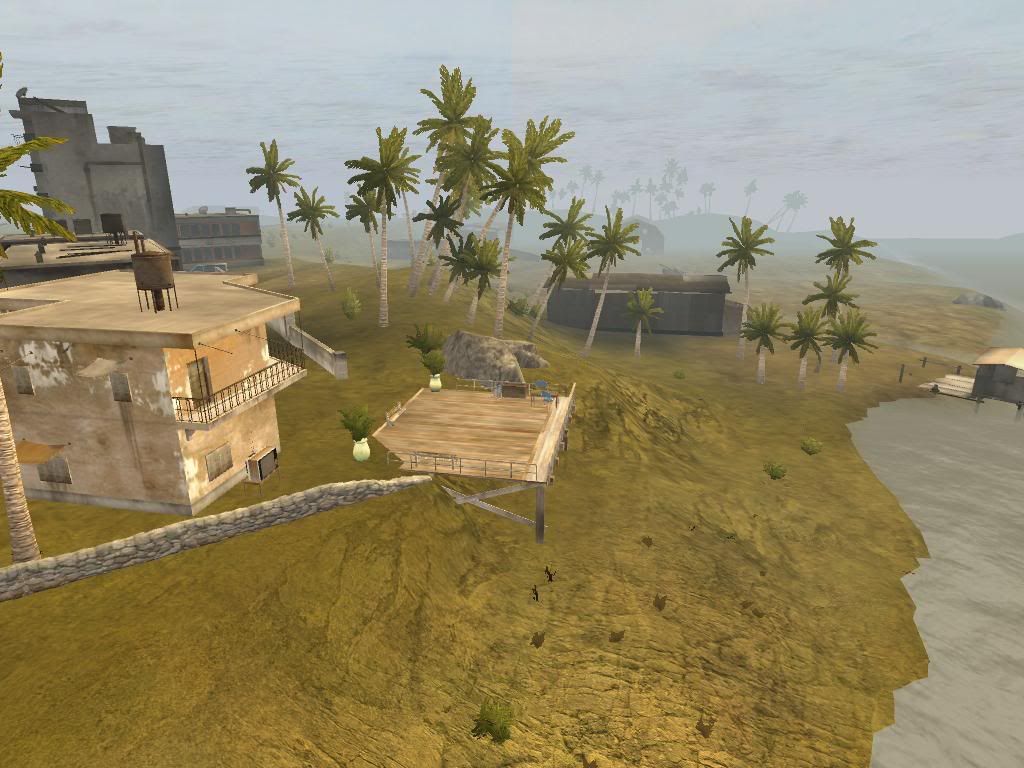
A "beach" house
I still couldnt match up the sky, statics colour, etc.
so i realize lightning isn't pretty (nor ungenerated lightmaps )
another brief update, not too many time to work on the map.
Now, this isn't looking too good, the ambientation is still not the best - it's seeming too humid for me. The terrain textures will be regenerated, dont worry bout'hem.
Now, I tried to make it look as the real mosque, although those pics still don't have the xpak statics (the big tower) i used replacing the original mosque towers. 1024x768 here
Just a wreck
Market - gonna have asphalt instead of sand...
one of the streets...
Well, maybe now it is sortta looking like a militarized stadium huh? Still gotta fix the undergrowth though.
A "beach" house
I still couldnt match up the sky, statics colour, etc.
so i realize lightning isn't pretty (nor ungenerated lightmaps
)
-
Griffon2-6
- Posts: 2487
- Joined: 2006-05-26 04:21
-
V3N0N_br
- Posts: 592
- Joined: 2005-08-14 16:12
Well, I tpainted it with the original terrain, that means a lot of stuff that should be sand is rock, since I modifyied the terrain. Only asphalt, beach and grass I have painted, to get a feel of how it's gonna look.
I'll regenerate tpaint when terrain is finished, with different textures from the original ones tpaint provides.
I'll regenerate tpaint when terrain is finished, with different textures from the original ones tpaint provides.


-
Stinger
- Retired PR Developer
- Posts: 266
- Joined: 2006-05-06 22:37

-
V3N0N_br
- Posts: 592
- Joined: 2005-08-14 16:12
Thanks luzinho 
That's some wild footage, I've watched some before starting the map
It would really be cool if PR had some bradleys just as well
Someone already told me USMC doesn't have them, but USMC isn't the only in Iraq, so I guess it wouldn't be surealistic to have one.
>PS: Static count reached 2000. The bad thing is that there is many stuff to add in order to fill up the city properly.
That's some wild footage, I've watched some before starting the map
It would really be cool if PR had some bradleys just as well
Someone already told me USMC doesn't have them, but USMC isn't the only in Iraq, so I guess it wouldn't be surealistic to have one.
>PS: Static count reached 2000. The bad thing is that there is many stuff to add in order to fill up the city properly.
Last edited by V3N0N_br on 2006-11-25 21:53, edited 1 time in total.
-
00SoldierofFortune00
- Posts: 2944
- Joined: 2006-02-28 01:08
WOW, that looks real nice. Hope you haven't changed that much from the beginning, but that tank wreakage in the screenshot on the last page kind of looks out of place. Could be the lighting, shadows, or coloring or something, but it justs doesn't blend in well with the colors around it.
"Push the Envelope, Watch It Bend"
Tool ~ Lateralus
Tool ~ Lateralus
-
Griffon2-6
- Posts: 2487
- Joined: 2006-05-26 04:21
-
V3N0N_br
- Posts: 592
- Joined: 2005-08-14 16:12
Replacing the static then
There's another iraqi tank wreck, much better designed
Anyways, a few new picks I just took while testing some stuff.
I think this "fix" the undergrowth in that part a little bit (Yeah, I know the cattails are to sunk into the water):
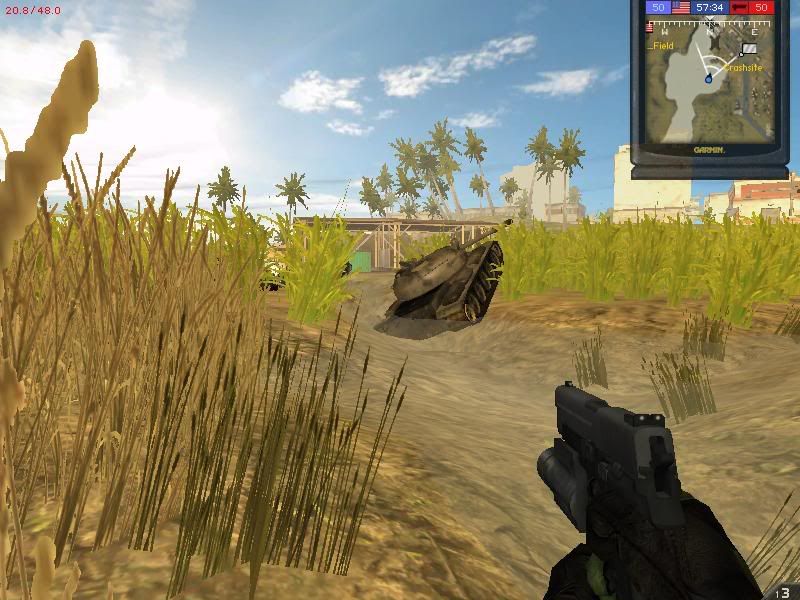
The high part of city I'm still working on... gonna take long, since it's a nightmare to mach terrain with statics when you're talking about vertical structuring in a game engine
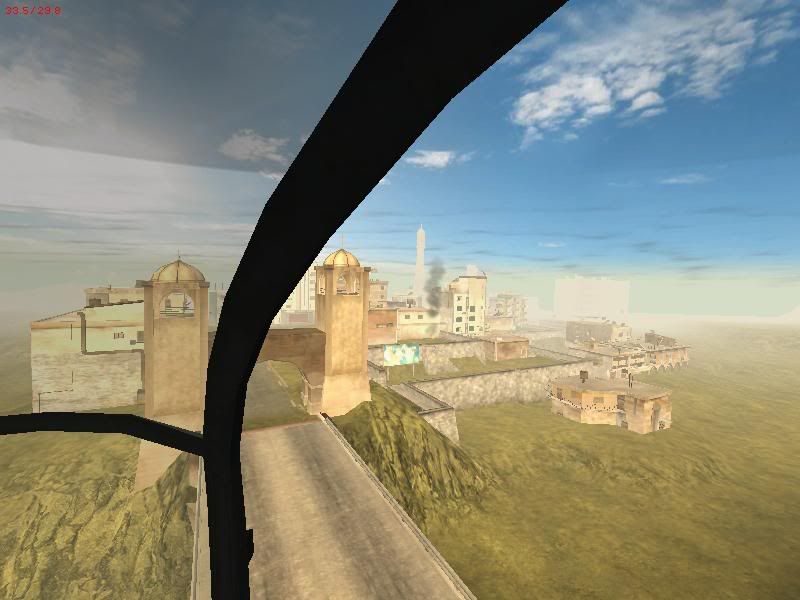

The first steps into building the Ramadi palace
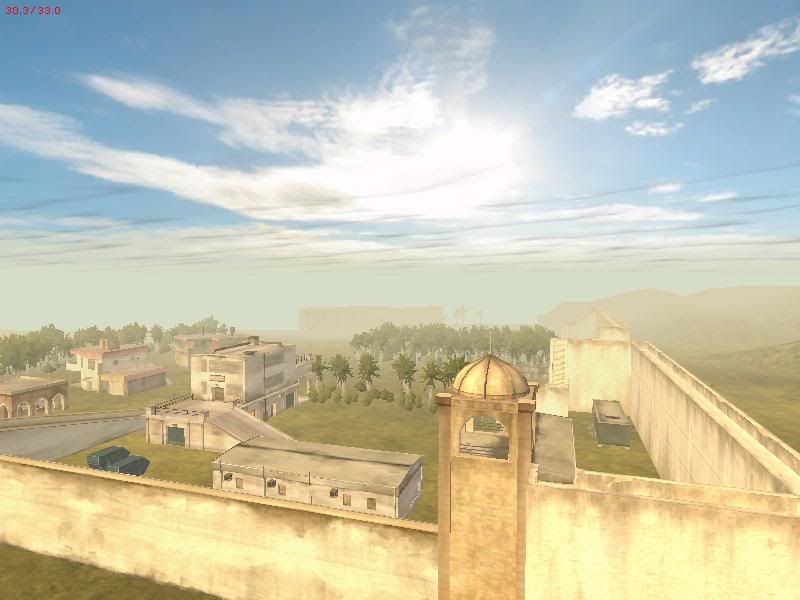
luckly, the palace static (same than Al Basra's) fits perfectly, including for the destroyed part of it.
It's still very low-quality stuff, just posting for the static design I think is looking cool.
I think i finally found the right sky, at least i really liked this one.
Mosque with new towers
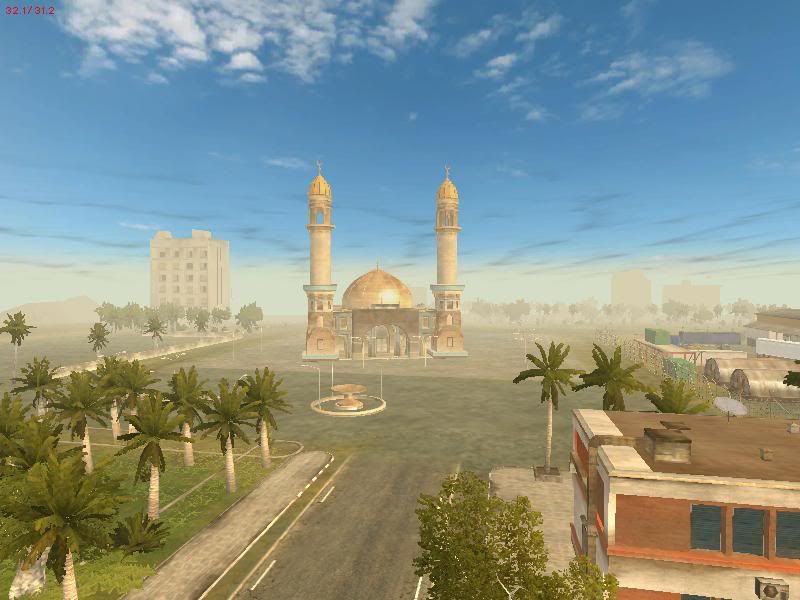
There's another iraqi tank wreck, much better designed
Anyways, a few new picks I just took while testing some stuff.
I think this "fix" the undergrowth in that part a little bit (Yeah, I know the cattails are to sunk into the water):
The high part of city I'm still working on... gonna take long, since it's a nightmare to mach terrain with statics when you're talking about vertical structuring in a game engine
The first steps into building the Ramadi palace
luckly, the palace static (same than Al Basra's) fits perfectly, including for the destroyed part of it.
It's still very low-quality stuff, just posting for the static design I think is looking cool.
I think i finally found the right sky, at least i really liked this one.
Mosque with new towers


-
V3N0N_br
- Posts: 592
- Joined: 2005-08-14 16:12
Hey skyline, read my post on this topicDarth.Skyline wrote:Niiiiiiiiiiice !!!!!
I need the texture for the WarLord buildingand the Asylum building
http://realitymod.com/forum/t11581-p5-h ... ditor.html
Since the static is already added to your map or inside PR I guess, all you have to do is getting the textures from SF's objects_client.zip and throw them into your map's objects folder (within the respective path, I mean, never change the path and make it look exactly as it is on the .zip)
Go to Render> Grid mode=Darth.Skyline]
How do you make the roads so straight ?
Just follow the grid with the road - add splines parallel to the grid. Even if it's a 45 degree road, you can follow the vertices of the grid small squares.
Oh, also, select the road you've just created, and on the tweaker bar, set octaves to 0 (it took me long to find this out until someone told me lol)
-
duckhunt
- Retired PR Developer
- Posts: 3314
- Joined: 2005-08-28 18:20
Also setting range to -0.05/-0.05 with get rid of the wobbles.V3N0N_br wrote:
Go to Render> Grid mode
Just follow the grid with the road - add splines parallel to the grid. Even if it's a 45 degree road, you can follow the vertices of the grid small squares.
Oh, also, select the road you've just created, and on the tweaker bar, set octaves to 0 (it took me long to find this out until someone told me lol)
Do you know your objects count v3non?
-
V3N0N_br
- Posts: 592
- Joined: 2005-08-14 16:12
2050 and getting biggerDo you know your objects count v3non?
0.0
I can't just stop now, cause there are too many empty areas.
Overgrowth object count at 1700, but I'm gonna reduce density
Btw, it's not laggin for me in my usual configs. Talked to Rhino about this yesterday, he told me that if there are not so many statics glued together it doesn't lag that much.
-
V3N0N_br
- Posts: 592
- Joined: 2005-08-14 16:12
It's hereDarth.Skyline wrote:Dude, you dont need to put more stuff in the empty areas. i put a lake on my empty side!!! covered it up nicely...oh yeah thanks for telling me how to do that! i just cant seem to find the fooking texture file for the objects! gar!!!
Objects_client.zip\StaticObjects\_middle-east\city\textures
Objects_client.zip\StaticObjects\_middle-east\uniqueobjects\mosque\textures
In the objects_client.zip inside SF folder (xpak)
-
V3N0N_br
- Posts: 592
- Joined: 2005-08-14 16:12
-
V3N0N_br
- Posts: 592
- Joined: 2005-08-14 16:12
Late update....
Fixed ground textures...still gotta paint some areas though. Added a lot of lamp posts and cables, it's looking real nice this part. Also made some wastelands and small farms, like you see on the satellite pictures. I'll post some screens as soon as I finish undergrowth.
Here goes a minimap.

Lets see...
Static objects - 75%
Undergrowth - 40%
Textures - 60%
Roads - 75%
Terrain - 90%
Gameplay - 80%, most CPs, spawn points, etc, already placed
lightmaps - 0%... gonna have to regenerate them since I changed sky
overgrowth - 75%
I guess it's around that... A few weeks and maybe a beta. (without lightmaps)
Fixed ground textures...still gotta paint some areas though. Added a lot of lamp posts and cables, it's looking real nice this part. Also made some wastelands and small farms, like you see on the satellite pictures. I'll post some screens as soon as I finish undergrowth.
Here goes a minimap.
Lets see...
Static objects - 75%
Undergrowth - 40%
Textures - 60%
Roads - 75%
Terrain - 90%
Gameplay - 80%, most CPs, spawn points, etc, already placed
lightmaps - 0%... gonna have to regenerate them since I changed sky
overgrowth - 75%
I guess it's around that... A few weeks and maybe a beta. (without lightmaps)