Page 1 of 2
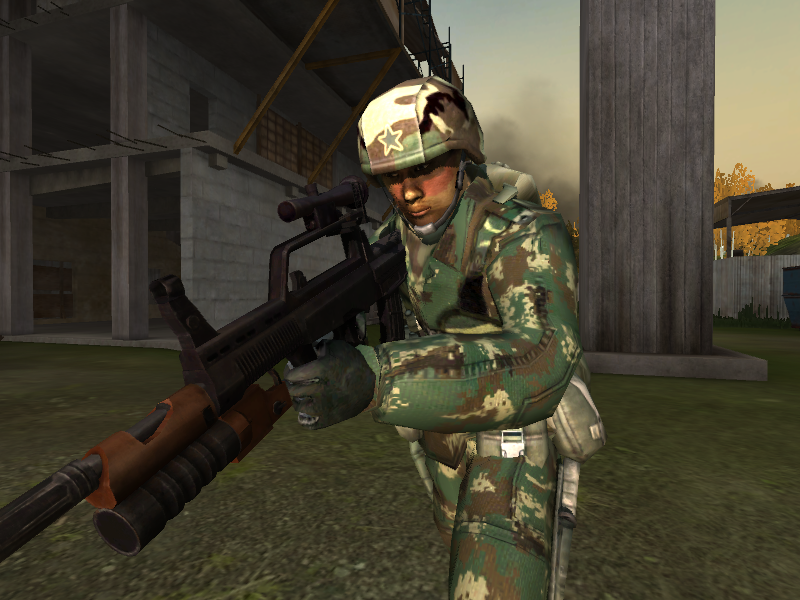
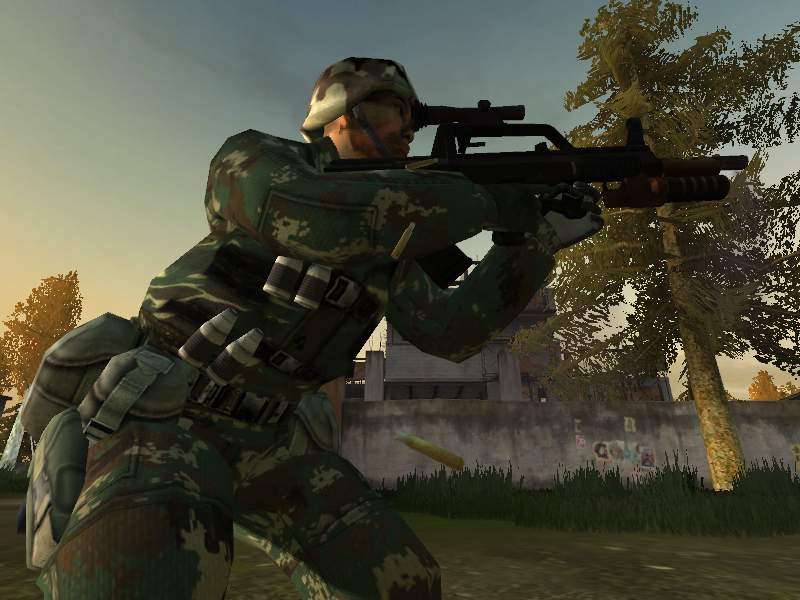
[Texture] PLA type 07 camo
Posted: 2007-11-15 18:41
by 77SiCaRiO77
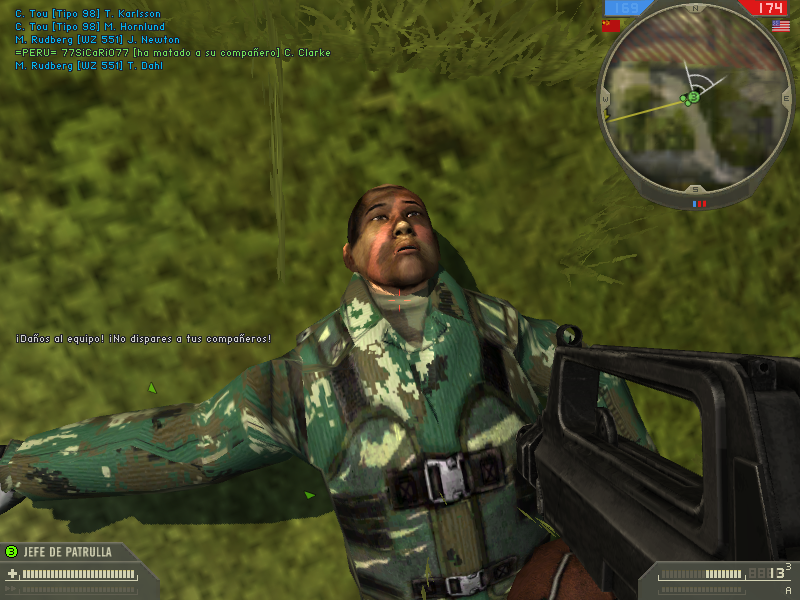
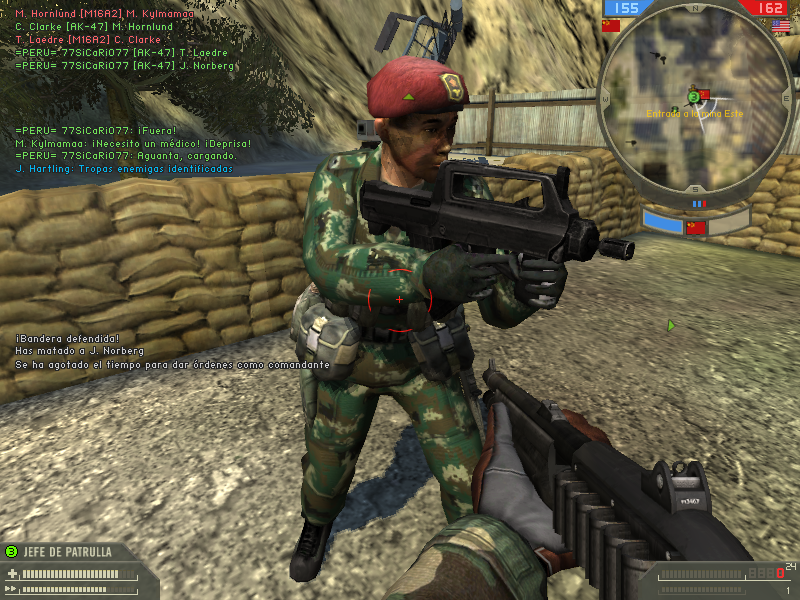
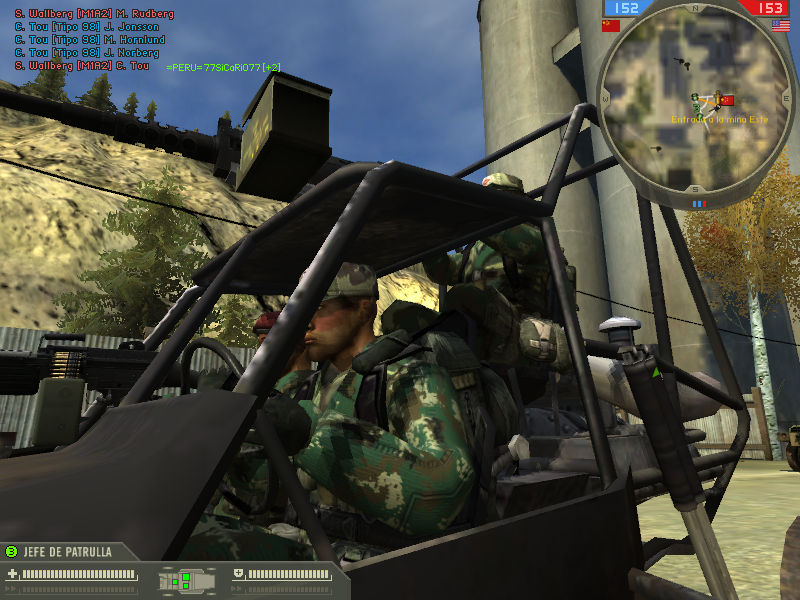
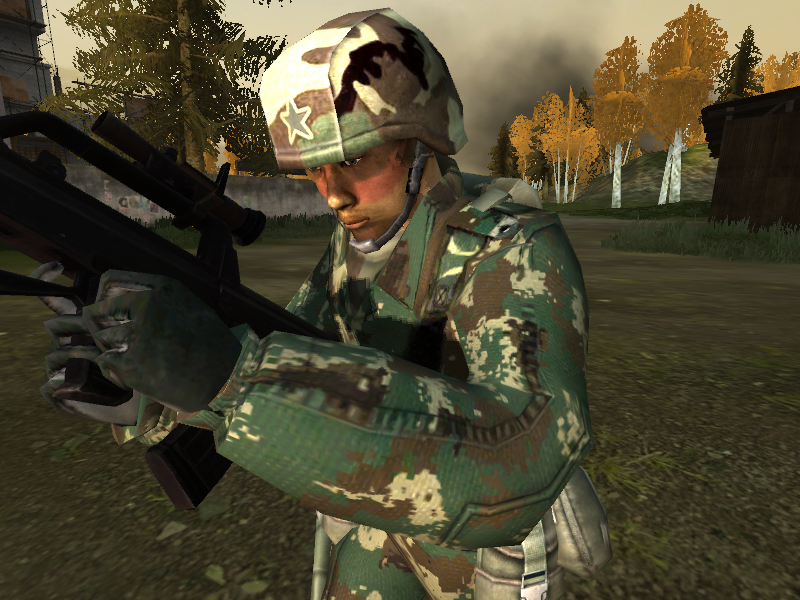
well, this is my first attemp to make a digital camo, and is a pain in the *** to paint it by hand

, its still work in progress but i dont know how to make it look better

, any tips?.
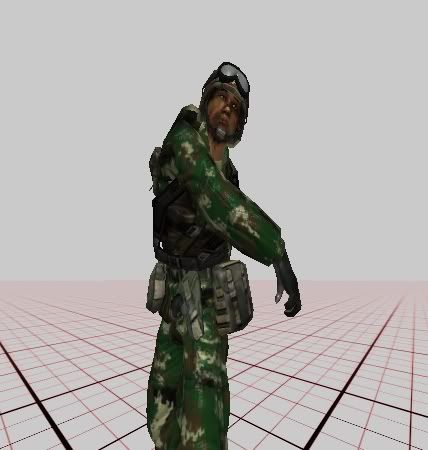
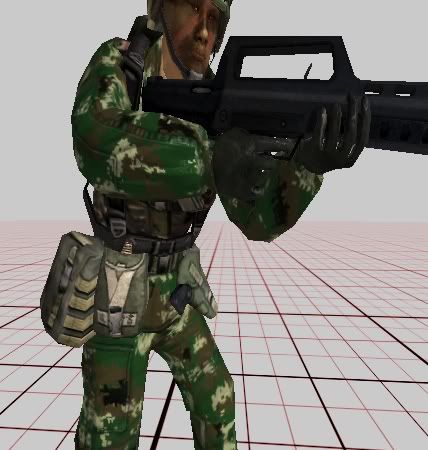
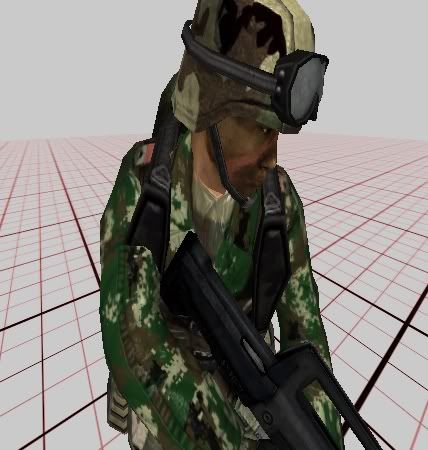
also , i have a question , i modified sighly the skin and now i want to update the bump maps and alphas , but i dont know how , can anybody help me ?
Posted: 2007-11-15 19:39
by Shiftys1023
Looks well,maybe if you drop opacity for about 10% or more and make it a little bit sharper.
Hope I helped you

Ps Something is telling me that (example)ch_light_body_B.dds isn't working right.(or just me)
Tell me if you solve the problem
Posted: 2007-11-15 23:33
by 77SiCaRiO77
Posted: 2007-11-15 23:43
by jayceon515
The digital camo pattern looks very well (sharp textures). You really need to adjust the bump maps to the textures b/c right now it looks wrong. After you're done with the model and kits textures don't forget to reskin the faces with the appropriate colors.
Could you post some RL photos of the camo?
Posted: 2007-11-15 23:49
by 77SiCaRiO77
Posted: 2007-11-16 00:13
by jayceon515
From the pictures I've seen the brown should be darker and more distinctive. Otherwise you've done a good job so far.
Posted: 2007-11-16 00:13
by PRC_Heavy_Z
Hey nice, I was planning to try to do a reskin, guess you beat me to it
the reskin looks nice, but you might want to make the colors a lot darker and slightly fadded. You could use the vBF2 USMC colors as a refrence as they are similar. Also, the secondary colors (brown, light brown, and black) patches need to be larger.
Nice job so far

Posted: 2007-11-16 08:00
by Pride
Looks good
Try using a different texture, like this one
http://textures.z7server.com/nTextures.php?id=147, on a low opacity.
Alpha (shininess) is controlled by the alpha channel on the _c skin. It is black and white where black=not shiny and white= shiny. You will need to save the skin in a dds format that supports the alpha (i use DXT5).
The bumpyness is controlled by the _b texture i think, never tried editing it so i wouldn't know, but i think there is a tool in photoshop that came with the nvidia dds plugin, go to filters>nvidia tools>normal map. Never used it though.
Good luck
Posted: 2007-11-16 23:09
by GeZe
Looks great! I've been waiting for someone to do this.
The light colour should be more of a grey I think:

If you could do the other types as well that would be awesome.
Also, remember to implement my "skin audit" features that I did to all uniforms. Ie, spc ops hat should not be red, no red bits anywhere, no coloured flags, all stand out stuff subdued etc.
Posted: 2007-11-17 00:16
by 77SiCaRiO77
im confused , in the pictures of geze the ligh color looks almos grey , in the thread with the photos it looks like a "sand" color and in sinodefence says that is ligh green
@pride
THANKS A LOT! that site has some nice texture

, imgonna try what you said abut the bump maps .
Posted: 2007-11-17 00:23
by GeZe
77SiCaRiO77 wrote:im confused , in the pictures of geze the ligh color looks almos grey , in the thread with the photos it looks like a "sand" color and in sinodefence says that is ligh green
Yeah, looking at more pics I also see that in some it is grey, some it is tan :/ how confusing.
Posted: 2007-11-17 01:54
by GeZe
 http://upload.wikimedia.org/wikipedia/e ... iforms.jpg
Urban / Desert
It would be very cool if you could make those too, especially the urban for places like Sunset City.
http://en.wikipedia.org/wiki/Type_07
Posted: 2007-11-17 04:58
by 77SiCaRiO77
Posted: 2007-11-17 08:03
by PRC_Heavy_Z
Very Nice
The colors are still slightly off IMO, might want to add more black patches, enlarge and darken the brown patches a bit, and make the green a tiny bit olive colored.
The light colored patches look dead on, just my opinion.
good work man
Posted: 2007-11-17 17:25
by Ironcomatose
whoops double post.
Posted: 2007-11-17 17:27
by Ironcomatose
The light patches need to be more gray.
Posted: 2007-11-17 18:48
by hall0
Is the helmet still the same or is this just not finished?
Posted: 2007-11-18 02:25
by 77SiCaRiO77
nah, its because i didnt star to reskin the kit dds .
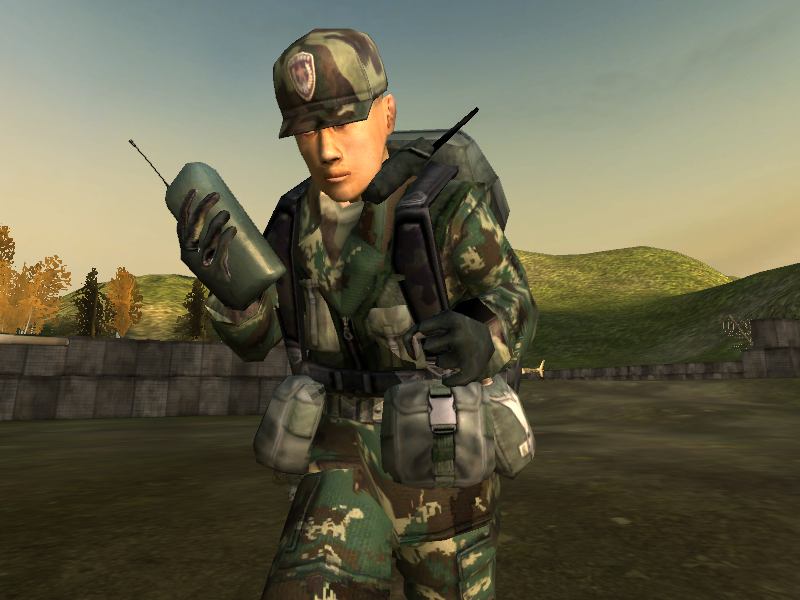
well, i made the heavy skin today and also changed a litle the colors , i didnt touched the green (i forgot

), some pics :
HEAVY
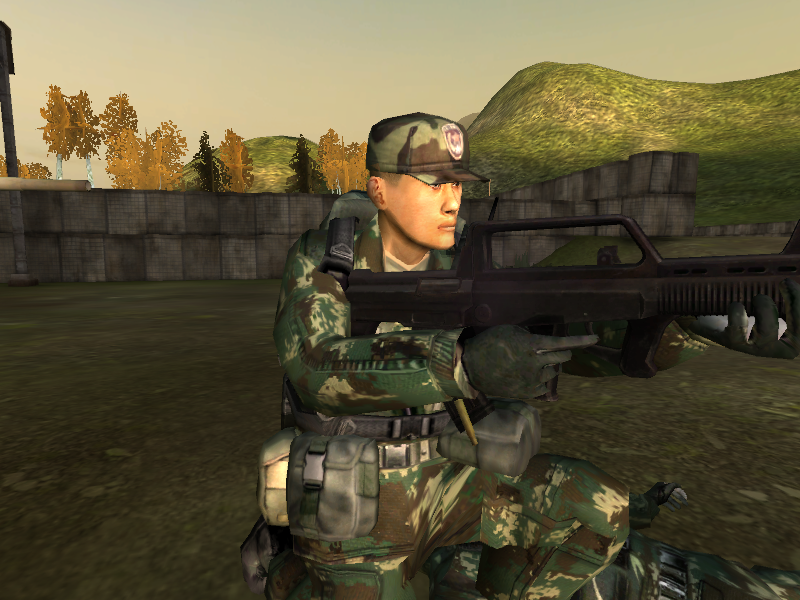 LIGHT
LIGHT
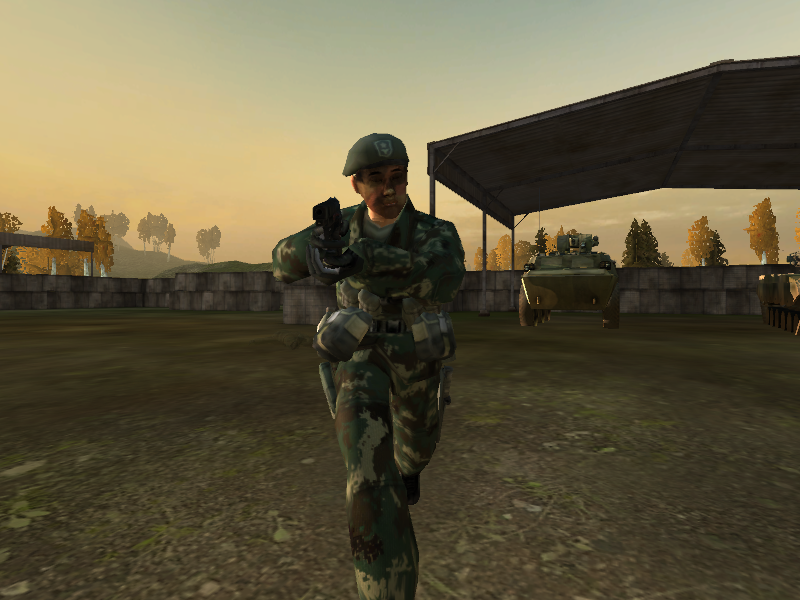
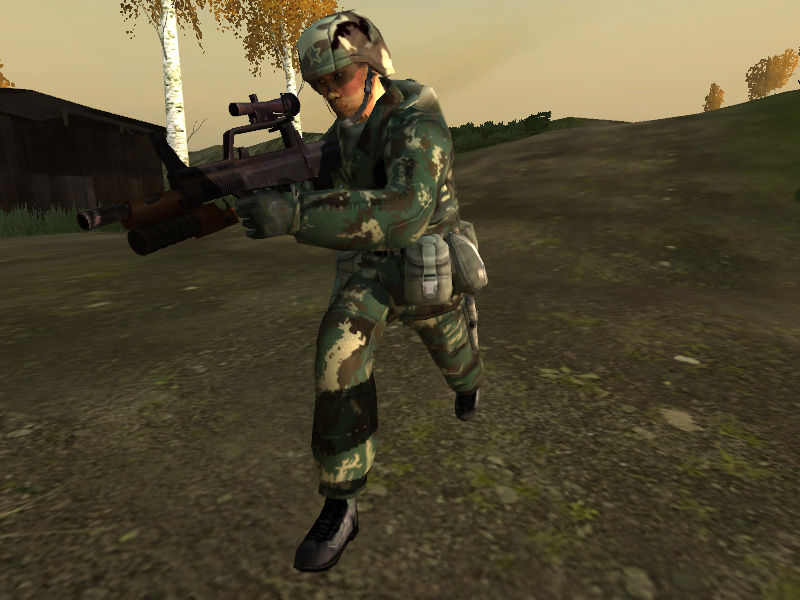
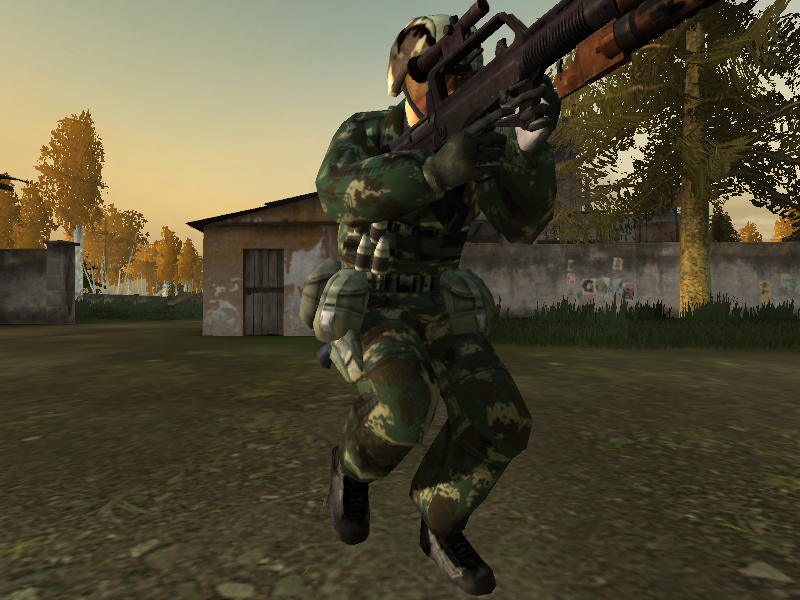
also, i need a tester or something who can take screenshots in high settings , since my computer cant handle it
.
Posted: 2007-11-18 18:58
by arthuro12
oh i love this! O.O
Posted: 2007-11-19 03:50
by SGT.JOKER
It looks good so far, but I cant help but think that it would look better slightely darker