
Operation Archer - does your client crash when playing?
Ok I'm trying to find the source/reason my PC crashing while playing Operation Archer.
My PC regularly crashes when playing on Archer, sometimes its 2 minutes into the map sometimes it's after 30 minutes. When i am in game i get no lag or performance issues. I crash on this map, and only this map.
I just had it crash twice at exactly the same place on the map, just as I came round a certain corner on a road, then blam black screen, (then PC needs to be re-booted). This happened while i was testing different graphics settings. Once on High/Medium (my normal settings), then with all on Medium. Both times i crashed at exactly the same location on the map, weird.
At present my rig just dies playing this map,
Is anyone having similar problems on Archer? Please let me know, thanks.
(i know Archer is being modified presently)
Operation Archer - does your client crash when playing?
-
MadTommy
- Posts: 2220
- Joined: 2006-05-23 11:34
-
MadTommy
- Posts: 2220
- Joined: 2006-05-23 11:34
No its not a virtual memory problem..
The best description is to say... My graphics card dies. I can still hear the game, but my monitor goes black, i believe my gfx card stops posting/out putting a signal.
I'm running a ATI x800pro all-in-wonder, with the latest drivers. I know its not the best, it does however run PR flawlessly, except this map. And when it is running i have no lag or performance issues.
I don't think its overheating, unless it can overheat in under 5 minutes from a cold restart (after being left overnight).
I can play PR all day without a hitch on all other maps.
The best description is to say... My graphics card dies. I can still hear the game, but my monitor goes black, i believe my gfx card stops posting/out putting a signal.
I'm running a ATI x800pro all-in-wonder, with the latest drivers. I know its not the best, it does however run PR flawlessly, except this map. And when it is running i have no lag or performance issues.
I don't think its overheating, unless it can overheat in under 5 minutes from a cold restart (after being left overnight).
I can play PR all day without a hitch on all other maps.
-
General_J0k3r
- Posts: 2051
- Joined: 2007-03-02 16:01
-
MadTommy
- Posts: 2220
- Joined: 2006-05-23 11:34
-
laikiunreal
- Posts: 232
- Joined: 2007-04-27 17:51
What about replacing only operation archer map on your ...EA GAMES\Battlefield 2\mods\pr\levels anyone who have no problems with the file upload it to rapidshare and let you try
"If I were Stallone... I'd make Hugo Chavez the main bad guy rather than picking a fictional character. Just to piss his red *** off."
Panzerfire.
Panzerfire.
-
Swe_Olsson
- Posts: 1030
- Joined: 2007-04-30 17:45
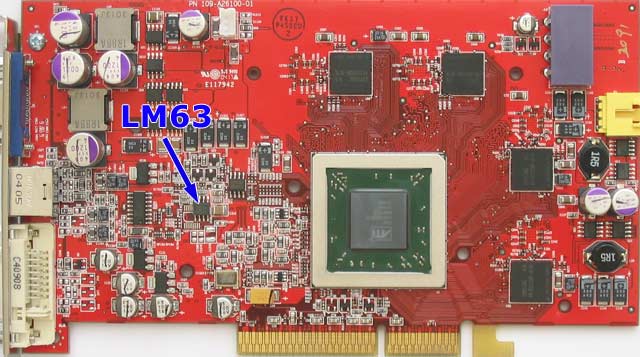
if you have a fancontroller with temperature overview plug use this as reference
http://www.techpowerup.com/articles/94/images/x800.jpg
download from Guru3D.com
or
Drivers & Software
http://www.techpowerup.com/articles/94/images/x800.jpg
download from Guru3D.com
or
Drivers & Software
-
jOHNNYdOUBE
- Posts: 637
- Joined: 2007-09-13 21:28
-
PFunk
- Posts: 1072
- Joined: 2008-03-31 00:09
I had an ATI 9800 Pro card that overheated once. Sadly it didn't have a temp monitor (Pro my ***) and the fan didn't work for nearly a month before I figured it out. For a while it was ok but then I got graphical issues and then the screen would just go black.
Maybe you do have issues with overheating or its been damaged somehow.
Maybe you do have issues with overheating or its been damaged somehow.