

I'm having a problem rebinding my keys. Ever since my Quake 1 days, I've used ESDF instead of WASD. It's basically the same arrangement, but just moved over one space so that I have more room for extra keys to the left of movement to bind things to. When I go through to try and rebind, it goes fine till F, and then tells me that's already bound to something in Common Controls. But it isn't. I unbound everything, all the fields are clear.
Does anyone know of any 3rd party programs that would allow you to rebind your keys out-of-game? Just some simple profile or INI editor would work great for that. If there is no such thing, I'd settle for some advanced guide on editing your profile manually through a text editor, as well as a list of all the new functions PR uses and what they're called in the INI file. Which brings me to the next issue...
On a somewhat related note, is there a guide somewhere that lists all the new functions in PR and what those new functions are called on the key binding screen? For example, I've figured out that "Smoke" for tank controls has actually been redefined by PR to "Zoom." I wonder if there's a list of these some where so that when I'm looking at the controls in-game during rebinding, I actually know what the real function is that I'm binding.
PS: PR is great. I was a little turned off by how spammy BF2142 was, and when I learned of PR, I came back to BF2 to stay. Better than any current FPS out there.
Key Binding
-
TheSkudDestroyer
- Posts: 171
- Joined: 2007-11-20 00:05

-
Cronyx
- Posts: 12
- Joined: 2008-08-02 07:33
Re: Key Binding
Thank you Skud, I'm aware of that, but note: "as well as a list of all the new functions PR uses and what they're called in the INI file."
I don't know what it is that I'm binding because I don't know how the functions have been redefined by PR.
I don't know what it is that I'm binding because I don't know how the functions have been redefined by PR.

-
Cronyx
- Posts: 12
- Joined: 2008-08-02 07:33
Re: Key Binding
Through a little Google Fu, I found through a BF2 wiki a link to a post on the gamespy BF2 forums, however it no longer existed. Making an educated guess that if it was a good enough post to get linked by the wiki, it most likely would have been sticky-ed, I assumed that it might have lived long enough to get archived... A trip to the Wayback Machine proved I was right, and it was archived.
Below is that very post, reproduced here for posterity and help for anyone else that might be having the same problems.
However, I'd still like to get a list, if at all possible from one of the devs maybe(?) how this has changed in the mod so that we'll know what it is that we're binding.
Below is that very post, reproduced here for posterity and help for anyone else that might be having the same problems.
However, I'd still like to get a list, if at all possible from one of the devs maybe(?) how this has changed in the mod so that we'll know what it is that we're binding.
Random Skratch wrote:Okay I think I've decyphered this mysterious file as best as I can.
First make sure you're editing the right Controls.con file
\My Documents\Battlefield 2 Demo\Profiles\0001 or 0002 (or more)
Double check Global.con in Profiles dir to see what one it calls.
The file is separated into 7 sections.
1. Infantry
2. Land
3. Air
4. Helicopter
5. Sea
6. Game Control (GUI, and other ingame things)
7. Player Input (Mouse look, camera, change inventory)
-------------------
Anatomy of the bind
-------------------
ControlMap.[Type of control] [action] [controller type] [key, button, axis] [key variable] [primary or alternate]
Everything starts with ControlMap. Don't change this or forget to add it.
---------------
Type of Control
---------------
The following are the available types of control
1. addbuttontotriggermapping (Mouse or joystick/pad button)
2. addkeytotriggermapping (Keyboard key)
3. addaxistotriggermapping (Mouse or Joystick axis)
4. addkeystotriggermapping (Keyboard keys that are bound to joint controls; walk forward/back, strafe left/right)
5. addbuttonstotriggermapping (Mouse or Joystick buttos that are bound to joint controls; walk forward/back, strafe
left/right)
------
Action
------
The following is a list of all available actions and their definitions divided into their appropriate categories
--------
Infantry
--------
C_PIYaw - Strafe (Joint Bind)
C_PIThrottle - Forward/Back (Joint Bind)
C_PIFire - Fire
C_PIAltFire - Alternate Fire (Usually zooms weapon)
C_PIAction - Jump
C_PISprint - Sprint
C_PIAltSprint - Key that is double tapped to sprint (make this the same as your foreward key)
C_PIWeaponSelect1 - Knife
C_PIWeaponSelect2 - Sidearm (Pistol)
C_PIWeaponSelect3 - Main Weapon
C_PIWeaponSelect4 - Various (Grenade Launcher, Rocket Launcher
C_PIWeaponSelect5 - Various
C_PIWeaponSelect6 - Various
C_PIWeaponSelect7 - Various
C_PIWeaponSelect8 - Various
C_PIWeaponSelect9 - Parachute
C_PIPositionSelect1 - Position when in vehicle
C_PIPositionSelect2
C_PIPositionSelect3
C_PIPositionSelect4
C_PIPositionSelect5
C_PIPositionSelect6
C_PIPositionSelect7
C_PIPositionSelect8
C_PIDrop - Drop/Pickup Kit
C_PILie - Prone
C_PICrouch - Crouch
C_PICameraMode1 - Inside
C_PICameraMode2 - From Back
C_PICameraMode3 - From Front
C_PICameraMode4 - Cinema
C_PIToggleWeapon - Weapon Switch (cycles one way)
----
Land
----
c_PIYaw - Turning
c_PIThrottle - Accel/Decel
c_PIFire - Main Weapon
c_PIAltFire - If the vehicle has 2 weapons
c_PISprint - Boost (If applicapable)
c_PIWeaponSelect1
c_PIWeaponSelect2
c_PIWeaponSelect3
c_PIWeaponSelect4
c_PIWeaponSelect5
c_PIWeaponSelect6
c_PIWeaponSelect7
c_PIWeaponSelect8
c_PIWeaponSelect9
c_PIPositionSelect1
c_PIPositionSelect2
c_PIPositionSelect3
c_PIPositionSelect4
c_PIPositionSelect5
c_PIPositionSelect6
c_PIPositionSelect7
c_PIPositionSelect8
c_PICrouch - Ducks when in a turret
c_PICameraMode1
c_PICameraMode2
c_PICameraMode3
c_PICameraMode4
c_PIToggleWeapon
c_PIFlareFire - Fires a flare
---
Air
---
c_PIYaw - Rudder Left and Right
C_PIPitch - Up/Down
C_PIRoll - Rolls left and right
c_PIThrottle - Accel/Decel
c_PIFire - Main Weapon
c_PIAltFire - If the vehicle has 2 weapons
c_PISprint - Afterburner
C_PIAltSprint - Double tap for afterburner
C_PIMouseLook - Trigger Mouse Look on/off
c_PIWeaponSelect1
c_PIWeaponSelect2
c_PIWeaponSelect3
c_PIWeaponSelect4
c_PIWeaponSelect5
c_PIWeaponSelect6
c_PIWeaponSelect7
c_PIWeaponSelect8
c_PIWeaponSelect9
c_PIPositionSelect1
c_PIPositionSelect2
c_PIPositionSelect3
c_PIPositionSelect4
c_PIPositionSelect5
c_PIPositionSelect6
c_PIPositionSelect7
c_PIPositionSelect8
c_PICameraMode1
c_PICameraMode2
c_PICameraMode3
c_PICameraMode4
c_PIToggleWeapon
c_PIFlareFire - Fires a flare
** This section is followed by this line
ControlMap.mouseSensitivity 1.7
----------
Helicopter
----------
c_PIYaw - Rudder Left and Right
C_PIPitch - Up/Down
C_PIRoll - Rolls left and right
c_PIThrottle - Accel/Decel
c_PIFire - Main Weapon
c_PIAltFire - If the vehicle has 2 weapons
c_PISprint - Afterburner
C_PIAltSprint - Double tap for afterburner
C_PIMouseLook - Trigger Mouse Look on/off
c_PIWeaponSelect1
c_PIWeaponSelect2
c_PIWeaponSelect3
c_PIWeaponSelect4
c_PIWeaponSelect5
c_PIWeaponSelect6
c_PIWeaponSelect7
c_PIWeaponSelect8
c_PIWeaponSelect9
c_PIPositionSelect1
c_PIPositionSelect2
c_PIPositionSelect3
c_PIPositionSelect4
c_PIPositionSelect5
c_PIPositionSelect6
c_PIPositionSelect7
c_PIPositionSelect8
c_PICameraMode1
c_PICameraMode2
c_PICameraMode3
c_PICameraMode4
c_PIToggleWeapon
c_PIFlareFire - Fires a flare
** This section is followed by this line
ControlMap.mouseSensitivity 3
---
Sea
---
c_PIYaw - Rudder Left and Right
C_PIPitch - Up/Down hatches or doors
c_PIThrottle - Accel/Decel
c_PIFire - Main Weapon
c_PIAltFire - If the vehicle has 2 weapons
c_PISprint - Afterburner
C_PIAltSprint - Double tap for afterburner
C_PIMouseLook - Trigger Mouse Look on/off
c_PIWeaponSelect1
c_PIWeaponSelect2
c_PIWeaponSelect3
c_PIWeaponSelect4
c_PIWeaponSelect5
c_PIWeaponSelect6
c_PIWeaponSelect7
c_PIWeaponSelect8
c_PIWeaponSelect9
c_PIPositionSelect1
c_PIPositionSelect2
c_PIPositionSelect3
c_PIPositionSelect4
c_PIPositionSelect5
c_PIPositionSelect6
c_PIPositionSelect7
c_PIPositionSelect8
C_PICrouch - Crouches when in turret
c_PICameraMode1
c_PICameraMode2
c_PICameraMode3
c_PICameraMode4
c_PIToggleWeapon
c_PIFlareFire - Fires a flare
------------
Game Control (This one is a bit messy) (The * ones should probably be left how they are by default.(I've included the
default line for them as opposed to what they do))
!!! - Mouse wheel is a bit odd, PAY ATTENTION - !!!
------------
c_GIMouseLookX - Axis for moving cursor Left/Right
c_GIMouseLookY - Axis for moving cursor up/down
*c_GIMenu IDFKeyboard IDKey_Escape 10000 0 (main menu)
*c_GIToggleConsole IDFKeyboard IDKey_Grave 10000 0 (` console) (this also has an alt bind to the End key)
*c_GIEscape IDFKeyboard IDKey_Escape 10000 0
*c_GIUp IDFKeyboard IDKey_ArrowUp 10000 0
*c_GIDown IDFKeyboard IDKey_ArrowDown 10000 0
*c_GILeft IDFKeyboard IDKey_ArrowLeft 10000 0
*c_GIRight IDFKeyboard IDKey_ArrowRight 10000 0
*c_GIPageUp IDFKeyboard IDKey_PageUp 10000 0
*c_GIPageDown IDFKeyboard IDKey_PageDown 10000 0
*c_GIRightShift IDFKeyboard IDKey_RightShift 0 0
*c_GILeftShift IDFKeyboard IDKey_LeftShift 0 0
*c_GILeftCtrl IDFKeyboard IDKey_LeftCtrl 0 0
*c_GIRightCtrl IDFKeyboard IDKey_RightCtrl 10000 0
*c_GIRightAlt IDFKeyboard IDKey_RightAlt 0 0
*c_GIOk IDFMouse IDButton_0 0 0
*c_GIAltOk IDFMouse IDButton_1 0 0
c_GIScreenShot - Makes a screenshot (default is PrintScreen)
c_GITogglePause - Pauses Singleplayer Game
c_GISayAll - Type to all
c_GISayTeam - Type to Team
c_GISaySquad - Type to Squad
!!! c_GIMouseWheelUp -1 IDFMouse IDAxis_2 0 DON'T CHANGE THESE. THIS DEFINES THE MOUSEWHEEL BIND LATER ON
!!! -1 c_GIMouseWheelDown IDFMouse IDAxis_2 0
*c_GITab IDFKeyboard IDKey_Tab 10000 0
*c_GIEnter IDFKeyboard IDKey_Enter 10000 0
*c_GIDelete IDFKeyboard IDKey_Delete 10000 0
*c_GIBack IDFKeyboard IDKey_Backspace 10000 0
c_GITacticalComm - Direct Squad Popup Comm
c_GIRadioComm - Normal Radio Popup Comm
c_GIMapSize - Map fullscreen toggle
c_GIMapZoom - Minimap Zoom
*c_GIMenuSelect0 IDFKeyboard IDKey_0 10000 0
*c_GIMenuSelect1 IDFKeyboard IDKey_1 10000 0
*c_GIMenuSelect2 IDFKeyboard IDKey_2 10000 0
*c_GIMenuSelect3 IDFKeyboard IDKey_3 10000 0
*c_GIMenuSelect4 IDFKeyboard IDKey_4 10000 0
*c_GIMenuSelect5 IDFKeyboard IDKey_5 10000 0
*c_GIMenuSelect6 IDFKeyboard IDKey_6 10000 0
*c_GIMenuSelect7 IDFKeyboard IDKey_7 10000 0
*c_GIMenuSelect8 IDFKeyboard IDKey_8 10000 0
*c_GIMenuSelect9 IDFKeyboard IDKey_9 10000 0
c_GIYes - Confirm request (Orders, TK Forgiv)
c_GINo - Same as above
c_GICreateSquad - Creates a Squad
c_GISelectSquad - Selects a Squad
c_GIToggleFreeCamera - Toggles the Free Cam on/off (not sure when this is used)
c_GIHotRankUp - Don't know about this feature either DEFAULT is Numpad +
c_GIShowScoreboard - Shows Scoreboard (TAB)
c_GIVoipUseLeaderChannel - Talk to Commander (VOIP)
c_GI3dMap - Toggle 3D map on/off
c_GISelectAll - Not sure what this is
c_GIDeselectAll - Same here
c_GILeader - Pulls up the Squads/Commander board (Default is CAPS)
c_GIVoipPushToTalk - Talk to Squad (VOIP)
------------
Player Input
------------
c_PIMouseLookX - Mouselook Left/Right
c_PIMouseLookY - Mouselook Up/Down
c_PICameraX - Camera Left/right (I think these are Battlefield Recorder controls)
c_PICameraY - Camera Up/Down (Same as above)
c_PIUse - Use vehicle/stationary weapon
c_PIReload - Reloads weapon
c_PIToggleCameraMode - Cycles camera modes (In, chase, front, cinema)
c_PINextItem -1 IDFMouse IDAxis_2 0 (This is for Next Item in Inventory)
-1 c_PIPrevItem IDFMouse IDAxis_2 0 (This is for Previous Item in Inventory)
---------------
Controller Type
---------------
This is tied into the second part (after the .)
It's pretty simple
IDFKeyboard - Keyboard Key
IDFMouse - Mouse
IDFGameController_0 - Joystick (If you have more than one, change the _0 to read _1, _2, etc. **It always needs a
number and even if you have 1 stick, it should read _0. Remember computers start count at 0, not 1)
The reason why this is needed is because you can bind Axis controls to Keyboards, Mice, AND sticks. Same with
Triggers.
-----------------
Key, Button, Axis
-----------------
This is where you select the key that is being bound.
I've included a list of what every key is called.
You should have no problem binding joystick buttons or mice buttons (I use a bunch on my Logitech MX510). I also
didn't include what they are because every joystick and mouse are different.
-------------
Keyboard Keys
-------------
IDKey_KEYNAMEHERE
The Alphabet is just the letter (A-Z)
The Top number row are just the numbers (1-0)
The F keys just F1-F12
Special Keys
------------
` - Grave
Print Screen - PrintScreen
(Top row number line)
- - Subtract
= - Equals
Backspace - Backspace
Tab -Tab
CAPS - Capital
Shift - LeftShift/RightShift
Control - LeftCtrl/RightCtrl
Alternate - LeftAlt/RightAlt
Windows Key - LeftWin/RightWin (Yes I was suprised it used these as well!)
Space - Space
[ - LeftBracket
] - RightBracket
\ - Backslash
; - Semicolon
' - Apostrophe
, - comma
. - period
/ - slash
Return (or enter) - Enter
Insert - Insert
Delete - Delete
Home - Home
End - End
PageUp - PageUp
PageDown - PageDown
Number Pad Numbers - NumPad1-0
Number Pad / - Divide
Number Pad * - Multiply
Number Pad - - Minus
Number Pad + - Add
Number Pad Enter - NumpadEnter
Number Pad . - Decimal
I think that's all of em!
------------
Key Variable
------------
This is what defines the key to be either one shot or press and hold repeat or double tap. (Confusing??)
Okay example, when you press W to walk forward, you would set that to hold and repeat. If it was one shot, your guy
would walk forward one step and stop. And example of one shot would be weapon select. IF you press 3 to select your
main gun, it chooses it. Even if you hold down the key it will only go once then stop. If this was set to hold
repeat, your gun would be continously switching between firing modes. Double tap are keys like sprint (I think that's actually the only one that is double tap).
The codes are as follows
0 - Hold and repeat
1000 - Double tap
10000 - One Shot
I experimented with changing some of these from their defaults to different types and the game doesn't like it very well. I suggest you keeping all of the defaults the way they are.
If you are building the Controls.con file from the ground up, I suggest looking at the default one for the proper
settings. I'm not going to post all of them here.
--------------------
Primary or Alternate
--------------------
It's a good idea to follow all of the lines with a 0
This signifies the default button
If you want an alternate button do the following
Copy and paste the line you want an alternate to
Change the appropriate key
Change the final 0 to a 1.
-------------
**JOINT BINDS
-------------
Treat these binds the same as single binds but you need to enter 2 keys or buttons or axis.
UP then DOWN
RIGHT then LEFT
It's a bit backwards (normally it's left then right).
THe way these are designed you cannot make one a mouse button and one a keyboard.
The only way to go around this is to make one set primary and the other alternate.
------------------
Well I think that just about wraps it up. If anyone has any questions after, please don't hesistate to ask.
I'm also TRYING (repeat) TRYING to learn Visual Basic to create a small program to make this bind file with ease.
I'll let you know if I come up with anything or if anyone else has more programming skill than me (I can set the clock
on the VCR), let me know if you want to help out.
Good Luck!
-
@bsurd
- Posts: 353
- Joined: 2008-03-18 12:52
Re: Key Binding
i also play esdf.
And i had no problem with the config. If you put 2 bindings on one key, the game tells you how you have the bad bind.
So its no problem @ all i think
And i had no problem with the config. If you put 2 bindings on one key, the game tells you how you have the bad bind.
So its no problem @ all i think
-
Expendable Grunt
- Posts: 4730
- Joined: 2007-03-09 01:54
Re: Key Binding

Get one of these, too, btw.
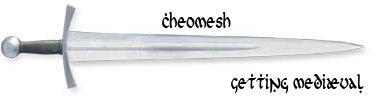
Former [DM] captain.
The fact that people are poor or discriminated against doesn't necessarily endow them with any special qualities of justice, nobility, charity or compassion. - Saul Alinsky
-
jOHNNYdOUBE
- Posts: 637
- Joined: 2007-09-13 21:28
Re: Key Binding
Z-Board MERC stealth.
Try that ,too.
Try that ,too.