
Noticed that the PR icon looked blurred on 48x48 so I decided to create a new one on my own.

Thats how it look like in comparison to the old on.
1st row 48x48,
2nd row 32x32 icon size:
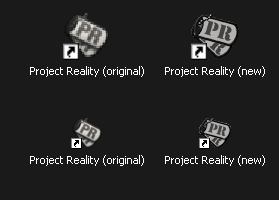
If you like the icon I've attached it below (3.9 KB).
How to install:
Code: Select all
1. Extract the icon to the place of your choice.
   (e.g. C:\Program Files\EA GAMES\Battlefield 2\mods\pr)
2. Right-click the 'Project Reality' shortcut on your desktop, then click Properties.
3. On the Shortcut tab, click 'Change Icon'.
4. In the Change Icon dialog box, click Browse,
   navigate to the folder where you have extract your icon to (see step 1.),
   select it and then click Open.
5. Click OK, and then OK again to apply the change.
If you like my icon you can add it to the new upcoming releases


 , good work my man !


