How To Make a Map Using L3dt

Information and tutorials related to modding BF2.
Post Reply
Netieb
Posts: 13
Joined: 2009-06-13 15:01

How To Make a Map Using L3dt

Post by Netieb »

!!Important!!
I know this is the wrong place but somehow i cannot post in the right section. Please move this thread.

First off you need these programs:

- Adobe Photoshop - Adobe Photoshop - Download
- L3DT - L3DT - Downloads page
- BF2 Editor v.1.3 - Battlefield 2 Editor - Maps & Mods
- T-paint - BF2_TPaint

1.

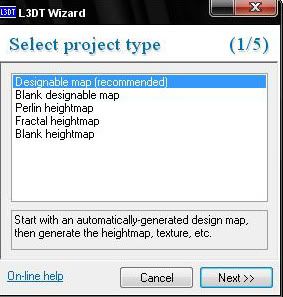
Start L3Dt

go File/New Projekt/
Image

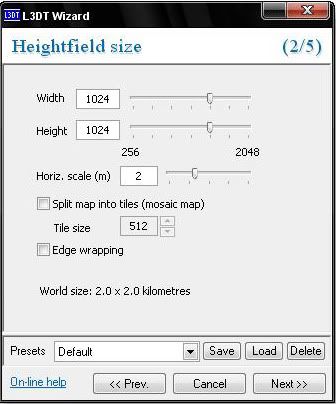
next until this pops up,

Image

use the same setting like in the picture above.

next again until this pops up,
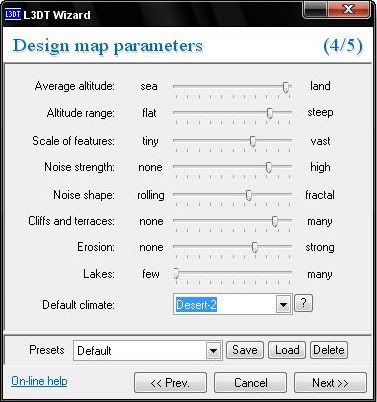
Image

try to find your own settings or use mine.
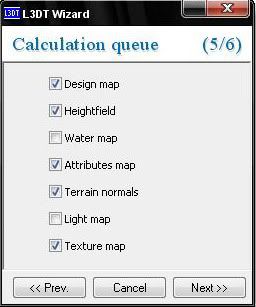
Image

Check the boxes like in the picture.

next again

untick "Use light map" click okay

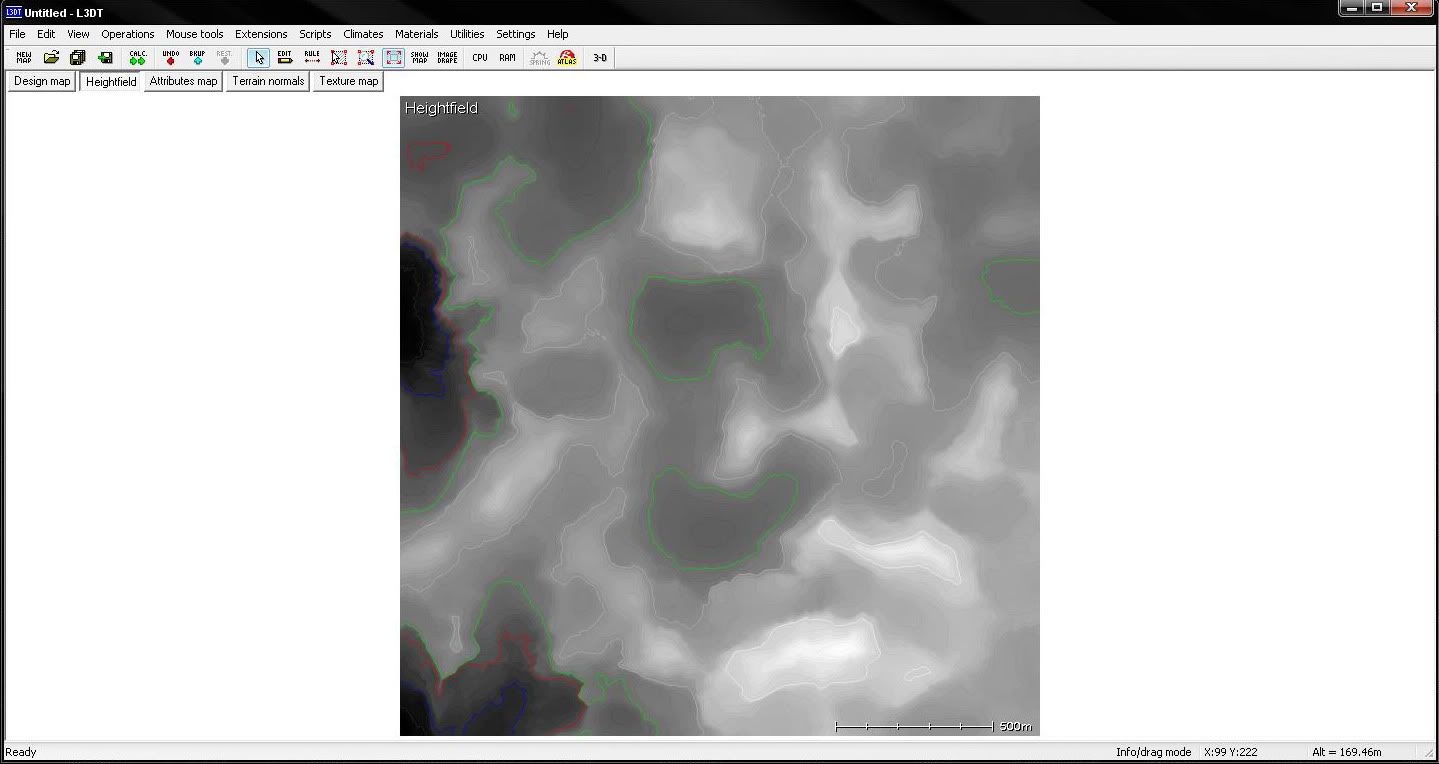
Now the program has generated your color and heightmap:
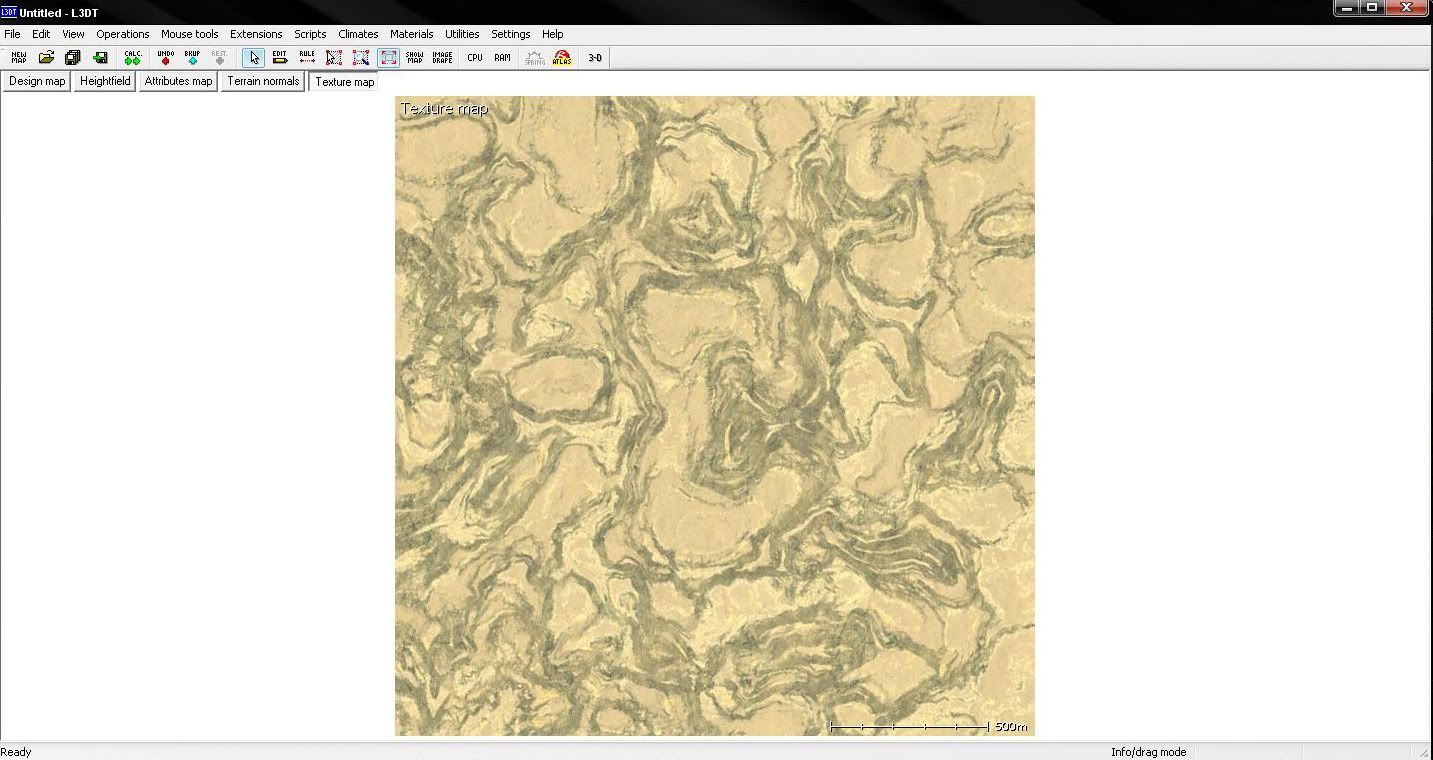
Image
Image

Export the heightmap (I created a projekt folder for this on my Desktop)

go File/Export/Export Active Map

someting like this should pop up,
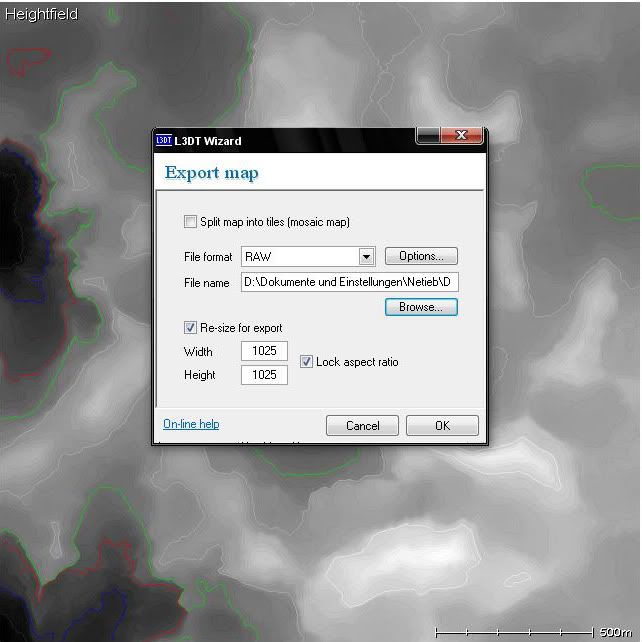
Image

use the same settings like above.

Save it as HeightmapPrimary

Now export the colourmap,

go File/Export/Export Active Map
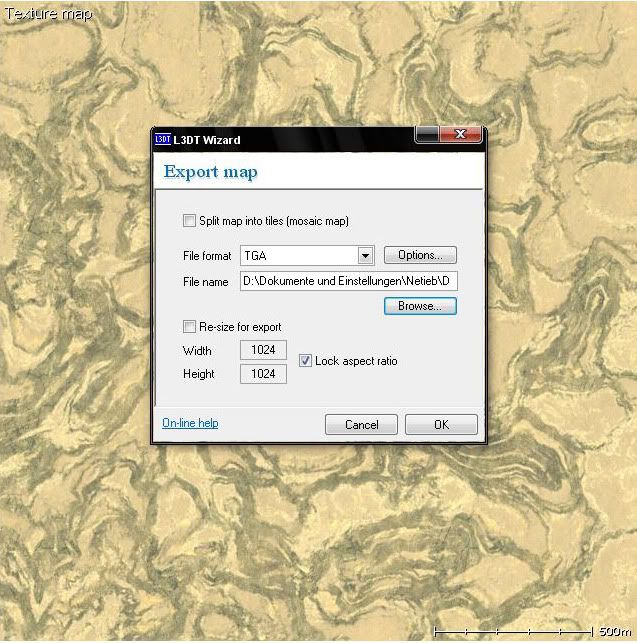
Image

use same settings like above.

Now close the program, and start the editor create a level (1024x2) and close it again.

Now open up your saved colourmap and resize it.
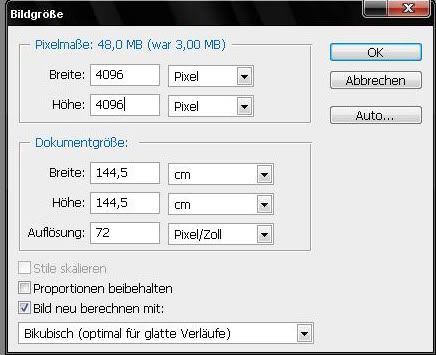
Image

save it as ColourBig

go to you maps dictory and copy the bf2-tpaint folder in it.
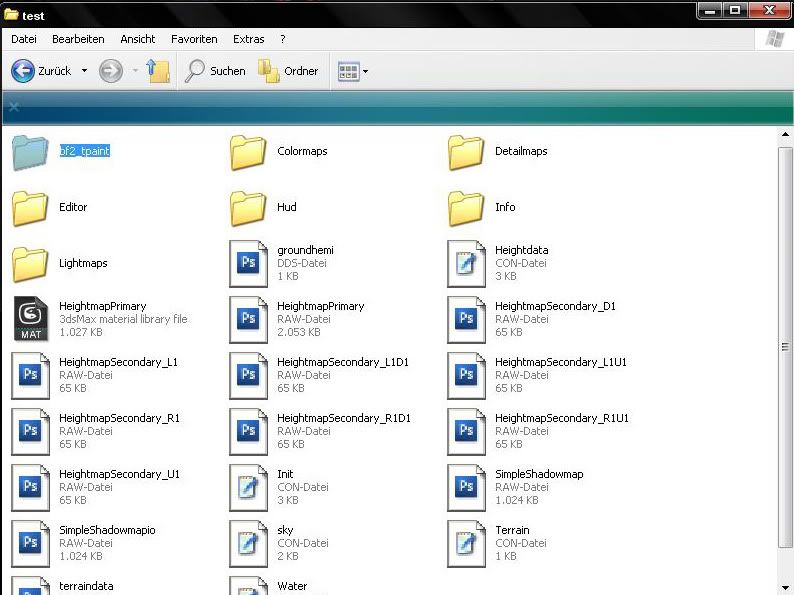
Image

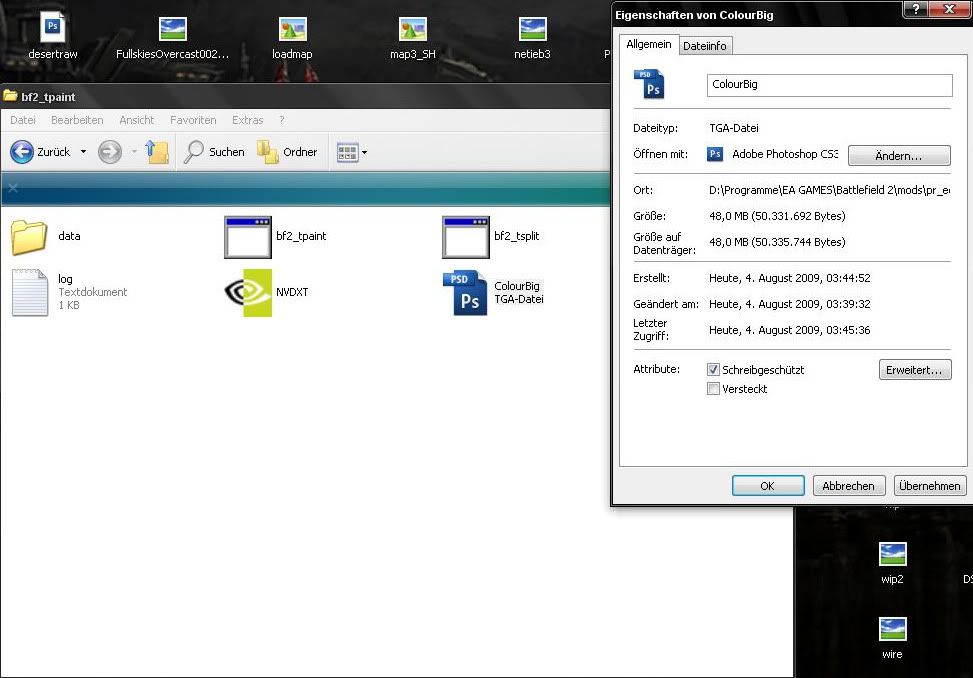
After that copy the ColourBig file in the T-paint folder.
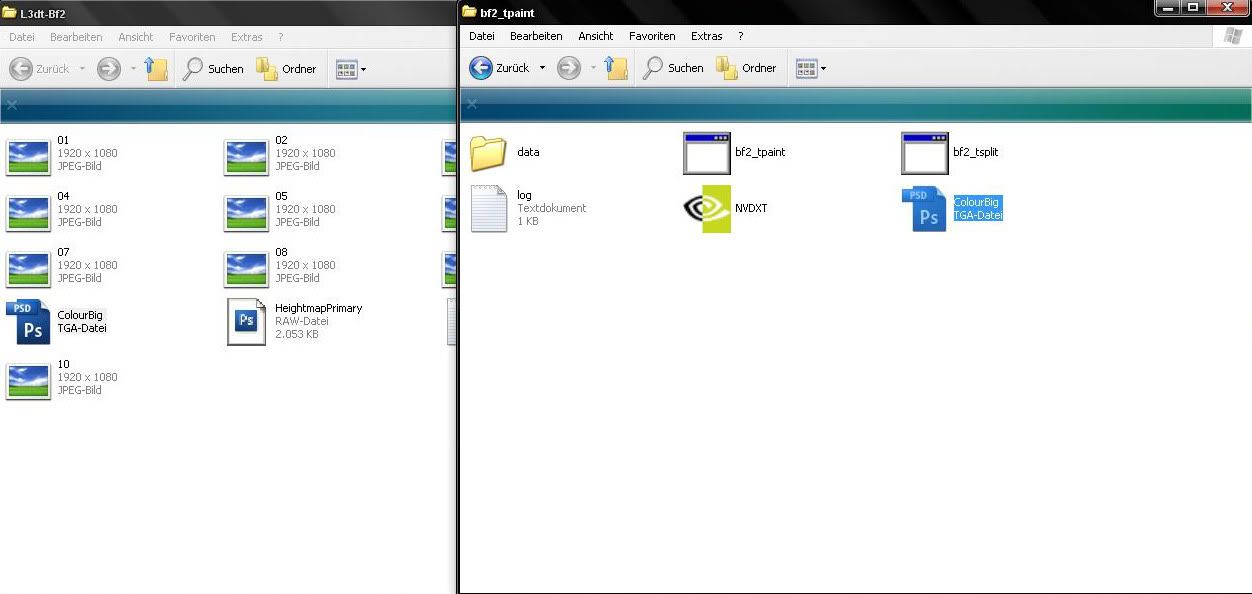
Image

and make it "read only"

Image

Now copy your HeightmapPrimary and overwrite the exsisting one.
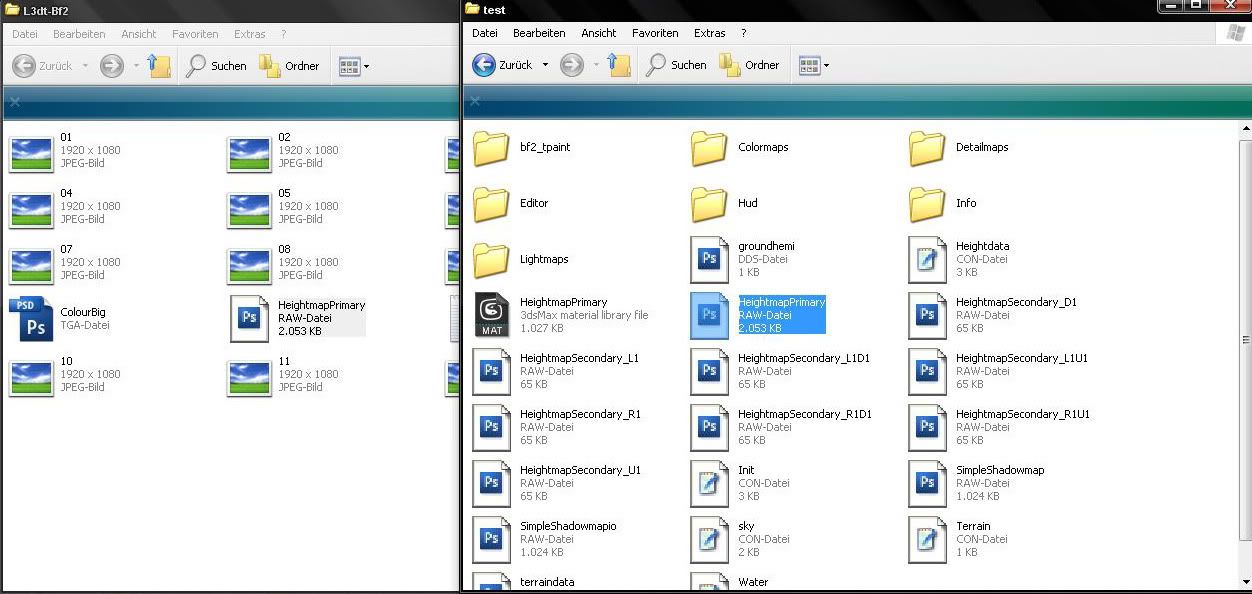
Image

After that we have to modify the way t-paint works, go in the t-paint folder/data

and open up grad_height
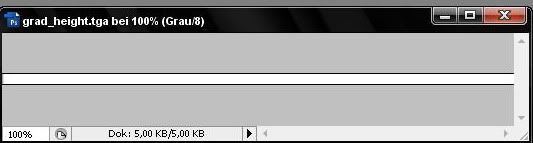
Image

Edit it so it looks like the one above and save it as tga. 24bit.

After you did that run the t-paint exe
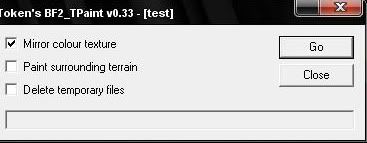
Image

untick the boxes like above.

The program will generate a detail and colormaps folder, copy and paste them into the editor folder.
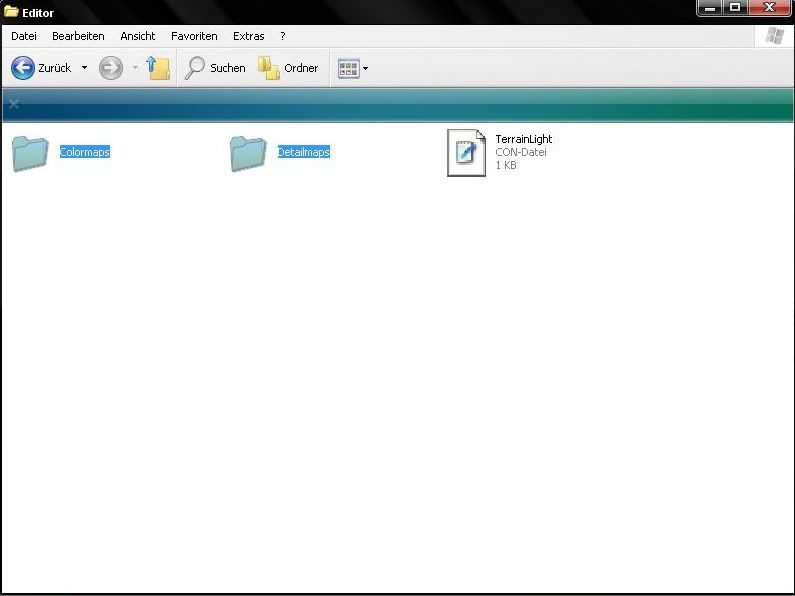
Image

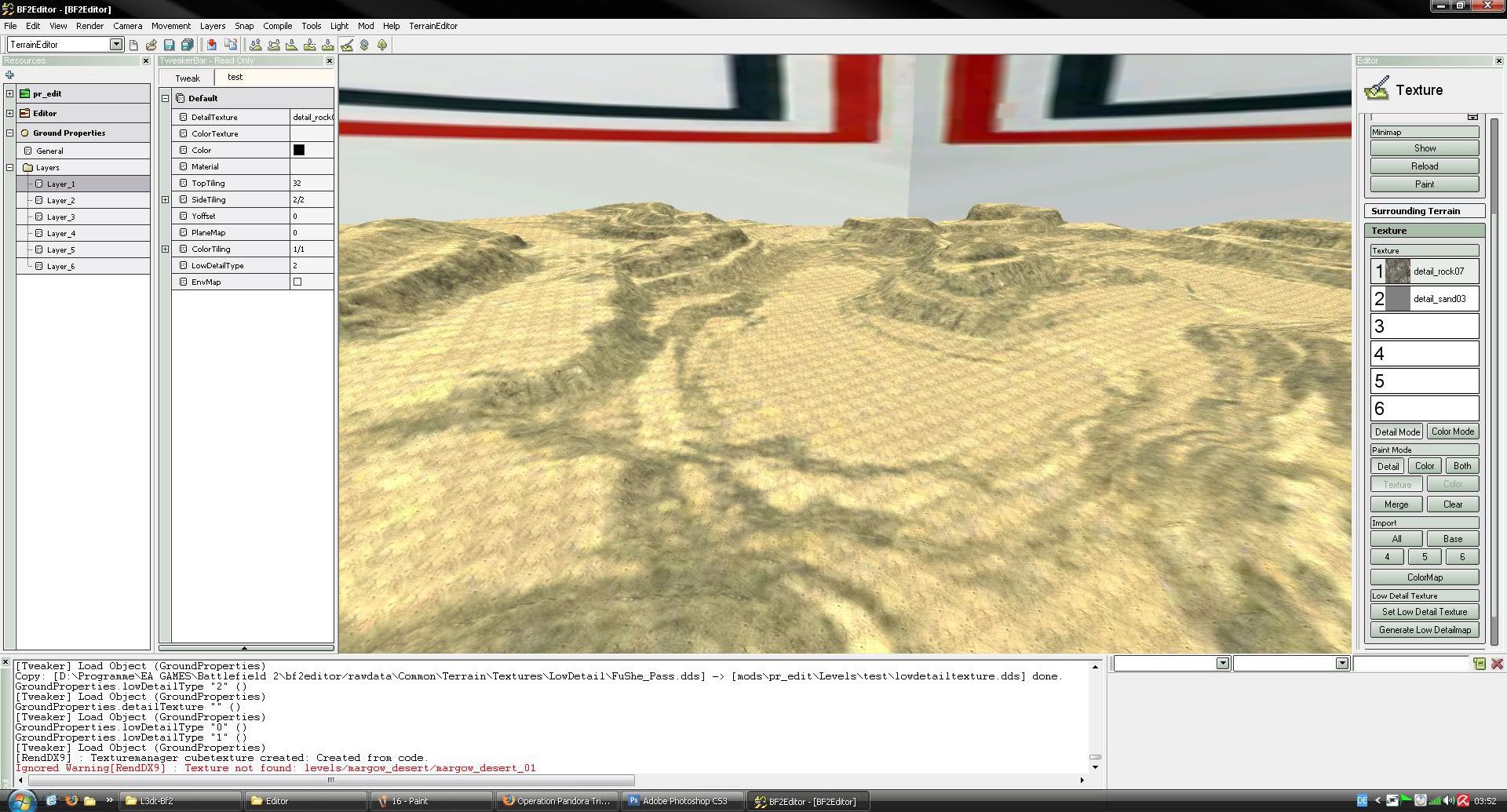
Start up the Editor and load your level it should look someting like this.
Image
J.Burton[EEF]
Posts: 125
Joined: 2009-04-05 16:21

Re: How to male a map using L3dt

Post by J.Burton[EEF] »

Holy **** I love you. Wrong section of the forums, but still. I love you
Wilkinson
Posts: 1916
Joined: 2008-08-18 21:55

Re: How to male a map using L3dt

Post by Wilkinson »

Excellent tutorial. I recommend this one.
Just as good as junglist :)
Image
Image
$pyker
Posts: 623
Joined: 2007-12-27 18:49

Re: How to male a map using L3dt

Post by $pyker »

Did what you said and there were no detail textures for the colourmap despite the fact that i copied the detail texture folder over from tpaint once it had been run. The terrain goes black when i get close and does the same when lightmapped


Image
Combined Offensive Mod


"You cannot invade the mainland United States. There would be a rifle behind every blade of grass." - Admiral Isoroku Yamamoto
Netieb
Posts: 13
Joined: 2009-06-13 15:01

Re: How to male a map using L3dt

Post by Netieb »

well like always you have to choose the detail texture in the Terrain Edit mode.

1. Detail will be rock
2. Detail will be the primary ground detail like grass for your map.
$pyker
Posts: 623
Joined: 2007-12-27 18:49

Re: How to male a map using L3dt

Post by $pyker »

right thanks netieb i got that to work now it looks good up close but not at distance

Image

Mr.Netieb: perhaps update the picture and write netieb helped me i forgot to change the lowdetailtype
Mr.Netieb: ^^
Last edited by $pyker on 2009-08-04 22:12, edited 1 time in total.
Combined Offensive Mod


"You cannot invade the mainland United States. There would be a rifle behind every blade of grass." - Admiral Isoroku Yamamoto
Post Reply

Return to “Modding Tutorials”