[Weapon] M40A5 [WIP]

Making or wanting help making your own asset? Check in here
Post Reply
Whitt
Posts: 29
Joined: 2011-04-26 23:29

[Weapon] M40A5 [WIP]

Post by Whitt »

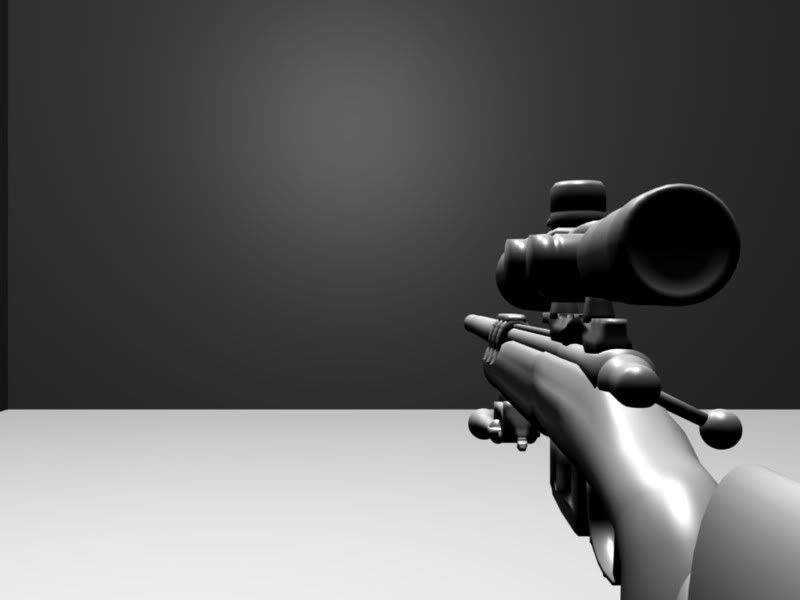
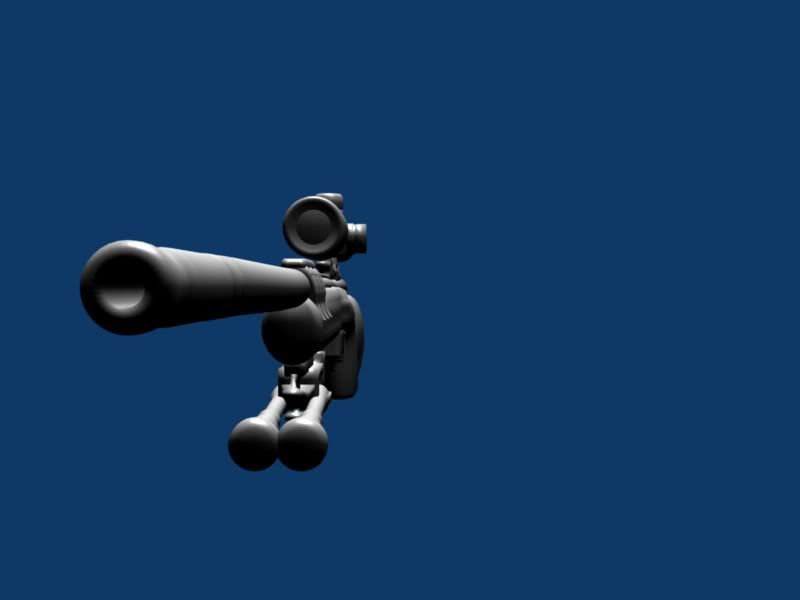
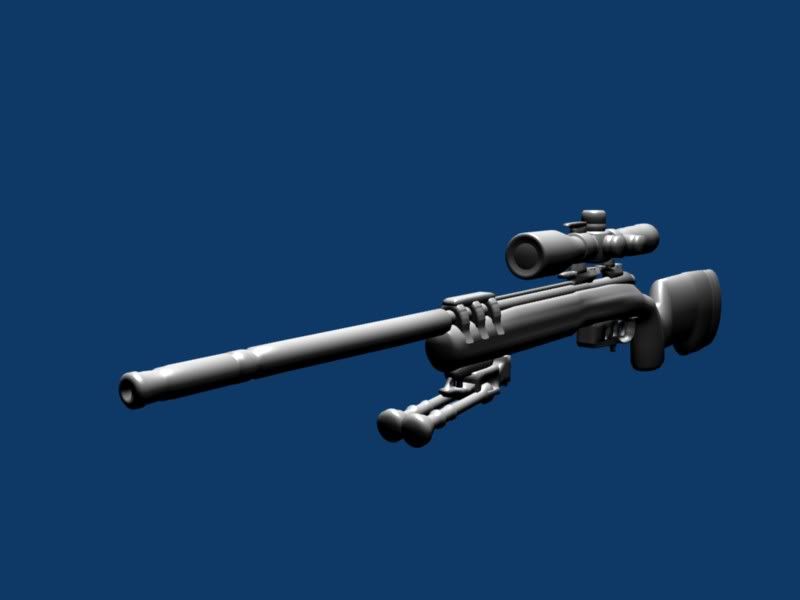
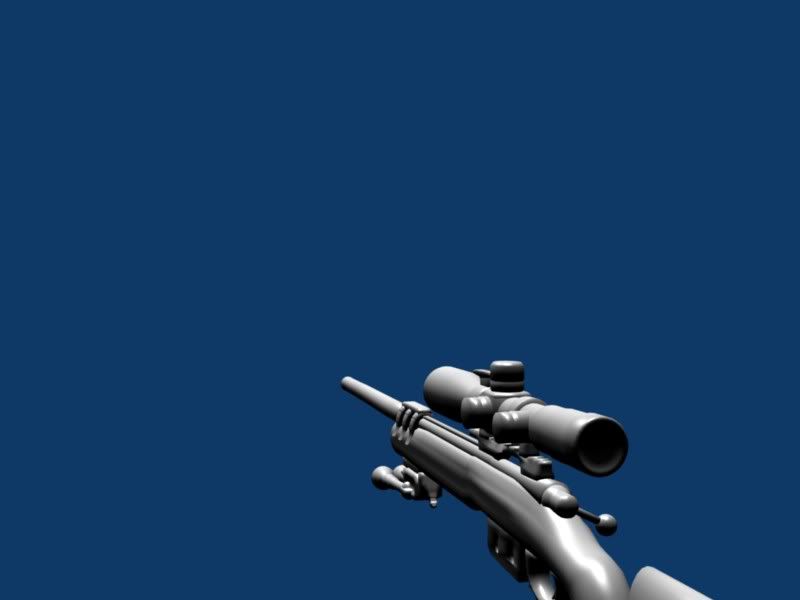
This a current issue marine m40a5 i've been working on, unwrapping for UV texturing right now (can't really figure it out). I really want some feedback, this is my first sniper rifle :D

First person view
Image

Front-ish
Image

side-ish
Image

back-ish
Image
WelshManDan
Posts: 4381
Joined: 2009-06-30 20:19

Re: [Weapon] M40A5 [WIP]

Post by WelshManDan »

Looks quite okay from the renders, although for anyone on this forum to really evaluate the model you would need to post some wireframe renders/workspace shots for us to see how the model is structured etc, before actually giving any feedback.

On a side note - how many Triangles/Polygons?
Tim270
PR:BF2 Developer
Posts: 5166
Joined: 2009-02-28 20:05

Re: [Weapon] M40A5 [WIP]

Post by Tim270 »

Post some wire-frame pictures or it is really hard to give criticism. Right off the bat though there are quite a few smoothing errors (need separate groups rather than 1 over everything) and it looks pretty high poly for bf2.

Post what you are stuck on with the unwrapping and we can give you some pointers.


Also welcome to the forums :)
Image
Whitt
Posts: 29
Joined: 2011-04-26 23:29

Re: [Weapon] M40A5 [WIP]

Post by Whitt »

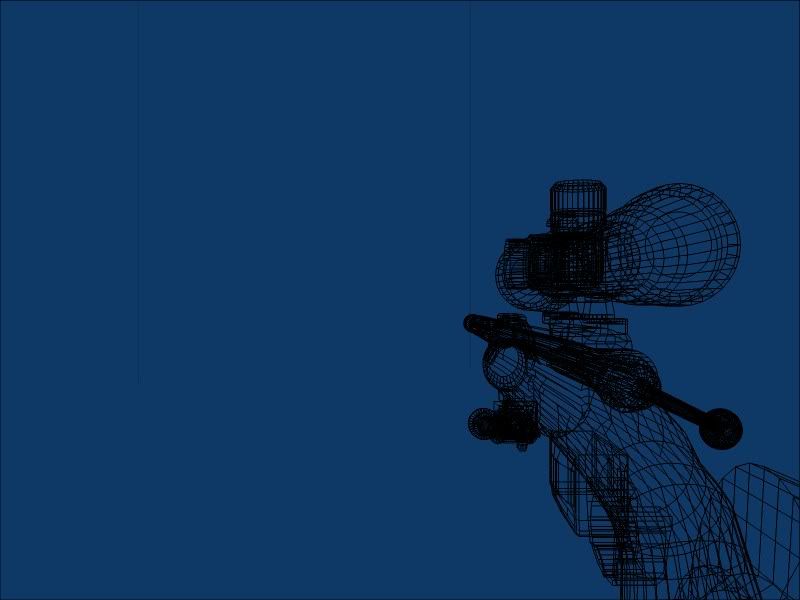
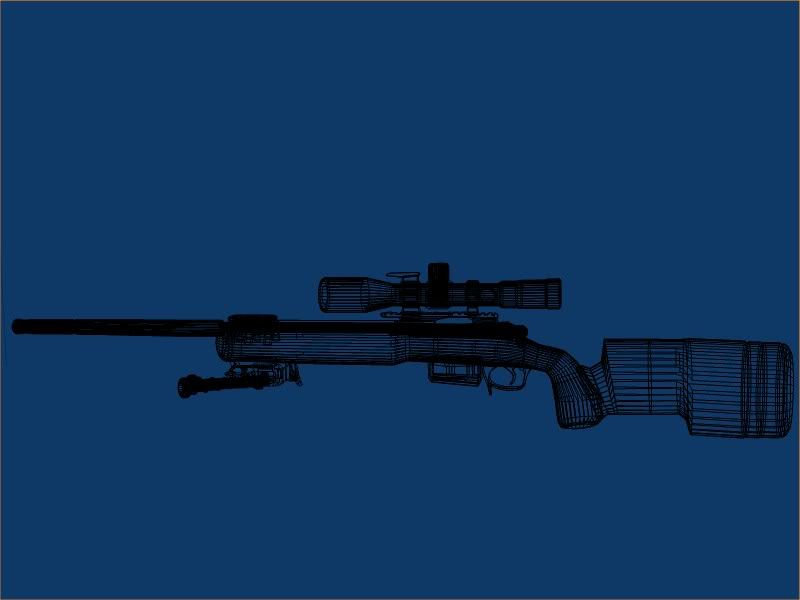
Here are some wireframes,

Image

Image

Image

Also, i now im making myself sound like a fool but i have no earthly idea where to find the vertex counts and all that mumbo jumbo?
Tim270
PR:BF2 Developer
Posts: 5166
Joined: 2009-02-28 20:05

Re: [Weapon] M40A5 [WIP]

Post by Tim270 »

Whitt wrote:Also, i now im making myself sound like a fool but i have no earthly idea where to find the vertex counts and all that mumbo jumbo?
What program are you using?
Image
Whitt
Posts: 29
Joined: 2011-04-26 23:29

Re: [Weapon] M40A5 [WIP]

Post by Whitt »

Tim270 wrote:What program are you using?
I am using blender 2.57, i am also attempting to learn max 2011, just got it off the student autodesk site.
WelshManDan
Posts: 4381
Joined: 2009-06-30 20:19

Re: [Weapon] M40A5 [WIP]

Post by WelshManDan »

https://www.realitymod.com/forum/f388-pr-bf2-community-modding/75855-modeling-uving-texturing-guidelines-community-made-assets.html

Follow the guidelines in that thread, and post the corresponding images.

I probably wont be able to help much on the feedback scale, but im sure if you post whats asked in that thread, then someone who is helpful will come along
AquaticPenguin
Posts: 846
Joined: 2008-08-27 19:29

Re: [Weapon] M40A5 [WIP]

Post by AquaticPenguin »

For a good wireframe, go into edit mode -> line/vertex select mode and then press the "OpenGL render active viewport" button, the button is on the same bar as the object mode at the end, it's next to the Camera Icon. If you can't find it press space and type in "OpenGL render". That gives a render of the viewport in Edit mode so we can see the topology.

Your model looks very high poly from the render you've given. The polycount in Blender is shown at the bar on the top, there is a label that looks something like "Ve:8 | Fa:6". 'Ve' is the vertex count, and 'Fa' is the face count. If you select your model object and go into edit mode then the label showns the number of vertices and faces for that object.

For comparison purposes, it's useful to triangulate when checking the Face count. 'Ctrl-T' to triangulate, then 'Ctrl-Z' undo it since I doubt you want to work in triangles.

To get the model to shade nicely you can use an edgesplit modifier + mark faces sharp. Here's a tutorial for Blender 2.49. The tutorial will still work for Blender 2.57, but the buttons are in different places. This will give an impression of how the model might look in-game.
Zemciugas
Posts: 2116
Joined: 2010-04-05 15:13

Re: [Weapon] M40A5 [WIP]

Post by Zemciugas »

There's way to much detail where it's not needed at all, parts which you wont see anyway.
BuckWheat69
Posts: 38
Joined: 2010-12-13 03:43

Re: [Weapon] M40A5 [WIP]

Post by BuckWheat69 »

That looks really good. Would be a great addition to PR
USMC scout sniper
Posts: 487
Joined: 2010-01-03 04:21

Re: [Weapon] M40A5 [WIP]

Post by USMC scout sniper »

Great job don't give up!
HELL HAVE NO FURY LIKE ME WITH A M249 SAW PIP!
Rhino
Retired PR Developer
Posts: 47909
Joined: 2005-12-13 20:00

Re: [Weapon] M40A5 [WIP]

Post by Rhino »

Needless to say its too high poly to be used as an ingame model and it also needs quite a bit of work done to it with adding more control edges etc for it to be used as a high poly model to be baked down onto a low poly model, but looks like a good start :)
Image
Shovel
Posts: 860
Joined: 2010-08-26 14:23

Re: [Weapon] M40A5 [WIP]

Post by Shovel »

One way you could lower the poly count is reducing the barrel to a lesser amount of polys.
Shovel009
Post Reply

Return to “PR:BF2 Community Modding”