Thanks for the reply.
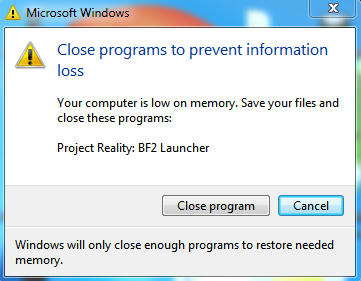
I am familiar with both those tools and did use procexp at the time to try to see what was happening, enabling all the memory columns to see what showed, but nothing really shows up oddly enough, same as with windows task manager. Neither indicate who's responsible for the consumption, as if it's been orphaned at some point, no longer belonging to any process. For instance, if I exit BF2/PR/Mumble, then there's no longer a process listed in taskman/procexp to associate the usage to. I need a way to view memory details more deeply.
I'm still trying to pin down the procedure or process that actually causes the memory climb at this point. I'm not sure if it happens as a consequence of restarting mumble a lot (it likes to crash in game around once per session), or bf2 (leaving mumble running in the tray but restarting bf2 multiple times), or if maybe it's a problem related to overlay (will try running with it disabled later on), etc. But whatever it is it doesn't seem too obvious.
I did as you mentioned and got the following (relevant columns only - taken at different times during gameplay):
Code: Select all
Process		Private Bytes	Working Set	Virtual Size
pr.exe		35,476 K	628 K		582,244 K
BF2.exe		1,136,252 K	1,191,820 K	1,745,744 K
tr.exe		7,532 K		744 K		108,636 K
pr_mumble.exe	46,252 K	18,296 K	201,120 K
Code: Select all
Process		Private Bytes	Working Set	Virtual Size
pr.exe		35,476 K	36,212 K	582,244 K
BF2.exe		1,276,396 K	1,332,264 K	1,822,456 K
tr.exe		7,532 K		816 K		108,636 K
pr_mumble.exe	57,068 K	26,700 K	201,120 K
Code: Select all
Process		Private Bytes	Working Set	Virtual Size
pr.exe		35,476 K	628 K		582,244 K
BF2.exe		1,209,584 K	1,265,508 K	1,873,640 K
tr.exe		7,532 K		724 K		108,636 K
pr_mumble.exe	51,596 K	20,460 K	201,120 K
Code: Select all
Process		Private Bytes	Working Set	Virtual Size
pr.exe		35,476 K	36,212 K	582,244 K
BF2.exe		1,198,072 K	1,254,768 K	1,895,208 K
tr.exe		7,532 K		816 K		108,636 K
pr_mumble.exe	53,772 K	32,584 K	201,120 K
Code: Select all
Process		Private Bytes	Working Set	Virtual Size
pr_mumble.exe	29,556 K	26,840 K	194,900 K

(snapshot after exiting bf2)
Nothing really shows up as wrong there to me, though this session I didn't see so many MB being left consumed in task manager after exiting both apps. As I write this the system has only about 300MB I can't account for.
Think I'll have to have a play about some more and see what else I can figure later on.