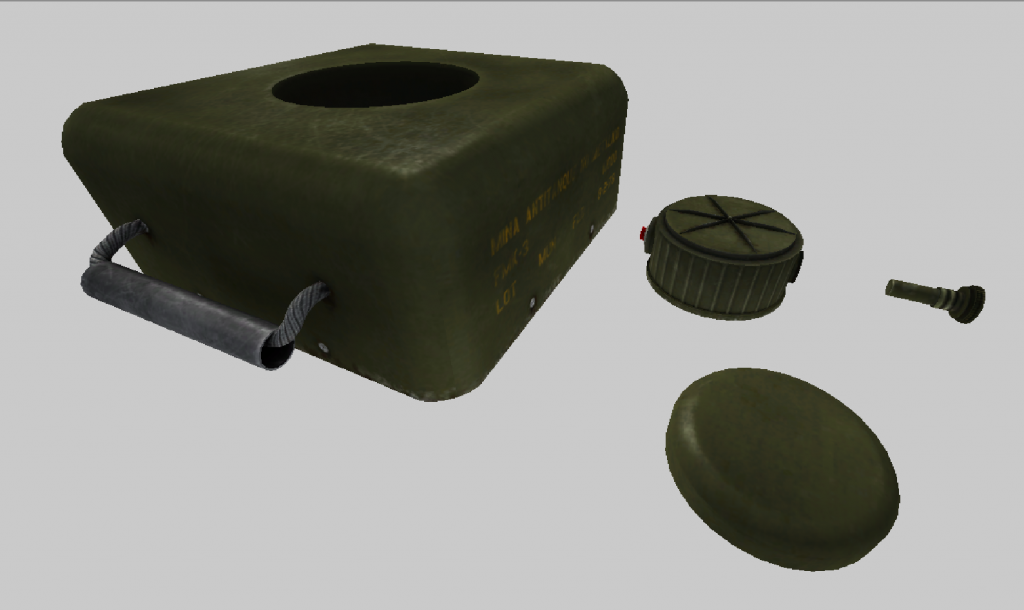
[WIP] FMK-1 & FMK-3 Mines (PR:F)
-
Spush
- Retired PR Developer
- Posts: 4359
- Joined: 2007-02-19 02:08
Re: [WIP] FMK-1 & FMK-3 Mines (PR:F)
Some errors you can fix in photoshop I guess.
-
3===SPECTER===3
- Posts: 831
- Joined: 2007-05-05 01:13
Re: [WIP] FMK-1 & FMK-3 Mines (PR:F)
I've started texturing this. It's all WIP but here's what I've got so far:
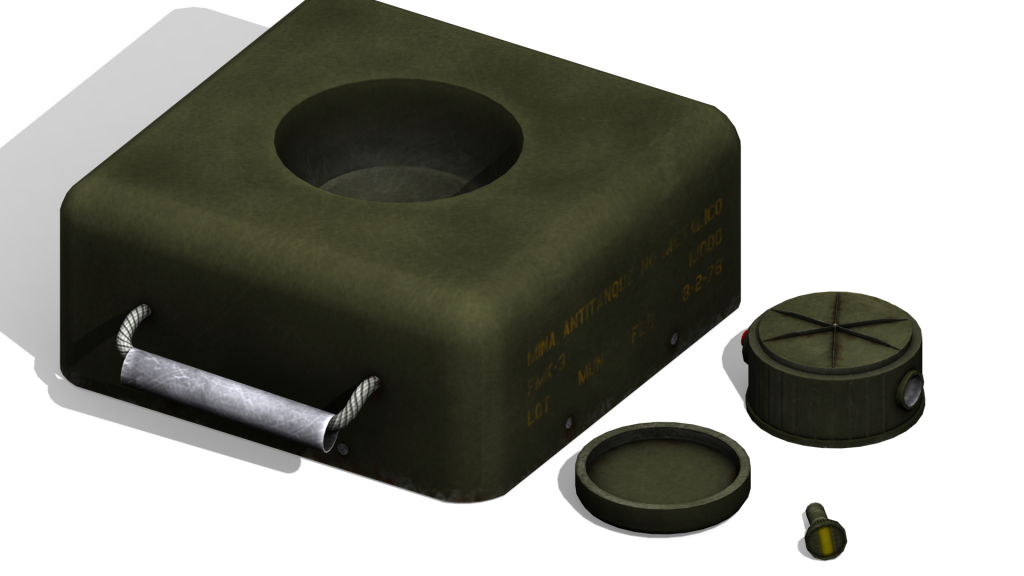
I'm still messing with Specularity and the Normal maps aren't final but feedback is always welcome
Also the lighting effects the color depending on what I have it at so it'd be nice to do what Rhino said and do a quick export into the Editor or BFmesh view to see how the light makes it look in-game.
I don't know how to export anything tho ??: If you guys have any tutorials or someone else can export it so I can look at it that'd be awesome.
I'm still messing with Specularity and the Normal maps aren't final but feedback is always welcome
Also the lighting effects the color depending on what I have it at so it'd be nice to do what Rhino said and do a quick export into the Editor or BFmesh view to see how the light makes it look in-game.
I don't know how to export anything tho
??: If you guys have any tutorials or someone else can export it so I can look at it that'd be awesome.
Last edited by 3===SPECTER===3 on 2013-09-14 06:29, edited 1 time in total.

-
titsmcgee852
- Posts: 316
- Joined: 2012-10-06 00:37
Re: [WIP] FMK-1 & FMK-3 Mines (PR:F)
Looks really cool! The only thing that looks a bit strange is the wire.
-
Spush
- Retired PR Developer
- Posts: 4359
- Joined: 2007-02-19 02:08
Re: [WIP] FMK-1 & FMK-3 Mines (PR:F)
Try converting your normal map into a cavity map, gives it some more highlights. Along with using your AO of course  .
.
.-
Rhino
- Retired PR Developer
- Posts: 47909
- Joined: 2005-12-13 20:00
Re: [WIP] FMK-1 & FMK-3 Mines (PR:F)
Looks good so far, base has possibly a bit too much random noise and scratches in it for my liking thou, might want to tone that down quite a bit IMO.
As for a test export, if you PM me the files I can whack one out in a couple of mins for ya
As for a test export, if you PM me the files I can whack one out in a couple of mins for ya

-
Rhino
- Retired PR Developer
- Posts: 47909
- Joined: 2005-12-13 20:00
Re: [WIP] FMK-1 & FMK-3 Mines (PR:F)
Right taking a look at your files now and first of all I think I can see where your problem is with your normal maps being screwed up at the seams, which is first to do with hardly any padding on the bake and on top of that, you've saved the surrounding area on your textures as black, which means even without the mips kicking in, you have some pixel bleed around the edges:

I take it you've read up on pixel bleeding? If not, best to look at this: https://www.realitymod.com/forum/f189-m ... eding.html
Personally I always save my bakes with alpha turned on so any areas of the texture that haven't captured anything are then transparent. Here's the 3p normal .psd of my WC IED with the BG layers turned off so all you can see is the bakes basically:

Then what I do using the blur tool, sampling all layers is I basically fill the gaps with the blurred colour around it (but not too much to the point it screws up the colour, also best cloning all the layers to a new file, selecting all faces, then collapsing selection by a few pixels, invert selection and delete to get rid of some of the bad max padding that screws up the colour), making for some good padding (for the most part, although if this was for a 1p texture I would fix up a few small bits), with still keeping the high detailed bakes without blur on them on top

Then finally once sized down and saved as a dds etc it looks like this:

This also very much applies to diffuse, spec and most importantly IMO, AO maps. Too many textures out there have their AO maps being totally black outside of the UV which really hurts the texture in its mips even if the texture has a bit of padding around the UV faces, still not good enough.
If you look at the AO map I did for the Bren you can see that I've done basically the same thing I did with the normals above just with the AO and as such, you only have black on parts of the UV which are meant to be in shadow and not around all the faces, and then the surrounding area around the faces is instead an average colour between other surrounding faces:

Face UVs: http://i.imgur.com/BCTN3NA.jpg
Anyways here's how it looks ingame with the current textures, which are ok up close but as soon as you move away they screw up from the pixel bleeding.


Textures are looking actually really nice so far but just a bit too dark right now IMO and the rope looks a bit odd, looks more like lizard scales than a rope. Other than that I don't think they need much work, other than the padding etc I mentioned but maybe some of the proper texture artists can help you out more there
Keep up the good work, I'll PM you the files in a bit
I take it you've read up on pixel bleeding? If not, best to look at this: https://www.realitymod.com/forum/f189-m ... eding.html
Personally I always save my bakes with alpha turned on so any areas of the texture that haven't captured anything are then transparent. Here's the 3p normal .psd of my WC IED with the BG layers turned off so all you can see is the bakes basically:
Then what I do using the blur tool, sampling all layers is I basically fill the gaps with the blurred colour around it (but not too much to the point it screws up the colour, also best cloning all the layers to a new file, selecting all faces, then collapsing selection by a few pixels, invert selection and delete to get rid of some of the bad max padding that screws up the colour), making for some good padding (for the most part, although if this was for a 1p texture I would fix up a few small bits), with still keeping the high detailed bakes without blur on them on top
Then finally once sized down and saved as a dds etc it looks like this:
This also very much applies to diffuse, spec and most importantly IMO, AO maps. Too many textures out there have their AO maps being totally black outside of the UV which really hurts the texture in its mips even if the texture has a bit of padding around the UV faces, still not good enough.
If you look at the AO map I did for the Bren you can see that I've done basically the same thing I did with the normals above just with the AO and as such, you only have black on parts of the UV which are meant to be in shadow and not around all the faces, and then the surrounding area around the faces is instead an average colour between other surrounding faces:
Face UVs: http://i.imgur.com/BCTN3NA.jpg

Anyways here's how it looks ingame with the current textures, which are ok up close but as soon as you move away they screw up from the pixel bleeding.
Textures are looking actually really nice so far but just a bit too dark right now IMO and the rope looks a bit odd, looks more like lizard scales than a rope. Other than that I don't think they need much work, other than the padding etc I mentioned but maybe some of the proper texture artists can help you out more there
Keep up the good work, I'll PM you the files in a bit
-
3===SPECTER===3
- Posts: 831
- Joined: 2007-05-05 01:13
Re: [WIP] FMK-1 & FMK-3 Mines (PR:F)
I knew this would hurt it but I could never find out how to get rid of the black background... How do you turn the alpha on in render to texture?[R-DEV]Rhino wrote:Right taking a look at your files now and first of all I think I can see where your problem is with your normal maps being screwed up at the seams, which is first to do with hardly any padding on the bake and on top of that, you've saved the surrounding area on your textures as black, which means even without the mips kicking in, you have some pixel bleed around the edges:
Personally I always save my bakes with alpha turned on so any areas of the texture that haven't captured anything are then transparent.
EDIT: nvmd n00b baker here: I was saving the bakes out as a .tga if I save it out as a .png then it uses the alpha to erase the background (in case anyone is wondering)

Last edited by 3===SPECTER===3 on 2013-09-14 15:49, edited 1 time in total.
-
3===SPECTER===3
- Posts: 831
- Joined: 2007-05-05 01:13
Re: [WIP] FMK-1 & FMK-3 Mines (PR:F)
Alright guys, texture is almost done. I went in and fixed the problems Rhino pointed out, SHOULDN'T be anymore pixel bleeding problems. 
What i'm looking for right now is more feedback on the texture itself. I don't really know of a good way to showcase it and all it's maps working together other than the BF2 engine.
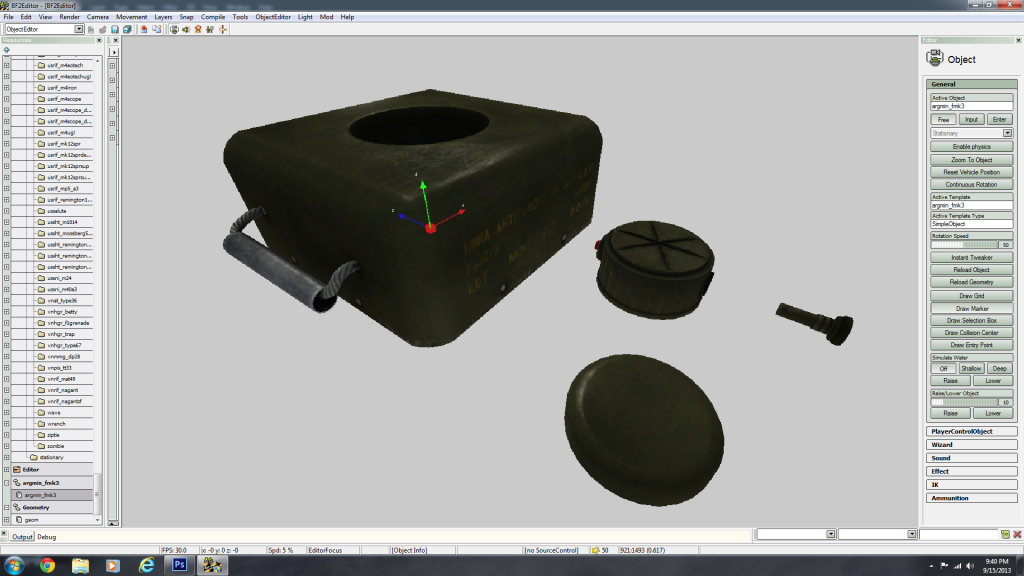
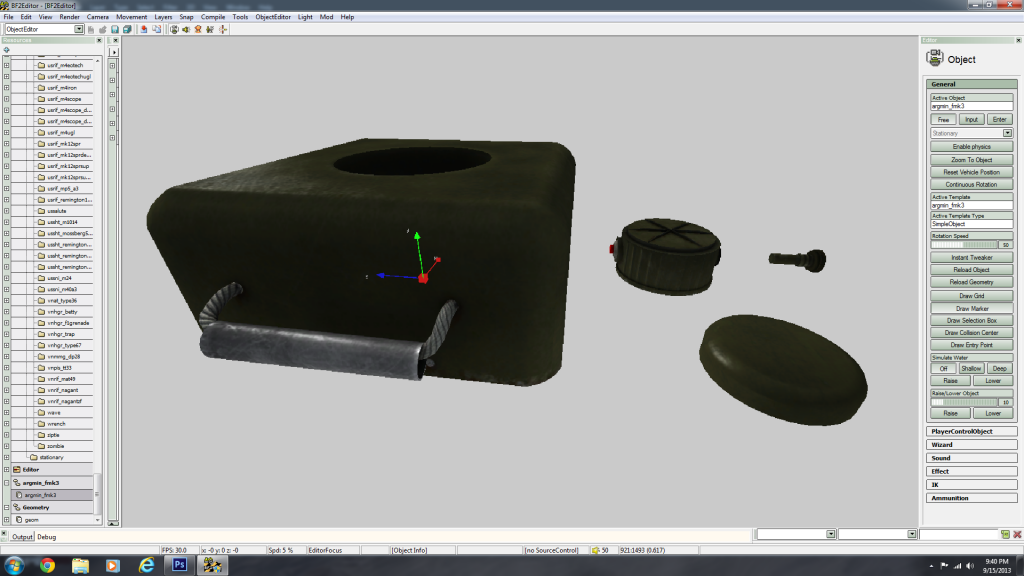
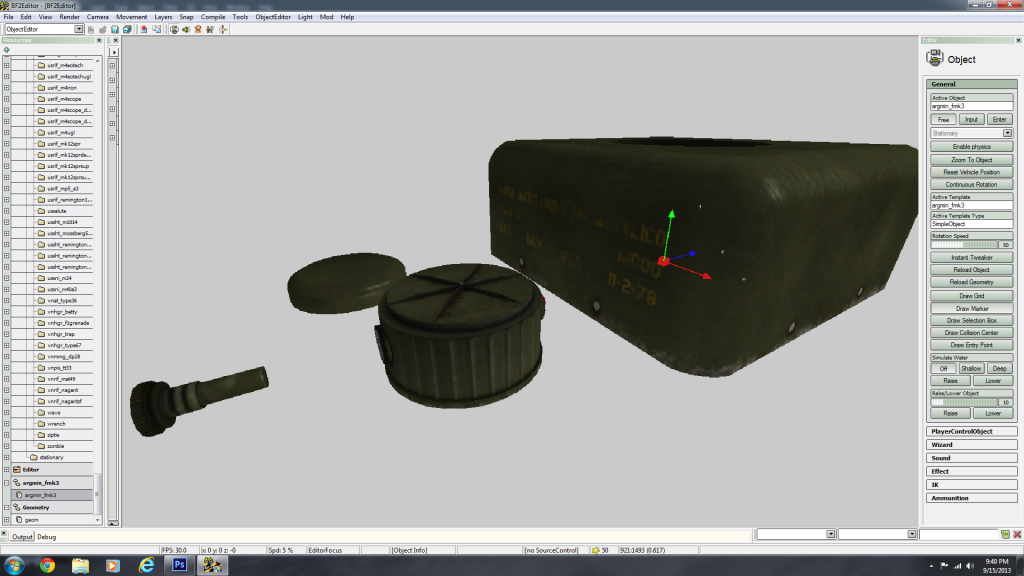
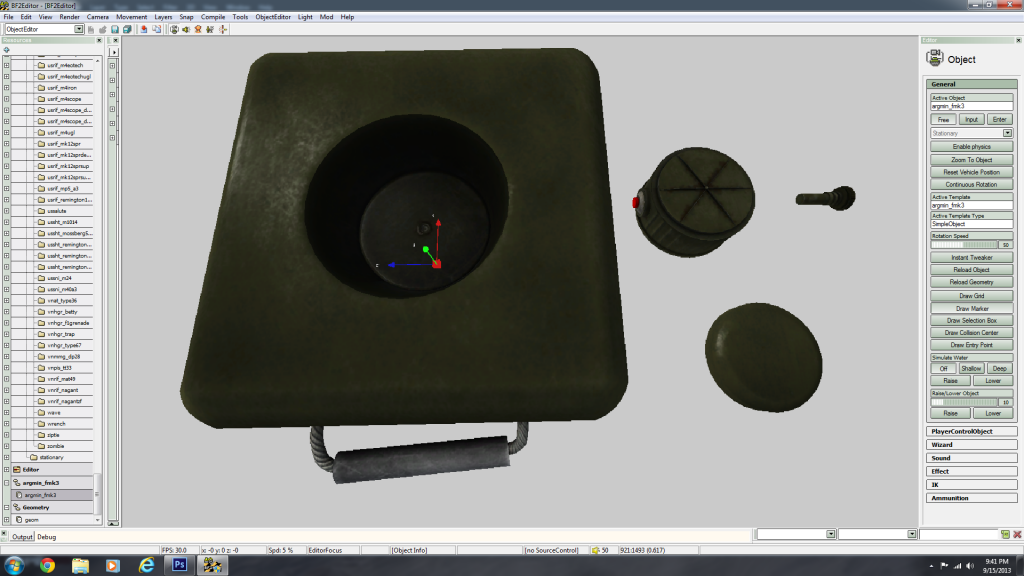
Just a few shots so hopefully you can get a feel for things. I can post the actual maps if that'll help anyone on critiques.
I really like the way the spec map came out and the normal works very well on the FMK-1
Few things I fixed; I lightened up the green but you can't really notice it, might lighten it up more, it looks Olive Drab to me tho, and I think the rope looks more like a rope now.
@Spush, couldn't really find a good way to convert my normal to a cavity. You have any tips?
@Rhino I could send you the new WIP texture files if you'd like to take a look for anymore errors more closely
Feedback welcome guys, excited about putting my first weapon into the BF2 engine
What i'm looking for right now is more feedback on the texture itself. I don't really know of a good way to showcase it and all it's maps working together other than the BF2 engine.
Just a few shots so hopefully you can get a feel for things. I can post the actual maps if that'll help anyone on critiques.
I really like the way the spec map came out and the normal works very well on the FMK-1
Few things I fixed; I lightened up the green but you can't really notice it, might lighten it up more, it looks Olive Drab to me tho, and I think the rope looks more like a rope now.
@Spush, couldn't really find a good way to convert my normal to a cavity. You have any tips?
@Rhino I could send you the new WIP texture files if you'd like to take a look for anymore errors more closely
Feedback welcome guys, excited about putting my first weapon into the BF2 engine
-
Rhino
- Retired PR Developer
- Posts: 47909
- Joined: 2005-12-13 20:00
Re: [WIP] FMK-1 & FMK-3 Mines (PR:F)
Looking pretty good, the main thing I would say is you need to brighten up your textures a bit, looking quite dark in the editor especially when comparing it with the refs. Your rope is still looking a bit like lizard scales with the criss crossing action. I would seriously tone down or turn off the more transparent cross over bit since it just looks all wrong as you just don't see the fibres on the rope like that, you only see the main ones. May also want to look into making your green more olive green too? Although some refs are a bit more green than olive, olive seems the most common and looks best

Other than that can't really give you much more feedback from a texture artist POV since its not really my area and you can't see much in your shots since they are so dark etc, will be able to tell more when brightened up and also turn the marker off when taking pics
Other than that can't really give you much more feedback from a texture artist POV since its not really my area and you can't see much in your shots since they are so dark etc, will be able to tell more when brightened up and also turn the marker off when taking pics
-
lucky.BOY
- Posts: 1438
- Joined: 2010-03-03 13:25
Re: [WIP] FMK-1 & FMK-3 Mines (PR:F)
Judging from the refs, I would tone down on the general noise on FMK-3 and maybe add more scratches instead. Also make it a bit more shiny? Im not a texture artist either
-
Mineral

- Retired PR Developer
- Posts: 8534
- Joined: 2012-01-02 12:37
- Location: Belgium
Re: [WIP] FMK-1 & FMK-3 Mines (PR:F)
All I can say is nice work man! Nice seeing this come along from start to end!

-
Rhino
- Retired PR Developer
- Posts: 47909
- Joined: 2005-12-13 20:00
Re: [WIP] FMK-1 & FMK-3 Mines (PR:F)
hehe, still some way from the end (as I'm sure you aware). After the textures are finished then needs exporting, animating, coding and sounds[R-CON]Mineral wrote:All I can say is nice work man! Nice seeing this come along from start to end!
-
Doc.Pock
- Posts: 2899
- Joined: 2010-08-23 14:53
Re: [WIP] FMK-1 & FMK-3 Mines (PR:F)
im not spush but xnormal does it, aswell as nDo2 and possibly knald.3===SPECTER===3 wrote: @Spush, couldn't really find a good way to convert my normal to a cavity. You have any tips?
-
Spush
- Retired PR Developer
- Posts: 4359
- Joined: 2007-02-19 02:08
Re: [WIP] FMK-1 & FMK-3 Mines (PR:F)
What dock said, ndo2 or xnormal.
-
3===SPECTER===3
- Posts: 831
- Joined: 2007-05-05 01:13
Re: [WIP] FMK-1 & FMK-3 Mines (PR:F)
[quote=""'[R-DEV"]Rhino;1950138']Looking pretty good, the main thing I would say is you need to brighten up your textures a bit, looking quite dark in the editor especially when comparing it with the refs. May also want to look into making your green more olive green too? Although some refs are a bit more green than olive, olive seems the most common and looks best [/quote]
Yea I've gone in and brightened it up as I thought it was too dark too (might brighten it a little more) The refs make it seem very light tho, I'm guessing that's because many of them are older and have been washed out. This reference OrData - Data Details says that the mine was painted olive drab, the same color as an american ww2 vehicle, so that's kind of what I was shooting for.
[quote="lucky.BOY""]Judging from the refs, I would tone down on the general noise on FMK-3 and maybe add more scratches instead. Also make it a bit more shiny? Im not a texture artist either [/quote]
I think most of the noise is on the spec map so the scratches only really show up in the light. I could up the specualrity to make it more shiny too, but I wanted the handle to stand out in that way. The mine is made of fiberglass instead of metal which has less specualrity and scatters the light more than metal, fiberglass also has a good amount of noise in it

(someone feel free to correct me, but I took a look at some fiberglass objects in my house and they gave me that impression )

@Spush and Doc, cavity map actually works really well , provided a lot more highlights and makes the normal and AO pop. I still gotta play with it but thanks for the tip
Here's a quick preview of the updated texture
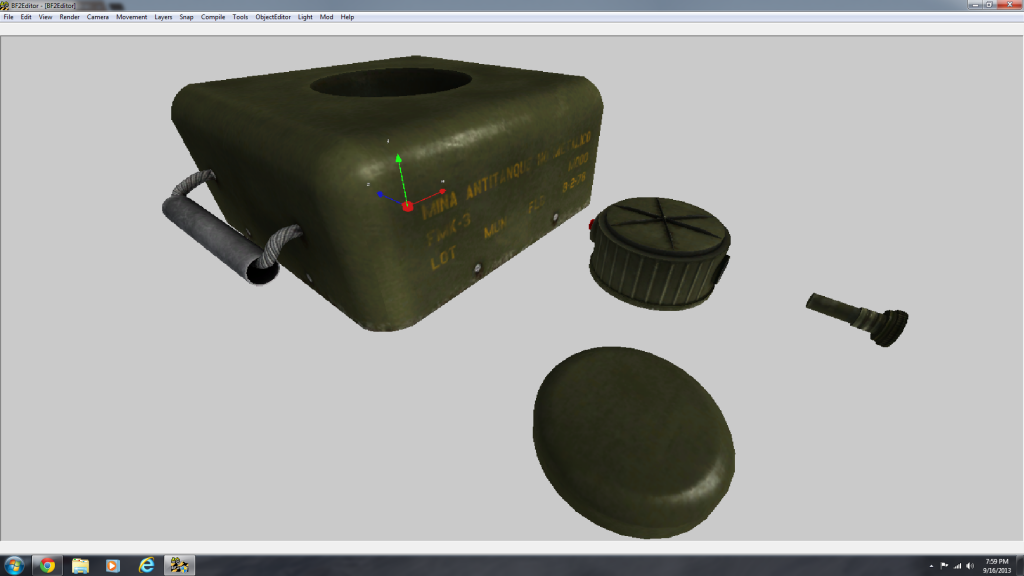
still WIP but let me know what you guys think
Also I haven't touched the rope yet so ignore that. The cavity map gave it some more 'texture' tho so I think that helped
[/quote]Yea I've gone in and brightened it up as I thought it was too dark too (might brighten it a little more) The refs make it seem very light tho, I'm guessing that's because many of them are older and have been washed out. This reference OrData - Data Details says that the mine was painted olive drab, the same color as an american ww2 vehicle, so that's kind of what I was shooting for.
[quote="lucky.BOY""]Judging from the refs, I would tone down on the general noise on FMK-3 and maybe add more scratches instead. Also make it a bit more shiny? Im not a texture artist either
[/quote]I think most of the noise is on the spec map so the scratches only really show up in the light. I could up the specualrity to make it more shiny too, but I wanted the handle to stand out in that way. The mine is made of fiberglass instead of metal which has less specualrity and scatters the light more than metal, fiberglass also has a good amount of noise in it
(someone feel free to correct me, but I took a look at some fiberglass objects in my house and they gave me that impression
) for the life of me can't find out how to do this.also turn the marker off when taking pics
@Spush and Doc, cavity map actually works really well
, provided a lot more highlights and makes the normal and AO pop. I still gotta play with it but thanks for the tipHere's a quick preview of the updated texture
still WIP but let me know what you guys think
Also I haven't touched the rope yet so ignore that. The cavity map gave it some more 'texture' tho so I think that helped
-
Rhino
- Retired PR Developer
- Posts: 47909
- Joined: 2005-12-13 20:00
Re: [WIP] FMK-1 & FMK-3 Mines (PR:F)
Think you still need more brightness and less saturation on the colour then it should be good3===SPECTER===3 wrote:Yea I've gone in and brightened it up as I thought it was too dark too (might brighten it a little more) The refs make it seem very light tho, I'm guessing that's because many of them are older and have been washed out. This reference OrData - Data Details says that the mine was painted olive drab, the same color as an american ww2 vehicle, so that's kind of what I was shooting for.
Its on the right hand side in the objects panel called "Draw Marker", press that to turn it off, right next to it is also a button to toggle the grid3===SPECTER===3 wrote:for the life of me can't find out how to do this.
-
lucky.BOY
- Posts: 1438
- Joined: 2010-03-03 13:25
Re: [WIP] FMK-1 & FMK-3 Mines (PR:F)
Can you post the textures? Mostly out for curiousity's sake. Something is putting me off but I cant really put my thumb on it Thanks
Thanks -
3===SPECTER===3
- Posts: 831
- Joined: 2007-05-05 01:13
Re: [WIP] FMK-1 & FMK-3 Mines (PR:F)
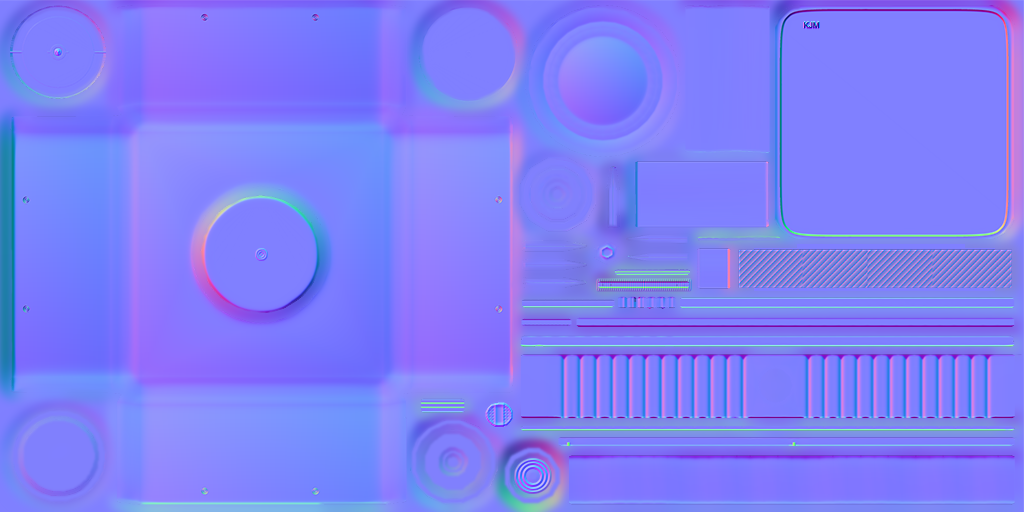
Sure (all WIP)lucky.BOY wrote:Can you post the textures? Mostly out for curiousity's sake. Something is putting me off but I cant really put my thumb on it
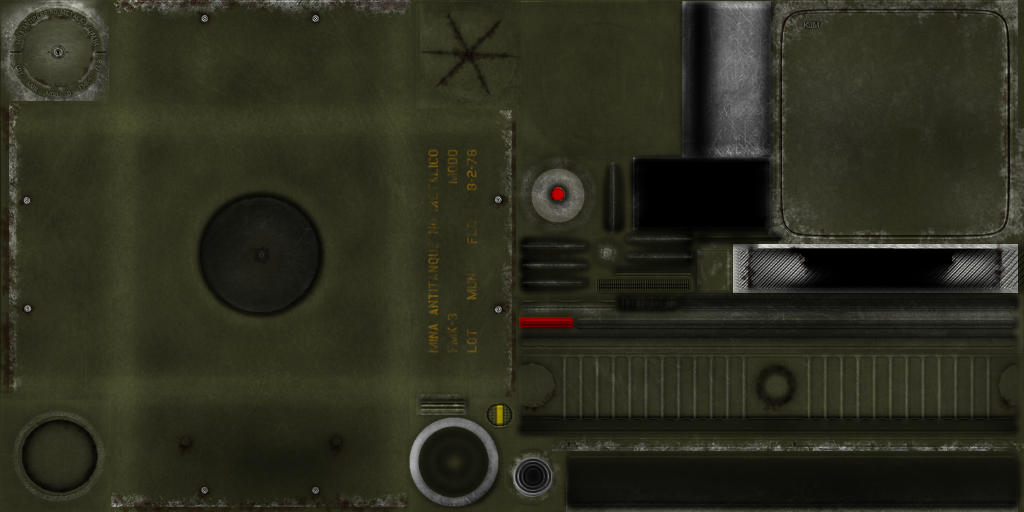
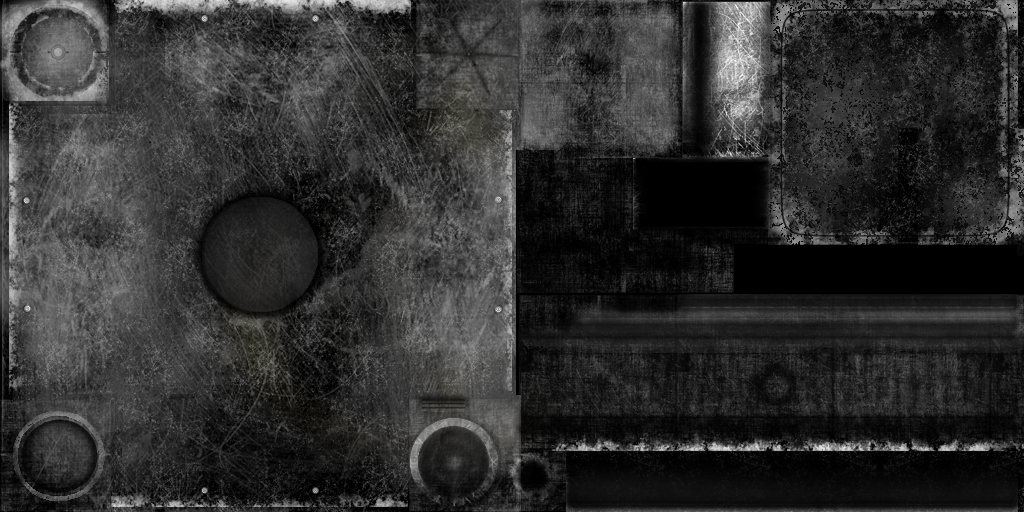
http://i1145.photobucket.com/albums/o515/Matt_Baker1942/Argentinian%20FMK-1%20FMK-3%20Mines/Normal_Test_zpse12f599f.png
-
Rhino
- Retired PR Developer
- Posts: 47909
- Joined: 2005-12-13 20:00
Re: [WIP] FMK-1 & FMK-3 Mines (PR:F)
You've got some pretty large differences in your spec map for no visible reason on the diffuse? Should keep it more or less the same unless there are bits of dirt or something around a bit that's much lower spec wise. And ye, Diffuse IMO still has quite a bit of noise in it. Other than that and what I said before, looks good
EDIT: also the text on the underside of the FMK1 should be on both the spec and normal map but small point.
EDIT: also the text on the underside of the FMK1 should be on both the spec and normal map but small point.
-
3===SPECTER===3
- Posts: 831
- Joined: 2007-05-05 01:13
Re: [WIP] FMK-1 & FMK-3 Mines (PR:F)
Just an update guys. I'd call these the final textures and I sent the in-game files off to Rhino.